Key Takeaways
- The best augmented reality apps solve everyday problems, from measuring spaces and translating text to navigating cities and visualizing products.
- AR apps commonly use markerless tracking, location-based tracking, and image or object recognition. LiDAR can further improve depth sensing and spatial understanding on supported devices.
- Google Lens, IKEA Place, and Google Maps Live View are among the most practical AR apps for everyday use, covering visual search, furniture visualization, and navigation.
- Businesses now apply AR across retail, real estate, manufacturing, healthcare, education, and field service, not just consumer entertainment.
- Enterprise AR training and navigation tools are expanding as spatial computing, computer vision, and depth-sensing hardware become more capable.
Augmented reality apps bring digital information and interactive content into the physical world through smartphones, tablets, and other devices. What started with gaming and social filters now supports practical tasks such as identifying objects, translating signs, measuring spaces, navigating unfamiliar places, and previewing products before purchase.
Global mobile AR users reached 1.07 billion in 2025 and are projected to reach 1.19 billion by 2028, according to Statista. This growing adoption reflects how AR is becoming part of everyday activities, from shopping and travel to education and home improvement.
With AR becoming part of everyday experiences, choosing the right app depends on what you want to accomplish. This guide covers 10 of the best augmented reality apps for real-world use, along with their key features, practical applications, and the problems they help solve.
Build powerful AR apps with Cubix. Let’s get started
Contact UsWhat Is an Augmented Reality App, and How Do AR Apps Work?
An augmented reality app uses your phone’s camera, sensors, and processor to layer digital content on top of the real world shown on your screen. Unlike virtual reality, which replaces your surroundings entirely, augmented reality (AR) adds to them. You still see your actual room, street, or object. The app just places useful information over it.
Augmented reality applications generally lean on one or more of these tracking methods:
- Real-time markerless AR (SLAM): Detects surfaces and tracks motion without a predefined marker. This is how furniture apps place a virtual sofa on your actual floor.
- Location-based AR: Uses GPS, compass, and accelerometer data to anchor content to a specific place. Navigation apps rely on this method, often using spatial anchors to keep digital markers locked to real-world coordinates.
- Marker-based or object recognition AR: Uses computer vision and object recognition to scan an image, barcode, or physical object and trigger digital content.
- LiDAR-assisted AR: Newer iPhones and iPads use LiDAR scanner integration to measure depth instantly, which makes furniture placement and room-scanning apps far more accurate.
Two development frameworks power most consumer AR apps on the market. Apple ARKit and Google ARCore are two major frameworks used to build AR experiences for iOS and Android. They provide capabilities such as motion tracking, environmental understanding, and light estimation.
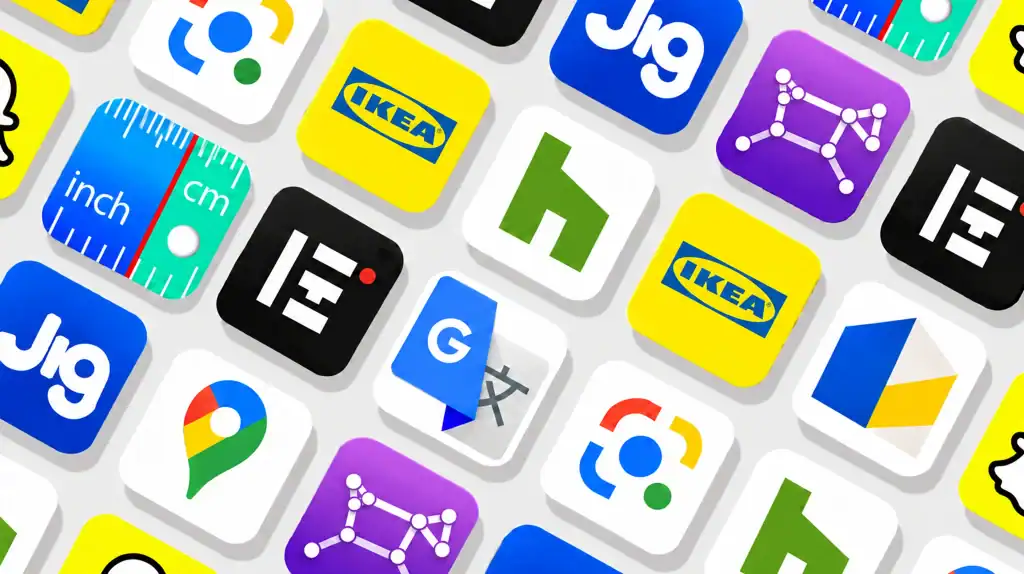
10 Best Augmented Reality Apps (Comparison Table)
Mobile app usage overall keeps climbing too. Global app downloads reached nearly 150 billion in 2025, and in-app purchase revenue rose 10.6% year over year to $167 billion, according toSensor Tower’s State of Mobile 2026 report. AR apps are riding that same wave of mobile engagement.
| App | Platform | Best For | Real-World Use | AR Type |
| Google Lens | iOS / Android | Object and text identification | Identify objects, plants, products, and text | Object recognition |
| IKEA Place | iOS / Android | Furniture visualization | Preview furniture in your room | Markerless (SLAM) |
| Google Maps Live View | iOS / Android | Walking navigation | Find directions and nearby places | Location-based |
| Google Translate | iOS / Android | Text translation | Translate signs, menus, and documents | Text recognition |
| Houzz | iOS / Android | Home renovation planning | Visualize furniture and home products | Markerless (SLAM) |
| ARuler | iOS / Android | Quick measurements | Measure objects, rooms, and distances | Markerless (SLAM) |
| InkHunter | iOS / Android | Tattoo preview | Test tattoo designs on your body | Markerless / Image tracking |
| JigSpace | iOS / Android | 3D product and technical demos | View and understand 3D models | Markerless (SLAM) |
| Night Sky | iOS | Astronomy and stargazing | Identify stars, planets, and constellations | Location-based |
| Snapchat | iOS / Android | Social AR and virtual try-on | Apply interactive lenses and preview products | Face / Object tracking |
10 Best Augmented Reality Apps for Real-World Use
Augmented reality apps are moving beyond gaming to support everyday tasks such as visual search, navigation, shopping, translation, measurement, and education. As smartphones and technologies like ARKit and ARCore make AR more accessible, the global AR market is projected to reach $170.0 billion in 2026 and $1,050.6 billion by 2033, at a 29.7% CAGR.
1. Google Lens
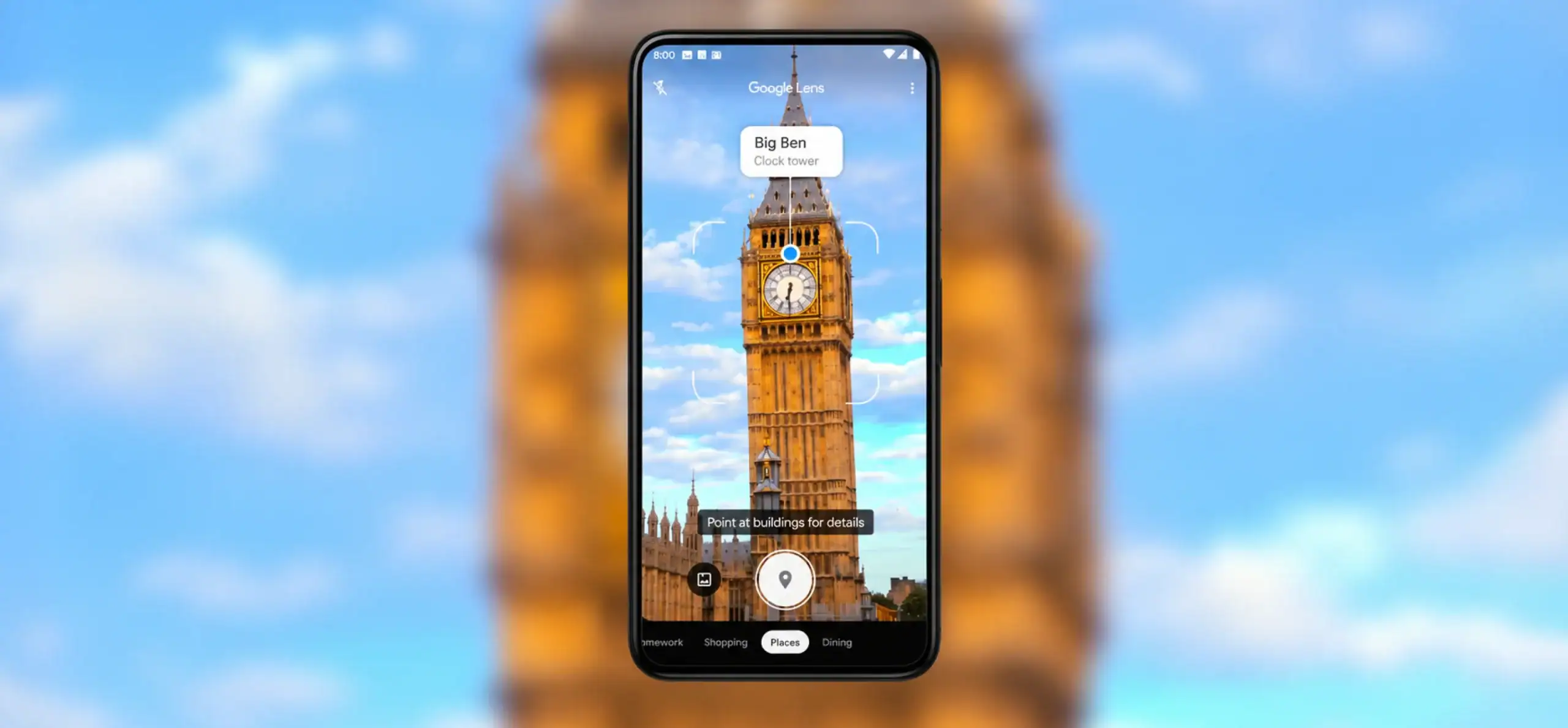
Google Lens is Google’s visual search tool. Point your camera at an object, plant, landmark, or block of text, and Lens identifies it, surfaces related search results, or converts it into editable text. It ships inside the Google app, Chrome, and most Android camera apps.
Real-world use:
Spot an unfamiliar plant on a walk, and Lens identifies it along with care tips in seconds. Students also scan handwritten notes or math problems to get instant step-by-step explanations.
Key AR features:
- Real-time object, plant, and landmark identification
- Text extraction that copies handwriting or printed text directly from a photo
- Visual shopping search that matches products across retailers
Why it stands out:
For users looking for AR apps for Android, Google Lens offers visual search, object recognition, and text translation in one accessible experience. it’s powered by Google’s massive image database, it stays one of the most accurate augmented reality applications for Android available today.
2. IKEA Place
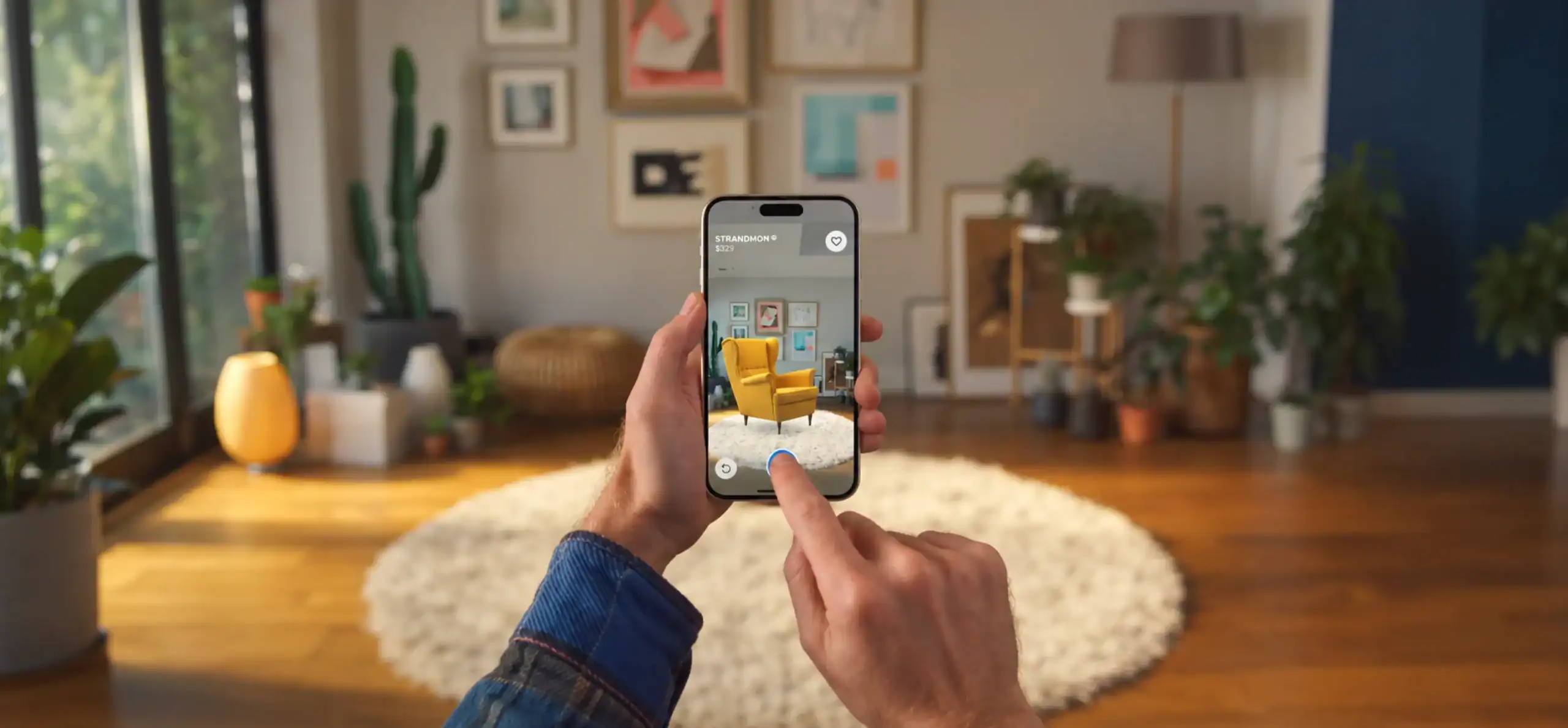
IKEA Place uses AR technology to place true-to-scale 3D models of IKEA furniture in your room, helping users visualize how products fit within their space.
Real-world use:
Before buying a sofa, open IKEA Place, select the model, and view it in your living room from multiple angles. You’ll see instantly whether it fits the space and matches your existing decor, without a return trip to the showroom.
Key AR features:
- True-to-scale 3D furniture placement
- Multiple color and fabric options per item
- Save and share room visualizations with others
Why it stands out:
IKEA Place solves a genuine buyer problem: uncertainty about size and fit. Because the models match IKEA’s real product dimensions, shoppers trust the preview enough to skip the guesswork that usually comes with furniture buying. It remains one of the most cited augmented reality apps in retail case studies, and its success has pushed other e-commerce apps to test AR-in-ecommerce features of their own.
3. Google Maps Live View
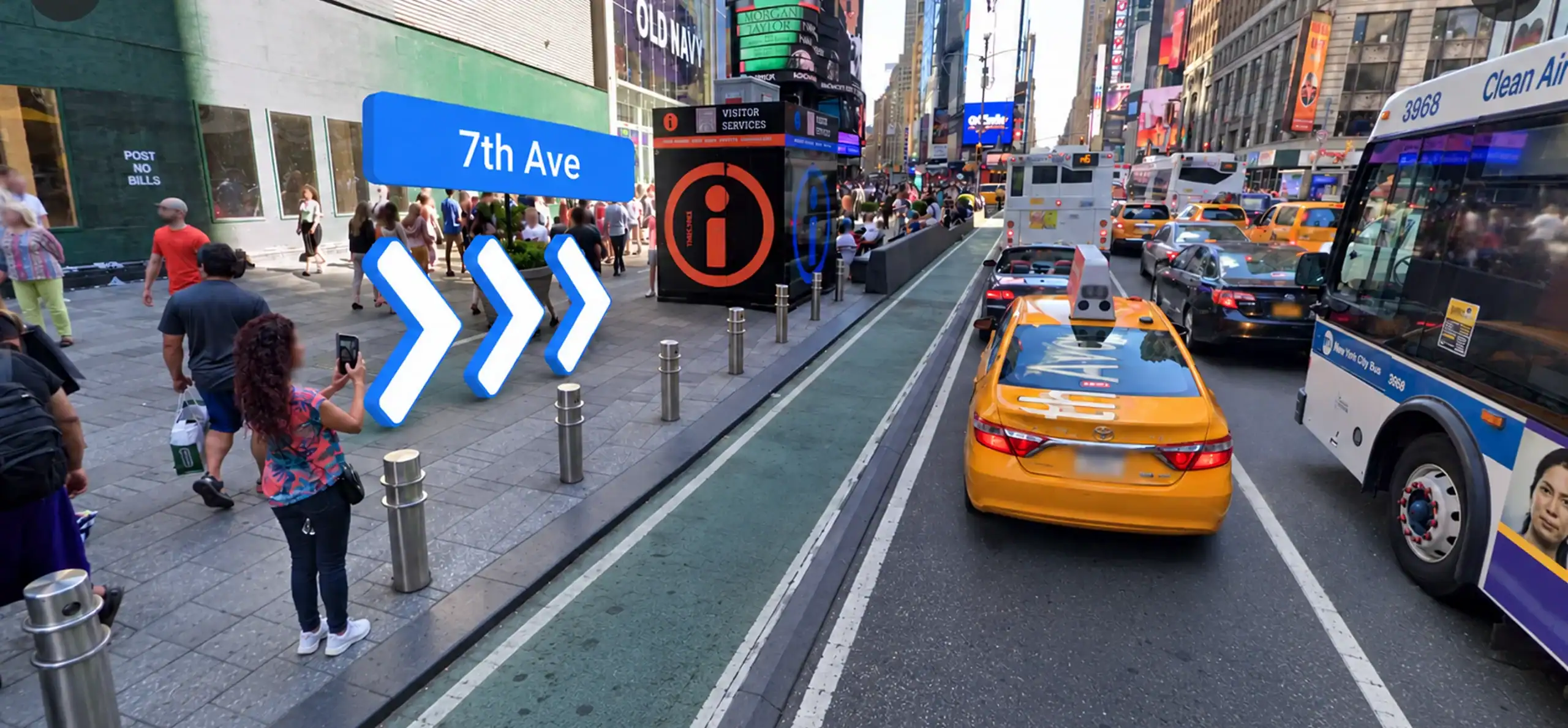
Google Maps Live View overlays walking directions, street names, and points of interest directly onto your phone’s camera view. It combines your camera feed with GPS and Google’s Street View data to orient you in real time using 3D spatial navigation.
Real-world use:
In an unfamiliar city, raise your phone and Live View shows directional arrows pointing toward your destination, layered right over the street in front of you. This helps most in dense areas where a flat 2D map struggles to show which direction you’re actually facing.
Key AR features:
- Real-time directional arrows overlaid on the live camera feed
- Points of interest labeled directly in the camera view
- Indoor support in select airports, malls, and transit stations using spatial anchors
Why it stands out:
Live View removes the guesswork of matching a flat map to real streets. Because it uses spatial anchors tied to Street View imagery, it stays accurate even in complex intersections where GPS alone tends to cause wrong turns.
4. Google Translate
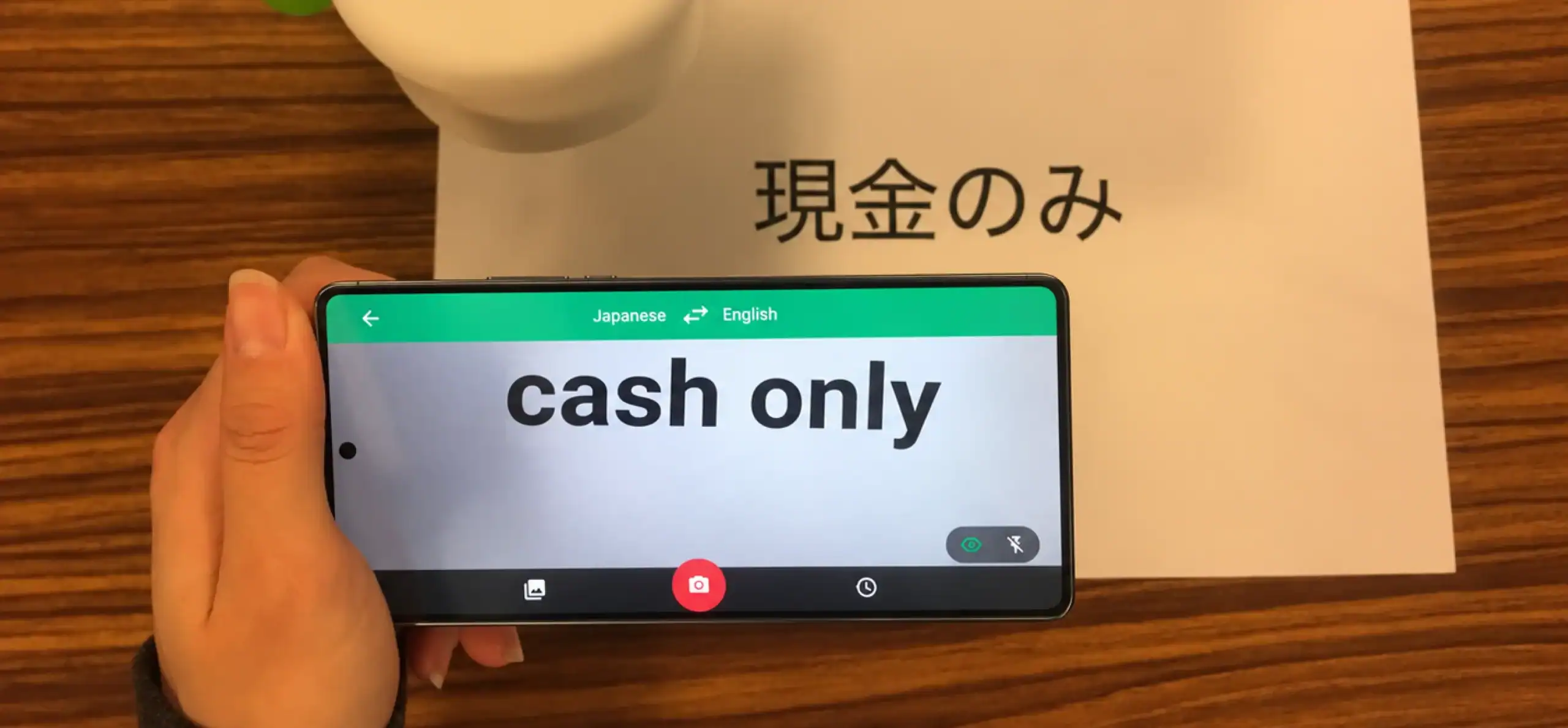
Google Translate’s camera mode overlays translated text directly onto the original image in real time. Point your camera at a sign, menu, or document, and the translation replaces the source text on screen.
Real-world use:
While traveling, point your camera at a restaurant menu written in a language you can’t read. The app translates it instantly, without typing a word or waiting for a separate scan.
Key AR features:
- Real-time camera translation across 100-plus languages
- Offline translation packs for select language pairs
- Instant text replacement over the original image
Why it stands out:
Because the translation renders live over the original text, you don’t lose context by switching between screens. This makes Translate one of the most practical augmented reality mobile application options for travel, not just an AR novelty.
5. Houzz
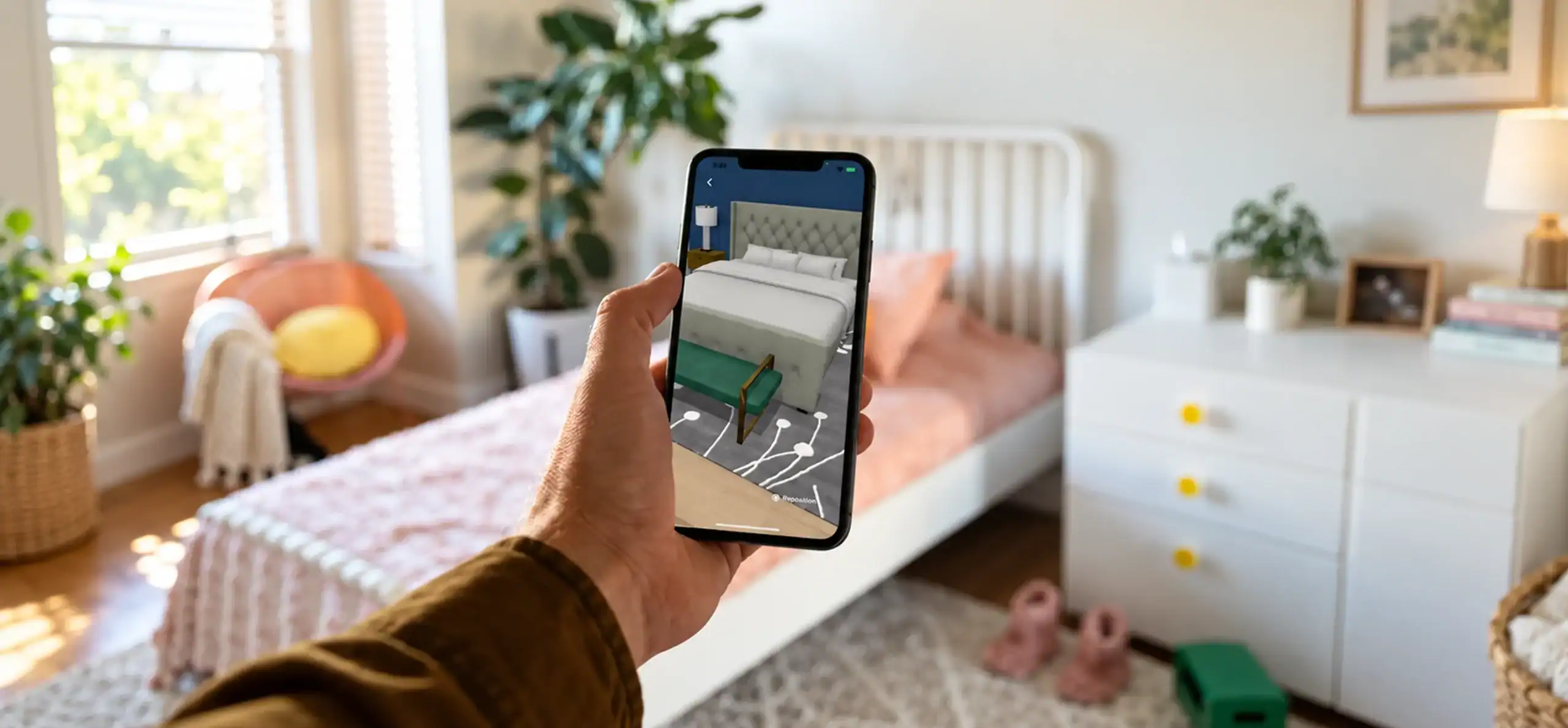
Houzz is a home renovation and design platform with a “View in My Room” AR feature. It lets you preview furniture, lighting, and decor items from its marketplace directly in your space before you buy.
Real-world use:
Planning a kitchen remodel, you can browse Houzz’s catalog and place cabinet hardware or light fixtures right in your kitchen through your camera to compare finishes side by side.
Key AR features:
- AR product placement from a marketplace of millions of items
- Photo-based room visualization and mood boards
- Direct connection to local contractors and designers
Why it stands out:
Houzz combines AR visualization with a full renovation ecosystem, including professional directories and project tools. It functions less like a single-purpose AR app and more like a planning hub that happens to include strong AR features.
6. ARuler (Ruler App)
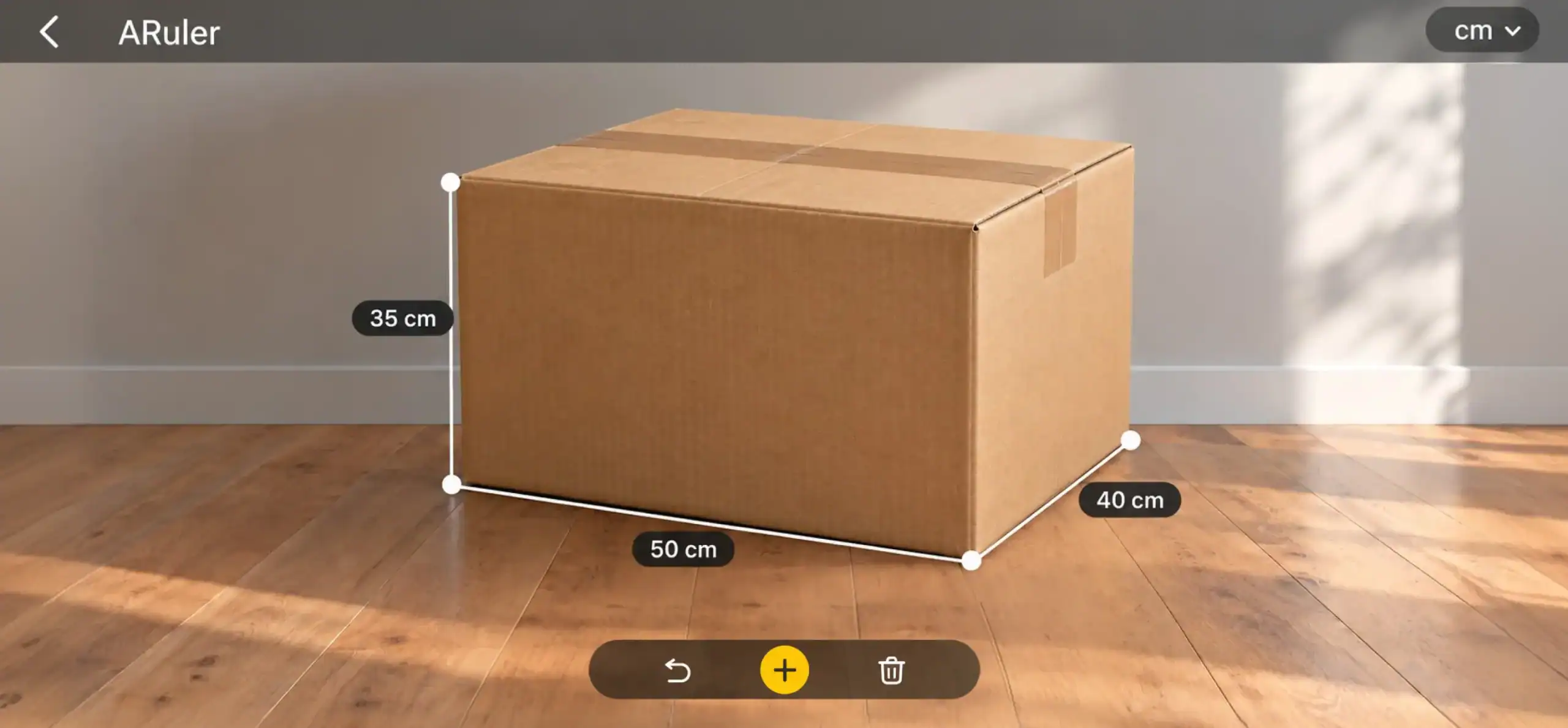
ARuler turns your phone into a measuring tool. Using markerless AR tracking and, on supported devices, LiDAR scanner integration, it measures length, area, and volume by scanning a surface instead of using a physical tape measure.
Real-world use:
Need to know if a couch fits through a doorway? Scan the doorway with ARuler, and you’ll get an instant width measurement, no tape measure required.
Key AR features:
- Length, area, and volume measurement modes
- Body measurement mode for clothing sizing
- Export and share measurement results
Why it stands out:
ARuler fills a narrow but genuinely useful gap: quick measurements when a physical tool isn’t handy. Accuracy depends on lighting and surface contrast, but for everyday estimates, it saves a trip to find a tape measure.
7. InkHunter
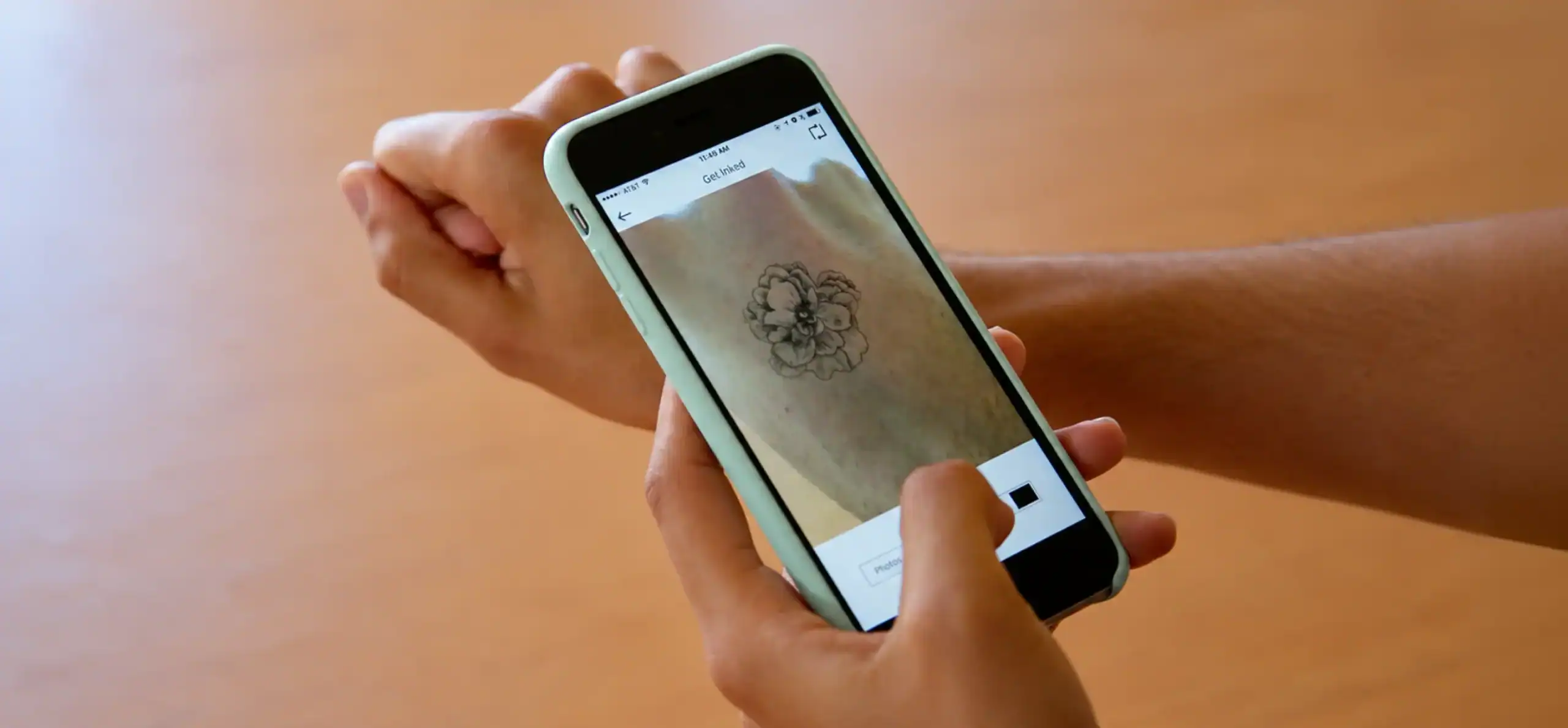
InkHunter previews tattoo designs on your skin using your phone’s camera. You draw a simple reference mark on your body, and the app tracks that mark to overlay a chosen or custom design in real time.
Real-world use:
Before committing to a tattoo, use InkHunter to preview how a design looks on your arm from different angles and under different lighting, which helps with decisions on placement and size.
Key AR features:
- Real-time tattoo design overlay tracked to skin
- Custom design upload and placement
- Built-in gallery of preset designs
Why it stands out:
InkHunter addresses a decision that’s otherwise permanent and hard to visualize. Because the design moves naturally with your body instead of sitting as a static mockup, the preview feels far more realistic than a printed stencil.
8. JigSpace
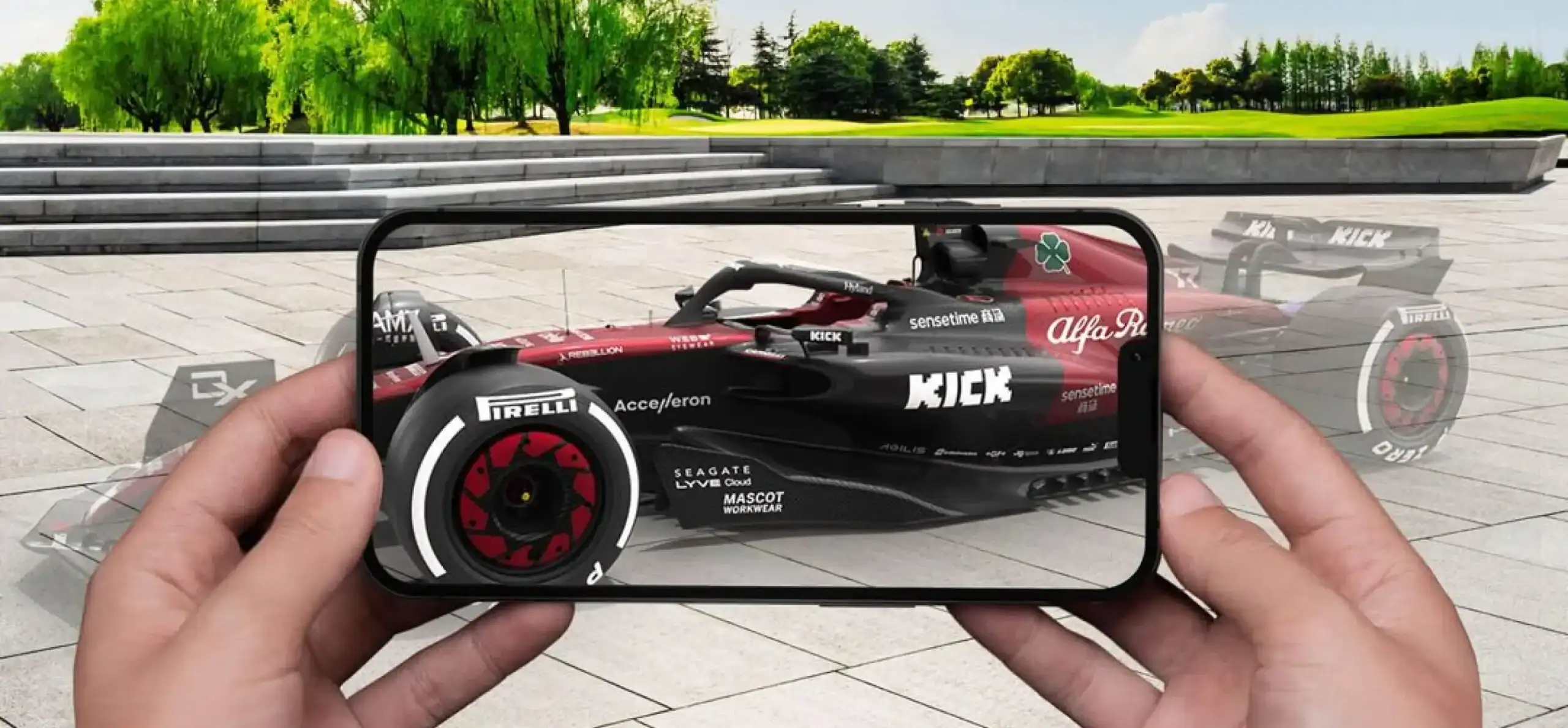
JigSpace is a 3D presentation tool that lets users view and interact with detailed product or technical models in AR. Sales, training, and engineering teams use it heavily for visualization.
Real-world use:
A sales team demonstrating industrial equipment can use JigSpace to walk a client through an exploded, step-by-step view of how a machine works, without shipping the physical unit to a meeting.
Key AR features:
- Step-by-step 3D model breakdowns, called “Jigs”
- Multi-user AR sessions for shared viewing
- A library of pre-built templates across common industries
Why it stands out: JigSpace focuses on explanation, not just visualization. Its step-by-step format makes it especially useful for enterprise AR training solutions, where showing how something works matters more than how it looks.
9. Night Sky
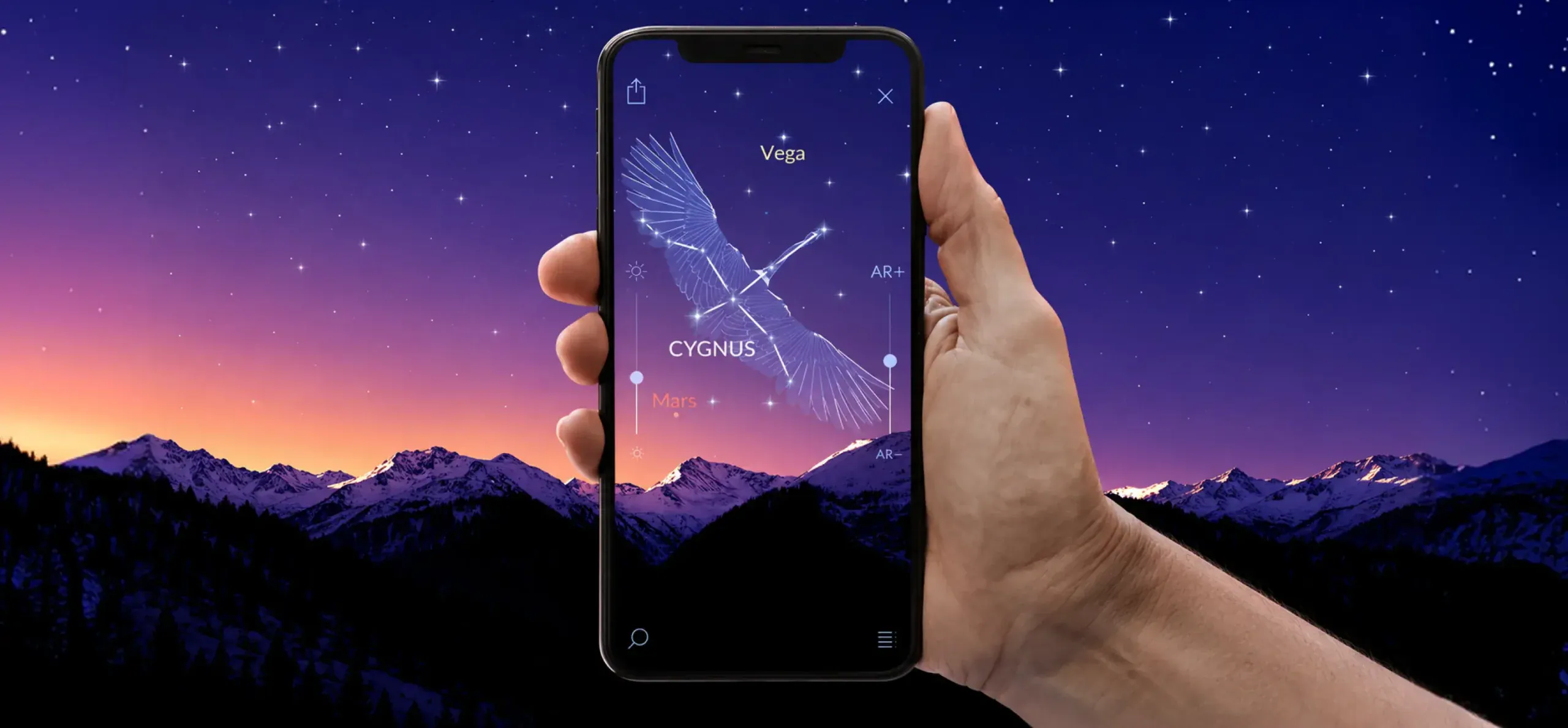
Night Sky uses location-based AR to identify stars, planets, satellites, and constellations when you point your phone at the sky. It overlays labels and orbital paths directly onto the live camera view.
Real-world use:
On a clear night, hold up your phone toward the sky, and Night Sky labels visible planets and constellations in real time, including notes on upcoming meteor showers or satellite passes.
Key AR features:
- Real-time star, planet, and satellite identification
- Time-travel mode to view past or future sky positions
- ISS and satellite pass notifications
Why it stands out:
Night Sky turns a passive activity, looking up, into an interactive, educational one. Its accuracy for satellite tracking, including the International Space Station, makes it a favorite among casual stargazers and hobbyist astronomers.
10. Snapchat
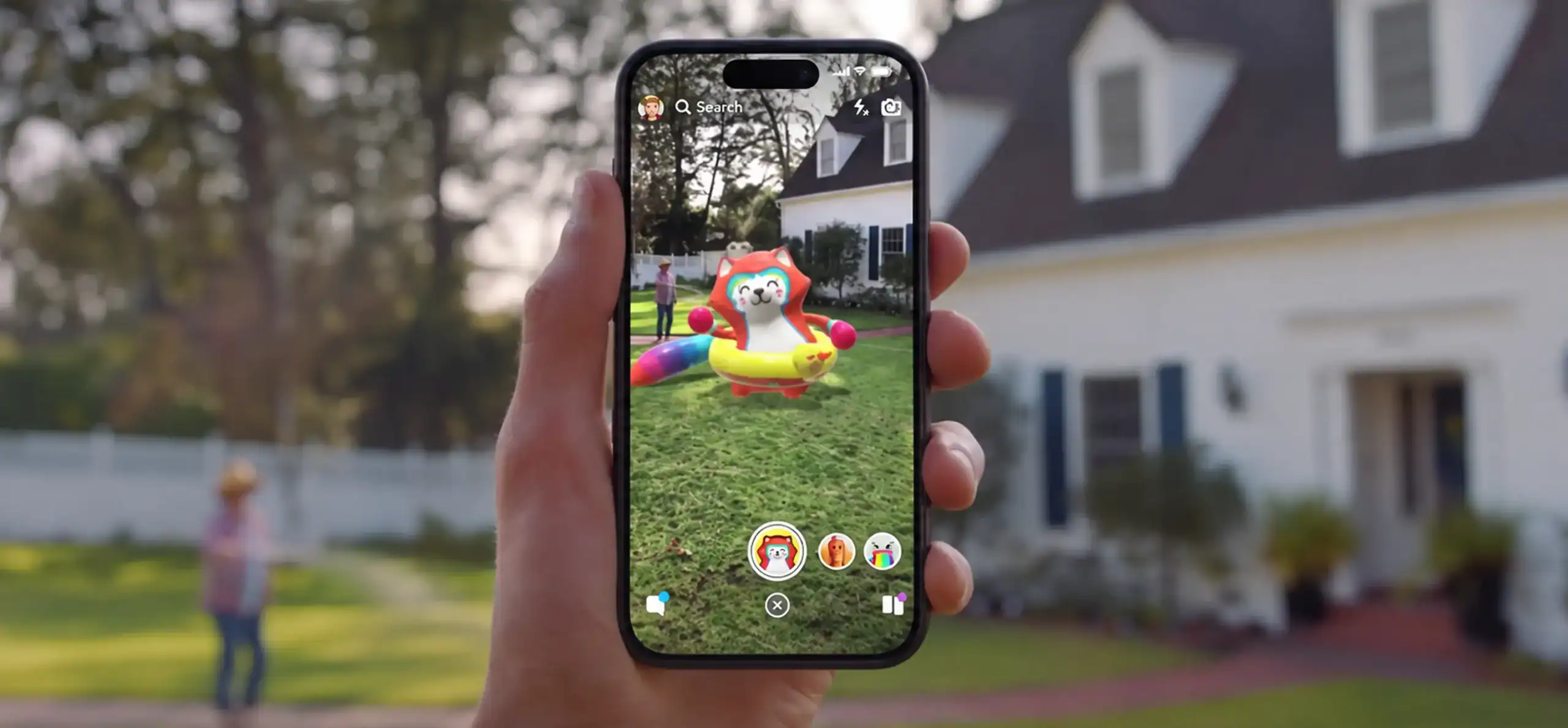
Snapchat’s Lenses use face and object tracking to apply AR filters, effects, and try-on features in real time. Beyond entertainment, Snapchat has expanded into AR shopping, letting users try on shoes, glasses, and makeup virtually.
Real-world use:
Before buying sunglasses online, you can use Snapchat’s shopping Lenses to try them on virtually through your front camera and see how they look before checkout.
Key AR features:
- Face and body tracking for filters and virtual try-on (VTO)
- Brand-integrated AR shopping Lenses
- Landmark-based AR effects tied to specific locations
Why it stands out:
Snapchat popularized consumer AR at scale and continues to expand its use in commerce. Its Lens Studio platform also enables brands to create custom AR experiences. For more on AR in mobile gaming, see our roundup of the best augmented reality games.
What Can You Do With Augmented Reality Apps?
AR now touches nearly every part of daily life and business operations. These use cases explain why companies treat the best augmented reality apps as infrastructure rather than a marketing add-on. Here’s a breakdown by use case.
AR for Shopping and Retail
Virtual try-on (VTO) has become the standard feature for AR in retail. Shoppers use it to preview makeup, glasses, furniture, and clothing before buying, which directly cuts return rates. The AR in the retail market is projected to reach $15.7 billion in 2026 and $105.9 billion by 2033, according to Grand View Research. Retailers can also use AR in e-commerce to improve product visualization and buying decisions.
AR for Education
Educators use AR apps to bring textbook diagrams to life, letting students interact with 3D models of anatomy, historical sites, or scientific concepts instead of static images. Realistic apps built on markerless tracking let a biology class dissect a virtual frog or an astronomy class walk through the solar system at scale, all from a tablet.
AR for Navigation
AR-based navigation tools like Google Maps Live View combine GPS, spatial anchors, and 3D spatial navigation to guide pedestrians through unfamiliar streets, airports, and transit hubs. Tools like Google Maps Live View help people find streets, landmarks, and destinations using camera-based guidance. The AR navigation market is projected to reach $11.7 billion by 2030, according to Grand View Research.
AR for Business
Businesses use AR for employee training, equipment guidance, and remote support. Technicians can follow digital instructions overlaid on machinery, while remote experts can guide field workers through repairs.
AR for Entertainment
Snapchat helped bring AR into mainstream entertainment through lenses, games, and social effects. AR games and interactive experiences continue to expand as smartphone cameras and AR capabilities improve.
Build Real-World AR Apps With Cubix
Off-the-shelf AR apps work well for general needs, but businesses often need experiences built around their products, customers, and workflows. Cubix is a custom mobile app development agency that builds AR solutions for retail, education, healthcare, navigation, and other business use cases.
From virtual product placement to interactive 3D experiences, Cubix develops AR features that solve specific business needs. Its team works with technologies such as ARKit, ARCore, and Unity to create AR experiences for iOS and Android applications.
As a VR app development company, Cubix also builds immersive AR and VR solutions for businesses looking to bring interactive digital experiences into their products and services.
Turn your AR app idea into reality with Cubix today
Contact UsFrequently Asked Questions
1. What are some examples of augmented reality applications?
Google Lens, IKEA Place, Google Maps Live View, Google Translate, Snapchat, and JigSpace are widely used examples. Each applies AR to a specific task, from identifying objects to previewing furniture.
2. What are some good apps that use augmented reality?
Google Lens and IKEA Place rank among the most useful augmented reality apps for daily tasks. Google Maps Live View and Google Translate add strong utility for travel and navigation.
3. What are the best free augmented reality apps?
Google Lens, Google Maps Live View, Google Translate, IKEA Place, InkHunter, and Snapchat are all free to download and use. Most other apps on this list offer free tiers with optional paid upgrades.
4. What are some good AR apps for iOS?
Night Sky, IKEA Place, ARuler, and JigSpace all run well on iOS thanks to Apple ARKit and LiDAR scanner integration on newer iPhones and iPads. Google Lens and Google Maps Live View also work fully on iOS.
5. What are some current augmented reality trends?
Enterprise AR training, AR-powered virtual try-on, spatial navigation, and LiDAR-assisted measurement are among the notable trends shaping AR applications. Smart glasses and lightweight AR hardware are also receiving increased attention.
6. What are 10 real-world examples of augmented reality?
Furniture placement, tattoo preview, sky mapping, camera translation, walking navigation, industrial training, virtual makeup try-on, room measurement, product demos, and social AR filters all count as real-world AR use cases, and each maps directly to one of the apps covered above.
7. Is AR better than VR?
Neither is universally better. AR overlays digital content onto the real world through a phone or glasses, while VR replaces your surroundings entirely through a headset. AR fits everyday tasks like navigation and shopping, while VR suits fully immersive training or entertainment.
8. How do top AR apps like IKEA Place or Google Maps Live View leverage ARKit, ARCore, and LiDAR?
IKEA Place AR uses ARKit and ARCore for motion tracking and surface detection, plus LiDAR on supported iPhones for faster, more accurate depth sensing. Google Maps Live View pairs ARCore and ARKit with GPS and Street View data for spatial anchoring.
9. What is the typical development timeline to build an enterprise-grade AR navigation or training app?
A custom enterprise AR app typically takes three to nine months, depending on scope, 3D asset complexity, and whether it integrates with existing enterprise systems. Navigation and training apps with spatial anchors usually sit at the longer end of that range.
10. How can businesses integrate custom AR features into existing iOS and Android apps?
Businesses typically add AR through ARKit for iOS and ARCore for Android, either building native modules or working with a development partner experienced in spatial computing. Most integrations start with a scoped pilot feature, such as product visualization, before expanding to full AR navigation or training modules.