Key Takeaways
- Market Dominance: Unity powers over 48% of global mobile and cross-platform games in 2026.
- Modern Engine Suite: The unity tool for game development includes DOTS, URP, and integrated visual scripting.
- Accessibility: Absolute beginners can create games quickly using C# and visual scripting logic.
- Performance Focus: Mobile game projects require careful draw call limits and lightmap optimization.
- Expert Partnerships: Top studios like Cubix accelerate production timelines for complex 2D and 3D games.
Game development feels less intimidating in 2026 than it did five years ago. Tools are simpler. Communities are bigger. Tutorials are everywhere, and most of them are free. Unity sits right in the middle of this shift, powering everything from tiny mobile puzzles to full 3D adventures.
Right now, over 3.9 million monthly active creators use Unity worldwide. That single stat says a lot. It shows how wide the door has opened for beginners, hobbyists, and studios alike. Whether you want to build a small mobile game or a detailed 3D world, Unity gives you a starting point that scales with your ambition.
This guide walks you through everything you need in 2026. We will cover tools, costs, tutorials, coding basics, and common mistakes. We will also look at studios worth knowing, including Cubix, a name that keeps showing up in serious Unity projects. By the end, you will know exactly where to start and what to avoid.
Want to discuss your project? Our experts are just a click away.
Contact UsWhat Is Unity Game Development? Why It Still Matters in 2026
Unity is a real-time engine used to build games and interactive apps. It supports 2D, 3D, AR, and VR projects. Developers use it because it works across many platforms at once.
You can build a game once and export it to mobile, PC, and consoles. That flexibility is rare among game engines. It also explains why so many studios still choose Unity over other options.
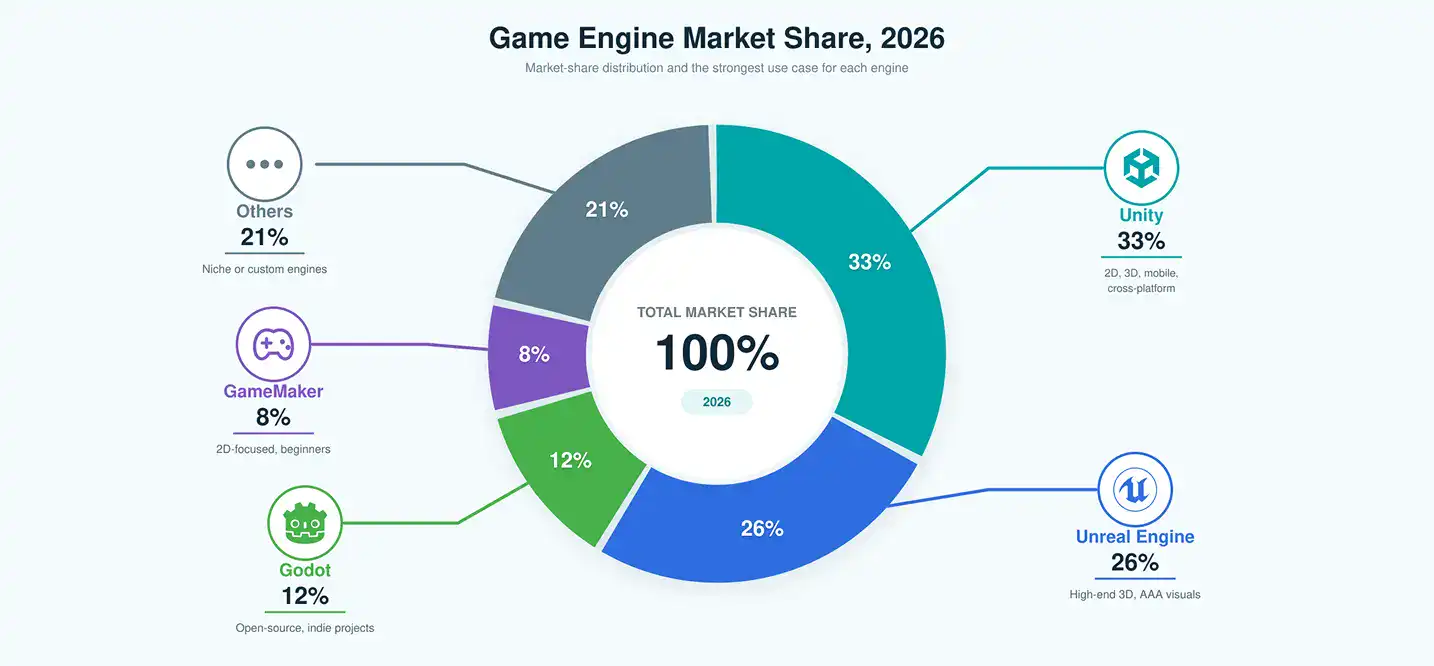
In fact, Unity still holds roughly a third of the global game engine market. That makes it the most widely used engine today.
Game Engine Market Share, 2026
| Engine | Market Share | Best For |
| Unity | 33% | 2D, 3D, mobile, cross-platform |
| Unreal Engine | 26% | High-end 3D, AAA visuals |
| Godot | 12% | Open-source, indie projects |
| GameMaker | 8% | 2D-focused, beginners |
| Others | 21% | Niche or custom engines |
If you are picking your first engine, Unity is usually the safer bet. It has strong documentation, a huge asset store, and steady job demand. Many studios that offer full game development company services still build most of their pipeline around Unity, simply because it scales so well across teams and platforms.
Unity also updates its Editor twice a year, keeping the tool current with new hardware. This steady release cycle matters more than people realize. It means the skills you learn today stay relevant for years, instead of becoming outdated the moment a new device launches. That long shelf life is part of why so many schools and bootcamps still teach Unity as a first engine.
Beginner’s Roadmap for Creating Interactive 3D Applications
Getting started can feel overwhelming. So let us break it into clear steps. This roadmap works whether you want a hobby project or a full career.
Step-by-step roadmap:
- Install Unity Hub and the latest LTS version of the Editor.
- Complete Unity’s official beginner tutorials.
- Learn basic C# scripting through small exercises.
- Build a simple 2D game first, like a platformer.
- Move on to a basic 3D scene with lighting and physics.
- Import free assets and test how they behave in-game.
- Publish a small project to build confidence.
- Join a Unity community to get feedback.
Unity’s official learning platform, Unity Learn, remains the best starting point. It offers structured, free courses for total beginners. Around 46% of new Unity users say they started there first, before touching any paid course.
If you are aiming for mobile projects specifically, it helps to study how a mobile game development company structures its early builds. They often start small, test fast, and scale only after the core mechanic feels fun.
Give yourself permission to build something small and rough at first. Your first game does not need original art or a big idea. It just needs to work, from start to finish, on your own device. That single win builds real momentum, and momentum is what carries most beginners past the early, frustrating weeks.
A simple weekly rhythm also helps beginners stay consistent. Try setting aside a few fixed hours each week, rather than waiting for a large block of free time. Short, regular sessions build skill faster than occasional long ones, mainly because you forget less between sessions. Consistency, not intensity, is what actually moves beginners forward.
Essential Software and Tools for Solo Game Creators
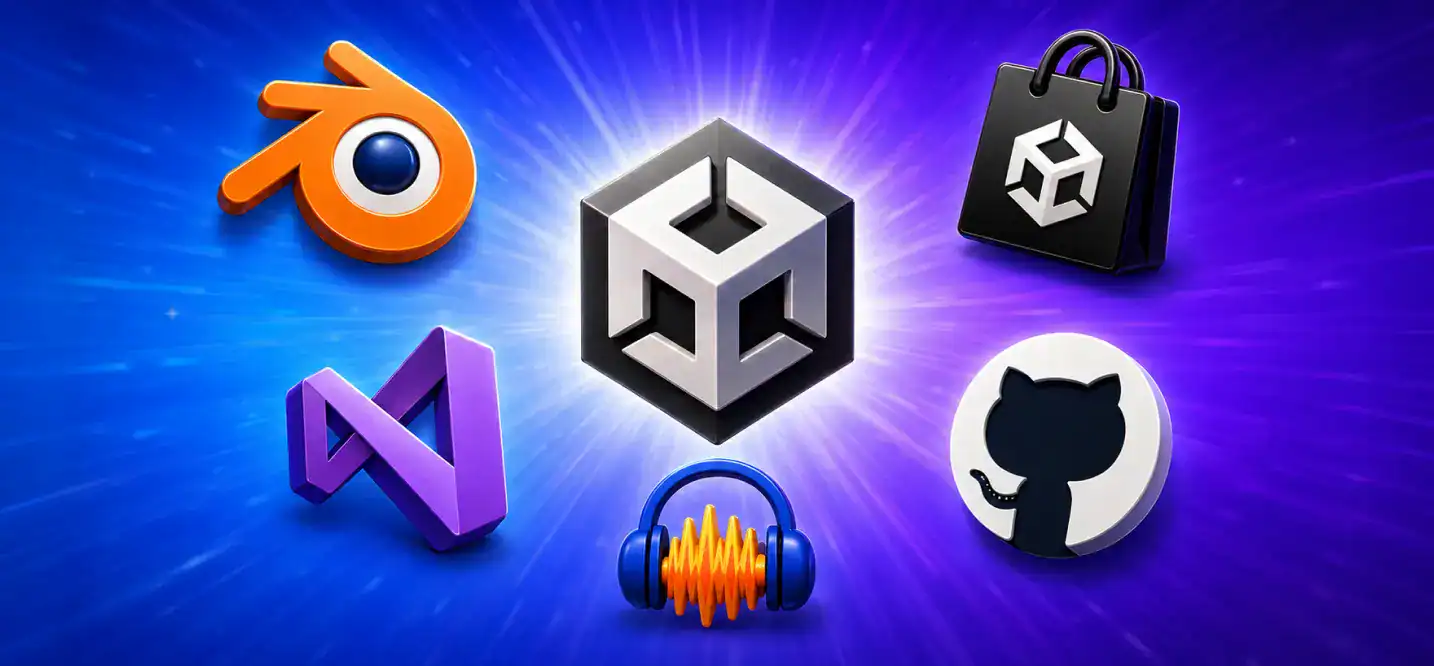
Solo developers do not need an expensive setup. Unity itself is free for most creators. But a few extra tools make the process smoother.
Here is a simple breakdown of what most solo creators actually use.
Free vs Paid Tools for Solo Unity Developers
| Tool | Purpose | Free Option | Paid Option |
| Unity Editor | Core development | Personal Plan | Pro Plan |
| Blender | 3D modeling | Free, open-source | N/A |
| Visual Studio | Code editing | Community Edition | Enterprise |
| Unity Asset Store | Assets and plugins | Free assets available | Premium packs |
| Audacity | Sound editing | Free, open-source | N/A |
| GitHub | Version control | Free for individuals | Team plans |
Most solo creators can build a full game without spending anything upfront. That is one reason indie development has grown so fast. Teams that need more structure often turn to a 2d game development company provider once their prototype proves itself.
Step-by-Step Tutorial: Building a 3D Game With Industry-Standard Assets
Let us walk through a basic 3D build. This example uses free, industry-standard assets, so you can follow along without spending money.
A simple workflow looks like this:
- Create a new 3D project in Unity.
- Import a free terrain or environment pack from the Asset Store.
- Add a player character using a free rigged model.
- Set up basic movement scripts in C#.
- Add lighting and simple particle effects.
- Test performance on a target device early.
- Package a small demo build.
3D modeling in Unity does not require you to be an expert artist. Many beginners rely entirely on free or low-cost assets at first. That is completely normal, and even professional studios prototype this way.
Beginners following a structured tutorial finish their first playable build almost eight times faster than those learning without any plan.
That gap matters. It shows why structured learning paths, not random tutorials, save the most time.
How to Choose the Right Unity Software Package for Indie Developers
Unity offers different plans depending on your revenue and team size. Picking the wrong one can cost you later, so it helps to compare them early.
Unity Plans Compared, 2026
| Plan | Cost | Best For | Revenue Limit |
| Personal | Free | Beginners, hobbyists | Under $200K/year |
| Plus | ~$399/year | Small indie teams | Under $200K/year |
| Pro | ~$2,040/seat/year | Studios, larger teams | No limit |
| Enterprise | Custom pricing | Large studios | No limit |
Most solo developers stay on the free Personal plan for years. It is more than enough for learning, prototyping, and even publishing small games.
Indie developers who plan to scale often skip straight to Pro once they land funding or a publishing deal. Around 61% of indie teams upgrade within their first two years of active development.
Optimizing Performance for Mobile Game Projects
Mobile devices have less processing power than PCs or consoles. So performance optimization becomes critical, not optional.
A few practical tips help a lot:
- Keep polygon counts low for mobile characters and environments.
- Use texture compression suited to each target device.
- Batch draw calls wherever possible.
- Test on real devices, not just the Unity Editor.
- Avoid unnecessary real-time lighting on lower-end phones.
Load times directly affect player retention. Studies show that a large share of mobile users abandon apps that take too long to load.
Approximate mobile load-time benchmarks:
| Device Tier | Average Load Time | Player Drop-off Risk |
| High-end | 1.2 seconds | Low |
| Mid-range | 2.8 seconds | Moderate |
| Low-end | 5.1 seconds | High |
Teams that specialize in optimized builds, including studios offering Unity game development services, usually test across all three tiers before launch. Skipping that step often costs far more in refunds and bad reviews than the testing itself.
Battery drain matters just as much as load time. Players notice quickly when a game heats up their phone or drains battery fast. Reducing background processes, capping frame rates on lower-end devices, and limiting unnecessary particle effects all help here. None of these fixes require advanced skill, just consistent testing habits built into your workflow from the start.
Coding & Tools: What Code Does Unity Use
Unity primarily uses C# for scripting. It is a clean, readable language, which makes it friendlier for beginners than many alternatives.
You do not need to master coding before starting. Many artists and designers use only minimal scripting, relying instead on Unity’s visual tools for animation, lighting, and physics.
Minimal coding workflow for environment artists:
- Use Unity’s Timeline tool for simple animations.
- Apply prebuilt physics components instead of writing custom code.
- Use ProBuilder for quick environment blockouts.
- Rely on Shader Graph instead of writing shader code manually.
- Learn just enough C# to tweak existing scripts, not write from scratch.
Roughly 40% of Unity’s active users describe themselves as non-programmers or hybrid artist-developers. That number keeps growing every year, showing how accessible the engine has become.
This shift changes how teams get built. A small studio no longer needs five programmers to ship a game. One or two engineers can now support a larger group of designers and artists, since Unity’s visual tools handle so much of the heavy lifting. For solo creators, this means you can lean into your strengths, whether that is art, sound, or design, without feeling forced to become a full-time programmer first.
Top Platforms Offering Unity Courses and Certifications
Picking the right course matters as much as picking the right engine. Here is a comparison of the most popular platforms in 2026.
Unity Learning Platforms Compared
| Platform | Price Range | Duration | Certification | Best For |
| Unity Learn | Free | Self-paced | Yes | Absolute beginners |
| Udemy | $15 to $150 | 10 to 40 hours | Certificate of completion | Structured courses |
| Coursera | Free to $79/month | 4 to 12 weeks | Verified certificate | Academic learners |
| YouTube | Free | Varies | None | Casual, visual learners |
| GameDev.tv | $20 to $200 | 20 to 60 hours | Certificate of completion | Project-based learners |
Unity Learn remains the most trusted starting point, especially for real-time 3D development basics. Once learners feel confident, many move to Udemy or GameDev.tv for deeper, project-based courses.
Common Pitfalls Beginners Should Avoid
Most beginners make the same few mistakes. Knowing them early can save weeks of frustration.
Avoid these common pitfalls:
- Trying to build a huge game as your very first project.
- Skipping performance testing until the very end.
- Ignoring version control from day one.
- Downloading too many random assets without a clear plan.
- Not testing on real target devices early enough.
- Copying tutorials without understanding the underlying logic.
Nearly 54% of first-time Unity projects are abandoned before completion. Most of these failures trace back to scope, not skill. Starting small genuinely works better.
It also helps to set a hard deadline for your first project, even a loose one. Beginners who set a deadline, even an informal one, finish their first build far more often than those who leave the timeline open. A finished small game teaches you more than a half-built ambitious one ever will. Treat your first project as practice, not your masterpiece, and the pressure eases considerably.
Top Unity Game Development Studios to Know in 2026
If you need outside help, several studios stand out for Unity work. Here is a quick snapshot before we go deeper on the top name.
Cubix
Cubix leads this list for good reason. It operates as a full game development company, handling everything from concept art to post-launch support. Cubix has built a strong name in both 2D and 3D Unity projects, along with mobile-first titles designed for global audiences.
What makes Cubix stand out as the best game development studio. The studio does not just build games. It also supports AR, VR, and blockchain-based game mechanics, all inside the Unity pipeline. Clients often mention the team’s ability to move from prototype to polished build without losing quality along the way. You can explore full portfolio and services at https://games.cubix.co/case-studies/
Other notable studios
- Studio B focuses mainly on 2D indie titles with tight, small teams.
- Studio C specializes in VR experiences for enterprise clients.
- Studio D works primarily on hyper-casual mobile games with fast turnaround times.
Studio Comparison Snapshot
| Studio | Team Size | Core Specialty | Typical Client |
| Cubix | ~220 | 2D, 3D, mobile, AR/VR | Startups to enterprises |
| Studio B | ~150 | 2D indie games | Independent publishers |
| Studio C | ~90 | Enterprise VR | Corporate clients |
| Studio D | ~60 | Hyper-casual mobile | Mobile publishers |
Cubix’s larger team size reflects its broader service range. It is one of the few studios equipped to handle full production, not just individual pieces of it.
Why Cubix Stands Out for Unity Game Development
Cubix has spent years refining its Unity pipeline, and it shows in the range of projects the team takes on. From simple 2D mobile puzzles to detailed 3D worlds, the studio adapts its process based on the project’s actual needs, not a one-size-fits-all template.
Their team pairs technical depth with design sensibility. That combination matters more than people expect. A game can run perfectly and still feel flat if the design side is weak. Cubix avoids that trap by keeping artists and engineers in the same workflow from day one.
The studio also invests heavily in mobile optimization, which fits neatly with earlier sections of this guide. Their builds are tested across device tiers before launch, reducing the load-time risks we covered earlier. This attention to detail is part of why so many clients return for multiple projects instead of one-off builds.
For teams exploring Unity game development services, Cubix offers a rare mix of speed and polish. Their process typically includes prototyping, full production, quality assurance, and post-launch updates, all under one roof. That reduces the usual friction of juggling multiple vendors for a single game.
Getting Started With Cubix: Services, Process, and Next Steps
If you are ready to move past tutorials and build something real, working with an established studio can shortcut months of trial and error. Cubix offers a clear path for teams at any stage, whether you have a rough idea or a finished design document.
Their process usually starts with a discovery call, followed by prototyping, then full development. Clients get visibility into each stage, which helps avoid the common pitfalls we covered earlier in this guide, like scope creep or late-stage performance issues.
Cubix’s range covers 2D game development needs, 3D game development services, and full mobile game development projects, all inside one team. That range is rare, and it is part of why the studio keeps appearing across so many Unity project shortlists in 2026.
Unity game development in 2026 rewards those who start small, learn steadily, and lean on experienced partners when needed. With the right roadmap, and the right team behind you, your first real project is closer than it might feel right now.
Want to discuss your project? Our experts are just a click away.
Contact UsFrequently Asked Questions
1. What is the best way to learn Unity as an absolute beginner?
Start with Unity Learn, since it is free and built by Unity itself. Follow a short, structured course before jumping into random tutorials. Build one small project first, instead of aiming for something big right away.
2. What should I do first to learn Unity game development?
Install Unity Hub and the latest LTS Editor version. Then complete a beginner tutorial that builds a simple 2D game. This gives you a working foundation before you touch 3D or complex scripting.
3. What code does Unity use?
Unity primarily uses C# for scripting. It is considered one of the more beginner-friendly programming languages. You do not need deep coding knowledge to start, especially if you rely on Unity’s visual tools early on.
4. How do I become a Unity game developer as a complete beginner?
Follow a clear roadmap: learn the Editor, pick up basic C#, build small 2D and 3D projects, and publish something simple. Real progress comes from finishing small builds, not from watching endless tutorials.
5. Is Unity really free for beginners and indie developers?
Yes. Unity’s Personal plan is free for developers and small teams earning under $200,000 a year. Most beginners never need to pay anything until their project actually starts generating revenue.
6. How long does it take to build a first playable Unity game?
It depends on your experience level. Complete beginners typically take around 8 weeks with a structured plan, while developers with prior coding experience can finish a basic playable build in 1 to 2.5 weeks.
7. Why should I work with a studio like Cubix instead of learning Unity alone?
Learning alone works for hobby projects, but studios like Cubix bring speed, experience, and a full production pipeline. This matters most when you need a polished, market-ready game on a real timeline.