Key Takeaways
- MLOps keeps traditional machine learning models running well in production.
- LLMOps covers the extra work that language model apps bring.
- Prompts, retrieval systems and guardrails become things you manage, not just models.
- LLM quality needs task-specific tests. No single accuracy score works.
- Many enterprises can extend their MLOps setup instead of starting over.
- Not every company needs every LLMOps component. Start with your real risks.
- A short checklist can turn a pilot into a system you can trust.
Here is a number that should get your attention. Gartner predicted that at least 30% of GenAI projects would be abandoned after proof of concept by the end of 2025. The reasons were poor data, weak risk controls, rising costs and unclear value. Notice that none of those are about how smart the model is.
Building an AI demo is the easy part. Running it every day, for real users, is harder. Teams keep asking the same question. Is this MLOps, or do we need LLMOps? The MLOps vs LLMOps debate gets confusing fast because the two overlap.
This guide clears it up. You will learn what each term means and where they differ. You will also get a lifecycle, a checklist and a few tables to keep. Our team at Cubix AI works on these problems with enterprise clients. We wrote this the way we would explain it to a friend.
Operationalize Your AI With Expert MLOps and LLMOps Solutions at Cubix
Contact UsWhat Are MLOps?
What MLOps Covers
MLOps stands for machine learning operations. It is a set of habits and tools. They move a model from a notebook to production and keep it healthy there. Think of it as DevOps for models.
A classic ML model predicts something. It might flag a fraud attempt or forecast demand. You train it on your own data. Then you ship it and watch it.
The hard part is the “ship it” step. A Gartner survey found only 48% of AI projects make it into production. Getting from prototype to production took about 8 months on average. That gap is what MLOps exists to close.
Core Parts of MLOps
Most MLOps setups share a few building blocks:
- Data pipelines: Move and clean data so training stays repeatable.
- Experiment tracking: Record what you tried and what worked.
- Model registry: Store approved model versions in one place.
- Deployment: Push models to production with tests and rollbacks.
- Drift monitoring: Catch changes in data or predictions over time.
- Retraining: Refresh the model when performance drops.
Where MLOps Works Best
MLOps shines when the output is a number or a label. You can compare it to a known answer. That makes testing clear and monitoring simple. Many enterprise AI systems still run this way, and they work well.
What Are LLMOps?
Is LLMOps Part of MLOps?
Short answer: yes, in spirit. LLMOps is a newer branch of AI operations. It borrows the same goals. You still want reliable releases, good monitoring and clear ownership.
The tools and tasks look different, though. LLM operations deal with prompts, retrieval, safety filters and token bills. Most teams treat LLMOps as an extension of MLOps, not a replacement.
Nobody has one official LLMOps stack. Vendors and teams draw the lines in different places. Treat any “standard” diagram as one view.
Why LLM Apps Need Extra Care
Adoption is already wide. McKinsey says 88% of firms use AI in at least one business function. Many of those are generative AI apps. These apps behave differently from classic ML.
Here is why:
- The output is free text, so there is no single right answer.
- Small prompt edits can change results a lot.
- Models can sound sure and still be wrong.
- Every call costs money, based on tokens.
- Users can type anything, including risky requests.
That is why generative AI operations need their own habits. If you are planning a build, our generative AI development services team can help you scope it.
LLMOps vs AIOps
People mix these up all the time. They solve different problems.
- LLMOps manages language model applications.
- AIOps uses AI to run IT operations, like spotting server issues.
One manages AI. The other uses AI. Same letters, different jobs.
MLOps vs LLMOps: Key Differences
Let’s compare them side by side. This table covers the main areas.
MLOps vs LLMOps at a Glance
| Area | MLOps | LLMOps |
|---|---|---|
| Lifecycle | Data, train, deploy, monitor, retrain | Choose model, prompt, connect data, evaluate, deploy, monitor |
| Main artifacts | Datasets, features, trained models | Prompts, retrieval indexes, model versions, eval sets |
| Deployment | Model served as an API or batch job | App with prompts, retrieval, tools and guardrails |
| Evaluation | Accuracy, precision, recall, error rates | Task-specific tests, human review, automated scoring |
| Monitoring | Data drift, model drift, latency | Quality, safety, retrieval, latency, token use |
| Data | Structured or labeled training data | Documents, knowledge bases, chats, feedback |
| Cost | Mostly training and hosting | Often driven by inference and token volume |
| Governance | Model approvals and audit trails | Vendor inventory, data controls, prompt changes, safety reviews |
How to Read This Table
- The first three rows show how the work changes shape.
- Evaluation and monitoring show where LLMs get harder.
- Cost and governance show where surprises hide.
Why does it matter? S&P Global found 42% of firms scrapped most AI initiatives in 2025. That was up from 17% a year earlier. Teams that plan operations early tend to avoid this trap.
Main Components of an LLMOps Stack
Here is the honest part. You do not need every piece below. Pick what matches your use case and your risk.
Prompt and Version Management
A prompt is code in disguise. Change one line and the whole app can act differently. So you track prompts like software. Save versions, test changes and keep a way to roll back.
RAG Pipelines and Vector Databases
RAG means retrieval-augmented generation. The app looks up your documents first. Then the model answers using what it found. Vector databases help find the right text fast.
RAG needs upkeep. Documents go stale. Chunks get split badly. Search quality slips. Someone has to own that. Do you want a model to pair with RAG? See these open source generative AI models.
Guardrails and Safety
Guardrails are rules around the model. They block unsafe requests. They hide private data. They check answers before users see them. Regulated industries need these the most.
Inference Cost and Model Routing
Prices are falling fast. Stanford’s AI Index tracked a 280-fold drop in query cost. That covers GPT-3.5-level models, from late 2022 to late 2024. Cheaper tokens still add up at scale.
Gartner sees the risk too. It expects at least half of GenAI projects to overrun their budgets. The cause is poor architecture and thin operations know-how. That comes from Gartner’s 2026 Hype Cycle for Generative AI.
Model routing helps. Send easy questions to a small, cheap model. Send hard ones to a bigger one.
Human Feedback
Users tell you what works. Thumbs up, thumbs down and edits are useful signals. Reviewers can label tough cases. Feed that back into your tests and prompts.
LLMOps Components and Who Needs Them
| Component | What it does | Who needs it |
|---|---|---|
| Prompt management | Versions and tests prompts | Any team shipping LLM apps |
| RAG and vector search | Grounds answers in your data | Apps that answer from company documents |
| Evaluation | Scores quality before and after release | Everyone |
| Guardrails | Blocks unsafe input and output | Customer-facing or regulated use cases |
| Observability | Tracks latency, cost and quality | Apps with real traffic |
| Model routing | Matches tasks to the right model | High-volume apps with cost pressure |
| Human feedback | Turns user signals into improvements | Apps that need steady quality gains |
Need help picking? Our large language model development services team designs these stacks with enterprise teams. Cubix starts with your use case, then adds only what you need.
Training vs Fine-Tuning vs Prompting vs RAG
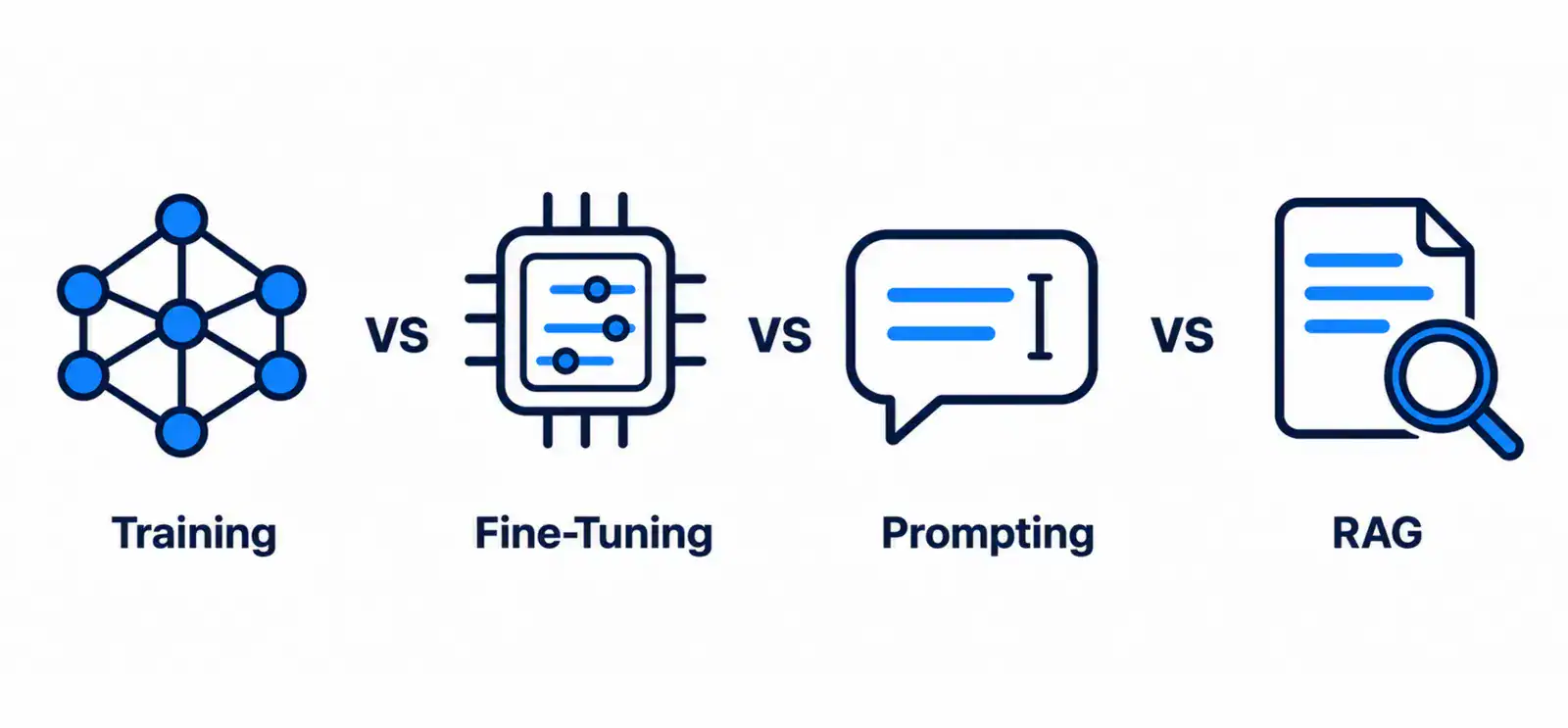
These four get mixed up a lot. They change different things.
Training a Model
You build a model from scratch. It needs huge data and compute. Most enterprises never do this.
Fine-Tuning
You adjust an existing model with your own examples. It changes the model’s behavior. It helps with tone, format and narrow tasks. Not sure which base model to tune? Browse this list of large language models.
Prompt Engineering
You change the instructions. The model stays the same. It is fast and cheap. It is also the first thing to try.
RAG
You give the model fresh facts at answer time. The model stays the same. Only the context changes. It works well when knowledge changes often.
Comparing The Four Approaches
| Approach | What changes | Relative cost | Relative effort | Best use case |
|---|---|---|---|---|
| Training from scratch | The whole model | Very high | Very high | Rare, specialized needs |
| Fine-tuning | Model behavior | Medium to high | Medium to high | Style, format, narrow tasks |
| Prompt engineering | Instructions | Low | Low | Quick starts and simple tasks |
| RAG | Context at query time | Low to medium | Medium | Answers from changing documents |
These are rough, relative ratings. Real cost depends on your data, model and scale.
The custom route is not easy. MIT found only 5% of custom enterprise AI tools reach production. Try prompts and RAG first. Move to fine-tuning when you have proof it helps. If you get there, our LLM fine-tuning services can guide the work.
How Monitoring LLMs Differs from Monitoring ML Models
Monitoring is where the two worlds split the most. Keep these ideas separate.
Model and Data Drift
This is the classic MLOps view. The world changes, and your model gets stale. Inputs shift. Predictions get worse. You track:
- Data drift: Input data looks different from training data.
- Concept drift: The link between inputs and outcomes changes.
- Performance drift: Accuracy or error rates get worse.
Drift matters for LLMs too. But it is not the whole story.
LLM Observability
LLM observability covers more ground. You watch how the app behaves for real users:
- Latency: How long answers take.
- Token use: How much each request uses.
- Cost: Spend per user, feature or team.
- Quality: Whether answers are helpful and correct.
- Safety: Whether outputs break your rules.
- User feedback: Ratings, edits and complaints.
Quality is the tricky one. Vectara tracks how often models invent facts when given source text. Rates ranged from about 1% to nearly 30%. That was in its 2024 write-up. Scores change fast, so check the current leaderboard.
RAG Monitoring
RAG apps add a new layer. Here you check:
- Retrieval quality: Did search find the right passages?
- Grounding: Does the answer match those passages?
- Freshness: Are the source documents up to date?
- Citations: Can users see the evidence?
Two monitoring sets, side by side
| Monitoring focus | Classic ML | LLM apps |
|---|---|---|
| Data changes | Data and concept drift | Drift plus new user topics |
| Output quality | Accuracy against labels | Task-specific quality checks |
| Safety | Rarely central | Central for many apps |
| Retrieval | Not applicable | Relevance, grounding, freshness |
| Cost | Hosting and compute | Tokens, calls and model choice |
LLM Evaluation in Production
Why There Is No Single Accuracy Score
A fraud model has a clear answer. Fraud or not fraud. A support bot has many good answers. Some are short. Some are polite. Some are wrong but sound great.
So one number cannot tell the story. A summary tool needs faithfulness. A chatbot needs helpfulness and tone. A coding tool needs working code. Build tests around your task.
The stakes are real. Just 39% of McKinsey respondents report enterprise-level profit impact from AI. Clear evaluation helps you prove value, not just guess at it.
Common Evaluation Methods
- Test sets: A fixed set of questions with known good answers.
- Human review: Experts read samples and score them.
- Automated scoring: Another model or a rule grades the output.
- A/B tests: Compare two versions with real users.
- Red teaming: Try to break the app on purpose.
Mix them. Automated scoring is fast. Human review catches what machines miss.
Evaluation Gates Before Release
An evaluation gate is a pass or fail check. A change cannot ship until it passes. Good gates include:
- Quality score above your chosen threshold.
- No new safety failures on your test set.
- Cost and latency within budget.
- Sign-off from the owner.
Enterprise LLMOps Lifecycle
Here is a simple lifecycle. It works as a loop, not a straight line. Enterprise LLMOps and LLM lifecycle management follow this shape.
Experimentation
Try models, prompts and data sources. Keep notes. Save what you tried.
Evaluation
Test against your task. Set pass marks. Compare options fairly.
Deployment
Release in steps. Start with a small group. Keep a rollback plan.
Monitoring
Watch quality, safety, cost and speed. Set alerts for odd behavior.
Feedback
Collect user signals. Review failures. Add new cases to your test set.
Governance
Governance runs through every stage. It answers who approved what, and why. Rules are also getting tougher. In 2024, US federal agencies introduced 59 AI-related regulations.That was more than double 2023. Monitoring and audits add cost after launch. See the full AI development cost breakdown.
LLM governance usually covers:
- Vendor and model inventory: A list of what you use and where.
- Data controls: What data can reach a model.
- Access: Who can change prompts, models and settings.
- Audit trails: Records of changes and decisions.
- Change management: A clear path for approving updates.
When Is MLOps Enough? When Do You Need LLMOps?
Not every project needs LLMOps. Start by asking what your system does.
Where the Two Overlap
They share more than you might think:
- Version control and release pipelines.
- Data quality checks.
- Access control and audit logs.
- Latency and uptime monitoring.
- Clear owners for every system.
If your team already does these well, you have a head start.
Can Existing MLOps Tools Support Generative AI?
Sometimes, yes. Many MLOps tools can track experiments, store artifacts and deploy services. Some cover LLM features too. But capabilities change fast and differ by vendor. Check current documentation before you commit. Test your top use case first.
Which One Do You Need?
| Scenario | Is MLOps enough? | LLMOps needed? |
|---|---|---|
| Churn or fraud prediction model | Yes | No |
| Demand forecasting | Yes | No |
| Internal chatbot on company documents | Partly | Yes |
| Customer support assistant | Partly | Yes |
| Fine-tuned model for one narrow task | Partly | Often |
| AI agents that call tools | Partly | Yes |
Not sure where you land? A custom machine learning development company can review your setup. Cubix helps enterprises decide what to extend and what to build new.
Enterprise Checklist for Operationalizing AI
Use this as a starting point. It is not a fixed standard. Adjust it to your risk and size.
Architecture
- Map every AI use case and its data sources.
- Decide what runs on which model.
- Plan for model swaps without a rewrite.
- Document how retrieval and prompts connect.
Security and Data Controls
- Classify data before it reaches a model.
- Mask or block sensitive fields.
- Review each vendor’s data terms.
- Limit who can edit prompts and settings.
Evaluation Gates
- Build a task-specific test set.
- Set pass and fail thresholds.
- Re-run tests on every prompt or model change.
- Add human review for high-risk outputs.
Observability
- Log requests, responses and retrieved sources.
- Track latency, tokens, cost and errors.
- Watch quality and safety trends.
- Set alerts and a response plan.
Cost Controls
- Set budgets per team or feature.
- Cache repeated answers where safe.
- Route simple tasks to smaller models.
- Review spend every month.
Ownership and Roles
- Name one owner for each AI system.
- Define who approves changes.
- Set a path for incidents.
- Train teams on safe use.
Why Enterprises Choose Cubix
Running AI well takes more than a good model. It takes design, testing and steady care. Cubix helps enterprises with all three.
Here is what Cubix brings:
- Custom machine learning: Models built around your data and goals.
- LLM and GenAI development: Apps that fit your workflows and risk level.
- Fine-tuning: Model tuning when prompts and RAG are not enough.
- Operations support: Evaluation, monitoring and governance from day one.
Work With Cubix to Operationalize Your AI
Are you ready to move past the pilot stage? Here is how it works.
- Talk: Share your use case and current setup.
- Plan: Cubix reviews your stack and maps what to extend or build.
- Build: Your team ships with tests, monitoring and controls in place.
Move Beyond AI Pilots With Scalable LLMOps Solutions From Cubix
Contact UsFrequently Asked Questions
1. What is the difference between MLOps and LLMOps?
MLOps manages traditional ML models. LLMOps manages language model apps. It adds prompts, retrieval, guardrails, token costs and new quality checks.
2. Is LLMOps part of MLOps?
Most teams see it as an extension. The goals match. The daily tasks differ.
3. Why do enterprises need LLMOps?
LLM apps can be wrong, unsafe or costly. LLMOps gives you tests, monitoring and controls. It helps move pilots into steady production.
4. What are the main components of an LLMOps stack?
Common parts include prompt management, RAG, evaluation, guardrails, observability, model routing and human feedback. You may not need all of them.
5. How is monitoring LLMs different from traditional ML?
Traditional ML watches drift and accuracy. LLM monitoring adds quality, safety, retrieval, latency and token cost. Drift is only one piece.
6. What is LLM evaluation in production?
It is the ongoing testing of real outputs against your task goals. It uses test sets, human review and automated scoring. No single score fits every app.
7. Can existing MLOps tools support generative AI?
Some can, in part. Check current features, since they change fast. Test your main use case before you decide.
8. What tools are needed for LLMOps?
You need tools for prompt versioning, evaluation, observability, retrieval and access control. Tool names change quickly. Pick by capability, not by brand.