
Running a law firm means managing far more than cases. Attorneys and staff also have to track deadlines, organize documents, record billable time, communicate with clients, process payments, maintain trust accounts, and keep every matter moving without information getting lost between systems.
That is where law practice management software comes in. A good platform brings core legal workflows into one environment, reducing the need to move between spreadsheets, email, calendars, billing tools, document storage, and separate client portals.
The American Bar Association reports that 73% of firms use cloud-based legal tools, with document management and practice management software among the most widely adopted categories.
But choosing a platform is not as simple as picking the product with the longest feature list. The right option depends on your firm’s size, practice area, billing model, accounting requirements, integrations, and day-to-day workflows.
Key Takeaways
- Law practice management software combines matter management, billing, documents, calendaring, client communication, and other firm workflows.
- Clio, MyCase, PracticePanther, Smokeball, and other platforms serve different operational needs.
- Core features to evaluate include matter management, legal billing, document management, client intake, workflow automation, trust accounting, integrations, and security.
- Solo attorneys and small firms often prioritize simplicity and billing, while larger firms may need configurable workflows, permissions, reporting, and integrations.
- Software cost is only one part of the decision. Migration, implementation, add-ons, payment processing, and training can also affect the total cost.
What Is Law Practice Management Software?
Law practice management software is a centralized system for managing the operational and administrative work surrounding a law firm’s matters and clients.
Depending on the platform, it can combine legal case management, matter management, document management, time tracking, billing, calendaring, client intake, payments, accounting, reporting, and workflow automation.
Instead of keeping matter information in one application, documents in another, billing records somewhere else, and client communication across email and phone, a practice management platform connects these workflows around the same client and matter records.
Law Practice Management Software vs. Legal Case Management Software
Legal case management generally focuses on individual cases and matters, including documents, deadlines, contacts, notes, tasks, and case activity.
Law practice management software can extend beyond those matters into billing, accounting, client intake, payments, firm reporting, workflow automation, and other business operations.
In practice, many modern platforms cover both. The ABA also describes practice-management technology as part of the broader technology stack used to manage law-office operations.
What Does Law Practice Management Software Do?

The exact feature set varies by provider, but established platforms tend to address the same recurring law-firm workflows.
| Capability | What it helps law firms manage |
| Matter management | Cases, contacts, notes, tasks, deadlines, and matter activity |
| Document management | Legal files, templates, organization, and document generation |
| Time tracking | Billable hours, activities, rates, and expenses |
| Billing and invoicing | Invoices, payments, retainers, and collections |
| Calendar management | Court dates, meetings, deadlines, and reminders |
| Client intake | Leads, intake forms, consultations, and onboarding |
| Client communication | Portals, messaging, email, and text communication |
| Workflow automation | Repetitive tasks, triggers, notifications, and processes |
| Legal accounting | Trust accounting, reconciliation, financial records, and reporting |
| Reporting | Matter, billing, productivity, and firm-level insights |
The value comes from connecting these functions. A calendar event can relate to a matter, a document can use matter data, time can flow into billing, and client information can move from intake into the active case without repeated data entry.
Best Law Practice Management Software

There is no single platform that fits every law firm. The better approach is to compare software against the same operational criteria and identify where each option fits.
The platforms below cover different combinations of matter management, billing, accounting, document management, automation, client communication, and practice-specific workflows.
1. Clio
Best for: Broad law practice management and integrations.
Clio’s legal practice management software combines matter and case management with document management, time tracking, billing, calendaring, client intake, reporting, and cloud access.
Its integration ecosystem is also important for firms that already rely on separate productivity, accounting, communication, or document tools. Clio supports different firm sizes and practice areas, making it one of the more broadly positioned options in the category.
2. MyCase
Best for: Small and midsize firms that want case management, client communication, and billing in one platform.
MyCase legal practice management software includes case management, calendaring, document creation, document management, automated workflows, client intake, client portals, billing, payments, and reporting.
Its client-facing features are particularly relevant for firms that want clients to submit information, communicate with staff, receive documents, and make payments without relying entirely on email and phone calls.
3. PracticePanther
Best for: Firms that want connected matter management, billing, intake, and workflow automation.
PracticePanther legal practice management software brings case management, calendaring, client communication, billing, payments, time and expense tracking, intake, and accounting into one platform.
Its workflow features can help firms standardize recurring processes, while its embedded accounting capabilities include trust accounting and financial reporting.
4. Smokeball
Best for: Document-heavy and multi-practice-area firms.
Smokeball legal practice management software focuses on practice management, document automation, automatic time tracking, billing, reporting, and workflow management.
Its practice-area coverage is also notable. Smokeball supports workflows for areas such as family law, personal injury, real estate, estate planning, and civil matters, rather than treating every legal workflow as identical.
5. CosmoLex
Best for: Firms that need integrated legal accounting and trust accounting.
CosmoLex legal practice management software combines matter management with billing, trust accounting, calendars, tasks, workflow automation, reporting, and integrations.
Accounting deserves particular attention here. The ABA notes that law-firm accounting has specific requirements around trust accounting, client funds, reconciliation, and legal-specific reporting.
6. Rocket Matter
Best for: Time tracking, billing, matter management, and firm productivity.
Rocket Matter legal practice management software covers case management, task management, time and expense tracking, billing, trust accounting, document automation, reporting, payments, and integrations.
Its QuickBooks integration can also be relevant for firms that prefer to keep general accounting in a separate financial system while connecting it to legal billing workflows.
7. Filevine
Best for: Complex matters and configurable legal workflows.
Filevine legal practice management software provides case and matter management alongside document management, legal workflows, calendaring, reporting, client portals, intake, and integrations.
Its platform is particularly relevant for firms handling complex litigation and higher-volume matters where configurable workflows and visibility across cases are important. Filevine also provides practice-specific solutions for personal injury, insurance defense, mass torts, enterprise legal teams, and other legal environments.
8. CARET Legal
Best for: Cloud-based practice management with integrated accounting and firm operations.
CARET Legal practice management software combines case and matter management, trust accounting, billing, payment processing, time tracking, reporting, calendaring, email, and automated workflows.
That integrated approach can reduce the number of separate systems a firm needs to maintain, particularly when financial and matter data need to stay connected.
9. Assembly Neos
Best for: Personal injury firms with structured, high-volume case workflows.
Assembly Neos legal case management software is built specifically for plaintiff-side personal injury practices. It brings intake, treatment records, liens, demands, documents, deadlines, tasks, and settlement workflows into a connected case-management environment.
This is a useful example of why practice area matters. A specialized platform can model a firm’s actual case lifecycle rather than forcing a generic workflow onto a specialized practice.
10. CASEpeer
Best for: Personal injury law firms.
CASEpeer personal injury case management software is designed specifically around personal injury case management.
Its capabilities include medical treatment tracking, litigation workflows, task management, calendars, deadlines, document management, client communication, cost tracking, and reporting. That specialization can be valuable when personal injury workflows involve large amounts of medical records, liens, treatment data, and litigation deadlines.
Law Practice Management Software Comparison
Use this table to create a shortlist rather than treating one platform as universally superior.
| Software | Primary fit | Matter management | Billing | Document management | Accounting | Automation |
| Clio | Broad firm use | Yes | Yes | Yes | Integrations | Yes |
| MyCase | Small to midsize firms | Yes | Yes | Yes | Yes | Yes |
| PracticePanther | Solo and small firms | Yes | Yes | Yes | Yes | Yes |
| Smokeball | Document-heavy practices | Yes | Yes | Strong | Yes | Strong |
| CosmoLex | Legal accounting | Yes | Yes | Yes | Strong | Yes |
| Rocket Matter | Billing and productivity | Yes | Strong | Yes | Yes | Yes |
| Filevine | Complex workflows | Strong | Yes | Strong | Integrations | Strong |
| CARET Legal | Cloud and accounting | Yes | Yes | Yes | Strong | Yes |
| Assembly Neos | Personal injury | Strong | Yes | Strong | Yes | Strong |
| CASEpeer | Personal injury | Strong | Yes | Yes | Integrations | Strong |
Feature availability can vary by subscription tier, geography, integration, and product configuration. Verify the specific capabilities your firm needs before purchasing.
What Features Should You Look for in Law Practice Management Software?
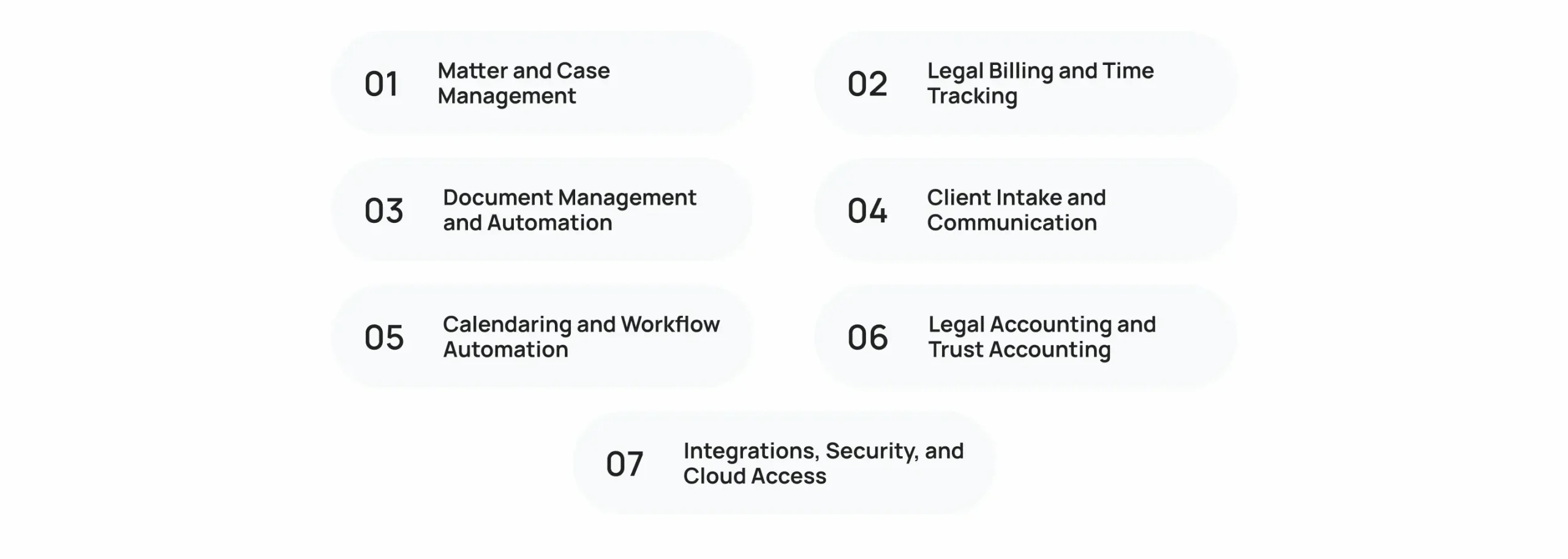
A feature checklist is useful, but the real question is whether those features support how your firm actually works.
1. Matter and Case Management
The system should provide a centralized record for each matter, including contacts, case information, notes, documents, activities, tasks, and deadlines.
Look for:
- Matter and contact records
- Case status tracking
- Task management
- Deadline tracking
- Activity histories
- Conflict-related information
- Search and filtering
2. Legal Billing and Time Tracking
Billing should connect directly to matter activity. Useful capabilities include billable-hour tracking, multiple billing rates, expense tracking, invoice generation, retainers, online payments, and payment status.
For hourly firms, reliable time capture matters because missed time can become missed revenue.
3. Document Management and Automation
Legal teams handle large volumes of documents, so storage alone is not enough.
Look for:
- Centralized matter documents
- Templates
- Document generation
- Version control
- Search
- Secure sharing
- E-signatures
- Document automation
4. Client Intake and Communication
Client intake should move prospects from initial inquiry to an active matter without unnecessary manual entry.
Useful capabilities include:
- Online intake forms
- Lead tracking
- Consultation scheduling
- Client portals
- Secure messaging
- Email integration
- Text messaging
- E-signatures
For firms building or replacing a broader client-management system, the same principles apply to lead management, automated workflows, third-party integrations, and real-time reporting. Cubix’s CRM development services cover these same technical patterns when a standard CRM or intake platform is not enough.
5. Calendaring and Workflow Automation
A legal calendar needs to handle more than appointments. Court dates, filing deadlines, follow-ups, recurring tasks, and reminders can all affect matter progress.
Workflow automation can standardize these processes by triggering tasks, notifications, document actions, or approvals based on defined events.
For firms interested in the technical side of automating multi-step business processes, Cubix’s recent coverage of workflow automation in enterprise applications provides a useful parallel.
6. Legal Accounting and Trust Accounting
Accounting deserves special attention because law firms may need to separate client funds from operating funds and maintain accurate trust-account records.
Depending on the platform, look for:
- Trust and IOLTA accounting
- Reconciliation
- Operating accounts
- Accounts receivable
- Expense tracking
- Financial reports
- Payment processing
The ABA recommends evaluating trust-account capabilities, integration, ease of use, and reporting when selecting accounting technology for a law firm.
7. Integrations, Security, and Cloud Access
The platform should fit into the firm’s existing technology stack.
Check support for:
- Microsoft 365 and Outlook
- Google Workspace
- QuickBooks
- Cloud storage
- Payment processors
- E-signature tools
- APIs and third-party integrations
Security should also be evaluated at the platform and account levels, including encryption, multifactor authentication, role-based permissions, access controls, backups, and data-handling practices.
Cloud software is now common in legal practice, but security remains a significant consideration. The ABA’s cloud-computing research identifies confidentiality and security as leading concerns among legal professionals.
Which Law Practice Management Software Is Right for Your Firm?
The best fit changes when the firm’s size, practice area, and operational complexity change.
1. Best Law Practice Management Software for Solo Attorneys
Solo attorneys generally benefit from software that reduces administrative work without requiring a dedicated technology administrator.
Prioritize:
- Simple matter management
- Time tracking and billing
- Client intake
- Calendaring
- Client communication
- Mobile and cloud access
- Straightforward pricing
2. Best Law Practice Management Software for Small Law Firms
Small teams need the same core capabilities but also need staff collaboration and consistent workflows.
Prioritize:
- Shared matter records
- Workflow automation
- Client portals
- Billing and accounting
- Document management
- User permissions
- Integrations
3. Best Law Practice Management Software for Midsize Firms
As the firm grows, configuration and governance become more important.
Prioritize:
- Role-based access
- Advanced reporting
- Configurable workflows
- Integrations and APIs
- Data migration
- Accounting controls
- Multiple practice areas
- Administrative oversight
For larger organizations, the same requirements start to resemble broader enterprise application architecture. Cubix’s enterprise application development services cover areas such as API integration, security, business process management, analytics, and legacy application modernization.
4. Best Software for Practice-Specific Workflows
Practice area can be just as important as firm size. A personal injury firm, litigation practice, family law firm, and transactional practice can have very different matter structures, documents, deadlines, and reporting requirements.
A specialized platform can make sense when those workflows represent a significant part of the firm’s operations.
How Much Does Law Practice Management Software Cost?
Pricing varies considerably by provider and plan. Many platforms use per-user subscription pricing, while others offer tiered packages, add-ons, custom enterprise pricing, or different billing structures.
Don’t evaluate the subscription price alone. Your actual software budget may also include:
- Additional users
- Accounting modules
- Intake or CRM features
- Payment-processing fees
- Premium integrations
- Data migration
- Implementation
- Training
- Storage or other add-ons
The ABA notes that law-firm accounting and practice-management technology can involve different combinations of integrated and standalone systems, so the total technology stack matters when evaluating cost.
If the goal is to build a proprietary legal SaaS platform rather than subscribe to an existing product, the economics are different. Architecture, development, infrastructure, integrations, security, and ongoing maintenance all become part of the investment. Cubix’s SaaS development services cover the technical side of building cloud-based subscription software.
How to Choose the Right Law Practice Management Software
The easiest way to narrow the options is to evaluate the software against your actual workflow instead of comparing feature counts.
1. Map Your Current Legal Workflows
Document how a matter moves from intake through billing and closure. Identify where attorneys and staff currently enter information, create documents, communicate with clients, and track deadlines.
2. Identify the Systems You Want to Replace
List the tools currently handling email, spreadsheets, billing, document storage, CRM, calendars, payments, accounting, and reporting.
3. Separate Must-Have Features From Nice-to-Haves
Trust accounting may be essential for one firm but irrelevant to another. The same applies to document automation, intake CRM, advanced reporting, or practice-specific workflows.
4. Check Integrations and Migration Requirements
A platform that looks excellent in isolation may create problems if it cannot connect to the systems your firm already depends on.
A strong system integration strategy can connect applications, automate data exchange, and reduce duplicate entry when a firm’s technology stack includes multiple systems.
5. Evaluate Security and Access Controls
Review authentication, permissions, encryption, backups, data retention, and administrative controls before putting confidential client information into the platform.
6. Test the Workflow With a Trial or Demo
Don’t just click through the dashboard. Test a realistic matter from intake through document creation, task management, time entry, billing, and client communication.
7. Calculate the Total Cost
Compare the complete cost of ownership, including users, add-ons, payment fees, migration, training, and implementation.
When Does Custom Law Practice Management Software Make Sense?

Off-the-shelf legal software works well when a firm’s workflows fit the capabilities of an established platform. Custom development becomes more relevant when the firm needs processes that standard products cannot handle efficiently.
Examples include:
- Highly specialized matter workflows
- Proprietary billing rules
- Custom client portals
- Firm-specific integrations
- Complex internal automation
- Multiple legacy systems that need to communicate
- Custom reporting or data requirements
A custom software development company can build these requirements into the architecture instead of requiring the firm to redesign its operations around a packaged product.
The same principle applies to domain-specific management applications. Cubix’s medical clinic management app development work illustrates how scheduling, records, billing, and operational workflows can be brought together in one purpose-built management system.
For firms that need several systems to exchange data, custom API architecture can also provide a cleaner integration layer than repeated manual exports and imports. Cubix’s custom API development services cover API architecture, authentication, versioning, documentation, and integration across business systems.
Conclusion
The right law practice management software should make everyday legal work easier to manage, not add another layer of administration.
Start with your firm’s actual workflows. Then compare matter management, legal billing, document handling, client intake, trust accounting, automation, integrations, security, and reporting. A solo attorney may prioritize simplicity and billing, while a growing firm may need deeper workflow configuration and system integrations.
If established platforms cannot accommodate the firm’s requirements, custom development can provide another path.
The goal is not to choose the platform with the longest feature list. It is to choose a system that fits the way the firm actually works.
Looking for a Better Way to Manage Your Legal Practice?
Contact Us
Frequently Asked Questions
1. What is law practice management software?
Law practice management software centralizes legal workflows such as matter management, documents, billing, calendaring, client communication, payments, accounting, and reporting in one system.
2. What is the best law practice management software for small law firms?
The right option depends on the firm’s workflows and priorities. Clio, MyCase, PracticePanther, and Smokeball are among the widely used options for smaller practices.
3. What is the difference between legal case management and practice management software?
Case management focuses primarily on individual matters, while practice management can extend into billing, accounting, intake, payments, reporting, and broader firm operations.
4. What features should law practice management software have?
Core features typically include matter management, document management, time tracking, billing, calendaring, client intake, communication, workflow automation, reporting, integrations, and security controls.
5. Does law practice management software include billing?
Many platforms include legal billing, time tracking, invoicing, payments, and expense management. Exact billing and payment capabilities depend on the provider and subscription plan.
6. Does law practice management software support trust accounting?
Some platforms provide legal-specific trust or IOLTA accounting, while others connect to external accounting systems. Firms should verify the accounting workflow before choosing a platform.
7. Is cloud-based law practice management software secure?
Cloud software can provide strong security controls, but firms should evaluate encryption, authentication, permissions, backups, data handling, and other security practices before adoption.
8. How much does law practice management software cost?
Pricing varies by provider, plan, number of users, and add-ons. Firms should compare total cost rather than looking only at the advertised subscription price.
9. Can law practice management software integrate with QuickBooks?
Many legal practice management platforms offer QuickBooks integrations or built-in accounting capabilities. Integration depth varies, so firms should verify the specific workflows they need.
10. Can a law firm build custom practice management software?
Yes. Custom development can make sense when a firm’s workflows, integrations, reporting, or business rules are too specialized for an off-the-shelf platform.