Key Takeaways
- What it is: software that uses machine learning to predict future demand at the product, location and time level, then feeds those forecasts into replenishment decisions.
- What it needs: at least two to three years of clean sales history for strong seasonality, plus promotions, prices, stock status and calendar events.
- How to judge it: compare against naive and seasonal baselines using WAPE, MASE and forecast bias, tested with rolling origin validation.
- What it costs: SaaS tools typically run from a few thousand to tens of thousands of dollars per year for mid-market teams; custom builds typically start in the tens of thousands and reach six figures. These are estimates, not fixed prices.
- What decides success: integration with your ERP and a planner workflow people actually trust.
Every planner knows the feeling. You order too little, and customers find empty shelves. You order too much, and cash sits in a warehouse. AI demand forecasting software exists to shrink that gap, and the evidence says it works: McKinsey research, widely cited across the industry, reports that AI-driven forecasting can cut forecasting errors by 20 to 50 percent and reduce lost sales from product unavailability by up to 65 percent.
But there is a catch. A Gartner survey published in August 2026 found that 55 percent of chief supply chain officers are unsure whether their AI investments are paying off. The technology is rarely the problem. Unclear data, weak evaluation and poor adoption usually are.
This guide walks you through how the software works, what data it needs, how to measure accuracy honestly, and what it really costs. By the end, you will know how to judge any vendor, or decide whether to build.
Improve Demand Forecasting with Cubix Predictive Analytics Solutions
Contact UsWhat Is AI Demand Forecasting Software?
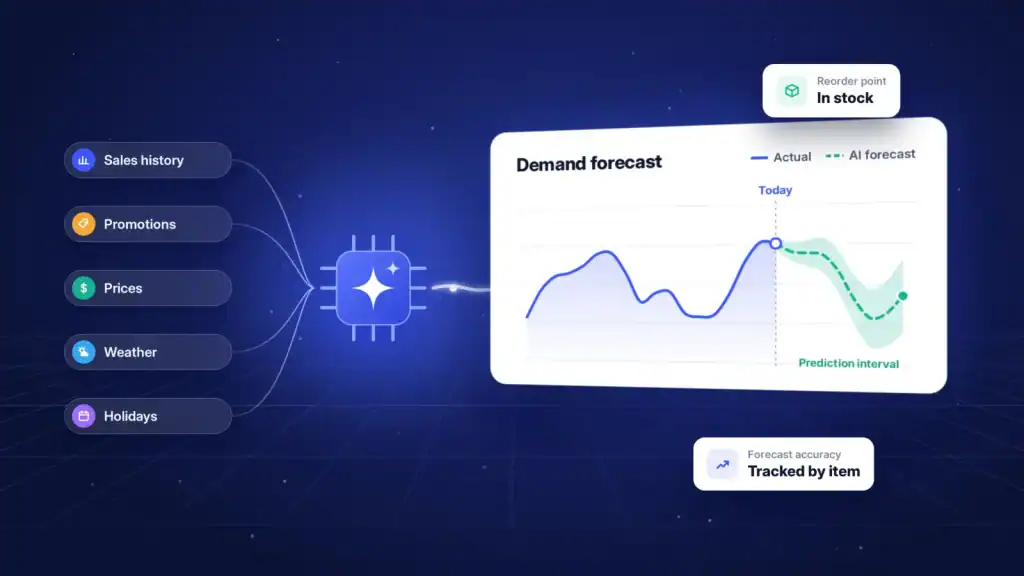
AI demand forecasting software is a system that uses machine learning to predict how much of each product customers will want, where and when, then turns that prediction into inventory and replenishment actions. Unlike a spreadsheet that averages last year’s sales, it learns patterns from many signals at once: history, price, promotions, weather, holidays and more.
You will see this category described in several ways: demand prediction software, demand planning AI, or machine learning demand forecasting. They overlap heavily. The common thread is a model that learns from data instead of following a fixed formula.
A quick clarification helps here. AI sales forecasting predicts revenue, usually for a sales team’s pipeline. Demand forecasting predicts units customers want, regardless of what you managed to sell. That difference matters, and we will return to it in the data section.
AI Forecasting vs Spreadsheets for Inventory Planning
Does your team still plan in spreadsheets? You are not alone. One widely repeated figure attributed to McKinsey holds that roughly three in four supply chain functions still rely on spreadsheets for planning. Here is how the two approaches compare:
| Factor | Spreadsheets | AI demand forecasting software |
|---|---|---|
| Number of drivers considered | A handful, set by hand | Dozens to hundreds, learned from data |
| Handles promotions and events | Manual adjustments | Learns promotional uplift automatically |
| Scale | Hundreds of SKUs before it breaks | Hundreds of thousands of SKU-location pairs |
| New products | Guesswork or analogy | Cold start models using similar items |
| Update frequency | Monthly or weekly, by hand | Daily or intraday, automated |
| Transparency of accuracy | Rarely measured | Tracked continuously, by item |
| Risk | Broken formulas, version chaos | Model drift if unmonitored |
How Does AI Demand Forecasting Software Work?
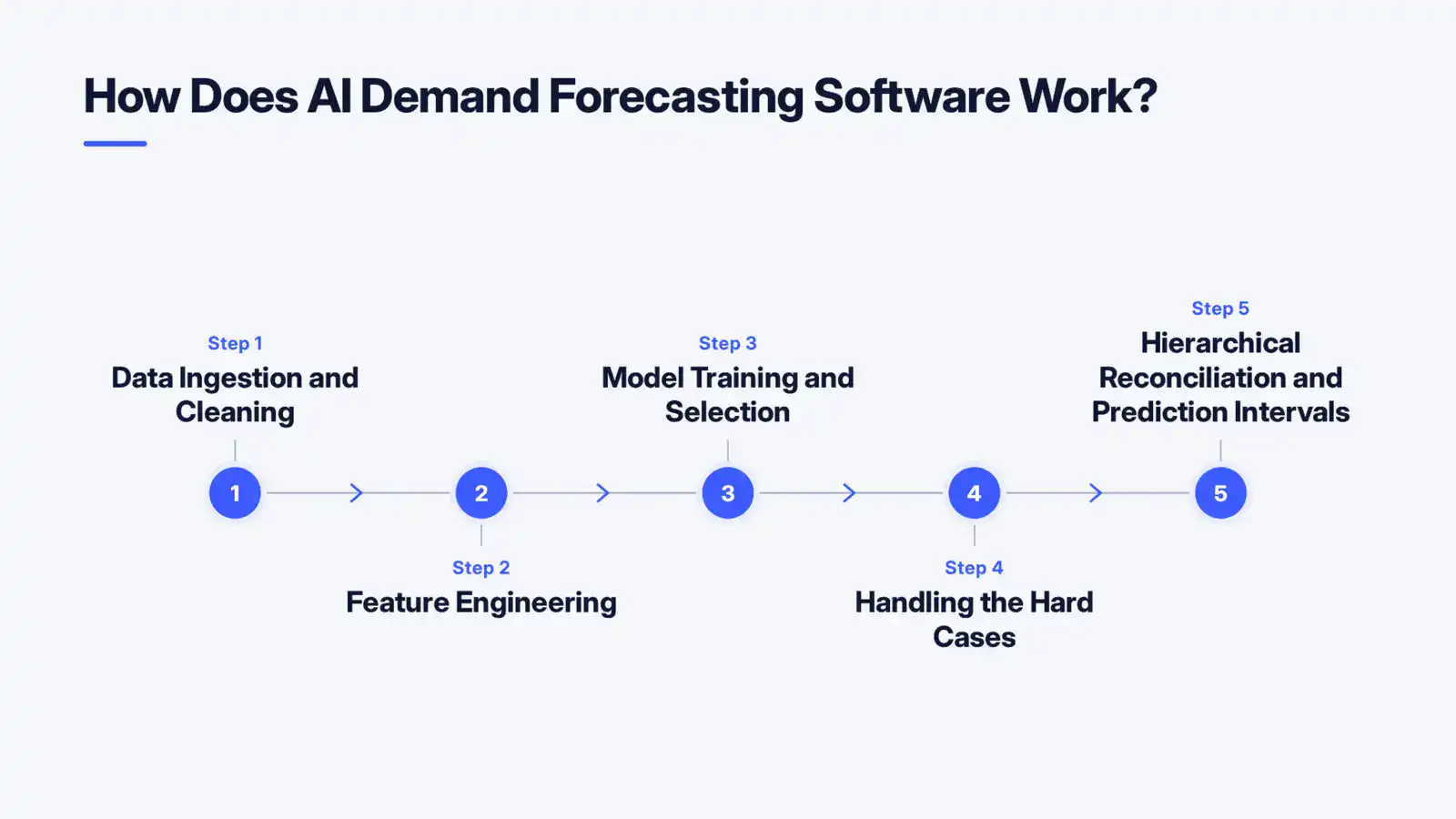
Most AI demand forecasting software follows five steps: ingest and clean data, engineer features, train and select models, handle hard cases like new or slow-moving products, and reconcile forecasts across levels with uncertainty ranges. Here is each step in plain language.
Step 1: Data Ingestion and Cleaning
The software pulls transactions, inventory positions, prices and promotions from your ERP, point of sale or e-commerce platform. It then fixes what is broken: duplicates, returns, missing days, product code changes and outliers. Dull, yes. But this step often consumes the largest share of project effort, and it quietly decides how good the final forecast can be.
Step 2: Feature Engineering
Raw sales numbers become useful signals. The system builds features such as:
- Seasonality: weekly, monthly and yearly cycles in the time series.
- Promotional uplift: how much a discount or campaign lifts sales, and what happens in the dip afterwards.
- External regressors: weather, holidays, local events, competitor prices or economic indicators.
- Lags and rolling averages: what sold in recent days and weeks.
The forecast horizon, meaning how far ahead you predict, shapes which features matter. Next week’s forecast leans on recent momentum. A six-month forecast leans on seasonality and planned events.
Step 3: Model Training and Selection
This is where machine learning demand forecasting earns its name. Modern tools typically test several model families: classical statistical models, gradient boosting methods such as LightGBM and XGBoost, and deep learning for large, complex catalogs. Gradient boosting has become a common workhorse because it handles many drivers and mixed data well.
Good software does not crown one model forever. It runs a tournament for each product group, picks the winner using backtests, and keeps simple baselines in the contest. If a fancy model cannot beat a seasonal average, it does not deserve to run in production.
Step 4: Handling the Hard Cases
Two situations break naive models:
- Intermittent demand: items that sell rarely, such as spare parts or niche products, produce long runs of zeros. Specialised methods forecast both the chance of a sale and the likely quantity.
- Cold start: a brand new product has no history. The software borrows patterns from similar items, using attributes like category, price band, brand and launch timing.
Step 5: Hierarchical Reconciliation and Prediction Intervals
You forecast at many levels at once: SKU, store, region, category, total company. Left alone, these forecasts will not add up. Hierarchical reconciliation adjusts them so the numbers agree from top to bottom.
Then comes uncertainty. Rather than a single number, strong software produces prediction intervals, for example “between 80 and 130 units, most likely 100”. Intervals feed safety stock calculations directly, which is where forecasts turn into money.
This is the territory of predictive analytics. If you want a team to design these pipelines around your data, explore Cubix’s Predictive Analytics Solutions.
What Data Does AI Demand Forecasting Need?
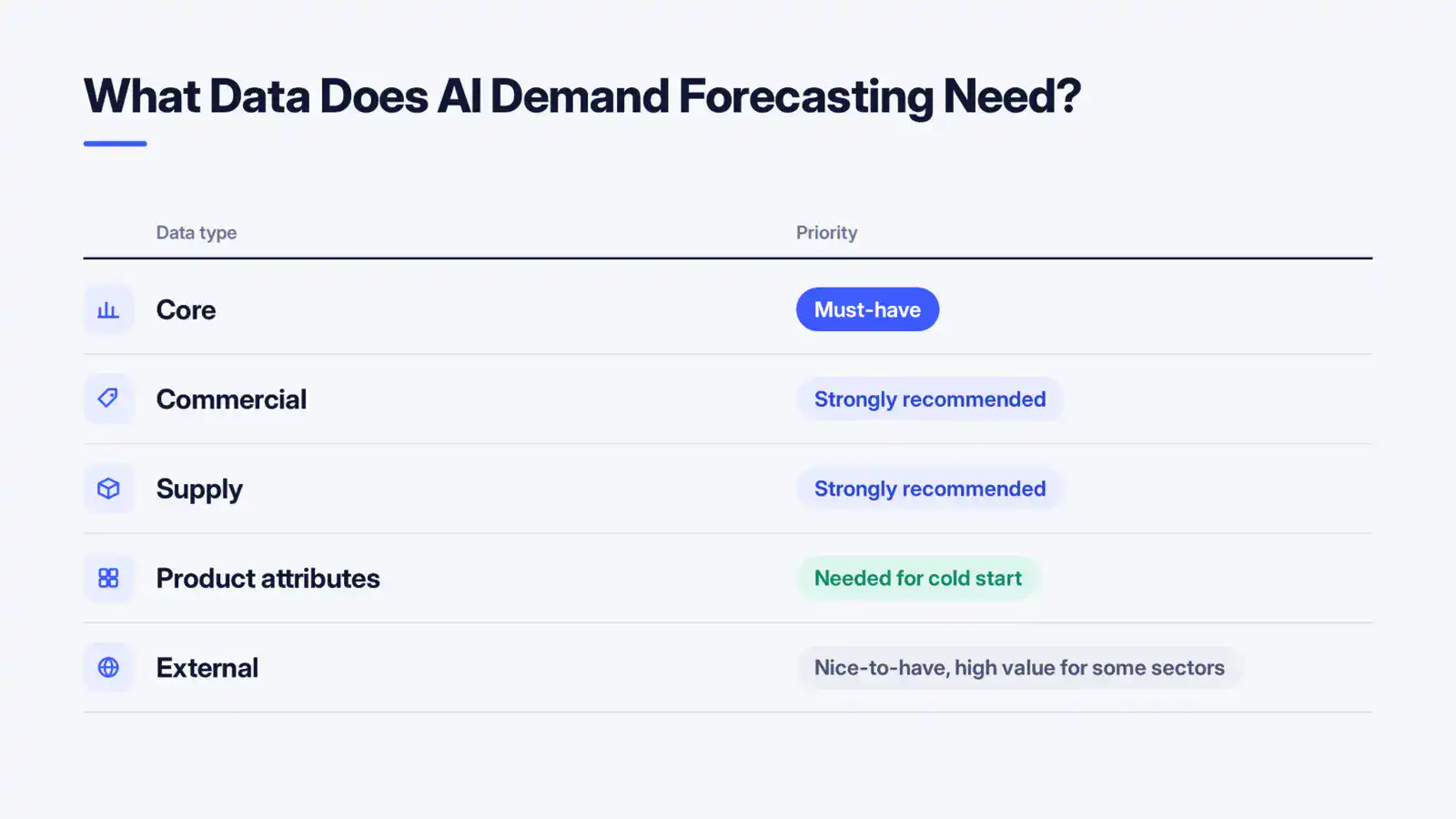
At minimum, AI demand forecasting needs historical sales by date and product, ideally at SKU-location granularity, plus calendar information. Better accuracy comes from adding prices, promotions, inventory status and external signals. The more of the picture you provide, the less the model has to guess.
Data Requirements at a Glance
| Data type | Examples | Priority |
|---|---|---|
| Core | Daily or weekly sales by SKU and location, product master data | Must-have |
| Commercial | Prices, discounts, promotion calendars, marketing spend | Strongly recommended |
| Supply | Stock on hand, stockout flags, lead times, supplier delays | Strongly recommended |
| Product attributes | Category, brand, size, colour, launch date | Needed for cold start |
| External | Weather, holidays, local events, competitor pricing, macro indicators | Nice-to-have, high value for some sectors |
Why Sales Are Not the Same as Demand
Here is the trap that catches many teams. If a product sold out on Tuesday, your sales data shows zero. Customers did not suddenly lose interest; the shelf was empty. This is called stockout censoring, and a model trained on it will learn to under-forecast the very items that sell best.
A solid solution estimates unconstrained demand by flagging stockout periods and reconstructing what would have sold. One 2026 project guide from a European consultancy notes that this reconstruction step can represent 20 to 30 percent of a forecasting project’s budget. Treat that as a rough indicator, but the lesson holds: zero sales do not mean zero demand.
How Much Historical Data Do You Need?
A practical rule: two to three years of history lets the model see seasonal cycles repeat, and that is usually the sweet spot. With one year, you can still forecast, but seasonality is learned from a single example. With less than a year, expect to lean on product similarity and simple models first.
Planning at SKU-location granularity multiplies the volume of series but thins out each one. A store-level forecast for a slow item may be too noisy to trust, so many teams forecast at a coarser level and allocate downward. Good software lets you choose.
How Is Forecast Accuracy Measured?
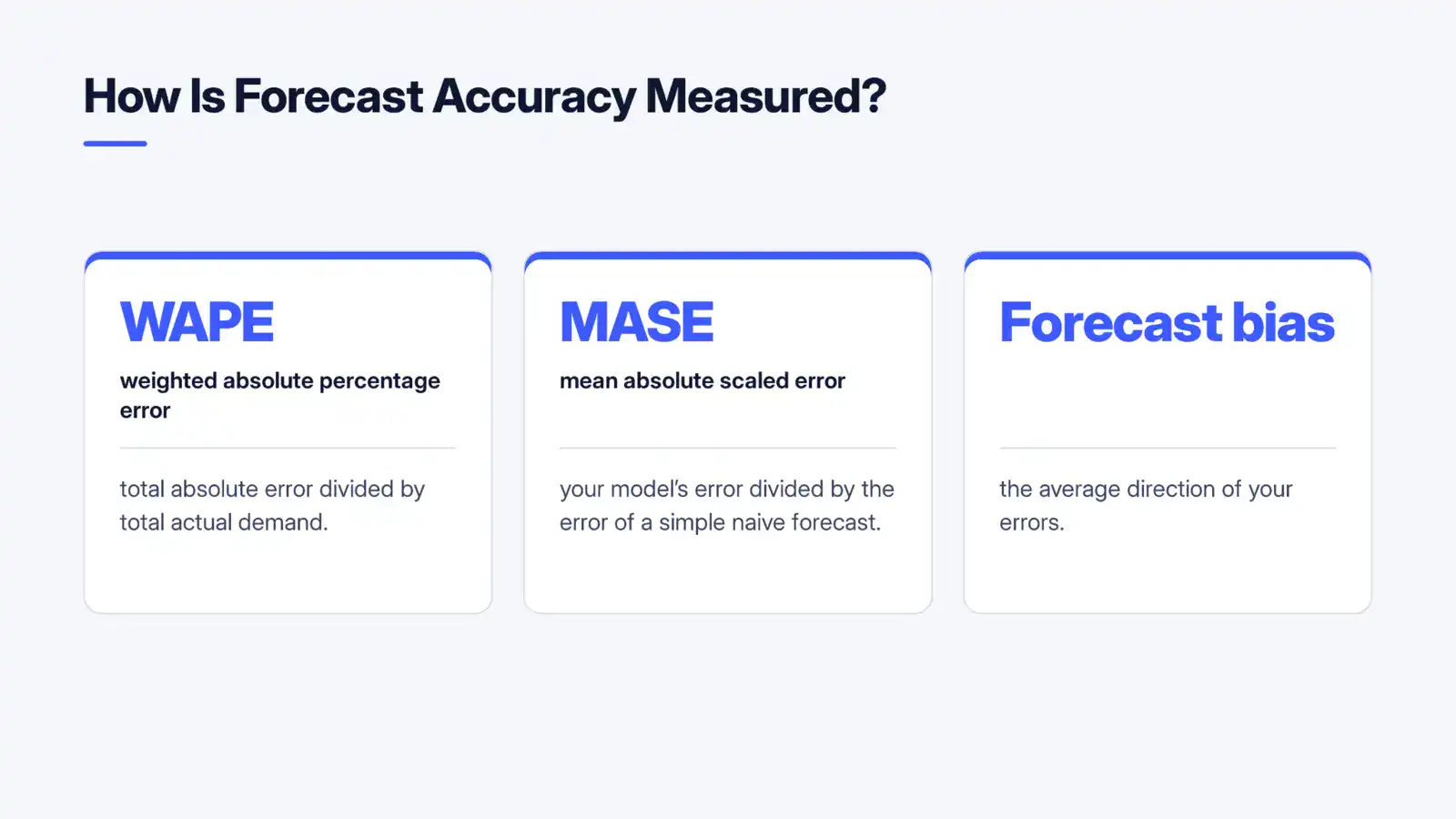
Forecast accuracy is measured by comparing predictions with what actually happened, using metrics such as WAPE, MASE and forecast bias, tested on data the model has not seen. No single metric tells the whole story, so use a small set together.
WAPE, MASE and Forecast Bias in Plain English
- WAPE (weighted absolute percentage error): total absolute error divided by total actual demand. It weights big sellers more than tiny ones, which matches how businesses think about money. Lower is better.
- MASE (mean absolute scaled error): your model’s error divided by the error of a simple naive forecast. A MASE below 1 means you beat the naive approach; above 1 means you did not.
- Forecast bias: the average direction of your errors. Consistently positive bias means over-forecasting and excess stock. Negative bias means stockouts. A forecast can have a respectable WAPE and still carry costly bias.
For context, one 2026 industry guide reports typical WAPE of roughly 20 to 30 percent for machine learning SaaS tools and 18 to 28 percent for custom models on retail and distribution data. Your results will vary with product mix and data quality, so use benchmarks as a sanity check, not a promise.
How to Measure Forecast Accuracy with Intermittent Demand
Percentage errors collapse when actual demand is zero. For slow movers, lean on MASE, on WAPE aggregated across many items, and on service-level outcomes such as fill rate. Also evaluate the prediction intervals: if you promise 90 percent coverage, roughly 90 percent of actuals should land inside.
Rolling Origin Validation and Baselines
A single train-test split can flatter a model by accident. Rolling origin validation repeats the test many times: train on history up to a point, forecast the next period, move the cutoff forward, and repeat. You get a realistic picture of performance across seasons and shocks.
Always include two baselines:
- Naive: next period equals the last period.
- Seasonal naive: next period equals the same period last year.
If the AI cannot clearly beat both, you have a data problem or a modelling problem, not a software win. Run your current process as a third baseline, so you know the real improvement, not a theoretical one.
From Forecast to Decision: Connecting to Replenishment and Service Targets
A forecast creates value only when it changes a buying, production or allocation decision. The best inventory demand forecasting AI connects directly to your replenishment logic: forecast, prediction interval, lead time and target service level combine to set reorder points and order quantities.
Here is the chain in action. Suppose a product has a 95 percent service target, a two-week lead time and demand that varies widely. The prediction interval tells the system how much safety stock covers that variability. Better forecasts shrink the interval, which frees working capital without hurting availability. McKinsey research cited across the industry associates AI forecasting with inventory reductions in the range of 20 to 30 percent while maintaining service, though your outcome depends on your starting point.
This applies across retail demand forecasting software use cases, such as store replenishment and markdown planning, and across supply chain demand forecasting, such as raw material buying and distribution planning.
Exception Workflows and Planner Overrides
Why do many forecasting projects stall after launch? Planners do not trust a black box. The fix is a workflow, not a bigger model:
- Manage by exception. Let the system auto-approve stable items, and flag only those with large changes, wide intervals or rising bias.
- Allow overrides, and log them. Planners know about a supplier deal or a local event that data cannot see. Record each override with a reason.
- Measure forecast value added. Track whether overrides improve or worsen accuracy. Over time this builds trust in both directions.
- Explain the forecast. Show the top drivers, such as promotion, season or price, so a planner can sanity check the number.
Gartner predicts that 70 percent of large organisations will adopt AI-based supply chain forecasting by 2030, according to an industry summary of its research. The teams that pair models with disciplined exception handling will be the ones that capture the benefit.
How Much Does AI Demand Forecasting Software Cost?
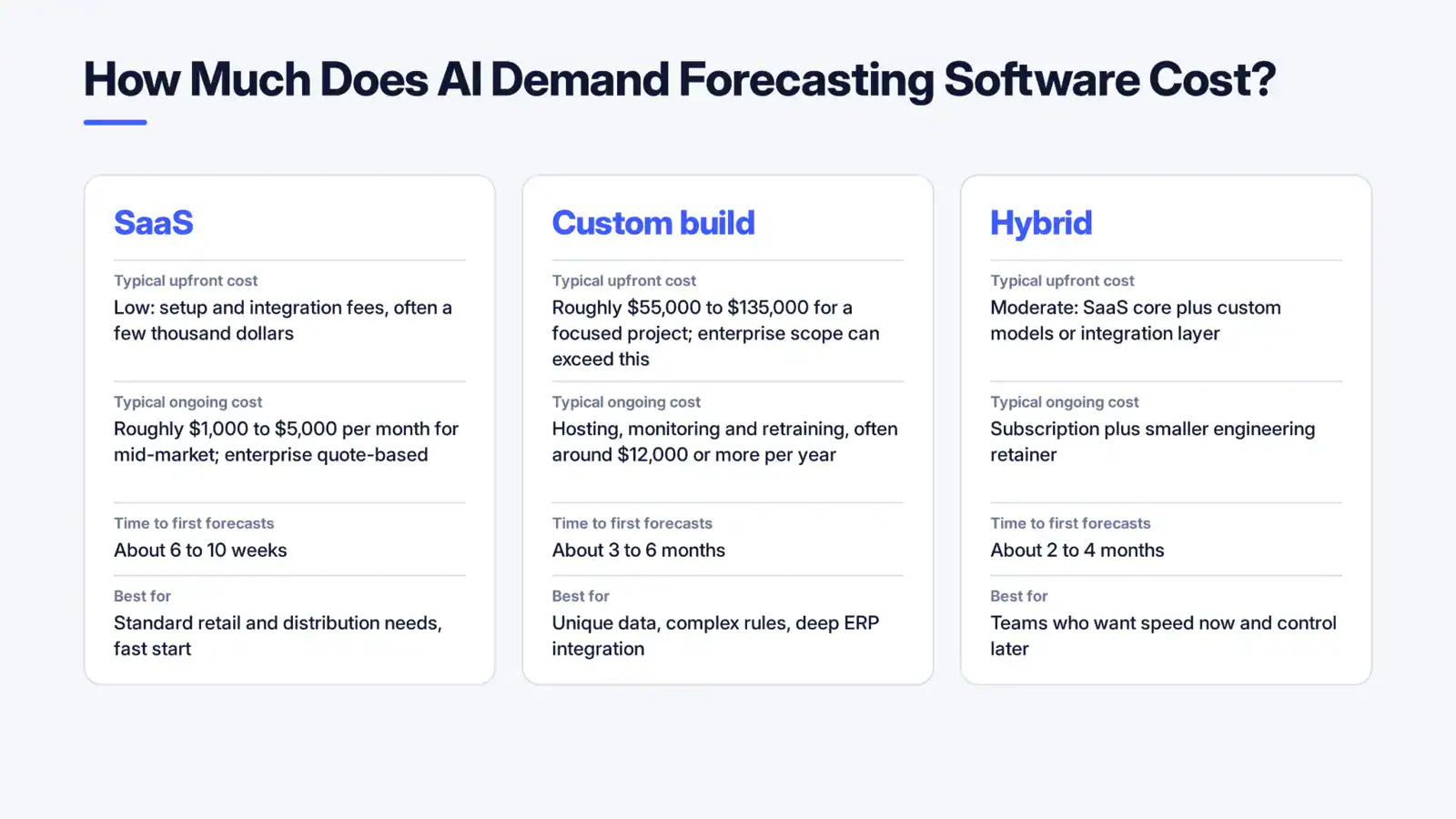
AI demand forecasting software costs anywhere from a few thousand dollars a year for entry-level SaaS to well over six figures for enterprise platforms or custom builds. The honest answer is that price depends on scope, and many vendors quote privately. Large enterprise planning suites, for example, list “contact vendor” pricing on review sites, while some entry tools publish starting prices, such as one listing at about $2,000 for up to 200 forecast models.
SaaS vs Custom vs Hybrid: Cost Comparison
| Option | Typical upfront cost | Typical ongoing cost | Time to first forecasts | Best for |
|---|---|---|---|---|
| SaaS | Low: setup and integration fees, often a few thousand dollars | Roughly $1,000 to $5,000 per month for mid-market; enterprise quote-based | About 6 to 10 weeks | Standard retail and distribution needs, fast start |
| Custom build | Roughly $55,000 to $135,000 for a focused project; enterprise scope can exceed this | Hosting, monitoring and retraining, often around $12,000 or more per year | About 3 to 6 months | Unique data, complex rules, deep ERP integration |
| Hybrid | Moderate: SaaS core plus custom models or integration layer | Subscription plus smaller engineering retainer | About 2 to 4 mont | Teams who want speed now and control later |
One European consultancy’s 2026 guide puts custom machine learning forecasting for a distributor at 50,000 to 120,000 euros with three years of history, against SaaS at 1,000 to 4,000 euros a month. That aligns with the ranges above once you convert currencies.
SaaS vs Custom Demand Forecasting: Total Cost of Ownership
Looking only at year-one price misleads. Over three years, ask:
- SaaS: subscription grows with SKU count, users and modules. Pricing inflation also matters; one 2026 analysis reports SaaS prices rising about 12 percent year over year.
- Custom: higher upfront, but you own the model and pay mostly for hosting and upkeep. It tends to win when your subscription would scale past the one-time build cost, or when you need logic no vendor offers.
- Hybrid: a pragmatic middle path, using a platform for the commodity layers and custom models where your business is different.
What Drives the Price Up or Down
- SKU and location count: more series mean more compute and more monitoring.
- Data quality: messy product codes and missing stock records add cleanup time.
- Integrations: ERP, warehouse and e-commerce connections often cost more than the model itself. As one guide puts it, a model that never reaches replenishment is just another spreadsheet.
- Model complexity: hierarchical reconciliation, cold start and external regressors add engineering effort.
- Change management: training planners and designing exception workflows.
How Much Does Custom Demand Forecasting Software Cost, and When Does It Pay Off?
A focused custom demand forecasting software project for a single business unit often lands in the five-figure to low six-figure range. It pays off when forecast improvements translate into measurable savings. A simple test: estimate inventory value, multiply by your carrying cost rate (often around 20 percent a year including financing, storage and obsolescence), then multiply by the reduction you can credibly achieve. If that annual saving covers the build in under two years, the case is strong.
If you are weighing a build, Cubix’s Machine Learning Services team can scope a pilot that proves value before you commit to a full rollout.
Can Forecasts Connect to Your ERP and Inventory Systems?
Yes. Most modern forecasting software supports ERP integration through APIs, scheduled data exports or prebuilt connectors for systems such as SAP, Oracle, Microsoft Dynamics and NetSuite. The question is not whether it connects, but how deeply.
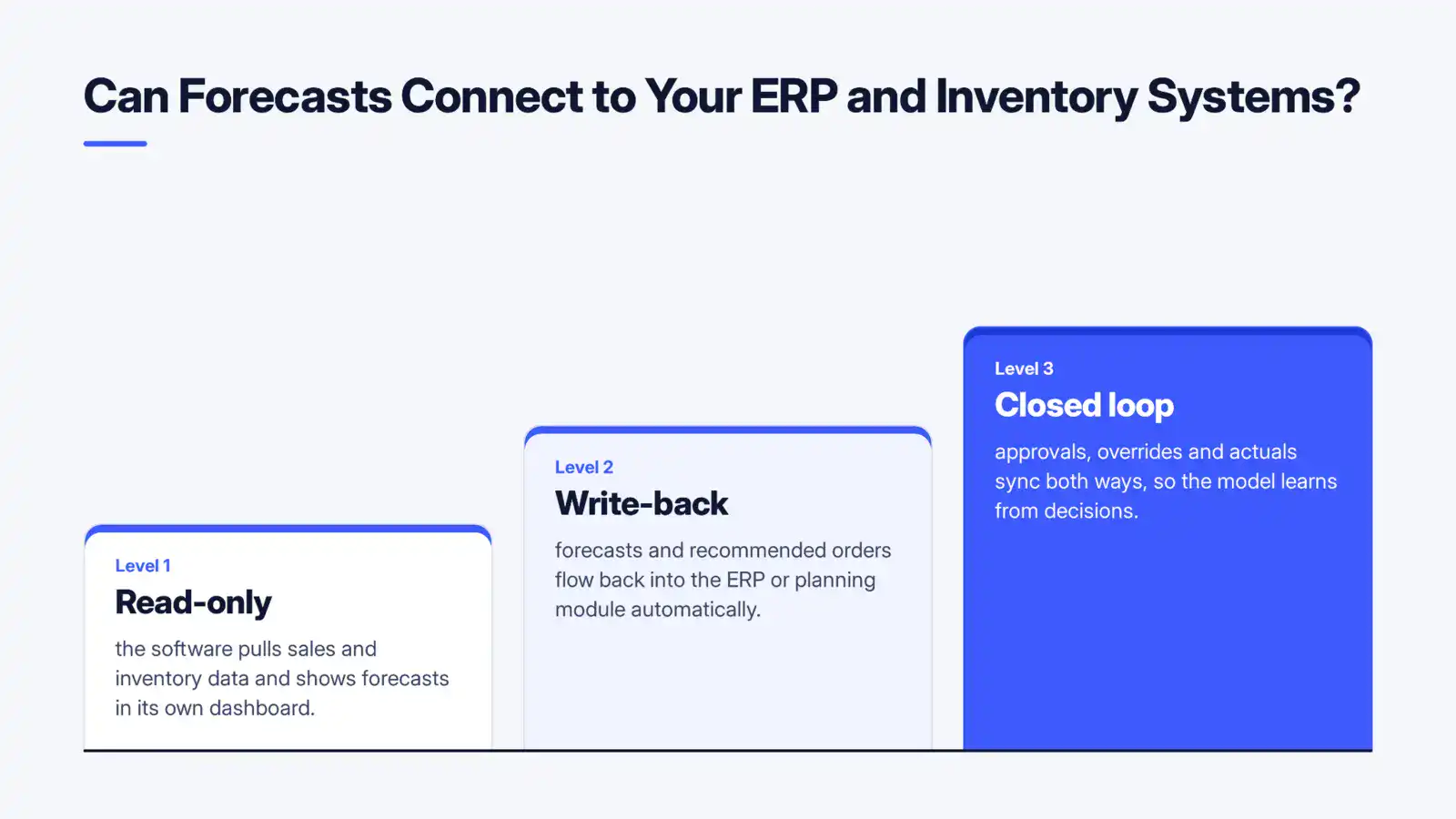
Think of integration in three levels:
- Read-only: the software pulls sales and inventory data and shows forecasts in its own dashboard. Fast to set up, but planners must copy numbers across.
- Write-back: forecasts and recommended orders flow back into the ERP or planning module automatically.
- Closed loop: approvals, overrides and actuals sync both ways, so the model learns from decisions.
Ask vendors about data refresh frequency, how they handle product master changes, and what happens when an integration fails. Also check security: single sign-on, role-based access and audit trails.
How to Evaluate AI Demand Forecasting Software
Use this checklist before you sign anything:
- Run a bake-off on your own data. Give each vendor the same history and hold back the last few months.
- Demand baseline comparisons. Insist on results against naive, seasonal and your current method.
- Check the right metrics. WAPE, MASE and bias, by category, not just one global number.
- Test the hard cases. New products, intermittent items and promotions.
- Look for uncertainty. Prediction intervals, not single numbers.
- Confirm integration depth. Read-only or write-back?
- Inspect the workflow. Exceptions, overrides, explanations.
- Price three years, not one. Include growth in SKUs and users.
- Plan the pilot. A 90-day test on a defined slice, with a success threshold agreed in advance.
Not sure where to start? A short data readiness review often reveals more than a vendor demo, and it will tell you whether SaaS, custom or hybrid fits.
Conclusion: Start Small, Measure Honestly, Scale With Confidence
AI demand forecasting software can reduce errors, free up working capital and improve availability, but only when the data is trustworthy, the accuracy tests are honest and planners are part of the process. Choose SaaS for speed, custom for control, or a hybrid when you want both, and always price the full three years.
Ready to find out what better forecasts could mean for your business? Talk to the team behind Cubix’s Predictive Analytics Solutions and Machine Learning Services to scope a pilot on your own data.
Build Smarter Forecasting Models with Cubix Machine Learning Services
Contact UsFrequently Asked Questions
1. How much does AI demand forecasting software cost?
Entry-level SaaS can start at a few thousand dollars per year, mid-market plans commonly run roughly $1,000 to $5,000 per month, and custom builds typically range from about $55,000 to $135,000 or more. Enterprise suites are usually quote-based. Integration and data cleanup often add significantly to the total.
2. How much historical data do I need to start?
Two to three years of sales history is ideal, because the model can learn seasonal cycles from repeated examples. You can start with one year, and with less you will rely on similar-product patterns. Include prices, promotions and stockout flags if you can.
3. Can AI forecast new products or intermittent demand?
Yes, with caveats. For new products, cold start methods borrow patterns from similar items using attributes like category, price and launch timing. For intermittent demand, specialised models predict the probability and size of sales. Expect wider prediction intervals than for steady sellers.
4. How do I measure whether forecasts beat my current approach?
Backtest the software and your current method on the same held-out periods using rolling origin validation. Compare WAPE, MASE and bias against naive and seasonal baselines. Then track business outcomes: fill rate, stockouts and inventory value.
5. Can forecasting software integrate with ERP and inventory systems?
Yes. Most platforms connect through APIs, connectors or file exchanges, and better ones write recommended orders back to your ERP. Confirm the depth of integration, refresh frequency and error handling before purchasing, since this is often where projects succeed or stall.