Key Takeaways
- A structured app testing and QA process prevents costly post-launch issues and meets user expectations.
- Pre-launch testing includes planning, usability, compatibility, accessibility, and crash monitoring.
- Testing for device fragmentation and network conditions is vital for real-world app performance.
- Post-launch monitoring keeps app quality high and maintains user satisfaction over time.
- Partnering with experts like Cubix helps streamline QA, reducing launch risk and future problems.
Mobile app quality is too important to leave to chance, especially when so much is at stake. Even a single bug during launch can disrupt user experiences and trigger major losses in reputation and revenue. According to Grand View Research, the global mobile application market reached $285.7 billion in 2025, with projections of $322.6 billion in 2026. As competition intensifies, businesses need a thorough mobile app quality checklist to test every detail in real-world scenarios.
Reaching a flawless launch takes far more than basic function checks. True pre-release quality assurance demands careful planning, authentic test environments, direct user trials, and structured monitoring. In this guide, you’ll see how app testing and QA work before launch, which types of testing matter most, and how leading companies like Cubix approach each stage to deliver launch-ready apps.
Step-by-Step App Testing Workflow Before Launch
A reliable mobile app launch depends on a detailed QA workflow, with each step building the foundation for the next. The following breakdown shows how the process unfolds from initial planning through final release candidate testing.
Test Plan
Every successful QA process starts with a comprehensive Test Plan. This document sets the scope, objectives, resources, timelines, and success criteria for the entire QA cycle. It states what to test, who will handle each set of tests, which devices and operating systems are included, and the acceptance standards required before moving forward. Clear definitions in the Test Plan prevent confusion, manage expectations, and ensure nothing essential gets missed.
Your team’s Test Plan also acts as an accountability reference. Stakeholders revisit it whenever requirements or priorities come into question. It keeps developers, QA specialists, product owners, and business leaders focused on measurable outcomes, agreed timelines, and test case goals. With a strong Test Plan, you set the tone for the entire quality journey.
Test Suite
After planning, teams create a Test Suite. This organized collection of test cases validates specific functions, user flows, and integrations. Test cases cover authentication, navigation, feature use, push notifications, API responses, and permission handling, reflecting real scenarios users encounter.
Test Suites can live in simple spreadsheets or in advanced platforms like TestRail, Zephyr, or Xray. Each test case defines the objective, preconditions, steps, and expected outcomes, supporting both manual and automated testing. A well-built Test Suite tracks which platforms, iOS, Android, web, are covered and which device models are included. This comprehensive setup helps teams spot repeated issues quickly, tightening feedback loops and reducing time spent on retests.
Defect Lifecycle
Spotting a bug is only the beginning. Managing the Defect Lifecycle means tracking each issue from initial report through final closure. This process ensures accountability and clear communication at every step.
When a tester finds a problem, they log full details: environment, reproduction steps, expected versus actual results, and device or OS used. Bugs are triaged by severity, assigned to the right developer, and retested after a fix. If the problem persists, it cycles again until resolved. A smooth Defect Lifecycle shortens release delays and prevents recurring errors.
Tools like JIRA and Bugzilla streamline defect tracking, keep an audit trail, and boost cross-team visibility. This approach also documents how issues were resolved, building a resource for future projects.
Smoke Testing
Smoke Testing is the first validation of a new app build. It’s a quick, top-level check of the most important features to confirm that the build is stable enough for more detailed testing. QA teams run through core workflows, such as signing in, navigating primary screens, loading data, and logging out, to catch obvious problems that could block progress.
If Smoke Testing fails, the build goes back for fixes, avoiding wasted time on deeper testing. A successful Smoke Test gives the green light to proceed with more thorough verifications.
Sanity Testing
After developers fix bugs or add features, QA moves to Sanity Testing. Unlike Smoke Testing, which covers broad stability, Sanity Testing focuses tightly on the areas that changed. For instance, if the search function was repaired, testers check that search works and hasn’t created other issues.
Sanity Testing is a quick regression check. It’s efficient and helps catch side effects or overlooked bugs before running a full regression test. This approach makes sure that updates fix the intended issue and don’t introduce new risks.
Release Candidate Testing
The final step is Release Candidate Testing. When teams think a build is ready to launch, it’s distributed as a release candidate for an exhaustive review using the full Test Suite across all planned devices and operating systems.
QA runs every scenario, checks edge cases, and verifies defect closure. Any new issues go through the defect lifecycle. This is the moment to confirm every critical workflow, integration, and resilience check before release. Only once all acceptance criteria are met can the app move confidently to production.
When these steps are managed as a unified sequence, they catch issues efficiently, provide traceability, and give organizations confidence at launch. For more details on QA roles in this process, read Why Is a Quality Assurance Tester Needed on a Software Development Team?.
Core Types of Mobile App Testing
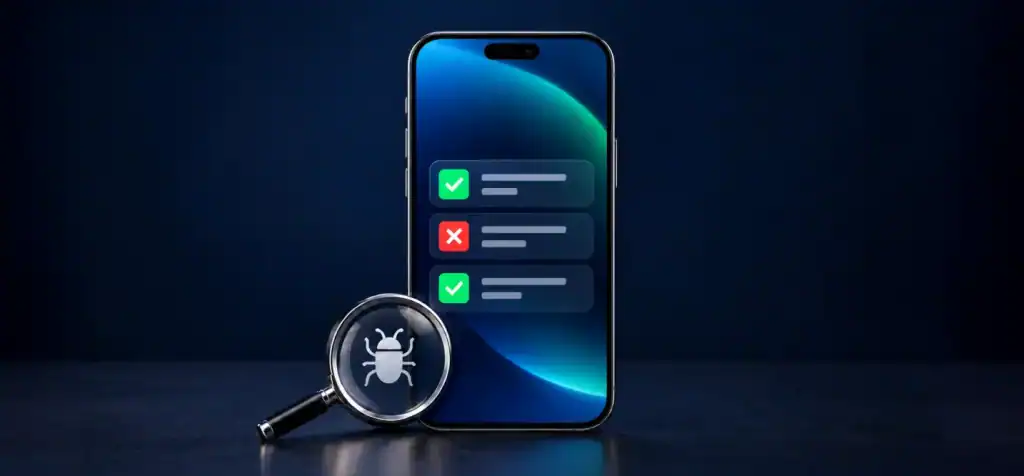
Launching an app requires multiple types of QA testing, each focusing on a distinct aspect of reliability or user experience. The table below summarizes key test categories, their main goals, and popular tools or methods used in 2026.
| Test Type | Purpose | Typical Tools/Methods |
| Usability Testing | Ensures intuitive, user-friendly design | User surveys, task analysis, Lookback, Maze |
| Compatibility Testing | Confirms app works across devices/OS | Device labs, emulators, BrowserStack, Sauce Labs |
| API Testing | Validates backend integration and security | Postman, Swagger, SoapUI |
| Accessibility Testing | Checks for inclusive, accessible design | Screen readers, WCAG tools, Axe, Lighthouse |
| Network Condition Testing | Tests under varied connectivity scenarios | Network throttling, Charles Proxy, simulators |
Usability Testing uncovers friction points by having real users interact with the app before launch. Compatibility Testing matters in a world packed with different devices and operating systems. API Testing for mobile apps secures data exchanges and spots broken endpoints or security holes. Accessibility Testing ensures everyone, including those using assistive tech, gets a full experience. Network Condition Testing simulates shaky or changing connections to make sure the app responds as it should.
According to Mordor Intelligence, the mobile app testing services market will grow from $7.7 billion in 2025 to $9.02 billion in 2026. With this rapid growth, a wide range of testing tools is now standard.
Ensuring Cross-Device and OS Compatibility
Launching successfully means your app must work across a wide, and growing, range of devices and operating systems. Device diversity brings risks, but you can minimize surprises with the following steps:
- Device fragmentation testing handles the challenge of thousands of device and OS combinations. The app must perform well on different screen sizes, OS versions, and manufacturers’ variations.
- Cross-device compatibility testing covers popular models like the latest iPhones, Samsung Galaxy series, Pixel phones, and major tablets, ensuring the app works well on both iOS and Android.
- QA teams use a mix of physical device labs, cloud emulators, and device pools from platforms such as AWS Device Farm or BrowserStack to cover a meaningful range.
- Matching the Test Environment to real-world device and OS conditions ensures accurate results and actionable findings.
- Comprehensive Compatibility Testing reveals bugs in navigation, rendering, push notifications, or sensors that only show up on specific hardware.
- Supported device lists are updated regularly, tracking trends so common devices are always included and older models are phased out.
This level of coverage is critical for avoiding the bad reviews that come from device-specific bugs, giving your app the best shot at a smooth launch.
Mobile App Usability and Accessibility Checks
Usability and accessibility shape the in-app experience and affect whether users stick around. Both need special attention during QA.
Mobile Usability Testing
Usability testing puts your app in the hands of real users. QA teams organize live or remote sessions using platforms such as Lookback or Maze, selecting participants of different ages, abilities, and tech backgrounds. Users attempt key tasks, like signing up, navigating, changing settings, or making purchases, while observers watch for confusion, abandoned tasks, or repeated questions.
This approach gives clear feedback on everything from high-level workflows to tiny details like button placement or error messages. It delivers improvements you won’t find through automated scripts alone. For a detailed approach, see Cubix’s mobile app usability test script.
Mobile Accessibility Testing
Accessibility testing ensures the app works for all users, including those with disabilities. QA checks for compliance with standards like the Web Content Accessibility Guidelines (WCAG) using real devices and tools such as VoiceOver, TalkBack, Axe, or Lighthouse.
Testers look at color contrast, text scaling, keyboard navigation, and alternative text for visual elements. Apps without accessibility features risk losing users and facing compliance challenges in many regions.
Teams that commit to accessibility checks support their brand reputation and open their product to a wider audience.
API and Network Testing for Reliable Performance
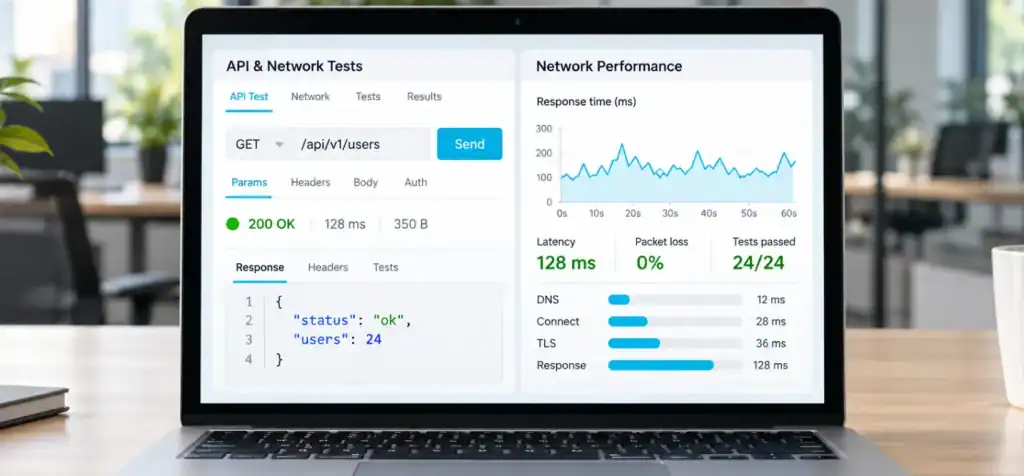
Most modern apps depend on backend APIs for login, data sync, and more. Reliable integration and resilience to network challenges are essential for a solid launch.
- API testing for mobile apps validates every backend interface, checking data transmission, authentication, error codes, and rate limits. It finds errors in calls, responses, and edge cases.
- API testing also checks for security gaps, such as data exposure or broken permissions.
- Network condition testing uses bandwidth throttling and simulated outages to verify that the app responds gracefully to poor connections. Tools like Charles Proxy help replicate slow Wi-Fi, 3G, or connection loss cycles.
- Setting up a realistic Test Environment ensures that results represent what real users will experience, not just ideal lab conditions.
Grand View Research reports the global application security market was $10.6 billion in 2025, with a projection of $12.6 billion in 2026. As data breaches and integration flaws grow costlier, API and network testing are only getting more important. For details on mobile app security QA, see Cubix’s guide on mobile app security testing.
Monitoring App Stability and Crash Analytics
App success depends on pre-launch testing but also on strong post-launch monitoring. Ongoing tracking ensures teams can respond fast when issues arise and keep users happy.
- App crash monitoring uses tools like Firebase Crashlytics, Sentry, or Bugsnag to gather real-time data on failures. These platforms show crash patterns, affected devices, and user actions leading to errors.
- Crash analytics help teams prioritize the most disruptive bugs, such as those causing app exits or feature lockout, and track the results of every new fix.
- Monitoring after launch helps catch issues in the wild, like rare device incompatibility or high latency, that might never show up in in-house QA.
- Continuous feedback from crash analytics builds a culture of prevention, supporting immediate fixes and long-term app improvement.
Precedence Research predicts the mobile apps and web analytics market will reach $65.79 billion by 2035, highlighting the expanding role of analytics in QA after launch.
Building and Using a Mobile App Quality Checklist
A mobile app quality checklist is a living document tracking every task before launch. It keeps teams aligned and prevents costly mistakes. To make the checklist work for you:
- Set quality goals and user expectations at the start, based on the app’s purpose, market, and user base.
- Develop a robust Test Plan with needed test cases, platforms, user flows, and device/OS lists.
- Build a Test Suite that covers all major functions, authentication, navigation, permissions, notifications, in-app purchases, and negative scenarios to catch edge cases.
- Add steps for compatibility, usability, accessibility, network condition, and API testing for mobile apps.
- Log all issues in the Defect Lifecycle, with severity ratings, assignments, and clear resolution steps.
- After fixing bugs, return to the checklist for each new build, using Sanity and Smoke Testing to confirm fixes and stability.
- Only approve items when tests objectively prove them complete, do not skip steps for speed, as this risks release problems.
- Update the checklist as features are added, requirements change, or the device landscape shifts.
- Collaborate with QA specialists to refine the checklist for your organization’s needs.
A well-managed checklist keeps everyone on track, streamlines updates, and documents progress at each QA stage. For a complete view of the app development journey, see Cubix’s guide to mobile app development.
The Role of Test Environments in QA Success
Great QA is about more than just devices and cases. The quality of your Test Environment makes a real difference in catching issues before users do.
- High-fidelity environments should mirror production, with matching database states, backend setups, and authentication.
- Testers simulate network conditions, like slow networks or dropped connections, to measure app resilience.
- Automated and manual Test Suite runs verify device behaviors under changing environment settings, exposing problems tied to server speed or device limits.
- Regular updates keep test environments current with new integrations, security patches, and hardware changes.
- Dedicated environments for development, QA, staging, and production help avoid test data leaks and allow safe experimentation.
- Reproducibility matters, a good Test Environment lets anyone repeat a bug or feature and confirm its fix.
Strong environments, paired with disciplined testing, help teams catch more bugs before launch and deliver higher-quality releases. For more on building robust testing foundations, see Cubix’s app development best practices.
How Cubix Delivers Launch-Ready Mobile Apps
Handling every part of QA and launch readiness is complex, but Cubix helps clients succeed at each stage with a proven process and deep expertise.
- The Cubix team starts with a strategic Test Plan and risk assessment, ensuring every requirement and likely user scenario is covered.
- Their QA specialists create a reusable Test Suite for all critical functions and platforms, blending automated and manual tests for maximum coverage.
- The Defect Lifecycle process tracks and manages every report, making sure issues are prioritized and resolved transparently.
- Cubix monitors every crash and performance anomaly with the latest analytics tools, both before launch and throughout production, ensuring ongoing improvement.
- Clients benefit from a living mobile app quality checklist, updated as new builds, features, and device requirements emerge.
- Grand View Research reports the U.S. mobile app market generated $62.9 billion in 2025, making quality assurance essential for every business.
- Cross-functional teams at Cubix review compatibility, usability, accessibility, and security during every engagement, not as afterthoughts but as core priorities.
- As one of North America’s top app development partners, Cubix guides both large enterprises and fast-growing startups to market efficiently and with confidence.
If you’re planning your own launch, you can learn more by reading Cubix’s mobile app development process overview or by exploring how to hire a mobile app development company.
Get your mobile app launch-ready with Cubix’s expert QA team.
Contact UsFrequently Asked Questions
1. What are the different types of app testing?
There are several types, including usability testing, compatibility testing, API testing, and accessibility testing. Each focuses on a different aspect of app quality.
2. What’s the difference between QA and testing?
Testing aims to find bugs, while QA covers the full process from planning to monitoring, ensuring steady quality throughout development.
3. How long should QA testing take before launch?
QA timelines vary based on app complexity, device coverage, and test case count. Most projects require several weeks for thorough testing.
4. What are common bugs found in mobile apps?
Frequent bugs include crashes, user interface glitches, API errors, and compatibility problems on different devices or operating systems.
5. How do I write effective test cases?
Strong test cases are clear, repeatable, and cover all user scenarios. They should fit into a structured test suite and be based on the test plan.
6. Should I automate tests or do manual testing?
A mix works best. Automate repetitive or regression tests but use manual testing for usability and exploratory checks.
7. What’s a bug severity level?
Severity levels classify defects from minor UI issues to critical crashes that stop users from using the app.
8. How do I manage performance testing?
Performance testing means simulating heavy loads and testing under various network conditions to keep the app responsive.
9. What’s regression testing and why is it important?
Regression testing checks that new changes haven’t broken existing features. It’s critical before every release candidate round.
10. How do I know when an app is ready to launch?
An app is ready when it passes the full mobile app quality checklist, has no critical defects, and works reliably across every targeted device.