Key Takeaways
- Audience participation mechanics turn watchers into players.
- Every good game follows a clear loop, from joining to reward.
- Pick the mechanic that fits your room size, pace and mood.
- Cruise ships need games that survive weak or patchy internet.
- Scoring must stay fair, and the server should own the score.
- Hosts need simple controls to pace, pause and fix a session.
- Test early. Plan a backup for every weak point.
Half of consumers want to join in. Epson surveyed 9,750 adults across 26 countries, and about 50% of UK consumers said they want to take part in events, not just watch them. That is a big shift. The old “sit and clap” model is losing its pull.
Most live shows still run one way. A host talks, and the crowd listens. Yet every guest already holds a powerful screen. That screen can become a controller, a voting button or a game board.
This guide explains audience participation mechanics, how they work, which ones fit different events, and the technology behind them. We also cover cruise ships, where internet connectivity can be tricky. For event organizers looking to build custom interactive experiences, Cubix offers online game development services that bring audience engagement ideas to life.
Turn Your Audience Into Active Players With Cubix's Interactive Games
Contact UsWhat Are Audience Participation Mechanics?
Simple Definition
Audience participation mechanics are the rules that let a crowd take part. Guests vote, answer, score points or work as a team. Their actions change what happens next on stage or on screen.
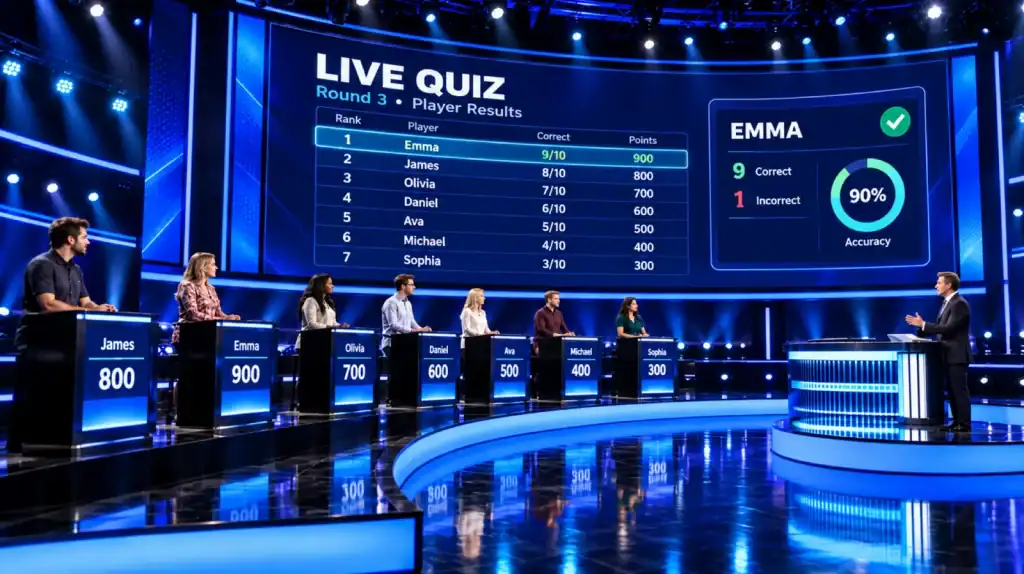
Think of a quiz night. The host asks. You answer on your phone. The big screen shows who won. That loop is a mechanic.
Active vs Passive Entertainment
Passive entertainment asks nothing from you. You watch a magic act or a concert. Active entertainment asks you to do something. Your choice matters.
| Type | What the Guest Does | Example |
|---|---|---|
| Passive | Watches and listens | A stage show |
| Light participation | Claps, sings, waves | A sing-along |
| Active participation | Votes, answers, competes | Live trivia with scores |
Why Crowds Want to Play
People remember what they do better than what they see. Playing also feels social. You cheer, groan and laugh together.
Organizers know this. A survey of more than 1,000 event professionals found that 90% treat higher engagement as a priority. Few know how to get there. That is where good mechanics help.
Want the full picture of how game elements fit into real projects? See our gamification services.
How the Participant Journey Works
Every guest takes the same path. Break it into steps and design each one. Slow steps lose people fast.
Google research found that 53% of mobile visitors leave a page that takes over three seconds to load. That study looked at mobile websites. Still, a slow join screen acts the same way. Guests give up and look back at the stage.
Join and Onboarding
Joining should take seconds. A guest scans a QR code and lands in a browser. No app. No account. One short line explains the game.
Prompt, Action and Feedback
The prompt is the question or challenge. The action is the tap, vote or answer. Feedback must come at once. A green tick, a sound or a counter works well.
Score, Reward and Next Round
Scores show progress. Rewards can be badges, shout-outs or small prizes. Then the next round starts fast. This loop keeps people in the game.
The Participant Journey Map
| Stage | What the Player Does | What the System Does | Common Risk |
|---|---|---|---|
| Join | Scans a code | Opens the session | Slow load, broken code |
| Onboarding | Reads one short rule | Shows a demo round | Too much text |
| Prompt | Reads the challenge | Sends it to all devices | Late delivery |
| Action | Taps or votes | Records the answer | Duplicate or lost taps |
| Feedback | Sees a result | Confirms receipt | No reaction at all |
| Score and reward | Checks rank | Updates the score | Unfair or delayed scoring |
| Next round | Waits briefly | Starts the next prompt | Long gaps, lost interest |
Types of Audience Participation Mechanics
Each mechanic suits a different mood. Some are fast and loud. Others are calm and shared. Here are the main six.
Live Voting and Polling
Guests pick an option, and results appear live.
- Works for any crowd size
- Needs almost no teaching
- Great for opening a show
Polls also help shy guests. In one informal Slido poll of event professionals, 54% named fear of public speaking as the top barrier to audience interaction. That was a small poll. It still shows why anonymous voting works.
Trivia and Speed Rounds
Guests answer questions against a timer. Faster correct answers earn more points.
- High energy and easy rules
- Good for lounges and bars
- Needs fair timing, so latecomers can still compete
Prediction Games
Guests guess what happens next. A song, a score or a winner.
- Builds suspense
- Works well with live acts
- Rewards come after the reveal
Team Challenges
Guests join teams by section, table or deck. Teams share a score.
- Builds a sense of belonging
- Helps shy guests join in
- Needs clear team assignment
Leaderboards
A leaderboard shows rank on the big screen. It adds friction if used alone. Pair it with another mechanic.
- Makes progress visible
- Can discourage low-ranked players
- Show the top few, plus each person’s own rank
Collaborative Goals
The whole room works toward one target. Fill a progress bar together. Unlock a light show or a song.
- Friendly and low pressure
- Great for mixed ages
- Needs a clear, visible goal
Mechanics Compared
| Mechanic | Best For | Pace | Competitive or Collaborative | Setup Effort |
|---|---|---|---|---|
| Live voting | Any size, any venue | Fast | Collaborative | Low |
| Trivia and speed rounds | Lounges, bars, theaters | Very fast | Competitive | Medium |
| Prediction | Shows with a reveal | Medium | Either | Medium |
| Team challenges | Large rooms, cruises | Medium | Both | Medium to high |
| Leaderboards | Add-on to other games | Always on | Competitive | Low |
| Collaborative goals | Mixed ages, families | Slow to medium | Collaborative | Medium |
Event Gamification Basics
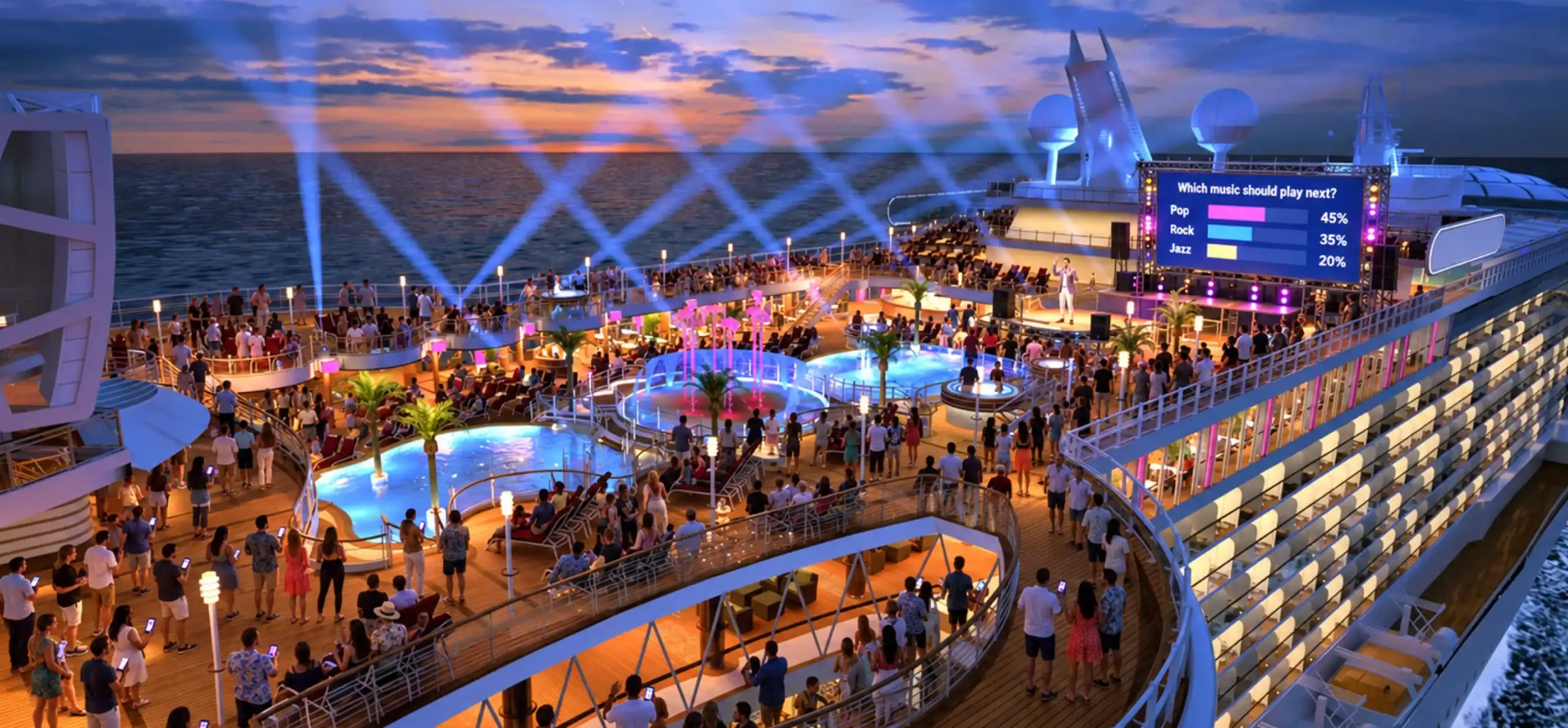
Event gamification means adding game parts to a live event. Think points, teams, badges and rankings. Keep it simple and visible.
Points and Scoring
Give points for taking part, not just for winning. A guest who joins late should still feel included. Slow connections should not cost points unfairly.
Teams and Rewards
Rewards do not need to be big. A badge, a shout-out or a name on screen is enough. Recognition feels good in a crowd.
Keeping Scores Fair
Fair scoring needs one trusted source. The server should record time and answers. Phones can send actions, but the server decides the score. This is called authoritative scoring. It stops cheating and clock tricks.
Research backs the idea. A review of nine randomized trials found gamified tasks were more motivating than less-gamified ones, with an effect size of 0.72. A larger set of studies points the same way. One analysis of sixteen interventions found a motivation effect of 0.51.
Most of this research comes from learning and training. Live events are different. Treat the numbers as a good sign, not a promise.
Designing for Live Venues
A theater, an arena and a hotel ballroom all behave differently. Design for the room you have.
Crowd Size and Room Layout
Big rooms need big screens and loud cues. Guests far from the stage need clear visuals. Small rooms can run faster, more personal games.
Device Variability
Guests bring old phones, small screens and odd browsers. Keep pages light. Test on cheap devices, not just new ones.
Session Length
Short rounds win. Aim for under a minute per prompt. Long breaks drain energy. Plan full-show formats in small chunks.
Accessibility
Games must work for everyone. Use this quick check:
- Large, readable text
- Strong color contrast
- Color is never the only signal
- Captions for audio cues
- Screen reader support on key buttons
- Enough time to answer
- A way to join without a phone
Phones are already in guests’ hands. A 2015 Ticketfly survey found that 31% of smartphone owners aged 18 to 34 use their phones for half the show or more. That data is old and limited to US adults aged 18 to 34. The habit is clear, though.
Cruise Ship Games and Interactive Entertainment
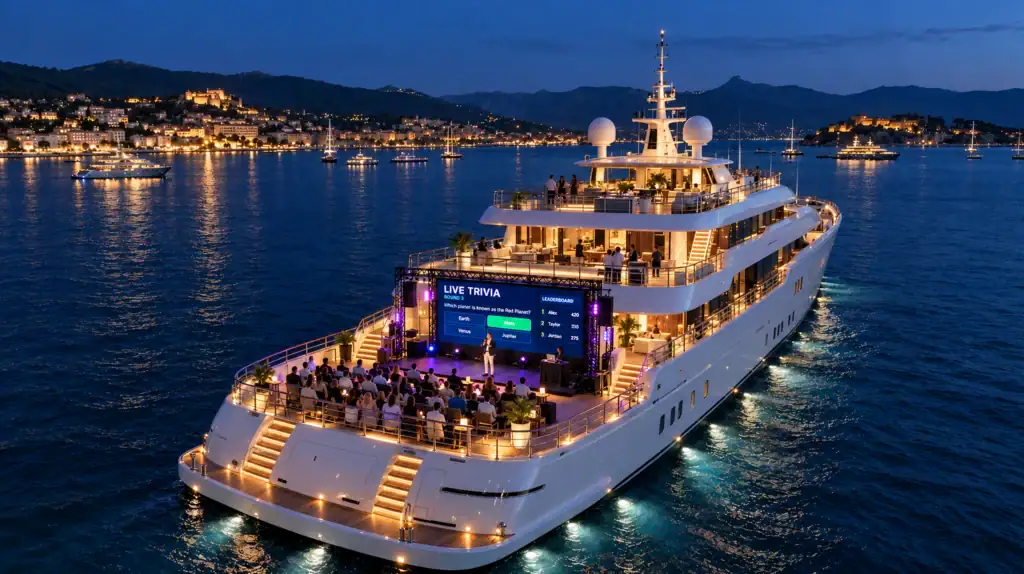
Cruise ships are a huge audience. A record 37.2 million people took cruises in 2025, up from 34.6 million in 2024 and 31.7 million in 2023. Every ship needs entertainment that works for days at sea.
Why Ships Are Different
Ships float far from cell towers. They rely on satellites, which can be slow or patchy. Many guests also share the same link.
Things are improving. Carnival says it has quadrupled fleetwide bandwidth since 2019, and all of its ships now use Starlink. That is good news. Still, not every ship or line has this. Never assume a strong internet.
Handling Weak Connectivity
Design as if the link may drop.
- Run a local server on board where possible
- Keep data use tiny
- Save answers on the device and sync later
- Let guests rejoin without losing score
- Show a clear “reconnecting” message
Repeat Audiences
Guests stay for days. They see the same lounge more than once. Rotate content and formats. Add daily themes and ongoing team scores across the trip.
Moving Between Venues
Guests move from theater to deck to bar. A session should follow them. A guest who leaves a game should be able to return in seconds.
Land Venue vs Cruise Ship Design Needs
| Factor | Land Venue | Cruise Ship | Design Response |
|---|---|---|---|
| Internet | Often strong, sometimes crowded | Shared, can be slow or patchy | Light data, local server, offline-friendly play |
| Audience | One event, one night | Same guests for many days | Rotate content, daily themes |
| Session style | One big show | Many small sessions | Short, repeatable rounds |
| Movement | Mostly seated | Guests roam between venues | Easy rejoin, saved progress |
| Host support | Event crew on site | Cruise staff with many duties | Simple host console |
| Device mix | Mostly personal phones | Phones, plus some shared screens | Browser play, large-screen backup |
At Cubix, we design for tough connectivity conditions from day one. Our mobile game development work puts smooth play first, even on weak links.
QR Code Games, No App Needed
Why Frictionless Joining Wins
Every extra step loses people. Downloads are the worst step. A guest will not install an app for a ten-minute game.
Scanning is already normal. Statista data, as cited in a QR code roundup, shows 99.5 million US smartphone users scanned QR codes in 2025. Most guests know the move.
How It Works
- The big screen shows a QR code.
- The guest scans it with the camera.
- The game opens in the browser.
- The guest picks a nickname and plays.
Fallback Options
Not everyone can scan. Offer another way in.
- A short join code typed into a browser
- Printed cards on tables or seats
- Host-assisted joining
- Shared devices for guests without phones
What to avoid on the join screen:
- Account sign-ups
- Long rules
- Pop-ups and permissions
- Slow images and big files
- Small tap targets
The Technology Behind Live Audience Games
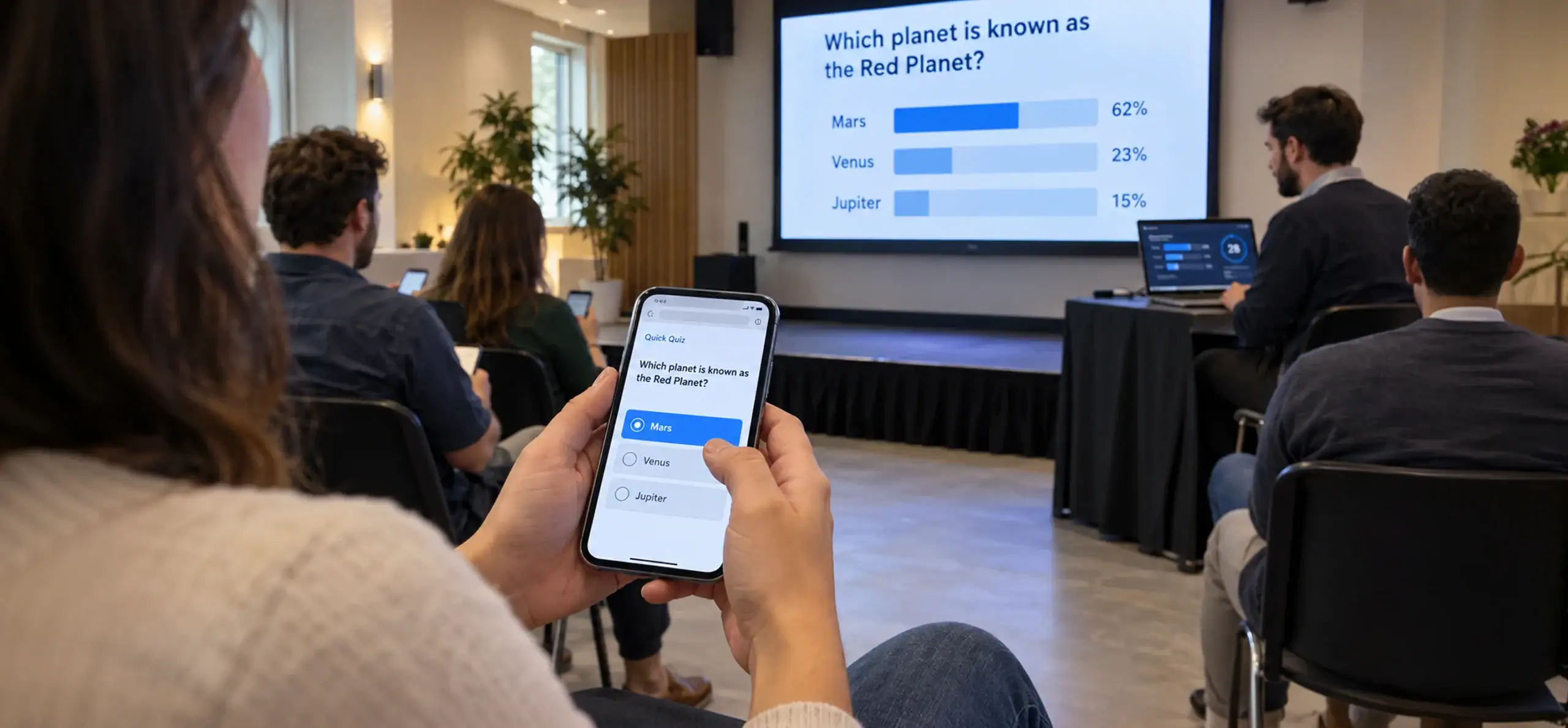
You do not need a degree to follow this. Think of five parts that work together.
Player Devices
Phones, tablets and shared screens. The game runs in the browser. It must work on cheap hardware.
Real-Time Communication
This is how a tap on a phone reaches the server and the big screen. It must feel instant. Delays break the fun.
Speed matters everywhere online. Akamai found that a 100-millisecond delay in load time can cut retail conversion rates by up to 7%. That was shopping, not gaming. The lesson holds. Small delays add up.
Session Backend and Scoring
The backend runs each session. It tracks players, rounds and scores. It is the one source of truth.
Moderator Console and Analytics
The console is the host’s control panel. Analytics show who joined, who dropped off and which rounds worked.
Handling Large Crowds
Big rooms mean many taps at once. Three things matter: concurrency, latency and session control. Concurrency is how many people act at the same time. Latency is the delay.
We do not quote a fixed player limit here. Capacity depends on the design, the network and the venue. Load testing gives real answers. Test with your real setup before the event.
Technical System Components
| Component | Role | What Can Go Wrong | Typical Safeguard |
|---|---|---|---|
| Player devices | Show prompts, send actions | Old phones, small screens | Light pages, device testing |
| Real-time layer | Moves messages fast | Delays, dropped messages | Retries, message queues |
| Session backend | Runs rounds, holds state | Overload, crashes | Load testing, session recovery |
| Scoring engine | Calculates results | Cheating, clock drift | Server-side scoring |
| Moderator console | Host controls | Host error, lost control | Simple layout, pause and undo |
| Analytics | Tracks joins and drop-off | Missing data | Event logging, dashboards |
Cubix builds the backend and real-time layers behind interactive games. Our game development team plans for scale, scoring and recovery from the start
Host Controls and Event Operations
A great game still needs a calm host. Give hosts simple tools.
Moderator Dashboards
A good dashboard lets the host:
- Start and pause rounds
- Trigger the next question
- Review content before it shows
- Watch live player counts
Moderation
Nicknames and free text can cause trouble. Use filters and review queues. Let the host hide or remove entries fast.
Recovery Controls
Things break. The host should be able to:
- Pause the session
- Replay a round
- Skip a bad question
- Restore the last good state
Pre-Event Testing
Test early and test in the real room. Connectivity is a common weak point. In an HBAA survey, 59% of planners said bandwidth suffers when many delegates connect at once. The same survey listed slow speeds and weak coverage as top complaints.
Day-of-event checklist:
- Test Wi-Fi or cellular in every seating zone
- Run one full rehearsal with real devices
- Check the QR code from the back row
- Load backup questions
- Brief the host on recovery controls
- Keep a no-tech fallback ready
How to Pick the Right Mechanic
Match the mechanic to the room. Ask four questions. How many people? What venue? How fast is the pace? Do you want competition or teamwork?
Mechanics Selection Matrix
| Audience Size | Venue Type | Interaction Speed | Format | Recommended Mechanic |
|---|---|---|---|---|
| Under 50 | Meeting room, small lounge | Medium | Either | Trivia with live scoring |
| 50 to 300 | Conference hall, bar | Fast | Competitive | Speed rounds, leaderboard |
| 300 to 2,000 | Theater, ballroom | Fast | Collaborative | Live voting, shared goals |
| 2,000 and above | Arena, festival | Very fast | Collaborative | Big-screen polls, crowd goals |
| Mixed ages | Cruise lounge | Slow to medium | Collaborative | Team trivia, shared goals |
| Late-night crowd | Cruise bar, deck | Fast | Competitive | Prediction, quick trivia |
Size ranges are rough guides, not limits. Test your own setup.
Small Rooms
Small rooms feel personal. Use trivia, free-text answers and team play. Hosts can react to answers live.
Large Theaters and Arenas
Go simple and loud. Use one-tap voting and shared goals. Avoid long reading tasks.
Cruise Lounges and Decks
Keep rounds short and teams stable. Repeat guests matter here. CLIA reports that nearly 90% of cruisers intend to sail again. Guests who return expect fresh games.
How Cubix Builds Interactive Audience Games
What We Build
We build gamification experiences, real-time apps and host consoles. Each one is designed for a specific room and crowd. Explore our gamification services and game development services.
How We Work
We follow four steps.
- Discovery: We learn your venue, crowd and goals.
- Prototype: We test mechanics early with real users.
- Load testing: We test the system before launch.
- Launch support: We stay close during your first live events.
Work With Cubix on Your Next Live Experience
Teams come to us for games that feel simple on the surface. Under the hood, we plan for weak networks, fair scoring and smooth host control. We focus on games and interactive tech, so that is our daily work.
Have a live event, a cruise program or a venue idea? Tell us the room, the crowd and the goal. We will help you shape the right mechanics. Start with our mobile game development page, or reach out through Cubix Games.
Make Live Events and Cruise Entertainment More Engaging With Cubix
Contact UsFrequently Asked Questions
1. What are audience participation mechanics?
They are rules that let a crowd take part in a live show. Guests vote, answer or compete. Their actions change what happens next.
2. How do you make a live event more interactive?
Start with one simple mechanic, like a live poll. Make joining easy. Show results on a big screen. Add scores or teams once guests are comfortable.
3. What game mechanics work best for large audiences?
Live voting, shared goals and fast trivia work well. They need little reading. They also scale better than slow, complex games.
4. How can cruise ships use interactive games?
Ships can run trivia, team challenges and prediction games. Rotate content across the trip. Design for weak internet and guests who roam.
5. How do real-time games handle hundreds of players?
They use a session backend and a fast messaging layer. Capacity depends on the design and the venue. Load testing shows what is safe.
6. What technology do you need for live audience participation?
You need player devices, real-time messaging and a session backend. Add a scoring engine, a host console and analytics. A big screen helps too.
7. How do you design fair scoring?
Let the server record time and answers. Reward taking part, not just speed. Give latecomers a way to catch up.