Key Takeaways
- Streaming games from remote GPU servers removes the need for powerful local hardware.
- One build reaches phones, tablets, TVs, browsers, and PCs.
- Developers must plan for latency, server scaling, and session-based design from day one.
- Bandwidth needs, input delay, and limited ownership remain the main drawbacks.
- Strong architecture and performance testing decide whether a streamed game feels responsive.
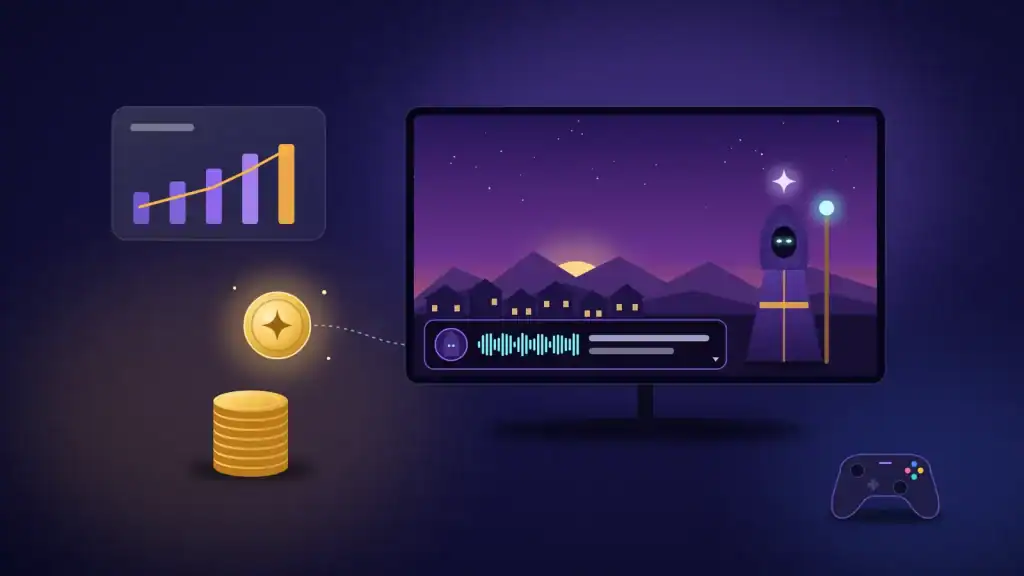
Cloud gaming lets you play high-end games on any device by streaming them from remote servers. The game runs in a data center, and your screen shows the video. As a result, you skip the console, the gaming PC, and the long download.
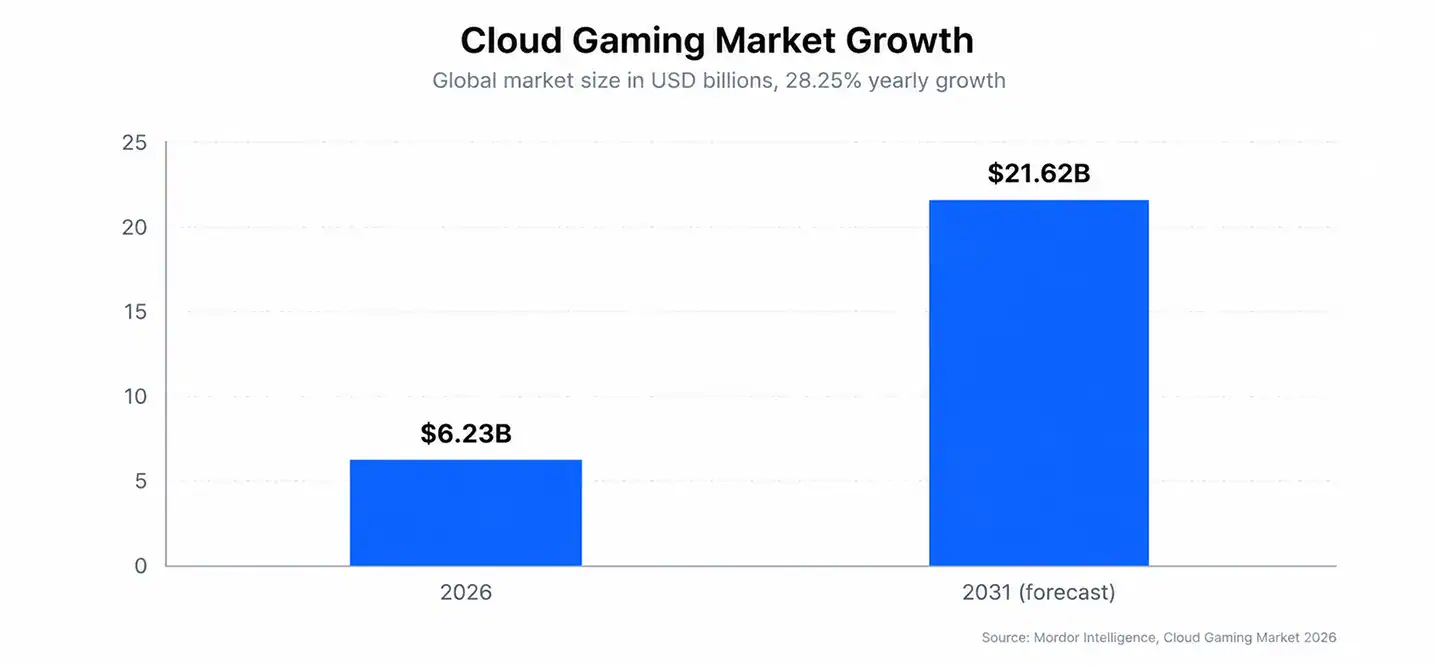
The market is growing fast. Mordor Intelligence values it at $6.23 billion in 2026 and expects $21.62 billion by 2031, a 28.25% yearly growth rate. That growth changes how studios design, build, and ship games.
This guide explains how the technology works, what changes for developers, and which benefits and risks matter. You also get a clear checklist for cloud gaming development, so you know what to plan before you build.
What Is Cloud Gaming?
Cloud gaming is a service that runs a game on a remote server and streams the video to your screen. Your device sends button presses back to the server. The server updates the game and returns the next frame.
As a result, your device only decodes video. A budget phone or a smart TV handles a demanding title with ease.
Adoption keeps rising for simple reasons. Players want to try a game before they buy new hardware. In addition, publishers want to reach people who have never owned a console. As a result, subscriptions that bundle streaming now sit next to the usual console and PC libraries.
Cloud Gaming Examples
Three platforms show how the model works today.
- Xbox Cloud Gaming: Streams Game Pass titles to consoles, phones, PCs, and browsers.
- NVIDIA GeForce NOW: Streams games you already own on RTX server hardware.
- PlayStation Plus Premium: Streams PS5 titles to PC and PlayStation Portal.
Cloud Gaming vs. Traditional Gaming
Here is how the two models compare.
| Factor | Cloud Gaming | Traditional Gaming |
|---|---|---|
| Where the game runs | Remote GPU server | Your console or PC |
| Hardware needed | Any device that decodes video | Powerful local hardware |
| Install and storage | No install, no storage use | Large downloads and disk space |
| Updates | Applied on the server | Downloaded by each player |
| Latency | Adds network delay | Lowest possible delay |
| Internet | Stable connection required | Needed only for online play |
| Ownership | Access through a service | Local copy of the game |
| Mods | Limited | Broad support |
| Cost model | Subscription or session fees | Upfront hardware and game purchase |
Will Cloud Gaming Replace Traditional Gaming?
Cloud gaming has significant growth potential, but it is unlikely to replace every form of gaming in the near future. Adoption will depend on internet access, subscription costs, game availability, and streaming quality.
Local gaming still offers advantages for offline play, low latency, and players who prefer to own and run games on their hardware. A hybrid model, combining cloud streaming with traditional gaming, is therefore likely to remain important.
How Does Cloud Gaming Work?
Every session repeats one loop: input, render, encode, stream, and decode. The loop must finish in milliseconds, otherwise, cloud gaming feels sluggish. Fast genres such as shooters and fighting games expose delay first, so cloud gaming latency is the number every team watches. Even a small gap between your tap and the screen breaks the feeling of local play.
Here is the loop step by step:
- You press a button or tap the screen.
- The input travels to the nearest data center.
- The server runs the game logic and renders the frame on a GPU.
- An encoder compresses the frame into video.
- The stream reaches your device over the internet.
- Your device decodes the video and shows it.
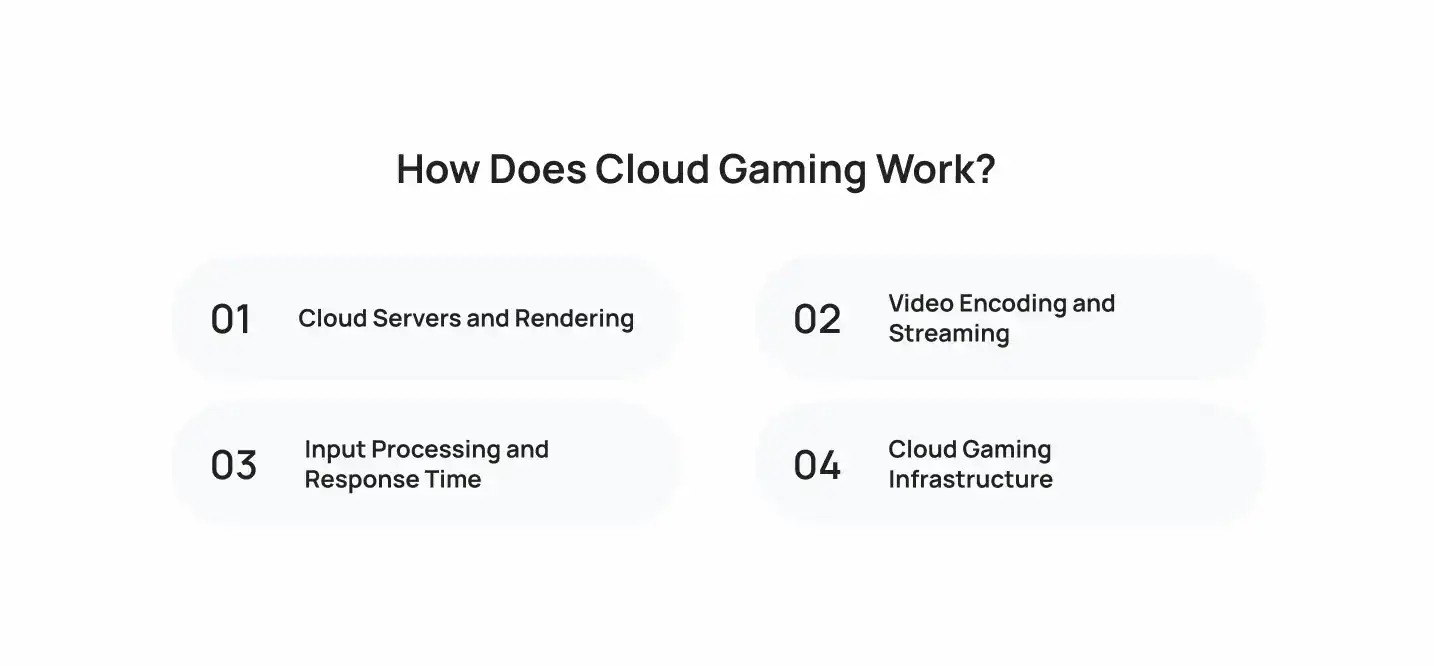
1. Cloud Servers and Rendering
Data centers host racks of GPU servers. Each player session runs on a dedicated GPU or a virtual slice of one. Providers use virtual machines or containers to isolate sessions, so one player never affects another.
The game itself runs as a normal build, often on Windows or Linux, with its usual engine.
2. Video Encoding and Streaming
Encoders compress each frame before it leaves the server. Common codecs include H.264, H.265, and AV1. Newer codecs cut bandwidth at the same quality, but they need more decoding power on the device.
Good game streaming technology also adjusts bitrate in real time. A weak connection lowers resolution instead of freezing the picture. Many platforms deliver the stream over WebRTC, which keeps delay low.
3. Input Processing and Response Time
Your controller input travels to the server as small packets. The server applies it on the next frame and sends the result back.
Total response time includes network travel, rendering, encoding, and decoding. Cloud gaming performance drops when any one step slows down, so teams measure each step separately.
4. Cloud Gaming Infrastructure
The cloud gaming technology stack has four main layers:
- Edge data centers: Place servers close to players to cut travel time.
- GPU compute: Renders each session.
- Orchestration: Starts, routes, and ends sessions.
- Streaming and network layer: Encodes video, manages bitrate, and handles packet loss.
Distance adds delay, so providers add edge regions where players live.
How Cloud Gaming Is Changing Game Development
Studios no longer treat streaming as a side channel. It changes how you design, build, test, and ship a game. The sections below show how cloud gaming affects game developers, one area at a time.
The shift touches every stage of production, from the first prototype to live operations. Teams that plan for streaming early avoid expensive rewrites later. The sections below cover the areas that change most.
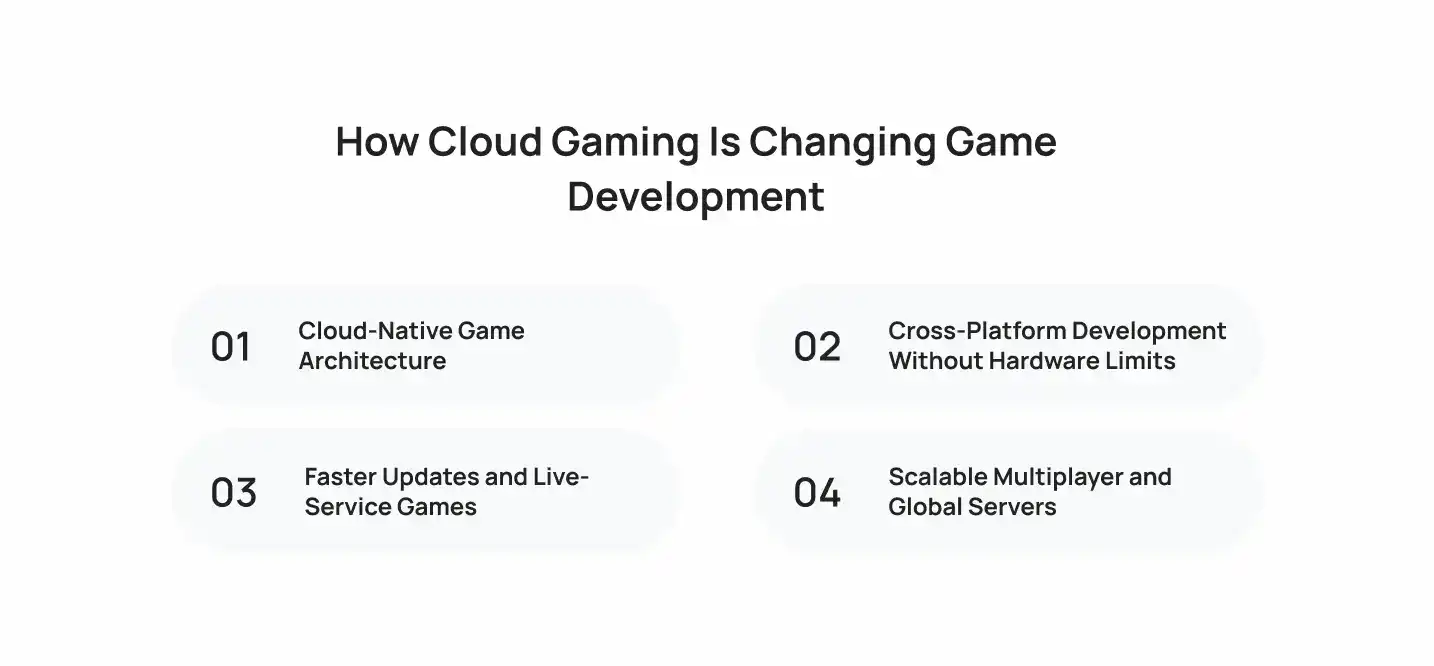
1. Cloud-Native Game Architecture
A cloud gaming build runs on the server, so you design for sessions instead of devices. Cloud based game development pushes teams toward these choices:
- Containerized game servers that start and stop per session.
- Stateless services, with player data stored in managed databases.
- Server side GPU budgets for each scene.
- Telemetry built into every layer.
2. Cross-Platform Development Without Hardware Limits
Cloud gaming and game development now share one goal: build once, reach every screen. You no longer cut graphics to fit the weakest phone. Instead, you target one server spec and let the stream adapt.
- One build serves phones, tablets, TVs, PCs, and browsers.
- Touch and controller layouts need separate input mapping.
- The UI must scale to small and large screens.
3. Faster Updates and Live-Service Games
You patch the server once, and every player gets the new version on the next session. As a result, hotfixes, seasonal events, and balance changes ship in hours instead of days. Players skip the download, so they reach new content faster.
4. Scalable Multiplayer and Global Servers
Streaming places players and game servers inside the same data center, which cuts network hops between them. Hosting also follows demand. Mordor Intelligence reports that Asia Pacific captured 38.45% of 2025 revenue, so that region needs early attention. Elsewhere, studios also place servers where their players live, so queues stay short and matches stay fair. One global server no longer fits every audience.
For a real build timeline, read how Cubix built a multiplayer game in 16 weeks.
Lower Development and Infrastructure Costs
Cloud gaming can reduce the need to maintain separate builds for different devices, depending on the platform and architecture. Studios can also rent GPU capacity instead of investing in physical hardware to handle peak demand.
However, server costs can rise as more players join. Developers should estimate infrastructure expenses and cost per concurrent player early to keep budgets under control.
AI-Powered Game Development and Operations
Servers already hold the GPUs, so AI tools fit naturally into the pipeline:
- Automated testing: Bots play builds and report crashes and balance issues.
- Capacity forecasting: Models predict peak load and scale GPU pools.
- Anomaly detection: AI flags stream quality drops and cheating patterns.
- Content tools: AI helps produce assets and dialogue faster.
What Are the Benefits and Challenges of Cloud Gaming?
Benefits of Cloud Gaming
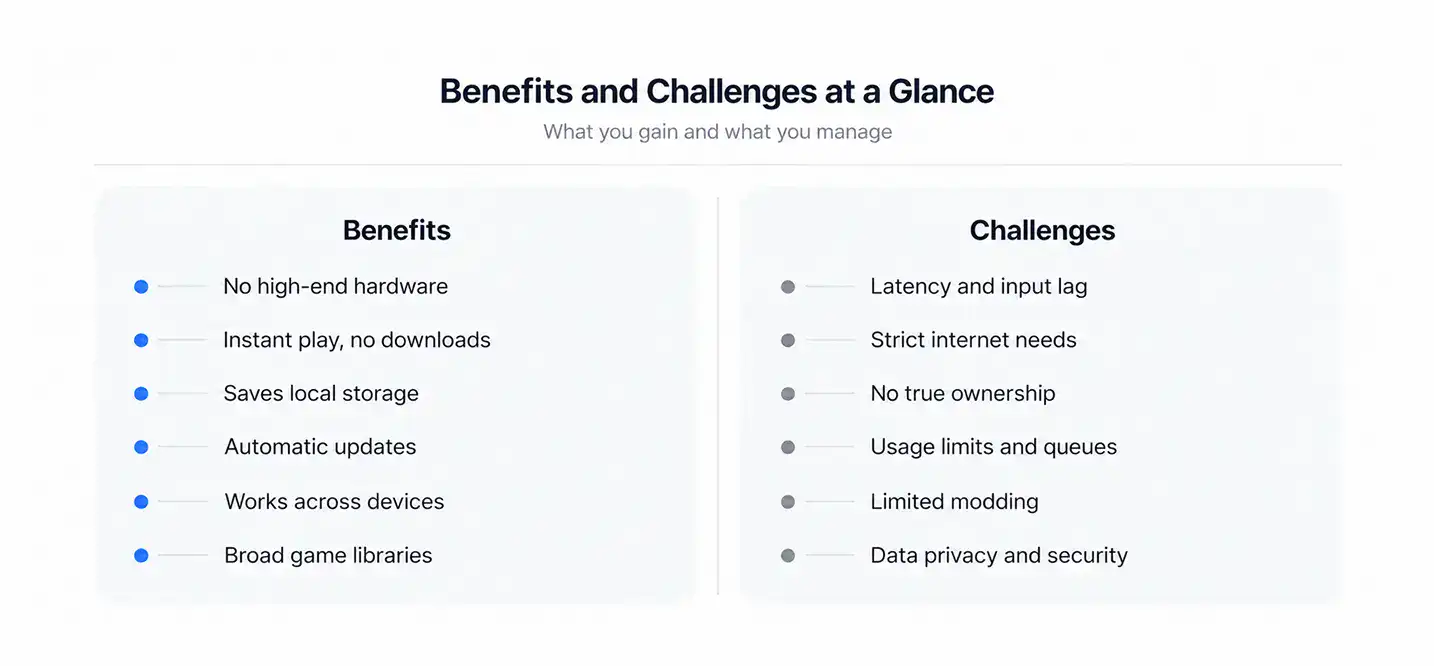
The main cloud gaming benefits include lower hardware costs, faster access, and flexible gameplay. Since cloud gaming runs games on remote servers, players need less powerful local devices.
- No High-End Hardware Required: Players can stream demanding games on compatible devices without buying expensive gaming PCs or consoles.
- Instant Play and No Downloads: Players can launch supported games without waiting for large downloads or installations.
- Saves Local Storage Space: Games run on remote servers, leaving more storage available on players’ devices.
- Automatic Updates and Patches: Server-side updates let players access the latest supported game versions without manual downloads.
- Cross-Device Flexibility: Players can switch between compatible devices and continue playing through supported cloud saves.
- Access to Broad Libraries: Cloud gaming platforms offer collections of streamable titles, giving players more games to access through supported services.
Challenges of Cloud Gaming
These cloud gaming challenges affect both players and developers. Network dependence, service restrictions, and performance issues can limit the experience.
- Latency and Input Lag: Delays between player input and on-screen action can affect fast-paced games.
- Strict Internet Requirements: Unstable connections can cause lag, visual interruptions, and reduced streaming quality.
- Lack of True Ownership: Players may lose access when games leave a service or a platform shuts down.
- Usage Limits and Queues: Monthly playtime caps and waiting queues can interrupt gaming sessions.
- Modding and Customization Restrictions: Server-controlled environments can limit access to game files and custom modifications.
- Data Privacy and Security: Cloud platforms must protect player accounts, payment details, and gameplay data.
What Is the Future of Cloud Gaming?
Cloud gaming is likely to grow as internet connectivity, cloud infrastructure, and streaming technology improve. Advances in 5G, edge computing, and AI could make games more responsive and accessible, while cross-platform features may give players more flexibility in how they play.
5G and Edge Computing
5G can improve wireless connectivity, while edge servers reduce the distance data travels between players and game servers. Together, they can support smoother mobile streaming beyond home Wi-Fi. However, performance still depends on network coverage, congestion, and infrastructure availability.
AI in Cloud Gaming
AI can help adjust streaming quality, predict network problems, and improve server resource allocation. It may also support more responsive NPCs and dynamic game environments. For a deeper look, read how AI is changing game development.
Cross-Platform Gaming
Players increasingly expect their progress and accounts to work across supported devices. Cloud infrastructure can help developers deliver consistent experiences across PCs, consoles, and mobile devices, although cross-platform support still depends on the game’s design and platform policies.
What Developers Need for Cloud Gaming Development
The cloud gaming market is expected to grow at a 41.1% annual rate, reaching $40.20 billion by 2031. This growth creates opportunities for studios, but successful projects require careful planning. Developers must choose suitable cloud infrastructure, prepare for changing player demand, and maintain consistent streaming performance across devices and regions.
Choosing Cloud Architecture
- Cloud provider: Pick one with GPU instances, such as AWS, Azure, or Google Cloud.
- Engine: Use Unity or Unreal with a server side rendering setup.
- Streaming protocol: Choose WebRTC for low delay.
- Regions: Place edge regions near your largest player clusters.
- Orchestration: Use Kubernetes or a managed game server service.
Planning for Scalability
Plan capacity per region, not just in total. Use autoscaling GPU pools, session queues, and fallback regions for peak hours. Track cost per concurrent player from the first prototype.
To plan the networking layer, read about the technologies behind next-generation multiplayer games.
Testing Game Performance
Test the full loop, not just the game.
- Measure end to end latency at each step.
- Check frame rate stability and bitrate.
- Simulate packet loss, jitter, congested Wi-Fi, and 5G.
- Test across devices and screen sizes.
- Test from every target region.
- Load test with peak concurrent sessions.
How Cubix Approaches Cloud Gaming Development
Cubix is a game development company with 15+ years of experience and a team of 250+ designers, developers, and artists. We treat streaming as an architecture decision, not a late port. Our cloud gaming platform development work covers server architecture, session management, and streaming integration.
Our process has three parts:
- Architecture first: We choose the server stack, streaming protocol, and regions before art production starts.
- Optimization: We tune network stability and server efficiency for cloud ready mobile games and cross-platform play.
- Testing: We measure latency, frame stability, and load across target regions before launch.
If you already run a live title, our cloud gaming solutions cover migration and performance tuning.
Conclusion
Cloud gaming moves rendering to the server and changes how studios build, patch, and scale games. You gain reach and speed, and you accept latency and bandwidth limits. Plan your architecture and testing early, and your streamed game performs the way players expect.
Talk to Cubix experts and build your cloud gaming product
Contact UsFrequently Asked Questions
1. What is cloud gaming Xbox?
Xbox Cloud Gaming streams Xbox games from Microsoft servers to your console, phone, PC, or browser. You need a Game Pass plan that includes streaming, a controller or touch controls, and a stable internet connection.
2. How does cloud gaming work?
A remote GPU server runs the game and encodes the video. Your device receives the stream and sends your inputs back. The loop repeats every frame and needs low latency to feel responsive.
3. How is cloud gaming changing the gaming industry?
It lowers hardware barriers, speeds up updates, and lets publishers reach players on any screen. It also pushes studios toward subscriptions and server based design.
4. How does cloud gaming affect game developers?
Developers design for sessions and server hardware instead of local devices. They gain one build for many platforms and faster patches. They also manage GPU costs, latency, and regional capacity.
5. What is cloud gaming platform development?
It is the process of building the server, streaming, and session systems that deliver games to players over the internet. It covers GPU infrastructure, encoding, matchmaking, authentication, and monitoring.