Key Takeaways
- Indie developers can access powerful free game engines, art tools, and sound libraries to build games without large budgets.
- Open source and free software options support both 2D and 3D game projects for PC and other platforms.
- Asset libraries and beginner-friendly tools help small teams accelerate development and focus on creativity.
- Free resources include visual scripting engines, pixel art software, 3D modeling tools, and audio editors.
- Choosing the right free tools depends on project needs, team size, and experience level.
Indie game development has grown rapidly, as more creators launch projects using accessible free tools and resources. Building games today no longer requires a huge budget or large team, which has opened doors for many new voices.
Free game development software, high-quality asset libraries, and active communities now power much of the indie scene. Many underestimate how many best game development tools are now available at no cost, with options ranging from feature-rich engines to professional-grade art and audio editors.
These free resources enable indie teams to focus on creativity and gameplay instead of costs. Whether you’re designing a pixel art platformer or a 3D adventure, there are free game engines for indie developers, intuitive design tools, and sound libraries for every step. This guide explores the essential indie game development tools, highlights free options at every stage, and shows how small studios can build impressive games with the best free game development tools available today.
Ready to build your indie game? Contact Cubix today.
Contact UsTop Free Platforms and Tools for Indie Game Creators
For anyone building a game on a budget, the landscape of free tools for making indie games is better than ever. Leading engines, visual editors, music creation suites, and asset libraries all have high-quality free versions suitable for solo creators and small teams. This lets anyone with an idea and dedication launch a game project using only free resources. The table below offers a snapshot of the best free game engines for indie games as well as art, audio, and asset tools, showing what each offers and where they shine.
| Tool Name | Type | Platform | Best For | Key Features |
|---|---|---|---|---|
| Godot | Engine | Windows, Mac, Linux | 2D/3D indie games, open source | Visual scripting, scene system, active community |
| Unity Personal | Engine | Windows, Mac, Linux | 2D/3D, mobile, small teams | Visual scripting, huge asset store, cross-platform |
| Unreal Engine | Engine | Windows, Mac, Linux | 3D realism, action games | World-class graphics, blueprints, asset marketplace |
| GDevelop | Engine | Browser, Windows, Mac | No-code, beginners | Drag-and-drop events, export to multiple platforms |
| Blender | Art/3D | Windows, Mac, Linux | 3D modeling, animation | Sculpting, rendering, VFX, open source |
| Krita | Art/2D | Windows, Mac, Linux | Concept art, frame animation | Brush engines, onion skinning, PSD support |
| Aseprite (Open Fork) | Pixel Art | Windows, Mac, Linux | Pixel art, sprites | Tileset editing, onion skins, timeline animation |
| Piskel | Pixel Art | Web | Quick pixel art, prototyping | Browser-based, real-time preview, transparent PNG |
| Audacity | Audio | Windows, Mac, Linux | Sound editing, VO, SFX | Multi-track, effects, plugin support |
| Bosca Ceoil | Music | Windows, Mac, Web | Simple music, chiptunes | Pattern-based editor, export WAV/MIDI |
| Freesound | Asset Library | Web | SFX and samples | CC-licensed, searchable, upload/download |
| OpenGameArt | Asset Library | Web | Sprites, music, SFX, tiles | 2D/3D, music, open licenses, over 60,000 assets |
| Kenney.nl | Asset Library | Web | 2D/3D asset packs | CC0, modular assets, regular updates |
| CraftPix | Asset Library | Web | 2D packs, icons, UI | Free and paid packs, weekly new resources |
Each of these free game development software for PC and other platforms has a unique focus, yet features often overlap. Godot appeals to open source fans seeking a customizable engine with strong 2D support and growing 3D capabilities. Unity Personal is a mainstay for both 2D and 3D games, offering a vast community and asset store. Unreal Engine is popular for cinematic 3D worlds, with a flexible licensing model until your project scales commercially.
GDevelop has become a favorite for newcomers due to its real game development experience without code. Art and audio tools like Blender, Krita, and Audacity are mature, well-documented, and backed by active user communities. Platforms such as OpenGameArt and Kenney.nl help developers quickly prototype and polish projects with professional visuals and sounds at no upfront cost.
It’s critical to check licensing when combining tools. Assets from Kenney.nl are public domain and free for any use, while others or some code libraries may require attribution or restrict commercial use. Always review each tool’s licensing before publishing your game. The strong online communities behind these platforms provide guides, plugins, and troubleshooting support, helping both beginners and advanced users master each tool.
Choosing a Free Game Engine for Indie Projects
Selecting the right foundation from free game engines for indie developers is a crucial decision for any project. This choice shapes your workflow, genres, and target platforms. Today, several best game engines for indie games deliver impressive features without licensing fees for small teams. Whether your goal is a 2D platformer or a 3D action title, there’s a free engine that matches your ambition and skill level.
1. Godot: Open Source and Flexible
Godot is the leading open source choice for many indie developers. Its node-based workflow and robust 2D engine are ideal for platformers and adventure titles. Godot’s GDScript is easy to learn, and visual scripting reduces reliance on hand-written code. Engine updates have brought significant 3D enhancements, making it viable for indies looking to move into immersive worlds. As an open source tool, Godot comes with no licensing headaches, and its community consistently delivers updates, documentation, and plugins.
2. Unity Personal: Versatility and Asset Access
Unity Personal is the best-known free 2D game development software and 3D creation engine for indies, supporting both genres equally well. Small teams can start for free as long as they stay under revenue thresholds. The asset store is a huge advantage, offering graphics, scripts, and templates. The visual scripting editor lets users build logic with node-based tools. Unity looks complex at first, but excellent documentation and a huge developer base keep support close at hand.
3. Unreal Engine: Professional-Grade 3D, Free for Small Releases
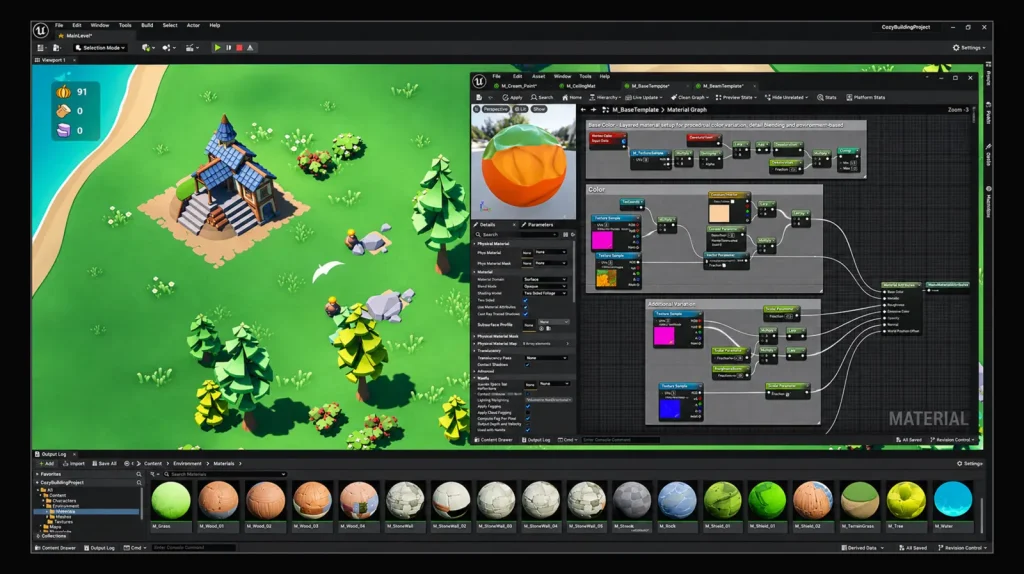
Unreal Engine stands out for 3D and high-fidelity visual effects. If you want your game to rival big-budget visuals, Unreal’s full toolset is available for free up to a generous revenue cap. Blueprint visual scripting makes the engine approachable, even for smaller teams without advanced coding skills. While the system requirements are higher, its real-time rendering and cinematic tools are best in class for 3D adventure and action games.
4. GDevelop: No-Code Simplicity
GDevelop ranks high among the best free game engines for indie games because it eliminates coding. Browser-based with multiple export options, GDevelop lets solo creators or small teams build, test, and publish games quickly. Drag-and-drop events, an asset store, and streamlined onboarding make it one of the most accessible free game making software choices.
Comparing these free 3D game development software and free 2D game development software options, your choice should reflect your project’s type and your comfort with scripting or programming. Godot and Unity offer flexibility and scalability from 2D to 3D. Unreal excels at visuals and polish, while GDevelop is best for rapid learning and prototyping.
Free Art and Animation Tools for Game Developers
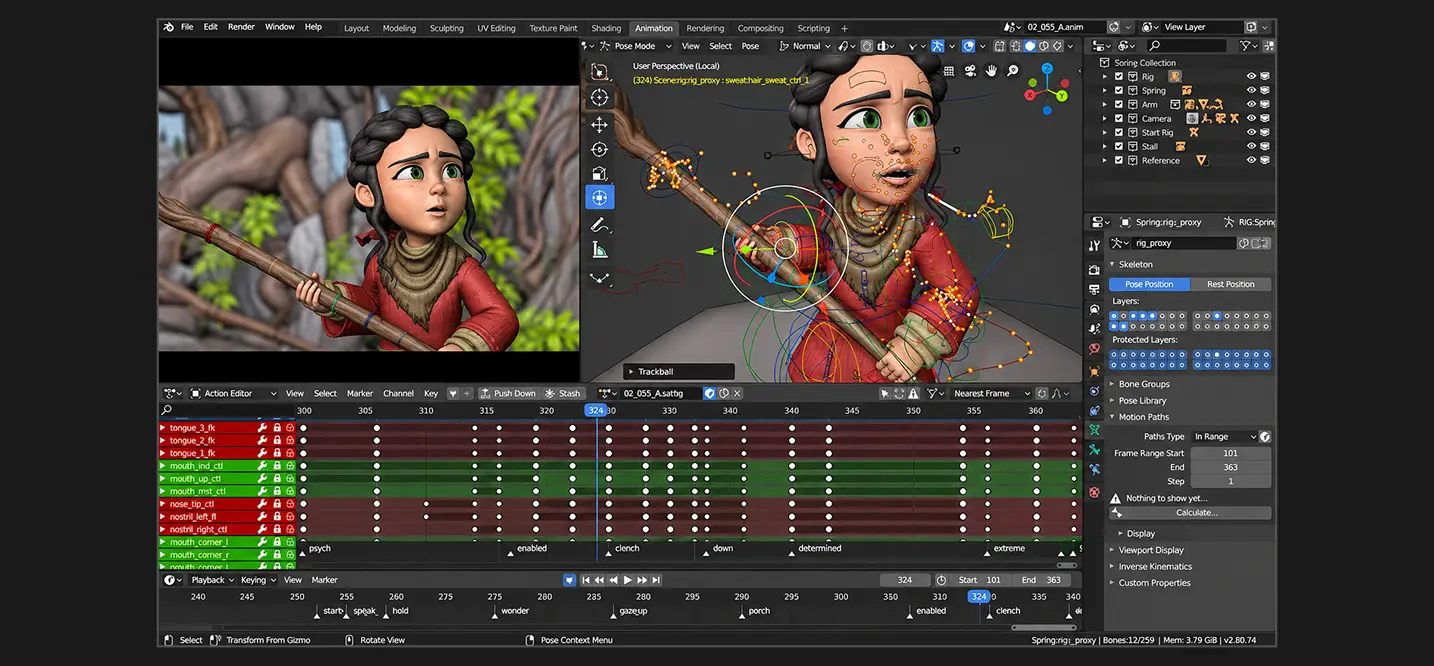
Visuals captivate players first, and today’s free pixel art software for games and powerful open source animation tools make professional art possible for indie teams. Anyone can now design characters, environments, and effects with polish using modern software. Here are essential options for top-quality graphics in both 2D and 3D projects:
- Aseprite (Open Source Fork): Ideal for sprite creation and animated tiles, Aseprite offers a timeline and onion-skinning for frame-by-frame animation. Many game jam veterans and commercial indies rely on Aseprite forks for fast animation and intuitive exporting.
- Blender: Blender is the most popular free 3D modeling software for games. It handles sculpting, animation, rigging, texturing, and VFX. Wide add-on support and steady updates make Blender a go-to tool even beyond indie circles.
- Krita: Krita specializes in digital painting and 2D animation with an extensive brush engine and advanced color control. Artists value frame-by-frame animation features for both prototyping and production assets.
- Piskel: This browser-based tool makes sprite sketching and pixel editing fast. Piskel is great for animated GIFs or transparent PNG assets, speeding up workflow for 2D projects.
These game development tools for beginners are popular for their gentle learning curves and compatibility. Most export standard formats such as PNG for sprites or FBX/OBJ for models, which integrate easily with engines like Godot and Unity. Many indies mix Blender for 3D assets, Krita for environments or concepts, and Aseprite for sprite sheets, all without spending a cent.
Free Sound Design and Music Tools for Indie Games
Sound matters just as much as visuals, though it’s often overlooked. The right music, effects, and voiceover transform a demo into an immersive experience. Free sound effect tools for games now put professional audio production in reach for all. Consider these top choices:
- Audacity: This is widely used as free audio editing software for indie game sound design. It supports multitrack editing, effects, and many file types. Audacity’s plugin system lets you expand its features, from noise reduction to advanced vocal mixes.
- Bosca Ceoil: For chiptunes or simple melodies, Bosca Ceoil is accessible to non-musicians. Its step sequencer and pattern-based workflow enable quick soundtrack creation, with one-click export to WAV or MIDI.
- Freesound: Freesound hosts a vast library of Creative Commons audio, contributed by users worldwide. You can search by tags, preview, and download unique sounds for your projects.
- OpenGameArt: This platform bridges music and SFX with free game development resources. Find soundtracks, UI sounds, and environmental effects, all with clear usage licenses.
Integrating these tools with engines is easy, thanks to standard audio formats like WAV and OGG. Developers commonly use Audacity to trim dialogue or add effects, then import sound into Unity, Godot, or Unreal. Many supplement original tracks with music and SFX packs from OpenGameArt or Freesound, covering every level and cutscene.
Asset Libraries Every Indie Developer Should Know
Game development moves faster and results look sharper when you use free game development asset libraries. Indie teams today can access huge collections of sprites, tilesets, 3D models, icons, and UI elements. These libraries are especially useful when you want to focus on gameplay instead of reinventing every visual.
- OpenGameArt: Highly trusted by indies, OpenGameArt delivers the largest free asset libraries for indie game projects. Browse everything from royalty-free 2D art assets for my game to music and sound effects, with clear attribution.
- Kenney.nl: Kenney is known for quality and reliability. Its CC0-licensed 2D and 3D asset packs include characters, environments, and UI kits, all modular and updated regularly.
- Itch.io Assets: The Itch.io community shares a broad mix of assets, with new free and paid packs daily. Search tags for sprites, music, or tilesets in styles for every genre.
- CraftPix: This site offers both free and premium 2D assets, with new packs released often. CraftPix is preferred by many indies for its update frequency and easy site navigation.
Licensing is key when using assets. Many sites use Creative Commons, with some requiring attribution and others releasing assets to the public domain. Customizing assets by recoloring or remixing is common, and many tools offer starter packs. Using these resources speeds up prototyping, game jams, or full-scale production while keeping projects legal and original.
Open Source Tools for Indie Game Development
Open source game development tools give indie creators flexibility and peace of mind. They lower costs, provide source code access, and let you add custom plugins or features. Projects of all sizes benefit from transparent support and steady, community-driven updates.
1. Godot as a Game Engine
Godot leads open source engines with growing features for both 2D and 3D games. Studios can release commercial projects without royalties or license fees. The plugin repository includes everything from pathfinding to export helpers.
2. Blender for 3D Creation
Blender’s open codebase and regular updates make it the free 3D modeling software for games of choice. Artists can handle the entire asset pipeline with strong community support and tutorials for every workflow.
3. Krita for Art and Animation
Krita is the painting and animation tool used in many open source pipelines. Its community-led development strikes a balance between powerful features and an approachable learning curve for game artists.
4. Tiled: Map Editor for 2D Games
Tiled is perfect for creating levels and tilemaps with drag-and-drop simplicity. It exports formats that work with nearly every engine, so you can design, test, and iterate on game worlds quickly.
These open source tools are trusted for security, with frequent updates and active community feedback. Plugins and add-ons from developers keep features current, and commercial restrictions never stand in your way.
Tools Designed for Beginners and Small Teams
Accessible game development tools for beginners have expanded rapidly. Visual scripting, drag-and-drop mechanics, and guided learning now help those with no programming background get started. Teams can focus on collaboration and creativity without complex codebases slowing things down.
- GDevelop: GDevelop’s visual interface and active support forum make it one of the best free game development tools for small teams and solo creators. It supports web, PC, and mobile, with a simple logic builder and asset store.
- Construct 3 (Free Version): This browser-based tool uses an easy event system, yet has enough depth for serious projects. The free version is feature-rich and is always growing with new templates and documentation for newcomers.
- Unity Visual Scripting: Built into Unity Personal, this node-based workflow lets designers skip or supplement C#. It is perfect for testing ideas quickly or working in teams with mixed skills.
Small teams need good collaboration and version control. Platforms such as GitHub and Bitbucket provide free private repositories, and Godot and Unity both have multi-user workspace tools. If you’re wondering how to get started with a free visual scripting game engine, these platforms and their large communities offer the guides and documentation you need for a smooth start.
Comparing Top Free Game Development Tools
Choosing the right tool depends on your goals, team experience, and target genre. Whether you’re comparing free game engines for indie developers or picking art and sound editors, a careful approach keeps you from costly pivots later. The following table gives a clear game development tools comparison, showing strengths, challenges, and best-fit use cases.
| Tool/Platform | Learning Curve | Platform Support | Major Strengths | Common Limitations |
|---|---|---|---|---|
| Godot | Moderate | Win/Mac/Linux | Free, great 2D, strong docs | Developing 3D tools |
| Unity Personal | Moderate-Hard | Win/Mac/Linux | Widely adopted, strong Asset Store | Steep for beginners |
| Unreal Engine | Hard | Win/Mac/Linux | Superior 3D, visual scripting | Large install size |
| GDevelop | Easy | Win/Mac/Web | No-code, rapid prototyping | Fewer plugins/assets |
| Blender | Hard | Win/Mac/Linux | Advanced 3D, animation | UI complexity |
| Krita | Easy | Win/Mac/Linux | Painterly 2D tools, simple export | Not for vector work |
| Aseprite (fork) | Easy | Win/Mac/Linux | Pixel art, animation timeline | Not for hi-res art |
| Piskel | Easy | Browser | Quick sprite prototyping | Limited features |
| Audacity | Easy | Win/Mac/Linux | Full audio editing, plugins | Not a DAW |
| Bosca Ceoil | Easy | Win/Mac/Web | Music for beginners, chiptunes | Limited sound options |
| OpenGameArt | Easy | Web | 2D/3D assets, music, SFX | Varying styles/licensing |
Mixing free game making software is common. Many combine Godot for programming, Blender for models, and Audacity for audio. 2D platformers often succeed with Godot or GDevelop, while cinematic 3D worlds shine in Unreal. New teams usually benefit from starting with GDevelop or Unity Visual Scripting. Always check compatibility across your stack to ensure smooth asset flow from art to export.
How to Build a Complete Indie Game Using Only Free Tool
It’s entirely possible to build a publish-ready indie game in 2026 using only free software. Game development resources now cover every stage, allowing solo devs and small teams to deliver a game from concept to launch without any software costs. Here’s a practical workflow:
1. Pick Your Engine: Choose Godot, Unity Personal, or GDevelop based on your needs. Each supports 2D and 3D to various levels, fits most indie budgets, and runs on multiple OS.
2. Create Visual Assets: For 2D sprites, use Aseprite or Krita. For 3D content, switch to Blender. Both export files ready for all major engines.
3. Develop and Edit Audio: Record and edit with Audacity. For music and SFX, supplement your recordings with free tracks from OpenGameArt and Freesound, tweaking as needed using Audacity.
4. Assemble and Test: Import assets into your chosen engine. Build levels, refine gameplay, and test regularly using engine editors or browser-based tools for rapid iteration.
5. Export and Release: Once testing is complete, export your game for PC, web, or mobile using your engine’s built-in tools, then publish to stores or share with communities, no paid software required.
Every step relies on free tools for making indie games, supported by tutorials and welcoming communities. These resources free teams to focus on creativity and community instead of licenses and costs.
How Cubix Games Supports Indie Developers with Free and Open Source Solutions
Partnering with an experienced indie game development company can give your project a critical advantage, especially when using free and open source game development tools. Cubix Games is committed to helping indie studios and solo devs make the most of today’s zero-cost resources.
- Cubix Games specializes in Godot, Unity, and Blender, building commercial projects entirely with open source and free software for various clients.
- The team guides you on tool selection, workflow customization, and asset integration, relying on years of experience with launched games in many genres.
- Whether starting a prototype or preparing for crowdfunding, Cubix Games supports free game development tools for small teams by assisting with documentation, troubleshooting, and exporting to multiple platforms.
- Cubix experts streamline asset sourcing, staying current on licensing and compatibility for OpenGameArt, Kenney packs, and Creative Commons sources.
- The team contributes to Godot plugins and Blender add-ons, supporting community growth and ensuring all clients benefit from the latest standards and resources.
With Cubix, your project gains expert insight into every free game development stack component, resulting in a polished, market-ready indie title built with the best free solutions.
Turn your game idea into reality with Cubix Games.
Contact UsFrequently Asked Questions
1. What are the best free software options for indie game development?
Today, the best free software options for indie game development include Godot, Unity Personal, Unreal Engine, GDevelop, Blender, Krita, Audacity, OpenGameArt, and Kenney.nl. Each brings strong features and active community support for different parts of game creation.
2. Which free game engines are most popular with indie developers in 2026?
Godot and Unity Personal are leading choices due to their flexibility, cross-platform support, and robust tutorials, while Unreal Engine is a favorite for high-end 3D games among small and mid-sized teams.
3. Where can I find free 2D art tools for game projects?
For free 2D art tools, try Krita for painting and animation, Aseprite (open fork) or Piskel for pixel art, and OpenGameArt for downloadable sprites and tilesets.
4. What free tools are recommended for 3D modeling in indie games?
Blender is the top free 3D modeling software for games. It provides advanced modeling, texturing, and animation features on a well-supported, open source platform.
5. Are there open source game development tools suitable for beginners?
Yes, Godot and GDevelop are open source game development tools built for beginners, with accessible documentation and visual scripting that lower the learning curve for newcomers.
6. What are the top free asset libraries for indie games?
OpenGameArt and Kenney.nl are top free game development asset libraries, offering thousands of royalty-free 2D, 3D, and audio assets for indie teams.
7. How do free game engines compare for 2D and 3D projects?
Godot excels at 2D projects, Unreal is best for advanced 3D visuals, and Unity provides a flexible solution for both, giving developers options based on their chosen genre.
8. Can I make a commercial indie game using only free tools?
Many successful indie games use only free game making software, as long as you follow licensing for included assets and stay informed about any licensing changes for tools or libraries.
9. What free resources are available for audio and sound effects?
Audacity is a top free sound effect tool for games, while OpenGameArt and Freesound provide thousands of downloadable tracks and effects under Creative Commons or public domain licenses.
10. What should small teams look for in free game development tools?
Small teams should seek game development tools for beginners, open documentation, collaborative features, and support for common asset formats to keep workflow smooth across art, code, and audio.