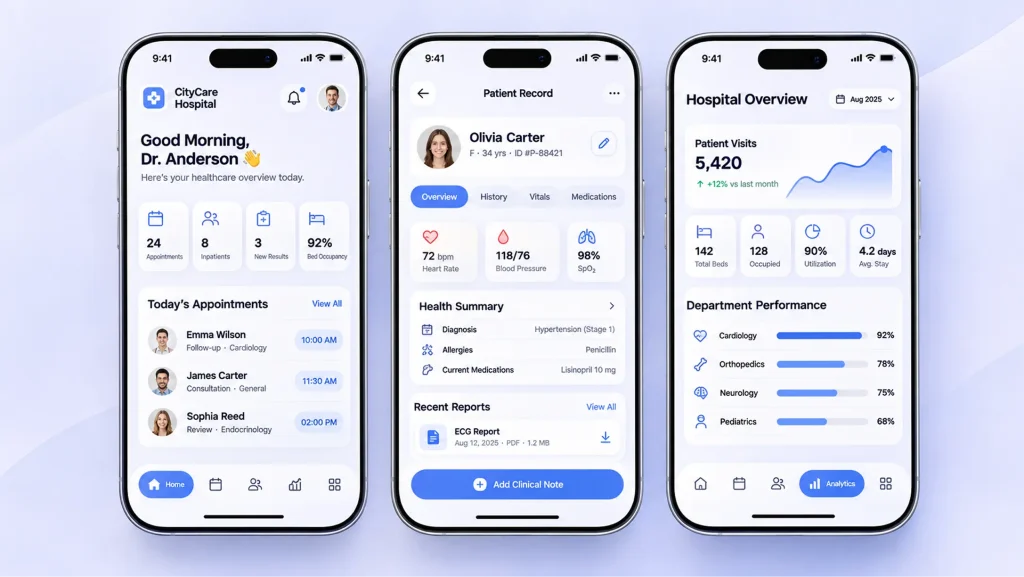
Healthcare MVP development starts with validating one specific healthcare workflow, not building a smaller version of an entire healthcare platform. The goal is to test whether the proposed software solves a real problem for providers, patients, administrators, or healthcare organizations before investing in a broader product.
The need for usable digital health services is clear: 65% of individuals were offered and accessed online medical records or patient portals in 2024, according to the Office of the National Coordinator for Health Information Technology. But demand for digital access does not validate every healthcare software idea. Founders still need to confirm the target problem, workflow, user needs, regulatory boundaries, and technical feasibility.
This guide explains how to validate a healthcare software idea, define MVP scope, choose a testing approach, prepare a controlled pilot, and use pilot evidence to decide what to build next.
Key Takeaways
- Healthcare MVP development starts with validating a specific healthcare problem before deciding which features to build.
- Define a focused MVP scope around essential workflows instead of trying to launch a complete healthcare platform.
- Validate demand early through user interviews, prototypes, and low-cost experiments before investing in full development.
- Account for HIPAA and data security from the start if the MVP handles protected health information.
- Prioritize essential integrations such as EHR connectivity only when they are necessary to validate the product’s core use case.
- Test with real users in controlled pilot environments to identify workflow issues, usability problems, and technical gaps.
- Measure meaningful outcomes such as task completion, user adoption, workflow efficiency, and feedback before expanding the product.
- Plan for cost and timeline based on scope: a focused healthcare MVP may cost 30,000–75,000 and take 3–5 months, while more complex products can exceed $150,000 and require 5–8 months or longer.
What Is a Healthcare Software MVP?
A healthcare software MVP is the smallest functional version of a product that can test its core value proposition with real or representative users. It includes the features required to complete a specific workflow, along with the security, privacy, and reliability controls relevant to that workflow.
For example, a hospital operations MVP might focus on managing equipment requests between departments. It would not need a complete hospital management suite, but it would need accurate request tracking, role-based access, status updates, and an auditable record of changes.
An MVP is not simply a product with fewer features. Its scope must be narrow enough to test a clear assumption without compromising essential safeguards.
MVP vs. Proof of Concept vs. Clickable Prototype vs. Full Product
These terms describe different stages of product validation:
| Approach | Main Purpose | What it Demonstrates |
| Proof of concept (PoC) | Test technical feasibility | Whether a specific technical approach can work |
| Clickable prototype | Test usability and workflow design | Whether users understand and can navigate the proposed experience |
| MVP | Test product value in a practical setting | Whether the core workflow solves a real user problem |
| Full product | Support broader operational needs | A complete set of validated features, integrations, and workflows |
A prototype can help identify usability problems, but it cannot prove that a working system will perform reliably. A PoC can confirm that an integration or technical function is possible, but it does not establish user demand. An MVP tests the product’s core value through a limited, functional release.
How Do You Validate a Healthcare Software Idea Before Development?

Validate the problem, the users affected by it, and the assumptions that could make the proposed solution fail before committing to development.
1. Identify the Healthcare Workflow or Business Problem
Start by documenting the workflow that needs improvement. Avoid defining the problem as a broad goal such as digitizing hospital operations or improving patient engagement.
Instead, identify where the current process breaks down:
- Staff manually enter the same information into multiple systems.
- Referral requests move between departments without clear ownership.
- Claims teams spend time correcting incomplete submissions.
- Providers cannot access the information they need during a workflow.
- Administrative teams rely on spreadsheets to track operational requests.
Observe how users currently complete the task. Record the people involved, systems used, handoffs, delays, workarounds, and common errors. This gives the product team a concrete problem to validate.
2. Define the Value Proposition and User Needs
Identify who experiences the problem and what a successful outcome would look like. Healthcare software may serve several user groups, but the MVP should have a clearly defined primary user.
Use Jobs to Be Done (JTBD) interviews to understand what users are trying to accomplish, what prevents them from doing it, and what they currently use instead. A Value Proposition Canvas can help compare those needs with the proposed product’s benefits.
Ask specific questions about current behavior rather than whether users like the idea. For example:
- How do you complete this task today?
- Where do delays or errors usually occur?
- Which systems or teams are involved?
- What happens when the process fails?
- What would make you change the existing workflow?
A strong value proposition connects a defined user problem to a measurable operational or user outcome.
3. Test the Riskiest Product Assumptions
List the assumptions that must be true for the MVP to succeed. These may concern user demand, workflow fit, data availability, integration access, technical feasibility, or regulatory classification.
Prioritize assumptions by their potential impact and uncertainty. Test the highest-risk ones before building dependent features.
For example, a product designed to automate referral routing may depend on receiving complete referral data from an existing EHR. Before developing the routing engine, confirm that the required data can be accessed, mapped, and used under the intended workflow.
This is riskiest assumption testing: validate the conditions most likely to invalidate the product before spending time on implementation.
How Do You Define the Scope of a Healthcare Software MVP?
Define MVP scope around one primary workflow and the minimum functionality required to complete it safely. Features should support the validation objective, not attempt to represent the full product roadmap.
1. Map the Core Software Workflow
Document the workflow from the user’s starting point to the intended outcome. Include the systems, roles, data inputs, decisions, and handoffs involved.
For a healthcare administration platform that manages prior authorization requests, the initial workflow might include:
- Staff creates a request and enters required information.
- The system validates mandatory fields.
- An authorized user reviews the request.
- The request is assigned a status and responsible team.
- Staff can track progress and identify incomplete submissions.
This workflow defines what the MVP must support. Features unrelated to completing or monitoring it can remain outside the initial release.
2. Prioritize Features Based on Value and Complexity
Use a Feature Prioritization Matrix to compare candidate features by user value, implementation effort, dependencies, and risk.
| Priority | Feature Category | MVP Decision |
| Must have | Required to complete the core workflow | Include |
| Should have | Improves usability or operational efficiency | Include when essential to validation |
| Could have | Useful but not required to test the main assumption | Defer |
| Out of scope | Supports future workflows or broader product capabilities | Exclude from MVP |
Healthcare software requires an additional constraint: privacy, security, safety, and applicable regulatory controls are not optional feature enhancements. If the workflow handles protected health information (PHI), the MVP must account for the safeguards required by the organizations and regulations involved.
Separate MVP Features From Future Product Enhancements
Keep the initial release focused on the validated workflow. A hospital operations MVP might include:
- Department-level request submission
- Request assignment and status tracking
- Role-based access
- Basic operational reporting
- Audit records for relevant actions
Features such as predictive analytics, advanced resource optimization, multi-facility dashboards, and extensive third-party integrations may belong on the roadmap.
The distinction depends on the product hypothesis. If an integration is essential to completing the core workflow, it belongs in the MVP. If it supports a future use case, it can wait.
Which MVP Validation Approach Should You Choose?

Choose the validation method based on what you need to learn. A clickable prototype tests usability, while concierge and Wizard of Oz approaches test parts of a service or workflow before automating them.
| Approach | Best Used to Test | Main Limitation |
| Concierge MVP | Whether users value an outcome delivered through a manually supported process | Manual work can hide the cost and complexity of automation |
| Wizard of Oz MVP | Whether users will adopt a proposed workflow before its backend is automated | Requires clear disclosure and careful handling of real data |
| Clickable prototype | Navigation, terminology, and workflow usability | Cannot validate production performance or operational reliability |
1. Concierge MVP
A Concierge MVP delivers the proposed service manually behind the scenes while users interact with a limited process. It helps determine whether the outcome is valuable before investing in automation.
For example, a healthcare operations team could test a manually coordinated equipment-request workflow with a small group of departments. The team would record request volume, completion time, user feedback, and recurring exceptions.
This approach is useful when the main uncertainty concerns workflow value rather than technical feasibility. It is not suitable for manually bypassing clinical safeguards or performing unapproved clinical tasks.
2. Wizard of Oz MVP
A Wizard of Oz MVP presents a software-like experience while some backend operations are performed manually. Users interact with the proposed workflow, but the system’s automation is not yet fully implemented.
A healthcare software team might test an administrative request dashboard where staff review and route submissions manually. This can reveal whether users understand the workflow and whether the information collected is sufficient.
Do not present simulated clinical recommendations, diagnoses, risk scores, or automated decisions as genuine system outputs. Any test involving real patient information must also follow applicable privacy, security, and organizational requirements.
3. Clickable Prototype
A clickable prototype represents the proposed interface and lets users navigate through screens without a production backend. It is useful for testing terminology, navigation, form structure, and workflow comprehension.
For example, a prototype of a clinical documentation system can help providers assess whether the proposed sequence of screens matches their documentation process.
A prototype cannot validate data integrity, integration reliability, access controls, performance, or production readiness. Use it to resolve design questions before development, not as evidence that the complete software is ready for use.
What Should You Consider Before Developing a Healthcare Software MVP?
Before development, establish the product’s intended use, data-handling responsibilities, and integration dependencies. These decisions affect what can be tested, which safeguards are required, and how the MVP should be designed.
1. Define the Intended Use and Regulatory Boundaries
Document what the software is intended to do, who will use it, and whether it supports administrative, operational, or clinical functions. The intended use matters because certain software functions may fall under FDA medical device oversight.
The FDA’s Digital Health Policy Navigator recommends evaluating the software function’s intended medical purpose, including the condition and patient population involved.
Not all healthcare software is a medical device. Administrative scheduling, billing, and general record-management functions do not automatically qualify as Software as a Medical Device (SaMD). Functions that diagnose, treat, prevent, or support clinical decisions may require a closer regulatory assessment.
If the MVP includes clinical decision support, assess the applicable criteria in the FDA’s Clinical Decision Support Software guidance. Establish these boundaries before testing the function with users.
2. Determine How the MVP Will Handle Protected Health Information
Identify whether the MVP will create, receive, maintain, or transmit PHI and which organizations will access it. If the product handles electronic PHI on behalf of a HIPAA-covered entity or business associate, applicable HIPAA requirements must be addressed.
Depending on the arrangement, the software vendor may qualify as a business associate and need a Business Associate Agreement (BAA). HHS explains that a vendor’s role depends on its access to PHI and the services it performs, not simply on whether it sells software. See the HHS guidance on software vendors and business associate status.
The MVP’s data-handling plan should identify:
- What PHI the system needs and why
- Which users and services can access it
- How data is protected in transit and at rest
- How access and changes are logged
- How test data is created, stored, and removed
- Which vendors or cloud providers may handle ePHI
Do not use production patient data in testing simply because it is available. Use synthetic or properly de-identified data where appropriate, and assess the requirements for any real-data pilot.
3. Decide Which Healthcare Integrations Are Necessary
Include an integration only when the core workflow depends on data or actions from another system. Common dependencies include EHR platforms, practice management systems, billing software, laboratory systems, identity providers, and payment services.
For EHR data exchange, HL7 FHIR can provide standardized resources and interfaces. However, FHIR does not make every EHR integration interchangeable. Implementation guides, supported versions, vendor access, authorization scopes, data mapping, and error handling still need to be addressed.
If the MVP needs user-authorized access to an EHR, evaluate the relevant SMART App Launch framework, which uses OAuth 2.0-based authorization patterns.
A prototype may only need sample data. A functional pilot may require a sandbox or approved connection. Confirm the integration path before making it a dependency of the MVP schedule.
How Do You Develop and Prepare a Healthcare Software MVP for a Pilot?

Develop the MVP around the validated workflow, then verify that its essential functions and safeguards work in the intended pilot environment. The aim is a controlled release, not a broad production launch.
1. Translate the Validated Scope Into a Development Plan
Convert the approved workflow into user stories, acceptance criteria, and a prioritized backlog. Identify dependencies such as external APIs, data access, user permissions, and vendor approvals.
Each requirement should connect to a specific MVP objective. This keeps development focused and makes it easier to determine whether a feature is complete enough for pilot testing.
2. Design the Software Architecture Around the Core Workflow
Choose an architecture that supports the MVP’s actual workload and integration needs. Avoid building for hypothetical scale or adding services that do not support the initial use case.
At a high level, the system may include:
- User interface: Screens used by providers, administrators, or operational staff.
- Application logic: Rules that process requests, manage workflow states, and enforce permissions.
- Integration layer: APIs and services that exchange data with external platforms.
- Data layer: Storage for application records, configuration, and audit information.
- Infrastructure and monitoring: Hosting, access management, logging, backups, and performance monitoring.
The design should make data movement and access responsibilities clear. For healthcare workflows, permissions, auditability, and failure handling need to be considered alongside functionality.
3. Develop and Test the Essential Functionality
Build the features required to complete the selected workflow. Test each feature against its acceptance criteria and verify how the system handles invalid input, incomplete records, unauthorized access, and failed requests.
Testing should cover the areas relevant to the product, including:
- Functional and workflow testing
- Role and permission testing
- Data validation and integrity
- API and integration testing
- Security and vulnerability testing
- Performance and recovery testing
- Usability testing with representative users
The test plan should reflect the MVP’s intended use and risk. A system that only manages administrative requests has different validation needs from software that influences clinical decisions.
4. Prepare the MVP for Controlled Deployment
Before the pilot, define who can access the system, what data it will use, how issues will be reported, and who is responsible for responding.
Prepare the environment, user accounts, training materials, support process, rollback plan, and incident escalation path. Confirm that required organizational approvals, vendor agreements, and privacy or security reviews are complete.
Limit access to the agreed pilot group. A controlled deployment makes it easier to identify workflow problems and technical failures without exposing the software to an unnecessarily broad user base.
How Do You Validate a Healthcare Software MVP Through Pilot Testing?
A pilot tests whether the MVP works for its intended users under defined operating conditions. It should measure workflow performance, usability, adoption, and reliability against criteria established before deployment.
1. Select the Right Pilot Users and Environment
Choose users who regularly perform the workflow the MVP is designed to support. A pilot for referral management, for example, should include the staff responsible for submitting, reviewing, assigning, or tracking referrals.
Start with a limited department, facility, or user group. The pilot environment should reflect the intended workflow closely enough to produce useful evidence, while remaining controlled.
Record the existing process before introducing the MVP. Baseline data helps distinguish actual improvements from changes caused by workload, staffing, or other operational factors.
2. Define Pilot Acceptance Criteria
Set measurable criteria before the pilot begins. These should reflect the product hypothesis and the risks associated with the workflow.
For an administrative workflow, acceptance criteria might include:
- Users can complete the primary task without unplanned assistance.
- Required information is captured accurately.
- Requests reach the correct team or status.
- Unauthorized users cannot access restricted records.
- Failed submissions and integration errors are visible to the responsible team.
- The workflow meets an agreed completion-time target.
Do not treat a high task-completion rate as proof of clinical effectiveness or patient safety. Clinical claims require appropriate evidence and validation beyond general product usability metrics.
3. Collect Feedback and Measure Product Performance
Combine system data with direct feedback from pilot users. Quantitative metrics show what happened; interviews and observation help explain why.
Useful MVP metrics include:
| Metric | What it Helps Evaluate |
| Activation rate | Whether intended users start using the MVP |
| Task completion rate | Whether users can complete the core workflow |
| Time on task | How long the workflow takes |
| Feature adoption | Which MVP capabilities users actually use |
| Error rate | How often users or the system encounter errors |
| Cohort retention | Whether users continue using the software over time |
| System uptime | Whether the MVP is available when needed |
| Operational outcome | Whether the workflow improves against its baseline |
Review results by user group and workflow stage. An acceptable overall completion rate can hide a problem affecting one department or a specific type of request.
What Should You Do After Validating a Healthcare Software MVP?
Use pilot evidence to decide whether to iterate, pivot, or expand the product. Do not move directly from a successful demonstration to a full-scale release.
- Iterate when the core problem is validated, but users encounter fixable usability, workflow, or reliability issues.
- Pivot when the original assumption is not supported, the target user has a different priority, or the proposed workflow does not solve the problem.
- Scale when the MVP consistently meets its acceptance criteria, users adopt it, operational value is demonstrated, and the required technical and compliance controls are in place.
Prioritize the next development cycle using pilot findings. Fix defects that affect data accuracy, access, or workflow completion before adding optional features.
Once the core use case is validated, assess the architecture, integrations, support model, and operating costs required for broader deployment. The healthcare software development guide covers the wider development considerations involved in moving beyond an MVP.
Conclusion
Building a healthcare software MVP requires more than reducing the feature list. You need to validate a real workflow, prioritize essential functionality, account for applicable compliance requirements, and test the product with intended users. Pilot results should guide whether to refine the MVP, change direction, or expand its capabilities.
If you are planning a healthcare software MVP, the right development approach starts with understanding your users, workflows, and technical requirements. Explore Cubix healthcare software development services to see how your idea can move from an initial concept to a validated software product.
Ready to Test Your Healthcare Software Idea? Let's Talk
Contact Us
Frequently Asked Questions
1. How Much Does Healthcare MVP Development Cost?
A focused custom healthcare MVP typically costs $30,000–$75,000. An MVP with multiple workflows, EHR integration, or more extensive security requirements can cost $75,000–$150,000 or more. These are planning estimates, not fixed quotes. See our healthcare software development cost breakdown for more detailed estimates.
2. How Long Does It Take to Develop a Healthcare Software MVP?
A basic healthcare MVP generally takes 3–5 months to develop. Products requiring EHR integration, multiple user roles, complex workflows, or additional regulatory review may take 5–8 months or longer. The timeline also depends on access to stakeholders, test environments, and pilot users.
3. Does a Healthcare Software MVP Need to Be HIPAA-Compliant?
If the MVP handles PHI on behalf of a HIPAA-covered entity or business associate, applicable HIPAA requirements must be addressed. A limited feature set does not remove these obligations.
4. Can Healthcare Software Be Tested Without Building a Complete MVP?
Yes. User interviews, workflow observation, proof-of-concept development, and clickable prototypes can validate demand, usability, and technical feasibility before full development.
5. Should a Healthcare MVP Include EHR Integration?
Only if the core workflow depends on EHR data, otherwise, synthetic data or manual processes can help validate the idea before investing in production integration.