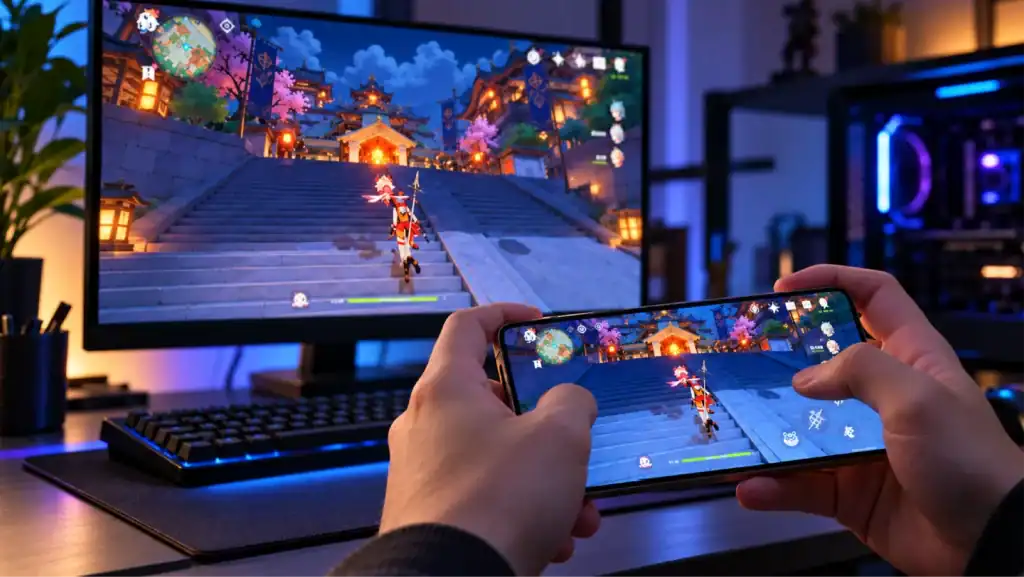
A game that performs well on PC can run into serious problems when brought to a console or mobile device. Controller support, memory limits, graphics APIs, and platform-specific services can all require changes before the game is ready for a new audience.
The potential audience is substantial. The Entertainment Software Association reports that 67% of Americans play video games for at least one hour per week, according to its Essential Facts about the U.S. Video Game Industry. That figure reflects gaming participation, not demand for any particular port, but it illustrates the scale of the broader market.
Game porting helps studios bring an existing title to another platform without rebuilding the entire game from scratch. The work can range from adapting controls and replacing incompatible dependencies to optimizing performance and integrating platform services. Here’s how the process works, what can complicate it, and how to assess whether a game is ready to port.
Key Takeaways
- Core Objective: Game porting adapts existing code, graphics, and controls to a new target platform without rebuilding the game from scratch.
- Technical Audits: Auditing dependencies, middleware, and engine compatibility early prevents costly schedule overruns and architectural rework.
- Optimization & Services: Success requires hardware-specific performance profiling and integrating platform SDKs for saves, achievements, and input.
Want to discuss your project? Our experts are just a click away.
Contact UsWhat Is Game Porting?
Game porting is the process of adapting an existing video game to run on a different platform, operating system, or hardware environment. Depending on the project, this can involve modifying source code, replacing unsupported dependencies, integrating platform SDKs, optimizing assets, and adjusting controls or interfaces.
For example, a studio might port a Windows PC game to PlayStation or Xbox, bring a mobile game to PC, or adapt a console title for mobile devices.
The goal is to keep the game’s core mechanics and content working while adapting the systems that depend on the original platform.
Game porting differs from other forms of game development:
- Porting: Adapts an existing game to another platform.
- Remastering: Updates elements such as resolution, textures, audio, or performance while retaining much of the original game.
- Remaking: Rebuilds a game, often with substantial changes to its assets, systems, or underlying technology.
- Emulation: Reproduces the behavior of another system so software designed for that system can run in the emulated environment.
These approaches can overlap. A port may include visual improvements, but a full remake or remaster is not required to make a game compatible with another platform.
Why Do Developers Port Games to Other Platforms?

A port can create another revenue opportunity from an existing title, but only if the target platform justifies the additional engineering and support costs. Studios typically consider porting when players on another platform are asking for the game, the original release has compatible technology, or a publisher sees a viable opportunity in another storefront.
Common reasons include:
- Respond to platform-specific demand: Bring a PC title to consoles when its audience wants controller-based play or access through console storefronts.
- Generate revenue from an existing title: Sell the game to customers who could not access the original platform, subject to pricing, publishing, and distribution costs.
- Support a publisher’s release strategy: Expand a planned release across selected platforms without developing a separate game from scratch.
- Reuse compatible game systems: Retain existing gameplay logic, levels, and assets where the target platform supports them, while budgeting for systems that need changes.
- Support ongoing content releases: Make sure the port can accommodate planned updates, downloadable content, and post-launch fixes.
A larger addressable audience does not guarantee a profitable release. Estimate the porting cost, platform fees, expected sales, certification work, and ongoing maintenance before committing.
What Should You Evaluate Before Starting a Game Port?
Before starting a game platform migration, determine whether the existing title can be adapted to the target within the available budget, timeline, and technical constraints. Review the codebase, dependencies, platform requirements, and release scope before committing to production.
1. Audit the Source Code and Game Engine
Start with the source repository, project files, engine version, build instructions, and existing platform-specific code.
The audit should identify:
- Dependencies on operating-system APIs or platform-specific libraries.
- Third-party plugins and middleware that may not support the target.
- Engine features that behave differently across platforms.
- Missing source files, undocumented build steps, or outdated dependencies.
- Licensing restrictions that could affect distribution.
The audit helps uncover compatibility issues before they cause schedule or budget overruns.
2. Check Target Platform Compatibility
Next, review the target platform’s hardware, development tools, software development kits (SDKs), graphics APIs, and submission requirements.
A platform may support the game engine but not every plugin or feature used by the project. Console development may also require authorized developer access and platform-specific tools.
Document unsupported features, required changes, and any developer-access or SDK dependencies before implementation.
3. Define Performance and Feature Requirements
Set measurable requirements for the target platform before development begins. Identify the minimum supported hardware, expected frame rate, memory budget, loading-time limits, display configurations, and required gameplay features.
Also document which features must match the original release and which can change to accommodate the target platform. These decisions establish the port’s acceptance criteria and help prevent scope disputes later.
4. Establish Scope, Cost, and Timeline
Break the estimate into major workstreams, including code changes, platform integration, asset adaptation, quality assurance, certification, and release preparation. Assign each workstream an owner, estimated effort, and dependency so the schedule reflects the actual work required.
A small game with clean source code and compatible dependencies may need relatively limited changes. A large game with custom engine modifications, complex multiplayer systems, or unsupported middleware can require extensive rework.
If major uncertainties remain, a prototype can help validate the approach before full production. Cubix’s Game Prototyping Services can be a relevant starting point when a technical assumption needs to be tested early.
What Is the Game Porting Process?
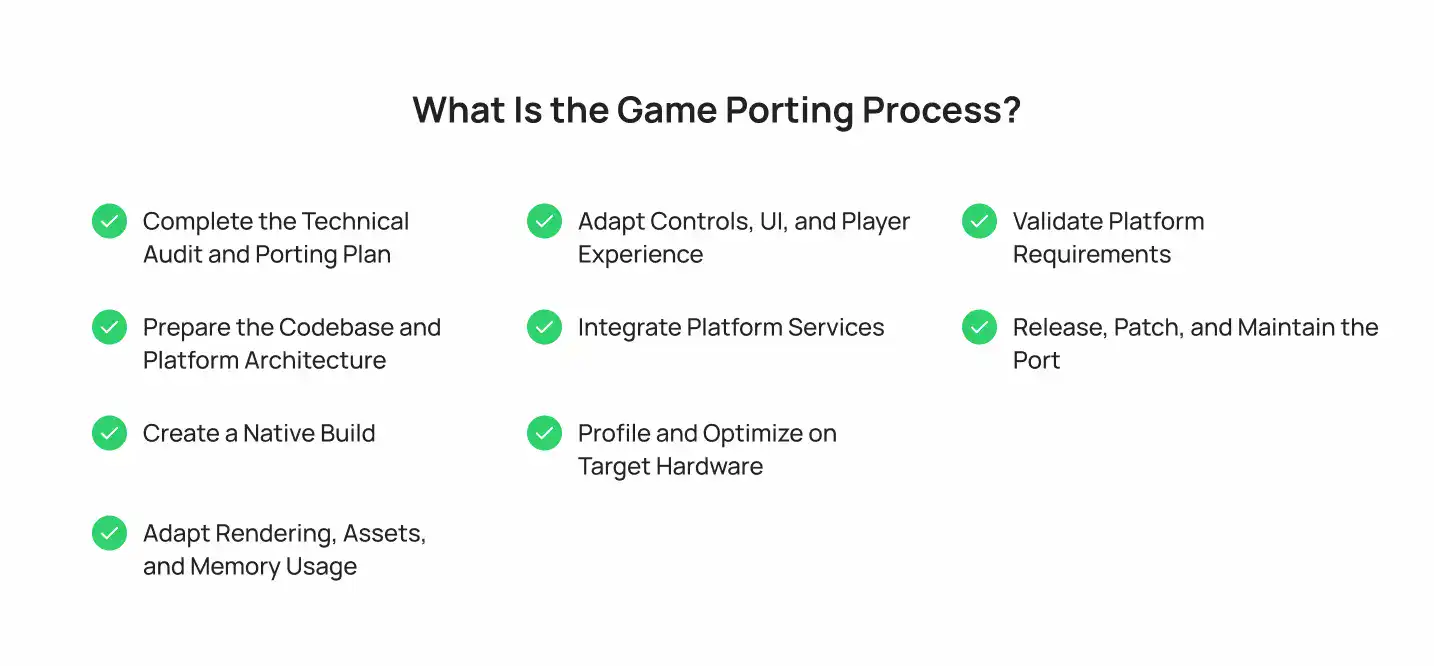
The process starts by identifying platform incompatibilities, then moves through implementation, optimization, and release validation. Finding unsupported plugins, missing APIs, or hardware limitations early helps avoid expensive rework later.
1. Complete the Technical Audit and Porting Plan
Review the codebase, assets, dependencies, target platform, and existing performance data. Document technical risks, required features, milestones, and acceptance criteria.
Deliverable: A feasibility assessment and scoped porting plan.
2. Prepare the Codebase and Platform Architecture
Separate reusable gameplay logic from functionality that depends on the target platform. For example, a game can expose a shared save-game interface while using different platform-specific implementations for local storage, cloud saves, and account authentication.
This separation lets the game call a consistent interface without assuming every platform stores data or handles user accounts in the same way. It can also simplify testing when the same gameplay systems run across several targets.
Not every port requires a new abstraction layer. If the existing architecture already isolates platform-specific code, the team may only need to replace incompatible implementations and update their integrations.
3. Create a Native Build
Configure the engine, compiler toolchain, target SDK, and required platform integrations, then produce an early build for the target device. At this stage, verify that the game launches, reaches a playable state, renders its basic scenes, accepts the expected input, and initializes critical systems such as audio and save handling.
This build is an early compatibility check, not proof that the port is finished. It can expose unsupported APIs, missing libraries, incorrect build settings, packaging errors, and failures during startup. Resolve these issues before investing heavily in content-specific optimization or visual polish.
4. Adapt Rendering, Assets, and Memory Usage
A rendering setup that works on the original platform may exceed the target’s GPU, memory, or storage limits. Shader features may be unsupported, texture formats may need conversion, and high-resolution assets may consume too much memory.
The porting team should review:
- Shaders and rendering features: Check whether the target supports the effects and graphics APIs used by the game. Unsupported features may require alternative shaders or rendering paths.
- Texture and asset formats: Select formats supported by the target and balance visual quality against memory use, loading time, and package size.
- Asset streaming: Check when assets are loaded and released. Poor streaming behavior can cause memory spikes, long loading screens, or interruptions during gameplay.
- Frame time: Measure how long each frame takes, not just average frames per second. Spikes can cause visible stutter even when the average frame rate appears acceptable.
Profile representative gameplay on the actual target hardware. Optimize against the project’s frame-time and memory budgets, then retest affected scenes to confirm that visual quality and gameplay remain intact.
5. Adapt Controls, UI, and Player Experience
A touchscreen game may need keyboard, mouse, and controller support when moving to PC. A PC title moving to console may need controller-first navigation and revised menu behavior.
Screen resolution, aspect ratio, safe areas, text readability, and interaction patterns also affect usability. Relevant Game UI/UX Design work can help preserve a consistent player experience without forcing the original interface onto an unsuitable display or input method.
6. Integrate Platform Services
Add the platform-specific functionality required by the release, which may include:
- User accounts and platform authentication.
- Achievements and entitlements.
- Cloud saves and save migration.
- Multiplayer sessions and networking.
- Store purchases and downloadable content.
Each integration needs its own validation. Existing services may not transfer directly, and features such as cross-save or crossplay require explicit implementation.
7. Profile and Optimize on Target Hardware
Run the game on the actual target hardware and profile its CPU, GPU, memory use, loading behavior, and frame times. Use the results to identify bottlenecks, then adjust rendering settings, asset loading, memory allocation, or other systems as needed.
Repeat profiling after significant changes to confirm that optimizations improve performance without breaking gameplay or visual quality.
8. Validate Platform Requirements
Check the build against the target platform’s technical and submission requirements. Resolve compliance issues, verify required integrations, and prepare the release candidate.
Regression testing should cover previously working features affected by porting changes. The final release decision should depend on documented acceptance criteria, test results, and any outstanding release-blocking defects.
9. Release, Patch, and Maintain the Port
After launch, track platform-specific bugs, test new content and patches, and update dependencies when necessary. Automated builds and regression tests can catch update-related failures before release.
How to Port a Game to a Different Platform
The process stays broadly similar across projects, but the work changes depending on the source and target platforms.
1. How to Port a PC Game to Console
PC-to-console porting often centers on controller support, console services, hardware constraints, and platform certification.
Key work areas include:
- Controller-first interaction: Replace keyboard-dependent actions where necessary, support controller navigation across menus, and check focus behavior in inventory screens, settings, and other interfaces.
- Console services: Integrate the required platform SDKs for user profiles, achievements, save data, entitlements, and other supported features.
- Hardware optimization: Profile CPU and GPU usage, memory consumption, loading behavior, and frame times against the target console’s constraints.
- Certification and packaging: Validate system interactions, required error handling, suspend and resume behavior where applicable, and the platform’s technical submission requirements.
The scope depends on how much the original game assumes a desktop environment. A title with flexible input handling and well-isolated platform services may need fewer changes than one built around keyboard shortcuts, PC-specific APIs, or highly configurable graphics settings.
2. Mobile-to-PC Game Porting
Mobile-to-PC porting requires developers to reconsider how players interact with the game, how its interface responds to different displays, and how mobile-specific systems translate to desktop.
The main scope drivers are:
- Input and controls: Map touch gestures to keyboard, mouse, or controller input. Review interactions that depend on tapping, dragging, or multitouch.
- Interface and display: Support window resizing, multiple resolutions, readable text, and UI layouts that work beyond a fixed portrait or landscape screen.
- Performance and graphics: Reassess texture quality, effects, frame-rate settings, and asset loading for desktop hardware without assuming every player’s PC has the same capabilities.
- Monetization and accounts: Review in-app purchases, advertisements, permissions, and login flows. Desktop distribution may require a different purchase model or integration with the selected storefront.
For games originally built around short touchscreen sessions or mobile-specific progression systems, Mobile Game Development experience can help identify which mechanics and interface assumptions need to change for desktop play.
3. Porting a PC or Console Game to Mobile
PC-to-mobile and console-to-mobile ports must account for touch input, limited memory, battery consumption, thermal constraints, and a wider range of device capabilities.
The main work areas are:
- Touch interaction: Redesign controls for touchscreens, including camera movement, aiming, menus, and actions that originally relied on physical buttons.
- Performance and thermal limits: Reduce expensive rendering operations where needed and test sustained gameplay, not just short benchmark runs. Heavy workloads can cause devices to heat up and reduce performance.
- Memory and asset budgets: Optimize textures, audio, and other assets, and verify that loading and unloading resources do not cause excessive memory use or interruptions.
- Device compatibility: Test a representative range of supported devices, operating-system versions, screen sizes, and graphics capabilities.
A high-end phone passing a performance test does not establish compatibility across the full device range. Define a minimum supported configuration and test against it before finalizing the release scope.
4. Cross-Platform Game Porting
When a game must run across multiple platforms, the challenge is keeping shared gameplay systems consistent while handling differences in hardware, platform services, and release requirements.
Before production, define:
- Feature parity: Identify which gameplay systems, content, and settings must behave consistently on every platform.
- Platform-specific exceptions: Document features that need different implementations because of hardware or platform requirements.
- Multiplayer compatibility: Specify whether players on different platforms must share matchmaking, sessions, or progression. Crossplay requires compatible networking and account systems, plus any necessary platform approvals.
- Save compatibility: Define how progress is stored, migrated, and synchronized. Cross-save requires explicit implementation and conflict-handling rules.
- Release coordination: Establish how updates, downloadable content, bug fixes, and version compatibility will be managed across platforms.
Porting a game to multiple platforms does not automatically provide crossplay or cross-save. Treat each capability as a separate requirement with its own implementation and validation plan.
Unity Game Porting vs. Unreal Engine Porting
Unity and Unreal Engine support multiple platforms, but engine support alone does not guarantee that a particular game is ready to port.
1. Unity Game Porting
Unity projects should be audited for the engine version, render pipeline, packages, third-party plugins, native plugins, and input configuration. A package may support Unity generally but lack support for the specific target platform or engine version.
Check whether the project relies on platform-specific native code, whether the selected render pipeline supports the target’s required features, and whether shader variants are available for the build. Also validate input mappings, graphics settings, and plugin initialization on the target device.
For projects that need specialist support, Hire Unity Developers is a relevant option for Unity-specific engineering and platform integration.
2. Unreal Engine Porting
Unreal Engine projects need a review of their engine version, plugins, rendering features, platform configuration, and third-party integrations. The team should identify features that the target cannot support as implemented and confirm that required plugins are compatible with the intended build.
Asset cooking prepares project content for the target platform, while shader compilation generates the shader variants needed by the build. Both can expose compatibility problems or add significant build time, depending on the project’s content and configuration. The team should also measure memory use and rendering performance on the target hardware.
Epic’s Unreal Engine packaging documentation explains how packaging prepares project content and builds for deployment.
3. Can You Port a Game by Changing the Engine’s Build Target?
Not always. Selecting another build target is only one step. The source code, plugins, native APIs, assets, controls, platform services, and performance profile may still need changes.
The amount of work depends on how well the original project supports the target platform and how many platform-specific assumptions are built into the game.
What Are the Biggest Game Porting Challenges?
Porting problems often appear when the target platform handles a system differently from the original environment. Identifying the symptoms early helps the team investigate the right part of the codebase instead of treating every failure as a general compatibility issue.
| Challenge | Possible Symptoms | What to Investigate or Fix |
|---|---|---|
| Unsupported APIs or middleware | Build failures, missing functionality, or crashes during initialization | Check compiler errors, platform API dependencies, plugin compatibility, and available alternatives |
| Shader and rendering incompatibility | Missing effects, incorrect materials, shader compilation errors, or visual differences | Review graphics API support, shader variants, render-pipeline settings, and fallback implementations |
| Frame-time spikes | Visible stutter despite an acceptable average frame rate | Capture frame-time data and profile CPU, GPU, synchronization, and asset-loading bottlenecks |
| Memory pressure | Crashes, failed allocations, or assets disappearing under load | Measure peak memory use, inspect asset lifetimes, and review texture sizes and streaming behavior |
| Input and UI mismatches | Unresponsive controls, broken navigation, clipped text, or unreadable menus | Test each supported input method, display configuration, and interface state |
| Save migration and platform services | Lost progress, failed cloud synchronization, or missing entitlements | Validate save formats, account ownership, service initialization, and conflict-resolution behavior |
| Certification and release failures | Submission rejection or required features failing platform checks | Run the applicable compliance tests and verify required system interactions before submission |
| Update regressions | Previously working features break after a patch | Automate repeatable builds and regression tests for critical gameplay and platform integrations |
The symptoms in this table are diagnostic clues, not proof of a specific cause. Reproduce the issue on the target hardware, collect logs or profiling data, and test the suspected fix before treating the problem as resolved.
Save migration is one example of a platform-specific problem that can be missed during a basic launch test. Steamworks Cloud documentation explains how developers configure cloud storage for game files. A port that uses a different save location, format, or account system must verify how existing progress is preserved and whether synchronization conflicts are handled correctly.
Game Porting vs. Cross-Platform Development
These terms are related, but they describe different approaches.
| Area | Game Porting | Cross-Platform Development |
|---|---|---|
| Starting point | An existing game | A game planned or built for multiple platforms |
| Primary goal | Adapt the game to a new target | Support multiple platforms through the development strategy |
| Architecture | Existing systems may need refactoring | Shared systems can be planned from the outset |
| Platform-specific work | Depends on the differences between platforms | Still required for platform-specific features |
| Testing | Validate the port and protect existing behavior | Validate each supported platform and shared functionality |
The approaches can overlap. A game built for several platforms may still need substantial porting work when a new console, operating system, or device family is added.
Game Porting Checklist: What to Prepare Before Hiring a Studio
A porting studio needs enough project information to assess compatibility, estimate the workload, and identify technical risks. Prepare the following materials before requesting an estimate:
- Source code and project files: Provide repository access, the current project, required submodules, and any custom engine modifications.
- Build instructions: Document the engine version, compiler or toolchain requirements, SDK dependencies, and steps for producing the current build.
- Assets and pipelines: Include source assets, import settings, asset-processing scripts, and documentation for custom build tools.
- Third-party dependencies: List plugins, middleware, libraries, licensing terms, and any components with platform restrictions.
- Existing builds and QA records: Share playable builds, known issues, crash logs, test reports, and reproduction steps for existing bugs.
- Performance information: Provide supported hardware specifications, profiling captures, memory measurements, and known performance bottlenecks.
- Target-platform requirements: Identify the intended platforms, required features, minimum supported hardware, and any known developer-access or SDK dependencies.
- Save and online-system details: Document save formats, backend services, authentication, multiplayer architecture, purchases, and required platform integrations.
- Release and support expectations: Specify the desired release scope, planned content updates, acceptance criteria, and post-launch maintenance needs.
If some materials are unavailable, identify the gaps instead of assuming they won’t affect the estimate. Missing source code, inaccessible dependencies, or undocumented build steps may require investigation before the studio can provide a reliable scope and timeline.
How Do You Test a Ported Game?
A port is ready for release when it meets the project’s performance and compatibility targets, required platform features work correctly, and no unresolved defects block release. Test the game on the actual target hardware rather than relying solely on editor runs or desktop development builds.
1. Functional and Regression Testing
Run critical gameplay paths from start to finish, including launching the game, loading and saving progress, completing key objectives, navigating menus, and resuming a session where supported. Repeat these checks after significant code, asset, or integration changes to catch regressions.
2. Performance and Compatibility Testing
Test representative gameplay scenes on the minimum supported hardware and other devices or configurations included in the release scope. Compare results against the project’s defined targets for frame time, memory use, loading duration, and stability. Check sustained gameplay as well as short runs, particularly on mobile hardware.
3. Platform-Service Testing
Verify required platform functionality, including authentication, save handling, achievements, purchases, entitlements, and multiplayer features where applicable. Test failure cases as well as successful interactions, such as interrupted connections or unavailable services, to confirm the game handles them correctly.
4. Certification and Release Validation
Run the applicable platform compliance checks and resolve submission blockers. Before approving the release candidate, confirm that:
- Critical gameplay paths pass on the target platform.
- Performance and memory measurements meet the agreed targets.
- Required platform integrations behave as expected.
- No unresolved release-blocking defects remain.
- The build, version information, and required submission materials are ready.
The acceptance criteria should be agreed upon before testing begins. There is no single frame-rate or memory threshold that applies to every game; targets depend on the genre, intended experience, hardware, and platform requirements.
Game Testing Services may be useful when a project needs dedicated quality assurance, compatibility testing, or release validation.
How Do You Choose a Game Porting Partner?
A studio’s experience with game development does not automatically establish that it can port your particular game. Evaluate whether it understands the source technology, the target platform, and the release requirements your project must meet.
Use these criteria when comparing providers:
- Relevant porting experience: Ask for examples involving a similar source platform, target platform, engine, or level of technical complexity. Confirm what the studio actually delivered.
- A codebase-specific assessment: The proposal should identify known incompatibilities, dependency risks, required integrations, and assumptions that still need validation.
- A defensible estimate: Ask how the studio derived its scope, timeline, and cost. The proposal should distinguish confirmed work from uncertain tasks that may require a prototype or further investigation.
- A testing strategy: Look for a plan covering target hardware, critical gameplay paths, performance targets, platform services, regression testing, and certification requirements.
- Clear ownership and deliverables: Confirm who owns the source changes, build scripts, documentation, tools, and other project outputs, and how these will be handed over.
- Post-launch support: Establish responsibility for patches, compatibility updates, bug fixes, and maintenance after release.
During the technical discussion, ask the studio to walk through one major risk in your project and explain how it would investigate and validate a solution. Look for a specific diagnostic method, validation step, and expected deliverable in the studio’s response.
For projects that also need broader production or engineering work beyond the port itself, Game Development Services may be relevant. You can also review Cubix Games to learn more about the studio’s game engineering work.
Assess Your Game Before Committing to a Port
Before budgeting for a port, identify the target platform, review the existing codebase and dependencies, and document the features the release must support. These details give a porting studio a clearer basis for estimating the engineering work, timeline, and technical risks.
If you’re planning to bring an existing game to a new platform, explore Game Porting Services to discuss the project’s requirements and assess the work involved.
Not sure what your game needs to port successfully? Let’s assess it.
Contact UsFrequently Asked Questions
1. What Is the Difference Between Porting and Remastering a Game?
Porting adapts an existing game to another platform. Remastering generally updates elements such as graphics, audio, or performance while retaining much of the original game. A project can include both porting and remastering work.
2. Can a Unity or Unreal Game Be Ported With One Click?
No. Selecting a build target does not resolve incompatible plugins, native APIs, input behavior, asset constraints, performance issues, or platform-service requirements. The amount of additional work depends on the project’s architecture and target platform.
3. What Files Does a Studio Need to Assess a Game Port?
A studio typically needs the source repository, project files, engine and SDK versions, build instructions, asset pipeline documentation, third-party dependency details, existing builds, QA reports, and target-platform requirements.
4. Does Porting Automatically Add Crossplay or Cross-Save?
No. Crossplay requires compatible multiplayer and account systems, while cross-save requires a way to synchronize progress between platforms. Both need explicit implementation and testing, and their feasibility depends on the game’s architecture and platform requirements.
5. How Do I Know Whether My Game Is Ready to Port?
Your game is in a stronger position when the source code is accessible, dependencies are documented, the target platform is defined, performance expectations are measurable, and testing access is available. A technical audit can reveal remaining blockers before you commit to full production.