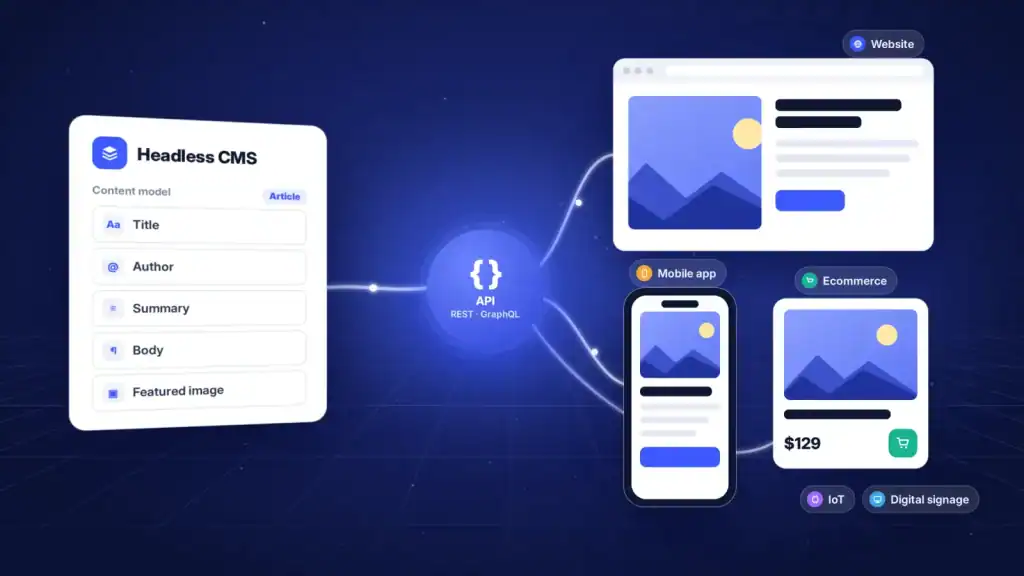
A content management system was traditionally built around one destination: the website. The CMS stored content, handled templates, generated pages, and controlled how visitors experienced that content. That model still works well for many websites, but it becomes restrictive when the same content needs to reach mobile apps, ecommerce interfaces, digital displays, kiosks, or other digital products.
A headless CMS separates content management from content presentation. Instead of tying content to a specific frontend, it stores structured content and makes it available through APIs so different applications can use it.
This approach is already well established in modern digital development. The Jamstack Community Survey reported that 53% of respondents used a headless CMS as a third-party service, alongside other API-based services.
But choosing a headless CMS is not simply a matter of replacing a traditional CMS. It changes how content is modeled, delivered, previewed, integrated, and maintained.
This guide explains how headless CMS architecture works, how it differs from traditional and decoupled approaches, where it fits, its limitations, common platforms, and what to consider before making the switch.
Key Takeaways
- A headless CMS separates content management from the presentation layer, allowing content to be delivered through APIs.
- Headless architecture can support websites, mobile apps, ecommerce platforms, digital signage, and other digital channels from a shared content repository.
- Content modeling is critical because reusable, structured content determines how easily information can be delivered across different experiences.
- REST and GraphQL APIs give frontend teams flexibility to choose their own frameworks, rendering strategies, and application architectures.
- Headless CMS platforms offer flexibility, but they can also introduce development complexity, infrastructure requirements, and additional integration work.
- A headless CMS is most useful when a project requires multiple channels, reusable content, or significant frontend control.
- Choosing the right platform requires evaluating APIs, content modeling, editorial workflows, preview, integrations, hosting, security, and total implementation cost.
What Is a Headless CMS?
A headless CMS is a content management system that separates the backend where content is created and stored from the frontend where that content is presented.
The term “headless” comes from removing the presentation layer, or the “head,” from the CMS. The CMS manages the content, while a separate application determines how that content looks and behaves.
For example, a company could store a product in a headless CMS with fields such as:
- Product name
- Description
- Images
- Price
- Specifications
- Categories
- Related products
- Availability
- Localization data
The same product data could then be delivered to a website, mobile application, ecommerce interface, kiosk, or another digital experience without creating separate versions of the underlying content.
AWS’s explanation of headless CMS architecture describes the architecture around three core components: a content repository, APIs, and frontend applications.
The key difference is therefore not simply where the CMS is hosted. It is the separation between content and presentation.
| Traditional CMS | Headless CMS |
|---|---|
| Content and presentation are closely connected | Content and presentation are separated |
| Usually includes a built-in frontend | No required frontend |
| Content is commonly structured around pages | Content is structured around reusable content types |
| Primarily designed for web delivery | Designed for delivery across multiple channels |
| Frontend technology is constrained by the CMS | Frontend technology can be selected independently |
| Publishing usually happens through the CMS’s presentation layer | Content is delivered through APIs |
A headless CMS is therefore better understood as a content infrastructure layer rather than a complete website-building system.
How Does a Headless CMS Work?
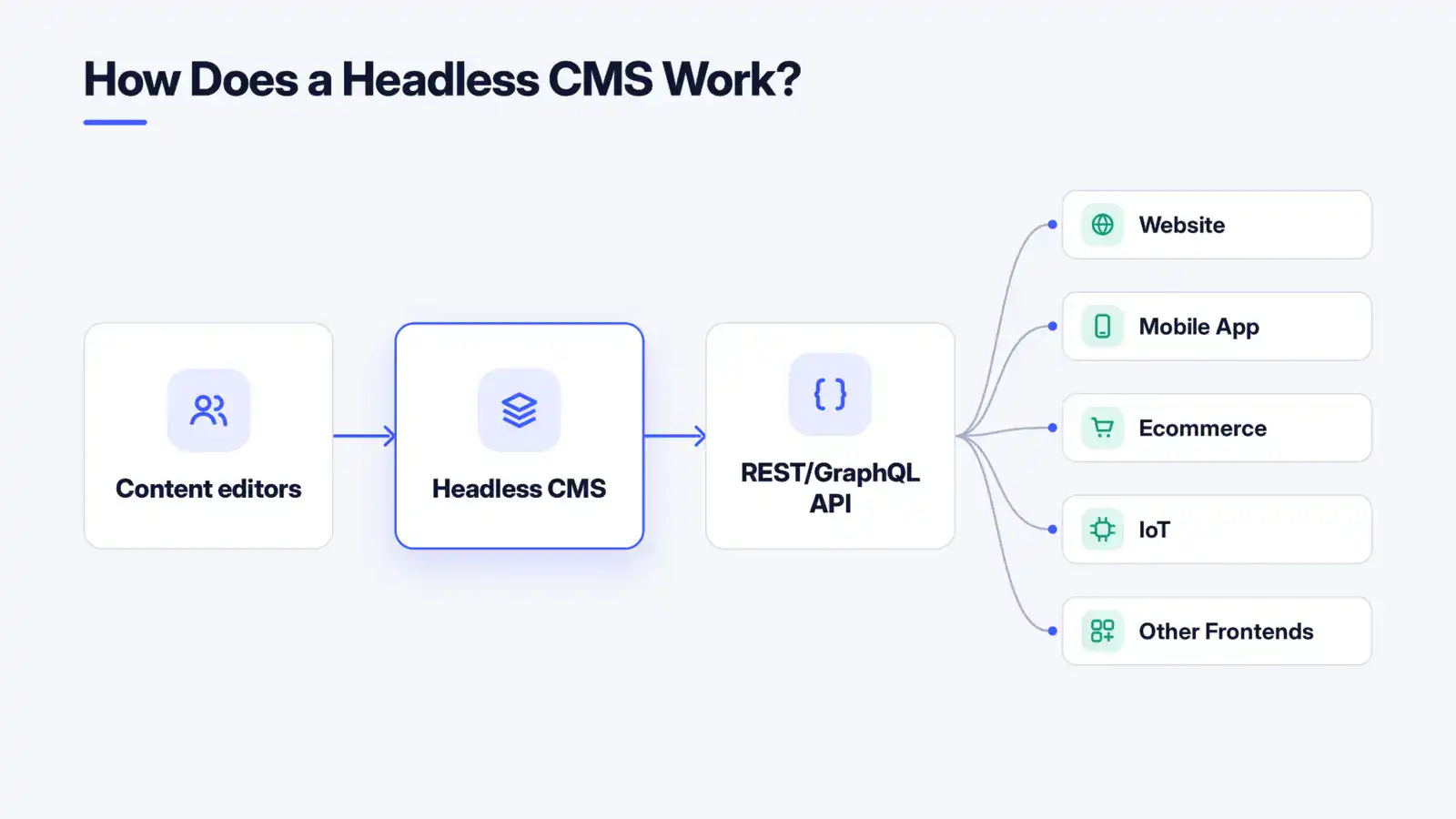
The basic workflow is straightforward: content is created in the CMS, stored as structured data, requested through an API, and rendered by whichever frontend needs it.
A typical architecture looks like this:
Content editors → Headless CMS → REST/GraphQL API → Website / Mobile App / Ecommerce / IoT / Other Frontends
Each part has a distinct responsibility.
1. Content editors create and manage content
Content teams use the CMS interface to create, update, organize, approve, and publish content.
Depending on the platform, this can include role-based permissions, version history, localization, scheduling, workflow approvals, asset management, and draft or preview environments.
The editor does not necessarily need to know which application will eventually consume the content.
2. The CMS stores structured content
Instead of storing an entire webpage as one presentation-oriented document, a headless CMS separates information into defined content types and fields.
An article might contain:
- Title
- Author
- Summary
- Body
- Featured image
- Category
- Publication date
A product might use an entirely different model.
This separation makes individual pieces of content easier to reuse across different experiences.
3. APIs make the content available
The CMS exposes content through APIs, commonly REST or GraphQL.
A frontend can request published content, specific fields, related records, localized versions, or other data based on what the application requires.
API authentication, permissions, caching, pagination, rate limits, and environment configuration become important parts of the implementation.
Teams evaluating REST and GraphQL can also consider how each approach handles data requirements, request patterns, caching, and client complexity.
4. The frontend requests and renders the content
The website, mobile app, or another application consumes the API response and determines how that information should appear.
A web application might render an article as a page. A mobile application might display the same article inside an app screen. A digital display could extract only the headline and image.
The CMS does not need to know how each interface presents the information.
5. Each channel controls its own experience
This separation gives development teams control over frontend architecture.
A website could use a JavaScript framework, while a mobile application uses native or cross-platform technologies. An ecommerce storefront could use a specialized frontend while a kiosk uses an entirely different application.
The content remains centralized while presentation remains channel-specific.
How Does Headless Compare With Traditional, Decoupled, and Hybrid CMS Architecture?
The terms traditional, decoupled, headless, and hybrid CMS are often used interchangeably, but they describe different architectural approaches.
| Architecture | Frontend | Backend | API delivery | Typical use |
|---|---|---|---|---|
| Traditional / Monolithic | Built into CMS | Built into CMS | Usually secondary | Conventional websites |
| Decoupled | Separate but supported | CMS backend | Yes | Teams wanting flexibility with some frontend support |
| Headless | Fully separate | Content-focused CMS | Core delivery mechanism | Multi-channel digital products |
| Hybrid | Optional built-in frontend + external frontends | CMS backend | Yes | Organizations needing both traditional publishing and API delivery |
A traditional CMS combines content management and presentation into one system.
A decoupled CMS separates the frontend and backend but may still provide presentation tools or templates.
A headless CMS removes the required presentation layer completely. Content is delivered through APIs, and developers build the frontend independently.
A hybrid CMS combines API-based delivery with traditional presentation capabilities.
Sitecore’s comparison of CMS architectures provides a similar distinction between traditional, decoupled, headless, and hybrid architectures.
The choice depends on how much frontend freedom, content reuse, channel diversity, and technical control an organization actually needs.
What Are the Main Benefits of a Headless CMS?
Headless architecture changes both the technical structure of a digital product and the way content teams work with developers.
The main benefits come from keeping content independent from the interfaces that consume it.
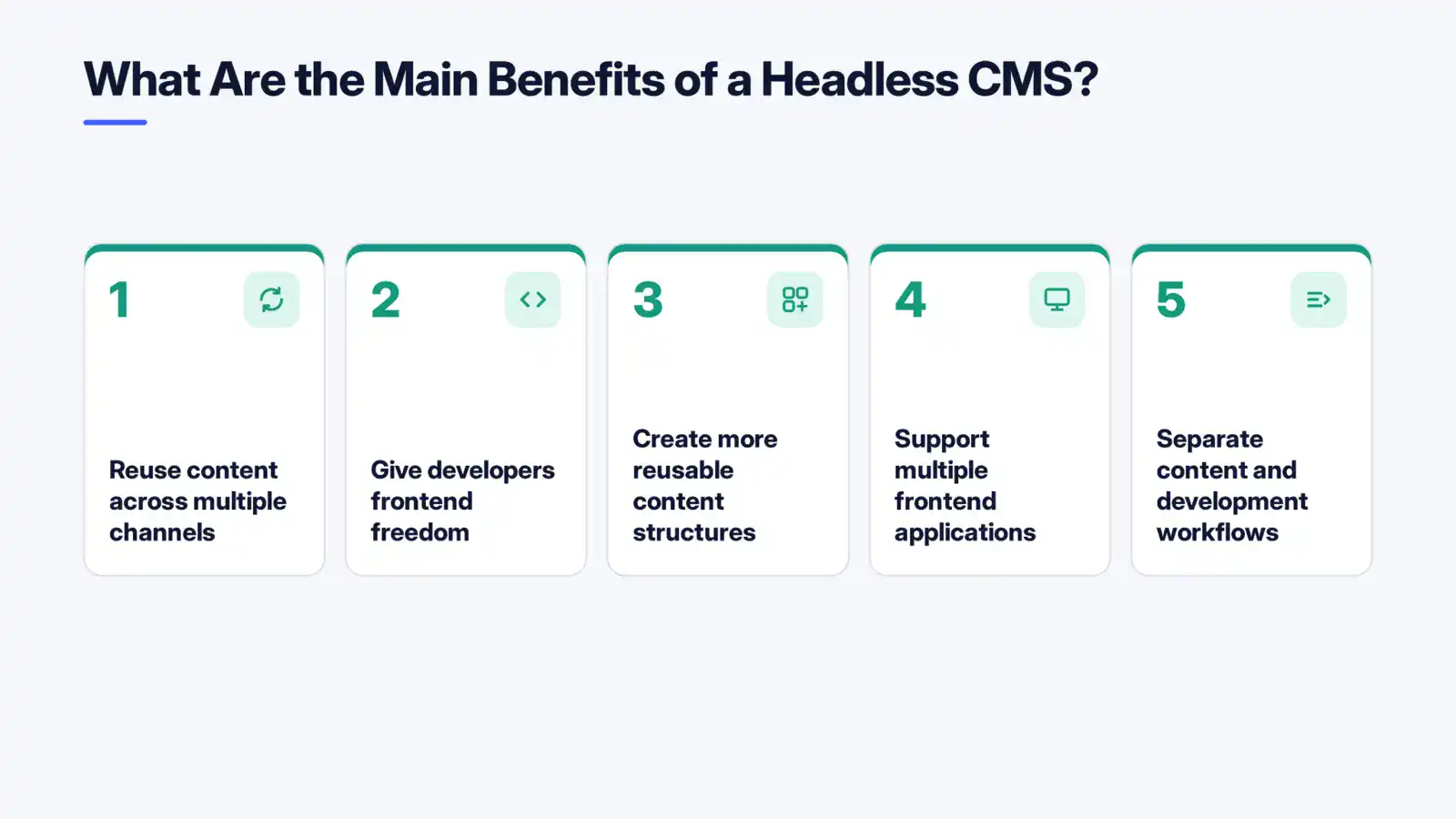
1. Reuse content across multiple channels
A single content model can serve multiple applications instead of requiring separate copies for every channel.
For example, a product description could be published to:
- A company website
- A mobile application
- An ecommerce storefront
- A sales portal
- A digital kiosk
Updating the source content can then make the revised information available to the relevant channels through their APIs.
2. Give developers frontend freedom
Developers are not required to use the presentation technology bundled with a traditional CMS.
They can choose a frontend framework, rendering strategy, hosting architecture, and supporting services based on the application’s requirements.
This can be particularly useful when different digital products have different technical constraints.
3. Create more reusable content structures
A headless CMS encourages teams to think in terms of structured content rather than pages.
Instead of creating a page that only makes sense in one location, teams can define reusable content types and relationships that applications can assemble differently.
This becomes increasingly useful as content libraries grow.
4. Support multiple frontend applications
The same backend can provide content to multiple frontend experiences.
A company might operate a public website, customer portal, mobile application, and internal dashboard while maintaining one central content infrastructure.
The frontend applications remain independent, so changing one does not necessarily require rebuilding the others.
5. Separate content and development workflows
Content teams can work on content while developers work on frontend functionality.
With appropriate permissions, preview environments, versioning, and publishing workflows, teams can reduce dependencies between routine content updates and application development.
Platforms such as Contentstack, for example, support API-based content delivery through delivery APIs, SDKs, and GraphQL.
What Are the Drawbacks of a Headless CMS?
Headless CMS architecture provides flexibility, but that flexibility comes with additional technical responsibility.
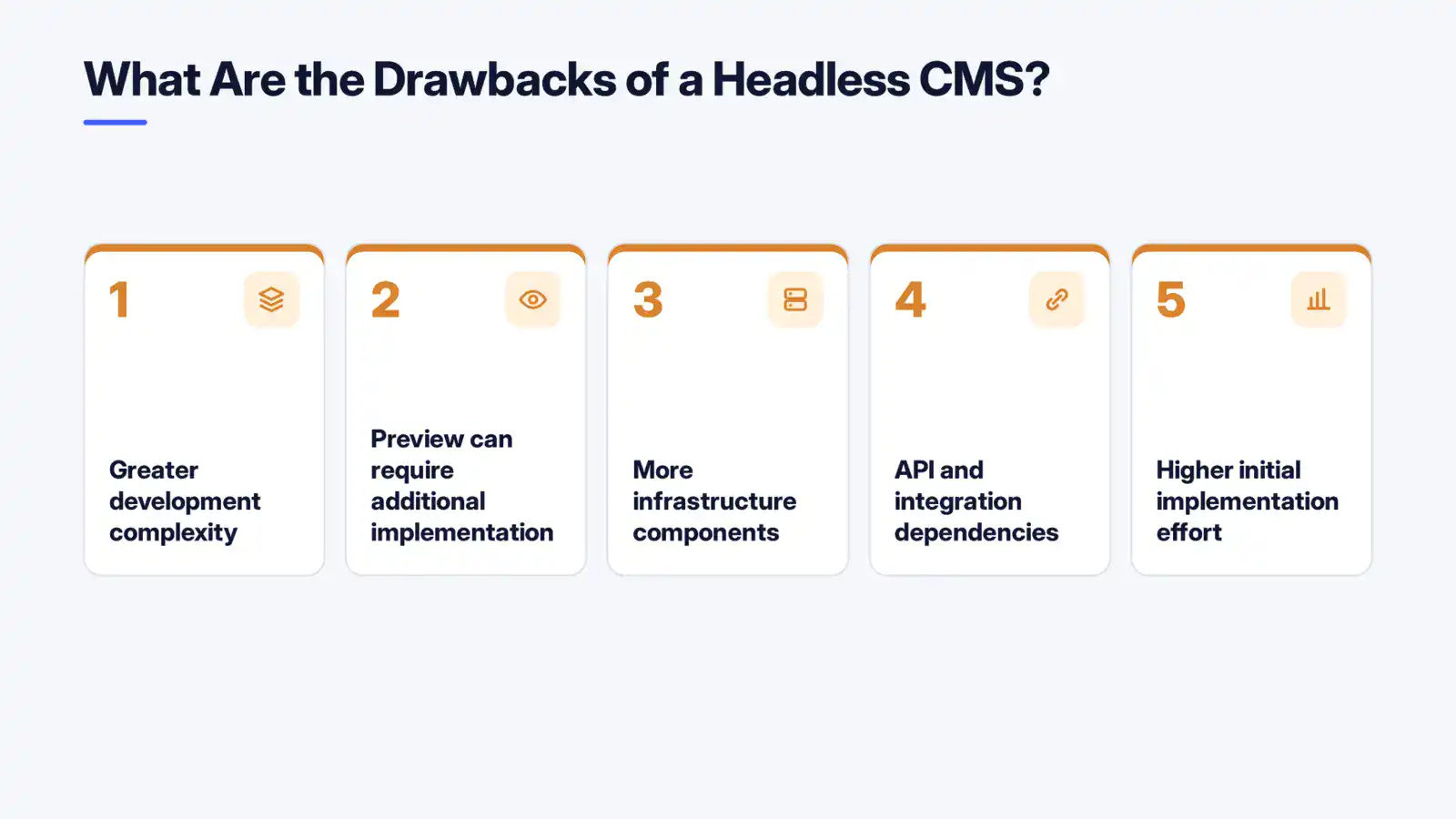
1. Greater development complexity
A traditional CMS can provide templates, page management, frontend rendering, and publishing functionality in one package.
With headless architecture, developers typically need to build and maintain the presentation layer separately.
That means teams need expertise across frontend development, APIs, hosting, caching, authentication, deployment, and integrations.
2. Preview can require additional implementation
Traditional CMS platforms often allow editors to see content in the context of the final webpage.
A headless CMS does not automatically know how every frontend will render its content.
Teams may therefore need to implement preview environments or integrations that let editors see draft content before publishing.
3. More infrastructure components
A headless implementation may involve the CMS, frontend application, API layer, CDN, search service, digital asset management system, analytics tools, authentication services, and deployment infrastructure.
Each component introduces another dependency to configure and maintain.
4. API and integration dependencies
The API becomes a critical connection between content and applications.
Poorly designed queries, authentication issues, rate limits, API failures, or changes to integrations can affect content delivery.
Security also needs to be handled at the API and application layers rather than assuming the CMS alone provides all protection.
5. Higher initial implementation effort
Moving to headless can require content modeling, frontend development, API integration, migration, testing, and infrastructure work.
The architecture can provide long-term flexibility, but that does not mean it is automatically cheaper or simpler to implement.
When Should You Use a Headless CMS?
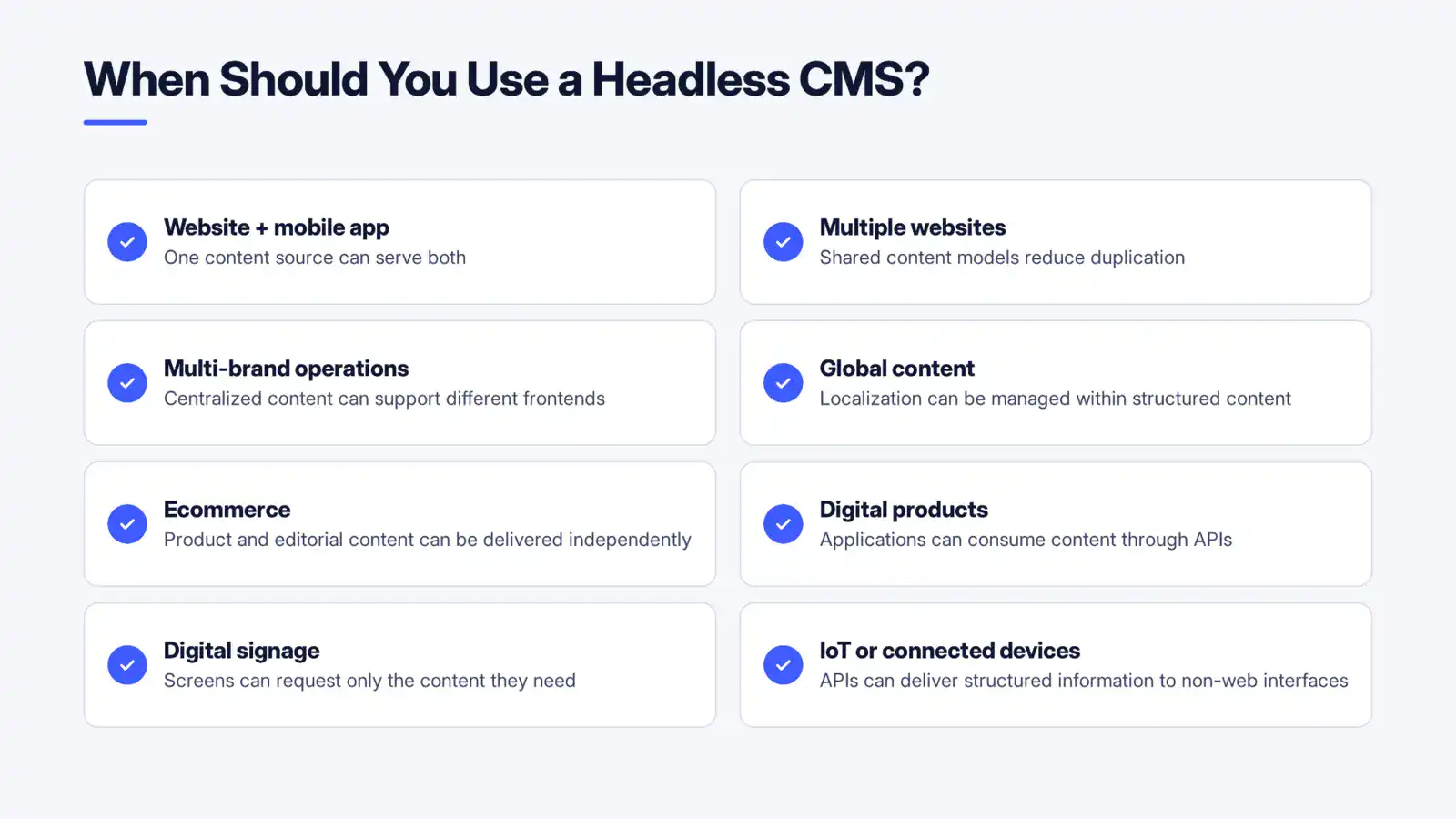
Headless CMS architecture becomes more relevant as the number of content destinations and frontend requirements increases.
Consider it when:
| Requirement | Why headless can fit |
|---|---|
| Website + mobile app | One content source can serve both |
| Multiple websites | Shared content models reduce duplication |
| Multi-brand operations | Centralized content can support different frontends |
| Global content | Localization can be managed within structured content |
| Ecommerce | Product and editorial content can be delivered independently |
| Digital products | Applications can consume content through APIs |
| Digital signage | Screens can request only the content they need |
| IoT or connected devices | APIs can deliver structured information to non-web interfaces |
For example, a company building a customer-facing application may pair a headless CMS with custom mobile app development services to keep editorial content separate from the application’s interface and business logic.
The strongest use cases usually involve multiple channels, reusable content, or significant frontend customization.
When Should You Not Use a Headless CMS?
Headless is not automatically the right architecture for every website.
A traditional CMS may be more practical when:
- The project is a simple content-driven website.
- There is only one primary publishing channel.
- The team has limited development resources.
- Editors need extensive visual page-building capabilities.
- The organization does not need independent frontend technology.
- The additional infrastructure would provide little practical value.
For a small informational website with a handful of pages, adding APIs, a separate frontend, deployment infrastructure, and custom preview functionality may introduce complexity without solving a meaningful problem.
The decision should therefore be based on the project’s actual content and delivery requirements rather than the popularity of headless architecture.
Why Is Content Modeling So Important in a Headless CMS?
A headless CMS is only as flexible as the content structure behind it.
Content modeling defines how information is organized, what fields each content type contains, how different content types relate to one another, and which fields are reusable.
What does a content model define?
A content model might define an article with fields such as:
- Title
- Slug
- Author
- Summary
- Body
- Image
- Category
- Related articles
- Publication date
A product model could contain entirely different fields.
The important point is that these structures describe what the content is, not how a particular webpage should display it.
Why does structured content matter?
Structured content allows applications to consume only the information they need.
A mobile application may request the title, image, and short description. A website may request the full article body and related content. A digital display may only need a headline and image.
The underlying content remains the same.
Contentful describes this model as breaking content into reusable structural components rather than tying it to a specific template.
Poor content modeling can have the opposite effect. If teams recreate page-specific structures inside a headless CMS, they can end up with duplicated content, complicated relationships, and models that are difficult to maintain.
Which Technologies Work With a Headless CMS?
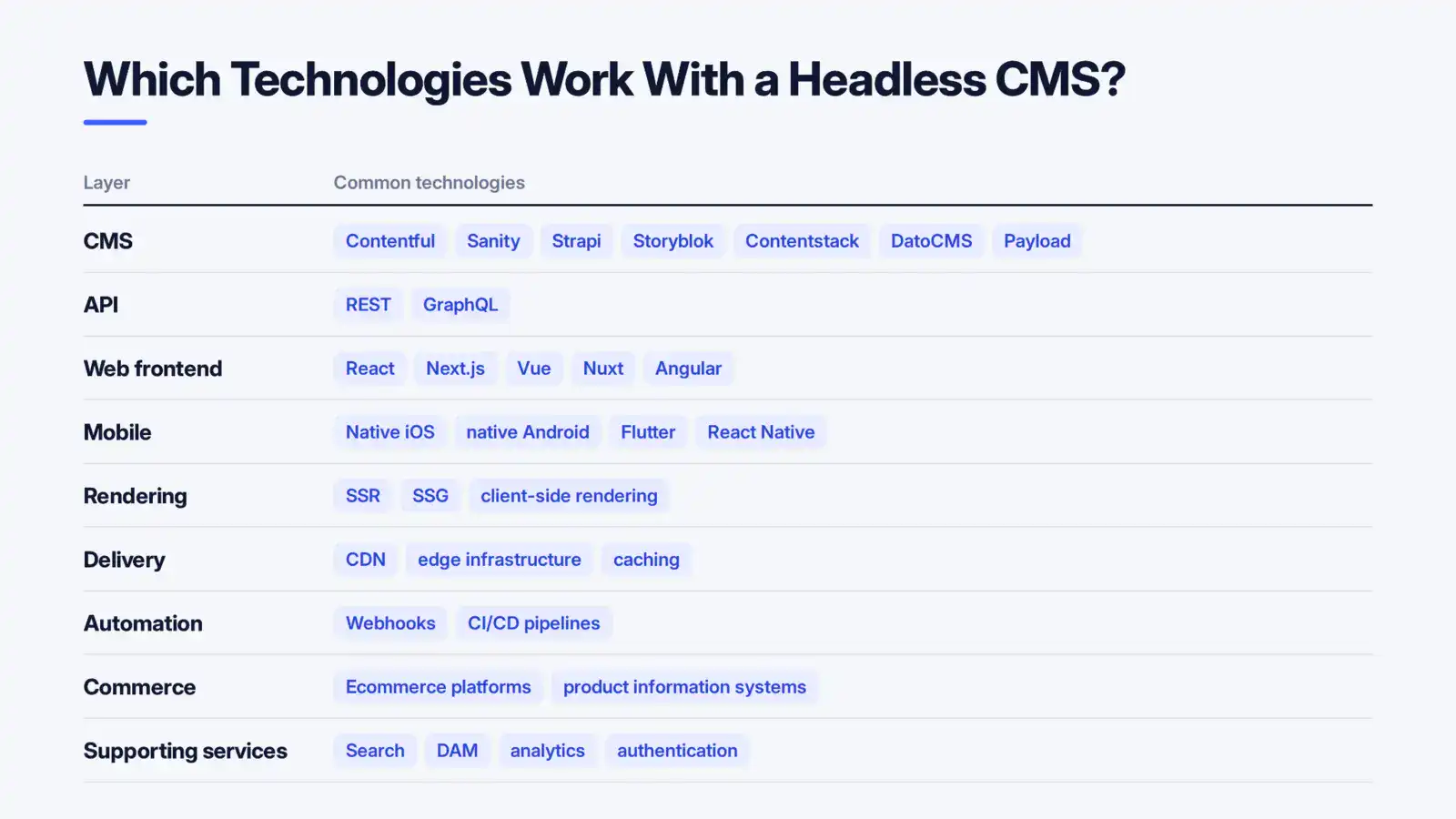
A headless CMS does not dictate one technology stack. It can sit behind different frontend, application, and infrastructure choices.
| Layer | Common technologies |
|---|---|
| CMS | Contentful, Sanity, Strapi, Storyblok, Contentstack, DatoCMS, Payload |
| API | REST, GraphQL |
| Web frontend | React, Next.js, Vue, Nuxt, Angular |
| Mobile | Native iOS, native Android, Flutter, React Native |
| Rendering | SSR, SSG, client-side rendering |
| Delivery | CDN, edge infrastructure, caching |
| Automation | Webhooks, CI/CD pipelines |
| Commerce | Ecommerce platforms, product information systems |
| Supporting services | Search, DAM, analytics, authentication |
Frontend choice depends on the application’s requirements rather than the CMS itself.
For teams comparing Next.js, React, and Vue, the architectural differences between these technologies can affect rendering, routing, application structure, and development workflows.
The same principle applies to mobile development. A headless CMS can provide the content layer while a native or cross-platform application handles the user interface.
For organizations building the web experience itself, web development services can cover the frontend layer that consumes and presents content from the CMS.
Is Jamstack the same as headless CMS?
No.
A headless CMS is a content management architecture. Jamstack is a broader web development approach involving frontend delivery, APIs, and markup.
A headless CMS can be used as part of a Jamstack implementation, but a headless CMS does not require a Jamstack architecture.
Which Headless CMS Platforms Are Commonly Used?
There is no single headless CMS that fits every project. Platforms differ in their content modeling capabilities, APIs, editorial interfaces, hosting models, workflow tools, extensibility, and pricing.
Some commonly encountered options include:
| Platform | General characteristics |
|---|---|
| Contentful | API-first platform focused on structured content and content delivery |
| Sanity | Flexible structured content and developer-oriented customization |
| Strapi | Open-source headless CMS with API-driven content management |
| Storyblok | Headless CMS with visual editing capabilities and API delivery |
| Contentstack | Enterprise-focused content management, workflows, APIs, and multi-channel delivery |
| DatoCMS | API-first content management with structured content and media capabilities |
| Payload | Developer-focused, code-first CMS with self-hosting options |
For example, Storyblok provides REST and GraphQL APIs for content delivery, while its documentation also distinguishes between delivery and management APIs.
The platform itself should not be selected based solely on the feature checklist. The content model, editorial workflow, development team, infrastructure requirements, and expected channels matter just as much.
How Do You Choose the Right Headless CMS?
Start with the content and delivery requirements, then evaluate platforms against them.
1. Evaluate content modeling
Check whether the platform can represent your actual content relationships without creating unnecessary complexity.
2. Examine API capabilities
Look at REST or GraphQL support, authentication, filtering, pagination, localization, rate limits, SDKs, and documentation.
3. Test the editorial experience
Developers are not the only CMS users.
Content teams should test drafting, editing, approvals, scheduling, asset management, localization, versioning, and publishing.
4. Check preview and publishing workflows
Find out how editors preview unpublished content and whether preview works across the frontend applications that matter to your organization.
5. Consider infrastructure and hosting
Determine whether the platform is SaaS, self-hosted, or available through multiple deployment options.
Then evaluate how it fits into the existing cloud, CDN, deployment, and security architecture.
6. Calculate the complete cost
Do not compare CMS subscription prices alone.
Consider development, migration, hosting, API usage, additional services, integrations, maintenance, support, and the internal expertise required to operate the architecture.
How Do You Migrate From a Traditional CMS to a Headless CMS?
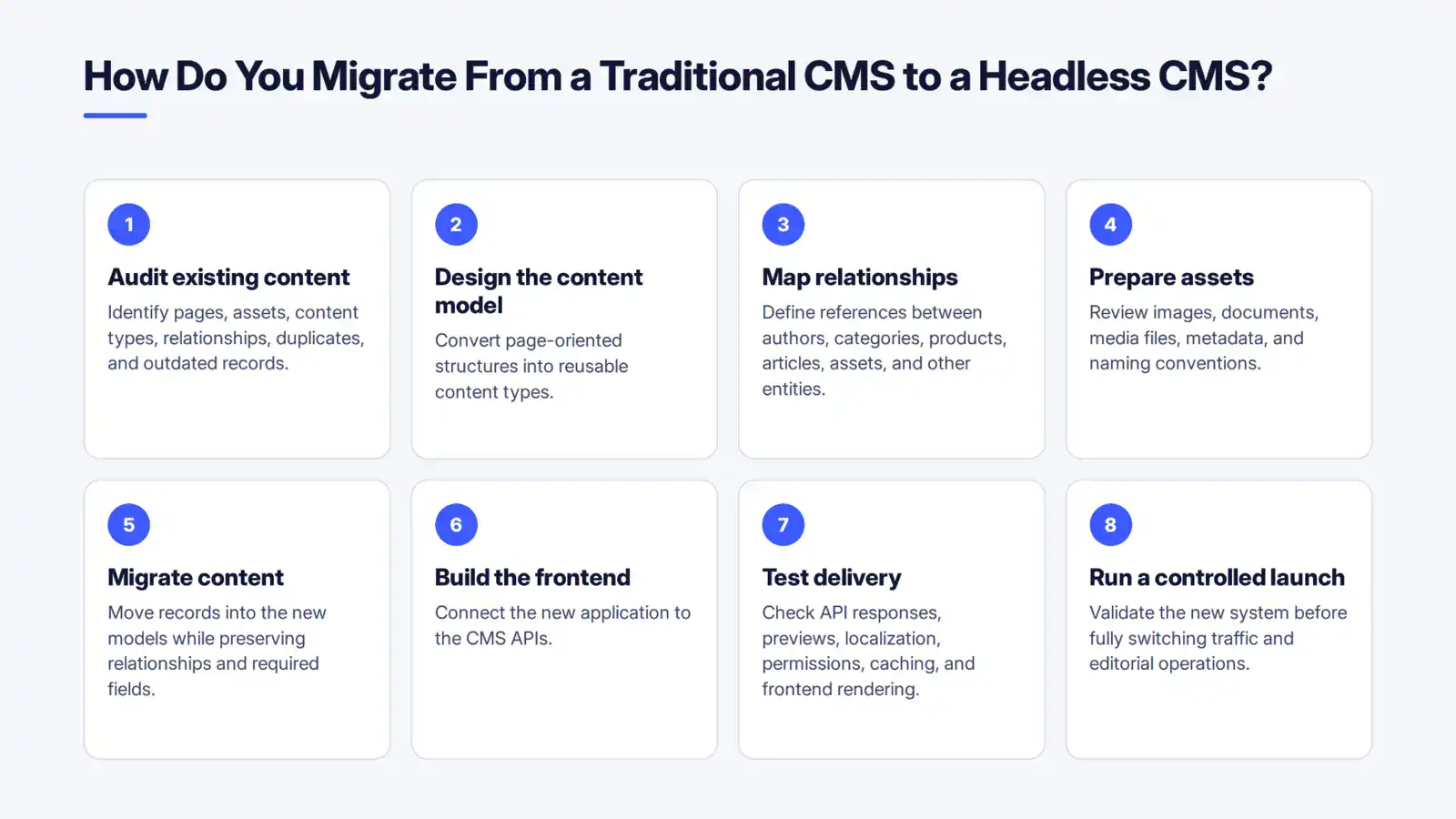
A migration should begin with content and architecture planning rather than immediately moving records from one database to another.
A practical process is:
- Audit existing content: Identify pages, assets, content types, relationships, duplicates, and outdated records.
- Design the content model: Convert page-oriented structures into reusable content types.
- Map relationships: Define references between authors, categories, products, articles, assets, and other entities.
- Prepare assets: Review images, documents, media files, metadata, and naming conventions.
- Migrate content: Move records into the new models while preserving relationships and required fields.
- Build the frontend: Connect the new application to the CMS APIs.
- Test delivery: Check API responses, previews, localization, permissions, caching, and frontend rendering.
- Run a controlled launch: Validate the new system before fully switching traffic and editorial operations.
The most important step is often the content model. Migrating poorly structured content into a new headless system simply transfers the underlying problem to a different platform.
Where Can a Headless CMS Be Used?
Headless CMS architecture can support any application that needs centrally managed content delivered through APIs.
Common use cases include:
| Use case | Example |
|---|---|
| Corporate websites | Centralized company, service, and editorial content |
| Mobile apps | Articles, product information, help content, and promotions |
| Ecommerce | Product descriptions, categories, campaigns, and editorial content |
| Customer portals | Account-related information and knowledge content |
| Digital signage | Location-specific announcements and promotions |
| Kiosks | Product, service, or informational content |
| Publishing | Articles, authors, categories, and media |
| Multi-brand platforms | Shared content infrastructure with separate experiences |
| Global websites | Localized content across regions |
| Connected devices | Structured content for specialized interfaces |
A mobile-first organization can combine a headless CMS with cross-platform app development services to deliver centrally managed content across multiple application experiences.
The value becomes particularly clear when the same information must appear in different interfaces without forcing every interface to use the same presentation technology.
What Does the Future of Headless CMS Architecture Look Like?
Headless CMS architecture is increasingly becoming part of broader composable technology stacks.
Content management can now sit alongside separate services for search, ecommerce, customer data, digital asset management, authentication, personalization, and other application capabilities.
The architectural direction is therefore less about a CMS working alone and more about how content infrastructure connects to the rest of the digital product.
API-driven delivery also makes it easier to introduce new channels without redesigning the underlying content system, provided the content models and integrations were designed with reuse in mind.
Conclusion
A headless CMS separates content from presentation, giving teams the flexibility to deliver structured content across websites, mobile apps, ecommerce platforms, and other digital experiences. That flexibility also means more responsibility for content modeling, APIs, frontend development, integrations, and infrastructure, so it works best when those capabilities solve a real project requirement.
If you’re exploring a headless CMS for a broader digital product, Cubix can help you evaluate how the CMS fits into the overall architecture and delivery stack. Start by defining your content, channels, and technical requirements, then choose the architecture that fits them.
Ready to Choose the Right Headless CMS for Your Business?
Contact UsFAQs Regarding Headless CMS
1. Is a headless CMS the same as a traditional CMS?
No. A traditional CMS typically manages both content and presentation in the same system. A headless CMS separates content management from presentation and delivers content through APIs.
2. Is WordPress a headless CMS?
WordPress is traditionally a monolithic CMS, but it can be used in a headless configuration. In that setup, WordPress manages content while another application consumes that content through APIs and handles the frontend.
3. Does a headless CMS require coding?
Usually, yes, at least for the frontend and API integration. A headless CMS generally does not provide the complete website presentation layer that a traditional CMS offers.
4. Can a headless CMS power a mobile app?
Yes. Mobile applications can request content through the CMS’s APIs and display it using their own native or cross-platform interface.
5. Does a headless CMS support multiple websites?
Yes. A single content repository can provide structured content to multiple websites, provided the content model and API architecture support the required relationships, permissions, and localization.
6. What is the difference between headless and decoupled CMS?
Both separate the backend from the frontend. The main distinction is that a decoupled CMS can retain a built-in presentation layer, while a pure headless CMS does not require or provide a default frontend.
7. Can a headless CMS use REST and GraphQL?
Yes. Depending on the platform, content can be exposed through REST APIs, GraphQL APIs, or both. The appropriate approach depends on the application’s data requirements and API architecture.
8. Is a headless CMS difficult to migrate to?
The technical difficulty depends on the size and complexity of the existing system. Large migrations can involve content modeling, data transformation, asset migration, frontend redevelopment, integrations, redirects, testing, and editorial training.
9. Is headless CMS architecture suitable for ecommerce?
It can be. Headless architecture allows product and editorial content to be managed separately from the storefront presentation. This can be useful when ecommerce experiences need highly customized frontend applications or multiple sales channels.
10. Does a headless CMS automatically make a website faster?
No. Separating the CMS from the frontend gives developers greater control over rendering, caching, hosting, and delivery, but performance still depends on how the application and infrastructure are designed.