Key Takeaways
- Mocap records an actor’s performance and maps it to a character skeleton.
- The workflow has four stages: plan, record, process, and refine.
- Optical, inertial, markerless, and facial systems each suit different budgets and spaces.
- Raw capture data always needs cleanup and animator polish.
- Mocap fits realistic human motion best. Stylized and non-human characters need hand-keyed work.
- Most studios blend mocap, hand-keyed animation, and animation libraries.
Motion capture in game development records real human movement and turns it into animation data for digital characters. Studios use it for walk cycles, combat moves, facial acting, and cutscenes. As a result, characters move with weight, timing, and intent that are hard to fake by hand.
The method is now common. About 61% of game developers use motion capture to improve realism, according to Global Growth Insights’ 2026 market report. However, capture alone does not make good animation. Teams still clean, retarget, and polish every clip before it reaches the engine.
This guide explains how the process works, which systems studios use, and where mocap fits next to keyframe animation. You will also find a clear pipeline, common challenges, and tips for choosing your setup. If you need a partner for your project, Cubix’s game development services cover animation from planning through release.
Talk to our team about animating your game characters today
Contact UsWhat Is Motion Capture in Game Development?
Motion capture, or mocap, records an actor’s movement with cameras or sensors. Studios map that data onto a game character’s skeleton. The result is natural animation that ships faster than frame-by-frame work.
Mocap records four main types of data:
- Body movement: walking, jumping, climbing, and fighting
- Hand and finger poses: gripping weapons, tools, and props
- Facial expressions: emotion, speech, and lip movement
- Props and set pieces: doors, vehicles, and cover objects
Teams use this data mostly in 3D game development, because skeletal rigs accept captured joint data directly.
Motion Capture vs. Traditional Character Animation
In traditional animation, an animator sets key poses by hand and adjusts the timing between them. Mocap works differently. It records a full performance first, and the animator edits it afterward.
Here is how the two approaches differ:
- Source: Keyframes come from the animator. Mocap data comes from a live actor.
- Speed: Keyframing is slow per clip. Mocap is fast to record but needs cleanup.
- Control: Keyframes give full control over every pose. Mocap gives natural motion with less control.
- Best use: Keyframing suits stylized and fantasy motion. Mocap suits realistic human motion.
Types of Motion Capture Used in Game Development
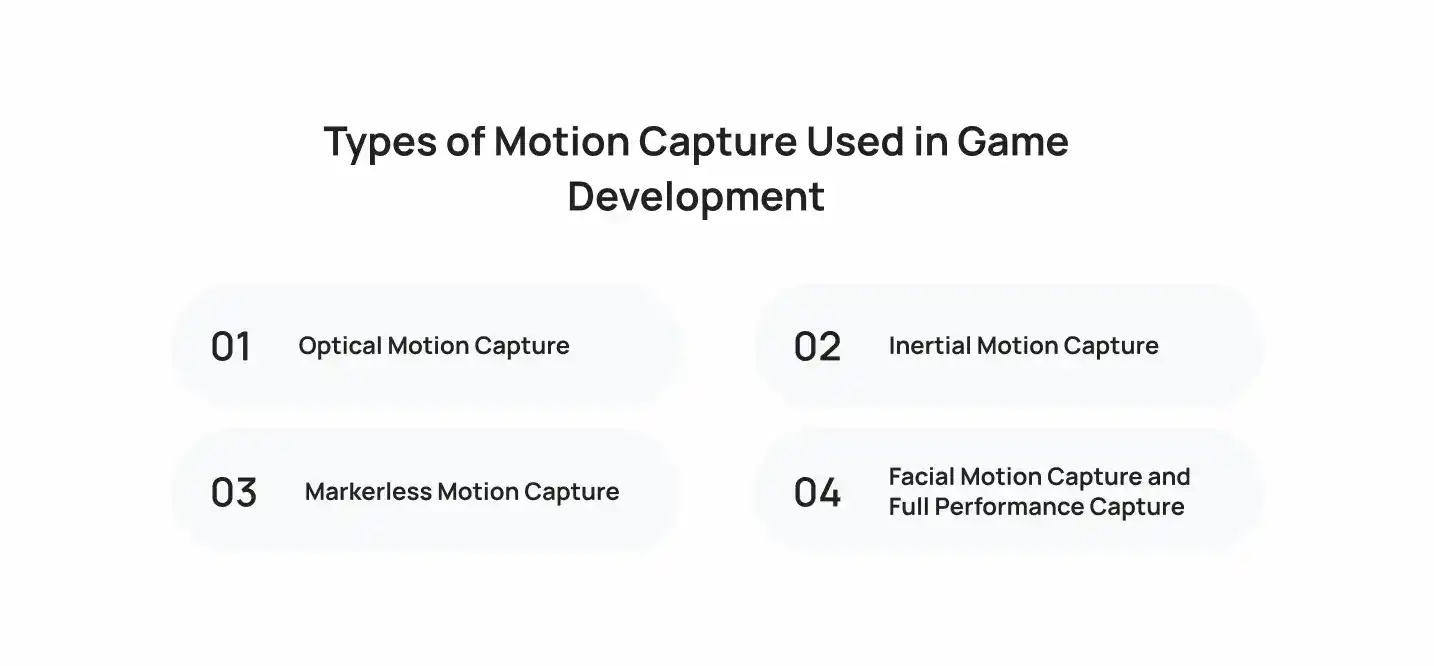
Studios use four main capture types: optical, inertial, markerless, and facial. Each one balances accuracy, cost, and space differently.
1. Optical Motion Capture
Optical systems track reflective markers with infrared cameras. Vicon and OptiTrack are well-known examples. Because the cameras see markers from many angles, this method gives the highest accuracy.
- Strengths: precise tracking, multiple actors at once, fine hand detail
- Limits: high setup cost, a fixed stage, and marker occlusion
AAA studios choose optical capture for combat, stunts, and cinematics.
2. Inertial Motion Capture
Inertial systems use body suits with motion sensors, called IMUs. Xsens and Rokoko make common suits. You do not need cameras, so you can record almost anywhere.
- Strengths: portable, cheaper than optical, works outdoors
- Limits: drift over long takes and weaker position tracking
3. Markerless Motion Capture
Markerless tools use AI to estimate body pose from regular video. Move.ai and DeepMotion are two examples. You record with phones or cameras and skip the suit entirely.
- Strengths: lowest cost, fast setup, easy iteration
- Limits: lower precision and trouble with fast or hidden limbs
4. Facial Motion Capture and Full Performance Capture
Facial capture records expressions with a head-mounted camera. Faceware and Epic’s MetaHuman Animator are common tools. Full performance capture combines body, hands, face, and voice in one take.
This approach keeps the actor’s emotion intact. Therefore, story-driven games rely on it for dialogue and cutscenes.
How Motion Capture Works in Game Development
Mocap works in four stages: plan, record, process, and refine. Each stage turns a live performance into clean animation that a game engine can play.
1. Planning Character Movements and Performance Scenes
Planning decides what you capture and how. Poor planning wastes expensive stage time, so teams prepare before the actors arrive.
A solid plan includes:
- A move list that names every clip, such as idle, sprint, dodge, and hit reaction
- Character height and proportions, so actors match the target rig
- Props, set markings, and stunt safety notes
- A shot list for cutscenes, with scripts and camera angles
Directors also cast actors by movement skill. A stunt performer suits combat, while a trained actor suits dialogue scenes.
Recording Actors Using Cameras, Sensors, and Tracking Systems
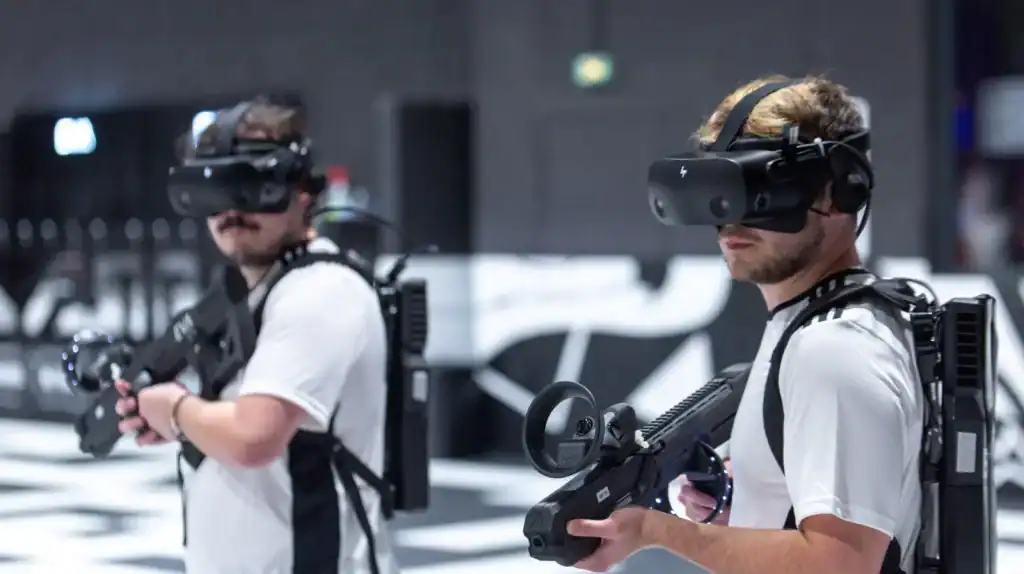
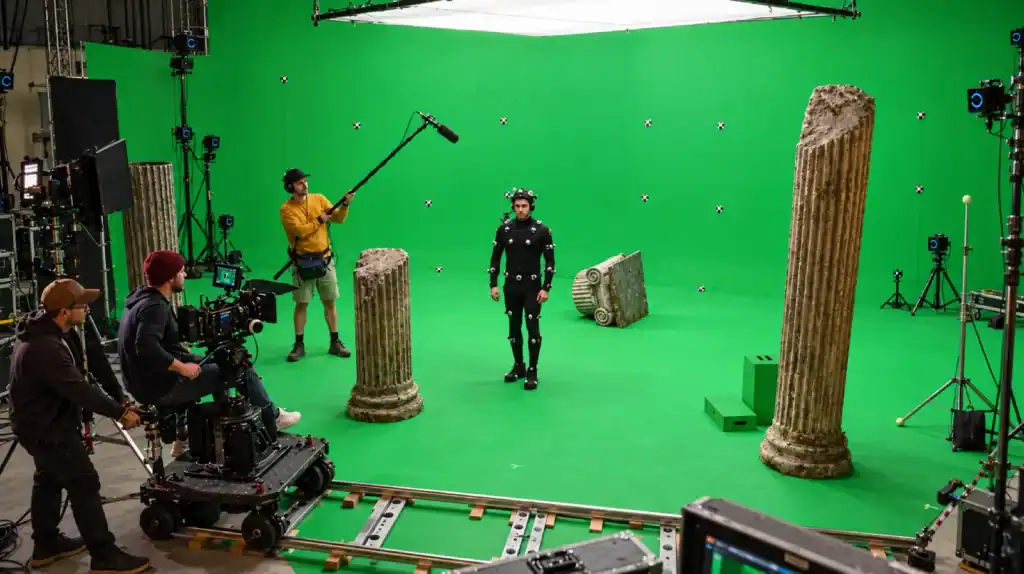
Recording happens in a capture volume, which is a marked space covered by tracking equipment. Optical stages use many infrared cameras. Inertial setups use sensor suits instead.
Each session starts with calibration. Actors then hold a T-pose so the system can map their body. After that, they perform each take while the system records joint positions many times per second.
Teams also record reference video and audio. Editors later use these files to check timing and to sync voice work.
Processing Motion Data and Retargeting Character Rigs
Raw capture data is a cloud of points or joint rotations. First, software solves it into a skeleton. Then artists clean errors such as gaps, jitter, and swapped markers.
Next comes retargeting. This step maps the actor’s motion onto your character’s skeleton, even when proportions differ. A giant or a child needs adjusted limb timing and foot contacts.
Clean retargeting depends on solid game asset creation, since the mesh, skeleton, and skin weights must deform correctly.
Refining Animations for Game Engines
Refinement makes clips playable. Animators cut loops, fix foot sliding, and set root motion. They also build blends so a run flows into a stop without a pop.
Engine choice shapes this step. Unreal Engine is the primary engine for 42% of developers, and Unity follows at 30%. Both import FBX files. Unreal also offers Live Link for streaming capture data directly into the editor.
How Game Studios Use Motion Capture to Bring Characters to Life
Studios apply mocap wherever believable movement matters most. The main uses are locomotion, combat, facial acting, cutscenes, and sports.
1. Realistic Character Movements and Locomotion
Locomotion covers walking, running, turning, and stopping. Players see these clips constantly, so small flaws stand out. Mocap gives each step natural weight and rhythm.
Many games feed large capture libraries into motion matching. This technique picks the best clip for the current player input each frame. Ubisoft’s For Honor used it to blend movement smoothly.
2. Combat Animations, Stunts, and Action Sequences
Combat needs speed, impact, and clear silhouettes. Stunt performers record strikes, falls, and dodges that animators struggle to invent from scratch.
However, raw stunt data rarely plays well as is. Animators exaggerate key poses and shorten timing so attacks feel responsive. Therefore, combat usually mixes mocap with hand-keyed tuning.
3. Facial Expressions, Emotions, and Dialogue
Facial capture transfers subtle acting to a character’s face. It records brow movement, eye darts, and mouth shapes that sell emotion.
Ninja Theory used real-time facial capture for Senua in Hellblade: Senua’s Sacrifice. The team worked with Epic Games, Cubic Motion, and 3Lateral. The project showed that capture can drive a lead character’s face live.
4. Cinematic Cutscenes and Storytelling
Cutscenes depend on performance. Directors capture several actors together so eye lines, touches, and timing feel real. Voice, body, and face often record in the same take.
Because the data is already recorded, directors can also change camera angles later. This flexibility saves time in editing and avoids reshoots.
5. Sports Animations and Character Interactions
Sports games need thousands of realistic moves, such as dribbles, tackles, and celebrations. EA Sports captured a full match with 22 professional players for its HyperMotion system in FIFA 22.
Interactions also benefit. Two-person moves like handshakes, takedowns, and carries need accurate contact. Capturing both actors together keeps hands and bodies aligned.
Benefits of Motion Capture in Game Development
Mocap raises animation realism, cuts manual work, and keeps quality steady across large projects. It also improves how players connect with characters.
Creating More Realistic Character Animations
Real performances carry details that animators struggle to reproduce. Weight shifts, small balance corrections, and natural arm swings all come from the actor.
- Movement follows real physics and body mechanics
- Secondary motion, like a shoulder roll, appears automatically
- Characters feel grounded in the game world
Reducing Manual Animation Work for Complex Movements
Complex moves take animators days to key by hand. A mocap session records dozens of such clips in hours. As a result, animators spend their time on polish instead of raw posing.
- Faster production of large move sets
- Less repetitive keyframing
- More time for tuning and style
Improving Character Performance and Player Immersion
Players read body language fast. A believable stagger or a nervous glance tells a story without dialogue. Consequently, strong performances make players care about characters.
Facial capture adds to this effect. Subtle expressions help players trust the emotion on screen.
Maintaining Animation Quality Across Large Projects
Large games need thousands of clips from many animators. Mocap gives every clip the same realistic base, which keeps the style consistent across the team.
Teams also improve with practice. The game development lessons Cubix gathered from 50 game projects show that early planning and clear standards prevent most rework.
Motion Capture vs. Hand-Keyed Animation
Mocap is faster for realistic human motion. Hand-keyed animation gives more control for stylized and non-human characters. Most projects need both.
| Factor | Motion Capture | Hand-Keyed Animation |
|---|---|---|
| Realism | High for human motion | Depends on animator skill |
| Speed per clip | Fast to record, needs cleanup | Slow, built pose by pose |
| Upfront cost | High for equipment or stage time | Low, mainly artist time |
| Stylization | Limited without edits | Full control |
| Non-human characters | Hard to match | Strong fit |
| Iteration | Reshoot or edit data | Adjust keys directly |
| Consistency | High across many clips | Varies by animator |
| Best for | Realistic action, cutscenes, sports | Cartoon, creature, and fantasy motion |
The Motion Capture Pipeline: From Recording to In-Game Animation
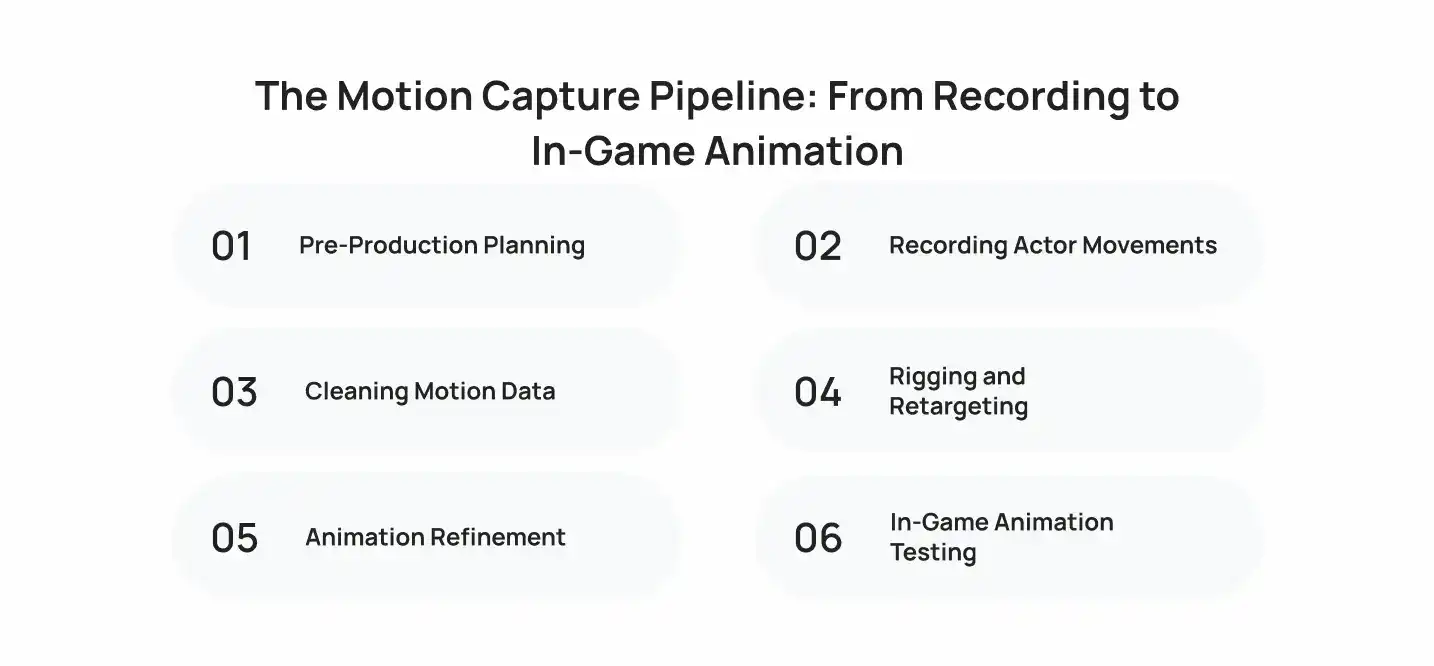
Motion capture in game development follows a repeatable pipeline with six stages. Each stage hands clean data to the next, and skipping one causes problems later.
1. Pre-Production Planning
Teams lock the move list, rig specs, and stage schedule. They also confirm file naming and frame rates. Clear naming saves hours later when hundreds of takes pile up.
2. Recording Actor Movements
Actors perform takes while operators monitor tracking quality. A director marks the best takes in real time. Operators also re-record any take with heavy marker loss on the spot.
3. Cleaning Motion Data
Technicians fill marker gaps, remove jitter, and fix flipped joints. Clean data matters because errors multiply during retargeting. Most studios use tools such as Vicon Shogun, Motive, or MotionBuilder here.
4. Rigging and Retargeting
Artists apply the clean motion to the game skeleton. They then check foot contacts, hand positions, and limb lengths. Characters with unusual proportions need extra adjustment.
5. Animation Refinement
Animators polish poses, set loop points, and exaggerate timing where needed. They also add hand-keyed layers for props and stylized details. Maya and Blender handle most of this work.
6. In-Game Animation Testing
Teams test clips inside the engine with real controls. They check blends, input lag, and collision. Finally, they log issues and send problem clips back for fixes.
Common Challenges of Motion Capture in Game Development
Mocap brings cost, accuracy, style, and responsiveness challenges. Each one has a practical fix.
1. High Production Costs
Optical stages need cameras, space, software, and trained operators. About 53% of mid-size studios report budget limits tied to mocap stage setup, according to the same Global Growth Insights data.
Fix: Rent a stage by the day, use inertial suits, or buy animation libraries for common moves.
2. Tracking and Data Errors
Markers get hidden, suits drift, and cameras lose track. These errors create jitter and broken poses.
Fix: Plan marker layouts carefully, calibrate often, and budget cleanup time for every session.
3. Stylized Character Animation
Real motion looks wrong on exaggerated characters. A cartoon hero needs snappy timing and strong poses that no actor performs naturally.
Fix: Use mocap as reference, then redraw the key poses by hand.
4. Non-Human Character Movement
Dragons, robots, and animals do not move like people. Retargeting human data to them produces odd results.
Fix: Capture trained animals when possible, or hand-key the motion. Some teams act out the movement for timing reference only.
5. Real-Time Responsiveness
Realistic clips often feel slow in play. Long wind-ups and recoveries make controls feel heavy.
Fix: Trim anticipation frames, add animation cancels, and favor responsiveness over strict realism.
How to Choose the Right Motion Capture Approach for Your Game
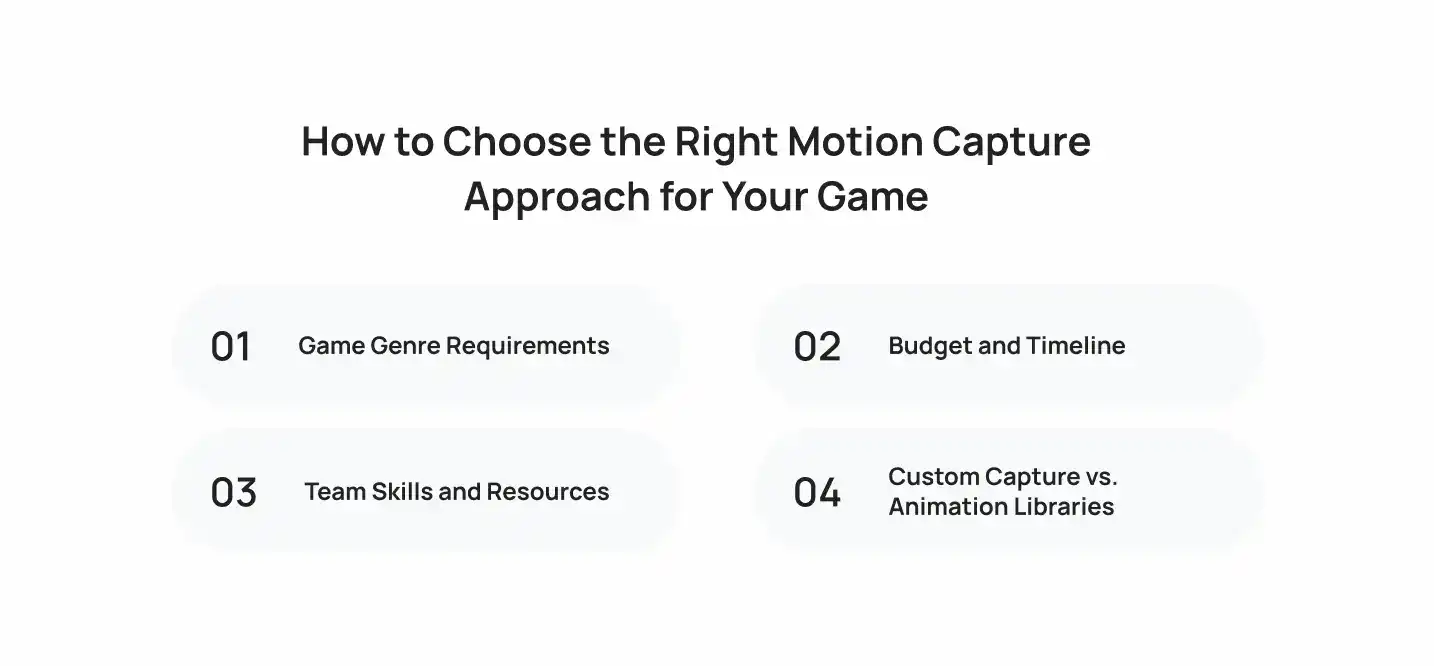
The right setup for motion capture in game development depends on genre, budget, schedule, and team skills. Match your needs first, then pick the tools.
Game Genre Requirements
Realistic action games and cinematic titles need high accuracy, so they favor optical and facial capture. Sports games need large move sets. Stylized games lean on hand-keyed work.
Budget and Timeline
Optical capture costs the most but delivers the most data per day. Inertial and markerless options cost less and set up faster. Short timelines favor libraries and rented stages.
Team Skills and Resources
Mocap needs technical artists, cleanup staff, and engine integrators. If you lack these roles, hire them or outsource. A small team with strong keyframe skills often ships faster without capture.
Custom Capture vs. Animation Libraries
Custom capture gives you unique, branded motion. Libraries give you ready clips at lower cost. Adobe’s Mixamo and engine marketplaces offer common locomotion and combat sets.
Use libraries for background characters and prototypes. Use custom capture for your hero and signature moves.
The Future of Motion Capture in Game Development
Three trends are changing capture workflows: AI tracking, real-time capture, and procedural animation. Together, they make mocap cheaper, faster, and more flexible.
AI-Assisted Motion Tracking
AI tools now estimate body pose from plain video and clean noisy data automatically. This lowers the cost of entry for small teams. However, accuracy still trails optical systems for fine hand and finger detail.
Real-Time Motion Capture
Real-time capture streams performance straight into the engine. Directors see the final character while the actor performs. Consequently, they make creative decisions on the spot and reduce reshoots.
Procedural Animation Integration
Procedural systems adjust captured clips at runtime. Inverse kinematics plants feet on uneven ground. Motion matching picks the best clip for each moment. As a result, studios need fewer clips to cover more situations.
Bring Your Game Characters to Life With Cubix
Motion capture in game development gives your characters believable weight, timing, and emotion. Pair it with hand-keyed polish, a clear pipeline, and thorough engine testing for the best results. If you want expert help with rigs, retargeting, and cleanup, Cubix’s 3D animation services cover each step.
Here is what to do next:
- Write your full move list before booking any capture time.
- Pick a capture type that fits your genre and budget.
- Plan cleanup and retargeting hours into your schedule.
- Test every clip in your engine with real controls.
- Reserve hand-keyed time for stylized and signature moves.
Need a team to carry the project from concept to launch? Cubix is a game development company that builds 3D games end to end.
Book a consultation to plan animation for your next game
Contact UsFrequently Asked Questions
1. How do actors bring video game characters to life?
Actors perform movements and expressions while sensors or cameras record them. Studios map that data onto a digital character. Voice, body, and face often record together, so the final character shows the actor’s timing and emotion.
2. Does motion capture make video games more realistic?
Yes. Mocap records real weight shifts, balance, and timing. These details are hard to key by hand. Players notice the difference in locomotion, combat, and cutscenes.
3. How does motion capture work in video games?
A system tracks an actor’s body with cameras or sensors and records joint data. Technicians clean the data and retarget it to a game skeleton. Animators then polish the clips and import them into the engine.
4. What are the different types of motion capture systems used in game development?
Studios use optical, inertial, markerless, and facial systems. Optical offers the highest accuracy. Inertial is portable. Markerless is the cheapest. Facial systems record expressions and dialogue.
5. What hardware and software are needed for motion capture in game development?
Hardware includes infrared cameras and markers, or sensor suits, plus head-mounted cameras for faces. Software includes capture tools like Vicon Shogun or Motive, editors like MotionBuilder, Maya, or Blender, and an engine such as Unreal or Unity.
6. Is motion capture easier than traditional animation?
It is easier for realistic human motion, since the actor supplies the performance. However, it needs technical setup, cleanup, and retargeting. For stylized characters, hand-keyed animation is often simpler.
7. Is motion capture cheaper than animation?
It depends on volume. Mocap costs more upfront for equipment or stage time. For large move sets, it costs less per clip than keyframing every pose. Small projects often save money with libraries or hand-keyed work.
8. Is motion capture better than hand-keyed animation?
Neither wins in every case. Mocap suits realistic human motion. Hand-keyed animation suits stylized, exaggerated, and non-human characters. Most studios combine both.
9. Will AI replace motion capture in game development?
No. AI makes capture cheaper and faster, but it still relies on real motion data for training and quality. Studios use AI to speed up tracking and cleanup, while performance and animator judgment stay essential.
10. What are the top motion capture systems used in game development?
Common systems include Vicon and OptiTrack for optical capture, Xsens and Rokoko for inertial capture, and Move.ai for markerless capture. For faces, studios use Faceware and MetaHuman Animator.