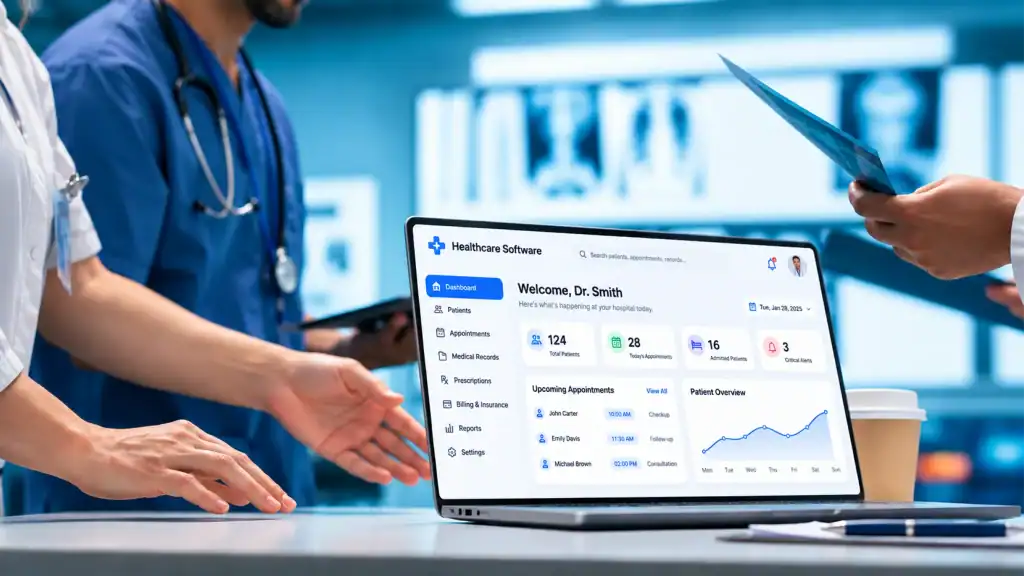
Healthcare software development involves more than building an application and releasing it to users. The process must account for clinical workflows, sensitive patient information, system integrations, regulatory requirements, and the consequences of software failures.
The Office of the National Coordinator for Health Information Technology (ONC) reported that approximately 9 in 10 U.S. hospitals enabled patients to access their health information through an API in 2024. However, only about 7 in 10 hospitals used standards-based APIs, such as FHIR, for this access. This gap highlights why interoperability needs to be considered early in the healthcare software development process.
A structured development lifecycle helps teams address these requirements before they become expensive problems. The process typically moves through eight stages: discovery, requirements planning, regulatory assessment, design, development, integration and testing, deployment, and post-launch improvement.
What Are the Steps in the Healthcare Software Development Process?
The healthcare software development process consists of eight connected stages. Each stage produces deliverables that guide the next one, while security, quality assurance, and risk management continue throughout the lifecycle.
| Development Stage | Primary Objective | Key Deliverables |
| 1. Discovery and workflow analysis | Understand the problem and existing workflows | Project scope, stakeholder map, workflow diagrams |
| 2. Requirements and planning | Define system behavior and project priorities | Requirements document, MVP scope, development roadmap |
| 3. Regulatory and risk assessment | Identify applicable obligations and risks | Compliance assessment, security requirements, risk register |
| 4. UX/UI design and prototyping | Define how users interact with the system | Wireframes, user flows, interactive prototype |
| 5. Software development | Build and review application functionality | Working software increments, reviewed code, test results |
| 6. Integration and testing | Verify system behavior and connected workflows | Integration reports, QA results, UAT approval |
| 7. Deployment and implementation | Release the system into its operating environment | Deployment plan, migration results, training materials |
| 8. Monitoring and improvement | Maintain reliability and address changing needs | Monitoring reports, incident records, improvement backlog |
These stages do not always happen in a strict sequence. Agile teams may revisit requirements, design decisions, and earlier development work as stakeholders provide feedback. However, each stage should have clear acceptance criteria before the project moves forward.
Step 1. Start With Project Discovery and Clinical Workflow Analysis

The first step is to understand the operational problem the software needs to solve. Starting with a feature list without examining how healthcare professionals and patients work can lead to a system that looks complete but disrupts everyday tasks.
Discovery should involve the people who will use, manage, and support the application.
a. Identify the Stakeholders
Depending on the project, the discovery team may include:
- Physicians and nurses: Explain clinical workflows, documentation needs, and patient-care requirements.
- Administrative staff: Identify processes involving registration, scheduling, billing, and records management.
- Patients: Provide input on appointment booking, communication, and access to health information.
- IT teams: Explain existing systems, infrastructure, access policies, and integration constraints.
- Compliance and security teams: Identify privacy, regulatory, and information-security considerations.
Not every project needs every stakeholder. A patient-facing telemedicine application, for example, has different operational requirements from an internal hospital administration platform.
b. Map Existing Workflows
Document how users currently complete the tasks the software will support. Include normal workflows, handoffs between departments, exceptions, and points where information is entered or transferred.
For a patient management application, this might involve mapping:
- Patient registration and identity verification.
- Appointment scheduling and confirmation.
- Patient check-in.
- Clinical documentation.
- Billing and follow-up communication.
This exercise helps identify unnecessary steps, duplicated data entry, manual processes, and dependencies on existing systems.
c. Define Project Objectives
Turn the findings into measurable project objectives. Depending on the use case, these may include reducing manual data entry, improving appointment coordination, shortening record retrieval time, or making patient information accessible across approved systems.
Key deliverables:
- Project scope and objectives.
- Stakeholder map.
- Current-state workflow diagrams.
- Initial system dependencies.
- Preliminary risk register.
Discovery should establish what needs to change and why. The team can then define the software requirements around actual user needs rather than assumptions.
Step 2. Gather Healthcare Software Requirements and Plan the Project

Healthcare software requirements define what the system must do, how it should perform, and the conditions it must satisfy. Clear requirements reduce scope confusion and give developers, testers, and stakeholders a shared reference.
a. Define Functional and Non-Functional Requirements
Functional requirements describe specific system capabilities. Non-functional requirements define the quality and operating conditions the system must meet.
| Requirement Type | Examples |
| Functional | Patient registration, appointment scheduling, clinical documentation, billing, reporting, user management |
| Performance | Acceptable response times under expected workloads |
| Availability | Required uptime and recovery expectations |
| Security | Authentication, role-based access, audit logging, data protection |
| Usability | Clear workflows for clinicians, administrators, and patients |
| Accessibility | Interfaces that support users with different accessibility needs |
| Scalability | Capacity to handle growth in users, records, and transactions |
| Maintainability | Code, documentation, and deployment processes that support future updates |
Requirements should also define user roles, data inputs and outputs, system responses, dependencies, and acceptance criteria.
For example, an appointment scheduling requirement should specify who can create or modify appointments, what information is required, how conflicts are handled, and what notifications the system sends.
b. Prioritize Features and Define the MVP
An MVP should include the smallest set of capabilities needed to support the intended workflow safely and effectively. It should not exclude essential security, privacy, or reliability requirements simply to accelerate the release.
Prioritize features based on:
- Clinical or operational importance.
- User needs.
- Technical dependencies.
- Integration complexity.
- Patient safety and data risks.
- Time and resource constraints.
For a telemedicine application, the initial release might include patient registration, appointment scheduling, secure video consultations, and basic visit documentation. More advanced reporting or optional engagement features can follow if they are not essential to the initial use case.
c. Build a Development Roadmap
Convert approved requirements into user stories, development tasks, milestones, and release goals. Assign ownership and define how stakeholders will review completed work.
A requirements traceability matrix is particularly useful for healthcare projects. It connects each requirement to its related design elements, implementation work, and test cases. This makes it easier to verify that critical requirements have not been missed.
Key deliverables:
- Software requirements specification.
- Functional and non-functional requirements.
- Prioritized product backlog.
- MVP scope and acceptance criteria.
- Development roadmap.
- Requirements traceability matrix.
Step 3. Assess Regulatory Requirements, Security, and Project Risks

Regulatory and security requirements should be assessed before development begins. Their applicability depends on the software’s purpose, the organizations using it, the data it handles, and the functions it performs.
a. Determine Which Regulations Apply
For U.S. healthcare software, the team should assess several areas:
- HIPAA: Applies to covered entities and business associates handling protected health information (PHI). The HIPAA Privacy, Security, and Breach Notification Rules establish relevant requirements for protecting that information.
- FDA requirements: Certain software functions may fall under medical device regulations, depending on their intended use and functionality.
- State privacy laws: State-level requirements may impose additional obligations for health information and consumer data.
- Contractual obligations: Healthcare organizations may require specific security controls, audit capabilities, or business associate agreements from technology vendors.
Not every healthcare application is an FDA-regulated medical device. For example, administrative scheduling software and software that analyzes medical images for diagnostic purposes may have very different regulatory considerations.
The FDA’s Clinical Decision Support Software guidance explains how the agency evaluates certain clinical decision support functions and distinguishes functions that may or may not meet the definition of a medical device.
b. Identify Security and Operational Risks
The team should document risks associated with data access, system availability, integrations, user errors, and potential software failures.
Examples include:
- Unauthorized access to patient records.
- Incomplete or incorrect data transfers.
- Exposure of sensitive information through poorly configured integrations.
- Service interruptions during clinical operations.
- Incorrect system behavior that affects patient-related decisions.
Each risk should have an owner, an assessment of its potential impact, and a mitigation plan.
c. Translate Obligations into Technical Requirements
Regulatory assessment needs to result in specific engineering and operational requirements. Depending on the application, these may include:
- Role-based access controls.
- Encryption for data in transit and at rest.
- Authentication and session management.
- Audit logs for access and changes.
- Secure backup and recovery procedures.
- Vulnerability management and incident response.
- Documented access and data-retention policies.
Key deliverables:
- Regulatory applicability assessment.
- Security and privacy requirements.
- Risk register with mitigation actions.
- Compliance review responsibilities.
- Initial security and incident-response plan.
Step 4. Design the Healthcare Software and Build a Prototype
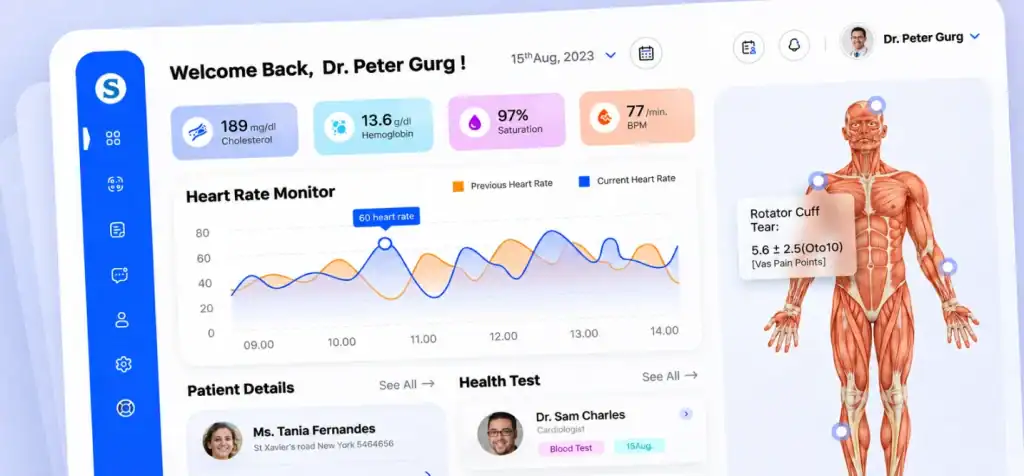
The design stage turns approved requirements into user flows, interface layouts, and technical specifications. The goal is to confirm that users can complete important tasks before the team commits to full implementation.
a. Design User Flows and Interfaces
Start with the tasks identified during discovery. Map how each user moves through the application and what information they need at each step.
For example, a clinician using a patient portal may need to:
- Sign in securely.
- Search for or select an authorized patient record.
- Review relevant patient information.
- Enter or update clinical documentation.
- Save the changes and confirm the record was updated.
Wireframes should show the layout and sequence of these actions. Interface designs can then define navigation, forms, notifications, data presentation, and interaction states.
Healthcare interfaces need particular attention to readability, accessibility, and error prevention. Important information should be easy to locate, and destructive actions or changes to clinical records should have appropriate safeguards.
b. Build an Interactive Prototype
A prototype allows stakeholders to test the proposed interface before full development. It can reveal confusing navigation, missing steps, or unnecessary interactions while changes are still relatively inexpensive.
Ask representative users to complete realistic tasks. Observe where they hesitate, make mistakes, or need clarification. Use this feedback to refine the design.
c. Define the Technical Design
The technical design should explain how the approved features will be implemented. It typically covers:
- Application components and their responsibilities.
- Data flows between system modules.
- Integration points with external platforms.
- Authentication and authorization boundaries.
- Data storage and access requirements.
- Error handling and recovery expectations.
The design should also identify dependencies that could affect implementation, such as access to third-party APIs or existing healthcare systems.
Key deliverables:
- User flows and wireframes.
- Interactive prototype.
- Approved UI designs.
- Technical design specifications.
- Documented integration requirements.
Step 5. Develop the Healthcare Software Using an Iterative Approach

During development, engineers implement the approved requirements in working software increments. An iterative approach allows the team to review functionality regularly, identify issues early, and incorporate feedback without waiting until the entire system is complete.
Build and Review Software Modules
Developers typically work through prioritized features and divide them into manageable tasks. Depending on the application, development may include:
- User authentication and access management.
- Patient and provider workflows.
- Scheduling and notification functions.
- Clinical documentation.
- Billing and administrative functions.
- APIs and integration services.
- Reporting and data management.
Each module should follow the approved design and security requirements. Code reviews, version control, automated checks, and unit tests help maintain consistency as the codebase grows.
What Happens During a Healthcare Software Development Sprint?
A sprint is a time-boxed development cycle in which the team works toward a defined set of objectives.
| Sprint Activity | What the Team Does |
| Sprint planning | Selects tasks and agrees on sprint goals |
| Development | Implements the selected features |
| Code review | Checks code quality, maintainability, and potential issues |
| Unit and integration checks | Tests individual components and relevant interactions |
| Sprint review | Demonstrates completed functionality to stakeholders |
| Backlog refinement | Updates priorities and clarifies upcoming work |
Clinical and administrative stakeholders should review relevant features throughout development. Their feedback can reveal workflow problems that may not appear in technical specifications alone.
A feature passing its initial development checks is not automatically ready for clinical use. It still needs the appropriate integration, security, usability, and acceptance testing before release.
Key deliverables:
- Working software increments.
- Reviewed and version-controlled code.
- Unit test results.
- Updated development backlog.
- Sprint demonstrations and stakeholder feedback.
Step 6. Integrate, Test, and Validate the Healthcare Software

Integration and testing confirm that the software works as intended, exchanges information correctly, and supports the workflows defined during requirements gathering. Testing should begin during development and continue before and after deployment.
a. Integrate Existing Healthcare Systems
Healthcare applications often need to exchange data with external platforms, including:
- Electronic health record (EHR) and electronic medical record (EMR) systems.
- Laboratory information systems.
- Pharmacy platforms.
- Billing and revenue cycle management systems.
- Medical devices and patient monitoring platforms.
The integration approach depends on the systems involved, their supported interfaces, and the data being exchanged.
Common interoperability standards and technologies include:
- HL7: A family of standards used to exchange healthcare information between systems.
- FHIR: A standard for representing and exchanging healthcare data through modern interfaces, commonly using RESTful APIs.
- APIs: Interfaces that allow applications to request, send, or update information.
- OAuth 2.0: A framework commonly used to authorize access to protected resources.
Integration work needs more than a successful API connection. Teams must define data mappings, identity matching, authorization, error handling, synchronization rules, and how failed transactions will be reconciled.
For example, when an appointment is updated in one system, the team must determine whether the change should appear in connected scheduling or patient communication systems, how quickly it should happen, and what happens if the receiving system is unavailable.
b. Perform Healthcare Software Testing
Testing should cover individual features, connected systems, security controls, and complete user workflows.
| Testing Type | What it Verifies |
| Functional testing | Features behave according to approved requirements |
| Integration testing | Connected systems exchange and process data correctly |
| Regression testing | New changes do not break existing functionality |
| Performance testing | The system handles expected workloads and response requirements |
| Security testing | Access controls and application defenses work as intended |
| Usability testing | Intended users can complete tasks accurately and efficiently |
| User acceptance testing (UAT) | Stakeholders confirm the system supports agreed workflows |
Testing should use controlled environments and appropriate test data. Teams should avoid exposing real patient information in development or testing environments unless its use is properly authorized and protected.
c. Verify Requirements and Validate Intended Use
Verification and validation address two different questions:
- Verification: Was the software built according to its documented requirements and specifications?
- Validation: Does the software work for its intended users and use cases?
For example, a patient registration form may pass verification because it stores the required fields correctly. During validation, however, staff may discover that the workflow asks for information in an order that does not match their actual registration process.
Test cases should map back to requirements, and defects should be documented, prioritized, corrected, and retested. Critical workflows should have clear pass criteria and stakeholder approval before release.
Key deliverables:
- Integration test results.
- Functional, performance, and security test reports.
- Defect and remediation logs.
- Requirements traceability updates.
- UAT results and stakeholder sign-off.
- Release approval.
Step 7. Deploy the Healthcare Software and Prepare Users

Deployment moves the approved application into its production environment. A successful release requires more than installing the software. The team must prepare infrastructure, data, users, support processes, and recovery procedures.
a. Prepare the Production Environment
Before launch, confirm that the production environment meets the system’s operational and security requirements.
Deployment preparation should include:
- Production configuration and access permissions.
- Database setup and required infrastructure.
- Monitoring and alerting.
- Backup and recovery procedures.
- Security configuration checks.
- Rollback and incident escalation plans.
The team should also confirm that external integrations are configured and tested in the production environment.
b. Plan Data Migration
If the new application replaces or extends an existing system, data migration needs a separate plan. The team should identify the data being transferred, map source fields to destination fields, define transformation rules, and verify the migrated records.
Reconciliation checks can help identify missing, duplicated, or inconsistent records. Migration should be tested before the production cutover, especially when the application supports active clinical or administrative workflows.
c. Train Users and Manage the Rollout
Training should reflect the actual responsibilities of each user group. Clinicians, administrators, billing staff, and IT support teams may need different instructions.
For larger implementations, a pilot or phased rollout can reduce disruption. The team can release the software to a limited group, monitor critical workflows, resolve issues, and expand access once the system meets agreed acceptance criteria.
After launch, verify that users can sign in, complete essential tasks, access authorized information, and use connected systems as expected.
Key deliverables:
- Production deployment checklist.
- Tested migration and reconciliation results.
- User guides and training materials.
- Rollback and recovery procedures.
- Production verification results.
- Go-live approval.
Step 8. Monitor, Maintain, and Improve the Software After Launch

Post-launch monitoring helps teams identify technical problems, security issues, and workflow gaps that may not appear during pre-release testing. Healthcare software needs ongoing operational ownership because changes to infrastructure, integrations, regulations, and user needs can affect its reliability.
a. Monitor System Performance and Reliability
Track operational indicators such as:
- Application availability and downtime.
- Response times and error rates.
- Integration failures and delayed data exchanges.
- Failed authentication attempts and suspicious activity.
- Backup completion and recovery readiness.
- User-reported defects and support requests.
Monitoring should include alerts for issues that could interrupt important workflows or affect access to patient information.
b. Collect Feedback and Prioritize Improvements
Review feedback from clinicians, administrators, patients, and support teams. Compare system performance against the objectives established during discovery.
For example, if the original goal was to reduce duplicate data entry, examine whether users still need to enter the same information in multiple systems. If appointment coordination was the main objective, review scheduling errors and missed integration updates.
Use these findings to prioritize improvements. Changes affecting clinical workflows, data access, or system integrations should go through the appropriate review and testing process before release.
c. Maintain Security and Operational Readiness
Assign responsibility for software updates, dependency management, vulnerability remediation, access reviews, backups, and incident handling. Keep operational documentation current, so support teams understand how the system works and how to respond when something fails.
Key deliverables:
- System monitoring reports.
- Incident and support records.
- Security and vulnerability updates.
- User feedback and performance metrics.
- Prioritized improvement backlog.
Which Healthcare Software Development Methodology Should You Choose?
The right development methodology depends on project complexity, requirement stability, regulatory considerations, integration dependencies, and stakeholder availability. Agile, Waterfall, and Hybrid approaches can all work when the project has appropriate documentation, testing, and approval controls.
| Methodology | How it Works | When it Fits |
| Agile | Delivers software in short, iterative cycles with regular feedback | Projects with evolving requirements and frequent user input |
| Waterfall | Moves through defined phases with formal approvals between stages | Projects with stable requirements and clearly defined deliverables |
| Hybrid | Combines iterative development with structured planning and review gates | Healthcare projects that need flexibility alongside formal oversight |
1. Agile
Agile can help teams respond to feedback from clinicians and administrators. However, short development cycles do not remove the need for requirements documentation, security reviews, traceability, or release approval.
2. Waterfall
Waterfall can make project milestones and responsibilities easier to define when requirements are stable. Its main limitation is that significant changes discovered late in the process can be expensive to accommodate.
3. Hybrid
Hybrid approaches combine iterative engineering with formal reviews at important project stages. For example, a team may develop features through Agile sprints while requiring documented security assessments, integration testing, and stakeholder approval before production deployment.
The methodology should support the project’s actual risk and delivery requirements, not dictate them.
What Common Mistakes Should You Avoid During Healthcare Software Development?
Many healthcare software problems begin with decisions made before development. The following mistakes can create avoidable rework, integration failures, and operational risks.
| Common Mistake | Why it Causes Problems | How to Avoid It |
| Starting without workflow analysis | Features may not match real clinical or administrative tasks | Involve representative users during discovery |
| Delaying regulatory assessment | Requirements may need expensive changes later | Assess regulatory applicability before design and development |
| Underestimating integrations | Data exchange and synchronization can delay implementation | Identify connected systems and test interfaces early |
| Expanding the MVP unnecessarily | Extra features increase complexity and delay delivery | Prioritize essential workflows and defer non-critical features |
| Excluding clinical users | Usability and workflow problems may go unnoticed | Schedule reviews and acceptance testing with intended users |
| Treating testing as a final activity | Defects accumulate and become harder to isolate | Test continuously and maintain requirements traceability |
| Launching without operational ownership | Issues may go unresolved after release | Assign support, monitoring, security, and maintenance responsibilities |
Avoiding these mistakes requires clear ownership across the lifecycle. Product, engineering, clinical, compliance, and IT stakeholders should understand their responsibilities before the project reaches implementation.
Conclusion
A successful healthcare software project depends on getting the important decisions right before and during development. Clear requirements, early regulatory assessment, reliable integrations, and continuous testing help prevent problems that could disrupt clinical or administrative workflows. The process does not end at launch, either. Monitoring, user feedback, and ongoing improvements keep the software reliable as healthcare needs change.
If you’re planning to build or modernize a healthcare application, work with a team that understands the demands of healthcare technology. Explore Cubix’s healthcare software development services to see how we approach custom software for healthcare organizations.
Not sure where to start with healthcare software development? Talk to us.
Contact Us
FAQs About the Healthcare Software Development Process
1. What are the steps in the healthcare software development process?
The process typically includes discovery, requirements gathering, regulatory assessment, UX/UI design, development, integration and testing, deployment, and post-launch monitoring.
2. How long does healthcare software development take?
The timeline depends on the software’s scope, integrations, regulatory requirements, and testing needs. A focused MVP may take several months, while complex systems involving multiple departments or legacy integrations can require a year or longer.
3. Why is healthcare software development different from regular software development?
Healthcare software must support clinical or administrative workflows, protect sensitive health information, integrate with existing healthcare systems, and address applicable regulatory requirements. Failures can also affect patient care and access to essential services.
4. What role does Agile play in healthcare software development?
Agile supports incremental development, regular stakeholder feedback, and changing requirements. Healthcare teams still need appropriate documentation, security controls, testing, and formal approval before releasing software into production.
5. When should HIPAA and security requirements be addressed?
They should be assessed during discovery and requirements planning, before the system architecture and implementation decisions are finalized. Security controls must then be implemented, tested, and maintained throughout the lifecycle.
6. What testing is required before deploying healthcare software?
Testing depends on the application’s purpose and risk profile. Common activities include functional, integration, regression, performance, security, usability, and user acceptance testing. Software with regulated medical device functions may have additional validation and documentation requirements.