Key Takeaways
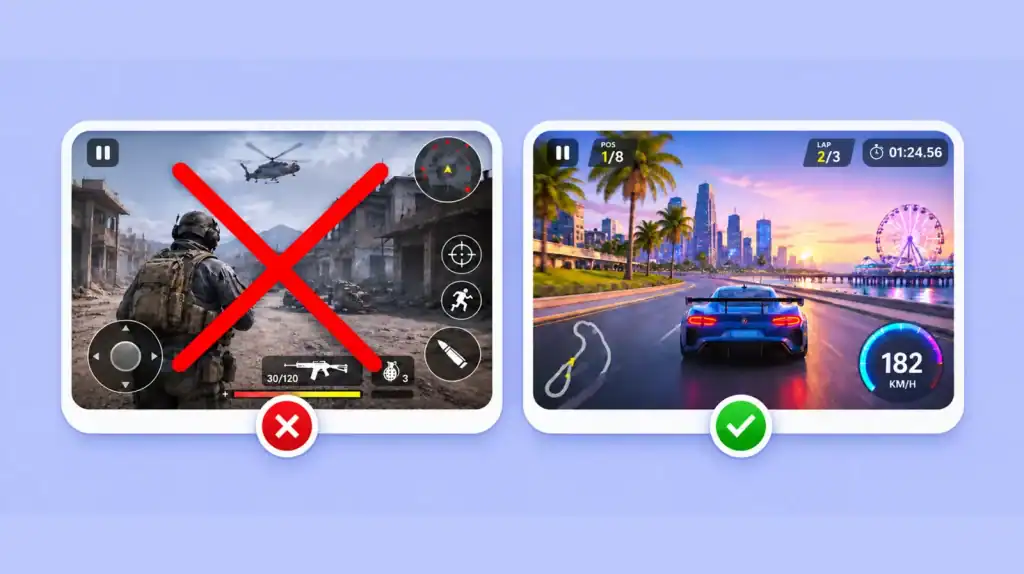
- Scope causes the most failures. Limit your first project to one core mechanic and a short play session.
- Build a prototype with placeholder assets first. Add final art only after players enjoy the core loop.
- Choose your engine based on your project type, your skills, and your target platform.
- Write a short design document and split the work into small, dated tasks.
- Use version control from day one, and keep backups in a second location.
- Test bugs, player experience, and performance in every build instead of waiting for the end.
- Treat feedback as data. Fix problems that many players report and log single requests for later.
- Define what done means before you start, and then ship the game.
Game development mistakes for beginners usually start in the first week, not at launch. Newzoo forecasts the global games market at $213.9 billion in 2026, up 6.1% from 2025, with 3.70 billion players. That demand attracts new developers every year. However, most first projects stall long before release.
Many mistakes in game development repeat across beginner projects. These first-time game developer mistakes cost you weeks of work and often end the project. In addition, game development challenges for beginners include small budgets, solo workloads, and unclear priorities. This guide covers 12 problems and gives you a fix for each one.
You do not have to solve everything alone. A game development company can review your scope and tools before you write code. Still, you can prevent most problems yourself with a plan and a few good habits.
12 Game Development Mistakes for Beginners and How to Avoid Them
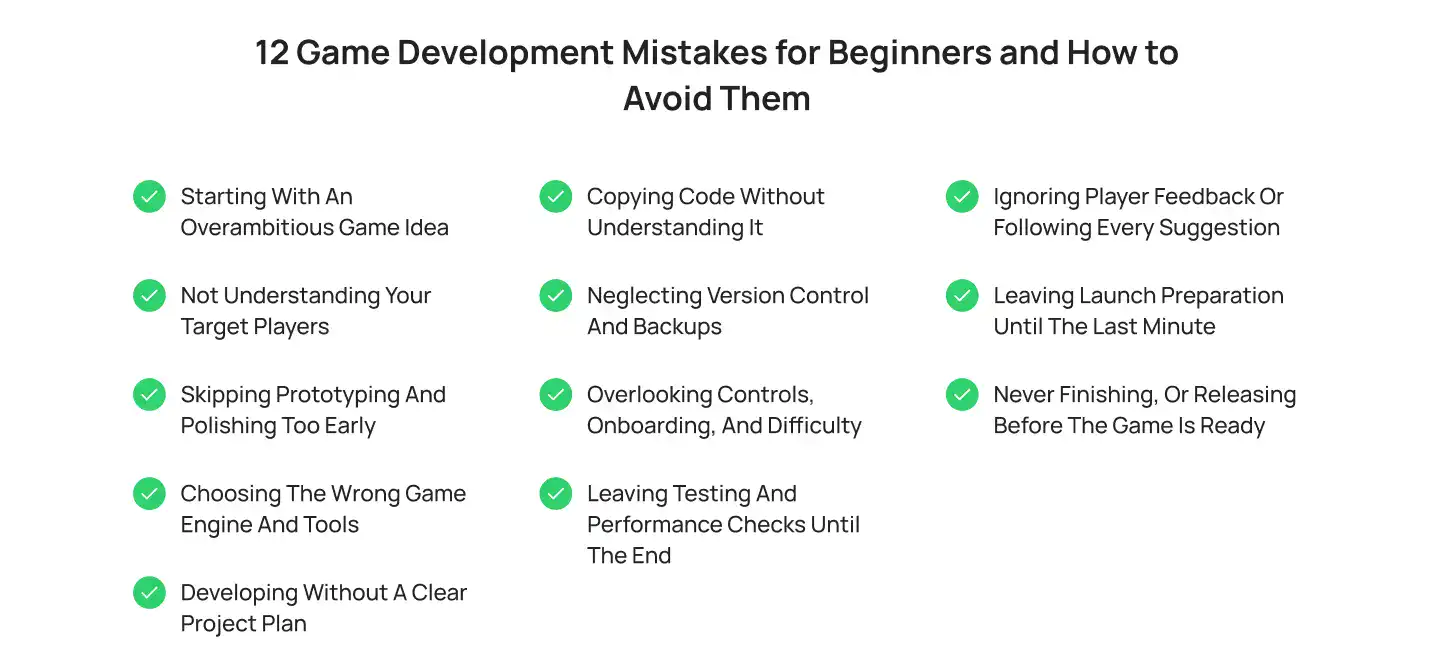
These are the common mistakes beginners make in game development. Each section explains the mistake, shows how it slows your project, and lists clear steps to fix it.
1. Starting With an Overambitious Game Idea
Beginners often plan an open world, crafting, and online multiplayer in one game. Large studios build those systems over years with big teams. A solo developer cannot match that pace.
Why it hurts your project
- Every extra system adds code, art, and bugs.
- Multiplayer needs servers, netcode, and matchmaking, which beginners rarely know yet.
- Progress slows, and motivation drops when the finish line keeps moving.
- As a result, the game never reaches a playable state.
How to avoid it
Strong game scope management starts with one rule: build one core mechanic and make it fun.
- Describe your game in a single sentence. If you need two sentences, cut something.
- Pick one mechanic, such as jumping, shooting, or puzzle matching.
- Limit the first version to 1 to 3 levels and about 15 minutes of play.
- Keep a later list for cut ideas. Nothing from that list enters the build until version one ships.
- Read a beginner game development guide to see realistic sizes for a first project.
2. Not Understanding Your Target Players
Many beginners build the game they want to play and never check who else wants it. Unclear audience expectations then affect every design choice, from difficulty to art style.
Why it hurts your project
- You guess at controls, session length, and platform, so you redo work later.
- Players leave quickly because the game does not match what they expect from its genre.
- Your store page and marketing target nobody in particular.
How to avoid it
Knowing your audience removes many game development mistakes for beginners before you open an engine.
- Write a short player profile with age range, platform, favorite genres, and typical session length.
- Study 3 to 5 comparable games. Read their reviews and note what players praise and criticize.
- Check the top tags on Steam or the category charts in app stores for your genre.
- Show your idea to 5 people from your target group before you build.
3. Skipping Prototyping and Polishing Too Early
Some beginners spend weeks on character art, menus, and effects before the core mechanic works. Polish feels productive, but it hides the real question: is the game fun?
Why it hurts your project
- Art and sound take time, and you throw them away when the design changes.
- You find core problems late, when fixes cost the most.
- Your motivation drops because the game looks good but plays poorly.
How to avoid it
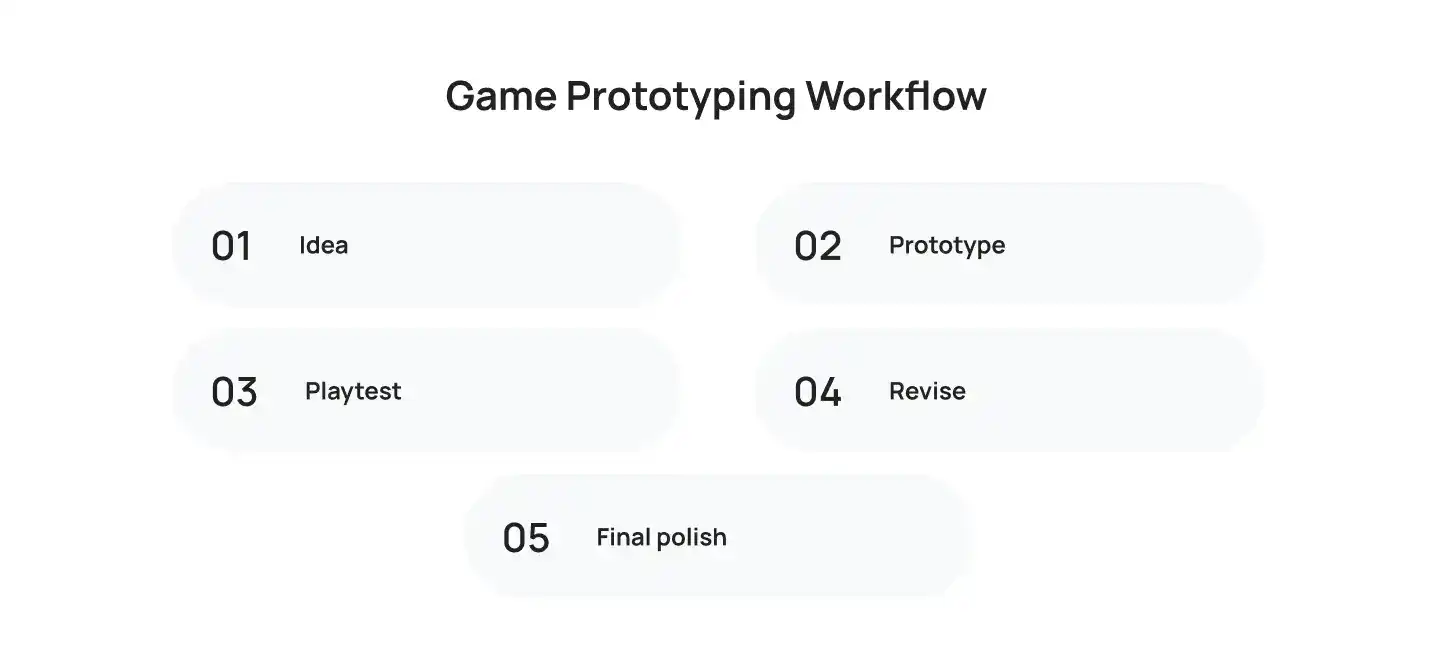
Good game prototyping for beginners uses simple shapes and free placeholder assets.
- Build a playable prototype in 1 to 2 weeks using boxes, circles, and default sounds.
- Test one question: does the core loop feel good for 5 minutes?
- Let 5 players try it and watch where they get stuck.
- Start final art only after the prototype passes those playtests.
4. Choosing the Wrong Game Engine and Tools
Beginners often pick the most popular engine without checking fit. A tool that suits a 3D console title adds needless complexity to a simple 2D mobile game.
Why it hurts your project
- You fight the tool instead of building the game.
- A language you do not know slows every task.
- Your engine may not export well to your target platform, which forces a switch mid project.
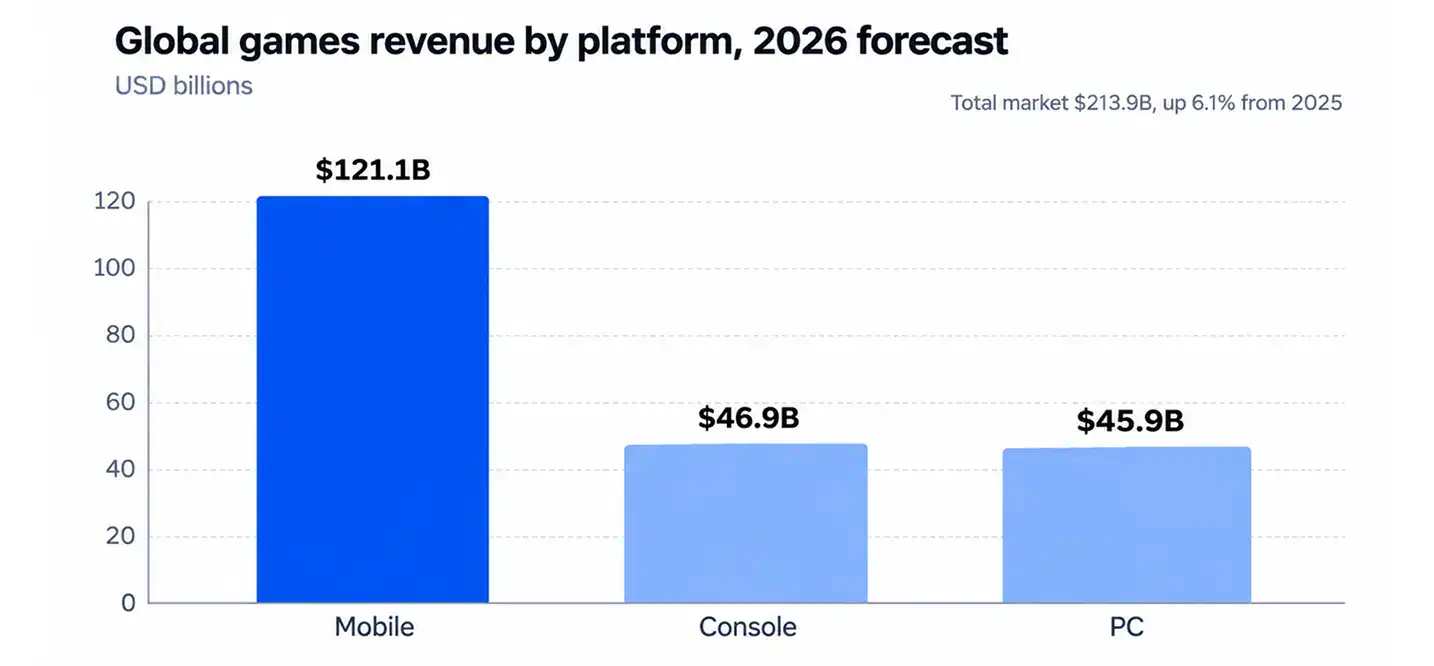
Picking tools by popularity alone is one of the game development mistakes for beginners that wastes the most time. Platform matters because revenue splits unevenly. Newzoo expects $121.1 billion from mobile, $46.9 billion from console, and $45.9 billion from PC in 2026.
How to avoid it
Match your tools to your project requirements, your current skills, and your target platform.
| Engine | Best for | Main language | Learning curve |
|---|---|---|---|
| Unity | 2D, 3D, and mobile | C# | Medium |
| Unreal Engine | High fidelity 3D | C++ and Blueprints | Steep |
| Godot | 2D and lightweight 3D | GDScript and C# | Gentle |
| GameMaker | 2D games | GML | Gentle |
- Decide your platform first, then shortlist two engines.
- Build the same tiny prototype in both and compare the experience.
- Use this guide on choosing your first game engine to compare options in more depth.
5. Developing Without a Clear Project Plan
A project without priorities and milestones drifts. You add features as ideas appear, and you cannot tell how close you are to finishing.
Why it hurts your project
- Important tasks slip because nothing ranks them.
- Progress becomes hard to measure, so deadlines pass unnoticed.
- Team members, if you have any, build conflicting versions of the same feature.
How to avoid it
Effective game development project planning needs only a short document and a task list.
- Write a game design document of 1 to 3 pages. Include the concept, core mechanic, controls, art style, platform, and milestones.
- Sort features into must have, should have, and nice to have.
- Break work into tasks that take 1 to 2 days each.
- Set four milestones: prototype, alpha, beta, and release.
- Add a 50% time buffer to every estimate, because tasks always run longer than you expect.
6. Copying Code Without Understanding It
Tutorials help you start, but copying code line by line teaches you very little. You get a working feature that you cannot explain.
Why it hurts your project
- You cannot debug code you did not write or understand.
- Small changes break the feature, so every new idea becomes a risk.
- Mixed code styles from many tutorials create messy, fragile projects.
How to avoid it
This is one of the most common mistakes in game programming, and practice fixes it. Fewer game development mistakes for beginners appear when you understand your own code.
- Type code yourself. Do not paste it.
- Change values and break things on purpose to see what each line does.
- Learn the basics first: variables, loops, functions, classes, and events.
- Build small systems from scratch, such as a health bar or a score counter.
- Add short comments that explain why each block exists.
7. Neglecting Version Control and Backups
Many beginners keep one copy of the project on one laptop. A failed drive, a bad update, or a broken script then erases weeks of work.
Why it hurts your project
- You cannot undo a change that broke the game.
- You lose progress when hardware fails.
- Teammates overwrite each other’s files.
How to avoid it
Set up a simple workflow on day one.
- Use Git with GitHub or GitLab. Use Git LFS for large art and audio files.
- Add the correct ignore file for your engine so temporary files stay out of the repository.
- Commit at least once per day with a clear message.
- Create a branch for each new feature, and merge it after testing.
- Keep 3 copies of your project on 2 types of storage, with 1 copy offsite.
8. Overlooking Controls, Onboarding, and Difficulty
Players need to understand what to do in the first minute. Confusing controls, missing tutorials, and sudden difficulty spikes push them away before they see your core gameplay.
Why it hurts your project
- Players quit early and leave negative reviews.
- You judge the game as boring when the real problem is poor instruction.
- These game design mistakes stay hidden because you already know how the game works.
How to avoid it
Observation beats opinion. Avoiding game development mistakes for beginners in design means watching real players.
- Watch 3 to 5 new players without helping them. Note every moment of confusion.
- Teach one mechanic at a time, and make level one a hands-on tutorial.
- Offer remappable controls and clear on screen prompts.
- Raise difficulty in small steps, and add an easy mode.
- Record sessions and revise after each round of testing.
9. Leaving Testing and Performance Checks Until the End
Beginners often test only when the game feels finished. By then, bugs sit inside every system, and fixing them breaks other features.
Why it hurts your project
- Late bugs cost more to fix because other code depends on them.
- Performance problems, such as low frame rate, may require a redesign.
- Launch dates slip while you fix issues you could have caught weeks earlier.
How to avoid it
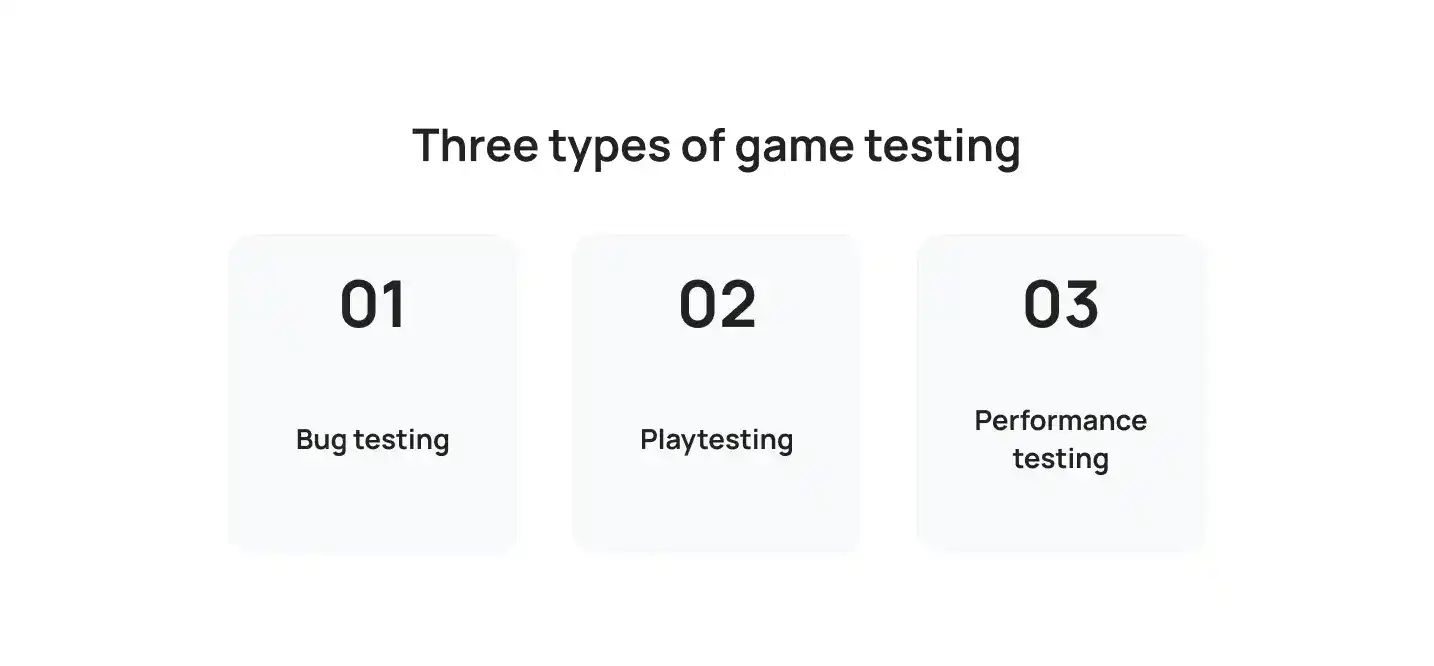
Good game testing and debugging treats three activities separately.
- Bug testing finds crashes and broken logic. Test every new feature when you add it.
- Playtesting checks fun, clarity, and difficulty. Run a session at every milestone.
- Performance testing measures frame rate, load time, and memory. Aim for a steady 60 frames per second on your lowest target device.
- Keep a bug list and rank each item as blocker, major, or minor.
- Use your engine’s profiler to find slow code, and test on real devices.
10. Ignoring Player Feedback or Following Every Suggestion
Both extremes hurt. If you dismiss feedback, you repeat the same errors. If you accept every request, the scope grows and the design loses focus.
Why it hurts your project
- Ignored feedback leaves real problems in the final game.
- Constant new features delay release and weaken the core mechanic.
- Players ask for solutions, but they often misdiagnose the actual problem.
How to avoid it
Use feedback as data, because that approach prevents game development mistakes for beginners in both directions.
- Collect notes from 5 to 10 testers per build.
- Tag each note by topic, such as controls, difficulty, or bugs.
- Fix issues that several players report first.
- Ask what happened instead of what to add.
- Move single feature requests to your later list, and review them after launch.
11. Leaving Launch Preparation Until the Last Minute
Beginners treat release as the final day of coding. In practice, store pages, trailers, screenshots, ratings, and review submissions take weeks.
Visibility also matters. SteamDB data shows more than 19,000 games released on Steam in 2025, and nearly half had fewer than 10 reviews. Without early preparation, your game joins that group.
Why it hurts your project
- Missing store materials delay launch.
- Store review times add days you did not plan for.
- You launch with no audience because you built none before release.
How to avoid it
Build a release checklist that fits your goal, whether that is a learning project or a commercial game.
- Publish your store page early so you can collect wishlists or followers.
- Prepare a short trailer, 4 to 6 screenshots, a clear description, and capsule art.
- Check age rating, privacy policy, and platform rules for each store.
- Submit builds early, because review times vary.
- For a learning project, a simple itch.io page with a playable build is enough.
12. Never Finishing, or Releasing Before the Game Is Ready
Never finishing is the most expensive of all game development mistakes for beginners because every earlier effort goes to waste. Some developers add features endlessly. Others ship a broken build to escape the project.
Why it hurts your project
- Endless features push the finish line away.
- A rushed release damages reviews and your reputation.
- You learn less because you never complete the full cycle from idea to launch.
How to avoid it
Learning how to finish your first video game starts with a clear definition of done. For more on why projects stall, read this guide on how to avoid game development mistakes that end projects early.
- List the must have features and freeze that list at alpha.
- Separate necessary fixes, such as crashes, from new features.
- Fix every blocker and major bug before release. Leave minor polish for the first update.
- Set a release date and protect it.
- Write a short review after launch to record what worked and what to change next time.
A Practical Checklist for Finishing Your First Game
Use these game development tips for beginners at the start of each milestone. Running the list regularly keeps game development mistakes for beginners from returning.
- Describe the game in one sentence.
- Define your target player and platform.
- Pick one core mechanic and build a prototype.
- Choose an engine that fits your skills and platform.
- Write a 1 to 3 page design document.
- Set up Git and a backup routine.
- Playtest at every milestone with 5 new players.
- Test bugs and performance in every build.
- Prepare your store page before beta.
- Freeze features, fix blockers, and ship.
How Cubix Can Help You Avoid Common Game Development Mistakes
Expert guidance can help beginners avoid common game development mistakes from the start. Through its game development services, Cubix helps teams plan projects, test gameplay mechanics, select suitable technologies, and prepare games for launch.
- Scope and Planning: Review game concepts, features, timelines, and budgets before development begins.
- Prototyping: Build prototypes to test core mechanics and gather feedback before investing in full production.
- Engine and Platform Selection: Choose suitable game engines and target platforms based on project requirements.
- Code Reviews and Testing: Identify bugs, performance issues, and gameplay problems throughout production.
- Release Preparation: Prepare builds for selected platforms and test key features before launch.
Getting expert input at the right stage can help teams reduce rework and keep development focused on their goals. If you need additional technical support, you can also hire game developers for specific project requirements.
Hire skilled game developers and launch your game on schedule
Contact UsFrequently Asked Questions
1. What Are the Most Common Mistakes First-Time Game Developers Make?
The most common mistakes are oversized scope, no target audience, early polishing, poor tool choice, no plan, copied code, no version control, weak onboarding, late testing, ignored feedback, late launch preparation, and never finishing. Scope and planning errors cause the longest delays because they affect every later decision.
2. How Can Beginners Plan a Game Development Project to Avoid Common Mistakes?
Start with a game design document of 1 to 3 pages. Sort features into must have, should have, and nice to have. Break work into tasks of 1 to 2 days. Set milestones for prototype, alpha, beta, and release. Add a 50% buffer to every estimate.
3. What Mistakes Should Beginners Avoid When Choosing Game Development Tools?
Choosing by popularity, ignoring the target platform, and picking a language you do not know are the game development mistakes for beginners that waste the most time. Switching engines mid project also costs weeks. Build a one day prototype in two engines before you commit.
4. What Budgeting Mistakes Do First-Time Game Developers Make?
Beginners underestimate asset costs, skip a contingency buffer, and ignore marketing. They also forget store fees, tool licenses, and test devices. Steam, for example, charges a $100 fee per game. Pay for final art only after your prototype passes playtests.
5. What Are the Best Game Development Tools for Beginners?
Godot, Unity, and GameMaker suit most first projects. Add Blender for 3D models, Krita or Aseprite for 2D art, Git for version control, and Trello or Notion for task tracking.
6. What Are the Biggest Mistakes in Selecting Game Development Tools for Beginners?
Beginners often buy paid tools too early and use too many tools at once. They also skip documentation and community size, and they ignore license terms such as revenue thresholds. Start with free tools and add paid ones only when a clear need appears.
7. Which Software Tools Help New Game Developers Prevent Common Mistakes?
Git and GitHub protect your work. Trello, Notion, or GitHub Issues track tasks and bugs. Engine profilers, such as Unity Profiler and Godot’s built in profiler, find performance problems. Unit test tools, such as GUT for Godot, catch logic errors early.
8. What Are the Pitfalls of Relying Too Much on Free Game Development Resources?
Free assets create mixed art styles and license risks, so check each license, such as CC0 or CC BY. Tutorials teach isolated tricks and rarely cover project structure. Outdated tutorials also break when your engine version differs. Use free resources to learn, then design your own systems.