Key Takeaways
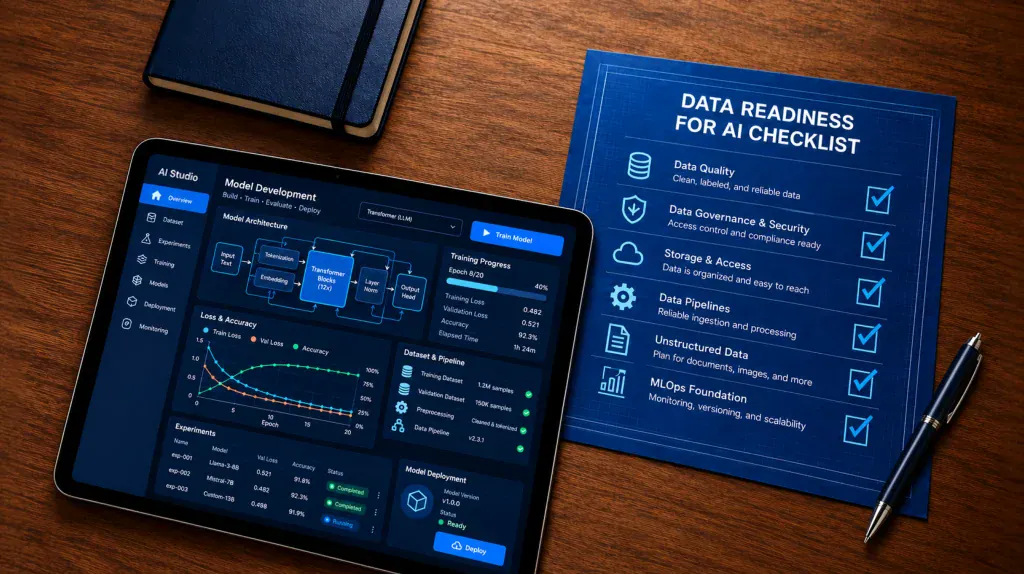
- AI ready data is clean, labeled, secure, and easy to reach.
- Most AI failures start with the data, not the model.
- A good checklist covers quality, governance, storage, pipelines, unstructured data, and MLOps.
- Fix governance early so compliance never blocks your launch.
- Assess your data before you pick a model or a vendor.
- Start with one clear use case, then scale from there.
Here is a number that should stop you cold, Gartner says organizations will abandon 60% of AI projects through 2026. Those projects lacked AI-ready data. That is not a small miss. It means wasted budget, stalled teams, and some very awkward meetings.
Most teams start with the model. They pick a tool, hire a vendor, and run a pilot. Then the data shows up messy, scattered, and locked in old systems. The model was never the real problem. The data underneath it was.
This guide gives you a plain checklist for data readiness for AI. You will learn what to check. You will see who owns each task. You will know what to fix first. If you want a partner along the way,Cubix AI helps teams build AI on solid data. Let’s get into it.
What Is Data Readiness for AI?
Data readiness for AI means your data is fit to train and feed AI systems. It is clean, organized, secure, and easy to reach. Think of cooking. You need fresh ingredients before you turn on the stove.
What Does “AI Ready Data” Mean?
So, what is AI ready data? It is data that matches a specific use case. It is accurate and current. It has clear owners and clear rules. And someone keeps checking it over time.
Here are the signs your data is ready:
- Clean: few errors, few duplicates, and no wild gaps.
- Labeled: models know what each record means.
- Accessible: teams can reach it without a month of approvals.
- Secure: private details are masked or locked down.
- Governed: every dataset has an owner and a paper trail.
Most companies miss at least one of these. Gartner surveyed 248 data leaders in 2024. Sixty-three percent had no proper AI data practices, or weren’t sure.
Data Readiness vs AI Readiness
People mix these two up. Here is the simple split.
- Data readiness is about the fuel. Is your data good enough?
- AI readiness is about the whole car. It also covers strategy, skills, budget, and tools.
So, what is AI readiness in plain words? It is your ability to build, run, and grow AI safely. Data readiness is the first piece. Skip it and the rest wobbles.
Why AI Projects Fail Without Good Data
Picture a retail team building a demand forecast. Their sales data lives in three systems. Each one spells product names differently. The model trains anyway. The forecasts missed by a mile. Nobody trusts them, and the project quietly dies.
Building AI infrastructure starts with fixing that kind of mess. Here are the most common causes of failure:
- Data sits in silos across teams and tools.
- Records are duplicated, outdated, or wrong.
- Nobody owns the data or its quality.
- Private data slips into training sets.
- Pipelines break and nobody notices.
- Teams skip the checks and rush to a pilot.
Common failure causes and what they cost you
| Failure cause | What it looks like | Business impact |
| Siloed data | Sales, support, and finance use different customer IDs | Models see half the picture |
| Poor data quality | Duplicates, typos, missing fields | Wrong predictions and low trust |
| No clear ownership | Nobody fixes issues when they appear | Errors pile up over time |
| Weak security | Private data ends up in training files | Fines and lost customer trust |
| Fragile pipelines | Jobs fail silently overnight | Stale data reaches the model |
| No readiness check | Team jumps straight into a pilot | Rework, delays, and dropped projects |
The bill for all this is real. Poor data quality costs firms $12.9 million a year, says Gartner. That average does not include failed AI projects.
The Data Readiness Checklist
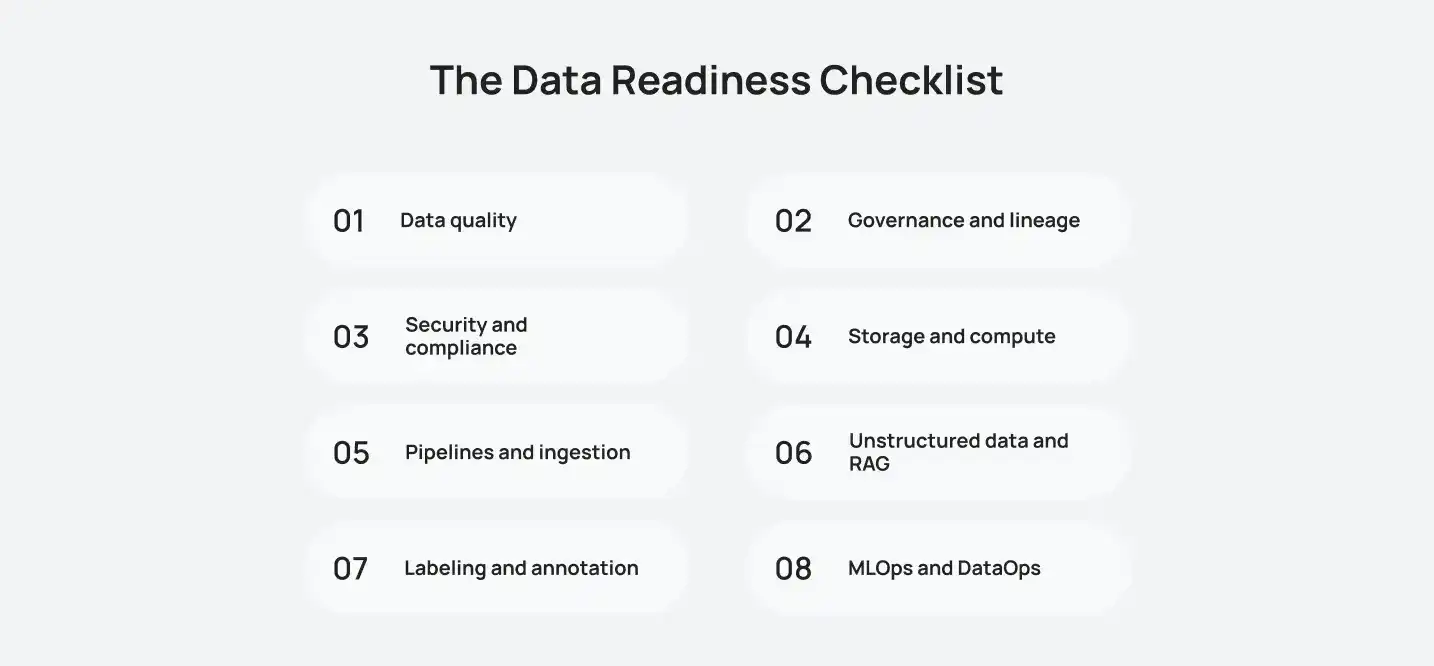
A data readiness checklist keeps you honest. It turns a fuzzy worry into a list of clear tasks. Use it before you write a single line of model code.
Most firms are not there yet. Cisco’s 2025 index found just 13% of firms fully AI ready. The rest have gaps to close. This checklist shows you where.
The 8 areas of an AI data readiness checklist
| Checklist area | What to check | Who owns it |
| 1. Data quality | Accuracy, duplicates, missing values | Data engineering |
| 2. Governance and lineage | Owners, rules, and data history | Data governance lead |
| 3. Security and compliance | Access controls, PII masking, audit trails | Security and legal |
| 4. Storage and compute | Capacity, speed, and cost | IT and cloud team |
| 5. Pipelines and ingestion | Batch and real-time flows into AI systems | Data engineering |
| 6. Unstructured data and RAG | Documents, emails, and PDFs are searchable | AI and data teams |
| 7. Labeling and annotation | Clear labels and review steps | ML team |
| 8. MLOps and DataOps | Monitoring, retraining, and version control | ML engineering |
Now ask yourself these yes or no questions:
- Do we know which data our first AI use case needs?
- Can we trust that data to be accurate?
- Does every key dataset have a named owner?
- Do we know where private data lives?
- Can our pipelines deliver fresh data on time?
- Can we search our documents, not just our tables?
- Do we watch data quality after launch?
Answered “no” or “not sure” to three or more? You have work to do first. That is normal. That is where AI development services can save you months.
Data Quality and Preparation
Good AI data preparation is boring work. It is also where projects are won. Data preparation for AI means cleaning, masking, and testing first.
The time cost is huge. Anaconda surveyed 3,493 data professionals in 2022. Half their time, 51%, goes to preparing, cleaning, and visualizing data. Only 18% goes to selecting and training models.
Cleaning and De-duplication
Start with the basics. Remove duplicate records. Fix formats, like dates and phone numbers. Fill or flag missing values. Then merge records that describe the same person or product.
How bad is it out there? A Business Horizons study reviewed 75 data quality assessments. On average, 47% of new records had a critical error. Only 3% of scores hit an acceptable level.
Quick cleaning wins:
- Standardize names, dates, and units.
- Match and merge duplicate customers.
- Set rules for missing fields.
- Remove old data that no longer applies.
Anonymization and PII Masking
AI models can leak what they learn. So strip out personal details early. PII means names, emails, phone numbers, IDs, and health details.
Your options:
- Masking: hide part of a value, like the last four digits.
- Anonymization: remove details so no one can be identified.
- Synthetic data: create fake records that behave like real ones.
Synthetic data helps when real data is scarce or too sensitive. It also helps you test without risk.
Automated Data Quality Testing
Manual checks do not scale. Automate them. Great Expectations and dbt tests can check every new batch.
Set up checks for:
- Missing values and wrong data types.
- Sudden spikes or drops in volume.
- Values outside a normal range.
- Schema changes that break downstream jobs.
Add anomaly detection on top. It flags odd patterns before they reach model training.
Data Governance and Compliance
Governance sounds heavy. It is not. It just answers three questions. Who owns this data? Who can use it? Where did it come from?
Skip it and the risk is steep. IBM’s 2025 breach report puts the global average at $4.44 million. In the United States, the average hit a record $10.22 million.
Data Lineage and Ownership
Data lineage is the story of your data. It shows where data began, what changed, and where it went. When a model behaves oddly, lineage tells you why.
Use this data governance audit checklist:
- Every dataset has a named owner.
- Data sources are documented and approved.
- Lineage is tracked from source to model.
- Access rights are reviewed on a schedule.
- Sensitive fields are tagged and protected.
- Retention and deletion rules are written down.
GDPR, SOC 2 and HIPAA Basics
Rules differ by region and industry. Here is a quick guide to the big three.
Compliance frameworks at a glance
| Framework | What it covers | Who needs it |
| GDPR | How personal data of people in the EU is collected, used, and stored | Any company handling EU residents’ data |
| SOC 2 | Independent audit of security, availability, privacy, and related controls | SaaS and cloud service providers |
| HIPAA | Protection of patient health information in the US | Healthcare providers and their partners |
Top GDPR fines hit 20 million euros or 4% of turnover. The higher amount applies. The 4% counts global revenue. Bring your legal team in early. It costs less than a fix later.
Storage and Compute Infrastructure
Storage is where your AI lives day to day. Building AI infrastructure starts with a fast, flexible, affordable data home. Get this wrong and everything slows down.
The market tells the story. MarketsandMarkets sees vector databases growing fast. It projects $8.95 billion by 2030, from $2.65 billion in 2025. That is 27.5% growth a year.
Data Lakes and Lakehouses
A data lake stores raw data of any type. It is cheap and flexible. But it can turn into a swamp fast.
A lakehouse adds structure on top. You get a lake’s low cost and a warehouse’s order. Open formats like Delta Lake and Apache Iceberg make this work. For AI, that means one place for tables, documents, and files.
Vector Databases (Pinecone, Milvus, Qdrant, Chroma)
A vector database stores data as numbers that capture meaning. That lets AI find similar items fast. It powers semantic search and RAG.
Popular vector databases compared
| Tool | Best for | Hosting | Cost level |
| Pinecone | Fast start with little setup | Fully managed cloud | Medium, usage based |
| Milvus | Very large scale workloads | Self-hosted or managed (Zilliz Cloud) | Low to medium, plus infrastructure |
| Qdrant | Search with strong filtering | Self-hosted or Qdrant Cloud | Low to medium |
| Chroma | Prototypes and small projects | Local, self-hosted, or cloud | Low |
Prices change often. Check each vendor’s pricing page before you commit. Also run a small test with your own data. Benchmarks rarely match real life.
Scaling Compute Without Overspending
AI workloads eat computers. Costs climb fast if you leave them unchecked.
Keep spending under control:
- Use auto-scaling so you only pay for what you use.
- Separate training jobs from everyday queries.
- Store cold data on cheaper tiers.
- Set budget alerts from day one.
- Start with smaller models and grow only if needed.
Data Pipelines and Real-Time Streaming

Pipelines carry data from its source to your AI. Weak AI data pipelines are a top reason models go stale. Strong ones keep your AI fed and fresh.
Leaders are paying attention. Confluent’s 2025 report surveyed 4,175 IT leaders. Eighty-six percent call data streaming a strategic or important IT priority.
ETL vs ELT
Both move data. The order is different.
- ETL: extract, transform, then load. Data is cleaned before it lands.
- ELT: extract, load, then transform. Raw data lands first, then gets cleaned in the warehouse.
For big, messy AI datasets, ELT is often the better fit. It keeps raw data around, so you can reshape it later. ETL still fits strict rules and small data.
Apache Kafka and Flink for Live Data
Some AI needs data now, not tomorrow. Think fraud checks, live recommendations, or delivery tracking.
- Apache Kafka moves streams of events between systems.
- Apache Flink processes those streams as they arrive.
Together they let your AI react in seconds. Use them when speed changes the outcome. Skip them when a nightly batch is enough.
Feature Stores (Feast, Tecton)
A feature store is a shared library of ready-to-use model inputs. Teams build a feature once and reuse it everywhere. It also keeps training data and live data consistent.
Feast is open source. Tecton is a managed platform. Both help with real-time inference. Add one when several models share the same inputs.
Unstructured Data and RAG Readiness
Most business knowledge is not in tables. It sits in contracts, emails, chats, and PDFs. IDC says 90% of data organizations created in 2022 were unstructured.
That is a huge pool of value. But AI cannot use it until you prepare it. That is where RAG comes in. RAG stands for retrieval-augmented generation. It lets AI search your documents before it answers. RAG infrastructure is key in AI virtual agent development work. It keeps answers accurate and current.
Handling Documents, PDFs and Emails
Start by collecting your sources. Then clean them up.
- Extract text from PDFs and scans with OCR.
- Strip headers, footers, and duplicate pages.
- Keep useful details, like titles, dates, and authors.
- Remove private content you should not expose.
- Set rules for who can see which documents.
Data Labeling and Annotation
Some AI needs labeled examples to learn. A label says what a piece of data is. For instance, “this email is a complaint.”
Build a simple labeling pipeline:
- Write clear labeling guidelines.
- Use two reviewers for tricky items.
- Track agreement between labelers.
- Send unclear cases to an expert.
- Re-check samples on a schedule.
Getting Your Data Ready for RAG
RAG has a few moving parts. Each one needs care.
- Chunking: split documents into small, meaningful pieces.
- Embedding: turn each chunk into a vector.
- Indexing: store vectors in a vector database.
- Metadata: tag chunks so search can filter by date, team, or topic.
- Refresh: update the index when documents change.
Old documents are the silent killer here. A stale index makes your AI quote old answers.
MLOps and DataOps
Launch day is not the finish line. Data changes. Customers change. Models slowly get worse. MLOps and DataOps keep everything healthy after go-live.
Many projects never get that far. Gartner found only 48% of AI proofs of concept reach production. The average trip takes 8.2 months.
Keeping Data Fresh for Retraining
Models need new data to stay sharp. Build a loop that brings it in.
- Ingest new data on a steady schedule.
- Run quality checks on every batch.
- Version your datasets, just like code.
- Retrain on a set cadence or when performance drops.
- Keep a rollback plan for bad releases.
This loop is core to custom machine learning solutions work. It is also the part teams skip most often.
Monitoring for Data Drift
Data drift happens when live data stops looking like training data. A model trained on old shoppers may fail on new ones. Prices change. Habits change. Language changes.
Watch for:
- Shifts in input value ranges.
- New categories the model never saw.
- Falling accuracy or confidence.
- Rising complaints from real users.
Set alerts for each one. Catch drift early and retraining stays cheap.
How to Run a Data Readiness Assessment
A data readiness assessment shows where you stand today. It gives you a score, a gap list, and a plan. It is the heart of any AI readiness framework.
Does it pay off? Cisco’s 2025 study looked at the most AI-ready firms. They are four times more likely to move pilots into production. They are also 50% more likely to report measurable value.
Follow these six steps:
- Set goals. Pick one business problem. Define what success looks like.
- Audit your data. List the sources you need. Note their format, owner, and quality.
- Score the gaps. Rate each checklist area from 1 to 5. Be honest.
- Fix priorities. Tackle the gaps that block your use case first.
- Plan the budget. Estimate tools, people, and time for each fix.
- Start a pilot. Test on a small scope. Learn, then scale.
Use this as a digital transformation readiness checklist too. The same steps work for any big tech change.
A quick note on cost and timeline. Exact numbers depend on your size and starting point. An assessment often takes a few weeks. Fixes can take months. Legacy systems add the most time. Get a scoped estimate before you set a budget.
Why Choose Cubix for AI Data Readiness
Good AI starts with good data work. Cubix builds custom AI for businesses. That spans machine learning, generative AI, and LLMs. Its process starts with discovery and data engineering. That means cleaning, structuring, and labeling data first.
Here is what Cubix can help you with:
- Readiness audits: find your data gaps and rank the fixes.
- Data engineering: clean, structure, and label your data.
- Pipeline builds: move data reliably into your AI systems.
- RAG setup: make your documents searchable for AI assistants.
- Model build and testing: validate results before you go live.
- Deployment and support: connect AI to your systems through APIs and keep it tuned.
You get one team from first audit to live solution. That keeps handoffs low and progress steady.
Get Your Data AI Ready With Cubix
You do not need perfect data to start. You need to know where you stand. Then you can fix the right things in the right order.
Talk to the team at Cubix. Bring your goals and your messy data. We will help you sort it out.
On your first call, expect:
- A quick review of your goals and use case.
- A look at your current data and systems.
- A list of the biggest gaps and risks.
- Clear next steps, with no jargon.
Talk to Our AI Experts at Cubix
Contact UsFrequently Asked Questions
1. What does data readiness for AI mean in an enterprise?
It means your data can safely power AI at scale. It is accurate, governed, secure, and easy to access. Every key dataset has an owner. Pipelines deliver fresh data on time.
2. Why do AI projects fail due to poor data infrastructure?
Weak data leads to weak results. Silos, errors, and broken pipelines starve the model. Missing governance adds risk. Teams then lose trust and stop the project.
3. What are the core parts of an AI data infrastructure checklist?
There are eight parts. Think quality, governance, security, storage, pipelines, unstructured data, labeling, and MLOps. Score each one before you build.
4. How do vector databases and lakehouses prepare data for GenAI and RAG?
A lakehouse holds all your data in one place. A vector database makes it searchable by meaning. Together they let a GenAI model find the right facts fast.
5. How does data governance keep AI secure and compliant?
Governance sets clear owners, rules, and access limits. It tracks where data came from. That makes audits easier. It also lowers the risk of leaks and fines.
6. What does it cost, and how long does it take, to upgrade legacy data infrastructure?
It depends on your size, tools, and data mess. A readiness assessment usually takes weeks. Upgrades can take months. Ask for a scoped quote after an audit. That gives you a real number.