Key Takeaways
- A game’s art style is a strategic decision, not just an aesthetic one, it shapes budget, timeline, and player perception before gameplay even factors in.
- There’s no single “best” video game art style, the right choice always depends on your resources, genre, tone, and audience.
- 2D and 3D styles each have several major sub-categories, from photorealism to pixel art, each with very different production costs.
- Style should always support gameplay, not fight against it, cohesion between art and mechanics is what separates memorable games from forgettable ones.
- Tools like Photoshop, Aseprite, Blender, and Substance Painter each serve very different style goals, picking the right one saves months of rework.
- If building an in-house art team isn’t realistic, partnering with an experienced studio can shortcut the entire process.
Quick question before we start: how many games have you clicked away from in the first three seconds, just because of how they looked? Be honest. We’ve all done it.
That’s the uncomfortable truth about game development, players judge your game by its cover long before they judge it by its gameplay. More than 15,000 games hit Steam alone last year. With that much competition, your art style isn’t just decoration, it’s often the single biggest reason someone stops scrolling and clicks “learn more.” That’s exactly why a Character Design Studio and a strong custom game development company partner can make or break a first impression before a single line of dialogue is read.
So how do you actually choose the right one? Not the trendiest one, not the one your favorite game art styles used, the right one for your specific project, budget, and audience? That’s what we’re unpacking in this guide. Grab a coffee, and let’s get into it.
What Is a Video Game Art Style?
Let’s define it clearly. A video game art style is the consistent visual language a game uses, its color palette, shapes, lighting, textures, and level of detail, to communicate mood, tone, and identity to the player. It’s the answer to the question: what does this world look and feel like?
Video game art styles aren’t just about pretty pictures. They’re a communication tool. A jagged, high-contrast palette tells players “danger” before a single enemy appears. Soft pastels and rounded shapes say “this is safe, this is fun.” Your video game style sets expectations before the player even touches the controller.
Why Art Style Matters More Than You Think
Here’s a stat worth sitting with: with tens of thousands of new game releases every year across storefronts, players are making split-second decisions about what’s worth their time, and visuals are almost always the first filter. A distinctive look doesn’t just attract clicks; it builds long-term identity. Think about it: you can probably picture Minecraft’s blocky world, Hollow Knight’s inked shadows, or Fortnite’s cartoon bounce without seeing a screenshot right now. That’s the power of a well-chosen art style, it outlives graphical trends and stays recognizable for decades.
Good art style does three things simultaneously:
- Sets the tone before the player reads a word of dialogue.
- Builds identity, making your game recognizable in a crowded market.
- Reinforces gameplay, guiding the player’s eye toward what matters mechanically.
Different Types of Visual Aesthetics Commonly Used in Games
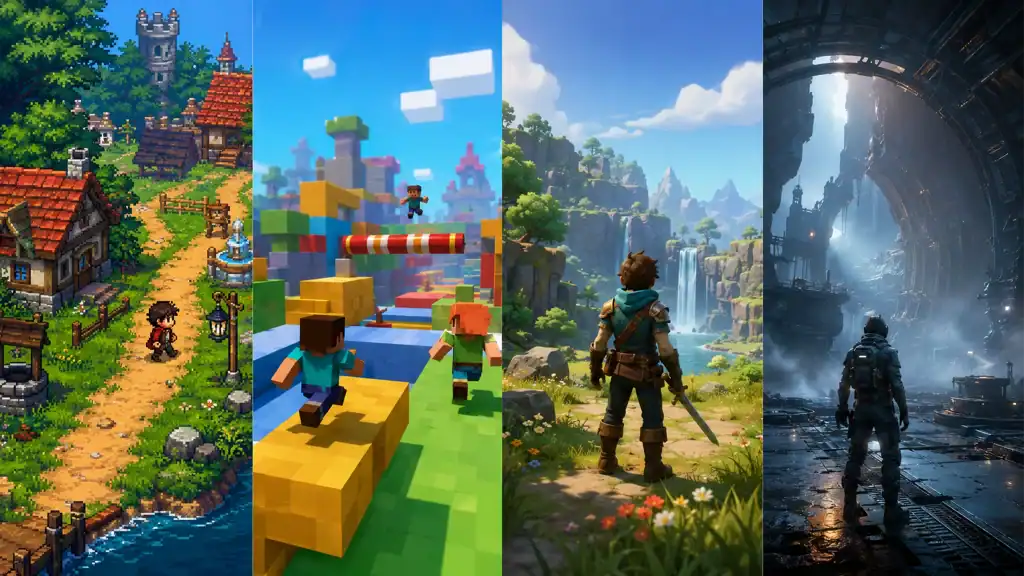
This is the part everyone actually wants, a real breakdown of game art styles and art styles for games, organized by whether you’re building in 3D or 2D.
3D Art Styles
| Style | What It Looks Like | Example Games |
| Realism | True-to-life lighting, textures, and physics | Red Dead Redemption 2, The Last of Us |
| Fantasy Realism | Realistic rendering applied to impossible worlds (magic, sci-fi) | Elden Ring, The Witcher 3 |
| Low-Poly | Simplified geometric shapes, minimal texturing | Journey, Sable |
| Hand-Painted / Illustrated | Textures that look brushed or painted by hand | Hades, Hollow Knight |
| Cel-Shading | Flat color blocks mimicking 2D animation on 3D models | Zelda: Breath of the Wild, Okami |
| Cartoon / Stylized | Exaggerated proportions, bright saturated colors | Fortnite, Overwatch |
2D Game Art Styles
| Style | What It Looks Like | Example Games |
| Flat | No shadows or depth illusion, like cut paper | Alto’s Adventure |
| Pixel Art | Built from a visible grid of individual pixels | Stardew Valley, Noita |
| Vector | Clean shapes drawn from mathematical curves | The Banner Saga |
| Monochromatic | Limited to 1–2 colors and their shades | Limbo, Return of the Obra Dinn |
| Isometric | Fixed camera angle creating pseudo-3D depth | Disco Elysium, Hyper Light Drifter |
Curious about 2D game art styles vs 3D game art styles 3D specifically? The core difference isn’t just dimensionality, 2D styles tend to cost less per asset but scale awkwardly for large open worlds, while 3D styles scale well spatially but demand far more time per character or environment piece.
And if you’re hunting for unique game art styles or different game art styles that break the mold entirely, look at titles that blend categories, like games mixing pixel art with 3D lighting, or hand-painted textures on low-poly geometry. Mixing styles thoughtfully, while staying internally consistent, is often where the most memorable visual identities come from.
What Factors Influence Art Style Selection for a Video Game?
Choosing a style isn’t a coin flip, it’s a decision shaped by a handful of concrete factors.
| Factor | Key Question to Ask |
| Budget & Team Size | Can you realistically produce and maintain this style at scale? |
| Genre & Tone | Does this style match the emotional experience you want players to feel? |
| Target Audience | Does your audience associate this look with the kind of game they enjoy? |
| Platform | Will this style perform well on your target hardware (mobile vs. PC vs. console)? |
| Development Timeline | How much time do you have before assets need to be production-ready? |
How to Choose an Art Style for an Indie Game Project

If you’re a solo developer or small team, this section is for you specifically. Choosing an art style for your game as an indie developer comes down to one brutal but useful question: what can you actually finish?
- Start with your real constraints, not your dream mood board. A hyper-realistic open world is not a viable choice for a two-person team, and that’s completely fine.
- Lean into stylization. Pixel art, flat design, and low-poly styles let small teams punch above their weight visually, because they hide the absence of a huge art department rather than exposing it.
- Pick a style you can iterate on fast. Indie development lives and dies by rapid iteration, a style requiring weeks per asset will kill your momentum.
- Look at what worked for similarly-scoped teams, not just AAA inspiration. Study how small studios achieved a distinctive look on a shoestring budget.
If this whole process feels overwhelming to figure out solo, it’s exactly the kind of decision an experienced Character Design Studio can help fast-track, they’ve already solved this problem hundreds of times.
How to Decide on a Visual Art Style That Enhances Gameplay
Here’s a mistake we see constantly: teams pick a gorgeous art style that actively works against their own gameplay. A visually noisy, highly detailed background can bury important gameplay elements a player needs to spot instantly, hazards, collectibles, enemy tells.
Ask yourself:
- Does this style make critical gameplay elements (enemies, items, hazards) instantly readable?
- Does the color palette support quick visual parsing during fast-paced moments?
- Does the emotional tone of the art match the emotional tone of the mechanics? (A horror game shouldn’t look like a birthday party.)
The best video game art and design isn’t art layered on top of gameplay, it’s art that is gameplay communication.
How to Develop an Art Style (Step-by-Step)
So, how to develop an art style, or better yet, how to create your own art style that feels genuinely yours and not a copy of something else? Here’s the practical process:
- Gather references broadly. Pull inspiration from games, films, illustration, architecture, not just other games in your genre.
- Build a mood board. Compile colors, shapes, lighting choices, and textures that capture the feeling you’re after.
- Sketch key art early. Before committing to full production, create 2–3 pieces of “key art” that represent your world at its best.
- Define a style guide. Lock in color palettes, line weights, proportions, and shading rules so every artist on the team produces consistent work.
- Prototype in-engine. A style that looks great as a static illustration can fall apart once it’s animated and moving, test it inside your actual game engine early.
- Playtest the visuals, not just the mechanics. Show early builds to real players and watch what they notice, misread, or overlook.
- Iterate before you scale. Refine your style guide based on feedback before producing hundreds of assets in it.
This is genuinely one of the most-discussed topics among developers, search “choosing an art style for your video game reddit” and you’ll find entire threads of solo devs and small studios comparing notes on exactly this process, from budget tradeoffs to which engines render certain styles best.
Best Tools and Software for Building and Testing Your Art Style
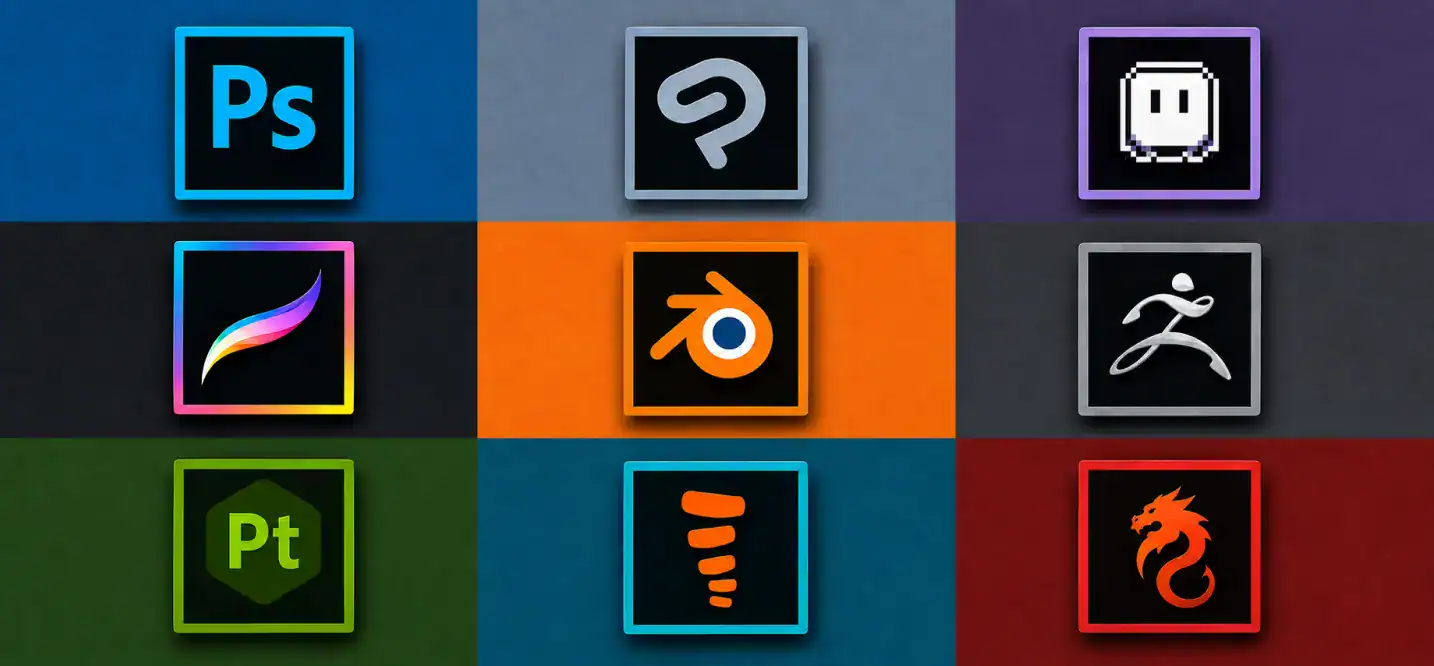
Once your direction is set, you need the right software to actually produce it, and to prototype and test different looks before committing.
| Tool | Best For | Style Fit |
| Photoshop / Clip Studio Paint | 2D concept art, textures | Hand-painted, illustrated styles |
| Aseprite | Pixel-perfect sprite creation | Pixel art, retro styles |
| Procreate | Digital painting on tablet | Stylized 2D character art |
| Blender | 3D modeling, texturing, rendering | Low-poly, stylized, and realistic 3D |
| ZBrush | High-detail 3D sculpting | Realism, fantasy realism characters |
| Substance Painter | 3D texture and material creation | Realistic and semi-stylized 3D surfaces |
| Spine / DragonBones | 2D skeletal animation | Cel-shaded and vector-style character rigs |
Most of these tools offer free trials or free tiers, making them genuinely accessible testing grounds even for solo developers experimenting with multiple directions before locking one in.
As for comparison of indie game engines supporting various art styles, Unity handles both 2D and 3D styles flexibly and has strong support for stylized and low-poly looks; Unreal Engine leans naturally toward realism and fantasy realism thanks to its lighting and rendering pipeline; and Godot is a lightweight, budget-friendly option that handles 2D pixel and vector styles particularly well.
6 Steps to Choose the Right Art Style for Your Game
01. Define Your Game’s Core
Set your game’s genre, theme, mood, and overall visual direction.
02. Know Your Audience
Understand your target players, their preferences, and what visual styles appeal to them.
03. Know Your Competition
Study similar games and identify visual opportunities that can help your game stand out.
04. Build Mood Boards & References
Collect colors, characters, environments, lighting, and other references to establish your visual direction.
05. Prototype & Test Early
Create early visual prototypes and test how the art style looks and feels in the actual game.
06. Lock Your Style Guide & Scale It
Document your final art direction so your team can create consistent assets as the game grows.
Where to Find Professional Help for Your Game’s Art Direction
Not every studio has the in-house talent to pull off a specific style, and that’s completely normal. So, where to find professional art style consultants for video game projects?
- Specialized character design studios, a dedicated Character Design Studio can define visual identity for your protagonists and world from the ground up.
- Freelance concept artists and consultants, useful for early-stage direction-setting before committing to full production.
- Outsourcing partners, a Game Development Outsourcing Company can supply an entire art pipeline (concept, modeling, texturing, animation) without you needing to hire a full internal team.
If your project specifically needs strong character work, it’s worth looking directly at Hire Character Designers or 3D Character Design Services, character design is often the highest-leverage art investment, since your protagonist is usually the single most-seen visual asset in the entire game. And if you need broader creative direction across your whole project, you can also Hire Game Designers who think about art and mechanics together from day one.
Ready to Nail Your Game’s Art Direction? Let’s Build It Together.
Choosing the right art style is one of those decisions that quietly determines whether players click “play” or scroll past. Getting it right takes more than good taste, it takes experience matching visual direction to gameplay, audience, and budget realities.
That’s exactly what cubix studio does for development teams and indie studios alike. Whether you need full Video Game Development Services to bring an entire project to life, or focused character and art direction support to nail your game’s identity, Cubix’s teams bring years of cross-genre, cross-platform art experience to the table.