Key Takeaways
- Godot is free at any revenue level, forever. Unity is free too, but only until you cross $200K in annual revenue or funding, after which paid tiers kick in.
- Unity still leads for 3D-heavy, console-first, and VR/AR projects. Its rendering pipelines, console export tools, and asset ecosystem are more mature.
- Godot is generally easier to pick up for beginners, especially non-programmers, thanks to its lightweight editor and Python-like scripting language.
- Console publishing is smoother on Unity. Godot developers typically need third-party porting services to ship on PlayStation, Xbox, or Switch.
- Neither engine is “better” outright, the right choice depends on your game’s genre, your team’s technical background, your budget, and your target platforms.
If you’ve ever sat down to start a new game and immediately hit a wall before writing a single line of code, you’re not alone. The “which engine?” question stops more projects than any bug ever will.
Today, Unity still holds 30% of developers naming it as their primary engine, but Godot, a completely free, open-source engine, has grown so fast that it made up 47% of games submitted to the GMTK Game Jam in 2026, actually overtaking Unity’s 34% share for the first time in the event’s history. Unity, meanwhile, still powers roughly 48% of mobile game development and sits behind 70% of top-grossing mobile titles, so it hasn’t gone anywhere either.
So which one should you actually use? That depends on what you’re building, who’s on your team, and how much you want to spend. This guide breaks down Unity and Godot across every angle that matters, whether you’re a solo hobbyist, a small indie team, or scaling up to work with a full custom game development company or a dedicated game development studio. If your project leans toward sprite-based gameplay, this is also a good moment to think about how 2D game development services fit into your engine decision, because, as you’ll see below, 2D is where the two engines diverge the most.
Unity vs. Godot at a Glance
| Category | Unity | Godot |
| License | Proprietary, subscription-based | MIT license, fully open-source |
| Cost | Free under $200K revenue; $2,310+/seat/year above that | Always free, no revenue cap |
| Primary language | C# | GDScript (Python-like), plus C#, C++ via GDExtension |
| File size | Larger editor and builds | Lightweight editor (~100MB), small builds |
| 2D workflow | Solid, improved with 2D Renderer | Purpose-built, widely seen as best-in-class |
| 3D workflow | Mature, industry-tested (URP/HDRP) | Improving fast (Godot 4.6, Jolt physics) but still behind |
| Console export | Official, well-documented | Via third-party porting services ($10K–$50K) |
| Asset marketplace | 70,000+ assets on the Asset Store | ~3,000 assets in the Asset Library |
| Best for | Mobile, 3D-heavy, console, enterprise projects | 2D games, indie teams, prototypes, budget-conscious studios |
The User Experience: Which Editor Feels Better to Use?
Unity’s interface has had over 20 years to mature, and it shows. If you’re coming from a coding background, it feels intuitive almost immediately, panels are customizable, documentation is everywhere, and there’s a Stack Overflow answer for nearly every error message you’ll ever see. The tradeoff is that Unity throws a lot at you right away: multiple render pipelines, a dense inspector, and settings menus inside settings menus. It can feel like a lot for a first-timer.
Godot takes the opposite approach. The editor is lightweight, loads in seconds, and keeps distractions to a minimum. Everything you need for a small-to-mid scale project is visible without digging through nested menus. It’s not that Godot has fewer capabilities, it’s that the interface doesn’t try to show you everything at once. Most developers who try both agree: Godot usually feels less intimidating for absolute beginners, while Unity rewards developers who already have some programming background.
Both engines let you rearrange, dock, and resize panels to match your workflow, so neither is rigid once you’re past the learning stage.
Scripting: C# vs. GDScript
This is where the two engines really start to feel different day-to-day.
Unity uses C#, a mature, strongly-typed, general-purpose language that’s genuinely valuable outside of game development too, if you ever want to pivot into enterprise software or backend work, that C# experience carries over. It’s fast, well-documented, and integrates deeply with Unity’s component system.
Godot uses GDScript, a language built specifically for the engine, with syntax that closely resembles Python. It’s tightly integrated with Godot’s node-and-signal architecture, which makes objects “talk” to each other in a way that feels natural once it clicks. If raw performance in tight loops matters, Godot also supports C# and C++ (via GDExtension), so you’re not locked into GDScript for everything.
| Aspect | Unity (C#) | Godot (GDScript) |
| Learning curve | Steeper for non-programmers | Gentle, Python-like syntax |
| Iteration speed | Slower edit-compile-run loop | Noticeably faster hot-reload cycle |
| Transferable skills | High, C# is used industry-wide | Lower, GDScript is Godot-specific |
| Alternative languages | C# only (officially) | GDScript, C#, C++ via GDExtension |
| Best suited for | Teams with software engineering backgrounds | Solo devs and teams who want speed over portability |
Anecdotally, developers who’ve used both consistently report that going from code change to seeing it running in Godot is meaningfully faster than the equivalent loop in Unity, a real advantage when you’re iterating on gameplay feel dozens of times a day.
2D and 3D: Where Each Engine Actually Shines
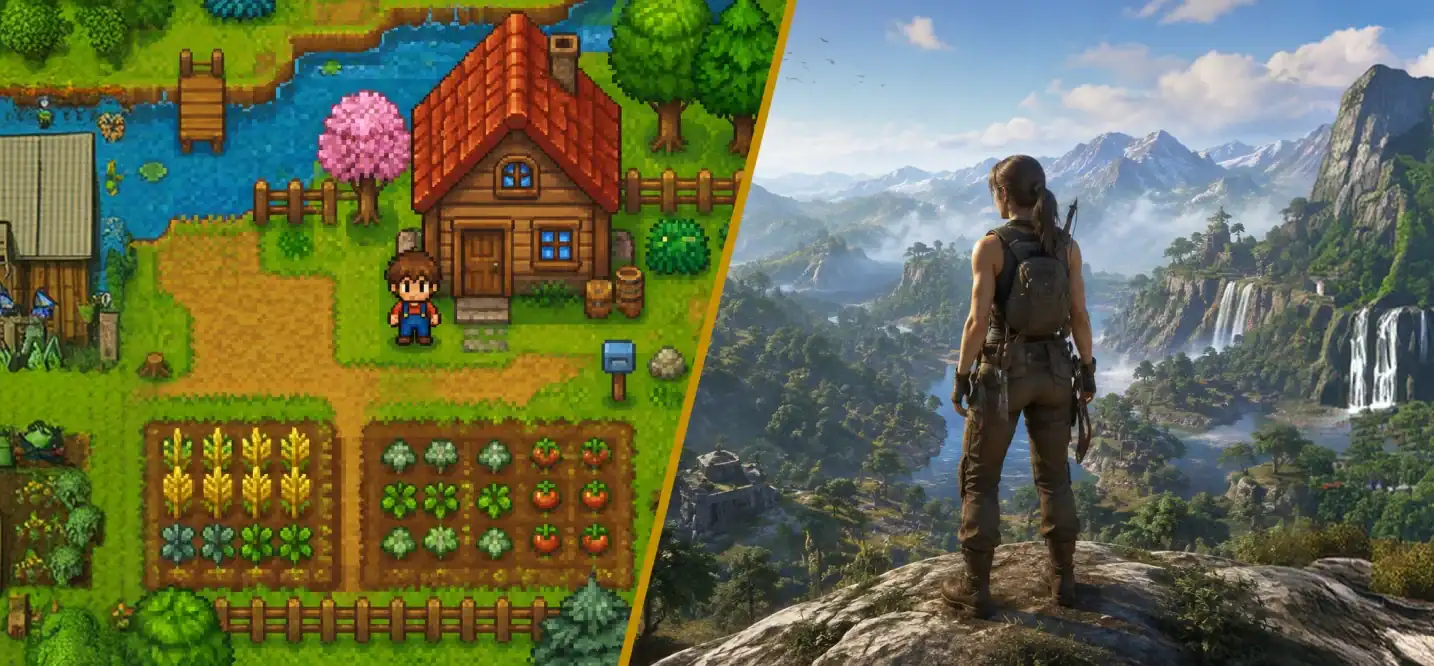
For 2D, Godot has a genuine edge. It was designed with 2D as a first-class citizen rather than a layer bolted onto a 3D engine, and it shows in things like pixel-perfect rendering, tilemaps, and its node system, which maps naturally to how 2D games are structured. If your roadmap is built around sprite-based gameplay, it’s worth exploring dedicated 2D game development services to see how far Godot’s toolset can take a project before you need custom tooling.
For 3D, Unity still has more depth. Its Universal and High-Definition Render Pipelines support high-fidelity lighting, complex shaders, and large-scale environments that are genuinely difficult to replicate elsewhere, which is why it remains the go-to for visually demanding simulations. Godot 4.6 closed a lot of the gap with its Vulkan-based renderer, SDFGI global illumination, and the new Jolt physics engine as its default 3D physics solver, but for large, complex 3D worlds, Unity is still the safer bet. Studios building ambitious 3D titles typically lean on specialized 3D game development services precisely because the tooling gap between “good enough” and “AAA-grade” 3D is still real, even with Godot’s recent progress.
One practical annoyance worth flagging: Godot requires you to manually adjust camera settings scene-by-scene, which can slow things down on larger 3D projects. Unity’s camera and lighting workflows are more automated by comparison.
Platform Support and Publishing
Unity exports natively to more than 25 platforms, including PlayStation, Xbox, Nintendo Switch, and, importantly, VR/AR headsets like Meta Quest and Apple Vision Pro, where its tooling is genuinely mature.
Godot covers PC, Mac, Linux, iOS, Android, and web out of the box, and it added OpenXR 1.1 support in version 4.6. But console publishing still runs through third-party porting partners, and that process typically costs $10,000 to $50,000, a real budget line item that Unity developers don’t have to plan around in the same way.
| Platform | Unity | Godot |
| PC / Mac / Linux | Native | Native |
| iOS / Android | Native, mobile-optimized | Native |
| WebGL | Native | Native |
| PlayStation / Xbox / Switch | Official, well-documented | Via third-party porting ($10K–$50K) |
| VR/AR (Quest, Vision Pro) | Mature, native support | OpenXR 1.1 support, thinner plugin ecosystem |
Pricing: The Part That Changed Everything
This is arguably the biggest reason Godot’s adoption has climbed so quickly. In 2023, Unity proposed a per-install runtime fee that triggered backlash from over 1,000 indie developers, and even after the fee was scrapped, the episode left a mark: it proved a commercial engine vendor can change the deal after you’ve already built your game on it.
Here’s where pricing actually stands in 2026:
- Unity Personal, free for individuals and teams under $200,000 in annual revenue or funding.
- Unity Pro, required above that threshold, priced around $2,310 per seat, per year after a 5% increase in January 2026.
- Unity Enterprise, required once revenue or funding crosses $25 million, with custom pricing that often starts around $4,000–$5,000 per seat.
- Godot, free, always, at any revenue level, under the MIT license. No subscriptions, no per-seat fees, no revenue share, no runtime fee, and structurally, none of that can be added later, because the license doesn’t allow it.
That last point matters more than it might seem. A studio could ship a $50 million game built in Godot and owe the Godot Foundation nothing beyond a voluntary donation.
Community, Learning Resources, and the Asset Ecosystem
Unity’s biggest advantage isn’t really the engine itself, it’s everything built around it. Years of tutorials, courses, books, and millions of Stack Overflow answers mean that when you get stuck, help is close by. The Unity Asset Store carries over 70,000 assets, characters, environments, shaders, complete templates, that can save weeks of development time for a solo developer or small team. If custom tooling or original art direction is more your priority, pairing that ecosystem with dedicated game design services can fill the gaps the Asset Store doesn’t.
Godot’s community is smaller but growing quickly, its GitHub project went from 25,000 stars in 2020 to over 100,000 in 2026, making it the fastest-growing engine in the market by developer adoption. The Godot Asset Library currently holds around 3,000 assets, which is a fraction of Unity’s catalog, though many generic assets (sprites, sound effects, 3D models) from sites like itch.io or OpenGameArt work across either engine. Documentation has improved substantially with Godot 4, though some advanced topics still have less depth than Unity’s.
| Resource | Unity | Godot |
| Tutorials & courses | Extensive, industry-standard | Growing rapidly, still catching up |
| Community size | Very large, established | Smaller, but fastest-growing |
| Asset marketplace size | 70,000+ | ~3,000 |
| GitHub stars (growth) | N/A (closed source) | 25,000 (2020) → 100,000+ (2026) |
| Job market demand | Larger, more roles | Smaller but expanding |
Which Should Indie Developers and Small Teams Choose?
There’s no universal right answer here, but a pattern has emerged clearly enough in 2026 to act as a rule of thumb:
- Choose Godot if you’re a solo developer or small team building a 2D game, want zero licensing overhead, need fast iteration, or simply want full control over an open-source engine you can read and modify.
- Choose Unity if you’re building a 3D-heavy or console-first title, need mature VR/AR support, plan to lean heavily on the Asset Store, or are building toward a team that will eventually need enterprise-grade tooling and support.
Here’s the catch: most teams don’t actually have the in-house bandwidth to evaluate this properly. Picking the wrong engine six months into production is one of the most expensive mistakes a studio can make, you’re not just re-learning a toolset, you’re rebuilding systems, re-hiring for different skill sets, and burning a runway you didn’t budget for. This is exactly the kind of decision worth outsourcing to people who’ve already made it dozens of times.
Cubix is one of the few studios that works fluently across both engines rather than defaulting to whichever one it knows best. As a full-service Game Development Studio, Cubix’s team has shipped projects in Godot for teams that needed speed, a lean budget, and zero licensing risk, and in Unity for teams that needed console reach, VR/AR support, or deeper 3D fidelity. That dual expertise means the engine recommendation you get is based on your project’s actual scope and target platforms, not on which engine happens to be the studio’s comfort zone.
In practice, a lot of studios don’t pick just one engine for the life of a project. Many use Godot for prototypes and early playtests, where it’s rapidly becoming the default, then move to Unity once scope demands console publishing or heavier 3D rendering. Cubix runs this exact hybrid workflow for clients who want to validate an idea cheaply before committing to a full production budget. If you’re weighing this decision at a studio level, it’s worth a conversation with a team that offers dedicated Unity game development services alongside Godot expertise, so you’re not locking into an engine before you actually know what your game needs.
It’s also worth a mention for anyone building in the Web3 space: engine choice matters there too. Cubix’s blockchain game development services team typically recommends engines based on wallet integration needs and smart-contract tooling support, an area where Unity’s plugin ecosystem currently has the edge, and where getting the wrong recommendation early can mean re-architecting your entire game economy later.
Ready to Build? Let Cubix Remove the Guesswork
Here’s the honest truth: no blog post, comparison chart, or feature table can tell you exactly which engine is right for your game. Genre, target platform, team skill set, timeline, and budget all pull in different directions, and getting the call wrong is expensive, in wasted development months, in rebuilt systems, and in developers you hired for the wrong stack.
That’s the exact problem Cubix exists to solve. As a full-service Game Development Studio, Cubix has shipped titles on both Unity and Godot, across 2D and 3D, mobile and console, Web2 and Web3, which means the engine recommendation you get isn’t a guess, it’s based on dozens of comparable projects that already shipped successfully. You bring the game idea; Cubix brings the technical roadmap, the right-sized team, and a production plan that won’t blow past your budget six months in.
Here’s what that looks like in practice:
- Building a mobile-first or console title? Cubix’s Unity game development services team can scope, prototype, and ship it end to end.
- Working on a sprite-based indie game? Cubix’s 2D game development services specialists know exactly where Godot outperforms Unity, and where it doesn’t.
- Planning a visually ambitious 3D world? Cubix’s 3D game development services team can tell you within a single call whether Godot 4.6 is genuinely ready for it, or whether you need Unity’s rendering depth.
- Need original art direction, mechanics, or systems design instead of just engineering? Cubix’s game design services team fills that gap.
- Building anything with wallets, tokens, or on-chain assets? Cubix’s blockchain game development services team has already navigated the engine tradeoffs Web3 games run into.
Want to discuss your project? Our experts are just a click away.
Contact UsFrequently Asked Questions
1. Which major game development platform is better for small indie teams?
It depends on genre and budget. For 2D-first indie teams with tight budgets, Godot’s zero-cost licensing and fast iteration usually win out. For 3D-heavy indie projects with console ambitions, Unity’s mature pipeline and asset ecosystem still offer a smoother path, even with licensing costs factored in.
2. What are the feature differences between Unity and Godot for 2D game development?
Godot was designed with 2D as a first-class citizen, offering pixel-perfect rendering and a node system built for 2D from the ground up. Unity’s 2D toolset (2D Renderer, Tilemap, Sprite Shape) has improved a lot but was layered onto an engine originally built for 3D, so some workflows feel less native.
3. How does the learning curve compare between a proprietary engine like Unity and an open-source tool like Godot?
Godot’s GDScript and lightweight editor generally make the first few weeks easier, especially for people without a coding background. Unity has a steeper initial curve but a much deeper library of tutorials and courses to lean on once you’re past the basics.
4. Where can I find tutorials for learning Unity and Godot?
Unity has a much larger volume of long-established tutorials, courses, and books, plus official learning paths on its own site. Godot’s official documentation has improved significantly with version 4, and its YouTube and Discord communities are growing fast, though the total volume of content is still smaller than Unity’s.
5. What are the cost differences between Unity and Godot for professional game studios?
Godot costs nothing regardless of studio revenue, it’s MIT-licensed with no fees at any scale. Unity is free up to $200,000 in annual revenue, then requires Unity Pro at roughly $2,310 per seat per year, scaling up to custom Enterprise pricing above $25 million in revenue.