Key Takeaways
- AI does not replace load, stress, spike, or endurance testing. It helps teams design, analyze, and prioritize those tests.
- Historical performance data gives AI more context for detecting anomalies and identifying regression patterns.
- Machine learning can help model workloads, identify unusual behavior, and estimate where capacity may become constrained.
- Combining load-test results with metrics, logs, and distributed traces provides better context for investigating bottlenecks.
- Generative AI is particularly useful for test creation and result summarization, while predictive models are better suited to anomaly detection and forecasting.
- Human validation remains necessary because AI predictions can produce false positives, false negatives, or correlations that do not represent causation.
A performance test shows how an application behaves under a defined workload. But production traffic can introduce sudden spikes, unexpected user journeys, API delays, database contention, and resource bottlenecks. Akamai reports that a 100-millisecond delay can reduce conversion rates by up to 7%, showing why small performance issues can have measurable business consequences.
AI performance testing adds a predictive layer to conventional load testing. By analyzing historical test results, telemetry, and workload patterns, AI can detect anomalies, identify performance regressions, estimate capacity risks, and surface potential bottlenecks before launch.
The goal is not to replace load testing, but to make its results more actionable. AI can help teams move from simply measuring performance to identifying patterns that may signal an approaching failure.
Want to discuss your project? Our experts are just a click away.
Contact UsWhat Is AI Performance Testing?
AI performance testing refers to the use of artificial intelligence and machine learning techniques to assist performance engineering activities such as workload modeling, test generation, anomaly detection, result analysis, regression detection, and capacity forecasting.
The underlying performance test still needs a controlled workload.
For example, a team may use JMeter, k6, Gatling, or another load-testing framework to generate 5,000 concurrent users against an application. AI can then analyze the resulting latency, throughput, error rates, resource utilization, traces, and historical runs to identify patterns that may deserve investigation.
That distinction matters.
Traditional performance testing asks:
“How does the system behave under this workload?”
AI-assisted performance testing can extend the question to:
“How does this behavior compare with previous runs, where are the unusual patterns, and what conditions could indicate increasing performance risk?”
| Traditional performance testing | AI-assisted performance testing |
| Executes predefined workloads | Helps model or refine workloads |
| Measures response times and throughput | Identifies patterns across results |
| Uses manually defined thresholds | Can learn historical baselines |
| Engineers inspect test results | AI can prioritize anomalies |
| Bottleneck investigation is largely manual | AI can correlate multiple signals |
| Capacity decisions rely on test history and engineering analysis | Predictive models can support capacity forecasting |
Microsoft’s TestingSpot research describes AI-assisted workload modeling, anomaly detection, predictive performance modeling, and root-cause analysis as areas where AI can augment conventional performance testing.
The important word is augment.
Why Traditional Load Testing Can Miss Performance Failures

Traditional load testing is not obsolete. It provides something AI cannot provide on its own: a controlled stimulus that allows engineers to observe how a system responds.
The problem is that production behavior is rarely static.
A test may validate 10,000 concurrent users successfully, yet the application can still encounter problems when:
- Traffic arrives in short bursts rather than gradually
- Users follow different journeys than expected
- A third-party API becomes slow
- Database connections become saturated
- A cache hit ratio changes
- Background jobs compete for compute resources
- One microservice becomes a bottleneck
- Autoscaling takes longer than expected
- A new software release changes resource consumption
- Traffic patterns differ across regions
A fixed test script can reproduce known conditions, but it may not automatically reveal which combinations of variables deserve further investigation.
AI can help by comparing current behavior with historical patterns and identifying relationships that may not be obvious from a single test report.
That makes the workflow less about replacing load testing and more about making the information generated by load testing easier to interpret.
How AI Predicts Performance Failures Before Launch
Failure prediction starts with data, not a prediction model.
A useful AI performance testing workflow generally follows several stages.
1. Establish a Performance Baseline
AI needs a reference point.
Historical load tests can provide baseline values for:
- p50, p95, and p99 latency
- Throughput
- Request rate
- Error rate
- CPU utilization
- Memory utilization
- Database connections
- Queue depth
- Cache performance
- Network utilization
- Container restarts
- Autoscaling events
The baseline should also capture application-level behavior.
For example, an e-commerce application may normally process checkout requests at 800 ms p95 under a specific workload. If a new build produces 1.4-second p95 latency under an equivalent workload, the change is more meaningful than simply saying that the latest test “passed.”
2. Detect Anomalies
Anomaly detection algorithms can identify behavior that differs significantly from an established baseline.
Consider a service where latency normally increases gradually as concurrency rises.
If the latest test produces an unexpected latency jump at a particular concurrency level, an AI model can flag that region for investigation.
The model does not prove why the latency increased. It identifies behavior that warrants engineering attention.
This distinction is important because anomaly detection and root-cause analysis are different tasks.
3. Forecast Capacity Degradation
Performance degradation often occurs before complete failure.
An application may show:
- gradually increasing p99 latency
- rising database CPU
- increasing queue depth
- declining throughput per instance
- more frequent garbage collection
- growing memory consumption
When these signals are combined with historical data, machine learning models can help estimate where the system may encounter capacity constraints.
The output should be treated as a forecast or risk signal, not a guaranteed failure point.
4. Detect Performance Regressions
A performance regression can occur even when functional tests pass.
Suppose a new release changes an API response from:
p95: 420 ms → 690 ms
The endpoint may still return the correct response. Functional testing therefore reports success, while performance analysis reveals a meaningful regression.
AI can compare current and historical test runs and prioritize endpoints or transactions showing unusual changes.
5. Identify Potential Bottlenecks
Modern applications distribute work across multiple layers.
A checkout request might pass through:
CDN → API gateway → authentication → order service → inventory → payment provider → database
A slow response at the frontend does not necessarily mean the frontend is the bottleneck.
AI-assisted analysis can correlate multiple signals and point engineers toward the component or transaction that changed most significantly.
6. Generate Failure Hypotheses
The most useful AI systems do not simply say:
“Performance problem detected.”
They provide evidence that helps engineers investigate.
For example:
Observed: p99 checkout latency increased sharply after concurrency exceeded 4,000 users.
Correlated signals: database CPU increased from 62% to 94%, connection pool utilization reached its configured limit, and order-service traces showed longer database spans.
Possible hypothesis: database connection saturation is contributing to the checkout latency increase.
That is a useful engineering hypothesis. It still needs to be validated through controlled testing.
AI Performance Testing Load Scenarios
AI becomes particularly useful when teams move beyond a single “expected users” scenario.
| Load scenario | What to test | How AI can assist |
| Baseline load | Normal expected traffic | Establish historical performance patterns |
| Peak load | Expected maximum demand | Compare current behavior with previous peaks |
| Spike testing | Sudden traffic increase | Identify degradation during rapid load changes |
| Stress testing | Load beyond expected capacity | Detect nonlinear latency and resource behavior |
| Soak testing | Extended operation | Identify memory growth and resource exhaustion patterns |
| Regional traffic | Different geographic demand | Model regional workload differences |
| Mixed workloads | Multiple user journeys | Identify expensive transaction combinations |
| Dependency degradation | Slow external services | Correlate dependency latency with application impact |
| Autoscaling | Scale-out under demand | Analyze scaling delay and capacity changes |
| Regression testing | New release vs baseline | Detect performance changes between builds |
The objective is not to create an AI-generated test and assume it represents reality. Production traffic, business rules, user behavior, and system architecture still determine what a representative workload looks like.
How AI Enhances Performance and Load Testing
AI can contribute at several points in the performance engineering workflow.
1. AI-Assisted Test Scenario Generation
Generative AI can help engineers create an initial test scenario from requirements, API definitions, existing scripts, or natural-language descriptions.
For example:
Simulate authenticated users browsing products, adding items to carts, and completing checkout while maintaining a defined concurrency level.
The generated script still needs review.
Authentication flows, dynamic tokens, correlation, test data, third-party dependencies, pacing, and assertions can all affect whether a workload accurately represents the intended user journey.
This is similar to AI-assisted test case generation in broader QA workflows, where generated tests still require engineering validation.
2. Machine Learning Load Generation
Machine learning can help transform historical production behavior into more realistic workload distributions.
Instead of assuming that every virtual user follows the same path, a model can learn patterns such as:
- 50% browse products
- 25% search
- 15% add items to cart
- 10% complete checkout
The exact distribution should come from application telemetry or another defensible source, rather than arbitrary assumptions.
3. Synthetic User Load Simulation
Synthetic user load simulation allows teams to recreate controlled versions of real-world traffic patterns without waiting for production traffic.
AI can help identify recurring behavior such as:
- weekday peaks
- weekend changes
- regional differences
- promotional spikes
- repeated API sequences
- unusual but high-impact workflows
The resulting model can then inform a deterministic load test.
4. Intelligent Result Analysis
Large load tests can generate thousands of metrics and potentially millions of log or trace records.
AI can help summarize the most important changes:
- endpoints with unusual latency increases
- new error patterns
- resource saturation
- changed throughput
- regressions compared with previous runs
- correlated infrastructure events
Gatling’s current documentation describes AI assistance for test creation and result analysis while emphasizing that test design, thresholds, and validation should remain controlled by engineers.
5. Automated Test Maintenance
AI can also help maintain performance scripts when APIs, parameters, or application flows change.
However, maintenance should not become automatic acceptance of every generated modification. A changed endpoint may still require new correlation logic, authentication handling, or workload assumptions.
Generative AI vs Predictive AI in Performance Testing
Generative AI and predictive machine learning solve different problems.
| Capability | Generative AI | Predictive AI / ML |
| Test script creation | Strong use case | Limited |
| Test scenario drafting | Strong use case | Limited |
| Result summarization | Strong use case | Possible |
| Anomaly detection | Possible | Strong use case |
| Regression identification | Possible | Strong use case |
| Capacity forecasting | Limited | Strong use case |
| Natural-language investigation | Strong use case | Possible |
| Failure-risk forecasting | Limited without historical data | Stronger fit |
| Root-cause assistance | Useful for investigation | Useful for correlation |
A practical performance engineering workflow can use both.
Generative AI helps engineers interact with the testing workflow faster. Predictive models help analyze historical and current performance data.
Manual vs AI-Assisted Performance Testing
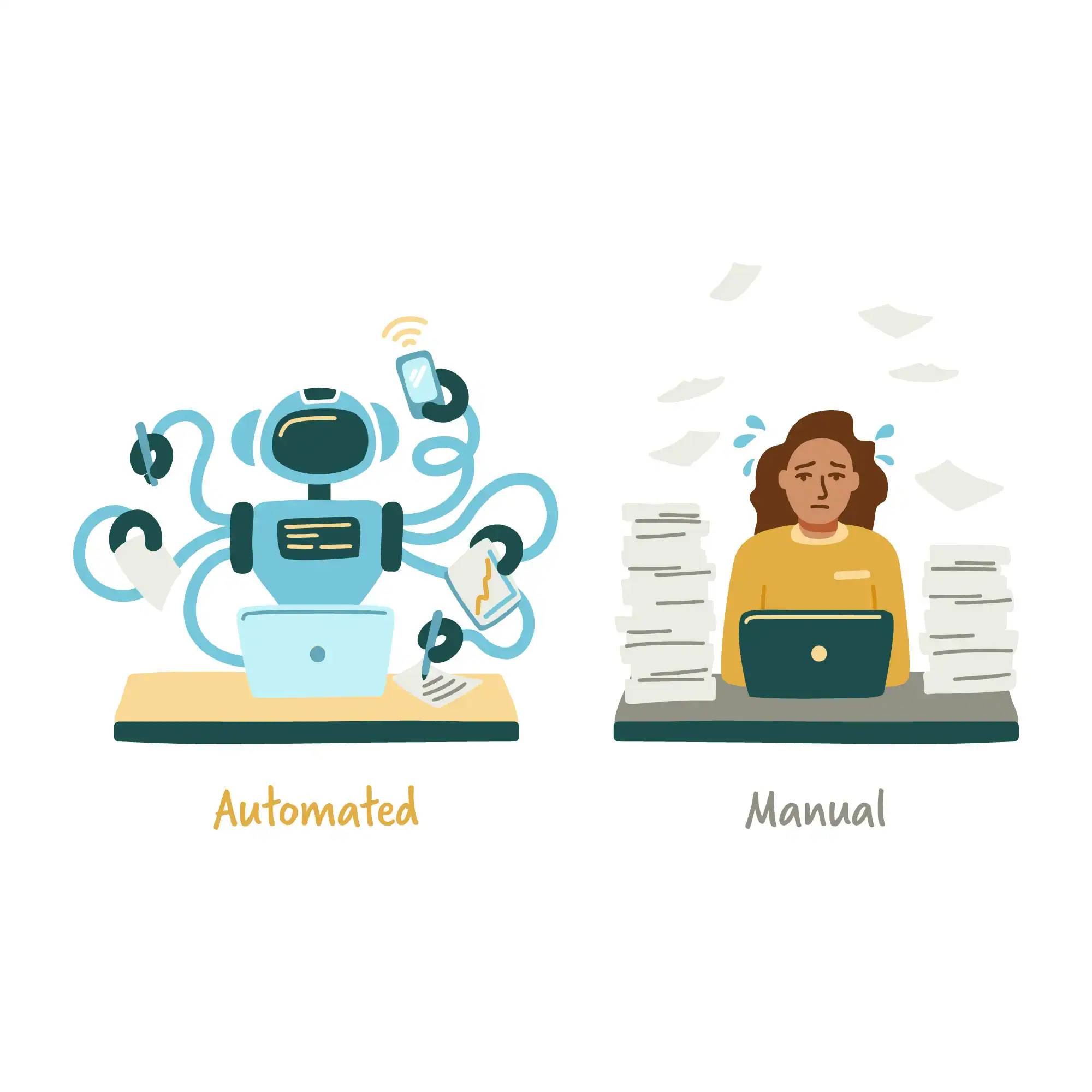
AI-assisted testing should not be framed as a competition between AI and engineers.
Manual engineering judgment remains necessary because performance testing involves decisions about workload design, thresholds, architecture, dependencies, and acceptable risk.
| Activity | Manual approach | AI-assisted approach |
| Workload design | Engineers define scenarios | AI can suggest scenarios from data |
| Test creation | Engineers write scripts | AI can generate initial scripts |
| Thresholds | Based on SLOs and requirements | AI can compare against historical behavior |
| Result analysis | Engineers inspect dashboards | AI can summarize anomalies |
| Regression analysis | Manual comparison | Automated comparison can prioritize changes |
| Bottleneck investigation | Engineers correlate signals | AI can surface likely relationships |
| Release decision | Engineering judgment | AI provides additional evidence |
The difference is workflow efficiency, not the removal of human responsibility.
Which Performance Metrics Should AI Analyze?
AI performance testing becomes more useful when it works with multiple signals rather than a single response-time metric.
1. Application Metrics
- response time
- p50, p95, and p99 latency
- throughput
- request rate
- error rate
- timeout rate
- transaction completion rate
2. Infrastructure Metrics
- CPU utilization
- memory utilization
- disk I/O
- network throughput
- container restarts
- pod utilization
- autoscaling events
3. Database Metrics
- query latency
- connection pool utilization
- lock contention
- transaction rate
- cache hit ratio
- CPU and memory utilization
4. Distributed-System Signals
- trace duration
- span latency
- service dependency latency
- queue depth
- retry rate
- downstream errors
For web applications, Core Web Vitals such as LCP, INP, and CLS can also provide user-experience context, but they should not be treated as substitutes for backend load-testing metrics. Google’s Core Web Vitals methodology specifically concerns real-world web user experience.
AI + Observability: From Anomaly to Root Cause
AI becomes more useful when performance-test data is connected to application observability.
Observability typically combines metrics, logs, and traces to provide visibility into system behavior. OpenTelemetry describes these signals as core sources of telemetry and explains how distributed traces follow requests across multiple services.
Consider a microservices application where p99 latency increases during a stress test.
A load-testing dashboard might show:
p99 latency: 1.2s → 3.8s
That identifies the symptom.
Observability data might reveal:
API gateway → order service → database
with the database span consuming most of the additional time.
AI can then help correlate:
high concurrency + connection pool saturation + database latency + checkout p99 increase
This produces a stronger investigation path than analyzing the load-test report alone.
The combination can be particularly useful for microservices, Kubernetes environments, serverless architectures, and systems with multiple external dependencies.
AI Performance Testing Tools: What They Actually Do
The term “AI performance testing tool” covers several different capabilities.
Some tools use AI to generate or modify test scripts. Others analyze test results. Some integrate performance data with broader observability platforms.
Current vendor capabilities vary, so teams should evaluate the actual workflow rather than choosing a tool simply because it includes an AI label.
| Tool/platform | Relevant AI-assisted capability |
| Gatling | AI-assisted test creation, simulation scaffolding, and test-result analysis |
| Tricentis NeoLoad | AI agent for analyzing performance-test results, with natural-language investigation and AI-generated reports |
| OpenText Performance Engineering | Performance Engineering Aviator for AI-assisted scripting and conversational performance analysis |
| BlazeMeter | AI-assisted performance-test scripting, correlation, analysis, and interpretation |
| Grafana k6 | Performance testing and automation; AI capabilities are primarily associated with the broader Grafana ecosystem rather than k6 itself |
For example, Gatling documents an OpenTelemetry integration that can send load-test metrics such as response times, throughput, and error rates into an OpenTelemetry environment, where they can be correlated with infrastructure and application metrics.
The evaluation criteria should therefore include:
- Does the platform generate tests, analyze results, or both?
- Can it use historical performance data?
- Can it integrate with existing observability systems?
- Can engineers inspect the evidence behind an AI recommendation?
- Does it support the application’s protocol and architecture?
- Can it run within the existing CI/CD workflow?
- How are false positives and false negatives handled?
How to Implement AI Performance Testing in CI/CD
AI performance testing works best when it is introduced into an existing performance engineering process rather than added as an isolated AI experiment.
Step 1: Define Performance Objectives
Start with measurable requirements.
For example:
- p95 API latency below 800 ms
- error rate below 1%
- throughput above 2,000 requests per second
- CPU below a defined saturation level
- checkout success rate above a defined threshold
The values should come from application requirements and service-level objectives.
Step 2: Instrument the Application
Collect the telemetry needed to explain performance behavior.
This may include:
- application metrics
- infrastructure metrics
- structured logs
- distributed traces
- database telemetry
- deployment metadata
Without sufficient telemetry, AI may identify that something changed without having enough evidence to explain why.
Step 3: Establish Historical Baselines
Store performance results from previous releases.
Useful dimensions include:
- application version
- environment
- workload
- concurrency
- duration
- infrastructure configuration
- dependency versions
Historical context is especially valuable for regression detection.
Step 4: Add AI-Assisted Analysis
Introduce AI where it addresses a measurable bottleneck.
Examples include:
- automated result comparison
- anomaly detection
- regression summarization
- test scenario generation
- capacity forecasting
- probable bottleneck identification
Step 5: Validate Predictions
Every high-impact AI finding should be validated.
If the model predicts database saturation at 6,000 concurrent users, run a controlled test around that region.
The objective is to determine whether the predicted risk is reproducible.
Step 6: Add Performance Gates
The CI/CD pipeline can block or flag a build when defined performance conditions are violated.
AI can provide additional context, but release gates should remain tied to explicit engineering requirements.
For teams integrating testing deeply into deployment workflows, DevOps software development services can include CI/CD and automated validation as part of the broader delivery process.
When AI Cannot Reliably Predict a Performance Failure
AI performance testing has limitations.
A model cannot reliably predict a failure when the underlying data is poor, incomplete, or fundamentally different from the future scenario.
Common examples include:
1. No Historical Data
A new application with no meaningful performance history gives a predictive model little evidence to learn from.
2. Major Architecture Changes
A model trained on a monolithic application may not accurately forecast behavior after a major migration to microservices.
3. New Traffic Patterns
A workload that has never occurred before may fall outside the model’s learned distribution.
4. Poor Instrumentation
If the system does not expose useful telemetry, AI cannot reconstruct information that was never collected.
5. Correlation Without Causation
Two metrics can change at the same time without one causing the other to change.
6. Changing Infrastructure
Cloud instance types, database configurations, network architecture, autoscaling policies, and caching strategies can all change system behavior.
AI therefore works best as an evidence-generation and prioritization layer, not as an unquestionable release oracle.
Common AI Performance Testing Mistakes

These mistakes can affect everything from workload modeling and metric analysis to release decisions.
1. Treating AI Predictions as Facts
A prediction is a signal that needs validation. AI may identify a potential performance risk, but engineers should reproduce the condition with controlled testing before treating it as a confirmed failure.
2. Training on Too Little Data
A single performance test rarely provides enough history for reliable trend analysis. Models need sufficient historical data across workloads, releases, environments, and system conditions to distinguish normal variation from meaningful changes.
3. Ignoring Workload Quality
A highly accurate model trained on an unrealistic workload can still produce misleading conclusions. If the test does not represent real user journeys, traffic patterns, concurrency, or dependencies, AI analysis will be limited by the quality of its input.
4. Measuring Only Average Latency
Average latency can hide tail behavior. Percentiles such as p95 and p99 are often more useful for identifying degradation affecting slower requests, particularly when a small percentage of slow transactions can still affect critical user journeys.
5. Separating Load Testing From Observability
A performance test tells you what happened under controlled load. Observability helps explain what happened inside the system. Keeping these data sources separate limits the context available for anomaly detection and bottleneck investigation.
6. Automating Release Decisions Too Early
AI-generated recommendations should first be validated against known performance outcomes before being allowed to influence release gates. Automation should follow demonstrated accuracy, not precede it.
How to Measure AI Performance Testing Effectiveness
Adding AI does not automatically improve a performance engineering program.
Measure whether it improves the workflow.
Useful indicators include:
- time required to analyze a test run
- number of performance regressions detected before production
- false-positive rate
- false-negative rate
- time required to identify bottlenecks
- percentage of relevant anomalies surfaced
- test creation time
- percentage of generated scenarios requiring manual correction
- prediction accuracy for capacity thresholds
- time from test completion to actionable diagnosis
For example, if an AI analysis layer reduces result-analysis time but consistently produces irrelevant alerts, the workflow may not have improved.
The objective should be measurable engineering value.
Where Custom Machine Learning Fits Into Performance Testing
Off-the-shelf AI tools are not always sufficient for applications with specialized workloads or proprietary performance data.
A custom model may make sense when an organization has:
- large historical performance datasets
- complex microservice dependencies
- highly specialized workloads
- strict data-residency requirements
- proprietary failure patterns
- unusual capacity-planning requirements
- internal observability platforms
- domain-specific performance indicators
A custom system could combine load-test results, application telemetry, deployment metadata, infrastructure metrics, and incident history to estimate performance risk for a particular architecture.
This is where custom machine learning solutions can be considered instead of forcing a generic AI platform onto a specialized performance problem.
The model should still be evaluated against real historical outcomes. Accuracy on a training dataset does not automatically mean accurate predictions in production.
When Do You Need Performance Testing Services?
Not every application requires a custom AI performance-testing platform.
For many teams, the bigger issue is building a reliable performance engineering workflow in the first place.
A typical engagement may include:
- Workload modeling
- Load testing
- Stress testing
- Spike testing
- Endurance testing
- API performance testing
- Database performance analysis
- Cloud scalability testing
- Bottleneck identification
- CI/CD integration
- Observability integration
- Regression analysis
Cubix’s software testing services include performance testing under real-world traffic and stress conditions, with technologies such as JMeter, LoadRunner, and k6 included in its performance and API testing stack.
The AI layer can then be added where it solves a specific analysis, forecasting, or test-generation problem.
Practical Example: Predicting a Checkout Performance Failure
Consider an e-commerce application preparing for a major promotional campaign.
The baseline test shows:
- 3,000 concurrent users
- p95 checkout latency: 850 ms
- Error rate: 0.4%
- Database CPU: 65%
A second test increases concurrency to 4,500 users.
The AI analysis identifies:
- p95 latency increasing to 1.4 seconds
- p99 latency increasing disproportionately
- Database CPU approaching saturation
- Connection pool utilization increasing
- Checkout requests spending more time inside database spans
The system flags the checkout workflow as a performance-risk area.
The engineering team then runs targeted tests around database connection limits and query behavior.
The resulting investigation could identify an inefficient query or connection-pool configuration.
Notice what happened:
Load test → anomaly detection → telemetry correlation → engineering hypothesis → targeted validation
AI did not “predict the future” by itself. It helped engineers identify a developing performance risk before the application encountered the same condition under production traffic.
AI Performance Testing for Modern Architectures
Modern applications distribute workloads across services, cloud infrastructure, databases, APIs, and increasingly AI models. As these dependencies grow, performance problems can originate in one component while appearing somewhere else. AI-assisted analysis can help connect these signals and identify how architectural behavior affects overall performance.
1. Microservices
Microservices create more possible sources of latency because a single transaction can cross multiple services.
AI-assisted analysis can help correlate latency changes across service boundaries, particularly when distributed tracing is available.
2. Cloud-Native Applications
Elastic infrastructure introduces another variable.
The application may scale horizontally, but scaling itself takes time. A sudden traffic spike can therefore produce a temporary performance drop before additional instances become available.
Performance testing should evaluate both the application’s steady-state capacity and the behavior during scaling transitions.
3. AI and Machine Learning Applications
AI applications introduce additional performance dimensions.
Depending on the architecture, teams may need to monitor:
- time to first token
- total response latency
- tokens generated per second
- concurrent inference requests
- GPU utilization
- memory utilization
- model-serving queue depth
- inference error rate
- request cost
These workloads can also involve streaming responses, long-running requests, and stateful interactions that require different load models from conventional CRUD applications.
The Future of AI Performance Engineering
The direction of AI performance engineering is not simply more automated load tests.
The larger shift is toward connecting three layers:
Controlled workload → system telemetry → predictive analysis
The load generator creates a reproducible condition.
Observability captures what the system does internally.
AI analyzes the resulting data and historical patterns to identify anomalies, regressions, and potential capacity risks.
This combination can support more proactive performance engineering because teams can investigate warning signals before they become production incidents.
But the engineering fundamentals remain unchanged:
- define realistic workloads
- establish measurable performance objectives
- instrument the application
- test critical user journeys
- validate under expected and extreme conditions
- investigate bottlenecks
- compare releases against baselines
- verify predictions with controlled experiments
AI makes parts of this workflow faster and more data-driven. It does not eliminate the need for sound test design.
Conclusion
AI performance testing is most valuable when it extends conventional performance engineering rather than trying to replace it.
Load testing provides the controlled workload. Machine learning can analyze historical behavior, identify anomalies, detect regressions, and support capacity forecasting. Generative AI can accelerate test creation and result interpretation. Observability adds the metrics, logs, and traces needed to investigate what happens inside distributed systems.
The result is a more proactive testing workflow:
Model realistic load → execute controlled tests → collect telemetry → detect anomalies → investigate likely causes → validate predictions → enforce performance requirements
For organizations dealing with complex applications, high traffic volumes, microservices, cloud infrastructure, or rapidly changing releases, this approach can help move performance testing closer to continuous performance engineering.
Want to discuss your project? Our experts are just a click away.
Contact UsFAQs
1. What is AI performance testing?
AI performance testing uses artificial intelligence and machine learning to assist tasks such as workload modeling, anomaly detection, regression analysis, test generation, result analysis, and capacity forecasting.
2. Can AI replace performance testing?
No. AI works alongside conventional load, stress, spike, and endurance testing. Engineers still need to define workloads, performance requirements, thresholds, and validation methods.
3. How does AI predict performance failures?
AI can analyze historical performance results and telemetry to identify anomalies, detect trends, estimate capacity risks, and highlight behavior that differs from established baselines.
4. What data does AI need for performance testing?
Useful data includes response times, throughput, error rates, resource utilization, logs, distributed traces, database metrics, workload patterns, deployment information, and historical test results.
5. What are AI performance testing tools used for?
Depending on the platform, AI can assist with test-script generation, workload modeling, result summarization, anomaly detection, regression analysis, bottleneck investigation, and capacity forecasting.
6. Is generative AI useful in performance testing?
Yes. Generative AI can help create initial test scripts, scenarios, queries, summaries, and investigation prompts. Generated output still needs technical review and validation.
7. What is predictive failure analysis?
Predictive failure analysis uses historical and current system data to identify patterns associated with performance degradation and estimate where future capacity or reliability risks may occur.
8. Can AI identify the root cause of a performance problem?
AI can help correlate metrics, logs, traces, and test results to surface likely causes. It does not guarantee root-cause identification, so engineers should validate the hypothesis through targeted tests.
9. When should a company use performance testing services?
Performance testing services can be useful when an application has complex workloads, distributed architecture, large traffic volumes, strict performance requirements, or limited internal performance-engineering resources.
10. How can AI performance testing fit into CI/CD?
AI can analyze performance results between builds, identify regressions, summarize anomalies, and provide additional evidence for performance gates. Release criteria should remain based on explicit engineering requirements.