Key Takeaways
- Build an MVP in less than a month by locking scope before development starts, not during it.
- Validate the idea first. A few days of real user interviews beats weeks spent building the wrong thing.
- No-code and low-code tools now power most fast builds. Gartner projects 70% of new apps will run on these platforms by 2026.
- Success means clear evidence, not zero bugs. Track activation, retention, and conversion against your original hypothesis.
- Launch is the midpoint, not the finish line. The real decisions, iterate, pivot, or scale, come from what you do with feedback after.
You don’t need a year and a seven-figure budget to test a product idea. You need a working version people can actually use, and you need it fast. This guide shows you how to build an MVP in less than a month, step by step, with the tools, team structure, and shortcuts that make it possible. Speed matters here: McKinsey found that new businesses now reach meaningful revenue milestones in about 31 months on average, down from 38 months in 2023, largely because teams are compressing the early build-and-test cycle. That compression starts with your MVP.
A minimum viable product is the smallest version of your product that solves one real problem for one specific group of users. It is not a demo. It is not a prototype. It’s a working product, stripped down to only the features needed to test your core assumption.
This article covers what an MVP is, how to plan and build one in 30 days, how to measure whether it’s working, what it costs, and the mistakes that push timelines past the one-month mark.
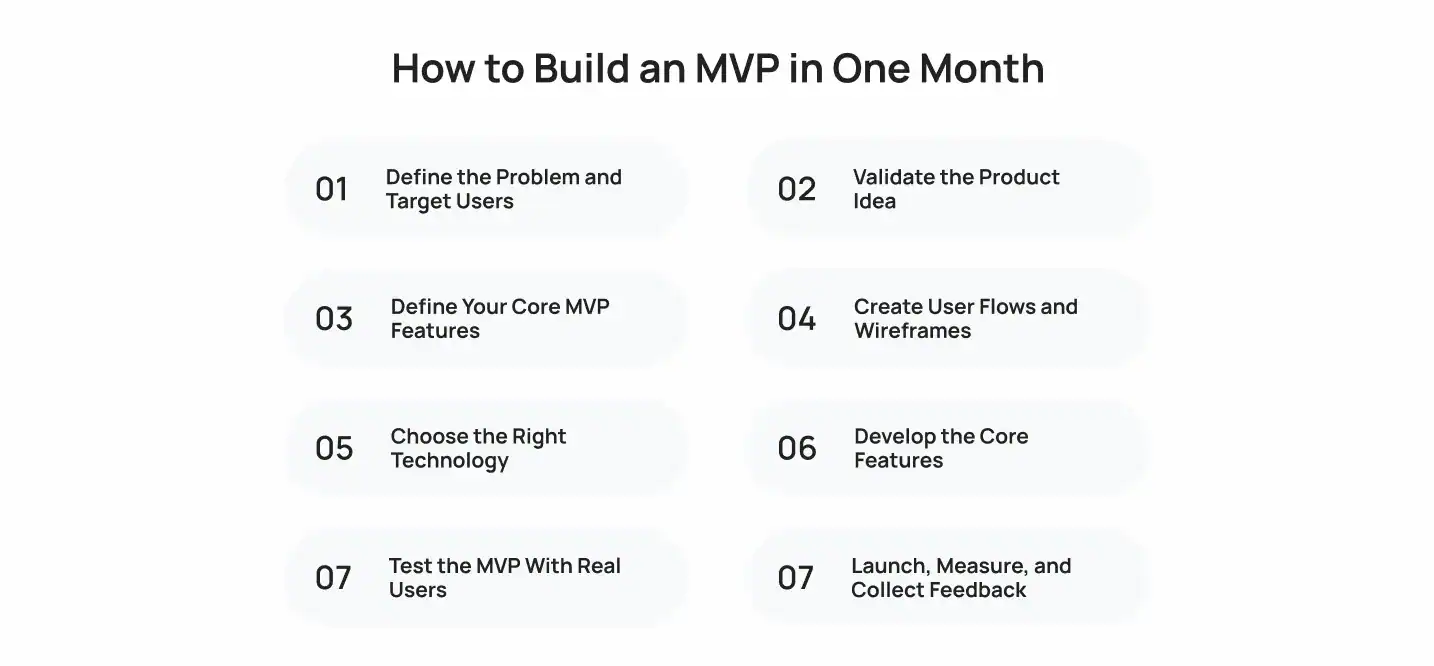
How to Build an MVP in One Month
Building an MVP fast is not about cutting corners. It’s about cutting scope. MVP development in 30 days works when you remove every decision that doesn’t need to happen yet and focus the entire team on one core user flow.
Here’s the rough time split for a one-month build:
| Phase | Time Allocation | Focus |
|---|---|---|
| Problem definition and validation | 3-4 days | Confirm the problem is real and worth solving |
| Feature scoping and design | 4-5 days | Lock the feature list, map user flows, wireframe |
| Development | 12-15 days | Build the core features only |
| Testing and feedback | 3-4 days | Real users test the working product |
| Launch and measurement | 2-3 days | Ship, track, and set up feedback loops |
That’s how teams develop an MVP in 30 days: tight phases, hard deadlines, and no scope creep between them. Below is the step-by-step process.
Step 1: Define the Problem and Target Users
Start with a one-sentence problem statement. If you can’t write it in one sentence, the problem is still too vague to build against.
Be specific about who has the problem. “Small business owners” is not specific. “Independent contractors who invoice more than 10 clients a month and lose track of unpaid invoices” is specific enough to design for.
Questions to answer before moving forward:
- What exact problem are you solving?
- Who experiences this problem most often, and how painfully?
- What are they doing today instead of using your product?
- Why is now the right time to solve it?
This step should take no more than a day or two. Spending longer here delays the parts of the process that actually generate evidence.
Step 2: Validate the Product Idea
Idea validation happens before you write a single line of code. Talk to 10 to 15 potential users. Ask about their current workaround, not their opinion of your idea. People are polite about concepts and honest about their own frustrations.
Cheap validation methods that work inside a 30-day timeline:
- Landing page with a clear value proposition and a signup or waitlist form
- Short survey sent to a relevant community or existing audience
- Manual “concierge” version where you deliver the value by hand to a handful of users
- Direct customer interviews, recorded and reviewed for patterns
Market validation at this stage isn’t about proving the whole market wants it. It’s about proving a small group wants it badly enough to sign up, pay, or commit time. If you can’t find that small group in a few days, that’s a signal worth taking seriously before you build anything. For a deeper breakdown of validation frameworks, see this step-by-step guide to planning a minimum viable product.
Step 3: Define Your Core MVP Features
This is where most MVP timelines fail before they start. Founders try to include every feature they imagine the full product needing. Cut that list down hard.
Use the MoSCoW method to sort features:
- Must have – the product doesn’t work without it
- Should have – valuable, but not required for the first version
- Could have – nice, but easily deferred
- Won’t have (for now) – explicitly out of scope for this build
Only “must have” features make it into the one-month build. Everything else goes into a backlog for after launch.
A simple test: if removing a feature stops users from completing the core action your MVP is built around, it stays. If it doesn’t, it goes.
Step 4: Create User Flows and Wireframes
Map the single path a user takes from landing on your product to experiencing its core value. Keep this to one primary flow. Secondary flows can wait.
Low-fidelity wireframes are enough. You’re not designing a polished interface yet, you’re confirming that the flow makes sense and that every screen has a clear purpose.
Deliverables to produce in this step:
- One core user flow diagram
- Wireframes for each screen in that flow
- A short list of required screens, ranked by build priority
This phase typically takes three to five days for a focused MVP scope. Rushing past it usually costs more time later, once developers hit ambiguous requirements mid-build.
Step 5: Choose the Right Technology
Technology choice should serve the deadline, not your long-term architecture preferences. For a one-month build, prioritize frameworks and platforms your team already knows well.
| Approach | Best For | Typical Build Speed |
|---|---|---|
| No-code platforms (Bubble, Adalo, Glide) | Simple workflows, form-based apps, early validation | Days to 1-2 weeks |
| Low-code platforms | Slightly more complex logic, internal tools, workflow apps | 1-2 weeks |
| Cross-platform frameworks (Flutter, React Native) | Mobile MVPs needing native feel on iOS and Android | 2-4 weeks |
| Custom code (native or full-stack) | Complex logic, heavy integrations, unique technical requirements | 3-6+ weeks |
Gartner projects that by 2026, 70% of new applications built by enterprises will use low-code or no-code technologies, up from less than 25% in 2023, and this shift is a direct result of teams needing to move faster without inflating headcount. For most MVPs testing a single core workflow, no-code or low-code gets you to a testable product faster than custom development, and that speed is the entire point of this exercise.
Step 6: Develop the Core Features
Development should move in short, daily cycles. Assign clear ownership per feature, and review progress every day rather than at the end of the week. A 30-day build has no room for surprises discovered late.
Best practices for this phase:
- Build the core user flow end-to-end before polishing any single screen
- Use existing libraries, templates, and pre-built components wherever possible
- Avoid building your own authentication, payments, or notification systems, use established services instead
- Keep a shared backlog so new ideas get captured without derailing the current sprint
Twelve to fifteen days is a realistic window for a small, focused team to build the core features of a lean MVP, assuming the scope was properly cut in Step
Step 7: Test the MVP With Real Users
Internal QA catches bugs. Real user testing catches wrong assumptions. Both matter, but only one of them tells you whether the product solves the problem.
Recruit five to ten users from your early adopters group, ideally the same people who took part in your validation interviews. Watch them use the product live if you can. Where they hesitate, get confused, or drop off tells you more than any survey answer.
What to track during this phase:
- Where users get stuck in the core flow
- Whether they complete the core action without help
- Direct quotes about what confused or delighted them
- Whether they’d use the product again without prompting
Keep this phase to three or four days. It’s meant to catch major issues, not replace ongoing product research after launch.
Step 8: Launch, Measure, and Collect Feedback
Launch to a small, targeted audience first, not the widest possible one. A soft launch to your validated user group gives you cleaner data than a broad public release.
Before launch day, confirm you have:
- Analytics tracking set up for your core user action
- A feedback channel users can reach easily (in-app form, email, chat widget)
- A clear owner for reviewing incoming feedback daily
Once live, treat the first two weeks as an extension of your testing phase. You’re still learning. The launch is a milestone inside the process, not the end of it. Reviewing a product roadmap for mobile apps at this stage helps you plan what comes after the initial data starts rolling in.
What to Do After Launching Your MVP
After launching your minimum viable product (MVP), the most important step is to measure real user behavior and collect honest feedback before building new features.
Analyze User Feedback and Product Data
Combine your quantitative metrics with qualitative feedback into one view. Look for patterns that show up in both: a feature users skip in the data and complain about in interviews is a strong signal, not a coincidence.
Set a recurring weekly review of this combined data for at least the first month post-launch. Waiting longer than that risks losing context on why users behaved the way they did.
Decide Whether to Iterate or Pivot
Iteration means refining what you have because the core hypothesis held up. Pivot means changing direction because it didn’t.
| Signal | Likely Path |
|---|---|
| Strong activation, weak retention | Iterate on onboarding and core value delivery |
| Weak activation across the board | Pivot on the core feature or problem statement |
| Strong usage from a narrow segment | Iterate by narrowing your target audience |
| No segment shows strong usage | Pivot on the target market entirely |
Prioritize the Next Features
Use the same MoSCoW filter from Step 3, but now with real usage data instead of guesses. Features that support your strongest usage patterns move up. Features nobody touched move down or off the list entirely.
the urge to build everything users mentioned. Prioritize based on frequency and impact, not the loudest single request.
Scale the MVP Into a Full Product
Scaling means expanding the architecture, adding supporting features, and preparing for a larger user base, not simply adding more screens. This is the point where technical debt from the fast build needs addressing, especially if you used no-code tools for speed and now need custom infrastructure for growth.
Revisit your original tech stack decision from Step 5. What got you to launch in 30 days may not be what carries you through the next 12 months.
Build an MVP in Less Than a Month With Cubix
Building an MVP fast still requires the right team, the right technical decisions, and a process built for speed without sacrificing usability. That combination is hard to pull off alone, especially on a 30-day clock.
Cubix works with founders and product teams to scope, build, and launch MVPs that get real user feedback fast, without the wasted development time that comes from unclear priorities or the wrong tech stack. Our MVP development services help you turn your idea into a working product without unnecessary development time, unclear priorities, or the wrong technology choices.
Frequently Asked Questions
1. Can you develop an MVP in less than a month?
Yes. A tightly scoped MVP with a single core feature set, built using a familiar tech stack or no-code tools, can realistically go from idea to launch in three to four weeks. The key is aggressive scope-cutting before development starts, not during it.
2. How long does it take to build an MVP?
Most MVPs take anywhere from two weeks to three months. A simple, single-feature MVP built with no-code tools can launch in one to two weeks. A more complex MVP with custom development and multiple integrations typically takes six to twelve weeks.
3. How much does it cost to build an MVP?
MVP development can cost around $1,000–$150,000+, depending on the development approach, features, integrations, design, and team structure.
4. What features should an MVP have?
An MVP should include only the features required to deliver its core value and test its central hypothesis. Use the MoSCoW method to separate “must have” features from everything else, and defer nonessential features to a post-launch backlog.
5. Can I build an MVP without coding?
Yes. No-code platforms like Bubble, Adalo, and Glide let you build functional MVPs for form-based apps, workflow tools, and simple marketplaces without writing custom code.
6. Is Flutter good for MVP development?
Flutter works well for MVPs that need a native mobile feel on both iOS and Android from a single codebase. It speeds up cross-platform development compared to building two separate native apps, making it a solid choice when your MVP needs to be mobile-first from day one.
7. What is the difference between an MVP and a prototype?
A prototype is a visual or clickable representation of an idea, used mainly for internal review or investor pitches. An MVP is a fully functional product used by real users to test a business hypothesis.
8. What should I do after launching an MVP?
Track your core metrics closely for the first few weeks, collect user feedback, track key performance metrics, and use the findings to prioritize improvements and future features.