Key Takeaways
- Catches Hidden UI Bugs: Flags layout shifts, text clipping, and misaligned components that pass standard functional tests.
- Reduces False Positives: AI uses computer vision and perceptual checks to ignore dynamic noise like timestamps or rotating banners.
- Requires Deterministic Setup: Consistent environments, frozen animations, and fixed test data are crucial to avoid false flags.
- Integrates with CI/CD: Runs automated screenshot checks on pull requests to catch cross-browser and responsive breaks early.
- Requires Human Approval: AI highlights visual diffs, but team members still need to approve intentional design updates.
A web application can pass every functional test and still look broken.
A button can shift below the fold. A CSS change can push a form field out of alignment. A new font can wrap a heading onto three lines. A responsive breakpoint can work correctly on desktop but break navigation on mobile.
These are visual regressions. They affect what users see, yet traditional functional tests may never flag them.
AI visual regression testing adds another layer of quality assurance by comparing a rendered interface with an approved baseline and using image analysis, computer vision, machine learning, or other AI techniques to determine whether a visual change is meaningful.
The goal is not simply to ask, “Did the pixels change?” It is to ask:
Did the interface change in a way that users or the business should care about?
Want to discuss your project? Our experts are just a click away.
Contact UsWhat Is AI Visual Regression Testing?
AI visual regression testing is an automated software testing approach that captures screenshots of a web or mobile interface and compares them with previously approved versions to identify unintended visual changes.
Traditional visual regression testing may rely heavily on pixel-level image diffing. AI-powered approaches can add another layer of analysis by recognizing UI elements, filtering rendering noise, identifying dynamic content, and prioritizing differences that are more likely to represent genuine defects.
For example, imagine a checkout page where a CSS update causes the checkout button to move 30 pixels lower. At the same time, a timestamp changes and a promotional banner rotates. A basic screenshot comparison may flag all three differences. A more sophisticated visual testing system can be configured to distinguish meaningful UI changes from expected variation.
That distinction is what makes AI-powered UI testing useful at scale.
How Does AI Visual Regression Testing Work?
The workflow is straightforward. The challenge is making the screenshots consistent enough that the comparison means something.
1. Render the application in a controlled state
The test opens a specific page or user flow.
For example:
- Open the login page.
- Enter test credentials.
- Navigate to the dashboard.
- Open the billing section.
- Capture the dashboard at a defined viewport.
The more deterministic this state is, the more meaningful the comparison becomes.
If the screenshot contains a random advertisement, changing timestamp, rotating banner, or personalized recommendation, the test may detect differences that have nothing to do with a software defect.
2. Capture an approved baseline
The first accepted screenshot becomes the visual baseline.
A baseline represents how the interface is expected to look under a defined set of conditions, including:
- Browser
- Operating system
- Viewport
- Device
- Application state
- Test data
- Locale
The baseline should be treated as a versioned testing artifact, not simply an old screenshot.
3. Capture the new rendering
After a code change, the same test runs again.
The application is rendered under the same or intentionally different conditions, and a new screenshot is captured.
Playwright, for example, supports screenshot assertions through toHaveScreenshot(). Its documentation also notes that rendering can vary with the operating system, browser version, settings, hardware, and other environmental factors, which is why consistent test environments matter.
4. Compare the baseline and current screenshot
The testing system compares the two images and produces a visual diff.
Depending on the implementation, comparison can involve:
- Pixel-level image diffing
- Perceptual comparison
- DOM or element information
- Computer vision
- Machine learning
- AI-based visual analysis
A basic pixel comparison asks whether pixels changed. A more sophisticated system attempts to determine whether the change represents a meaningful UI regression.
5. Filter expected visual changes
This is one of the most important parts of visual test automation.
Dynamic elements such as timestamps, rotating content, animations, personalized data, and third-party widgets can create noise.
For example, Playwright can disable animations during screenshot assertions and wait for the page to reach a stable visual state before comparing it.
Other implementations can use masking, deterministic test data, region-specific rules, or environment controls to reduce irrelevant differences.
6. Review and classify the difference
The final step is deciding what the visual difference means.
Intentional change: A redesigned button, updated brand color, or approved layout change.
Expected variation: A timestamp, animation frame, or dynamic recommendation.
Visual regression: A broken layout, missing component, incorrect spacing, clipped text, or unexpected styling change.
This is where human-in-the-loop validation remains important. AI can reduce review noise, but teams still need a controlled process for approving intentional UI changes.
What UI Bugs Can Visual Regression Testing Detect?
Visual testing is particularly effective when the problem exists in the rendered interface rather than application logic.
1. Layout and spacing regressions
A small CSS change can alter:
- Margins
- Padding
- Grid alignment
- Flex positioning
- Element dimensions
- Component spacing
- Content hierarchy
A page may remain technically functional while becoming visibly harder to use.
2. Typography problems
Changing a font, font weight, line height, or container width can cause:
- Text wrapping
- Heading overflow
- Clipped labels
- Unexpected line breaks
- Misaligned buttons
- Increased page height
These defects are especially easy to miss when testing only a few fixed content values.
3. Responsive layout failures
A component can look correct at 1440 pixels and fail at 768 or 375 pixels.
A navigation bar might push menu items outside the viewport, overlap a logo, hide a CTA, or create horizontal scrolling.
Responsive visual testing makes these failures observable across defined viewport sizes. W3C’s accessibility guidance also emphasizes that content should remain usable as layouts adapt to smaller viewports and changing text sizes.
4. Missing or incorrectly styled components
Visual regression tests can also expose:
- Missing icons
- Broken images
- Incorrect colors
- Incorrect borders
- Wrong button states
- Hidden elements
- Unexpected overlays
The key advantage is that the test evaluates the rendered result rather than relying exclusively on individual DOM assertions.
Pixel Diffing vs AI-Powered Visual Comparison
Not every visual regression test needs AI.
A simple pixel comparison can be highly effective when the rendering environment is controlled, and the interface is relatively deterministic.
| Approach | Best for | Main limitation |
| Pixel-level comparison | Stable interfaces and deterministic screenshots | Sensitive to small rendering differences |
| DOM comparison | Detecting structural markup changes | Does not necessarily represent what users see |
| Perceptual comparison | Reducing sensitivity to minor pixel variations | Still requires careful thresholds |
| AI/visual AI comparison | Complex interfaces and large-scale visual testing | Requires appropriate configuration and review |
For example, screenshot comparison frameworks can allow teams to define acceptable pixel differences rather than treating every changed pixel as a failure. Playwright supports controls such as maxDiffPixels, maxDiffPixelRatio, and threshold for this purpose.
AI-powered systems can take this further by analyzing visual elements and contextual relationships rather than treating every changed pixel as equally important.
That does not make AI a replacement for baseline management. It makes the comparison layer more intelligent.
Why Do Visual Regression Tests Produce False Positives?
False positives are one of the biggest practical challenges in automated visual testing.
Consider a dashboard containing:
- Current date and time
- User-specific data
- Stock prices
- Rotating promotional content
- Animated charts
- Randomized avatars
If the test captures the page twice, the screenshots may differ even when the application has no defect.
The solution is not simply to make the comparison less sensitive. Instead, teams should make the test state more deterministic.
1. Control Dynamic Data
Use fixed test data whenever possible.
A checkout test, for example, should not pull a live product price that changes between runs.
2. Freeze Animations
Animations can produce different screenshots depending on when the capture occurs.
Modern visual testing frameworks can disable or stabilize animations before taking screenshots. This is especially useful for interfaces containing transitions, loading effects, carousels, or animated components.
3. Mask Genuinely Irrelevant Regions
If a timestamp has no testing value, masking that region can prevent unnecessary failures.
The important point is to avoid masking too aggressively. If half the page is ignored simply to keep tests green, the visual test loses much of its value.
4. Standardize The Rendering Environment
Browser versions, operating systems, fonts, viewport dimensions, device pixel ratios, and other rendering conditions can influence screenshots.
A consistent environment makes the baseline more reliable.
5. Review Baseline Changes Intentionally
A new baseline should not automatically become the new truth.
When a visual change is introduced intentionally, someone should verify it before approving the updated reference.
Teams implementing broader AI software testing can also combine these visual checks with other automated QA techniques. Cubix’s guide to AI in QA testing covers the broader role of AI in software testing, while visual regression testing focuses specifically on what the interface renders.
Visual Regression Testing Examples
The easiest way to understand visual regression testing is to look at realistic scenarios.
Example 1: A Checkout Page Breaks After a CSS Refactor
A development team changes a shared CSS utility.
Functional tests still confirm that:
- Products can be added to the cart.
- Shipping information can be submitted.
- Payment validation works.
- Orders can be created.
But the change also causes the checkout summary to overlap the payment button on smaller screens.
A visual test captures the checkout state at a mobile viewport and flags the unexpected layout change before release.
Example 2: A Shared Component Changes Across the Product
A design team updates a shared button component.
The change looks correct on the page where it was developed, but the component is also used inside:
- Account settings
- Checkout
- Admin dashboards
- Subscription management
- Onboarding flows
A component-level visual test can identify the changed states before the component’s new styling propagates across dozens of screens.
Playwright’s component testing documentation demonstrates this approach by mounting individual component states and applying screenshot comparisons to them.
Example 3: A Browser-Specific Rendering Issue
A page looks correct in Chrome, but a font or positioning rule behaves differently in Safari.
A functional test may pass in both browsers because the underlying interaction still works.
Cross-browser visual testing can expose the difference by rendering the same workflow across the browsers that matter to the product’s users.
How to Do Visual Regression Testing With a Playwright?
For teams already using Playwright, adding visual checks can be relatively straightforward.
A basic page-level test looks like this:
import { test, expect } from ‘@playwright/test’;
test(‘checkout page matches baseline’, async ({ page }) => {
await page.goto(‘/checkout’);
await expect(page).toHaveScreenshot(‘checkout.png’);
});
The first accepted run establishes the screenshot baseline. Future runs compare the new rendering against that reference.
Playwright also supports screenshot assertions against individual locators, which can be useful when you want to test a specific component rather than an entire page.
A practical implementation usually follows this sequence:
- Choose critical pages or user flows.
- Stabilize test data.
- Define viewport and browser conditions.
- Capture the initial baseline.
- Run the test during development or CI.
- Review visual diffs.
- Approve intentional changes.
- Investigate unexpected differences.
- Update baselines only after validation.
This is automated visual testing, but the automation works best when the surrounding test conditions are deliberate.
How Visual Regression Testing Fits Into CI/CD?
Visual tests become significantly more useful when they run as part of the existing development workflow rather than as a separate manual QA exercise.
A typical CI/CD pipeline might look like this:
Pull request → Build → Test environment → Seed test data → Functional tests → Visual test capture → Screenshot comparison → Review diff → Approve or reject → Merge
This means a developer changing a CSS component can receive visual feedback during the same pull request where the code change occurs.
That is particularly valuable for large applications because the number of affected screens can grow much faster than the number of developers available to manually inspect them.
Teams that need broader AI software development services can also connect visual checks with automated QA, application development, and other AI-assisted engineering workflows rather than treating visual testing as an isolated activity.
Cross-Browser and Responsive Visual Testing
A screenshot is only meaningful when you know the conditions under which it was captured.
Testing a responsive web application at one desktop width does not tell you how it behaves at other breakpoints.
A practical viewport matrix might include:
| Screen category | Example viewport | What to validate |
| Mobile | 375px | Navigation, stacking, text wrapping |
| Mobile landscape | 667px | Horizontal layout behavior |
| Tablet | 768px | Grid and component transitions |
| Desktop | 1280px | Full navigation and content structure |
| Large desktop | 1440px+ | Maximum-width and spacing behavior |
The exact breakpoints should come from the application’s design system and actual user traffic rather than an arbitrary checklist.
This is especially important for visual testing for web applications because the same component can behave differently across browser engines, viewport widths, and rendering environments.
W3C’s guidance on responsive design similarly emphasizes designing interfaces that adapt to different viewport sizes while preserving usability and access to information.
Visual Regression Testing Best Practices
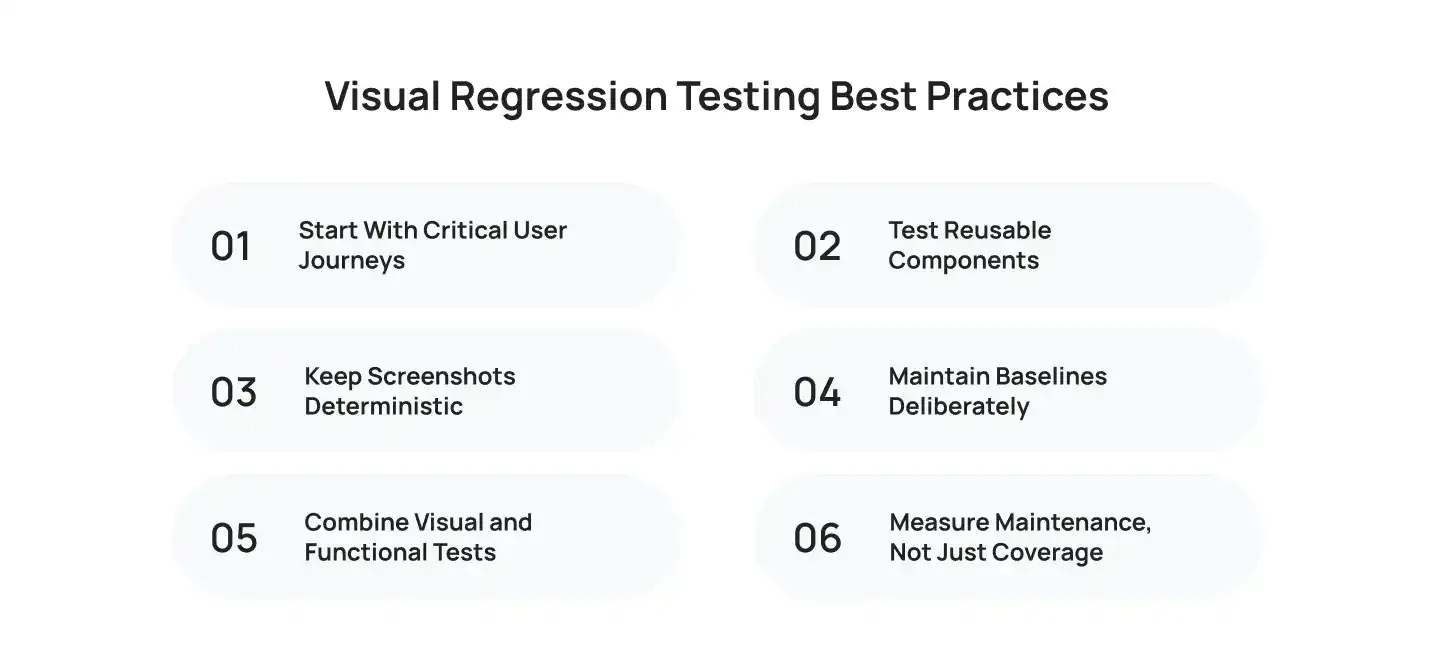
Good visual test automation is less about taking the maximum number of screenshots and more about choosing the right ones.
1. Start With Critical User Journeys
Prioritize flows such as:
- Login
- Checkout
- Registration
- Subscription management
- Core dashboards
- High-traffic landing pages
These screens have greater business impact than rarely used internal pages.
2. Test Reusable Components
A shared navigation bar, modal, form, button, or card can affect dozens of screens.
Testing these components directly can catch regressions earlier than waiting for a full end-to-end flow.
3. Keep Screenshots Deterministic
Control:
- Test data
- Authentication state
- Fonts
- Browser versions
- Viewports
- Animations
- Third-party content
- Randomized values
The cleaner the input, the more useful the output.
4. Maintain Baselines Deliberately
Do not automatically approve every failed comparison.
Baseline management is part of the testing process. An intentional redesign should result in an approved baseline update; an unexplained change should result in an investigation.
5. Combine Visual and Functional Tests
Visual testing does not replace functional testing.
A functional test answers:
Does the application behave correctly?
A visual test answers:
Does the rendered interface still look correct?
You need both for meaningful UI quality assurance.
6. Measure Maintenance, Not Just Coverage
Adding thousands of visual checkpoints sounds impressive until the team spends more time maintaining them than reviewing useful results.
Track:
- Failure rate
- False-positive rate
- Baseline updates
- Review time
- Flaky tests
- Coverage of critical journeys
The objective is not maximum screenshot volume. It is useful visual coverage.
For organizations evaluating the broader role of AI in quality assurance, Cubix also discusses AI in software quality assurance and how AI can support defect detection and testing workflows.
How to Choose Visual Regression Testing Tools?
When comparing visual regression testing tools, focus on how well they fit the existing engineering workflow.
1. Comparison accuracy
Look at how the tool handles pixel differences, rendering noise, fonts, anti-aliasing, and perceptual changes.
2. Dynamic content handling
Check whether the platform can handle timestamps, animations, personalized content, A/B tests, and third-party components without turning every run into a manual review exercise.
3. CI/CD integration
The tool should fit into the team’s existing testing pipeline rather than forcing the engineering team to maintain an entirely separate workflow.
4. Baseline governance
Ask:
- Who approves baseline changes?
- Can teams compare historical builds?
- Can changes be approved in bulk?
- Can baselines be managed per browser or viewport?
- Can intentional changes be separated from regressions?
5. Debugging capabilities
A failed test should provide enough context to determine why it failed.
Useful capabilities include:
- Expected screenshot
- Actual screenshot
- Difference image
- Test logs
- Browser information
- DOM/CSS context
- Test trace
The faster engineers can move from “visual test failed” to “this CSS rule caused the regression,” the more valuable the system becomes.
How Much Does AI Visual Regression Testing Cost?
The cost depends on the scope of visual coverage, test complexity, and integration requirements. As a general estimate, small implementations cost $5,000–$15,000, mid-sized products typically range from $15,000–$40,000, while enterprise-scale implementations can reach $40,000–$100,000+.
Key cost drivers include:
- Number of pages and components
- Screenshot and test volume
- Browser and device coverage
- Responsive viewport coverage
- CI/CD integration
- Cloud infrastructure
- Baseline management
- Test maintenance
- AI-powered analysis capabilities
For small products, open-source frameworks can keep implementation costs lower. Larger products may require managed infrastructure, broader browser coverage, parallel execution, and centralized baseline management.
How much manual visual QA does the product currently require, and how much of that work can reliable automation replace?
Cubix’s discussion of integrating AI for optimized efficiency provides broader context on where AI can reduce repetitive work across software workflows, but visual regression testing remains a specialized QA use case with its own implementation and maintenance requirements.
When Is AI Visual Regression Testing Worth It?
AI visual regression testing becomes particularly valuable when a product has:
- Frequent UI releases
- A large component library
- Multiple browsers and devices
- Responsive interfaces
- Complex dashboards
- Large numbers of pages
- Frequent CSS or design changes
- A mature CI/CD workflow
- High visual expectations from customers
It may be unnecessary for a small, rarely changing website with only a handful of static pages.
The strongest candidates are products where a visual defect can affect conversion, usability, trust, accessibility, or customer retention.
Visual inspection can also extend beyond traditional UI testing. For organizations exploring computer vision for automated inspection use cases, automated AI inspection software demonstrates how AI-based visual analysis can be applied to identifying conditions in visual data.
Final Takeaway
AI visual regression testing gives automated QA another way to evaluate software: by checking what users actually see.
Functional tests can confirm that a checkout completes. API tests can confirm that a payment service responds. Unit tests can confirm that a component’s logic works.
Visual regression testing asks a different question:
Does the interface still look and behave visually as intended after the change?
The strongest implementations combine controlled rendering, reliable baselines, automated screenshot comparison, AI-assisted analysis where appropriate, cross-browser coverage, and human review for meaningful changes.
That makes visual testing more than screenshot comparison. It becomes a practical quality gate for the user interface.
Want to discuss your project? Our experts are just a click away.
Contact UsFrequently Asked Questions
1. How much does AI visual regression testing cost for a web or mobile product?
It depends on test volume, browser and device coverage, execution frequency, infrastructure, and whether the team uses an open-source framework or a managed visual testing platform. A small implementation can start with limited infrastructure, while enterprise coverage can require a dedicated testing environment and broader visual coverage.
2. Which visual regression testing tools work best with an existing CI/CD pipeline?
The best choice depends on the current automation stack. Teams should prioritize tools that integrate with their existing test framework and CI environment instead of introducing a separate process for every visual check.
3. Can AI visual testing reduce false positives caused by dynamic UI elements?
Yes, depending on the implementation and configuration. AI-based visual comparison can help distinguish meaningful changes from visual noise, while deterministic test data, masking, animation controls, and environment standardization remain important for reliable results.
4. How long does it take to integrate automated visual regression testing?
A small implementation can be added relatively quickly when an existing automation framework is already available. Larger applications take longer because teams need to identify critical flows, establish baselines, stabilize test data, configure browsers and viewports, and define a baseline approval process.
5. What should businesses evaluate when selecting a visual testing partner?
Evaluate comparison accuracy, dynamic-content handling, browser and device coverage, CI/CD integration, baseline management, debugging capabilities, reporting, scalability, and the amount of test maintenance required.
6. Can visual regression testing cover responsive layouts and multiple browsers?
Yes. Visual testing can capture the same page or component across different viewport widths, browsers, and devices. The important part is selecting a coverage matrix based on the product’s real users and supported environments rather than testing every possible combination.