Retail software is no longer limited to a cash register or an online storefront. As retailers sell through websites, physical stores, marketplaces, social channels, and mobile experiences, the systems behind those sales need to keep products, inventory, orders, payments, customers, and financial data connected.
The latest U.S. Census Bureau estimate puts e-commerce at 17.1% of total retail sales, showing how significant digital commerce has become within the broader retail market.
For most retailers, there is no single application that handles every operational requirement. A typical retail technology stack may include an ecommerce platform, POS system, inventory management software, order management system, CRM, payment processor, accounting platform, analytics tools, and customer support software.
This guide covers the 10 major types of software retailers use, with three current examples for each category. The products are selected based on their relevance to retail workflows, core capabilities, integrations, scalability, and current availability.
Best Software for Retailers at a Glance
| Software | Category | Best For | Key Strength |
|---|---|---|---|
| Shopify | Ecommerce platform | Online and omnichannel retailers | Commerce and store management |
| Square for Retail | POS | Small and growing retailers | Retail POS and inventory |
| Cin7 | Inventory management | Multichannel product businesses | Inventory visibility and control |
| ShipStation | Order management | Multichannel sellers | Order and fulfillment workflows |
| Salesforce | Retail CRM | Customer-centric retailers | Customer data and engagement |
| Klaviyo | Marketing automation | Ecommerce retailers | Segmentation and automated marketing |
| Stripe | Payment processing | Online and digital retailers | Payment infrastructure and APIs |
| QuickBooks | Accounting | Small and midsize retailers | Accounting and financial management |
| Glew | Retail analytics | Ecommerce and multichannel brands | Commerce intelligence |
| Zendesk | Customer support | Retailers with multiple support channels | Customer service management |
What Software Do Retailers Need?
Retail software is a collection of digital systems used to manage sales, products, inventory, customers, payments, orders, financial operations, and customer service.
The exact technology stack varies by retailer. A single-location store may need only POS, inventory, payments, and accounting software. A multichannel retailer may need ecommerce, order management, CRM, marketing automation, analytics, and integrations between several systems.
| Software type | What it manages | Common retail use |
|---|---|---|
| Ecommerce platform | Storefront, catalog, checkout, online orders | Selling online |
| POS software | In-store transactions and checkout | Physical retail |
| Inventory software | Stock, SKUs, purchasing, warehouses | Stock control |
| Order management | Orders, fulfillment, returns, routing | Multichannel operations |
| CRM | Customer profiles and interactions | Customer relationships |
| Marketing automation | Email, SMS, segmentation, campaigns | Retention and engagement |
| Payment processing | Card, digital wallet, and online payments | Transaction processing |
| Accounting software | Revenue, expenses, reconciliation, reporting | Financial management |
| Analytics software | Sales, customer, product, and behavioral data | Performance analysis |
| Customer support software | Tickets, chat, service interactions | Customer service |
Modern retail management platforms increasingly connect several of these functions. The important distinction is that retailers do not necessarily need every category from the same vendor. The right architecture depends on the retailer’s sales channels, operating model, inventory complexity, and integration requirements.
How We Ranked the Best Software for Retailers
We evaluated the software in this guide against consistent criteria relevant to retail operations. Each product was reviewed for:
- Core functionality: How well it handles the primary requirements of its software category.
- Retail fit: Support for common retail workflows, including physical stores, ecommerce, inventory, orders, and customer management where relevant.
- Integrations: Native integrations, APIs, and compatibility with other retail systems.
- Scalability: Ability to support growing product catalogs, users, locations, orders, and sales channels.
- Reporting: Quality and depth of reporting, analytics, and business insights.
- Current relevance: Active availability, current product positioning, and continued relevance to retailers.
- Use-case fit: Suitability for specific business sizes, operating models, and retail requirements.
Products were then selected based on how well they met these criteria within their respective categories. The following sections break down 10 major types of software for retailers, with three current examples for each.
10 Types of Software for Retailers, With Top Examples
Retailers rarely need just one application to run their operations. Depending on their business model, they may need separate systems for e-commerce, point of sale, inventory, order management, customer relationships, marketing, payments, accounting, analytics, and customer support.
The following software categories cover the core functions most retailers need, with three current examples in each category.
1. E-commerce Platform Software

E-commerce platforms provide the digital storefront where retailers manage products, catalogs, checkout, online orders, and customer shopping experiences. They are particularly important for retailers selling directly to consumers through their own websites.
1. Shopify
Best for: Online and omnichannel retailers
Key strengths: Hosted ecommerce, product management, checkout, payments, shipping, apps, and in-person selling.
Why it fits: Shopify supports online and in-person commerce from a unified platform and includes capabilities for products, inventory, payments, shipping, point of sale, and order management.
Key features:
- Online storefront management
- Product and inventory management
- Checkout and payments
- Shopify POS
- Shipping and fulfillment tools
- App ecosystem
- Multichannel selling
2. WooCommerce
Best for: Retailers that want an open-source WordPress commerce platform
Key strengths: Customization, extensibility, ownership, and a large WordPress ecosystem.
Why it fits: WooCommerce is an open-source ecommerce platform built for WordPress. Its extensible architecture allows retailers to customize storefronts, checkout, payment methods, shipping, and other commerce functionality.
Key features:
- Open-source ecommerce
- WordPress integration
- Product and order management
- Custom themes and extensions
- Payment integrations
- Developer customization
3. BigCommerce
Best for: Growing and enterprise ecommerce businesses
Key strengths: Flexible storefronts, catalog management, integrations, multichannel selling, and B2B capabilities.
Why it fits: BigCommerce provides ecommerce functionality for product catalogs, checkout, order and inventory management, payment integrations, marketplaces, and more complex commerce environments.
Key features:
- Ecommerce storefront
- Product catalog management
- Checkout
- Order and inventory management
- Payment integrations
- B2B commerce
- Multichannel selling
2. Point of Sale (POS) Software
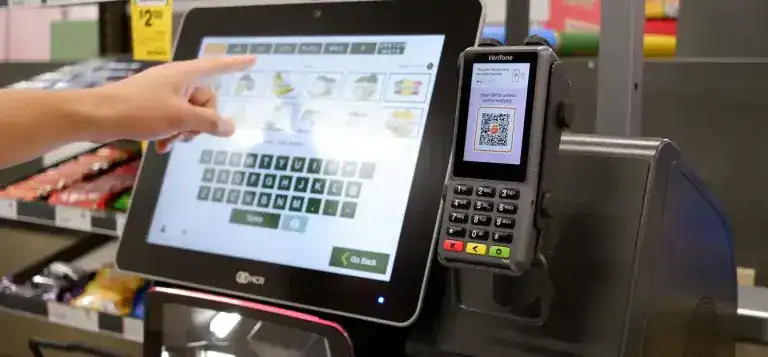
POS software handles the transaction layer of physical retail. Modern retail POS systems go beyond accepting payments by supporting inventory, customer profiles, employee permissions, reporting, returns, and connections with online stores.
1. Square for Retail
Best for: Small and growing retail businesses
Key strengths: Retail POS, inventory, payments, customer management, and multichannel selling.
Why it fits: Square for Retail combines retail checkout with inventory management, purchasing, customer information, reporting, and payments. Its current retail offering also supports selling across physical and online channels.
Key features:
- Retail POS
- Inventory tracking
- Purchase orders
- Vendor management
- Customer directory
- Sales reporting
- Integrated payments
2. Lightspeed Retail
Best for: Retailers with more complex store and inventory requirements
Key strengths: POS, inventory management, product catalogs, purchasing, reporting, and multi-location retail operations.
Why it fits: Lightspeed Retail is designed around retail workflows where the POS needs to connect with inventory, products, customer information, and store operations.
Key features:
- Retail POS
- Multi-location management
- Inventory control
- Purchase orders
- Product catalogs
- Customer management
- Retail reporting
3. Shopify POS
Best for: Retailers already using Shopify for e-commerce
Key strengths: Online and in-store commerce synchronization.
Why it fits: Shopify POS connects physical selling with Shopify’s broader commerce platform, allowing retailers to manage products, orders, and customer information across online and in-person channels.
Key features:
- In-store checkout
- Product and inventory synchronization
- Customer profiles
- Returns and exchanges
- Omnichannel selling
- Shopify ecosystem integration
3. Inventory Management Software
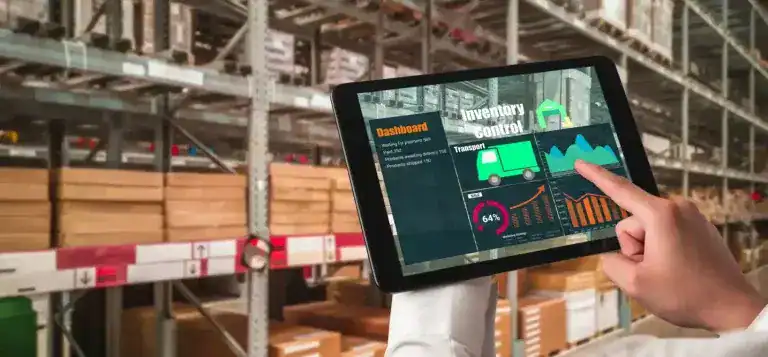
Inventory software helps retailers maintain accurate stock information across stores, warehouses, e-commerce websites, and marketplaces. For multichannel businesses, real-time synchronization is particularly important because sales on one channel can affect available stock on another.
1. Zoho Inventory
Best for: Small and growing multichannel retailers
Key strengths: Inventory tracking, order fulfillment, warehouse operations, and multichannel integrations.
Why it fits: Zoho Inventory supports inventory tracking, order fulfillment, multiple sales channels, warehouse operations, and integrations with ecommerce platforms and payment services.
Key features:
- Stock tracking
- Multichannel inventory
- Order management
- Warehouse management
- Product variants
- Purchase orders
- Inventory reporting
2. Cin7
Best for: Growing multichannel product businesses
Key strengths: Real-time inventory visibility, purchasing, warehouse operations, order management, and integrations.
Why it fits: Cin7 connects suppliers, warehouses, sales channels, and inventory data in a centralized system. Its current platform supports multichannel synchronization and integrations with ecommerce, accounting, marketplace, and fulfillment tools.
Key features:
- Multichannel inventory
- Warehouse management
- Purchase orders
- Demand forecasting
- Order management
- Inventory reporting
- Accounting integrations
3. Fishbowl
Best for: Retailers with complex inventory and multi-location requirements
Key strengths: Inventory control, stock tracking, barcode workflows, purchasing, and integrations.
Why it fits: Fishbowl provides retail inventory management across multiple locations, with capabilities for stock tracking, purchasing, barcode-based workflows, and POS-related inventory synchronization.
Key features:
- Multi-location inventory
- Stock tracking
- Barcode scanning
- Purchasing
- Reordering
- Inventory reporting
- Accounting integrations
4. Order Management Software

Order management software becomes increasingly useful when retailers receive orders from multiple storefronts, marketplaces, or sales channels. It centralizes order information and helps connect purchasing, fulfillment, shipping, and returns.
1. ShipStation
Best for: Multichannel retailers managing fulfillment
Key strengths: Centralized orders, shipping automation, carrier rate comparison, and fulfillment workflows.
Why it fits: ShipStation imports orders from multiple channels and helps retailers automate fulfillment tasks, shipping decisions, labels, and order status management.
Key features:
- Multichannel order imports
- Order routing
- Shipping automation
- Carrier rate comparison
- Label generation
- Order tracking
- API access
2. Ordoro
Best for: Ecommerce businesses with multichannel fulfillment
Key strengths: Order management, shipping, inventory, returns, and dropshipping workflows.
Why it fits: Ordoro centralizes orders from ecommerce stores and marketplaces while supporting shipping, inventory management, returns, reordering, and warehouse or dropshipper routing.
Key features:
- Multichannel orders
- Shipping management
- Inventory synchronization
- Returns processing
- Purchase orders
- Dropshipping
- Warehouse routing
3. Extensiv Order Management
Best for: Retailers with complex multichannel order workflows
Key strengths: Order routing, fulfillment, inventory coordination, and sales-channel integration.
Why it fits: Extensiv Order Management was formerly known as Skubana. The platform supports multichannel order management, order routing, fulfillment, inventory coordination, and integrations across commerce channels.
Key features:
- Multichannel order management
- Order routing
- Inventory coordination
- Fulfillment workflows
- Sales-channel integrations
- Purchase orders
- Reporting
5. Retail Customer Relationship Management (CRM) Software

Retail CRM software centralizes customer information and interactions so retailers can understand purchase history, manage customer relationships, segment audiences, and coordinate engagement across channels.
1. Salesforce
Best for: Enterprise and customer-centric retailers
Key strengths: Customer data, retail CRM, marketing, commerce, service, and cross-channel engagement.
Why it fits: Salesforce Retail connects customer, commerce, marketing, service, and retail data to create a more unified customer view across touchpoints.
Key features:
- Customer profiles
- Purchase history
- Customer segmentation
- Retail marketing
- Customer service
- Commerce integration
- Reporting and analytics
2. HubSpot CRM
Best for: Small and midsize retailers building centralized customer records
Key strengths: Contact management, customer data, reporting, sales tools, marketing integrations, and service features.
Why it fits: HubSpot CRM brings customer records, communication history, activities, reporting, ticketing, and third-party integrations into one platform.
Key features:
- Contact management
- Customer activity history
- Reporting dashboards
- Ticketing
- Marketing integrations
- Customer segmentation
- App integrations
3. Zoho CRM
Best for: Retailers that want a customizable CRM ecosystem
Key strengths: Customer segmentation, reporting, omnichannel engagement, customization, and integration with other business applications.
Why it fits: Zoho CRM offers retail-oriented configurations for customer data, campaigns, reporting, sales activity, and integrations. Zoho notes that its retail CRM offering is a customizable configuration rather than a separate out-of-the-box vertical product.
Key features:
- Customer profiles
- Purchase-related data
- Segmentation
- Campaign management
- Reporting
- Omnichannel communication
- Third-party integrations
6. Retail Marketing Automation Software

Marketing automation platforms help retailers turn customer and purchase data into targeted campaigns. Common workflows include abandoned-cart reminders, welcome sequences, post-purchase messaging, customer segmentation, and promotional campaigns.
1. Mailchimp
Best for: Small businesses and retailers starting with marketing automation
Key strengths: Email marketing, audience management, campaign automation, and ecommerce integrations.
Why it fits: Mailchimp provides email marketing and automation capabilities that can connect customer data with campaigns and ecommerce workflows.
Key features:
- Email campaigns
- Audience segmentation
- Marketing automation
- Customer journeys
- Ecommerce integrations
- Campaign analytics
2. Klaviyo
Best for: Ecommerce retailers focused on customer lifecycle marketing
Key strengths: Segmentation, behavioral data, email and SMS automation, and ecommerce-focused customer journeys.
Why it fits: Klaviyo is built around customer data and automated marketing, making it particularly relevant for retailers that want campaigns triggered by browsing, purchasing, engagement, and other customer behaviors.
Key features:
- Email marketing
- SMS marketing
- Customer segmentation
- Automated flows
- Behavioral triggers
- Ecommerce integrations
- Campaign analytics
3. Omnisend
Best for: Ecommerce retailers using email, SMS, and push notifications
Key strengths: Multichannel automation and ecommerce-focused workflows.
Why it fits: Omnisend is designed specifically for ecommerce and supports email, SMS, push notifications, audience segmentation, and automated workflows such as abandoned-cart and post-purchase sequences.
Key features:
- Email campaigns
- SMS
- Push notifications
- Audience segmentation
- Abandoned-cart automation
- Post-purchase workflows
- Ecommerce integrations
7. Payment Processing Software

Payment processing software handles the transaction layer between customers, retailers, payment methods, and financial institutions. Retailers should evaluate payment coverage, supported markets, fraud controls, integration options, transaction costs, and checkout experience.
1. PayPal
Best for: Retailers that want broad consumer payment options
Key strengths: Online checkout, digital wallets, Pay Later options, payment links, and international payment support.
Why it fits: PayPal supports online and in-person payments and provides checkout, payment links, digital wallets, installment options, and payment processing across multiple markets.
Key features:
- Online checkout
- PayPal payments
- Digital wallets
- Payment links
- In-person payments
- Fraud protection
- International payments
2. Stripe
Best for: Online retailers and businesses requiring programmable payments
Key strengths: APIs, payment processing infrastructure, checkout, subscriptions, and developer tools.
Why it fits: Stripe is particularly useful when a retailer needs payment infrastructure that can be integrated deeply into a custom ecommerce experience or application.
Key features:
- Online payments
- Payment APIs
- Checkout
- Subscriptions
- Fraud prevention
- International payment methods
- Developer tools
3. Square
Best for: Retailers that want payments connected with a broader business platform
Key strengths: Payments, POS, invoices, online selling, and business tools.
Why it fits: Square Payments can support online and in-person payment acceptance and connects with Square’s broader commerce ecosystem.
Key features:
- Card payments
- Digital payments
- In-person payments
- Online checkout
- Invoices
- Payment reporting
- POS integration
8. Retail Accounting & Financial Management Software
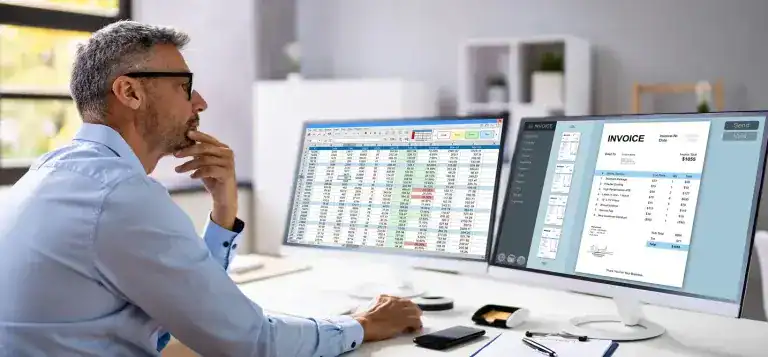
Accounting software gives retailers visibility into revenue, expenses, cash flow, taxes, reconciliation, and financial reporting. Integration with POS, ecommerce, payment, and inventory systems is especially important because manual reconciliation can create discrepancies.
1. QuickBooks
Best for: Small and midsize retailers
Key strengths: Accounting, invoicing, expenses, reporting, and integrations with commerce systems.
Why it fits: QuickBooks provides accounting and financial management tools that can connect with ecommerce and other business applications.
Key features:
- Income and expense tracking
- Invoicing
- Bank reconciliation
- Financial reporting
- Tax-related workflows
- E-commerce integrations
2. Xero
Best for: Retailers that want cloud-based accounting with commerce integrations
Key strengths: Cash-flow visibility, reconciliation, reporting, payroll, and retail integrations.
Why it fits: Xero provides retail-focused accounting capabilities and supports integrations with POS and e-commerce systems to synchronize sales and financial data.
Key features:
- Bank reconciliation
- Cash-flow reporting
- Invoicing
- Payroll
- Inventory-related workflows
- POS integrations
- Ecommerce integrations
3. FreshBooks
Best for: Smaller retailers with straightforward accounting and invoicing requirements
Key strengths: Invoicing, expenses, payments, and small-business accounting.
Why it fits: FreshBooks is primarily positioned as small-business accounting software. It can work for smaller retail operations that need straightforward financial administration, but retailers with complex inventory or multi-location requirements may need a more specialized accounting or ERP system.
Key features:
- Invoicing
- Expense tracking
- Payments
- Financial reports
- Time tracking
- Client management
9. Retail Analytics & Business Intelligence Software

Retail analytics software helps businesses understand what customers buy, how they interact with digital properties, which products perform well, and where operational or conversion problems occur.
Not every analytics platform serves the same purpose. Web analytics, behavioral analytics, and commerce intelligence should be treated as complementary rather than interchangeable.
1. Google Analytics
Best for: Ecommerce and website performance analysis
Key strengths: Traffic measurement, ecommerce events, conversion analysis, acquisition data, and customer journey analysis.
Why it fits: Google Analytics supports ecommerce measurement in Google Analytics 4, allowing businesses to collect information about product views, purchases, promotions, and other ecommerce interactions.
Key features:
- Ecommerce event tracking
- Traffic analysis
- Acquisition reporting
- Conversion measurement
- Customer journey analysis
- Custom reports
- Google ecosystem integrations
2. Hotjar
Best for: Retailers investigating digital customer behavior and UX
Key strengths: Heatmaps, session recordings, feedback, and behavioral insights.
Why it fits: Hotjar complements conventional web analytics by helping teams understand how visitors interact with pages, where they encounter friction, and what they say about their experience.
Key features:
- Heatmaps
- Session recordings
- User feedback
- Surveys
- Behavioral analysis
- UX research
3. Glew
Best for: Ecommerce and multichannel brands that need commerce intelligence
Key strengths: Centralized commerce data, product performance, customer metrics, and business reporting.
Why it fits: Glew focuses on commerce intelligence and connects data from ecommerce and business systems to help brands analyze sales, products, customers, and operational performance.
Key features:
- Commerce analytics
- Customer analytics
- Product performance
- Sales reporting
- Multichannel data
- Automated reporting
- Business intelligence
10. Retail Customer Support & Chatbot Software

Customer support software organizes service requests across channels such as email, chat, social messaging, and self-service portals. AI-powered chatbots can handle specific repetitive requests, but retailers should still provide escalation paths for cases that require human assistance.
1. Zendesk
Best for: Retailers managing support across multiple channels
Key strengths: Ticketing, customer service workflows, knowledge bases, messaging, and automation.
Why it fits: Zendesk provides customer service software for managing support interactions and organizing customer requests across channels.
Key features:
- Ticket management
- Customer support
- Knowledge base
- Messaging
- Automation
- Reporting
- AI-assisted support
2. LiveChat
Best for: Retailers that prioritize real-time website support
Key strengths: Live chat, customer communication, chat routing, and support analytics.
Why it fits: LiveChat enables retailers to communicate with website visitors in real time and connect conversations with broader customer service workflows.
Key features:
- Live chat
- Chat routing
- Customer profiles
- Conversation history
- Support analytics
- Integrations
3. Tidio
Best for: Ecommerce retailers combining live chat with AI-assisted support
Key strengths: Live chat, AI customer service, automation, and ecommerce integrations.
Why it fits: Tidio combines live chat with AI-assisted customer service and ecommerce workflows, making it suitable for retailers handling repetitive questions while maintaining access to human support.
Key features:
- Live chat
- AI customer service
- Automated responses
- Customer conversations
- Ecommerce integrations
- Support analytics
How Do Retail Software Systems Work Together?
The value of retail software often comes from how systems exchange information rather than from any individual application.
A typical retail technology workflow can look like this:
Ecommerce/POS → Inventory → Order Management → CRM & Marketing → Payments & Accounting → Analytics
For example, a customer places an order through an ecommerce storefront. The order management system receives the transaction, while inventory software updates the available stock. The payment processor handles the transaction, and the accounting platform receives the financial information. Customer and order data can then feed the CRM and marketing systems, while analytics platforms collect data from multiple touchpoints for reporting.
The exact architecture varies by retailer, but the objective is to keep critical information synchronized.
1. Ecommerce and POS
Online and physical stores should maintain consistent product, pricing, customer, and inventory information where the operating model requires it.
2. Inventory and order management
Inventory software tracks stock availability, while order management coordinates where and how orders are fulfilled. Connecting the two reduces the need for manual reconciliation.
3. CRM and marketing
Customer profiles and purchase behavior can be used to create more relevant campaigns, loyalty programs, and post-purchase communications.
4. Payments and accounting
Payment systems process transactions while accounting software records the corresponding financial activity. Integrating the two can reduce manual entry and reconciliation work.
5. Analytics
Analytics systems can combine information from storefronts, POS systems, marketing platforms, customer databases, and financial tools to provide a broader view of performance.
When off-the-shelf integrations are insufficient, retailers may need API development and integration to connect applications, databases, payment systems, and third-party platforms through controlled data flows.
How to Choose the Right Software for Your Retail Business
There is no universal software stack for every retailer. The right combination depends on the business model and operational complexity.
A practical selection process starts with five questions:
- Where do you sell?
Identify physical stores, e-commerce sites, marketplaces, social channels, wholesale, and other sales channels. - How complex is your inventory?
Consider the number of SKUs, product variants, warehouses, locations, suppliers, and replenishment requirements. - Which systems already exist?
Map your POS, ecommerce, CRM, accounting, payment, shipping, warehouse, and analytics platforms before adding another system. - What data needs to move between systems?
Define the information that needs synchronization, such as products, inventory, orders, customers, payments, shipping status, and financial records. - What happens as the business grows?
Evaluate API availability, integration limits, user permissions, reporting, performance, security, and the cost of adding locations, channels, or users.
For retailers whose requirements cannot be handled by existing products, custom software development can provide a way to build specialized retail workflows or connect systems that do not work together natively.
A technology assessment can also help identify unnecessary tools, duplicated functionality, integration gaps, and opportunities to consolidate data. Retailers considering that type of evaluation can explore software consulting before committing to a new platform or architecture.
Conclusion
The best software for retailers depends less on the number of features a product offers and more on how well it fits the retailer’s operating model.
An ecommerce platform may be the foundation for online sales, while POS software handles physical transactions. Inventory and order management keep products and fulfillment organized, CRM and marketing systems manage customer relationships, payment platforms process transactions, accounting software manages finances, and analytics tools turn operational data into usable insights.
For a growing retailer, the most important consideration is often the connection between these systems. A well-integrated retail technology stack can give teams more consistent information across products, orders, inventory, customers, and financial operations.
When existing platforms cannot support a retailer’s specific workflows or integration requirements, custom development can fill those gaps without forcing the entire business onto a single system.
Looking to Scale Retail Online? Let's Build the Right Solution
Contact UsFrequently Asked Questions
1. What is retail software?
Retail software refers to digital systems that help retailers manage functions such as sales, inventory, orders, customers, payments, accounting, analytics, and support.
2. What software do retailers use?
Retailers commonly use a combination of e-commerce, POS, inventory, order management, CRM, marketing, payment, accounting, analytics, and customer support software.
3. What is the best software for a retail business?
The right software depends on the retailer’s size, sales channels, inventory complexity, locations, integrations, reporting requirements, and budget.
4. What software is needed to run a retail store?
A basic retail operation may need POS, inventory, payment, and accounting software. Online or multichannel retailers may also need e-commerce, order management, CRM, marketing, analytics, and customer support systems.
5. What is the difference between POS and retail management software?
POS software primarily handles transactions and checkout, while broader retail management software can connect POS with inventory, customers, orders, reporting, and other operational functions.
6. Can retail software integrate with ecommerce platforms?
Yes. Many retail systems provide native integrations or APIs that allow ecommerce platforms to exchange product, inventory, order, customer, payment, and fulfillment data with other systems.
7. How much does retail software cost?
Costs vary significantly based on the software category, number of users and locations, transaction volume, integrations, hardware, implementation, and customization requirements.
8. Do retailers need custom software?
Not necessarily. Custom software becomes more relevant when existing products cannot support specialized workflows, complex integrations, unique business rules, or specific data requirements.