Key Takeaways
- A Game Design Document (GDD) defines a game’s concept, mechanics, narrative, art, technology, and production requirements.
- The right GDD structure depends on the game’s genre, platform, scope, and development stage.
- A strong GDD documents the gameplay loop, game mechanics, level design, characters, technical requirements, and monetization clearly.
- GDDs should remain living documents, with updates made as the game evolves through prototyping, testing, and production.
- Clear game design documentation helps teams stay aligned, reduce rework, and move efficiently from concept to launch.
Theglobal games market will hit $213.9 billion in 2026, growing 6.1% year over year and reaching 3.7 billion players worldwide, according to Newzoo’s Global Games Market Report 2026. With billions of players and increasingly complex game projects, development teams need more than a strong idea to move from concept to launch.
A Game Design Document (GDD) turns that idea into a clear development blueprint. It defines the game’s gameplay, mechanics, narrative, art direction, technical requirements, monetization, and production goals, giving designers, artists, developers, and stakeholders a shared reference throughout development.
In this guide, you’ll find a complete Game Design Document template, practical examples for different game types, the main GDD formats, and a step-by-step process for creating one from scratch
Want to discuss your project? Our experts are just a click away.
Contact UsWhat Is a Game Design Document (GDD)?
A Game Design Document (GDD) is the single reference file that defines a game’s concept, mechanics, story, art, technical requirements, and production plan. Development teams use it to stay aligned from prototype through launch, and it typically runs from a two-page concept brief to more than 100 pages for a full production.
Unlike a pitch deck, which sells an idea, a GDD documents how the game actually works. It grows as the project moves from concept to production, and it becomes the source of truth that every department checks before making a decision.
If you need a game design document built from scratch, reviewed against production standards, or turned into a client-ready proposal, game development services can support every stage from concept to launch.
Why Is a Game Design Document Important?
Game development carries real financial risk. Recent data shows that 97% of mobile games released between 2022 and 2025 failed to achieve commercial success, often because teams skipped structured planning and let scope creep take over mid-development. A documented GDD reduces that risk in several ways.
- It aligns designers, artists, and engineers around one shared vision.
- It reduces miscommunication and rework once production starts.
- It gives new hires or outsourced partners a fast way to get up to speed.
- It supports pitches to publishers or investors with clear, specific detail.
- It creates a paper trail for decisions, so the team does not repeat old debates.
Without this kind of game design documentation, teams tend to rely on memory and verbal agreements, and both break down as a project grows. Studios that skip this step often discover the cost later, when a feature built one way by an engineer contradicts what a designer described verbally weeks earlier
Game Design Document Template
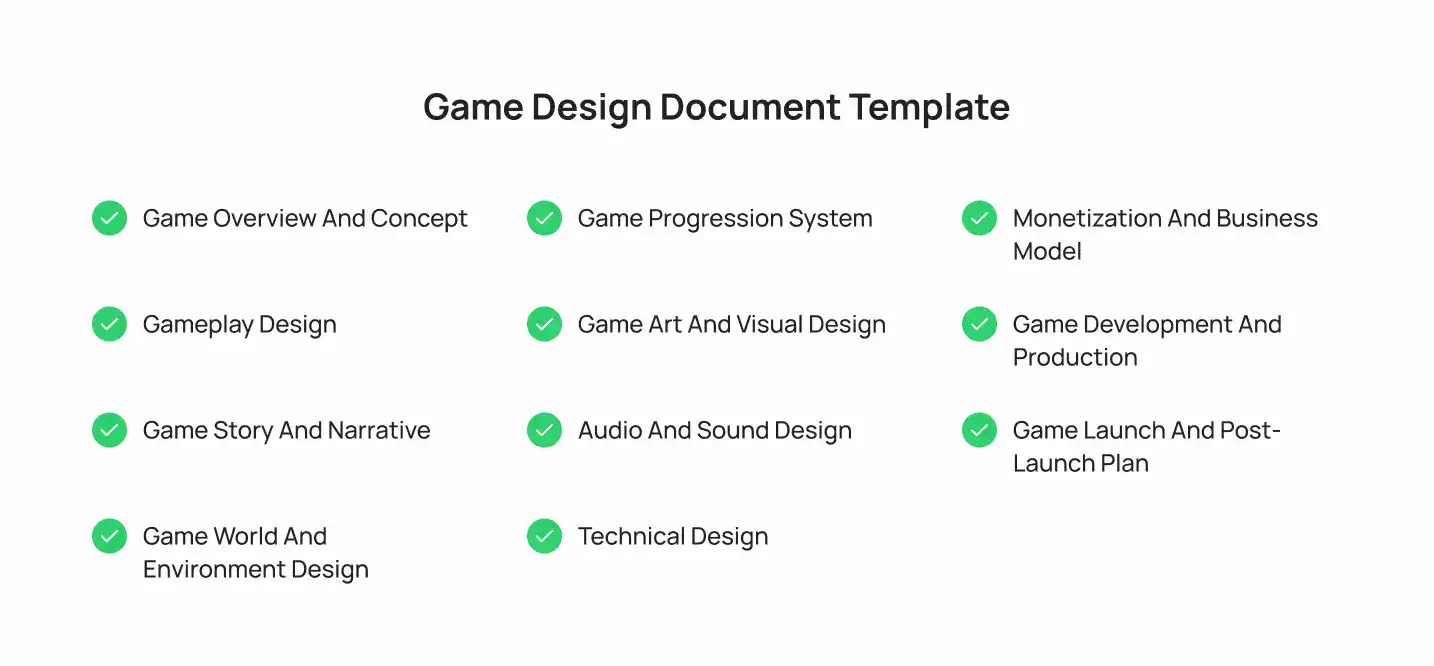
Use this game design document template as a working structure. Copy each section into your own document, then fill in the detail as the game develops.
1. Game Overview and Concept
Start by defining the game’s identity, purpose, audience, scope, and overall direction. This section gives the development team a quick understanding of what they are building and why.
- Game Title and Logline: The working title, plus a one- or two-sentence logline that captures the concept and hook in a way anyone outside the team can understand.
- Game Description: A short paragraph explaining what the game is, how it plays, and what sets it apart from similar titles on the market.
- Genre and Game Type: The primary genre, such as action, puzzle, or RPG, along with the format, platform, and whether the game is single-player or multiplayer.
- Target Audience: The player demographics, age range, and gaming habits the game is designed around, since these factors shape key design decisions.
- Platforms and Devices: Every platform the game will ship on, along with minimum and recommended device specifications for each one.
- Game Scope and Project Goals: The scale of the project, whether prototype, indie release, or full commercial title, plus goals such as revenue, reviews, or retention benchmarks.
2. Gameplay Design
Define how the game works from the player’s perspective, including the actions, mechanics, objectives, and rules that shape each session. This section forms the foundation of the player experience.
- Core Gameplay Loop: The repeating sequence of actions a player performs each session, from the first input to the reward that brings them back for another round.
- Game Objectives: The short-term and long-term goals that give players a reason to keep playing, from individual levels to the full campaign.
- Player Actions and Controls: Every input the player can perform, mapped to specific controls across each target platform.
- Gameplay Mechanics: The individual systems, such as combat, crafting, movement, or resource management, that combine to form the gameplay loop.
- Rules and Systems: The underlying logic that governs how mechanics interact, including win conditions, loss conditions, limitations, and edge cases.
3. Game Story and Narrative
Define the game’s story, characters, setting, conflicts, and major events. A strong game narrative gives the development team a clear direction for storytelling while keeping character motivations and player progression consistent.
- Story Overview: A summary of the plot from beginning to end, including the central conflict and how it resolves.
- Setting and World: The time period, location, and tone that define the game world and shape its visual and narrative direction.
- Characters and NPCs: Profiles for the protagonist, antagonist, and supporting NPCs, including their motivations and role in the story.
- Dialogue and Narrative Structure: How dialogue is delivered, whether branching, linear, or voiced, and how the story unfolds across levels or chapters.
4. Game World and Environment Design
Explain how the game’s environments are structured and how players move through them. This section connects world-building with level design, exploration, and gameplay flow.
- World Structure: Whether the world is open, linear, or hub-based, and how individual areas connect to one another.
- Locations and Environments: Key locations, their narrative purpose, and their visual and gameplay identity.
- Level Design: Layout, pacing, challenges, and objectives for individual levels or missions within the world. For a deeper look at level structure, pacing, and player progression, see Cubix’s guide to video game level design.
- Exploration and Navigation: How players move through the world, including maps, waypoints, navigation systems, and fast travel options.
5. Game Progression System
Define how players advance through the game and how their abilities, resources, and rewards change over time. A clear progression system helps maintain challenge and player motivation.
- Player Progression: How player skills, stats, abilities, equipment, or other attributes grow over the course of the game.
- Levels and Difficulty: The difficulty curve across the game, including whether difficulty scales or adapts based on player performance.
- Rewards and Unlockables: Items, cosmetics, abilities, or content players earn, along with the conditions required to unlock each one.
- Economy and Resources: In-game currencies and resources, and how they are earned, spent, balanced, and controlled.
6. Game Art and Visual Design
Document the game’s visual style, environments, characters, animations, UI elements, and visual effects. Include game art, character design, and UI/UX design requirements to give artists and designers a shared visual direction.
- Art Style: The overall visual direction, whether realistic, stylized, or pixel art, supported by reference images the art team can work from.
- Character Design: Visual design for playable characters and NPCs, including silhouettes, proportions, clothing, and color palettes.
- Environment Art: The visual treatment for levels, backgrounds, world assets, and environmental details.
- User Interface and HUD: Menu layouts, HUD elements, navigation screens, and how important information is displayed to the player.
- Animation and Visual Effects: Character animation sets and visual effects for combat, movement, abilities, and environmental interactions.
7. Audio and Sound Design
Define how music, sound effects, voice acting, and audio feedback support the game’s atmosphere and gameplay. Audio requirements should align with the game’s visual and narrative direction.
- Music: Score direction and mood, including how music changes across exploration, combat, menus, and other game states.
- Sound Effects: Sound design for player actions, combat, UI interactions, environments, and important gameplay events.
- Voice Acting: Casting direction, performance style, dialogue requirements, and the volume of voice content that needs to be recorded.
- Audio Direction: The overall mixing approach and how audio provides clear gameplay feedback in real time.
8. Technical Design
Document the technical requirements, supported platforms, architecture, backend systems, APIs, databases, networking, performance requirements, and security considerations. Specify the selected game engine, such as Unity or Unreal Engine, along with the technologies required for development.
- Game Engine and Technology: The chosen engine, whether Unity, Unreal Engine, or a custom build, along with supporting frameworks and middleware.
- Platforms and Hardware Requirements: Minimum and recommended specifications for each target platform and supported device.
- Multiplayer and Networking: Server architecture, matchmaking logic, data synchronization, player sessions, and networking requirements for multiplayer games.
- Integrations and Third-Party Services: Analytics platforms, ad networks, payment processors, authentication tools, and other backend services the game depends on.
9. Monetization and Business Model
Define the game monetization strategy, including in-app purchases, advertising, subscriptions, battle passes, premium pricing, or other revenue models. Explain how monetization fits into the gameplay without negatively affecting the player experience.
- In-App Purchases: Consumable and non-consumable items available for purchase, along with pricing and purchase limits.
- Advertising: Ad formats such as rewarded video, interstitial, or banner ads, and where each one appears in the game.
- Subscriptions and Battle Passes: Recurring revenue models and what each tier or pass provides to players.
- Premium or Paid Game Model: Upfront pricing strategy for premium titles, including regional pricing and edition options where applicable.
10. Game Development and Production
A clear game development pipeline helps teams move from concept and game prototyping to production, testing, launch, and post-launch updates. Define responsibilities, milestones, tools, dependencies, and review stages so the development team can track progress throughout game production.
- Team Roles and Responsibilities: Who owns each discipline, from design and art to engineering and QA, so accountability is clear from the start.
- Development Tools: The software used for design, version control, project tracking, documentation, and team communication.
- Production Milestones: Key deliverables such as prototype, vertical slice, alpha, beta, and gold, each with a target date.
- Testing and Quality Assurance: The testing approach, bug tracking process, performance checks, and criteria a build must meet before release. Teams can also use a structured game testing process to identify bugs, performance issues, usability problems, and platform-specific issues before launch.
11. Game Launch and Post-Launch Plan
Plan how the game will reach players and how it will be supported after launch. This section covers release planning, future content, live operations, and player feedback.
- Release Strategy: Launch platforms, regional rollout plans, store requirements, and marketing activities planned around release.
- Updates and New Content: The post-launch content roadmap, including planned levels, characters, features, events, or seasons.
- Live Operations: Ongoing events, balancing patches, content updates, and community management for live-service games.
- Player Feedback and Analytics: How player data, reviews, surveys, and feedback are collected and used to guide post-launch decisions.
Game Design Document Examples
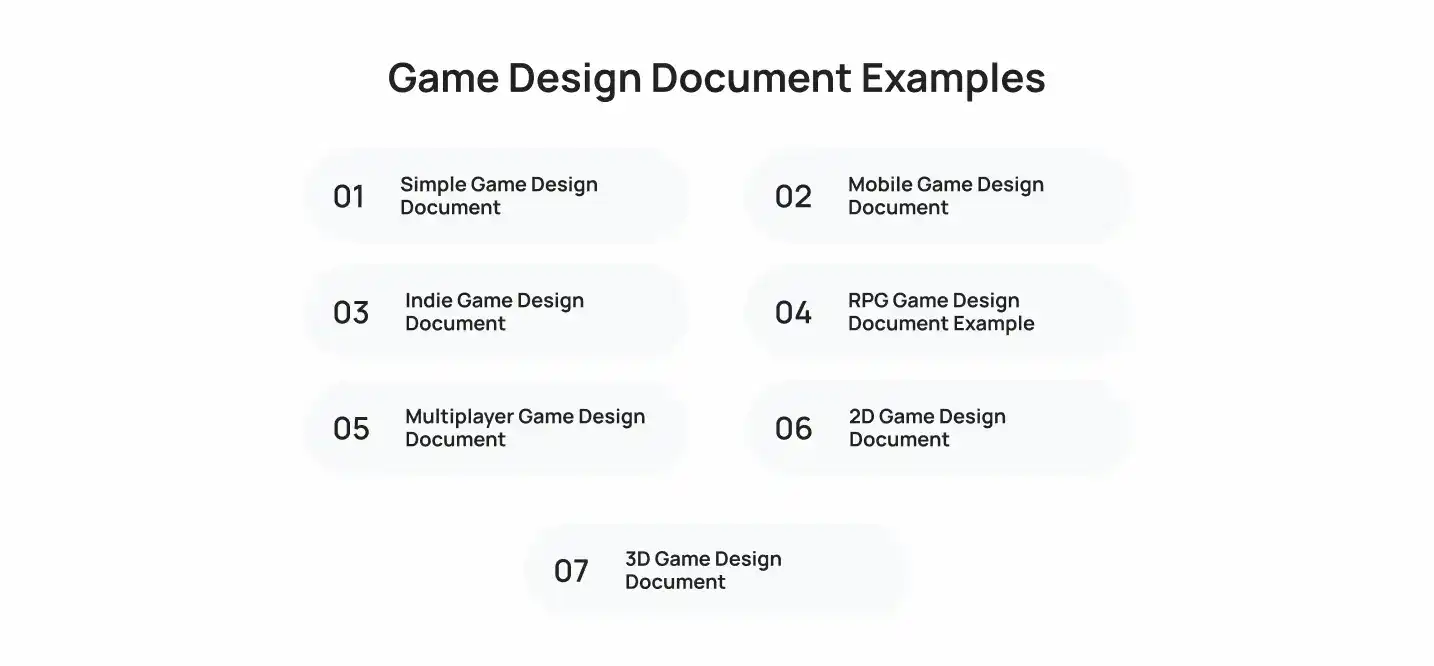
A game design document example looks different depending on genre, scope, and platform. Here is what each common type usually includes, with a sense of how the emphasis shifts from one to the next.
1. Simple Game Design Document
A one-page or short-form GDD for a hyper-casual or prototype game. It lists the core loop, controls, and win condition, and it skips detailed narrative or monetization sections.
A match-three prototype, for example, might document just the grid size, match rules, scoring formula, and screen flow, all on a single page, so the team can test the mechanic before investing in art or story.
2. Mobile Game Design Document
Mobile GDDs put extra weight on session length, monetization model, and platform-specific technical requirements for iOS and Android, since these directly affect retention and revenue.
A typical mobile GDD documents target session length, ad placement rules, in-app purchase tiers, and store requirements for both platforms in a level of detail most PC or console documents skip entirely.
3. Indie Game Design Document
Indie GDDs tend to focus heavily on core mechanics and art direction, with lighter production sections, because small teams handle multiple roles at once.
A two- or three-person team often combines the design, art, and technical sections into one shared document instead of separating them, since the same people write and read every part.
4. RPG Game Design Document Example
RPG documents expand significantly on story, character progression, world building, and economy systems, since these systems define player experience more than in most other genres.
An RPG GDD commonly includes a full skill tree, a detailed itemization table, and character backstories that would look like overkill in an arcade or puzzle game document.
5. Multiplayer Game Design Document
Multiplayer GDDs dedicate full sections to networking architecture, matchmaking, server infrastructure, and live operations, because these systems carry more technical risk than single-player mechanics. Our guide on how to build multiplayer games provides a practical example of how planning, multiplayer integration, testing, and launch fit together in production.These documents typically pair with a companion technical design document that covers server tick rate, region-based matchmaking, and anti-cheat requirements in depth.
These documents typically pair with a companion technical design document that covers server tick rate, region-based matchmaking, and anti-cheat requirements in depth.
6. 2D Game Design Document
2D GDDs typically include detailed sprite sheets, animation frame counts, and level layout diagrams alongside the standard gameplay and art sections.
A platformer’s GDD, for example, might specify exact jump height in pixels and frame-by-frame animation counts for each character state.
7. 3D Game Design Document
3D GDDs add sections on camera systems, lighting, 3D asset pipelines, and performance targets across target hardware, on top of the standard template. These requirements become especially important when planning 3D game development for visually detailed environments and multiple target platforms.
A third-person action game’s GDD would typically define camera distance, field of view, and target frame rate separately for each supported platform.
Types of Game Design Documents
Not every project needs a full, exhaustive GDD. The right game design document format depends on team size, project scope, and how far along the game is in development. Teams typically use one of five formats.
Concept GDD
A short document, usually two to five pages, used to pitch an early idea internally or to a publisher. It covers the concept, genre, target audience, and core loop without full technical detail.
Full Game Design Document
The complete version covering every section in the template below. Studios maintain this throughout production and update it continuously as the game evolves.
Feature Design Document
A focused document for a single system or feature, such as a crafting mechanic or a new multiplayer mode. Teams write these mid-production without touching the main GDD.
Technical Design Document
A companion document that goes deeper into engine architecture, backend systems, networking, and data structures. Programmers rely on this more than the main GDD.
Level Design Document
A document dedicated to individual levels or missions, covering layout, pacing, enemy placement, and objectives. Large games often produce one per level or per world.
How to Write a Game Design Document Step by Step
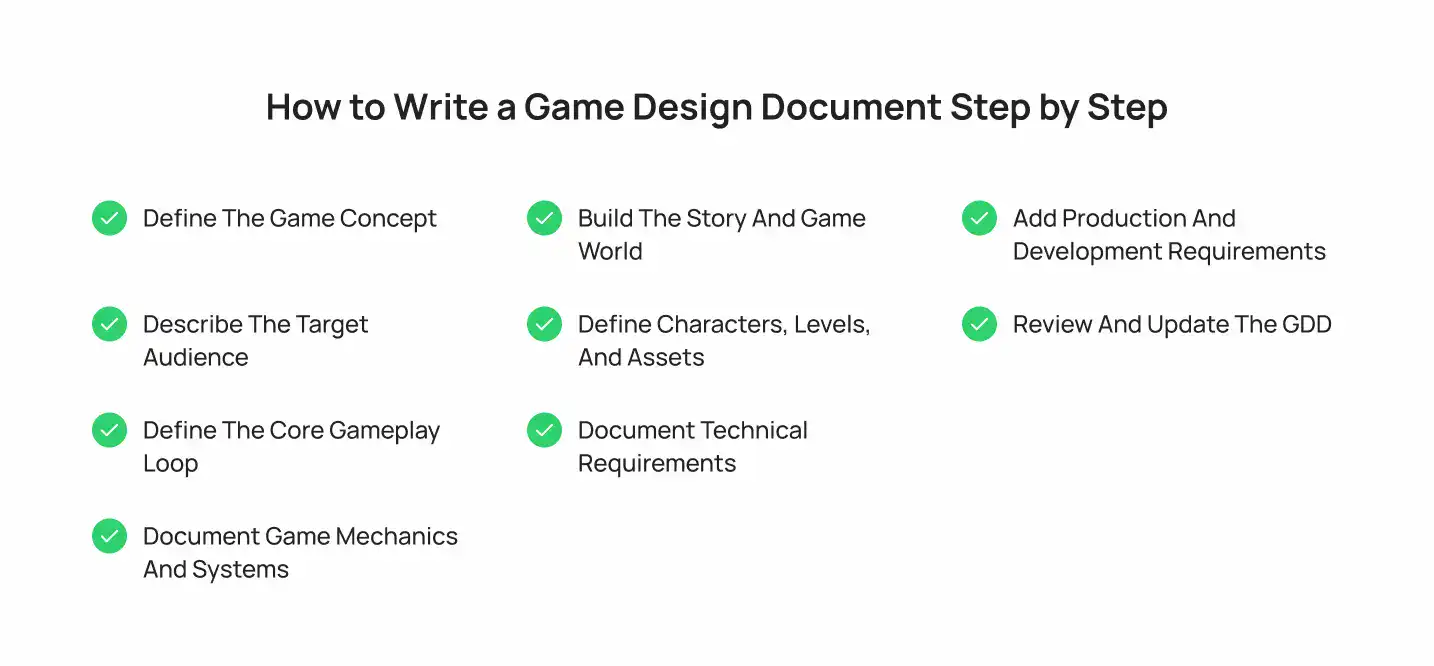
Follow these nine steps when learning how to write a game design document (GDD) for the first time. A GDD defines the game’s concept, gameplay, story, technical requirements, and development plan.
Step 1: Define the Game Concept
Write a short summary covering the game genre, platform, target audience, core concept, and unique selling point. Explain what players will do and what makes the game different from others in the same category.
Step 2: Describe the Target Audience
Identify your ideal players by considering their age, gaming habits, interests, experience level, and preferred platforms. This helps shape gameplay difficulty, visual style, features, and overall user experience.
Step 3: Define the Core Gameplay Loop
Describe the repeated actions players perform during a typical session, such as exploring, completing objectives, earning rewards, and upgrading characters. A clear gameplay loop helps the team understand what keeps players engaged.
Step 4: Document Game Mechanics and Systems
Describe the rules, systems, controls, interactions, rewards, challenges, and other core gameplay elements. Clearly defined game mechanics help the team understand how each system works and how it contributes to the overall gameplay loop and player experience.
Step 5: Build the Story and Game World
Outline the story, setting, characters, major events, and world-building elements that shape the player’s experience. Explain how the narrative connects with gameplay and how players discover the game world as they progress.
Step 6: Define Characters, Levels, and Assets
List the playable characters, NPCs, enemies, levels, environments, items, animations, sounds, and other assets required for production. Include each element’s gameplay purpose and creative direction so teams have a clear reference.
Step 7: Document Technical Requirements
Specify the game engine, target platforms, hardware requirements, backend systems, and technical dependencies. Include requirements for multiplayer, APIs, cloud saves, analytics, matchmaking, or cross-platform features when applicable.
Step 8: Add Production and Development Requirements
Define the development milestones, team responsibilities, testing process, and release requirements. Break the project into stages such as pre-production, prototyping, production, QA, launch, and post-launch support.
Step 9: Review and Update the GDD
Treat the GDD as a living document and update it as the game develops. Review the document at major milestones to reflect changes to gameplay mechanics, features, technical requirements, assets, and production plans.
Best Tools and Software for Creating a GDD
The right tools depend on your team’s size, workflow, and documentation needs. Tools such as Google Docs, Notion, Confluence, articy, Miro, Lucidchart, and Perforce Helix can support different parts of game design and game development documentation.
| Tool | Best For | Notes |
| Google Docs | Small teams, fast collaboration | Free, with simple version history |
| Notion | Structured wikis with linked pages | Good for organizing a full template across pages |
| Confluence | Larger studios with existing Atlassian tools | Integrates with Jira for production tracking |
| article: draft | Narrative-heavy games | Built for branching dialogue and story flow |
| Miro or Lucidchart | Level layouts and system diagrams | Useful for visual references inside the GDD |
| Perforce Helix | Version control for large teams | Tracks changes across design, art, and code together |
Game Design Document Best Practices
A well-written GDD follows a few consistent habits regardless of genre or team size. These five practices separate documents that a team actually keeps using from ones that get abandoned after the first sprint.
1. Keep the GDD Clear and Easy to Navigate
Use a consistent heading structure and a table of contents. As a result, anyone on the team can find a specific system within a few clicks. Number your sections the same way across every GDD your studio produces, so a programmer or artist moving between projects already knows where to look.
2. Focus on Information the Development Team Needs
Prioritize details that directly affect game development, including gameplay systems, level design, game mechanics, technical requirements, assets, and production milestones.
3. Use Visual References Where Necessary
Use concept art, wireframes, flowcharts, level maps, and other references where written descriptions are not enough. Visual references can clarify UI/UX design, environments, character design, and gameplay systems.
4. Keep Gameplay Mechanics Specific
Describe controls, rules, interactions, rewards, progression, and conditions clearly. Specific documentation makes it easier for the team to translate game mechanics and the gameplay loop into working features.
5. Update the GDD Throughout Development
A GDD should evolve as the game moves through game prototyping, game testing, and production. Update mechanics, assets, technical requirements, and other sections when approved changes affect the original design.
Common Game Design Document Mistakes
These five mistakes show up in GDDs across every studio size, from solo developers to full production teams.
- Making the GDD Too Long. A document nobody reads provides no value, regardless of how thorough it is. Keep each section focused on decisions the team needs, and move background research into a separate file.
- Using Vague Gameplay Descriptions. Ambiguous mechanics lead to inconsistent implementation across the team. Write mechanics as rules with numbers and conditions, not descriptions of how they should feel.
- Documenting Ideas Without Defining Mechanics. A strong concept means little until it is broken down into rules and systems. Follow every idea with the specific mechanic that makes it playable.
- Failing to Update the GDD. An outdated document creates more confusion than having no document at all. Assign one owner per section so updates do not fall through the cracks.
- Creating a GDD the Team Does Not Use. If your team works around the document instead of through it, the format needs to change. Ask the team directly what is missing, then rebuild the template around their answer.
GDD vs Game Design Brief vs Technical Design Document
A Game Design Document (GDD) is a comprehensive master blueprint detailing a game’s total vision, mechanics, and scope, whereas a Game Design Brief and a Technical Design Document each cover a narrower slice of that same project.
| Document | Purpose | Typical Length | Primary Audience | How It Differs From a GDD |
| Game Design Brief | Pitch an early concept, often before any system is designed in detail | 1-2 pages | Internal team, early publisher conversations | A brief sells the idea. A GDD is the full, detailed document that guides actual production once the concept is approved. |
| Game Design Document | Define how the full game works | 20-100+ pages | Entire development team | This is the reference point the other two documents get compared against. |
| Technical Design Document | Define architecture, code structure, and backend systems | Varies by system | Programmers, technical leads | A GDD covers the full game, including story, art, and business model, for a mixed audience. A technical design document narrows in on architecture for programmers. |
A Game Development Partner From Concept to Launch
Writing a strong Game Design Document (GDD) takes game design expertise as much as writing skill. Cubix’s game development team builds full GDDs and lean concept documents for studios and founders across genres, including mobile titles, multiplayer shooters, RPGs, and co-op survival games.
The team works across Unity and Unreal Engine, covers game prototyping through game production and post-launch support, and has shipped projects across iOS, Android, PC, and console.
Want to discuss your project? Our experts are just a click away.
Contact UsFrequently Asked Questions
1. What is a Game Design Document (GDD)?
A Game Design Document (GDD) is a written reference that describes a video game’s concept, mechanics, story, art direction, technical requirements, and production plan in one place.
2. What should a game design document include?
It should include a game overview, gameplay mechanics, story and world design, art and audio direction, technical requirements, monetization plans, and development milestones.
3. How long should a game design document be?
Length depends on project scope. A concept GDD often runs two to five pages, while a full production GDD for a large game can run well past 50 pages.
4. How much does it cost to create a game design document?
Cost depends on scope and who writes it. An internal team may treat it as part of pre-production, while an outsourced studio or freelance designer may charge based on project complexity and document depth.
5. Can a GDD be changed during game development?
Yes. A GDD should stay a living document. Teams update it at every milestone as mechanics, art direction, or scope shift during production.
6. Can a game development company create a GDD for my game?
Yes. Studios like Cubix build full game design documents for clients, covering game concept, mechanics, technical architecture, and production planning as part of the development process.