Key Takeaways
- Most game projects fail because of planning and execution issues.
- Poor planning, feature creep, and lack of testing are among the biggest causes of project failure.
- A well-prepared Game Design Document (GDD) gives the entire team a clear roadmap.
- Build an MVP and prototype early to validate gameplay before investing heavily in production.
- Make game QA and continuous QA part of every development milestone.
- Prioritize game optimization throughout development to improve performance, retention, and player satisfaction.
- Plan your monetization strategy early to avoid poor monetization and low retention after launch.
Launching a successful game is harder than ever.
Every year, thousands of games begin development, but many never reach players. Some run out of budget. Others miss deadlines. Some are canceled because the gameplay simply isn’t fun enough. Even promising ideas can turn into project failure when the game development process lacks proper planning and execution.
The good news? Most of these problems are preventable.
Successful studios follow structured workflows, test their ideas early, improve performance throughout development, and constantly gather feedback before launch. Small decisions made during production often determine whether a game becomes a success or another unfinished project.
In this guide, we’ll explore the biggest reasons game projects fail before launch, supported by industry statistics, real development practices, and practical solutions you can apply.
Why Do So Many Game Projects Fail Before Launch?
It’s a question almost every developer asks at some point.
The answer isn’t usually a single mistake. Instead, projects often fail because several small issues pile up over time. A missed milestone leads to rushed work. Rushed work creates bugs. Bugs delay testing. Delays increase costs. Eventually, the project becomes difficult to finish.
The modern game development space is also more competitive than ever. Players expect smooth performance, engaging gameplay, high-quality visuals, and regular updates. Meeting those expectations requires strong planning from day one.
According to industry research:
- Around 70% of software projects experience delays or budget overruns due to planning and execution challenges.
- Fixing bugs after release can cost up to 100 times more than resolving them during the design stage.
- Nearly 90% of players say performance issues influence whether they continue playing a game.
- Mobile players often uninstall games within minutes if they encounter crashes, long loading times, or confusing tutorials.
- Successful studios increasingly rely on early prototyping and iterative testing to reduce production risks before launch.
While these statistics come from software engineering and game industry research collectively, they all point toward the same conclusion:
Most game failures are preventable when teams identify problems early.
Common Reasons Games Fail Before Launch
| Challenge | How It Hurts the Project | How to Prevent It |
|---|---|---|
| Poor planning | Missed deadlines and budget overruns | Create a GDD before development begins |
| Lack of testing | Bugs, crashes, unstable gameplay | Implement continuous QA throughout production |
| Poor gameplay | Players lose interest quickly | Prototype early and gather feedback |
| Performance issues | Low frame rates and crashes | Optimize performance continuously |
| Feature creep | Endless development cycles | Build an MVP before expanding features |
| Weak communication | Team confusion and rework | Define clear milestones and responsibilities |
| Poor monetization planning | Revenue struggles after launch | Design monetization alongside gameplay |
Notice something?
Very few of these problems are technical. Most begin with decisions made during the planning stage of the game development process.
That means avoiding project failure isn’t about being lucky. It’s about making better decisions before production becomes expensive.
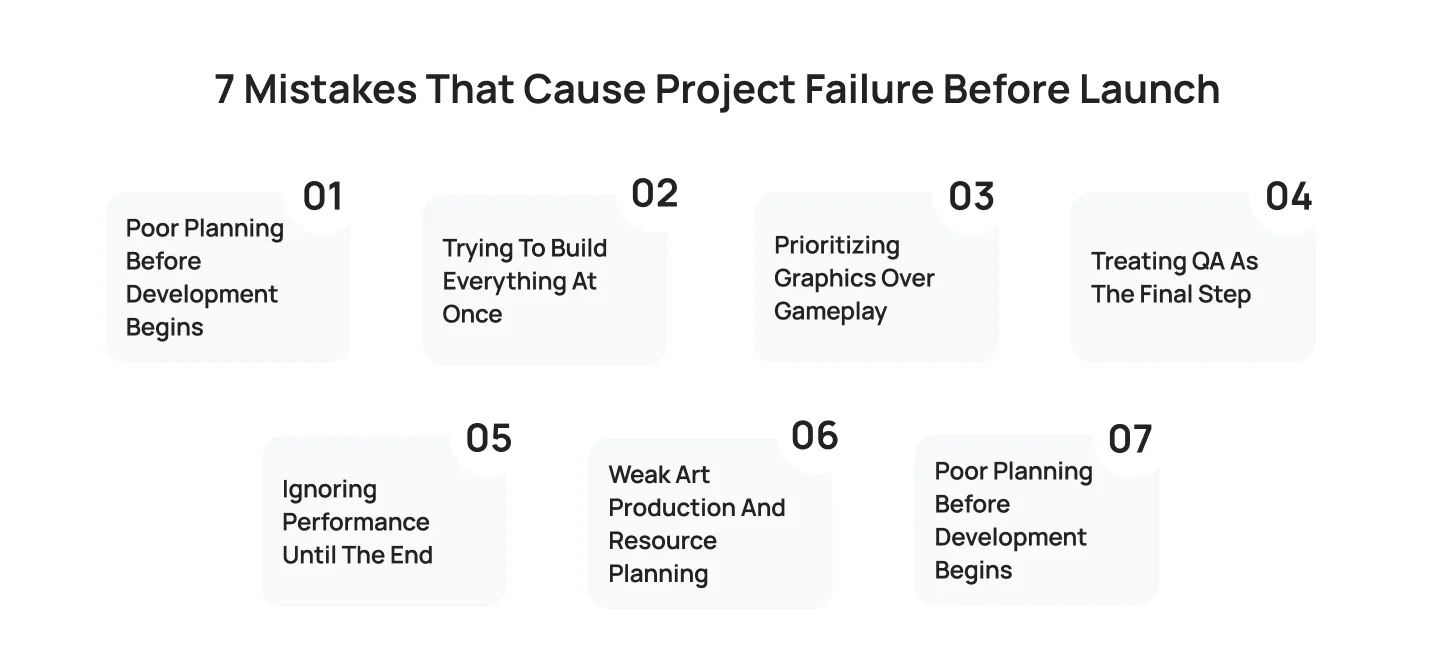
7 Mistakes That Cause Project Failure Before Launch
Many developers assume a game fails because of bad graphics or limited funding.
In reality, those are rarely the main reasons.
Most failed projects share the same patterns. A team skips planning, rushes into development, ignores player feedback, or delays testing until it’s too late. By the time these issues become obvious, fixing them requires more time and money than the project can afford.
Let’s look at the biggest mistakes and the practical ways to avoid them.
“A successful launch is the result of hundreds of smart decisions made throughout development. From prototyping early to continuous QA, every step matters.”
– Cubix Game Development Team
Mistake #1: Poor Planning Before Development Begins
Every successful game starts with a clear plan.
Without one, developers often spend months building features that later get removed or redesigned. Teams lose direction, deadlines slip, and budgets increase. This is one of the most common examples of poor planning, and it often leads directly to project failure.
Ask yourself:
- Who is the target audience?
- What is the core gameplay loop?
- Which features are essential for launch?
- What platforms will the game support?
- How long should each development phase take?
If these questions don’t have clear answers, development becomes guesswork.
The Solution: Create a GDD
One of the easiest ways to avoid confusion is to create a GDD (Game Design Document).
A GDD acts as the project’s blueprint. It keeps everyone aligned, from designers and artists to programmers and QA testers.
A strong GDD typically includes:
- Game concept and vision
- Core gameplay mechanics
- Character descriptions
- Art direction
- Monetization strategy
- Technical requirements
- Production milestones
- Risk assessment
It doesn’t need to be hundreds of pages.
Even a concise, well-organized document is far more effective than relying on memory or scattered notes.
Quick Tip: Your Game Design Document should evolve alongside the project. Update it whenever major features or priorities change.
Mistake #2: Trying to Build Everything at Once
It’s exciting to think big.
- Open worlds.
- Dozens of characters.
- Multiple game modes.
- Live events.
- Online multiplayer.
The problem? Every new feature increases development time, testing requirements, and production costs.
Many projects fail because teams try to launch their “dream game” instead of validating the core idea first.
This often leads to delayed launches, exhausted developers, and unfinished systems.
The Solution: Build an MVP
The smartest studios don’t build everything immediately. They build an MVP (Minimum Viable Product).
An MVP focuses only on the features needed to prove the game is fun. Think of it as answering one simple question:
“Would players enjoy this game if nothing else changed?”
If the answer is yes, the project has a strong foundation.
If not, it’s much easier and far less expensive to improve a prototype than a nearly finished game.
Prototype Early
Closely connected to the MVP approach is another best practice: prototype early. A prototype doesn’t need polished graphics or final animations.
It simply needs to test gameplay.
Many successful games looked incredibly simple during early development because the team prioritized mechanics over visuals.
| Building Everything First | Building an MVP First |
|---|---|
| Higher development costs | Lower initial investment |
| Longer production timeline | Faster validation |
| More bugs to fix | Easier iteration |
| Greater financial risk | Reduced project risk |
| Difficult to change direction | Simple to improve based on feedback |
The earlier you validate your gameplay, the easier it becomes to avoid costly mistakes later in the game development process.
Mistake #3: Prioritizing Graphics Over Gameplay
Beautiful graphics can attract players. Great gameplay keeps them playing.
Unfortunately, many teams invest months perfecting visual assets before confirming whether the game is actually fun.
That’s how poor gameplay becomes one of the biggest reasons for low retention after launch.
Players are surprisingly forgiving of simple graphics.
They’re much less forgiving of repetitive mechanics, confusing controls, or boring progression systems.
Think about some of the world’s most successful games.
Signs Your Gameplay Needs More Work
- New players quit after the tutorial.
- Combat feels repetitive.
- Progression becomes predictable.
- Rewards don’t feel meaningful.
- Difficulty spikes without warning.
- Players don’t feel motivated to return.
If several of these issues appear during testing, it’s time to revisit the core mechanics before investing more in art or marketing.
Improve Gameplay with Early Player Feedback
Don’t rely solely on internal opinions. Invite real players to test your game. Watch how they interact with it.
Ask questions like:
- Which part was the most fun?
- Where did you get confused?
- Did you ever feel bored?
- Would you play again tomorrow?
The answers are often more valuable than weeks of internal discussions. Good gameplay evolves through testing, not assumptions.
Mistake #4: Treating QA as the Final Step
One of the most expensive misconceptions in game development is believing that testing only happens near the end.
By then, hundreds or even thousands of issues may already exist. That’s why lack of testing remains one of the leading causes of delayed launches.
The longer bugs stay hidden, the more expensive they become to fix. Imagine changing one small gameplay system.
That single update could affect animations, UI, multiplayer synchronization, audio triggers, achievements, and save files.
Without proper game QA, these issues spread quickly.
The Solution: Continuous QA
Instead of waiting until the project is nearly complete, successful studios use continuous QA throughout development.
- Every sprint.
- Every milestone.
- Every major feature.
Testing becomes part of the workflow, not an afterthought.
A simple QA cycle looks like this:
- Prototype
- Internal Testing
- Player Feedback
- Bug Fixes
- Retesting
- Repeat
What Should Game QA Cover?
Effective game QA goes beyond finding bugs. It should also evaluate:
- Gameplay balance
- User interface
- Controls
- Performance across devices
- Multiplayer stability
- Save systems
- In-app purchases
- Localization
- Accessibility features
The goal isn’t simply to launch a game that works. It’s to launch one that feels polished.
Mistake #5: Ignoring Performance Until the End
Imagine this. Your game looks amazing. The mechanics are solid. The art is polished.
Then players download it and experience frame drops, long loading screens, overheating devices, or random crashes.
For many, that’s the end of the journey.
Performance problems can ruin an otherwise great game. They also contribute to low retention, poor reviews, and weak word-of-mouth marketing.
This is why game optimization should never be treated as a final checklist item before launch. It should be an ongoing part of the game development process.
Why Performance Matters More Than Ever
Players have thousands of games to choose from. If yours doesn’t run smoothly, they’ll simply move on.
Research consistently shows that users are far less likely to continue playing games that suffer from crashes, lag, or excessive loading times. Even a few seconds of unnecessary waiting can affect player satisfaction and long-term engagement.
Common performance issues include:
- Low frame rates
- Long loading screens
- High battery consumption
- Memory leaks
- Device overheating
- Poor network performance in multiplayer games
- Large download sizes
These problems don’t just frustrate players, they also make future updates more difficult.
How to Optimize Performance Throughout Development
Instead of waiting until the game is almost finished, teams should optimize performance during every milestone.
That includes:
- Profiling CPU and GPU usage regularly
- Compressing textures without sacrificing quality
- Reducing unnecessary draw calls
- Optimizing animations and shaders
- Testing on low-end as well as high-end devices
- Monitoring memory usage after every major update
Performance testing should happen as often as gameplay testing. The earlier you discover bottlenecks, the cheaper they are to fix.
Common Performance Problems and Their Impact
| Performance Issue | Player Experience | Business Impact |
|---|---|---|
| Low FPS | Gameplay feels sluggish | Lower engagement |
| Long loading times | Players lose patience | Higher uninstall rates |
| Frequent crashes | Frustration and negative reviews | Reduced retention |
| Battery drain | Players avoid longer sessions | Lower daily active users |
| Overheating devices | Poor comfort during gameplay | Damage to player trust |
Remember, players rarely say, “The optimization wasn’t good.” They simply stop playing.
Mistake #6: Weak Art Production and Resource Planning
Art gives a game its personality. But creating high-quality assets takes time, talent, and careful coordination.
When studios underestimate the workload, production slows down quickly. Artists become overloaded, assets arrive late, and developers are forced to wait for completed models, animations, or environments.
This creates a domino effect that delays the entire game development process.
The Signs of an Inefficient Art Pipeline
A struggling art pipeline often looks like this:
- Characters don’t follow a consistent style.
- Environment assets arrive behind schedule.
- Animations require constant revisions.
- Developers wait for missing art before implementing features.
- Marketing teams don’t receive assets in time for promotion.
None of these problems happen overnight. They usually stem from resource planning issues at the beginning of the project.
When Outsourcing Makes Sense
Not every studio needs a large in-house art team.
Many successful developers rely on 3d art outsourcing to handle specialized tasks, accelerate production, or scale up during busy milestones. Outsourcing can be especially valuable when creating environments, props, cinematic assets, or large volumes of character models without permanently expanding the team.
Likewise, hiring a 3d game artist for hire can help fill temporary skill gaps for concept art, character modeling, rigging, or animation while keeping production on schedule.
The key is planning ahead.
Outsourcing should support your production pipeline, not become an emergency solution after deadlines have already slipped.
Don’t Overlook Design Talent
Visual quality is only one part of the experience. Game designers shape progression systems, level flow, balance, and player engagement.
Many studios choose to hire mobile game designers early in development to refine mechanics before large-scale production begins. This helps reduce redesign work later and ensures that gameplay and visuals evolve together instead of separately.
Best Practice: Build your production schedule around both design and art. Beautiful assets cannot compensate for weak gameplay, and great mechanics deserve visuals that support the experience.
Mistake #7: Thinking About Monetization Too Late
Many teams spend months building their game before asking an important question:
“How will this game actually make money?”
By then, changing progression systems, in-game economies, or reward loops can require significant redesign.
This often results in poor monetization, frustrated players, or rushed premium features that feel disconnected from the rest of the game.
Monetization shouldn’t be an afterthought. It should be part of the design conversation from the beginning.
Monetization and Player Experience Go Together
The best monetization systems feel natural. Players should never feel forced to spend money just to enjoy the game.
Whether you’re developing a premium title, a free-to-play mobile game, or a live-service experience, your monetization strategy should complement the gameplay, not interrupt it.
Common monetization models include:
- Premium game purchases
- In-app purchases
- Cosmetic items
- Battle passes
- Season passes
- Rewarded advertisements
- Subscription models
Each model works differently depending on the audience and genre.
Poor Monetization Leads to Low Retention
When monetization is poorly designed, players notice quickly. Some common warning signs include:
- Progress slows dramatically without purchases.
- Rewards feel unfair.
- Ads interrupt gameplay too frequently.
- Premium items create a pay-to-win experience.
- The in-game economy becomes unbalanced.
These issues don’t just reduce revenue. They also contribute to low retention, negative reviews, and declining player trust.
Build the Economy Alongside the Game
Successful studios test monetization before launch.
They analyze player progression, reward systems, and spending behavior during closed testing or soft launches.
This allows teams to answer important questions:
- Are rewards motivating enough?
- Is progression balanced?
- Do purchases feel optional?
- Are players staying engaged without spending?
What Successful Game Studios Do Differently
Not every game becomes a blockbuster. But when you study successful studios, you’ll notice something interesting.
They don’t avoid problems because they’re lucky. They avoid them because they have better systems.
Experienced teams know that bugs will appear, ideas will change, and unexpected challenges will come up during the game development process. Instead of reacting at the last minute, they build workflows that help them identify and solve issues early.
So, how do successful game studios manage projects?
They focus on consistency rather than perfection.
Here are some of the habits that separate successful projects from those that never make it to launch.
Habits of Successful Game Studios
| Successful Practice | Why It Works |
|---|---|
| Build an MVP first | Reduces development risk and validates ideas early |
| Prototype early | Finds gameplay problems before production scales |
| Continuous QA | Prevents bugs from accumulating |
| Optimize performance regularly | Delivers a smoother player experience |
| Maintain an updated GDD | Keeps the entire team aligned |
| Playtest frequently | Improves gameplay and player retention |
Build Better Games with Cubix
Creating a successful game takes more than a great idea.
It requires careful planning, experienced designers, talented artists, skilled developers, and a structured production process that keeps quality at the center of every milestone.
At Cubix Games, we’ve helped startups, established studios, and global brands bring game ideas to life across mobile, PC, console, blockchain, and immersive platforms. From concept validation to post-launch support, our teams understand what it takes to reduce development risks while building games that players genuinely enjoy.
Whether you’re looking to hire mobile game designers to refine your gameplay systems, need expert support through 3d art outsourcing, or require a dedicated 3d game artist for hire to expand your production capacity, having the right specialists at the right stage can make a significant difference in your project’s success.
For studios focused on stylized experiences, partnering with an experienced 2d game development company can also streamline production while maintaining artistic consistency across characters, environments, and animations.
With the right team, a clear roadmap, ongoing game QA, and continuous game optimization, you can minimize risks, improve player retention, and launch with confidence.
Because in the end, great games aren’t just created. They’re carefully planned, tested, refined, and delivered.
Frequently Asked Questions
1. Why do game projects fail?
Most game projects fail because of a combination of issues rather than a single mistake. Common reasons include poor planning, an unclear project scope, lack of testing, feature creep, unrealistic timelines, and weak communication between teams. Starting with a clear roadmap and following a structured game development process can significantly reduce these risks.
2. Why do most games fail before launch?
Many games never make it to launch because development becomes too expensive or takes longer than expected. Teams often try to build too many features at once, ignore player feedback, or delay game QA until the final stages. Building an MVP, testing early, and improving the game iteratively are some of the most effective ways to avoid project failure.
3. What are the biggest game development mistakes?
Some of the most common mistakes include:
- Starting development without a Game Design Document (GDD)
- Trying to build every feature instead of an MVP
- Focusing on graphics before gameplay
- Ignoring game optimization
- Treating QA as a final step instead of a continuous process
- Planning monetization too late
- Underestimating production timelines and budgets
Avoiding these mistakes helps create a smoother and more predictable development journey.
4. How can you avoid game development failure?
The best way to reduce risk is to follow proven development practices, including:
- Create a GDD before development begins.
- Build an MVP to validate your idea.
- Prototype early and collect player feedback.
- Implement continuous QA throughout production.
- Regularly optimize performance instead of waiting until launch.
- Review milestones frequently and adjust plans when necessary.
Small improvements throughout the project are much easier than major fixes near release.
5. What is a Game Design Document (GDD)?
A Game Design Document (GDD) is a blueprint for a game project. It outlines the game’s vision, mechanics, art direction, technical requirements, production timeline, monetization strategy, and development goals. A well-maintained GDD keeps designers, artists, developers, and QA teams aligned throughout the game development process.
6. What causes delays in game development?
Delays are usually caused by:
- Poor planning
- Changing project requirements
- Feature creep
- Limited resources
- Incomplete documentation
- Late-stage bug fixing
- Weak communication between teams
- Performance issues discovered too late
Managing scope carefully and maintaining continuous QA can help keep projects on schedule.