Key Takeaways
- Retention drops fast, so your first session must prove value.
- Show the core benefit before you ask for sign-up or permissions.
- Track user activation, time to first value, and drop-off at every step.
- Test one change at a time, then repeat.
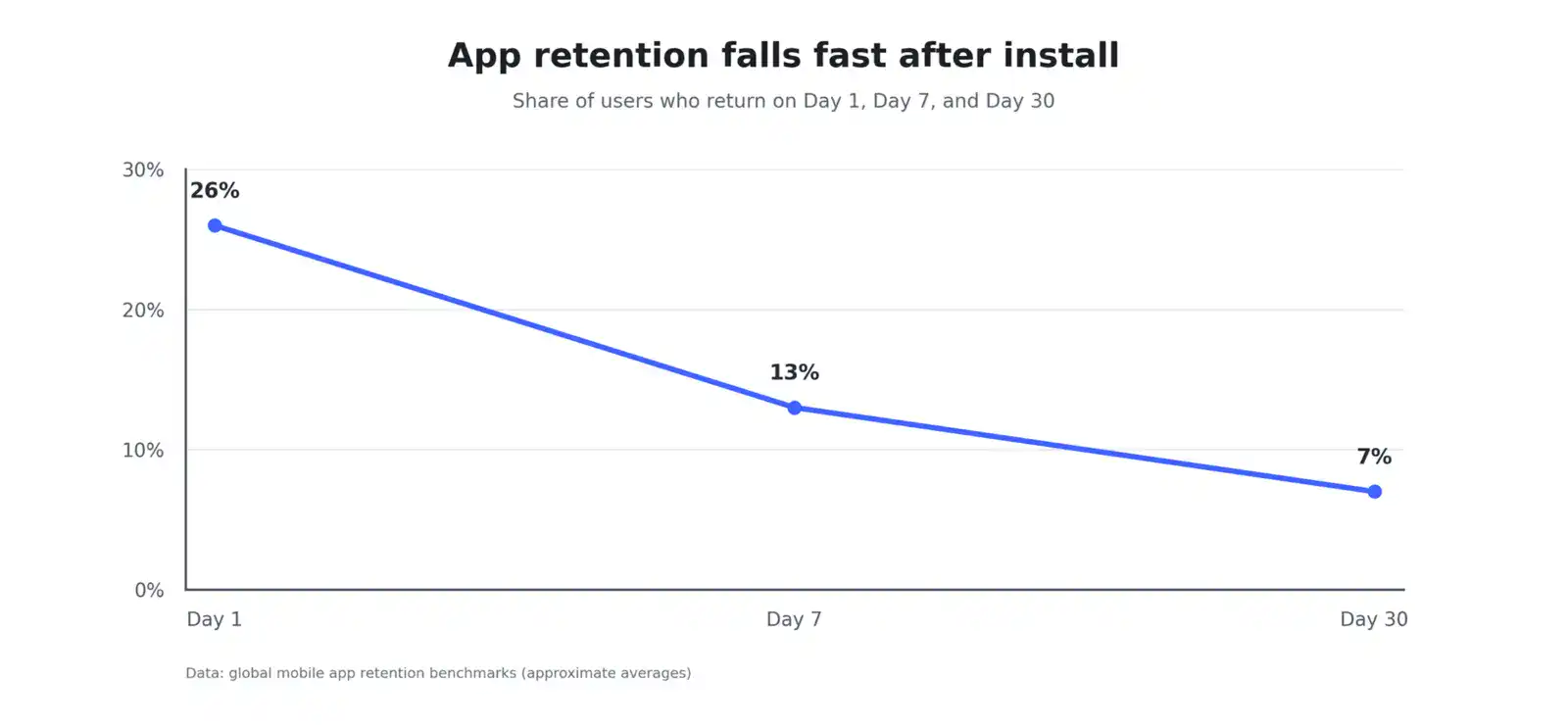
Only 26% of users open an app the day after they install it. By Day 7, that number falls to 13%, and by Day 30 it reaches roughly 7%.
Mobile app onboarding is your best chance to change those numbers. Adjust’s 2025 report shows that app installs grew 11% globally in 2024, while app sessions grew only 4%. As a result, downloads alone no longer guarantee active users. A strong first-time user experience protects user retention from the first tap.
 This guide covers onboarding types, design steps, metrics, common mistakes, trends, and costs. It also explains when a mobile app development agency adds value to your project.
What Is a Mobile App Onboarding UX?
Onboarding UX is the sequence of screens, prompts, and actions that guides a new user from install to a first useful result. Put simply, mobile app onboarding removes confusion, shows the core benefit, and gets users to act within the first session.
A strong flow follows three rules:
- Explain what the app does in one sentence.
- Collect only the data needed to personalize the first session.
- Lead users to a result they care about.
A frictionless first-time user experience matters because early friction drives churn. Users uninstall 24% of Android apps within one day and 49% within one month. Unclear value, slow screens, and long forms all push users toward the uninstall button.
Onboarding vs. Tutorials: What’s the Difference?
Onboarding covers the full path to first value. Tutorials teach one feature or task. Therefore, tutorials sit inside onboarding, not beside it.
| Factor | Onboarding | Tutorials |
|---|---|---|
| Goal | Reach first value | Teach one feature |
| Scope | Install to activation | One task or screen |
| Format | Welcome screens, setup, prompts | Walkthroughs, tooltips, guides |
| Key metric | Activation rate | Feature adoption rate |
Types of Mobile App Onboarding
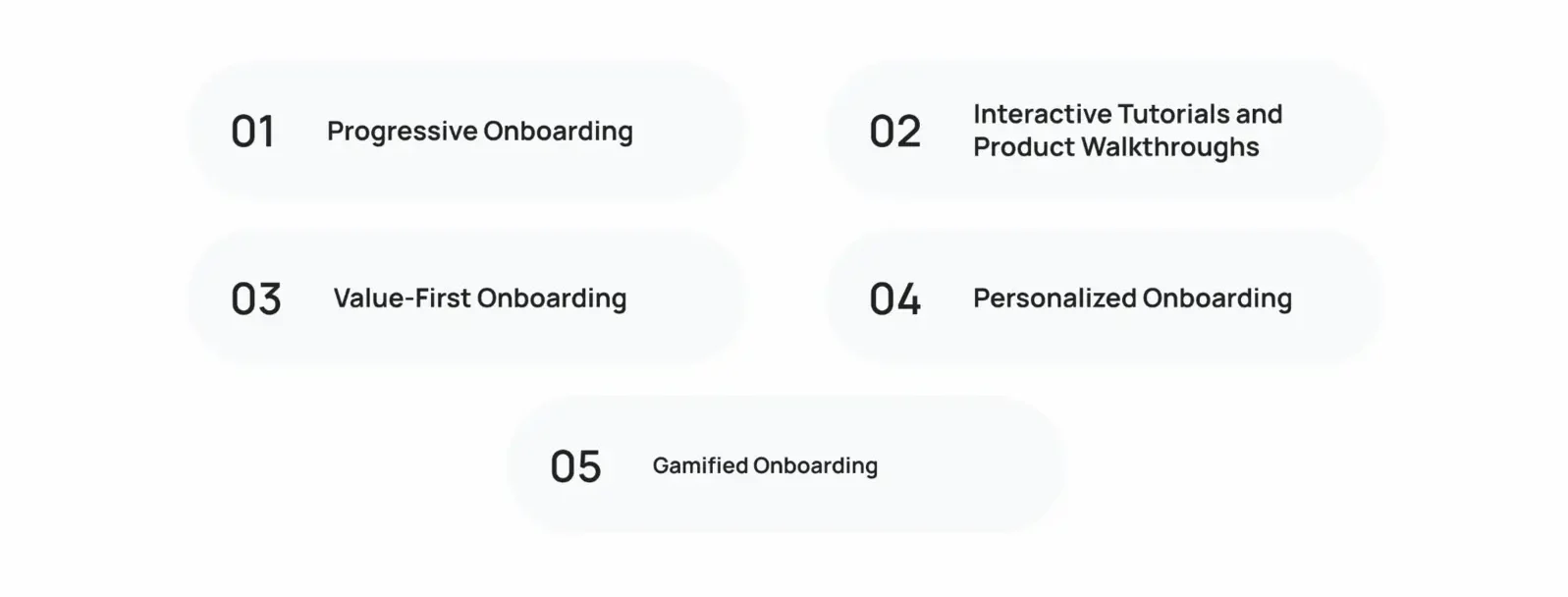 Mobile app onboarding takes five common forms, and most apps combine two or more.
1. Progressive Onboarding
Progressive onboarding introduces features as users need them instead of all at once. This approach lowers mental load and supports user adoption of advanced features over time. Banking and project management apps use it often.
2. Interactive Tutorials and Product Walkthroughs
Interactive tutorials ask users to perform real actions, such as creating a first task or sending a first message. Users learn by doing, so the lesson sticks. This format also drives the first meaningful action, and users who complete one on day one retain at two to three times the rate of users who only browse.
3. Value-First Onboarding
Value-first onboarding lets users experience the core benefit before sign-up. A fitness app, for example, shows a sample workout before it asks for an email address. This approach works well when the product is hard to describe in words.
4. Personalized Onboarding
Personalized onboarding asks one or two questions, then adapts the flow. A language app, for example, asks for a goal and a skill level, then builds a custom first lesson. Users feel the app fits them from the first screen.
5. Gamified Onboarding
Gamified onboarding rewards early actions with progress bars, badges, and streaks. Because rewards motivate repeat visits, this format lifts user engagement in habit based apps. Read more about gamification in mobile apps to see which mechanics work.
| Type | Best for | Example |
|---|---|---|
| Progressive | Feature-rich apps | Tooltip appears when a user opens a new tool |
| Value-first | Content and marketplace apps | Browse listings before sign-up |
| Personalized | Learning and wellness apps | Goal picker builds the first plan |
| Gamified | Habit apps | Streak counter after the first lesson |
What Makes a Good Mobile App Onboarding Experience?
A good experience is short, clear, and focused on one outcome. These six principles apply to nearly every app category.
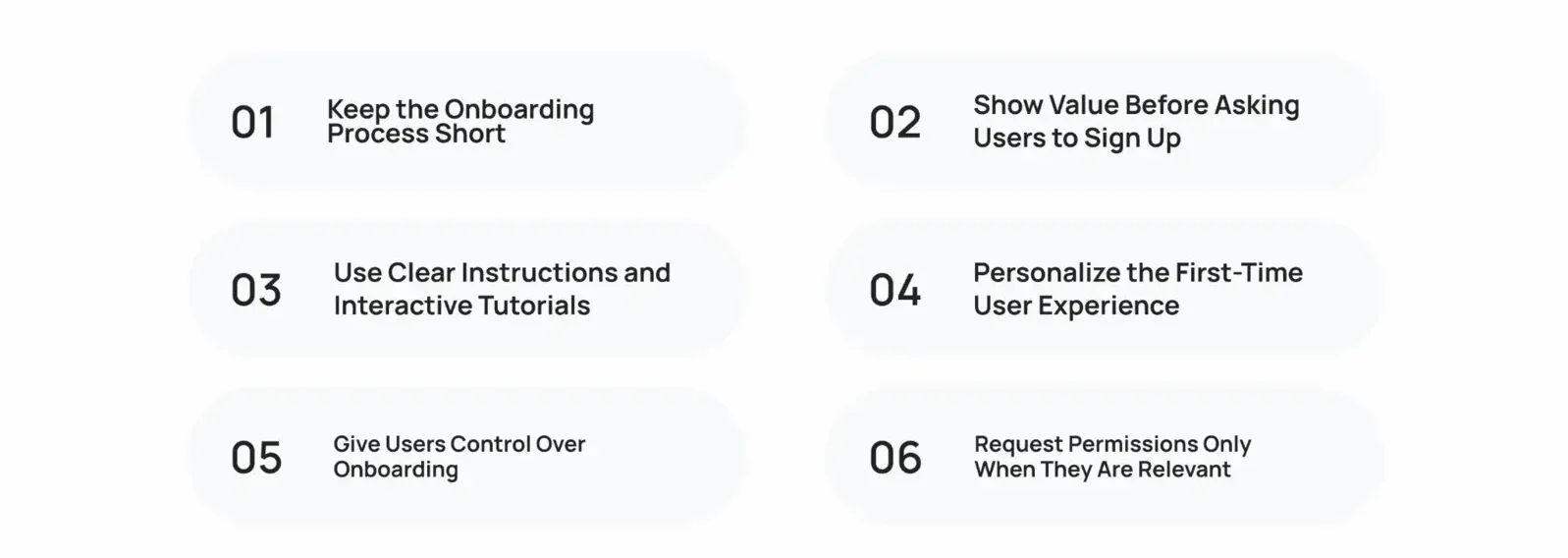
1. Keep the Onboarding Process Short
Cut every step that does not lead to the first value. In fintech apps, 70% of users who register finish registration within 75 seconds of first launch, which shows how quickly a focused flow moves. Every extra minute of setup raises the chance that users leave. Treat that number as a fintech example, not a universal target.
2. Show Value Before Asking Users to Sign Up
Let users see the product first. Across marketplace apps, median Day 1 retention sits at 25%, so the opening session has to prove value fast. Offer guest browsing, previews, or demo content before you ask for credentials. A travel app, for example, shows live deals before it asks for an account.
3. Use Clear Instructions and Interactive Tutorials
Write one instruction per screen and start it with a plain verb, such as “tap,” “add,” or “choose.” Pair each instruction with a visible cue. Interactive tutorials also beat static slides because users practice the action right away.
4. Personalize the First-Time User Experience
Ask only for what changes the experience, such as a role, a goal, or an interest. In Airship’s study of more than 1,000 in-app retail experiences, users who saw high-impact native experiences, including optimized onboarding, purchased 140% more often. That figure comes from retail apps, so read it as a direction, not a guarantee.
5. Give Users Control Over Onboarding
Add a visible Skip button and a way to reopen the guide later. Experienced users move on, and new users return when they need help. People trust an app faster when they feel in control, so apply user psychology in app design when you decide where to offer choices.
6. Request Permissions Only When They Are Relevant
Ask for notifications, location, or camera access when a feature needs it. A short line that explains the benefit improves acceptance. For example, request location when a user taps Find stores near me. Good moments to ask include:
- Notifications, after a user saves an item or sets a reminder
- Camera, when a user taps Scan
- Contacts, when a user chooses Invite friends
How to Design an Effective Mobile App Onboarding Flow
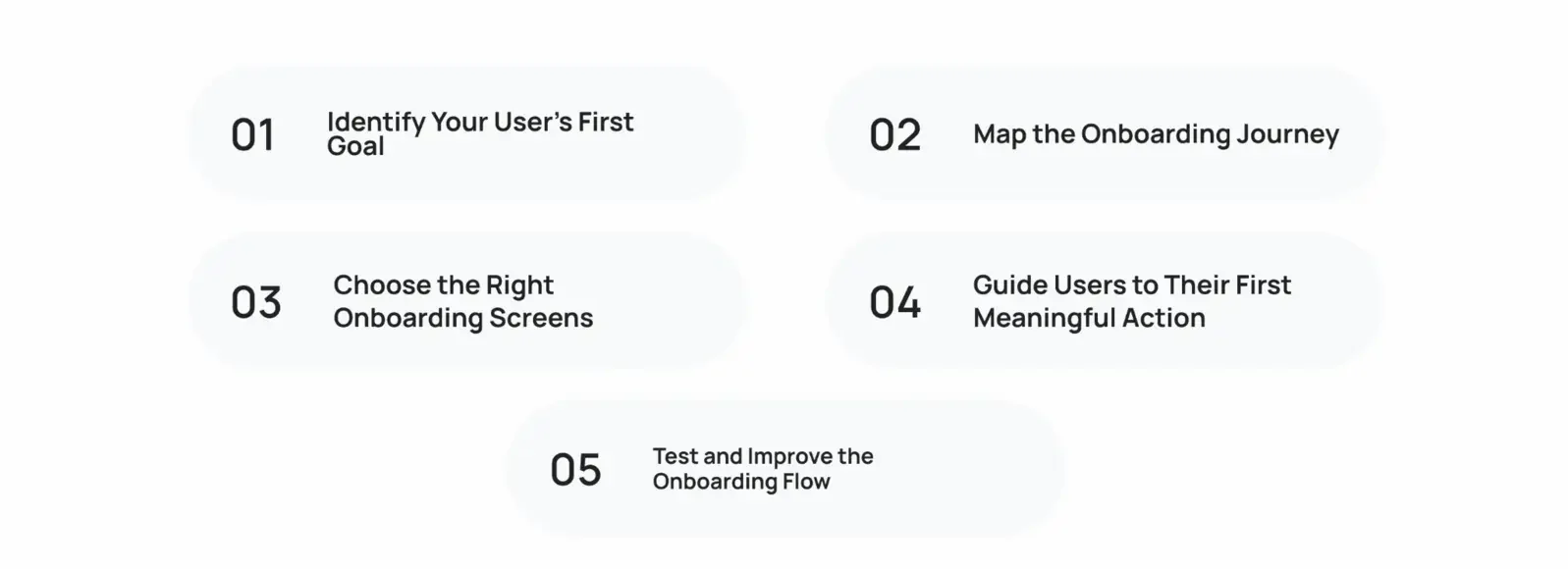
Follow these five steps to build a mobile app onboarding flow that leads to activation.
Step 1: Identify Your User’s First Goal
Define the one result a new user wants most. For a food delivery app, it’s a first order. A budgeting app focuses on a linked account. Interview users or review support tickets to confirm the goal. Then write it as one sentence, such as “A new user links a bank account in under two minutes.”
Step 2: Map the Onboarding Journey
List every step from install to first goal, including sign-up, permissions, and setup. Then label each step as required, helpful, or removable. Remove the removable steps first.
Step 3: Choose the Right Onboarding Screens
Match each screen type to a job. Use a welcome screen for context, a goal picker for personalization, and tooltips for complex features. Keep welcome screens to three or fewer, and give each one a clear job.
Step 4: Guide Users to Their First Meaningful Action
Place the first meaningful action early and make it easy. Prefill fields, set smart defaults, and highlight one primary button. These tips for a successful mobile app reinforce the same focus on a clear first action.
Step 5: Test and Improve the Onboarding Flow
Run A/B tests on one variable at a time, such as screen count or button copy. According to Airship lifecycle benchmarks, apps that run onboarding campaigns reach 78% more identified users than their category average. Track activation rate as the main result and screen completion as the supporting signal. Review results weekly and ship the winner.
How to Reduce Mobile App Onboarding Drop-Off Rates
Drop-off in mobile app onboarding clusters around sign-up, permission prompts, and slow loads. Fix these five areas first.
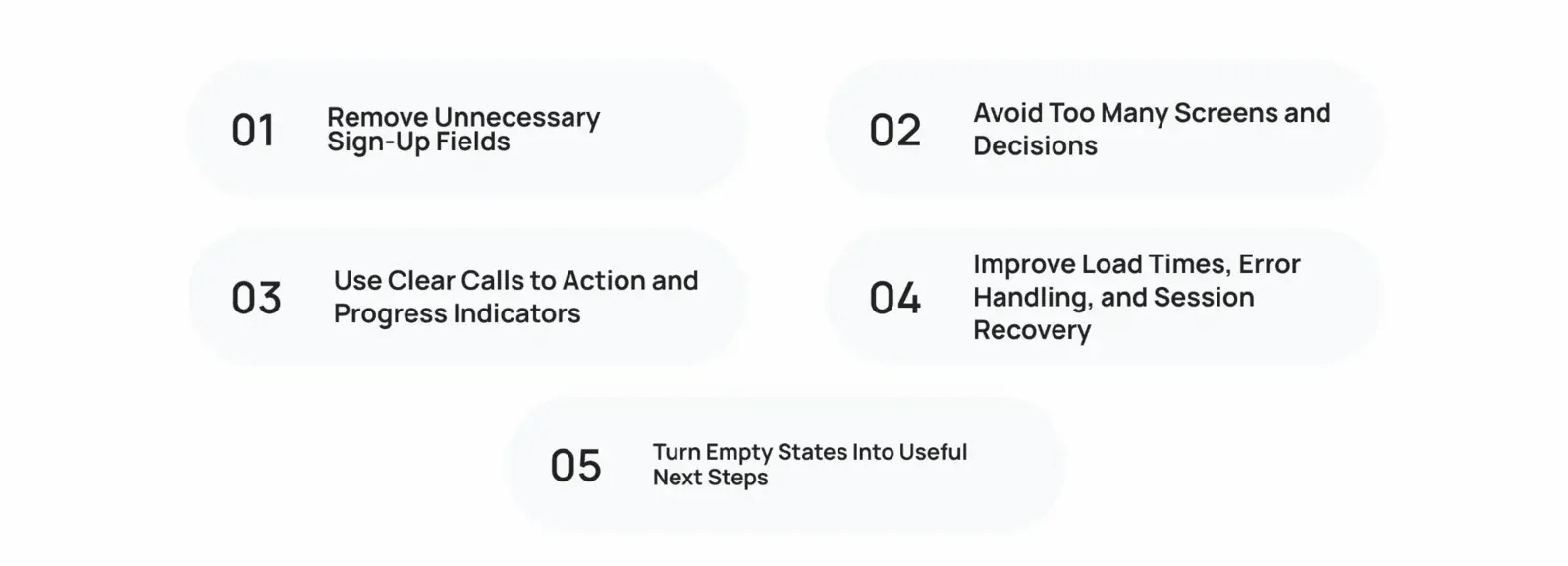
Remove Unnecessary Sign-Up Fields
Ask for an email address or offer social sign-in. Collect everything else later. Guest mode, email only, and social sign-in all shorten the first step. Because each extra field adds friction, every field must earn its place.
Avoid Too Many Screens and Decisions
Give each screen one primary action. Keep intro screens to three or fewer, so users reach the product faster. Fewer choices also reduce decision fatigue.
Use Clear Calls to Action and Progress Indicators
Label buttons with outcomes, such as Create my first budget. Add a progress bar or a step counter, such as Step 2 of 4, so users know how much remains.
Improve Load Times, Error Handling, and Session Recovery
Slow screens and vague errors push users out. Show inline validation, write plain error messages, and save progress so users resume after a call or a crash. These fixes also protect user retention, and these retention strategies for streaming apps show how recovery flows bring users back.
Turn Empty States Into Useful Next Steps
A blank screen confuses new users. Replace it with a sample item, a short prompt, and one clear button. A task app, for example, shows a ready template with the text Add your first task.
How to Measure Mobile App Onboarding Success
Measure mobile app onboarding with five metrics, and review each one by platform and user segment.
| Metric | What it tells you |
|---|---|
| Activation rate | Share of users who reach first value |
| Completion rate | Share of users who finish the flow |
| Time to first value | Speed to the first useful result |
| Day 1, 7, 30 retention | Whether users come back |
| Feature adoption | Whether users find key features |
User Activation Rate
User activation rate is the share of new users who complete a defined activation event. Consumer apps often see 30% to 50% of new users activate in the first session. B2B SaaS apps usually land between 15% and 30%, because setup is more complex.
Onboarding Completion and Drop-Off Rates
Completion rate is the percentage of users who finish the flow. Drop-off rate shows where users leave. Track both per screen, because one weak step often causes most of the loss.
Time to First Value
Time to first value is the time between install and the first useful result. A ride app, for example, counts the minutes from install to the first booked ride. Shorter times support higher activation, so cut any step that delays it.
User Engagement, Adoption, and Retention
Compare cohorts at Day 1, Day 7, and Day 30. Average Day 30 retention is about 8% on iOS and 6% on Android, so segment results by platform. Rising user engagement and user adoption after a change confirm that it works.
Feature Adoption Rate
Feature adoption rate is the share of active users who use a key feature within a set period. Divide users who tried the feature by total active users, then compare across cohorts. A low rate means users cannot find the feature, so move it earlier in the flow.
Common Mobile App Onboarding Mistakes to Avoid
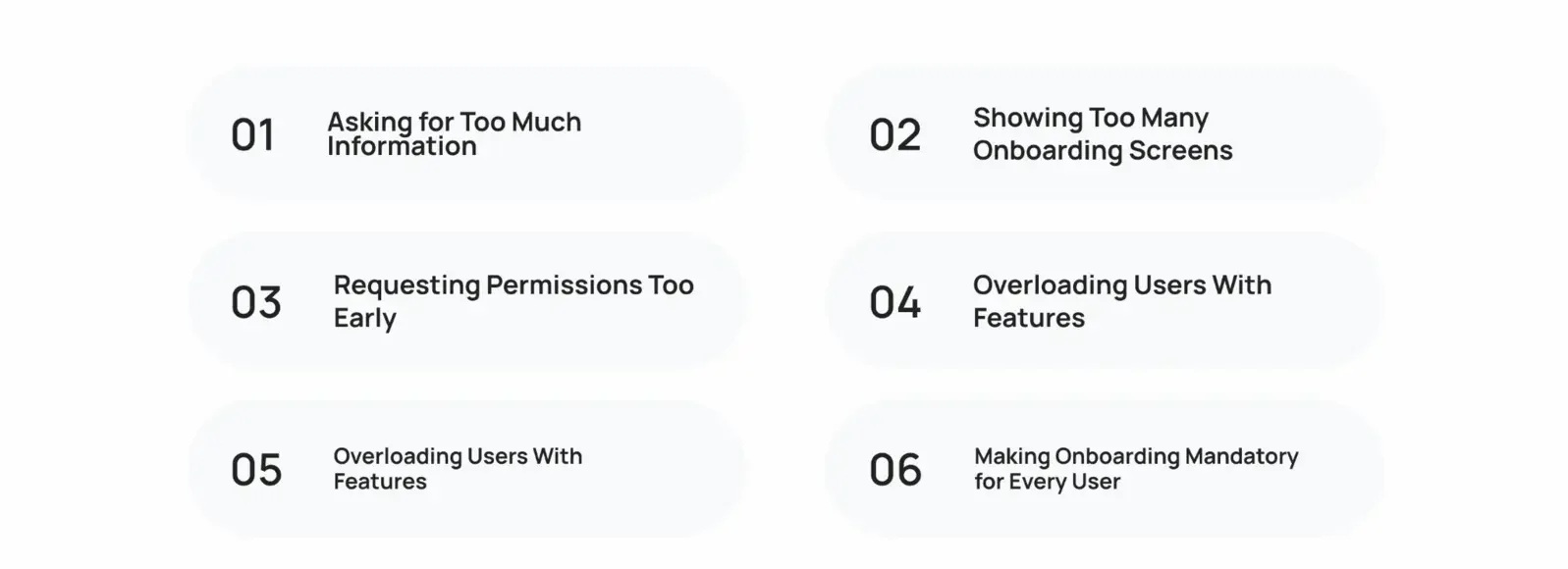
Five mistakes weaken mobile app onboarding across nearly every category.
Asking for Too Much Information
Long forms lose users before they see value. Collect the minimum, then ask for more after first use. Every extra field lowers completion.
Showing Too Many Onboarding Screens
Five or more intro screens delay the product. Cut to three, or replace slides with in-context hints that appear when users need them.
Requesting Permissions Too Early
Permission prompts at launch lack context, so users deny them. Wait until a feature needs access, and explain the benefit in one line.
Overloading Users With Features
Teach the one feature that creates value first. Introduce the rest progressively, as users finish each task.
Making Onboarding Mandatory for Every User
Experienced users resent forced tours. Add a Skip option and a Help entry point instead, so every user controls the pace.
Mobile App Onboarding Trends
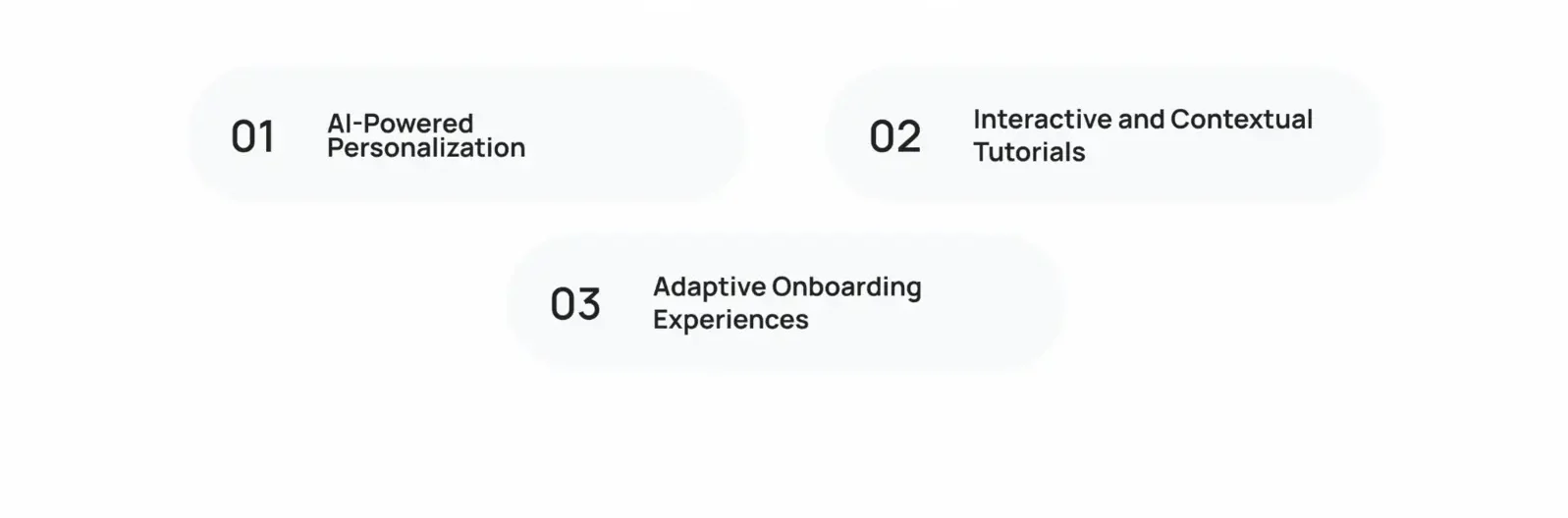
These mobile app onboarding trends center on personalization, context, and privacy.
AI-Powered Personalization
AI models predict intent from early behavior and adjust the flow in real time. A shopping app, for example, reorders its first screens based on the first category a user browses. The user sees relevant products within seconds.
Interactive and Contextual Tutorials
Hints now appear at the moment of need instead of in a fixed slideshow. Contextual tooltips trigger when a user reaches a feature, so users learn without leaving the task.
Adaptive Onboarding Experiences
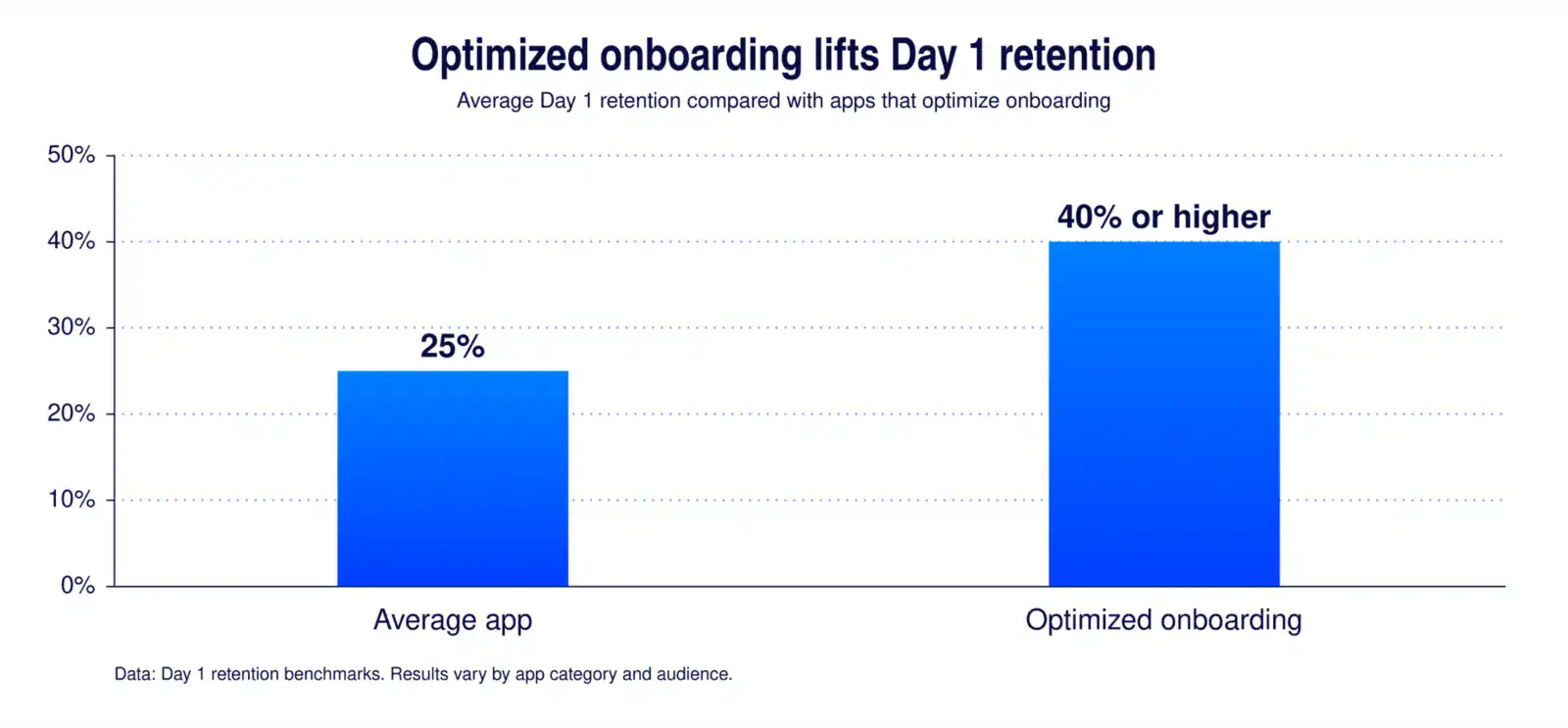
Adaptive flows change length and depth based on user skill. Experts skip ahead, and beginners receive extra guidance. Apps with optimized onboarding reach Day 1 retention of 40% or higher, compared with an average near 25%. Results vary by app category and audience.
Privacy-First Permission Requests
Users expect control over their data. Explain why you need each permission, offer a Not now option, and request only the minimum access. Clear consent screens also build trust before the first purchase or payment.
How Much Does Mobile App Onboarding Cost?
The mobile app onboarding cost depends on scope, research depth, and testing needs. No single price applies, because a basic welcome flow and an adaptive, analytics-driven flow sit far apart.
Factors That Affect Mobile App Onboarding Cost
Cost scales with these drivers:
- Number of screens and user paths
- Personalization and adaptive logic
- Platforms, such as iOS, Android, or both
- Analytics and event tracking
- Rounds of research and testing
| Scope | Typical inclusions | Relative cost |
|---|---|---|
| Basic | Welcome screens, permission prompts, Skip option | Lower |
| Standard | Goal picker, interactive walkthrough, analytics events | Moderate |
| Advanced | Personalization, adaptive logic, A/B testing program | Higher |
UX Research and Onboarding Design Services
UX design services cover user research, flow mapping, wireframes, prototypes, and usability tests. Onboarding design services apply the same work to the first session, so the scope stays smaller than a full product redesign. Teams often start here and expand later.
Development, Analytics, and A/B Testing Costs
Your total app onboarding cost also includes engineering time, analytics tools, and testing platforms. Build event tracking from the start, because every A/B test needs clean data. Read about the full app build process to see where onboarding work fits.
When to Work With a UX Consultant
A UX consultant audits your current flow, finds the screens with the highest drop off, and ranks fixes by impact. Bring one in when activation stays below target after two or three internal tests. An outside view also removes internal bias about which screens matter.
How Cubix Helps Design Better Mobile App Onboarding Experiences
Cubix pairs UX research, interface design, and engineering in one team. Its product design services cover the full onboarding workflow:
- Flow audits that locate drop-off by screen
- Wireframes and prototypes that you test before development
- Tutorials, personalization, and permission flows for iOS and Android
- Analytics setup and A/B testing plans tied to activation metrics
- Post-launch reviews that compare activation and retention against your baseline
Every engagement starts with your data. The team reviews analytics, session behavior, and user feedback, then ranks changes by their effect on activation. You approve each change before it reaches your users, so nothing ships without your sign-off. Weekly check-ins keep product, design, and engineering aligned on one activation target.
Separate vendors for design and engineering often create gaps between prototype and release. If you need both handled together, a mobile app development agency with product design experience shortens handoffs. Cubix delivers both, so design decisions reach production intact.
Book a free consultation and turn installs into active users
Contact UsFrequently Asked Questions
1. How long should the onboarding process be?
Keep it under one minute and three screens when possible. Users should reach their first meaningful action in the first session. Simple apps need shorter flows, while complex products need progressive steps that spread learning over several sessions.
2. What’s the difference between onboarding and tutorials?
Onboarding guides users from install to first value. A tutorial teaches a single feature or task. Together, tutorials form one part of the onboarding flow, and the flow ends at activation.
3. What’s the ideal activation rate for apps?
Consumer apps target 30% to 50% of new users completing the activation event in the first session. B2B SaaS apps often fall between 15% and 30% because setup takes longer.
4. Should I use interactive tutorials or static screens?
Choose interactive walkthroughs for complex tasks, because users learn by doing. Static screens suit brand context or one simple message. Keep both short, and test them against each other.
5. When should I use gamification in onboarding?
Use it in habit based apps such as fitness, learning, and finance. Add progress bars, streaks, or badges that reward early actions. Skip it when it distracts from a serious task, such as filing a claim or moving money.
6. What tools can I use to build onboarding experiences?
Amplitude, Mixpanel, Firebase, Appcues, Userpilot, and Braze cover analytics, testing, and in-app guidance. Pick tools that match your platform, your data needs, and your engineering capacity.
7. What makes a good mobile app onboarding experience?
A good experience is short, shows value early, personalizes with minimal input, gives users control, and requests permissions in context. It also leads users to one meaningful action.
8. How do I measure onboarding effectiveness?
Track activation rate, completion and drop-off rates, time to first value, cohort retention at Day 1, 7, and 30, and feature adoption. Review each metric by platform, acquisition channel, and user segment, because averages hide weak spots.
9. How do I reduce onboarding drop-off rates?
Remove sign-up fields, cut screens, add progress indicators, fix load times and errors, and replace empty states with clear next steps. Then test each change and keep the ones that raise activation.
10. How do I A/B test onboarding flows?
Change one variable per test, such as screen count or button copy. Split new users randomly, pick one success metric like activation rate, and run the test until results reach statistical significance.