Key Takeaways
- Godot, Unity, and GameMaker remain the leading 2D game engines in 2026.
- Godot is the strongest choice for indie developers seeking a free, open source engine.
- Unity offers the most mature ecosystem for commercial, mobile, and cross platform game development.
- GameMaker continues to be one of the fastest and most beginner friendly tools for creating 2D platformers.
- At the end of the day, the right engine depends on your game genre, target platforms, team size, and long term business goals.
The gaming industry continues to grow at an impressive pace. According to Newzoo, the global games market generated nearly $189 billion in revenue in 2025, with more than 3.6 billion players worldwide. Mobile gaming alone accounted for over half of the industry’s total revenue.
At the same time, competition has never been higher. More than 19,000 games were released on Steam in 2025, making it harder for new titles to stand out. Success is no longer determined by a great idea alone. The technology behind a game can significantly impact development speed, performance, scalability, and long-term maintenance.
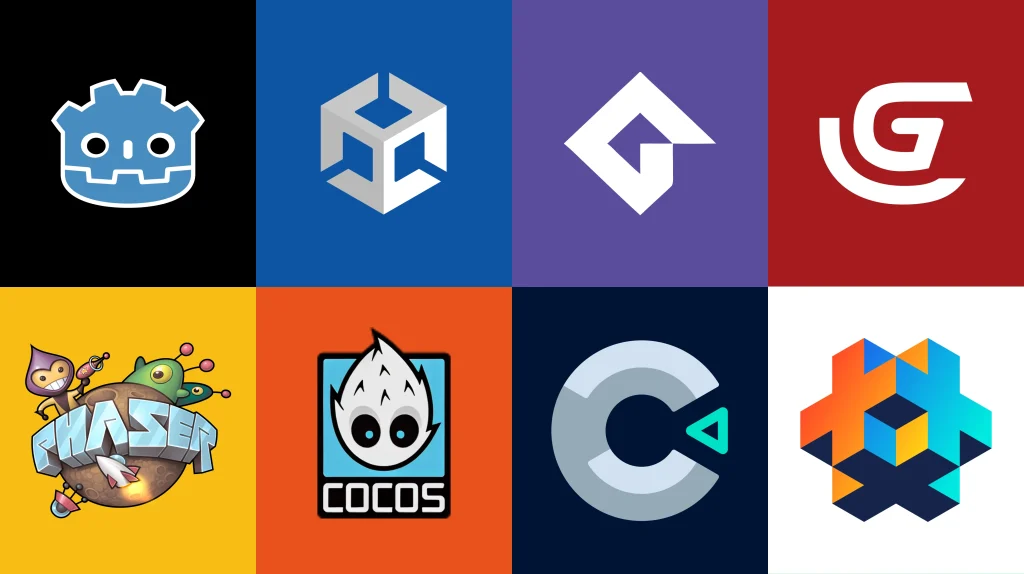
The good news is that developers have more options than ever before with the 2D game development company. Engines like Godot, Unity, GameMaker, Phaser, and Construct 3 have continued to evolve, each offering unique strengths for different types of projects.
However, there is no universal answer to the question, “What is the best 2D game engine?” The right choice depends on your goals, team size, budget, technical expertise, and target platforms.
What Is the Best 2D Game Engine in 2026?
For most developers, Godot, Unity, and GameMaker remain the top game engines for 2D games in 2026.
- Godot is the strongest option for open-source and indie development.
- Unity offers the most mature cross-platform ecosystem and commercial scalability.
- GameMaker remains one of the fastest tools for creating 2D games.
- Phaser is ideal for HTML5 and browser-based projects.
- Construct 3 is an excellent choice for beginners and rapid prototyping.
The best choice ultimately depends on the type of game you are building and the platforms you plan to support.
What Is a 2D Game Engine?
A 2D game engine is a software framework that provides the tools developers need to create two-dimensional games. Instead of building every system from scratch, developers use a game engine to manage graphics, animations, physics, audio, user interfaces, and gameplay logic within a single environment.
Modern 2D game development engines do much more than display sprites on a screen. They help developers streamline production, reduce development time, and deploy games across multiple platforms, including PC, mobile devices, consoles, and web browsers.
Core Components of a 2D Game Engine
Most game development software includes several essential systems that work together to create a playable experience.
| Component | Purpose |
| Rendering System | Displays sprites, backgrounds, and visual effects |
| Animation Tools | Creates character movements and visual transitions |
| Physics Engine | Handles collisions, gravity, and movement mechanics |
| Audio System | Manages music, sound effects, and voiceovers |
| Scripting Tools | Controls gameplay logic and interactions |
| UI Framework | Builds menus, HUDs, and player interfaces |
| Asset Management | Organizes art, audio, and development resources |
| Export Tools | Publishes games to different platforms |
Why Do Developers Use Game Engines?
Before modern game engines became widely available, developers had to build many of these systems manually. Today, engines allow teams to focus more on gameplay, design, and player experience rather than rebuilding core technology.
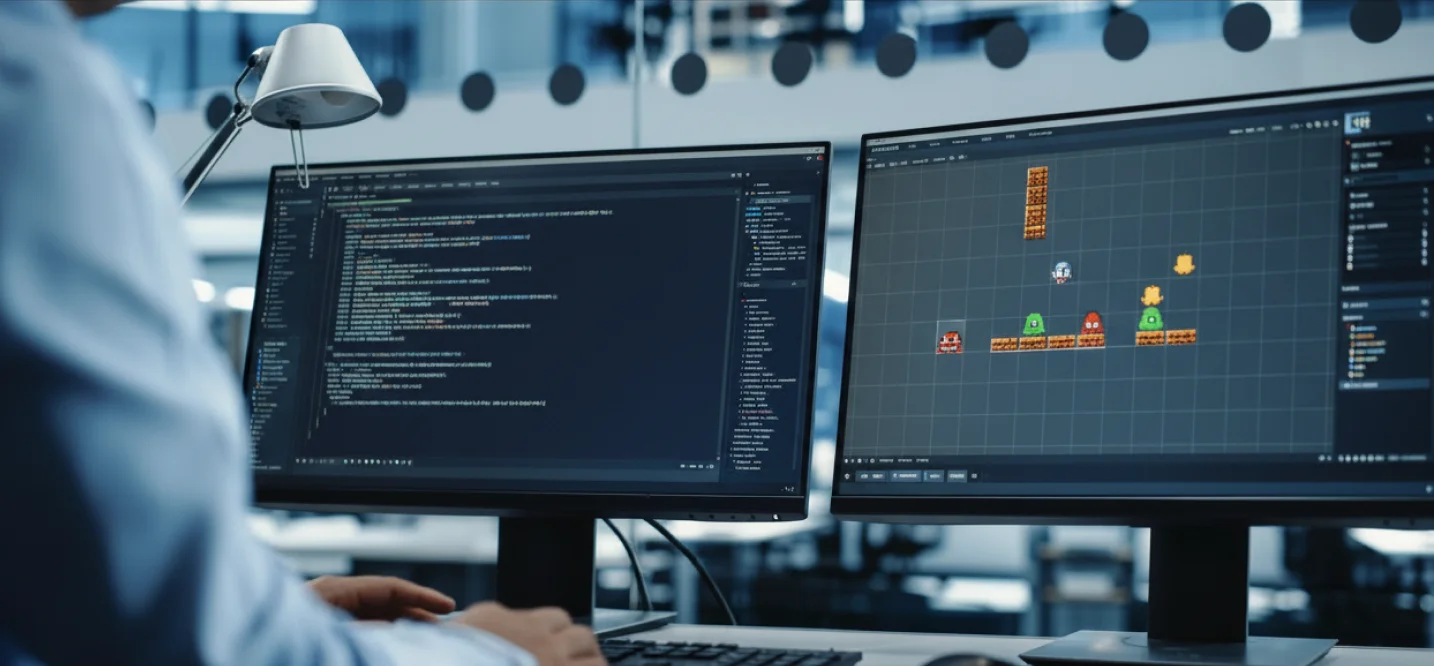
Using a dedicated 2D video game making software offers several advantages:
- Faster development cycles
- Lower production costs
- Easier collaboration between teams
- Built-in testing and debugging tools
- Cross-platform deployment capabilities
- Access to plugins, assets, and community support
For indie developers and studios alike, these benefits can significantly reduce development risks while improving time-to-market.
Why Choosing the Right 2D Game Engine Matters in 2026
Choosing a 2D game development engine is one of the most important decisions in the entire game development process. The engine affects how quickly your team can build features, how well the game performs across devices, and how easily you can scale the project in the future.
Understanding these technologies can help developers make more informed decisions about scalability and future game features. For a deeper look at the topic, read Core Concepts Driving NFTs, Their Relevance, and Longevity.
The Gaming Industry Is More Competitive Than Ever
The global gaming market continues to expand year after year. According to Newzoo, the industry generated nearly $189 billion in revenue during 2025 and is projected to continue growing through 2026 and beyond.

Several trends are driving this growth:
- More than 3.6 billion people play games worldwide.
- Mobile gaming generates over 50% of global gaming revenue.
- Indie games account for a growing percentage of new releases on PC and mobile platforms.
- Cross-platform gaming has become a standard expectation for many players.
At the same time, discoverability has become increasingly difficult.
Steam saw more than 19,000 game releases in 2025 alone. This means developers are competing against thousands of new titles every year for player attention.
With so much competition, development efficiency becomes a major advantage.
A Game Engine Impacts More Than Development Speed
Many developers focus only on how quickly they can start building a game. However, the best 2D game engine should support the entire lifecycle of the project.

A game engine influences:
| Development Area | Impact |
| Development Speed | Faster prototyping and iteration |
| Performance | Better frame rates and optimization |
| Platform Support | Easier deployment across devices |
| Team Productivity | Improved collaboration and workflows |
| Scalability | Supports future updates and expansions |
| Maintenance | Reduces technical debt over time |
| Cost Efficiency | Lowers development and support costs |
For example, a solo developer creating a retro platformer may prioritize ease of use and low costs. A studio building a live-service mobile game may need advanced analytics, multiplayer support, and monetization tools.
This is why there is no single answer to “what is the best 2D game engine?” The best solution depends on project requirements.
The Rise of Cross-Platform Development
One of the biggest trends shaping modern game development software is cross-platform publishing.
Today’s players expect games to be available on multiple devices, including:
- iOS
- Android
- Windows
- macOS
- Nintendo Switch
- PlayStation
- Xbox
- Web browsers
Building separate versions for every platform is expensive and time-consuming.
As a result, many developers prioritize a cross-platform game engine that allows them to maintain a single codebase while deploying to multiple devices.
This is one reason why engines such as Unity and Godot continue to gain popularity among both indie developers and commercial studios.
Why Engine Choice Directly Affects Development Costs
The cost of building a game extends far beyond programming.
Development budgets often include:
- Engineering resources
- Art production
- Animation
- Testing and QA
- Audio design
- Platform optimization
- Post-launch updates
The more efficient the engine, the lower the production overhead.
For example:
- Strong asset management systems reduce development time.
- Built-in physics systems eliminate custom engineering work.
- Visual scripting tools help non-programmers contribute to development.
- Large asset marketplaces reduce content creation costs.
Development teams spend a significant portion of production time solving technical issues rather than building gameplay features. Choosing mature game development software can help reduce these bottlenecks.
How We Evaluated the Best 2D Game Engines in 2026
The best 2D game engine is not necessarily the most popular one. Different projects have different requirements, budgets, and technical challenges. A browser-based puzzle game, for example, has very different needs than a multiplayer mobile RPG or a console platformer.
To create a fair comparison, we evaluated each 2D game development engine based on the factors that have the biggest impact on production success in 2026.
Our assessment focuses on real-world development considerations rather than marketing claims. These criteria reflect what studios, and publishers typically look for when selecting game development software developers for commercial and independent projects.
Evaluation Criteria
| Evaluation Factor | Why It Matters | Importance |
| 2D Development Tools | Native support for sprites, tilemaps, animation systems, and 2D physics | Very High |
| Ease of Learning | How quickly developers can become productive | High |
| Cross-Platform Support | Ability to deploy across mobile, PC, console, and web | Very High |
| Performance & Optimization | Frame rates, memory usage, and runtime efficiency | Very High |
| Community & Documentation | Access to tutorials, troubleshooting, and support resources | High |
| Asset Marketplace | Availability of plugins, templates, and development assets | Medium |
| Scalability | Ability to support future updates and larger projects | Very High |
| Pricing & Licensing | Development costs, royalties, and subscription fees | High |
| Mobile Development Support | Optimization and deployment capabilities for mobile devices | High |
| Multiplayer & Live Ops Support | Tools for online features and long-term game growth | Medium |
What Makes a Great 2D Game Engine in 2026?
A decade ago, developers mainly looked at graphics and programming features when selecting a game engine.
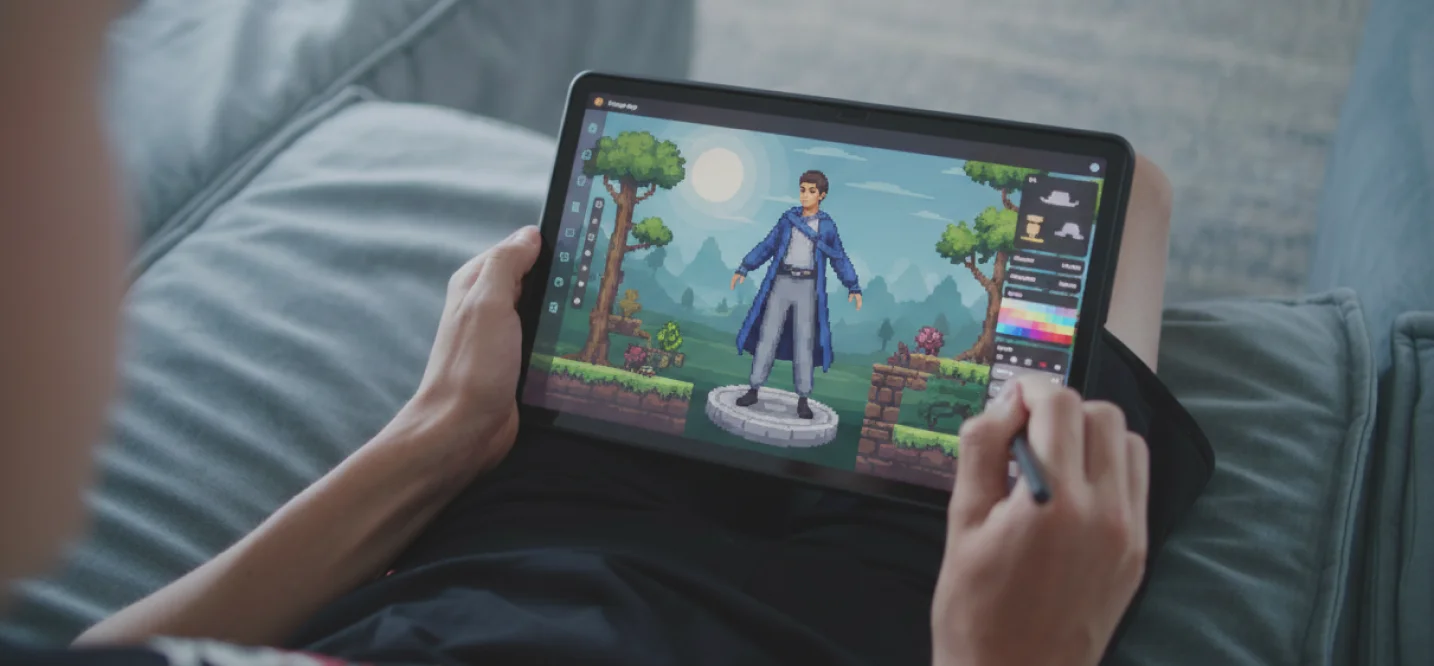
Today, the requirements are much broader.
Modern studios need:
- Faster development cycles
- Cross-platform deployment
- Scalable architecture
- Live-service capabilities
- Cloud-based collaboration
- Better optimization tools
- Access to AI-assisted workflows
According to Newzoo, more than 50% of global gaming revenue now comes from mobile games. At the same time, players expect frequent updates, seamless performance, and support across multiple devices.
Comparison Criteria Breakdown
The following table explains exactly what we looked for when comparing the top game engines for 2D games.
| Criteria | What We Evaluated | Why It Matters in 2026 |
| Native 2D Features | Tilemaps, sprite rendering, animation systems, 2D lighting, physics | Reduces development time and simplifies workflows |
| Performance | CPU usage, memory efficiency, rendering speed | Critical for mobile and lower-end devices |
| Platform Reach | Mobile, desktop, web, and console deployment | Expands audience potential |
| Development Speed | Prototyping tools, visual editors, scripting workflows | Helps teams launch products faster |
| Team Collaboration | Version control support and asset management | Improves productivity in larger teams |
| Ecosystem Maturity | Plugins, SDKs, community resources | Reduces technical risks |
| Commercial Readiness | Monetization, analytics, multiplayer integrations | Supports long-term business growth |
| Learning Curve | Complexity of tools and programming requirements | Influences onboarding and training costs |
| Long-Term Viability | Industry adoption and future development roadmap | Protects investments over time |
How Today’s Leading Engines Compare
| Engine | 2D Features | Ease of Use | Performance | Mobile Support | Web Support | Best For |
| Godot | Excellent | Excellent | Excellent | Good | Good | Indie games, open-source projects |
| Unity | Excellent | Good | Excellent | Excellent | Good | Commercial and mobile games |
| GameMaker | Excellent | Excellent | Good | Good | Limited | Indie and retro-style games |
| Construct 3 | Good | Excellent | Good | Good | Excellent | Beginners and rapid prototyping |
| Phaser | Good | Moderate | Excellent | Good | Excellent | Browser and HTML5 games |
| Cocos Creator | Good | Moderate | Excellent | Excellent | Good | Mobile-first projects |
| Defold | Good | Good | Excellent | Good | Good | Lightweight cross-platform games |
| GDevelop | Moderate | Excellent | Good | Good | Good | No-code development |
| MonoGame | Good | Challenging | Excellent | Good | Moderate | Experienced developers |
The “Best” Engine Depends on Business Goals
One of the biggest misconceptions in game development is that there is a single engine that works best for every project.
In reality, engine selection should align with business objectives.
For example:
- A solo developer creating a pixel-art platformer may benefit most from Godot or GameMaker.
- A startup planning a multi-platform launch may prefer Unity because of its mature ecosystem.
- A web-based educational game may achieve faster results with Phaser or Construct 3.
- A studio focused on long-term mobile growth may prioritize mobile optimization and analytics integrations.
Now that we’ve established the evaluation criteria, let’s examine the best 2D game engines in 2026 and see where each one excels.
Godot: The Best 2D Game Engine for Indie Developers
Godot is one of the best 2D game engines in 2026 for indie developers, startups, and teams looking for a free and open-source solution. Unlike many engines that treat 2D as a secondary feature, Godot was designed with dedicated 2D workflows, making it highly efficient for platformers, RPGs, puzzle games, and pixel-art projects.
Why Godot Has Become So Popular
Over the past few years, Godot has evolved from a niche engine into one of the most respected tools in game development.
Much of its growth came after developers began exploring alternatives to commercial engines. As more studios sought greater control over licensing, pricing, and source code access, Godot emerged as a strong open-source option.
Today, Godot is used by thousands of independent developers worldwide and continues to receive active community support and regular updates.
One of its biggest advantages is its lightweight architecture. While some modern game development software requires large installations and extensive system resources, Godot remains relatively lightweight and responsive.
This makes it particularly attractive for small teams that want to focus on building games rather than managing complex development environments.
Key Features
Godot includes several features that make it a leading 2D game development engine:
- Dedicated 2D rendering engine
- Built-in tilemap system
- Native 2D lighting and shadows
- Scene-based architecture
- Visual scripting and GDScript support
- C# compatibility
- Open-source MIT license
- Integrated physics engine
- Multi-platform deployment support
- Active community-driven ecosystem
Unlike many competitors, Godot separates its 2D and 3D workflows. This may sound simple, but it significantly improves productivity for developers focused entirely on 2D projects.
Strengths of Godot
Purpose-Built for 2D Games
Many engines originally focused on 3D development before adding 2D features later. Godot takes a different approach.
Its dedicated 2D renderer provides:
- Better sprite management
- More intuitive scene organization
- Simplified animation workflows
- Efficient tilemap creation
This allows developers to build games faster without navigating unnecessary systems.
Completely Free and Open Source
One of Godot’s biggest advantages is its licensing model.
Developers can:
- Use the engine commercially
- Modify source code
- Distribute games freely
- Avoid royalties
- Avoid subscription fees
For indie studios and startups with limited budgets, this can reduce development costs significantly.
Fast Iteration and Development
Godot’s editor is lightweight compared to many competing platforms.
Developers often report:
- Faster startup times
- Quicker testing cycles
- Shorter iteration loops
- Simpler project management
These benefits become increasingly important during production when teams may test hundreds of gameplay changes.
Pros and Cons
| Pros | Cons |
| Completely free and open source | Smaller asset marketplace than Unity |
| Excellent native 2D tools | Fewer enterprise integrations |
| Lightweight and fast editor | Smaller talent pool compared to Unity |
| Strong community support | Console deployment may require additional support |
| Easy to learn for beginners | Fewer commercial plugins |
| No royalties or licensing fees | Some advanced workflows require customization |
Games Built With Godot
A growing number of successful commercial games have been developed using Godot.
Some notable examples include:
- Brotato
- Dome Keeper
- Cassette Beasts
- Halls of Torment
- Buckshot Roulette
These titles demonstrate that Godot is capable of supporting commercially successful projects across multiple genres.
Best Use Cases for Godot
Godot works particularly well for:
- Indie game development
- 2D platformers
- Pixel-art games
- RPGs
- Puzzle games
- Educational games
- Open-source projects
- Small-to-medium-sized studios
Unity: The Best Cross-Platform Game Engine for Commercial 2D Games
Unity remains one of the best game engines for 2D games in 2026, especially for studios building commercial products. Its mature ecosystem, extensive platform support, large developer community, and powerful development tools make it a leading choice for mobile games, live-service titles, and multi-platform releases.
Why Unity Continues to Lead the Industry
Few engines have influenced modern game development as much as Unity.
For over a decade, Unity has been one of the most widely used game development software platforms in the world. According to Unity’s own reports, billions of mobile devices run games and applications built with Unity technology.
While the company faced criticism following its 2023 pricing controversy, Unity remains a dominant force in both indie and commercial development. The release of Unity 6 has focused heavily on performance improvements, stability, and long-term support, helping restore confidence among developers.
Today, Unity powers everything from small indie projects to globally successful mobile games with millions of players.
Key Features
Unity offers a comprehensive suite of tools for both 2D and 3D development.
Key features include:
- Advanced 2D rendering tools
- Tilemap and sprite management systems
- Universal Render Pipeline (URP)
- 2D lighting and shadow support
- Visual scripting tools
- C# programming environment
- Built-in analytics integration
- Multiplayer networking solutions
- Extensive Asset Store
- Mobile optimization tools
- Cross-platform deployment capabilities
One of Unity’s biggest strengths is that developers can build a game once and deploy it across multiple platforms with relatively minimal changes.
Pros and Cons
| Pros | Cons |
| Excellent cross-platform support | Larger learning curve than some 2D-first engines |
| Massive developer community | Heavier editor than Godot |
| Industry-leading Asset Store | Subscription costs for some users |
| Strong mobile development ecosystem | Can feel excessive for simple 2D projects |
| Mature multiplayer solutions | Requires more system resources |
| Extensive documentation | Some features may be unnecessary for smaller teams |
| Large talent pool | Complex projects can become difficult to manage without proper planning |
Games Built With Unity
Unity has powered many of the most successful 2D games of the past decade.
Popular examples include:
- Hollow Knight
- Cuphead
- Monument Valley
- Ori and the Blind Forest
- Hearthstone
- Fall Guys
These games demonstrate Unity’s flexibility across multiple genres and visual styles.
Best Use Cases for Unity
Unity is particularly well suited for:
- Mobile games
- Cross-platform releases
- Commercial game projects
- Multiplayer games
- Live-service games
- Indie studios planning long-term growth
- Mid-sized and enterprise development teams
If scalability is a major concern, Unity remains one of the strongest game engines for 2D games available today.
Cubix Insight
At Cubix, Unity remains one of the most requested technologies for commercial game projects. The reason extends far beyond graphics or development speed.
Unity provides a mature ecosystem that supports the entire lifecycle of a game, from prototyping and production to monetization, analytics, updates, and long-term maintenance. For businesses planning multi-platform launches or ongoing content updates, this ecosystem often becomes a major competitive advantage.
Our Unity development teams frequently recommend the engine for projects that require strong mobile support, scalable architecture, and future expansion opportunities.
Godot vs Unity: Which Is Better?
Many developers evaluating a 2D game development engine eventually compare Godot and Unity.
Here’s a quick overview:
| Feature | Godot | Unity |
| Cost | Free | Subscription-based options |
| Source Code Access | Yes | Limited |
| Learning Curve | Easier | Moderate |
| Mobile Support | Good | Excellent |
| Asset Marketplace | Moderate | Extensive |
| Community Size | Growing | Massive |
| Enterprise Support | Limited | Strong |
| Commercial Scalability | Good | Excellent |
In simple terms:
- Choose Godot if you want a lightweight, open-source, and budget-friendly engine.
- Choose Unity if you need commercial scalability, mobile dominance, and extensive third-party integrations.
Best 2D Game Engine
| Engine | Best For | Mobile Support | Web Support | Console Support | Pricing Model |
| Godot | Indie games, RPGs, platformers | Good | Good | Good | Free (MIT License) |
| Unity | Commercial and mobile games | Excellent | Good | Excellent | Subscription |
| GameMaker | 2D platformers and retro games | Good | Limited | Good | Subscription |
| Phaser | Browser and HTML5 games | Good | Excellent | Limited | Free |
| Construct 3 | Beginners and educators | Good | Excellent | Limited | Subscription |
| Cocos Creator | Mobile-first games | Excellent | Good | Moderate | Free |
| Defold | Lightweight projects | Good | Good | Moderate | Free |
| GDevelop | No-code game creation | Good | Good | Limited | Free |
Which Engine Wins in Each Category?
| Category | Recommended Engine |
| Best Overall 2D Engine | Godot |
| Best for Commercial Development | Unity |
| Best for Mobile Games | Unity |
| Best for Indie Developers | Godot |
| Best for Beginners | Construct 3 |
| Best for HTML5 Games | Phaser |
| Best for 2D Platformers | GameMaker |
| Best Open-Source Engine | Godot |
| Best Lightweight Engine | Defold |
| Best No-Code Solution | GDevelop |
The reality is that there is no single winner for every project. According to the 2025 Stack Overflow Developer Survey and multiple industry reports, engine selection is increasingly influenced by project goals, deployment requirements, and long-term scalability rather than popularity alone.
Unity vs Godot for 2D Games
When developers search for the best 2D game engine, the comparison often comes down to Unity and Godot.
Both engines are capable of producing high-quality 2D games, but they serve different types of projects and development teams.
Which Engine Is Easier to Learn?
Godot is generally easier for beginners.
Its interface is simpler, its editor is lightweight, and its node-based architecture makes project organization straightforward.
Unity offers more tools and features, but this also creates a steeper learning curve.
Winner: Godot
Which Engine Performs Better?
For most 2D projects, both engines deliver excellent performance.
However, Godot’s lightweight architecture often consumes fewer system resources during development.
Unity compensates with advanced optimization tools and stronger support for large-scale projects.
Winner: Depends on project size
Which Engine Is Better for Mobile Games?
Unity has a clear advantage for mobile development.
According to Unity’s own platform data, billions of devices worldwide run Unity-powered applications and games.
Unity provides:
- Mobile analytics
- Ad monetization tools
- Cloud services
- Performance profiling
- App store deployment support
These features make Unity particularly attractive for commercial mobile projects.
Winner: Unity
Which Engine Has Better Long-Term Support?
Unity benefits from:
- A larger development team
- Enterprise support options
- Extensive documentation
- Thousands of third-party plugins
Godot’s community continues to grow rapidly, but its ecosystem is still smaller.
Winner: Unity
Which Engine Should Indie Developers Choose?
Godot is often the better choice for indie developers because:
- No licensing fees
- Open-source flexibility
- Lower hardware requirements
- Dedicated 2D tools
For solo developers and small teams, these advantages can significantly reduce development costs.
Winner: Godot
Which Engine Should Studios Choose?
Studios building commercial games often prefer Unity because of its mature ecosystem and cross-platform capabilities.
This is especially true for teams planning:
- Live-service features
- Frequent updates
- Mobile-first releases
- Large-scale content pipelines
Winner: Unity
Can Unreal Engine Make 2D Games?
Yes, Unreal Engine can make 2D games through its Paper2D framework. However, Unreal is generally not considered the best 2D game engine for most dedicated 2D projects.
Unreal Engine is primarily designed for high-end 3D experiences. While it includes tools for 2D development, those tools are not as mature as what developers will find in Godot, Unity, or GameMaker.
What Is Paper2D?
Paper2D is Unreal Engine’s built-in framework for creating 2D games.
It provides:
- Sprite rendering
- Tilemap creation
- Animation support
- Collision systems
- Character movement tools
Developers can combine these features with Unreal’s powerful rendering capabilities.
Strengths of Unreal for 2D Games
- Advanced visual effects
- Powerful Blueprint visual scripting
- Strong multiplayer systems
- AAA production tools
- High-quality animation workflows
Weaknesses of Unreal for 2D Games
- Larger project sizes
- Higher hardware requirements
- More complex workflows
- Smaller 2D-focused community
- Fewer dedicated 2D tools
When Does Unreal Make Sense?
Unreal can be a good choice if:
- Your project combines 2D and 3D elements
- You already have Unreal expertise
- You need advanced multiplayer systems
- Your game uses cinematic visual effects
For most traditional 2D games, however, Godot, Unity, or GameMaker are usually more efficient choices.
How to Choose a 2D Game Engine
Choosing a game engine should be based on project requirements rather than popularity. The following framework can help developers make a more informed decision.
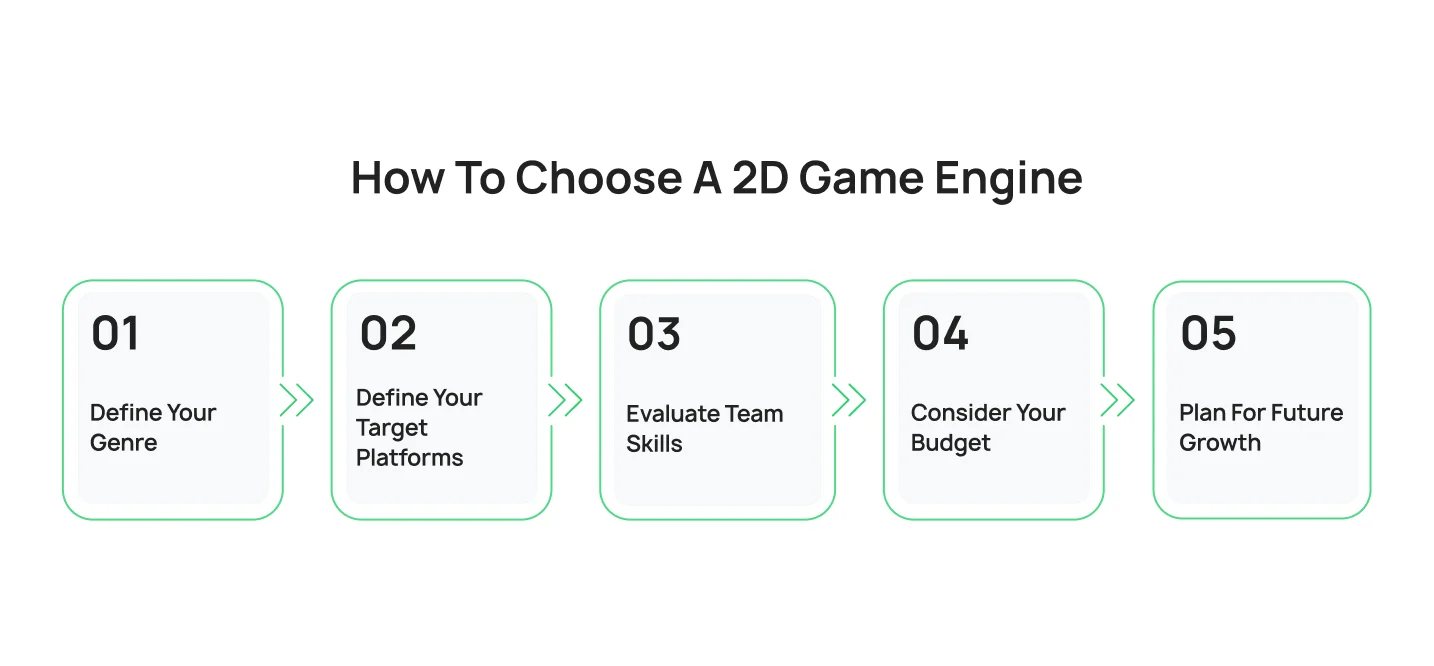
Step 1: Define Your Genre
Different genres benefit from different engines.
| Genre | Recommended Engine |
| Platformer | Godot or GameMaker |
| RPG | Godot or Unity |
| Puzzle Game | Construct 3 or Godot |
| Strategy Game | Unity |
| Educational Game | Construct 3 |
| Browser Game | Phaser |
Step 2: Define Your Target Platforms
Ask yourself where players will access the game.
| Platform | Recommended Engine |
| Mobile | Unity |
| PC | Godot or Unity |
| Web Browser | Phaser |
| Console | Unity |
| Multi-Platform | Unity |
Step 3: Evaluate Team Skills
Consider:
- Programming experience
- Team size
- Existing engine knowledge
- Development resources
A beginner may learn Construct 3 much faster than Unity.
Step 4: Consider Your Budget
Some engines are completely free, while others require subscriptions.
Budget considerations should include:
- Licensing costs
- Asset purchases
- Training requirements
- Long-term maintenance
Step 5: Plan for Future Growth
Many teams focus only on launch.
Instead, think about:
- Future content updates
- Multiplayer features
- Mobile expansion
- New platform releases
The best game building software should support your goals not only today, but also several years from now.
Best 2D Game Engine by Project Type
| Project Type | Recommended Engine | Reason |
| Indie Game | Godot | Free, lightweight, excellent 2D tools |
| Mobile Game | Unity | Strong mobile ecosystem and deployment tools |
| Browser Game | Phaser | Designed for HTML5 development |
| Educational Game | Construct 3 | Easy for non-technical users |
| Retro Platformer | GameMaker | Purpose-built for 2D workflows |
| Startup MVP | Godot | Low cost and rapid iteration |
| Enterprise Project | Unity | Scalability and integrations |
| Multiplayer Game | Unity | Mature networking ecosystem |
This framework helps answer one of the most common questions developers ask: what is the best 2D game engine?
The answer depends on what you’re building.
Common Mistakes Teams Make When Choosing a 2D Game Engine
Selecting the wrong engine can create long-term technical challenges that affect development speed, costs, and scalability.
Choosing Based on Popularity
The most popular engine is not always the right engine.
Many teams choose Unity or Unreal simply because they are well known, even when a smaller engine may better fit the project’s requirements.
Ignoring Hiring Costs
Technology decisions influence hiring.
Choosing a niche engine may reduce licensing costs but increase recruitment challenges later.
Underestimating Mobile Requirements
Many projects begin on PC and later expand to mobile.
If mobile deployment is a future goal, it should be considered from day one.
Thinking Bigger Is Better
Large engines often include features that smaller teams never use.
Additional complexity can slow development rather than improve it.
Ignoring Post-Launch Support
Launching the game is only the beginning.
Future updates, bug fixes, downloadable content, and player support all depend on the capabilities of your chosen engine.
Final Verdict: What Is the Best 2D Game Engine in 2026?
The best 2D game engine ultimately depends on the type of game you’re building, your team’s expertise, your budget, and your long-term goals.
There is no universal solution that works perfectly for every project. However, some engines consistently stand out in specific categories.
Choose Godot If:
- You are an indie developer or startup.
- You want a completely free and open-source engine.
- Your project is primarily focused on 2D gameplay.
- You prefer a lightweight workflow.
- You want full control over your development environment.
Godot offers one of the most efficient 2D workflows available today and continues to gain momentum among independent developers worldwide.
Choose Unity If:
- You’re building a commercial game.
- Mobile deployment is a priority.
- You need extensive third-party integrations.
- You plan to release across multiple platforms.
- Your project requires long-term scalability.
Unity remains one of the strongest cross-platform game engine options available and continues to dominate mobile game development.
Choose GameMaker If:
- You’re creating a retro-style game.
- You want fast development cycles.
- You’re building a platformer or pixel-art title.
- You value simplicity and ease of use.
GameMaker remains one of the most specialized and effective tools for dedicated 2D game creation.
Choose Phaser If:
- You’re developing browser-based games.
- HTML5 deployment is your primary goal.
- Your team is comfortable with JavaScript or TypeScript.
- You want complete control over web development workflows.
Phaser continues to be a leading choice for modern web-based gaming experiences.
Choose Construct 3 If:
- You have little or no programming experience.
- You need to build prototypes quickly.
- You’re creating educational or casual games.
- You want a visual, no-code approach.
Construct 3 is one of the easiest ways to begin creating interactive 2D games.
Choose Cocos Creator If:
- Your project is mobile-first.
- Performance optimization is critical.
- You’re targeting Android and iOS audiences.
- You need a lightweight development environment.
Cocos Creator remains particularly popular for mobile game production and high-performance applications.
Our Recommendation
While several engines perform exceptionally well in specific scenarios, Unity remains our preferred choice for most commercial 2D game projects in 2026.
At Cubix Games, we’ve seen firsthand how Unity helps development teams accelerate production, streamline multi-platform deployment, and manage post-launch updates more efficiently. Its robust mobile optimization capabilities, analytics integrations, multiplayer support, and large talent pool make it particularly valuable for studios planning commercial releases.
The good news is that modern developers have more choices than ever before. Whether you’re building a simple puzzle game, a retro platformer, an RPG, or a large-scale commercial product, there is a mobile game development company that fits your specific needs.
Build the Right 2D Game with the Right Technology Partner
Pick the wrong engine early on, and you’ll pay for it later in expensive rewrites, laggy gameplay, and missed launch windows.
A lightweight indie platformer runs beautifully on Godot, but a commercial mobile title built to scale needs the heavy-lifting power of Unity for cross-platform deployment and analytics. There is no one-size-fits-all software.
At Cubix, we don’t guess, we strategize. We’ve partnered with startups and established publishers to launch hit 2D games across mobile, PC, and web. Our team maps out your specific goals, selects the exact tech stack that fits your budget, and builds a rock-solid product designed for long-term growth.
[blog_cta]
Frequently Asked Questions
1. What is the best 2D game engine in 2026?
Godot, Unity, and GameMaker are widely considered the best 2D game engines in 2026. Godot excels in open-source and indie development, Unity offers the strongest commercial ecosystem, and GameMaker remains a favorite for platformers and retro-style games.
2. What is the easiest 2D game engine for beginners?
Construct 3 and GDevelop are among the easiest options for beginners because they offer visual development tools and require little to no coding experience. Godot is also beginner-friendly for developers who want to learn programming fundamentals.
3. Is Godot better than Unity for 2D games?
Godot provides a more dedicated 2D workflow and a completely free open-source model. Unity offers stronger mobile support, a larger ecosystem, and more commercial development tools. The better choice depends on the project’s goals and scale.
4. Can Unreal Engine make 2D games?
Yes. Unreal Engine can create 2D games using the Paper2D framework. However, because Unreal is primarily designed for 3D development, most developers prefer Godot, Unity, or GameMaker for traditional 2D projects.
5. What are the top game engines for 2D platformers?
Some of the top game engines for 2D platformers include:
- Godot
- GameMaker
- Unity
- Construct 3
GameMaker and Godot are particularly popular because of their strong support for sprite-based gameplay and tilemap systems.
6. What is the best cross-platform game engine for 2D games?
Unity is generally considered the best cross-platform game engine because it supports mobile, desktop, console, and web deployment from a single development environment. Godot is also becoming a strong cross-platform alternative.
7. How much does a 2D game engine cost?
The cost varies by engine:
| Engine | Pricing |
| Godot | Free |
| Phaser | Free |
| Defold | Free |
| GDevelop | Free (with premium options) |
| Unity | Subscription plans available |
| Construct 3 | Subscription-based |
| GameMaker | Subscription-based |
Many modern engines offer free versions, making game development more accessible than ever before.
8. How to build a 2d game engine?
Building a 2D game engine from scratch requires knowledge of programming, rendering systems, physics simulation, animation pipelines, and asset management. At Cubix, we’ve found that leveraging mature game engines such as Unity or Godot allows development teams to focus on gameplay innovation and player experience rather than rebuilding core systems that already exist.
9. What is the best 2D video game making software for mobile games?
Unity is widely regarded as one of the best 2D video game making software solutions for mobile development because of its optimization tools, analytics integrations, monetization support, and extensive deployment options for iOS and Android.
10. Which game engine should a startup choose?
For startups with limited budgets, Godot is often the best starting point because it eliminates licensing costs while providing professional-grade development tools. Startups planning aggressive scaling, monetization, and multi-platform deployment may benefit from Unity’s larger ecosystem.