Key Takeaways
- Swift is Apple’s official programming language for building high-performance, secure, and native iOS applications.
- Native Swift apps provide faster performance, stronger security, and immediate access to the latest Apple frameworks and features.
- Swift supports development across the entire Apple ecosystem, including iPhone, iPad, Apple Watch, Mac, Apple TV, and Vision Pro.
- Development costs and timelines depend on app complexity, integrations, and business requirements, making proper planning essential.
- Choosing an experienced iOS development partner helps ensure better code quality, smoother App Store approval, and long-term product success.
Apple’s ecosystem just crossed a number worth sitting with: 2.5 billion active devices worldwide. Every one of those devices runs on iOS, watchOS, tvOS, or macOS, and nearly all of the newest code running on them is written in Swift. iOS 18 alone shipped with 592 binaries built using SwiftUI, and the number of binaries containing at least one line of Swift jumped 50% between iOS 17 and iOS 18. That’s not a niche trend. That’s Apple’s entire platform moving in one direction.
For a business deciding how to build its next app, that shift matters. Cross-platform frameworks promise one codebase for two platforms, and for some products, that trade-off makes sense. But for anything performance-sensitive, anything that touches Apple’s newest hardware features, or anything meant to feel genuinely native, Swift is still the language Apple itself builds with. It’s the language SwiftUI, HealthKit, Core ML, and ARKit are designed around first, with everything else playing catch-up.
The technology decision you make in week one of a project follows you for years. Pick the wrong stack, and you’ll pay for it later in slower performance, harder maintenance, and features you can’t ship because your framework doesn’t support them yet. Pick Swift, and you’re building on the same foundation Apple uses internally, with day-one access to whatever ships at WWDC.
This guide breaks down what building iOS apps with Swift actually involves: why businesses still choose it, what it costs, how long it takes, which frameworks matter most, and how to pick the right team to build it with you.
What Is Building iOS Apps with Swift?
Building iOS apps with Swift means developing native applications for iPhone, iPad, Apple Watch, Apple TV, and Vision Pro using Apple’s own programming language. Swift offers stronger memory safety, quicker execution, and direct integration with all of Apple’s frameworks because it was created especially for the company’s hardware and software. For businesses that want performance, security, and long-term compatibility with Apple’s platform, Swift is the language Apple recommends, and the one most new App Store apps are written in.
Why Should You Build iOS Apps With Swift?
Apple introduced Swift in 2014 to fix problems that had piled up around Objective-C for three decades. Objective-C was built in the early 1980s. It carries syntax quirks, manual memory management headaches, and a learning curve that turned away a lot of developers who’d cut their teeth on cleaner, more modern languages. Swift was Apple’s answer: a language designed from scratch for the hardware Apple was actually shipping.
The result is a language built for reliability. Swift catches more errors at compile time instead of letting them surface as crashes in production. It manages memory automatically through ARC, so developers spend less time chasing leaks and more time building features. And because Apple owns both the language and the platform, every new SDK, every new framework, and every new piece of hardware gets Swift support before anything else.
That matters for longevity. Apple has committed to Swift as the backbone of iOS development for the next decade, not just the next OS release. A startup building an iPhone-only MVP today can build entirely in SwiftUI, use Apple’s built-in previews to iterate fast, and go from first commit to App Store submission in a matter of weeks rather than months. Swift’s adoption reflects that confidence: developer surveys consistently place Swift among the most well-regarded languages in the industry, with a large majority of developers who’ve used it saying they’d choose it again.
What Makes Swift Better Than Objective-C?
The comparison isn’t close anymore, and most iOS teams have already made the switch. Here’s where the two languages actually differ.
| Factor | Objective-C | Swift |
| Syntax | Verbose, bracket-based messaging | Clean, close to natural English |
| Memory management | Manual reference counting in older code | Automatic Reference Counting (ARC) built in |
| Type safety | Weakly typed, more runtime crashes | Strongly typed, errors caught at compile time |
| Optionals | No native concept of nil-safety | Optionals prevent null pointer crashes |
| Development speed | Slower, more boilerplate | Faster, less code for the same feature |
| Apple’s framework support | Legacy support only | Built first for every new SDK |
A simple example makes the gap obvious. A feature that takes 15–20 lines in Objective-C, including brackets, header declarations, and manual memory handling, often takes 5–8 lines in Swift with the same functionality and fewer places for a bug to hide. Apple’s own benchmarks show Swift outperforming Objective-C in common operations like sorting and string processing, largely because Swift’s compiler makes aggressive optimizations that Objective-C’s dynamic messaging system can’t.
What Types of iOS Apps Can You Build With Swift?
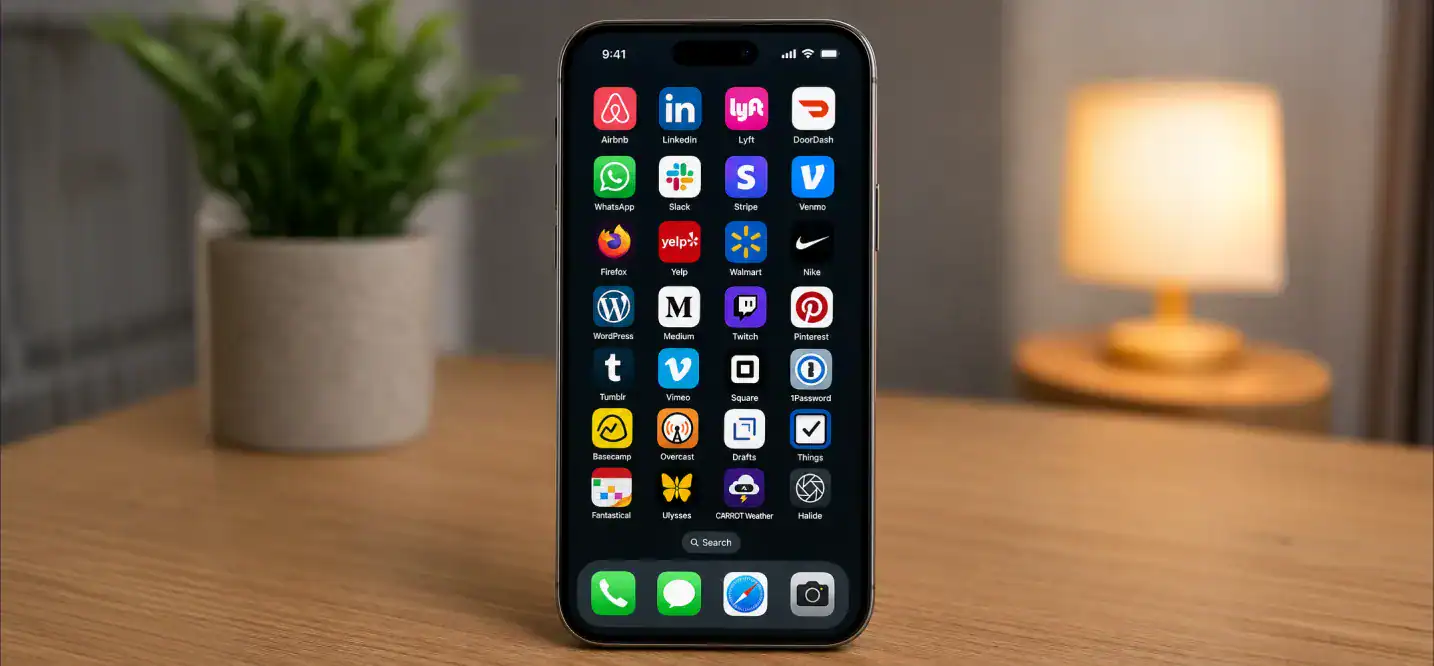
Swift isn’t tied to one kind of product. It’s the foundation under nearly every category of app in the App Store, including:
- Consumer apps: Social platforms, productivity tools, lifestyle apps
- Enterprise apps: Internal tools, workforce management, secure communication platforms
- Healthcare apps: Patient portals, remote monitoring, HealthKit-integrated tools
- FinTech apps: Banking, trading, digital wallets
- eCommerce apps: Retail, marketplaces, subscription commerce
- Education apps: Learning platforms, tutoring tools, campus systems
- IoT apps: Apps that pair with connected hardware and wearables
- AI-powered apps: Apps using on-device machine learning for personalization or automation
A banking app is a good example of Swift’s range in a single product. Face ID authentication, Apple Pay integration, and encrypted local storage all rely on frameworks that are Swift-first from the ground up. Building that kind of app on a cross-platform framework usually means bridging into native code anyway, so you end up maintaining two codebases regardless.
Which Apple Platforms Can Swift Develop For?
One language, one team, multiple screens. Swift covers the entire Apple hardware lineup:
| Platform | What Swift Builds |
| iPhone | Core consumer and business apps |
| iPad | Productivity and enterprise tools with larger UI |
| Apple Watch | Companion apps, health tracking, notifications |
| Apple TV | Streaming and entertainment apps |
| Mac | Native desktop apps via Catalyst or full SwiftUI |
| Vision Pro | Spatial computing and immersive experiences |
That range is where the real business case lives. A single company building for iPhone, Apple Watch, and Mac with one Swift codebase (using shared logic where possible) gets a connected experience across every device an Apple user owns, without hiring three separate teams for three separate platforms. Apple’s own device numbers back up why that matters: with 2.5 billion active devices in circulation, the audience for a well-built, cross-device Apple app is enormous.
How Does the Swift App Development Process Work?

A Swift project moves through the same core phases as any serious software build, but each stage looks a little different because of how tightly Swift integrates with Apple’s tools.
- Discovery: Defining the problem, the audience, and the app’s core value
- Planning: Scoping features, choosing frameworks, mapping the technical architecture
- UI/UX design: Building interfaces in Figma or directly in SwiftUI previews
- Architecture: Deciding on MVVM, Combine, or newer Swift concurrency patterns
- Development: Writing and iterating on the actual Swift codebase
- Testing: Unit tests, UI tests, and device testing across the Apple lineup
- Deployment: App Store submission and review
- Maintenance: Updates, OS compatibility fixes, and new feature rollouts
Timelines vary by complexity, but a simple MVP can move from a validated idea to an App Store submission in six to ten weeks. Mid-complexity apps with backend integrations typically run three to five months, and enterprise-grade apps with custom infrastructure, compliance requirements, or multi-platform builds can take six months or longer. If you’re weighing what that process looks like against building for Android instead, or considering an Android-to-iOS app conversion for a product you’ve already validated, the planning phase is where that decision gets made, not after development starts.
Which Swift Frameworks Are Most Important for iOS Development?
Swift’s real advantage isn’t just the language. It’s the framework ecosystem built around it.
| Framework | Purpose |
| SwiftUI | Modern, declarative UI framework |
| UIKit | Established UI framework for complex or legacy apps |
| Combine | Reactive programming for data flow |
| Core Data | Local data persistence and object modeling |
| Core ML | On-device machine learning |
| ARKit | Augmented reality experiences |
| HealthKit | Health and fitness data integration |
| CloudKit | Cloud storage and sync across devices |
SwiftUI has become Apple’s clear priority. Every WWDC since its 2019 introduction has added new capabilities to it, and Apple now builds its own first-party apps with it. A good example of these frameworks working together: an AI-powered fitness app that pulls activity data through HealthKit, runs on-device predictions with Core ML to suggest workout adjustments, and renders the whole experience in SwiftUI. None of that requires a third-party SDK. It’s all native, all first-party, and all maintained by Apple.
Want to discuss your project? Our experts are just a click away.
Contact UsHow Does Swift Improve App Performance and Security?

Security isn’t something developers add after the app is built. With Swift, it’s part of the development process from the very beginning. Following iOS app development essentials like secure coding practices, proper data handling, and Apple’s recommended development standards helps create apps that are both reliable and secure.
Swift’s strong type safety catches many coding errors before the app even runs, reducing the chances of unexpected crashes. Its built-in memory safety prevents common issues that affected older Objective-C applications, while native compilation allows apps to launch faster and deliver smoother performance. Since Swift runs directly on Apple’s platforms, it avoids the extra overhead that often comes with cross-platform technologies.
These advantages become even more important for applications that manage sensitive user information. For example, a banking app processing financial transactions needs strong protection against security threats and data leaks. The OWASP Mobile Top 10 identifies risks such as insecure data storage, weak cryptography, and improper platform usage as some of the most common mobile security vulnerabilities. Swift addresses many of these concerns through features like strict type checking, safe memory management, and seamless integration with Apple’s Keychain, helping developers build more secure iOS apps from the start.
Is Swift Good for AI-Powered and Modern iOS Applications?
Apple has been building its entire platform around on-device intelligence, and Swift sits at the center of it. Apple Intelligence, Core ML, the Vision framework, and Apple’s speech recognition tools are all designed to be called directly from Swift, with none of the workaround layers cross-platform frameworks need to access the same functionality.
A practical example: a healthcare app that uses the Vision framework to analyze a photo of a skin condition and flag it for follow-up, running the entire model locally on the device instead of sending patient data to a server. That’s not a hypothetical. It’s the kind of feature Core ML makes straightforward to build, and it’s a meaningful differentiator for healthcare products where data privacy is non-negotiable. As mobile AI adoption keeps climbing across nearly every app category, from personalization engines to on-device translation, native frameworks like these are becoming the expected baseline rather than an added extra.
How Much Does It Cost to Build an iOS App With Swift?
Cost depends on scope, and the range is wide because “an iOS app” can mean a lot of different things.
| App Type | Typical Cost Range |
| Simple MVP (core features only) | $25,000 – $60,000 |
| Mid-complexity app (backend, auth, payments) | $60,000 – $150,000 |
| Enterprise app (custom infrastructure, integrations) | $150,000 – $400,000+ |
The variables that move the number: how many screens the app needs, whether it requires a custom backend or works off existing APIs, how many third-party integrations it depends on, and what ongoing maintenance and OS-update support looks like after launch. A simple startup MVP built to validate one core feature might launch in under two months for well under $50,000. An enterprise solution with custom authentication, multiple integrations, and compliance requirements is an entirely different project, both in scope and in price. If you’re early in planning, it’s worth reading a full breakdown of the cost to build an iOS app before locking in a budget, since most of the variables that swing the price are decided in the first few planning conversations.
How Long Does It Take to Build an iOS App With Swift?
| App Complexity | Typical Timeline |
| Simple app | 6 – 10 weeks |
| Medium-complexity app | 3 – 5 months |
| Enterprise app | 6+ months |
The biggest factors that stretch a timeline: the number of custom integrations, how much backend infrastructure needs building from scratch, how many rounds of App Store review a submission goes through, and whether the design phase is starting from a blank page or from an existing brand system. A typical schedule runs discovery and design in parallel for two to three weeks, development for the bulk of the timeline, then two to four weeks of testing and App Store review before launch.
What Are the Biggest Challenges When Building iOS Apps With Swift?
Even with a strong language and framework ecosystem, iOS development has real friction points worth planning around.
- Device compatibility: Testing across iPhone, iPad, and multiple screen sizes and OS versions
- Performance optimization: Keeping animations smooth and load times fast as features scale
- App Store review: Passing Apple’s guidelines on the first or second submission
- OS updates: Keeping pace with new iOS releases and deprecated APIs
- Cross-device testing: Validating behavior across the full range of active Apple hardware
App Store rejections are more common than most first-time founders expect. The most frequent causes are incomplete app information, broken links, crashes during review, and features that don’t match the app’s description. A well-prepared submission with clear metadata, working test accounts, and thorough pre-submission QA avoids the vast majority of these delays.
Should You Choose Swift or a Cross-Platform Framework?
This is the decision most businesses actually agonize over, so it’s worth a direct comparison.
| Factor | Swift (Native) | Flutter / React Native |
| Performance | Fastest, native machine code | Good, but bridging or rendering overhead exists |
| Access to new Apple features | Day-one support | Delayed until plugins catch up |
| Development cost (single platform) | Comparable or lower for iOS-only | Lower if targeting iOS and Android together |
| User experience | Fully native feel | Close, but occasionally noticeable differences |
| Long-term maintenance | Tied to one platform’s release cycle | Two platforms managed through one codebase |
Cross-platform frameworks remain popular, and a meaningful share of the developer community works in one or the other. That’s a legitimate option when the goal is to reach both iOS and Android with a single team and a single codebase. But for products built specifically around Apple’s ecosystem, ones that depend on ARKit, deep HealthKit integration, or the newest Apple Intelligence features, native Swift consistently wins because those frameworks are built for Swift first and everything else gets access later, if at all.
A startup facing this decision usually comes down to one question: is the target audience overwhelmingly iOS, or genuinely split across both platforms? An iOS-first fintech or health product usually justifies native from day one. A consumer app chasing volume across both app stores might reasonably start cross-platform and rebuild native later, once the product proves out.
How Do You Choose the Right Swift App Development Partner?
The technology choice only pays off if the team building it knows what they’re doing. A few things worth checking before signing anything:
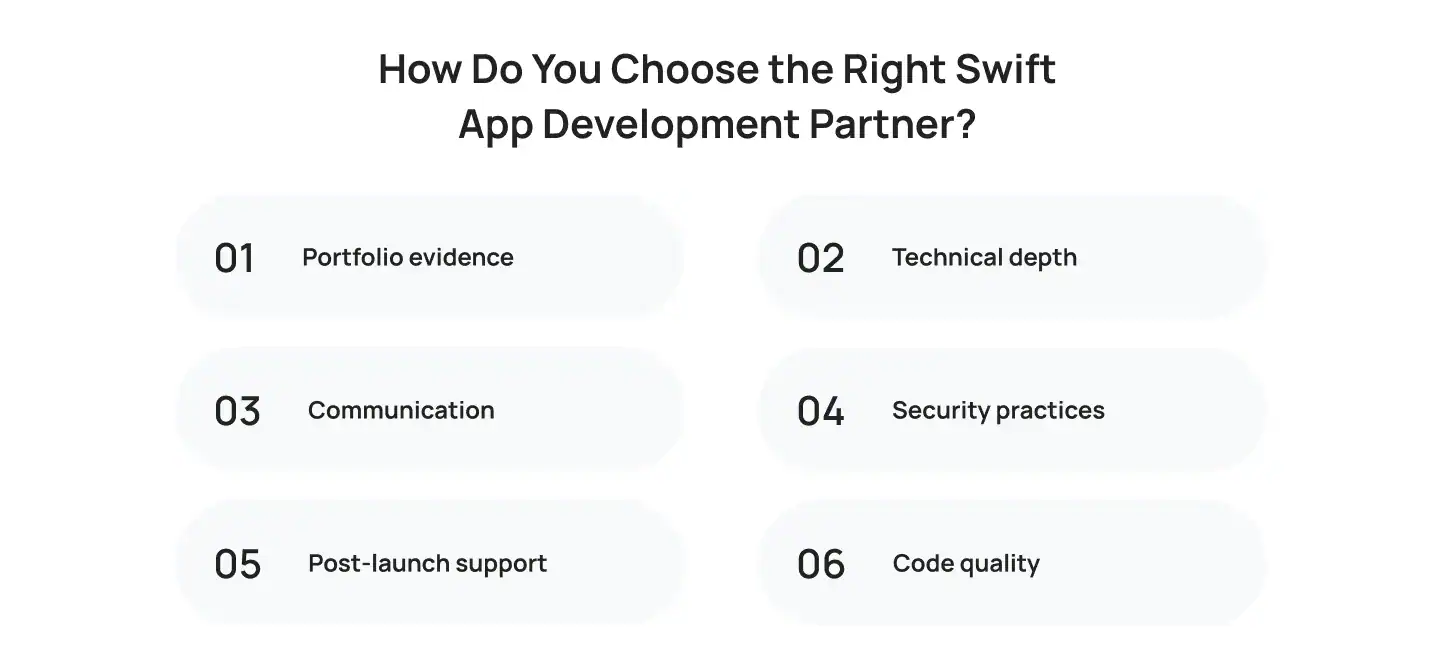
- Portfolio evidence: Real, shipped Swift apps, not just mockups or concept work
- Technical depth: Comfort with SwiftUI, Combine, and modern concurrency patterns, not just legacy UIKit
- Communication: Clear reporting, defined milestones, and a process you can actually follow
- Security practices: A documented approach to data handling, especially for regulated industries
- Post-launch support: A plan for OS updates, bug fixes, and iteration after the app ships
- Code quality: Clean architecture that a different team could pick up later without starting over
Vendor selection is where a lot of software projects quietly go wrong. Vague scoping, unclear ownership of the codebase, and no plan for what happens after launch are common threads behind stalled or abandoned projects. Reading through a team’s iOS development essentials process, how they handle discovery, architecture decisions, and QA, tells you more about fit than a polished pitch deck ever will. And if you’re evaluating whether to build an in-house team versus bringing in outside developers, it’s worth understanding what it actually takes to build an iOS development team before deciding which route makes sense for your timeline and budget.
For companies that need both the technical depth and the operational maturity to manage a full build, working with an established iOS app development company often shortens the path from idea to launch, particularly when the project needs enterprise iOS application developers who’ve handled compliance-heavy or high-security builds before.
Why Choose Cubix as Your iOS App Development Agency?
Looking for an iOS app development agency that can turn your idea into a polished, App Store-ready product? Cubix combines 18+ years of software development experience with a team of skilled iOS developers, designers, QA engineers, and project managers to build high-quality native applications using Swift and Apple’s latest technologies. From product discovery and UI/UX design to development, testing, deployment, and ongoing support, we manage every stage of the app lifecycle under one roof.
Whether you’re building a startup MVP, modernizing an enterprise application, or launching a feature-rich consumer app, our team focuses on creating secure, high-performing, and scalable iOS solutions tailored to your business goals. We follow Apple’s best practices, implement rigorous quality assurance, and optimize every app for performance, usability, and long-term maintainability. With more than 1,300 digital products delivered and 600+ global clients served, Cubix has the experience to help businesses build iOS applications that deliver measurable results.
Conclusion
Swift remains the strongest option for native Apple app development, and that’s not likely to change any time soon. It gives businesses faster performance, tighter security, and same-day access to whatever Apple ships next, from Apple Intelligence to spatial computing on Vision Pro. Cross-platform tools have their place, but for a product built around the Apple ecosystem, native Swift is still the safer long-term bet.
The technology stack matters, but the team building it matters just as much. Getting both right from the start is what separates apps that launch on time from ones that stall out in App Store review, and apps that hold up for years from ones that need a rebuild in eighteen months.
Frequently Asked Questions
1. Why is Swift the preferred language for iOS development?
Swift is Apple’s own language, built specifically for its hardware and software. It gets day-one support for every new framework and OS feature, along with faster performance and stronger memory safety than Objective-C.
2. Is Swift better than Objective-C in 2026?
Yes, for nearly every new project. Swift offers cleaner syntax, automatic memory management, and stronger type safety. Objective-C still shows up in legacy codebases, but new development has shifted almost entirely to Swift.
3. Can Swift be used to build enterprise applications?
Yes. Swift handles complex enterprise requirements well, including custom authentication, third-party integrations, and compliance-heavy data handling, especially when paired with a team experienced in enterprise-scale architecture.
4. Does Swift support AI and machine learning features?
Yes. Core ML, the Vision framework, and Apple Intelligence are all built to work directly with Swift, enabling on-device machine learning without sending data to external servers.
5. How much does it cost to build an iPhone app with Swift?
Costs typically range from $25,000 for a simple MVP to $400,000 or more for an enterprise-grade application, depending on features, integrations, and infrastructure needs.
6. How long does Swift app development usually take?
Simple apps typically take 6–10 weeks. Mid-complexity apps run 3–5 months. Enterprise apps with custom infrastructure often take 6 months or longer.
7. Can Swift apps run on iPad, Apple Watch, and Mac?
Yes. Swift builds across the entire Apple hardware lineup, including iPhone, iPad, Apple Watch, Apple TV, Mac, and Vision Pro, often from a single shared codebase.
8. Should startups choose Swift instead of Flutter or React Native?
It depends on the audience. If the target market is primarily iOS users or the app depends on deep Apple framework integration, Swift is usually the stronger long-term choice. If the goal is fast, low-cost reach across both iOS and Android, a cross-platform framework may make more sense initially.
9. How to Build an iOS App with SwiftUI, Xcode, and API Integration?
To build an iOS app with SwiftUI, Xcode, and API integration, start by creating a new Swift project in Xcode and designing the user interface with SwiftUI. Next, connect to REST or GraphQL APIs using networking frameworks like URLSession to retrieve and manage data. After implementing the app’s core features, test the functionality, optimize performance, and prepare the app for deployment through App Store Connect.
10. How to Test and Publish a Swift iOS App on the App Store?
To test and publish a Swift iOS app on the App Store, perform unit testing, UI testing, and real-device testing to ensure the app works correctly across supported Apple devices. Once testing is complete, archive the app in Xcode, upload it to App Store Connect, add the required app information, and submit it for Apple’s review. After approval, the app becomes available for download on the App Store.