Blog Summary:
- iOS app development is the process of designing, building, testing, and maintaining applications for Apple’s ecosystem.
- The best development approach depends on your business goals. Native apps deliver maximum performance, while cross-platform, hybrid, and PWAs offer different advantages for cost, speed, and device compatibility.
- A successful project follows a structured lifecycle, from market research and MVP validation to UI/UX design, development, testing, deployment, and maintenance.
- Modern applications combine technologies such as Swift, SwiftUI, AI, cloud services, and advanced security practices to deliver scalable Apple devices.
- Development costs, timelines, and long-term success depend on app complexity, feature requirements, integrations, maintenance planning, and choosing an experienced development partner.
The App Store ecosystem generated $1.4 trillion in developer billings and sales, and Apple’s platform now serves over 850 million weekly users across 175 countries. These numbers highlight the scale of the iOS ecosystem and why businesses continue investing in iOS app development.
Apple continues to expand its ecosystem with advancements in AI, spatial computing, wearables, and privacy-focused features. That means building an iOS app in 2026 is no longer just about creating an app for the iPhone. You’re building experiences that can extend across iPad, Apple Watch, Mac, Apple TV, and Vision Pro.
Whether you’re planning a startup MVP, scaling an existing product, or building an enterprise application, this guide covers everything you need to know. You’ll learn how to choose the right app type, understand the development process, evaluate costs, and adopt the latest technologies shaping iOS in 2026.
If you’re looking for experienced guidance, Cubix provides custom iOS application development services, from strategy and design to development and launch, helping you build apps that align with your business goals and deliver long-term value.
What Is iOS App Development?
iOS app development is the process of creating applications for Apple’s ecosystem, including the iPhone, iPad, Apple Watch, Apple TV, and Vision Pro. Most native iOS apps are built using Swift, Apple’s programming language, with SwiftUI or UIKit for designing user interfaces.
Businesses that need apps for both iOS and Android can also choose cross-platform frameworks such as Flutter or React Native. While these aren’t native iOS development technologies, they allow developers to build apps that run on Apple’s devices from a shared codebase.
To better understand the depth of mobile app development, explore our guide that covers the complete development process across different platforms before choosing the right approach for your project.
How iOS App Development Has Evolved
iOS development looked very different a decade ago. Here’s what’s changed:
- Objective-C to Swift. Swift replaced Objective-C as the default language, cutting development time and reducing crashes.
- UIKit to SwiftUI. Apple’s declarative framework now handles most new app interfaces, replacing the older, more verbose UIKit approach.
- Manual testing to automated pipelines. CI/CD tools like Xcode Cloud and Fastlane now handle builds, tests, and App Store submissions automatically.
- Single-device apps to multi-device ecosystems. Apps now need to work across iPhone, iPad, Apple Watch, and, increasingly, Vision Pro.
- Static apps to AI-powered apps. Apple Intelligence and on-device machine learning have become standard features, not add-ons.
Why Businesses Still Choose iOS in 2026
Despite the higher upfront investment, iOS remains the platform of choice for businesses chasing revenue, not just downloads. Here’s what keeps iOS ahead for companies serious about long-term growth.
High-Value User Base
- App Store consumer spending hit $117.6 billion in 2025, up 13.6% year over year
- iOS users convert at higher rates than Android users for in-app purchases and subscriptions
Strong Security & Privacy
- Apple’s closed ecosystem and strict app review build user trust
- On-device data handling supports compliance with tightening global privacy laws
Better Revenue Potential
- Games generated over $80 billion in App Store revenue in 2025
- Subscription-based apps in health, finance, and productivity are growing fastest
Seamless Apple Ecosystem
- Integration with Apple Watch, iCloud, Handoff, and Siri increases user retention
- Users invested in the Apple ecosystem stay loyal to the apps they use daily
Types of iOS Applications
The right development approach depends on your business goals, budget, and feature requirements. Understanding the different types of iOS applications helps you choose the best option for your project.
Native iOS Apps
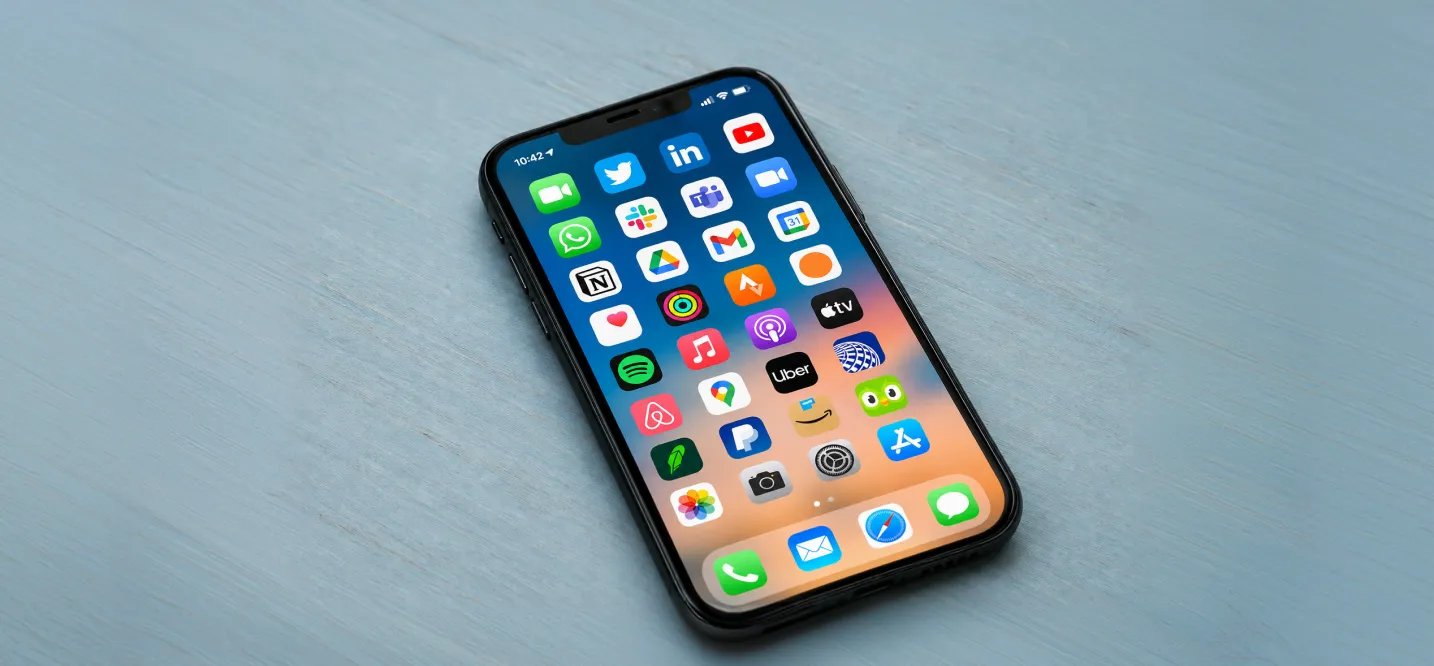
Built specifically for iOS using Swift and Apple’s native frameworks. Native apps give you the best performance, full access to device hardware, and the smoothest user experience. They cost more to build and maintain if you also need an Android version.
Hybrid Apps
Built with a single codebase (often using web technologies) and wrapped in a native shell. Hybrid apps run on both platforms but sacrifice some performance and access to native features.
To compare both approaches in more detail, see our guide on Hybrid vs Native App Development: Which Is Right for Your Business?
Cross-Platform Apps
Built using frameworks like Flutter or React Native. You write most of the code once and deploy to both iOS and Android. Performance has improved significantly in recent years, though it still trails true native apps for graphics-heavy or hardware-intensive use cases.
Progressive Web Apps (PWAs)
Web apps that behave like native apps: installable, capable of working offline, and able to send push notifications. PWAs cost the least to build but can’t access the App Store or use the full range of device features.
| Type | Performance | Cost | Best For |
|---|---|---|---|
| Native iOS | Highest | Highest | Complex apps, gaming, AR/VR |
| Hybrid | Medium | Medium | Content-driven apps, MVPs |
| Cross-Platform | Medium-High | Medium | Apps needing iOS and Android fast |
| PWA | Lower | Lowest | Simple tools, content sites |
Want to discuss your project? Our experts are just a click away.
Contact UsiOS App Development Process
The iPhone application development process includes several key stages, from validating your idea and designing the user experience to development, testing, deployment, and ongoing maintenance. Following a structured approach improves quality and reduces development risks. 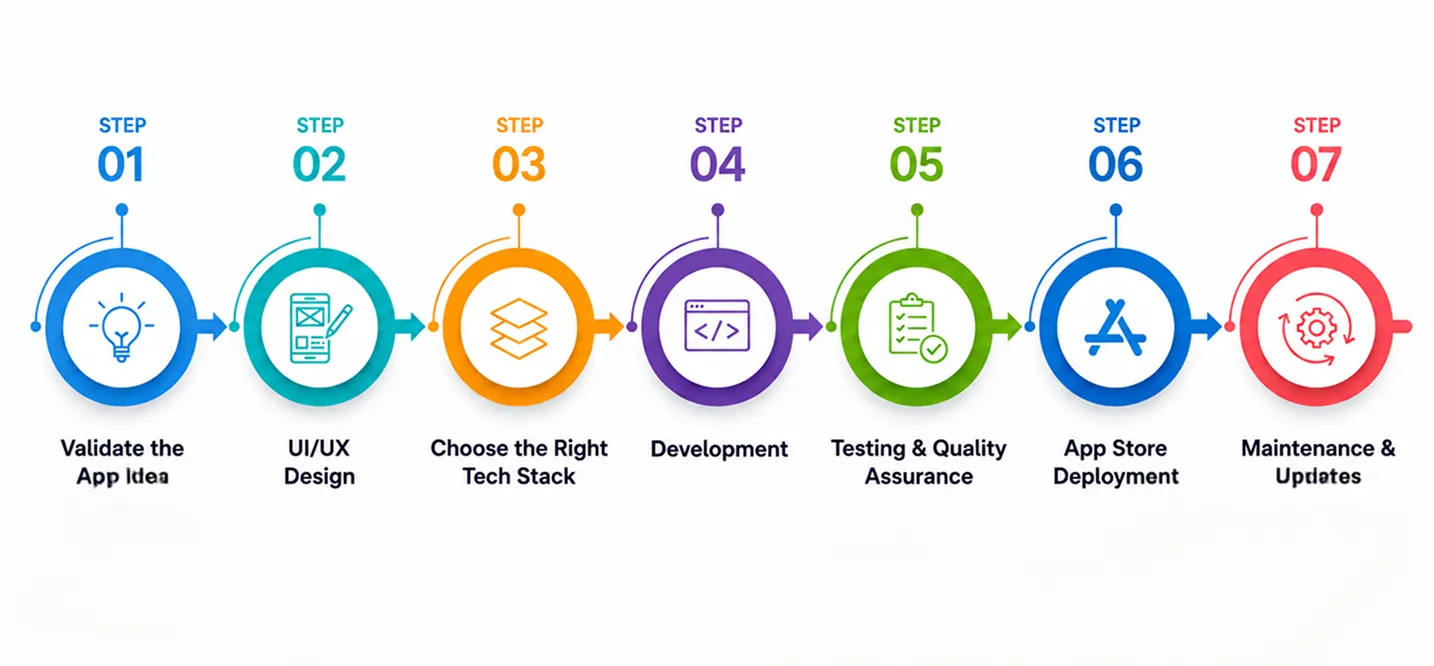
Step 1: Validate the App Idea
Market Research
Confirm real demand before writing any code. Check search volume, App Store category trends, and reviews on similar apps to find gaps.
Competitor Analysis
Study three to five direct competitors. Note:
- What they do well
- Where users complain in reviews
- Where you can differentiate
Defining the MVP
Cut your feature list down to the core function that solves the main problem. Everything else waits for version two.
Step 2: UI/UX Design
Design comes before development. This step includes:
- Wireframes to map the basic user flow
- Low-fidelity mockups to test layout decisions
- High-fidelity designs ready to hand off to developers
Catching usability problems on paper is cheap. Catching them in code is expensive.
Step 3: Choose the Right Tech Stack
Your stack depends on app type, budget, and timeline:
- Native app: Swift and SwiftUI
- Cross-platform app: Flutter or React Native
- Backend: Firebase, AWS, or a custom server, depending on data volume and scale needs
Step 4: Development
Frontend Development
The interface layer: screens, navigation, animations, and the interactions users touch directly.
Backend Development
Handles data storage, business logic, user authentication, and server-side processing.
API Integration
Connects the app to third-party services: payment processors, maps, analytics, and social logins. This step wires those connections and confirms data flows correctly.
Step 5: Testing & Quality Assurance
| Testing Type | What It Checks |
|---|---|
| Functional Testing | Every feature works as intended across user actions |
| Performance Testing | Load handling, battery drain, memory use on older devices |
| Security Testing | Vulnerabilities in data storage, API calls, and authentication |
Step 6: App Store Deployment
- Prepare screenshots and listing copy
- Set pricing and availability
- Submit through App Store Connect
- Pass Apple’s review process (most apps hear back within a few days)
Step 7: Maintenance & Updates
Launch isn’t the finish line. Ongoing work includes:
- Fixing bugs as they surface
- Supporting new iOS versions
- Adding features based on user feedback
Budget for this from the start, not as an afterthought.
Essential Technologies for iOS App Development
Building a successful iOS app requires more than choosing the right programming language. You’ll also need the right iOS SDK, frameworks, development tools, cloud services, and APIs to create a fast, scalable, and feature-rich application. Combined with modern Swift app development practices, these technologies provide the foundation for building reliable iOS applications.
| Technology | What It’s For |
|---|---|
| Swift | Swift programming language for iOS, macOS, watchOS, tvOS |
| SwiftUI | Modern, declarative UI framework |
| UIKit | Older, imperative UI framework, still used for legacy and complex custom interfaces |
| Xcode | Apple’s official IDE for coding, designing, debugging, and submitting builds |
| Cloud Services | AWS, Google Cloud, Firebase for backend infrastructure |
| APIs & Integrations | Payment gateways, analytics, maps, and social login providers |
Key Features Every Modern iOS App Should Include
Modern iOS apps need more than an attractive design. The right features improve security, user engagement, and overall app performance.
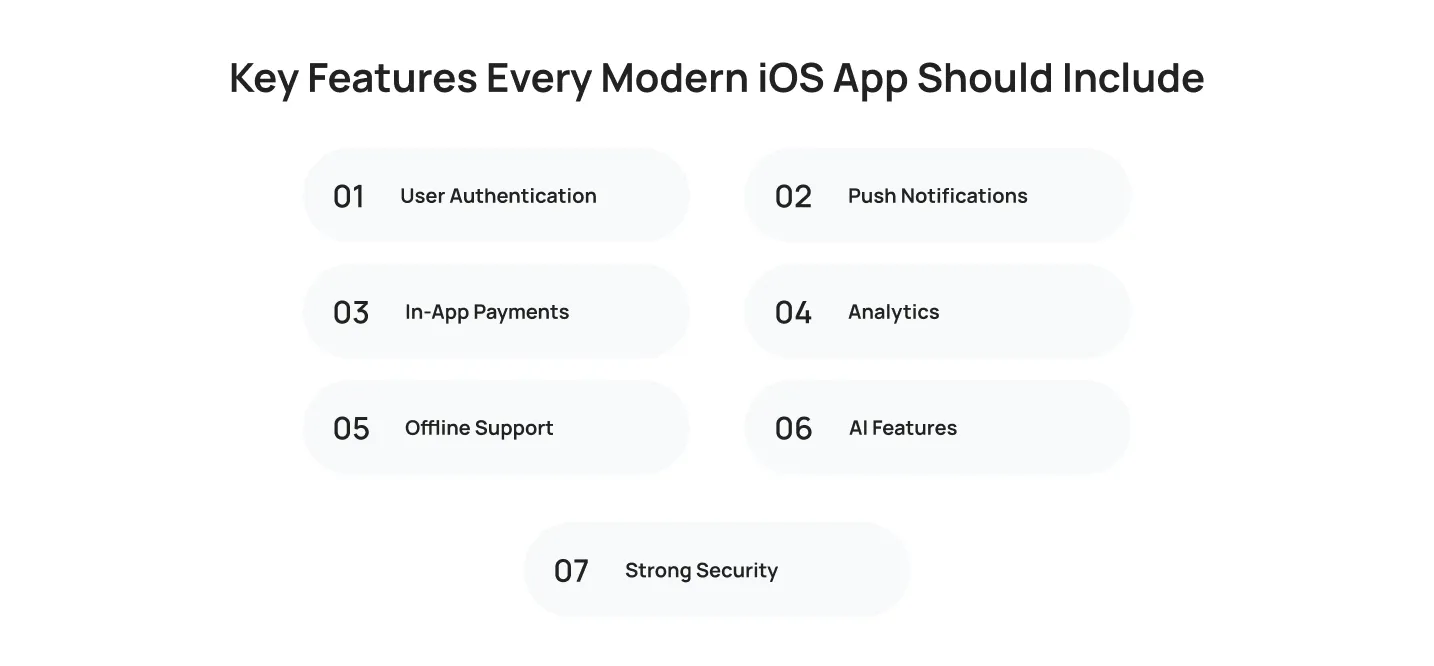
- User Authentication: secure sign-up and login, including Sign in with Apple, biometrics, and two-factor authentication.
- Push Notifications: timely, relevant alerts that bring users back without overwhelming them.
- In-App Payments: Apple Pay integration and subscription management that follow Apple’s commerce guidelines.
- Analytics: tracking user behavior, retention, and conversion.
- Offline Support: core functionality that works without internet, syncing once connectivity returns.
- AI Features: smart recommendations, summarization, or personalization built into the core experience.
- Strong Security: encryption, reliable data storage, and compliance with GDPR and CCPA.
Latest iOS App Development Trends in 2026
The iOS app development landscape continues to evolve with AI, spatial computing, and privacy-first technologies. Keeping up with these iOS app trends helps you build apps that stay relevant and competitive.
Apple Intelligence Integration
Apple Intelligence is now a baseline expectation, not a differentiator. Users expect apps to summarize content, generate text, and complete tasks through Siri without switching screens.
SwiftUI Becoming the Default Choice
Most new iOS projects start with SwiftUI:
- Cleaner state management than UIKit
- Built-in support for multi-device layouts
- Faster to build and iterate on than UIKit
Vision Pro & Spatial Computing Apps
Spatial computing has moved from novelty to a real category.
- Over 4,200 AR and VR apps had launched for Vision Pro by early 2026
- Retail, real estate, and training are leading spatial app adoption
AI-Powered User Experiences
- Generative AI app downloads reached 3.8 billion in 2025
- Users spent 48 billion hours inside AI apps
- In-app purchase revenue from AI apps passed $5 billion
Privacy-First App Development
- App Tracking Transparency and stricter data laws now shape design decisions from day one
- Minimal data collection and on-device processing are becoming the default, not the exception
IoT & Wearable App Integration
Apps that sync with Apple Watch, HomeKit devices, and other connected hardware are now standard in health, fitness, and smart home categories.
How Much Does iOS App Development Cost in 2026?
The iOS app development cost depends on your app’s complexity, features, and development requirements. Understanding these factors helps you estimate your budget more accurately.
Cost by App Complexity
| App Type | Estimated Cost | Timeline |
|---|---|---|
| Basic Apps | $15,000 – $40,000 | 2 – 4 months |
| Medium-Complexity Apps | $40,000 – $100,000 | 4 – 8 months |
| Enterprise Apps | $100,000 – $300,000+ | 8 – 14+ months |
Basic Apps
Simple apps with a handful of screens and limited backend logic: booking tools, informational apps, basic content apps.
Medium Complexity Apps
Apps with user accounts, payment processing, API integrations, and moderate backend logic: e-commerce, social apps.
Enterprise Apps
Apps needing custom infrastructure, advanced security, complex integrations, and large-scale user support: banking, healthcare platforms.
Factors Affecting Development Cost
- Features: Each additional feature adds development and testing time
- Design Complexity: Custom animations and branded design systems take longer than standard UI patterns
- Third-Party Integrations: Payment gateways, maps, and analytics each require setup and ongoing maintenance
- Development Team Location: Rates vary widely; US and Western European teams charge more per hour than teams in Eastern Europe, South Asia, or Latin America
- Maintenance Costs: Budget 15-20% of your initial development cost per year for updates and bug fixes
How Long Does It Take to Build an iOS App?
Development timelines vary based on the app’s scope, functionality, and technical complexity. Planning ahead helps you set realistic expectations for launch.
| App Complexity | Timeline |
|---|---|
| Basic Applications | 2 – 4 months |
| Medium Complexity Apps | 4 – 8 months |
| Large Enterprise Applications | 8+ months |
Enterprise timelines extend further when the app needs custom backend infrastructure, strict compliance requirements, or integration with legacy systems.
Common Challenges in iOS App Development
Every iOS project comes with technical and business challenges, from App Store approval to performance optimization. Addressing them early helps avoid delays and additional costs.
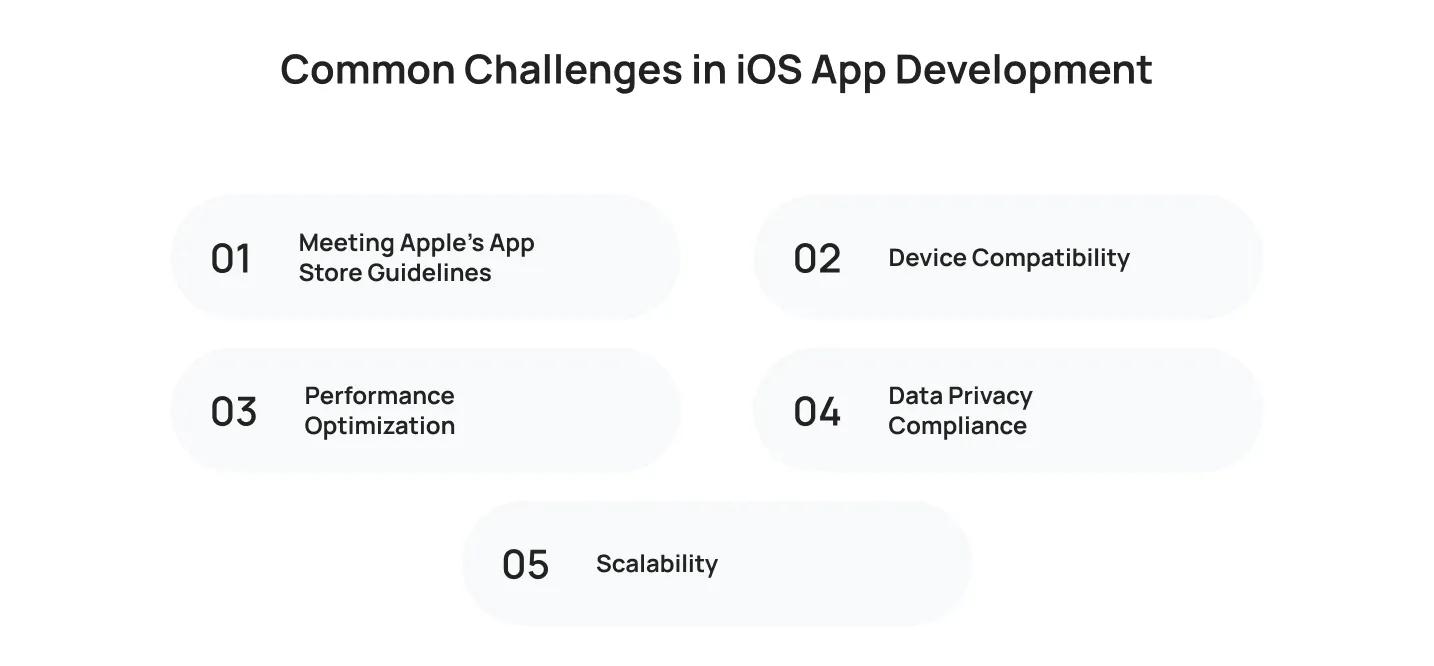
Meeting Apple’s App Store Guidelines
Apple’s review process rejects apps that violate its guidelines. Rejections delay launch by days or weeks. Study the guidelines early instead of discovering problems after submission.
Device Compatibility
Your app needs to work across:
- Multiple iPhone models and screen sizes
- iOS versions going back several years
Performance Optimization
Users abandon apps that lag, drain battery, or crash. Test performance throughout development, not just before launch.
Data Privacy Compliance
Regulations keep tightening. Build in clear consent flows, minimal data collection, and reliable storage from the start.
Scalability
An app that works for 1,000 users can break under 100,000. Plan your backend architecture for growth before you need it.
Best Practices for Successful iOS App Development
Following proven development practices helps you build secure, scalable, and user-friendly iOS applications. These best practices also support long-term app success.
- Built an MVP first and validated it with real users
- Followed Apple’s Human Interface Guidelines
- Encrypted sensitive data and secured authentication
- Tested performance across load, memory, and battery use
- Tested on real devices, not just simulators
- Budgeted time and money for continuous post-launch updates
How to Choose an iOS App Development Company
The right development partner can make a significant difference in your project’s success. Choosing a company with an experienced iOS development team helps you build a high-quality application while reducing development risks and ensuring long-term support.
- Technical expertise: proven experience with Swift, SwiftUI, and the integrations your app needs
- Industry experience: has built apps in your industry and understands its compliance needs
- Portfolio & case studies: has shipped apps you can download and test yourself
- Communication process: clear point of contact and project tracking tools
- Post-launch support: maintenance and support terms confirmed in writing before you sign
Why Choose Cubix for iOS App Development
Cubix builds high-performance native and cross-platform iOS apps for startups and enterprises across industries like fintech, healthcare, retail, and on-demand services. We focus on creating secure, scalable applications that deliver exceptional user experiences and long-term business value.
From idea validation and UI/UX design to development, App Store launch, and ongoing support, our team manages the entire development lifecycle. Learn more about our iOS app development services and how we can help bring your app idea to life.
Ready to build your iOS app? Get in touch with our team for a free consultation.
Final Thoughts
iPhone app development in 2026 comes down to a few decisions: pick the right build type for your budget, treat AI as a core feature, and validate your idea before you build it. Strong UX, tight security, and a clear post-launch plan matter more than trying to do everything at once.
The iOS developers you choose shape the outcome as much as the idea itself. Look for a team that knows Swift and SwiftUI well, has shipped real apps in your industry, and sticks around after launch instead of disappearing once the app goes live. The right developers catch problems early, build for scale from the start, and turn a good idea into an app people actually use.
Frequently Asked Questions
1. What is iOS app development?
iOS app development is the process of building software for Apple devices: iPhone, iPad, Apple Watch, Apple TV, and Vision Pro. It covers writing the code (usually in Swift), designing the interface, connecting the app to backend systems, and publishing it through the App Store.
2. How much does it cost to develop an iOS app?
Costs range from $15,000 for a basic app to $300,000 or more for an enterprise-grade platform. A basic app runs $15K-$40K, a medium-complexity app runs $40K-$100K, and an enterprise app runs $100K-$300K+. The final number depends on features, design complexity, and third-party integrations.
3. Is Swift better than Kotlin for app development?
Neither is “better” outright. They’re built for different platforms. Swift is Apple’s language for iOS, macOS, watchOS, and tvOS. Kotlin is Google’s language for Android. If you’re building for iPhone, Swift is the right choice. If you’re building for Android, Kotlin is the right choice.
4. Should I choose native or hybrid app development?
Choose native if performance, full hardware access, and the smoothest user experience matter most, and you have the budget for it. Choose hybrid if you need to launch on iOS and Android faster with a single codebase and you can accept some tradeoff in performance and native feature access.
5. Can Cubix convert an Android app to an iOS app?
Not directly. Android apps run on Kotlin or Java and use different frameworks than iOS. To convert an Android app to an iOS app means rebuilding it for iOS, though you can reuse the design, business logic, and backend infrastructure to speed up the process.
6. How long does it take to build an iPhone application?
A basic app takes two to four months. A medium-complexity app takes four to eight months. A large enterprise app takes eight months or longer, depending on custom infrastructure, compliance needs, and integrations.
7. How do I publish an app on the App Store?
- Set up an active Apple Developer Program account
- Complete an app that passes Apple’s review guidelines
- Build a full App Store listing with screenshots, description, and pricing
- Submit through App Store Connect