A push notification can bring a dormant user back to your app in seconds. It can also be the reason they turn notifications off, ignore future messages, or uninstall the app.
The difference usually isn’t the notification itself. It is the strategy behind it.
According to Airship’s retention research, app users who receive at least one push notification during their first 90 days show one-third higher retention than users who receive none. That does not mean sending more messages automatically improves retention. It shows why push notifications can play an important role when they are tied to useful user experiences.
A strong push notification strategy connects user behavior with the right message, timing, frequency, destination, and follow-up action. It also depends on the underlying mobile app architecture. Segmentation needs reliable user data. Triggers need meaningful events. Notifications need platform-specific delivery infrastructure. And the tap needs to take users somewhere useful.
Here’s how to build that system without turning push notifications into background noise.
What Is a Push Notification Strategy?
A push notification strategy is the framework an app uses to decide who receives a notification, why they receive it, when it should arrive, what it should say, and what should happen after they tap it. That makes it much broader than writing notification copy or scheduling a campaign.
A practical strategy considers:
| Element | What it determines |
|---|---|
| Audience | Which users should receive the message |
| Trigger | The event or condition that starts the notification |
| Message | What the user needs to know or do |
| Timing | When the notification is most useful |
| Frequency | How often the user can be contacted |
| Destination | Where the notification takes the user |
| Suppression | When the notification should not be sent |
| Measurement | Which user action defines success |
For example, a food delivery app does not need to send the same message to everyone. A user with an order in progress needs an order-status update. Someone who has not opened the app in several weeks may need a relevant re-engagement message. A frequent customer might respond better to a personalized recommendation. The underlying logic is different because the users are different.
That is the foundation of an effective mobile notification strategy.
Why Do Push Notifications Matter for User Retention?
Mobile push notifications give apps a way to communicate with users when they are not actively browsing the product.
That makes them particularly useful for three related goals: user engagement, user re-engagement, and user retention.
1. Push Notifications for User Engagement
For active users, app notifications can reinforce useful activity.
Examples include:
- New content becoming available
- A followed topic receiving an update
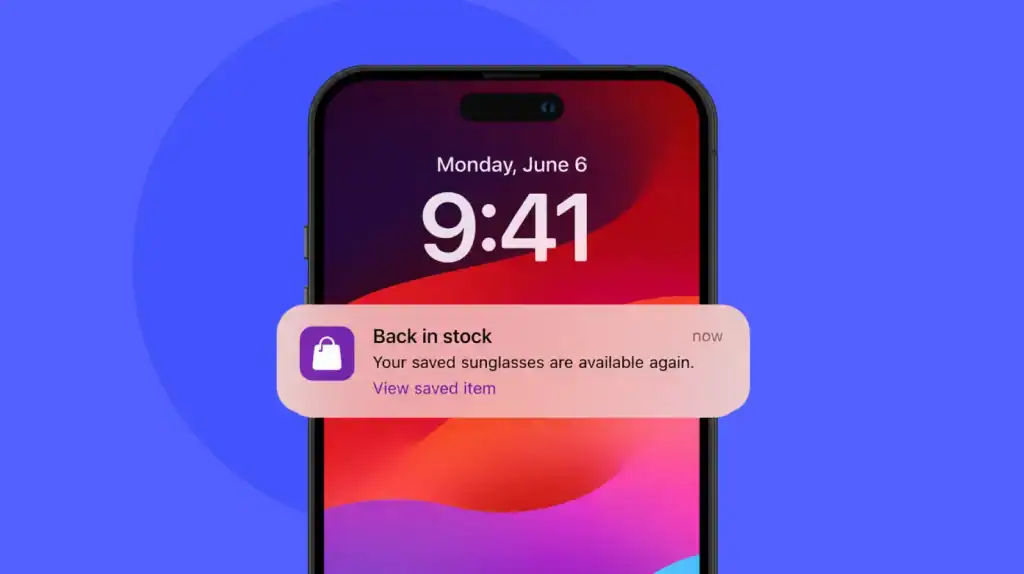
- A saved item changing status
- A feature becoming relevant based on recent activity
- A scheduled event approaching
- A meaningful account update
The message works because it connects to something the user already cares about.
2. Push Notifications for User Re-Engagement
Re-engagement is different. The user is no longer actively using the app, so the notification has to provide a reason to return.
That reason could be:
- An unfinished action
- New content related to previous activity
- A personalized recommendation
- A relevant account update
- A reminder tied to an existing user goal
- A feature the user previously used
The goal is not simply to generate an app open. It is to restart useful product activity. For a broader look at how apps can keep users active over time, see these user retention strategies.
3. Push Notifications for User Retention
Retention happens over time, so push should be treated as one component of a wider app retention strategy rather than a standalone solution.
Push can remind users of an app’s value, bring them back to unfinished activities, and reinforce recurring behaviors. But it cannot create lasting value where the product itself falls short.
Push Notifications vs. In-App Notifications: When Should You Use Each?
Push and in-app notifications often work together, but they solve different problems.
| Situation | Push notification | In-app notification |
|---|---|---|
| User isn’t currently using the app | Strong fit | Not applicable |
| Time-sensitive update | Strong fit | Can support it |
| Re-engaging an inactive user | Strong fit | Limited |
| User is completing an active workflow | Sometimes | Strong fit |
| Feature education | Limited | Strong fit |
| Contextual onboarding | Limited | Strong fit |
| Account or transaction update | Strong fit | Can reinforce it |
| Guiding an active user | Sometimes | Strong fit |
A useful rule is simple:
Push gets the user back. In-app messaging helps the user act once they’re there.
For example, a fitness app might send a push reminding someone about a scheduled workout. Once the user opens the app, an in-app prompt can guide them to the workout screen.
Using the two channels for the same purpose can create unnecessary repetition. Using them according to user context creates a more coherent app messaging strategy.
What Makes a Push Notification Worth Opening?
The best push notifications answer a basic question quickly:
Why should this user care right now?
Five factors usually determine the answer.
1. Relevance
The notification should relate to something the user has done, selected, purchased, followed, saved, or expressed interest in.
- “New content is available” is broad.
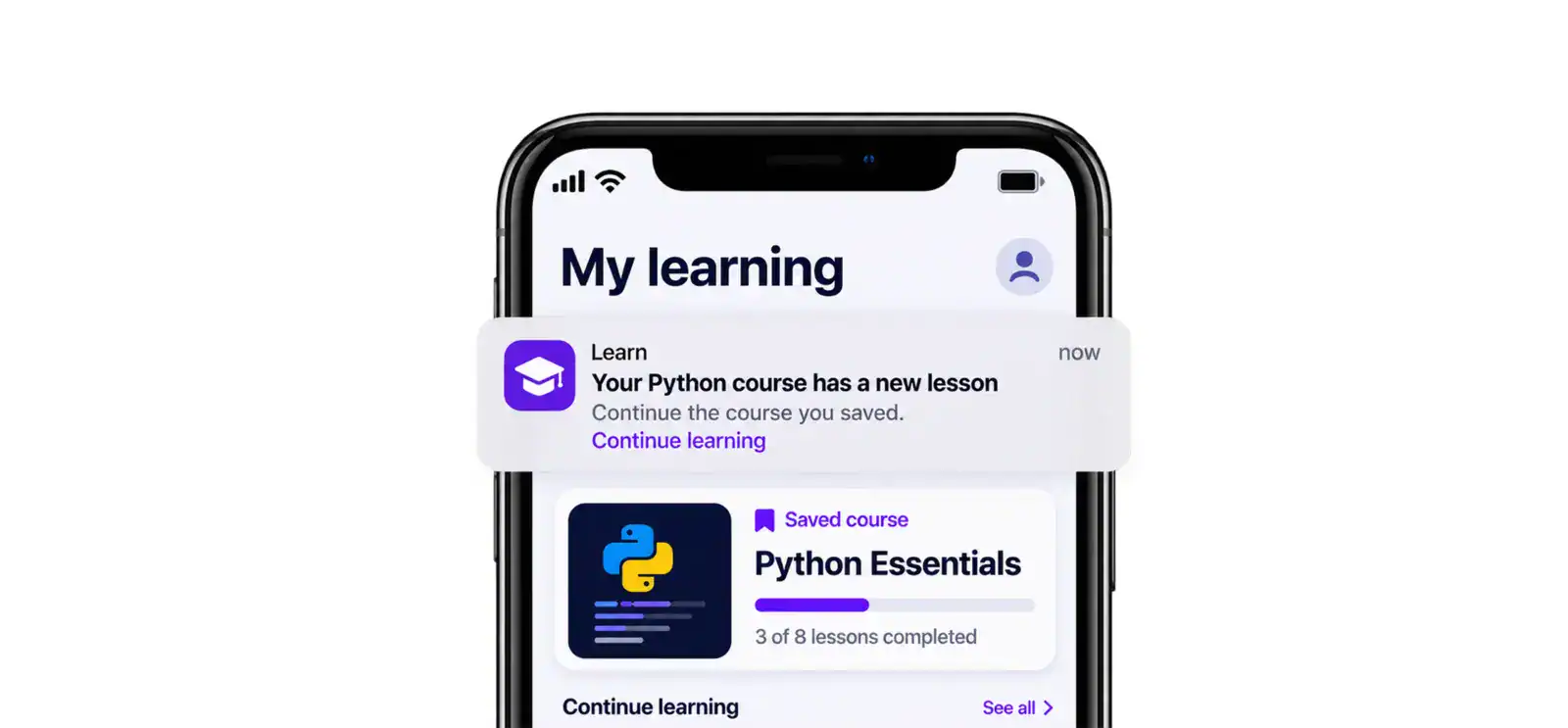
- “New lessons are available in your saved Python course” gives the user a reason to care.
2. Clear User Value
The message should communicate what the user gets from opening it.
That might be:
- Useful information
- New content
- A time-sensitive update
- Progress toward a goal
- A personalized recommendation
- Completion of a task or transaction
3. A Specific Next Action
Avoid making users figure out what to do after opening the app.
A notification should lead naturally to an action such as:
- Resume
- Review
- Confirm
- Track
- Continue
- Watch
- Read
- Claim
4. The Right Context
Context includes more than time.
Consider:
- Recent activity
- Lifecycle stage
- Location, where relevant and permitted
- Time zone
- Device state
- Subscription status
- Current workflow
- Notification preferences
5. Appropriate Timing
Even a useful notification can feel intrusive if it arrives at the wrong moment.
Timing should follow the user’s context and the purpose of the message rather than an arbitrary universal schedule.
How Do You Segment Users for Targeted Push Notifications?
Audience segmentation is where a push notification strategy starts becoming useful at scale.
Instead of treating the entire user base as one audience, divide users according to signals that affect the relevance of a message.
1. Segment Users by Lifecycle Stage
A basic lifecycle model can include:
- New users
- Activated users
- Active users
- At-risk users
- Inactive users
- Dormant users
- Returning users
Each group needs a different communication approach.
A new user may need guidance toward the first meaningful action. An active user may need feature updates. A dormant user needs a stronger reason to return.
2. Segment Users by In-App Behavior
Behavioral segmentation can use signals such as:
- Recent sessions
- Session frequency
- Features used
- Content viewed
- Items saved
- Purchases
- Abandoned actions
- Subscription activity
- Search behavior
- Progress through a workflow
This is usually more actionable than relying only on broad demographic attributes.
3. Segment Users by Communication Preferences
Not every user wants every category of notification.
Depending on the app, preferences might include:
- Product updates
- Promotions
- New content
- Account activity
- Reminders
- Recommendations
- Transactional alerts
The segmentation model should also account for users who have opted out of specific notification categories or all push notifications.
How Can You Re-Engage Inactive and Dormant App Users?
Re-engaging inactive users starts with understanding why they stopped using the app. A user who has not opened an app for three days is not necessarily the same as someone who has been inactive for three months.
1. Don’t Treat Every Inactive User the Same
Consider separate groups such as:
| User state | Possible strategy |
|---|---|
| Recently inactive | Remind them about relevant unfinished activity |
| At risk | Reinforce the value they previously received |
| Long-term inactive | Use a stronger, highly relevant reason to return |
| Onboarded but never activated | Guide them toward their first meaningful action |
| Feature-specific inactive | Highlight relevant activity or content |
The more precisely the app identifies the user’s state, the less likely it is to send irrelevant messages.
2. Identify the Reason for Inactivity
Look for behavioral signals before sending a re-engagement message.
For example:
- Did the user stop after onboarding?
- Did they abandon a workflow?
- Did they stop using one particular feature?
- Did a subscription expire?
- Did they encounter a failed transaction?
- Did their session frequency gradually decline?
- Did they complete what they originally came to do?
The answer changes the message.
3. Build a Re-Engagement Sequence
A useful dormant user reactivation flow looks like this:
Detect inactivity → identify intent → select a relevant trigger → send a useful message → deep link to the right screen → measure the resulting action → suppress further reminders when the user returns
That final step matters.
If the user has already returned and completed the action, continuing to send the same reminder is no longer re-engagement. It is noise.
How Do You Personalize Mobile Push Notifications?
Personalization is more than inserting someone’s first name into a message. Useful personalization changes the content, timing, destination, or reason for the notification based on what the user actually does.
1. Behavioral Personalization
Use recent actions to determine what the user is likely to care about.
For example:
“Your saved report has been updated.”
is more relevant to a user who regularly checks that report than:
“See what’s new in the app.”
2. Content Personalization
Match the notification to topics, products, creators, categories, or content the user has interacted with.
3. Lifecycle Personalization
A first-week user may need activation prompts, while a long-term active user may need feature or loyalty messaging.
4. Timing Personalization
Instead of sending every user the same notification at the same hour, consider individual activity patterns where the product has enough data to make that useful.
5. Contextual Personalization
Context can include:
- Current app activity
- Location, with appropriate permission
- Time zone
- Subscription status
- Device or platform
- Recent interactions
Good personalization should make the notification feel more relevant, not more invasive.
How Often Should You Send Push Notifications?
There is no reliable universal rule such as “send three push notifications per week.” The right frequency depends on the app, notification category, user behavior, and value of the message. A transaction update may be necessary. A promotional recommendation may not be.
A useful frequency policy considers:
- Notification purpose
- User engagement level
- Message urgency
- Recent notification history
- Notification category
- User preferences
- App category
- Campaign overlap
Build Frequency Controls Into the Strategy
Frequency capping can prevent multiple campaigns from competing for the same user’s attention.
Your notification system can use:
- Daily or weekly caps
- Cooldown periods
- Campaign priority
- Quiet hours
- Category-level limits
- Suppression rules
- Conversion-based suppression
For example, if a user receives an abandoned-cart notification and completes the purchase, the follow-up reminder should be removed from the queue.
Frequency is not just a marketing setting. It can be part of the application’s messaging logic.
How Do You Avoid Notification Fatigue?
Notification fatigue happens when users receive so many irrelevant, repetitive, or low-value messages that they stop paying attention or disable notifications altogether. The easiest way to avoid it is to stop treating every product event as a reason to interrupt the user.
1. Don’t Broadcast Every App Event
A backend event does not automatically deserve a push notification.
Ask:
Does the user need to know this now?
If the answer is no, consider keeping the information inside the app.
2. Stop Messages After the User Takes Action
Suppression is one of the most important parts of a re-engagement system.
If the user:
- Completes a purchase
- Finishes a task
- Opens the relevant content
- Renews a subscription
- Resolves an issue
then related reminders should stop.
3. Don’t Send Multiple Notifications for One Action
Multiple systems can accidentally create duplicate communication. For example, an order system, marketing automation platform, and customer-support workflow might all attempt to notify the same user about the same order. A centralized messaging policy can prevent this overlap.
4. Let Users Control Notification Categories
Where the product supports it, give users meaningful choices about the types of communication they receive. Someone might want account alerts but not promotions. That preference should be reflected in the notification system.
5. Separate Transactional and Promotional Messaging
Transactional notifications often serve an immediate functional purpose. Promotional messages compete for attention. Treating them as the same notification category makes frequency management harder.
6. Monitor Negative Signals
Do not measure only positive engagement.
Watch for:
- Notification opt-outs
- Reduced engagement
- Uninstalls
- Repeated dismissals
- Declining open or action rates
The goal is not to maximize the number of notifications sent. It is to maximize the value created by the notifications users actually receive.
When Should an App Ask for Push Notification Permission?
Permission is part of the user experience, not an implementation detail to hide inside onboarding.
Apple recommends requesting notification authorization in context so users understand why the app needs access. Apple’s documentation notes that notifications can be disruptive, which is why apps must obtain permission for alerts, sounds, and badges. See Apple’s guidance on.
1. OS Notification Permissions
On iOS, the app requests authorization through the UserNotifications framework. The important product question is not only how to request permission, but when. For example, a task-management app has a natural opportunity to explain notifications after the user creates their first task and enables a reminder.
That context gives the permission request a clear purpose.
2. Android Notification Permissions
Android 13 and higher introduced the POST_NOTIFICATIONS runtime permission for non-exempt notifications. That means apps need to account for notification permission state instead of assuming notification delivery is available after installation. Android’s documentation also recommends giving users enough context before requesting permission. The app should also handle the case where the user says no.
A permission-denied state should not break the core product experience.
How Does a Push Notification Work Inside a Mobile App?
Behind a simple notification is a chain of systems.
A typical architecture looks like this:
User event → Backend event → Trigger and segmentation logic → Push service → Device → Notification interaction → Deep link → App screen → Analytics event
This is why push notification strategy belongs in the broader mobile app development conversation.
1. APNs for iOS
Apple Push Notification service, or APNs, is Apple’s infrastructure for delivering remote notifications to Apple devices. The app registers with APNs and receives a device token. The app then passes that token to its provider server, which uses it when sending notification requests.
Apple’s documentation explains that each app receives its own device token and that the app should register with APNs to obtain the current token. See the official.
2. Firebase Cloud Messaging for Android
Firebase Cloud Messaging, or FCM, provides messaging infrastructure for Android and other supported platforms. FCM supports notification messages and data messages, with different responsibilities for how the client app handles the message. Google’s documentation also describes FCM as a system that can support user re-engagement and retention.
For Android apps, FCM can be connected to a trusted server environment that handles message requests and targeting.
3. Device Tokens and Registration
A production notification system needs a reliable way to associate notification tokens with users and devices.
That means accounting for:
- Multiple devices per user
- Token refresh
- Invalid tokens
- App reinstalls
- Sign-in and sign-out
- User identity changes
- Notification permission state
Device tokens should not be treated as permanent user identifiers.
4. Backend Notification Triggers
The backend should determine when a notification is appropriate for server-driven events.
For example:
Order status changes → backend event → eligibility check → notification payload → push service → user’s device
This is more reliable than hard-coding notification behavior around isolated screens.
5. Notification Payloads
A remote notification can contain visible content such as a title and body, along with additional data used by the app.
FCM, for example, distinguishes between notification messages and data messages. Notification messages can be handled by the FCM SDK in certain background states, while data messages give the application more responsibility for handling the payload. See Google’s documentation on FCM message types for the platform-specific behavior.
Payload design should remain deliberate. Do not put sensitive information into notification content or data simply because the payload supports custom fields.
What Push Notification Triggers Should Apps Use?
Triggers should correspond to meaningful product events.
| Trigger | Example | Primary goal |
|---|---|---|
| User inactivity | No session for a defined period | Re-engagement |
| Abandoned action | Cart or form left incomplete | Conversion |
| New content | New article or course lesson | Engagement |
| Transaction | Order status changes | Information |
| Subscription event | Renewal or expiration | Retention |
| Feature activity | New activity in a followed feature | Engagement |
| Time-sensitive event | Appointment reminder | Action |
| User milestone | Progress or achievement | Retention |
There are two broad approaches.
1. Event-Triggered Notifications
These are generated when a specific user or system event occurs.
Examples:
- Payment completed
- Package shipped
- Friend interaction
- Subscription expiring
- New content matching a user’s preferences
Because the trigger has a direct relationship with the user, these messages can be highly relevant.
2. Broadcast Campaigns
These are sent to a defined audience at a planned time.
Examples:
- Product announcement
- New collection
- Seasonal campaign
- Major feature release
Broadcasts still have a place, but they need strong segmentation and frequency controls to avoid becoming background noise.
How Should Deep Links Fit Into a Push Notification Strategy?
A notification should not make users search for the thing it just told them about.
Suppose an education app sends:
“Your saved course has a new lesson.”
If tapping that notification opens the app’s home screen, the user has to find the course, open it, locate the lesson, and continue.
A better experience takes the user directly to the relevant course and lesson.
That is the job of deep linking.
1. Use the Notification Destination as Part of the Strategy
The notification payload can carry information that tells the app what content or screen to open.
Your deep-link architecture should account for:
- Destination screen
- Content identifiers
- Authentication state
- Expired content
- Deleted content
- Fallback destinations
- Attribution parameters
- App version compatibility
On Android, App Links and deep links can route users directly to specific app content, with verified App Links establishing an association between a website and the corresponding app.
On Apple platforms, associated domains support Universal Links, which connect website URLs with corresponding app content.
2. Test Deep Links as Carefully as the Notification
A successful push delivery does not mean a successful campaign.
Test what happens when:
- The app is open
- The app is in the background
- The app has been terminated
- The user is logged out
- The content no longer exists
- The user has an outdated app version
- The link contains invalid parameters
A notification that lands on the wrong screen creates friction exactly when the user has chosen to engage.
How Do You Measure Push Notification Performance?
An open rate can tell you whether people responded to a notification. It cannot tell you whether the notification achieved the product goal.
A stronger measurement funnel is:
Sent → Delivered → Opened → Deep-linked → Target action → Reactivated → Retained
1. Core Push Notification Metrics
| Metric | What it tells you |
|---|---|
| Delivery rate | Whether messages are reaching eligible devices |
| Opt-in rate | How much of the audience can be reached |
| Open rate | Whether users respond to the notification |
| Click-through rate | Whether the notification drives interaction |
| Conversion rate | Whether users complete the intended action |
| Reactivation rate | Whether inactive users return |
| Retention rate | Whether the return becomes continued usage |
| Opt-out rate | Whether users are disabling notifications |
| Uninstall rate | Whether messaging may be contributing to churn |
2. Why Open Rate Isn’t Enough
Imagine a streaming app sends:
“Your new episode is ready.”
Thousands of users tap it, but most leave before playing the episode.
The notification generated opens. It did not necessarily generate meaningful engagement.
The more useful question is:
What happened after the notification?
That could mean:
- Content started
- Purchase completed
- Task finished
- Subscription renewed
- Feature adopted
- Session continued
Your analytics implementation should connect notification interactions with these downstream product events.
How Can You Optimize a Push Notification Strategy?
Optimization should be continuous.
Instead of changing several variables at once, isolate the factors most likely to affect performance.
1. What Should You A/B Test?
Test variables such as:
- Message copy
- CTA
- Audience segment
- Send window
- Personalization level
- Notification frequency
- Deep-link destination
- Notification format
For example, compare two messages for the same audience while keeping the trigger and destination consistent.
Then measure the downstream action, not only the tap.
2. Build a Push Notification Optimization Loop
Use a simple cycle:
Test → measure → compare downstream behavior → refine segmentation → adjust messaging → suppress poor-performing campaigns → test again
Over time, this turns push notification optimization into a product feedback loop.
What Are the Most Common Push Notification Strategy Mistakes?
Most notification problems are predictable.
| Mistake | Better approach |
|---|---|
| Sending the same message to everyone | Segment by lifecycle and behavior |
| Asking for permission before explaining the value | Request permission in context |
| Sending generic reminders | Tie messages to meaningful user activity |
| Sending too frequently | Use caps, cooldowns, and suppression |
| Ignoring time zones | Use the user’s context where appropriate |
| Sending after the user has completed an action | Stop the campaign immediately |
| Linking every notification to the home screen | Deep link to the relevant destination |
| Optimizing only for opens | Measure downstream product actions |
| Mixing promotional and transactional messages | Give them separate rules |
| Ignoring notification preferences | Respect user-controlled settings |
| Treating push as a substitute for product value | Fix the underlying user experience |
One of the biggest mistakes is assuming a notification problem can be solved entirely with better copy.
Sometimes the real issue is missing event tracking, poor segmentation, weak deep linking, duplicated triggers, or an app experience that does not deliver on the promise of the notification.
How Does Push Fit Into a Broader App Retention Strategy?
Push notifications work best when they support a product that already gives users a reason to return.
That broader retention system can include:
- Strong onboarding
- Fast and reliable app performance
- Feature discovery
- Personalized content
- In-app messaging
- Gamification
- Useful reminders
- Customer support
- Loyalty features
- Product improvements based on user behavior
For example, mobile app engagement can help users interact more deeply with an app, while push notifications can bring them back when they have a reason to continue.
The same principle applies to mobile app marketing. Acquisition gets users into the funnel. Push can help maintain communication after installation, but only when the message reflects genuine product value.
For apps that generate revenue through subscriptions, purchases, or other models, notification strategy can also support the broader mobile app monetization model. A renewal reminder, abandoned purchase prompt, or relevant upgrade message has a different purpose from a generic promotional push.
The channels should support the product rather than compete with it.
What Should You Consider When Planning Push Notifications During App Development?
Push should not be added as an afterthought after the core application is finished.
The requirements affect several parts of the product:
- User identity
- Event tracking
- Backend architecture
- Notification permissions
- Device-token management
- Analytics
- Deep linking
- Preference management
- Campaign infrastructure
- QA and testing
The same planning applies to the product roadmap.
If you’re estimating app development cost, notification infrastructure should be considered alongside backend, analytics, third-party service, and platform requirements rather than treated as a minor add-on.
Likewise, the app development timeline should account for notification workflows, permission states, deep links, platform testing, and analytics validation.
Plan Notification Requirements Before Development Starts
Define:
- Which events can trigger notifications
- Which user segments can receive them
- Which messages are transactional
- Which messages are promotional
- What frequency limits apply
- What screens each notification opens
- What analytics events need to be tracked
- How users control communication preferences
- How invalid or expired tokens are handled
- How the system suppresses duplicate or outdated messages
That planning makes the notification system easier to test and much less likely to become a collection of disconnected campaigns.
How Can Cross-Platform Apps Handle Push Notification Strategy?
A cross-platform application can share much of its product logic while still requiring platform-specific notification behavior.
For example, teams using cross-platform app development services may share:
- User segmentation logic
- Event definitions
- Backend APIs
- Notification campaign rules
- Analytics events
- Deep-link routing concepts
But iOS and Android still have different permission models, notification APIs, delivery behavior, and platform conventions.
The right approach is not to pretend the platforms are identical.
Instead, define a shared notification strategy while implementing platform-specific behavior where the operating systems require it.
That gives product teams a consistent messaging experience without ignoring technical differences between Apple and Android devices.
What Should a Push Notification Strategy Checklist Include?
Before launching a notification workflow, check each of these items:
- Define the purpose of the notification
- Identify the intended audience
- Segment users by behavior or lifecycle
- Define the triggering event
- Personalize where it adds genuine value
- Choose an appropriate delivery window
- Set frequency caps
- Define suppression conditions
- Respect notification permissions
- Separate transactional and promotional messages
- Add a relevant deep link
- Handle authentication and fallback states
- Track delivery and downstream actions
- Test on iOS and Android
- A/B test important variables
- Monitor opt-outs and uninstall signals
- Review the campaign after launch
A useful final test is simple:
If this notification disappeared, would the user miss something useful?
If not, reconsider sending it.
Conclusion: Make Every Push Notification Earn the User’s Attention
A good push notification strategy is not about finding the perfect number of notifications to send.
It is about making each notification useful enough to deserve the user’s attention.
That means connecting audience segmentation with real product behavior, using triggers that reflect meaningful events, personalizing the message without becoming intrusive, controlling frequency, respecting notification permissions, and taking users to the right destination through deep links.
The technical foundation matters just as much. Device tokens, APNs, FCM, backend events, notification preferences, analytics, and app navigation all influence whether a push campaign actually works.
The product strategy matters too. A notification should fit into the app’s onboarding, engagement, retention, marketing, and monetization systems rather than operate as a separate communication layer.
If you’re building these capabilities into a new product or improving an existing one, working with a mobile app development company can help you account for notification infrastructure as part of the broader application architecture. The best push notifications do not interrupt users for the sake of engagement.
They give users a useful reason to come back.
Need Better Retention? Make Every Push Notification Count
Contact UsFrequently Asked Questions
1. What is the best time to send push notifications?
There is no single best time for every app or audience. The appropriate delivery window depends on user behavior, time zone, notification purpose, urgency, and the user’s relationship with the app. Time-sensitive transactional messages may need immediate delivery, while promotional or engagement messages can often use a more flexible window.
2. How often should I send push notifications?
There is no universal number of notifications that works across every app. Frequency should depend on message value, user activity, notification category, urgency, and user preferences. Use frequency caps and suppression rules to prevent overlapping or repetitive messages.
3. How do I segment users for targeted notifications?
Start with the lifecycle stage, recent app activity, feature usage, content preferences, subscription status, purchase behavior, and notification preferences. Behavioral and lifecycle segments are particularly useful because they connect the message to what the user is actually doing.
4. What makes a push notification effective?
An effective notification is relevant, timely, concise, and useful. It should give the user a clear reason to care and an obvious next action. The destination also matters. A strong message that opens the wrong screen still creates a poor experience.
5. How do I personalize push notifications?
Use behavioral, content, lifecycle, timing, and contextual signals to make the message more relevant. Personalization should change something meaningful about the message or experience rather than simply inserting a user’s name.
6. What’s notification fatigue and how do I avoid it?
Notification fatigue occurs when users become overwhelmed by excessive, repetitive, or irrelevant messages. Reduce it with audience segmentation, frequency caps, suppression rules, meaningful notification categories, and clear communication preferences.
7. How do I set up frequency capping?
Set user-level or category-level limits that control how many notifications can be delivered within a defined period. Combine those limits with campaign priorities, cooldowns, quiet periods, and conversion-based suppression.
8. What’s the difference between push and in-app notifications?
Push notifications reach users when they are outside the app or when the app is not actively being used. In-app notifications appear while the user is inside the application. Push is generally better for re-engagement and time-sensitive communication, while in-app messaging is useful for contextual guidance and active workflows.
9. How do I track push notification performance?
Track the complete funnel from eligibility and delivery through opens, deep-link interactions, target actions, reactivation, retention, opt-outs, and uninstalls. The most important metric depends on the notification’s purpose, so do not use open rate as the only measure of success.