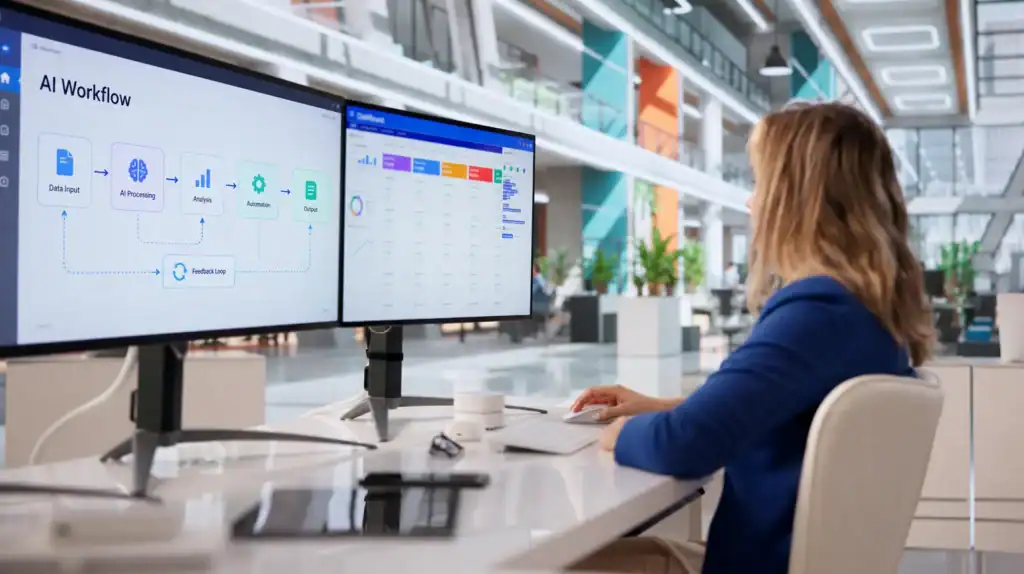
Key Takeaways
- AI workflow automation in enterprise apps handles complex, cross-system processes, reducing manual work and errors.
- Modern AI automates unstructured data, context-aware decisions, and multi-step workflows across business applications.
- Most enterprises achieve higher productivity and fewer mistakes after adopting AI workflow automation.
- Implementation requires careful planning, seamless integration, and strong change management.
- The best automation approach depends on your enterprise architecture, technology stack, and business goals.
Enterprise apps such as ERP, CRM, HRIS, and ITSM have shaped business technology for decades. These platforms store structured data, but rarely handle the judgment calls and exceptions that define everyday work. Employees spend hours on manual tasks to keep these systems in sync, which increases costs as organizations add more apps.
A major shift is underway. Businesses are moving from rigid, rule-based automation to AI workflow automation that adapts, reasons, and navigates exceptions in real time. This unlocks efficiency that simple scripts cannot deliver. According to Tom’s Hardware, 50% of U.S. employees now use AI at work, with 28% relying on it daily or weekly.
This article explains what enterprise workflow automation, AI workflow automation mean today, and where mobile app developers come in. You will see how workflow automation in business applications functions inside core systems, review real use cases by department, outline the steps to deploy AI workflow automation, and address both challenges and long-term impacts. By the end, you will know not just what is possible, but how to start with workflow automation for enterprise applications in your own organization.
Want to discuss your project? Our experts are just a click away.
Contact UsWhat Is AI Workflow Automation in Enterprise Applications?
AI workflow automation extends beyond basic task automation by overseeing entire workflows across enterprise applications.
Core Definition and Scope
AI-powered workflow automation manages end-to-end, multi-step processes throughout business applications. It is not limited to individual tasks. Instead, it coordinates complex workflows that span several systems, documents, and channels. Transactions move automatically from one application to another, without needing someone to step in.
Organizations use workflow automation for enterprise applications to reduce the manual work that once kept their digital processes together. By embedding AI, companies create workflows that update records, escalate issues, and deliver outcomes with little or no human input, even as needs change.
Traditional Automation vs. AI-Driven Automation
Traditional automation relied on rules and scripts, like if-then logic, macros, and robotic process automation (RPA) for predictable work. While effective for structured and repeatable tasks, this approach fails when processes hit exceptions or unstructured inputs.
In contrast, AI-powered workflow automation adapts to new data and changing context. It evolves with workflows, learning from each cycle. Unlike rigid RPA, AI can interpret language, spot data patterns, and adjust direction when processes require it. This flexibility suits today’s dynamic business environments.
How AI Operates Inside Enterprise Apps
AI in business applications reads unstructured data, emails, documents, chat messages, and support tickets, using natural language processing and related tools. These systems understand intent, extract details, and make decisions based on company rules or learned patterns. AI can trigger actions in ERP systems, assign tasks in ITSM platforms, update HR records in HRIS software, or match invoices in procurement portals.
For example, if an employee submits a purchase request via email, AI interprets the request, checks budget limits in the ERP, and initiates approval processes. This deep integration means AI workflow automation can close gaps that traditional automation cannot manage.
How AI Workflow Automation Works Across Enterprise Systems
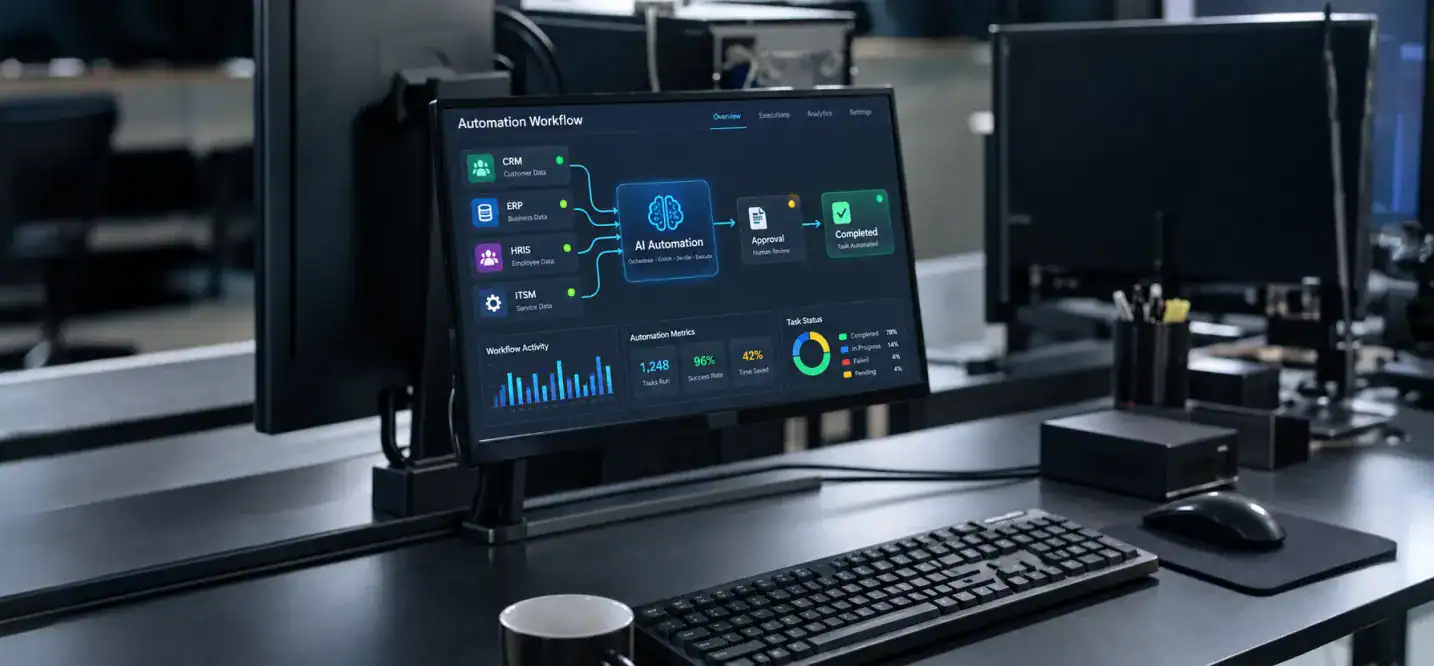
AI workflow automation orchestrates actions across varied business applications by using technologies such as natural language processing, machine learning, robotic process automation, and analytics. The orchestration layer connects systems like CRM, ERP, HRIS, and ITSM, reducing the need for manual information transfers or approval chasing.
Agentic AI systems now advance this further. They can plan and execute multi-step actions with minimal human input, guiding processes from the first trigger to final completion. By combining AI techniques, these systems help enterprise architecture turn tool sprawl into smooth workflows.
Enterprise organizations increasingly turn to AI automation for enterprise apps to bridge divides between their core systems. The global RPA market reached $4.7 billion in 2025 and is projected to hit $35.8 billion by 2033, according to Grand View Research.
Here’s how key technologies support AI-powered workflow automation in enterprise IT:
| Technology | Function | Example in Enterprise Apps |
| NLP | Interpret unstructured input | Reading support tickets, emails |
| Machine Learning | Pattern recognition, decision-making | Fraud detection, lead scoring |
| RPA | Automate repetitive tasks | Invoice matching, data entry |
| Analytics | Monitor, optimize, and report workflows | Cycle time analysis, error tracking |
When these capabilities work together, organizations see fewer interruptions, fewer errors, and much faster process completion.
Why Enterprise Apps Need AI-Driven Automation Now
Today’s businesses use hundreds of SaaS and on-premises apps, which leads to tool sprawl and fragmented workflows. As more systems are added, manual work increases: employees re-enter data, reconcile records, and manage approvals between apps. This slows down operations and raises costs.
Manual work in enterprise automation can consume 30-40% of staff time across business operations, from data entry to error resolution. Routine processes now require many manual touches as systems become more disconnected. This friction is time-consuming and adds more points of failure.
According to TechRadar, 86% of global businesses reported improved productivity from AI tools, but 43% still lack a formal AI risk management approach. This highlights both the opportunity and the risks enterprises must address during digital transformation.
AI-driven workflow automation addresses these challenges directly. The business case includes:
- Faster process cycle time: AI routes tasks, collects approvals, and escalates issues automatically, eliminating handoff delays.
- Lower cost per transaction: Each transaction moves faster and more efficiently, with less manual work, reducing labor costs.
- Reduced error rates: AI constantly checks for inconsistencies or missing data, flagging issues for quick resolution before they grow.
- Higher productivity: By handling repetitive tasks, AI frees employees to focus on growth, problem-solving, and building relationships.
These improvements in business operations and digital transformation are why companies across industries are increasing their investments in AI workflow automation.
Use Cases: AI Workflow Automation by Enterprise Function
The impact of enterprise app workflow automation is most visible when you examine how AI supports each department. Every function faces repetitive processes that slow teams down and cause bottlenecks. With workflow automation in business applications, organizations can streamline these processes and shift staff to higher-value tasks.
IT & Operations
AI workflow automation in IT and operations speeds up ticket triage, suggests incident responses, automates access provisioning, and simplifies routine deployment tasks. AI classifies tickets by urgency, assigns the right responder, and updates status across ITSM systems without manual handoffs. For instance, an incident in one system can automatically trigger investigation and escalation in others, like security and compliance platforms.
HR
In HR, AI drives onboarding and offboarding by connecting HRIS, payroll, and IT provisioning systems. Promotions or transfers update records, send policy notifications, create accounts, and schedule orientation sessions automatically. Benefits administration becomes easier as AI checks eligibility, confirms compliance, and manages communication across platforms. This brings faster, more consistent, and less error-prone workflows to HR teams.
Finance & Accounting
Finance teams rely on enterprise app development services to match invoices with purchase orders and delivery receipts, reducing errors and manual work. AI checks for duplicates, flags suspicious transactions, and speeds up approvals so invoices are paid quickly. AI-driven fraud detection analyzes transaction patterns to catch anomalies and prepare documents for audits.
Sales & CRM
AI automation in sales and CRM platforms scores leads, updates customer records, and manages contract approvals within unified workflows. If a lead shows interest through a form, AI qualifies it, assigns it to a sales rep, and initiates follow-up. The system also routes proposals to legal and finance for approval, cutting down sales cycle times and preventing lost handoffs.
Customer Support
Customer support gains from AI workflow automation through smart routing and sentiment-based prioritization. AI analyzes tickets, gauges urgency by sentiment, and directs each ticket to the right expert. It can triage simple issues, send instant replies, and keep detailed interaction histories across CRM and ITSM systems.
Cross-Functional Workflows
Workflows like open enrollment or employee lifecycle events stretch across several departments and systems. AI orchestrates these by making sure that actions in HR platforms are shared with payroll, benefits, compliance, and IT at the right times. This reduces administrative load, improves data accuracy, and brings consistency to processes that touch multiple teams.
In every department, workflow automation in business applications means more transparency, quicker routine task completion, and the ability to scale without increasing headcount.
How to Implement AI Workflow Automation in Your Enterprise Apps

Deploying workflow automation for enterprise applications takes careful planning and a staged approach. The following steps summarize proven strategies for integrating AI workflow automation into your enterprise architecture.
- Audit and Identify: Begin with a full audit of enterprise apps to find repetitive, rule-based tasks that take up significant employee time. List every process currently completed manually that could be digitized.
- Choose Integration Approach: Decide whether to use an API-first strategy with direct integrations, add middleware for legacy systems, or take a phased rollout, starting with one high-impact workflow at a time. Match this choice to technical limits and business goals.
- Select AI Features/Platform: Pick an AI workflow automation platform or feature set compatible with your business applications. Avoid “rip-and-replace” approaches. Instead, choose solutions that expand on your current technology and allow for gradual adoption.
- Drive Adoption: Secure user support from the start. Include employees in process redesign, set clear success metrics, and offer feedback channels, training, and resources. Use human-in-the-loop checkpoints to manage exceptions and build trust as the system learns.
Following these steps leads to smoother rollouts, faster return on investment, and higher adoption rates in all business applications.
Challenges to Plan For
Implementing enterprise IT automation involves technical and cultural hurdles. Every organization faces unique challenges that must be addressed to achieve lasting results with enterprise workflow automation and AI workflow automation.
- Data quality and process documentation gaps: Automation relies on accurate, complete data and well-documented workflows. Missing or poor information can break processes or miss opportunities.
- Integration complexity: Older business applications may not support modern integration, requiring custom connectors or middleware.
- Governance and auditability: Enterprises need access controls, compliance features, and audit trails. Without strong governance, automated processes can become chaotic.
- Change management: Employee trust and adoption are critical. Staff may be wary of new automation or fear job loss, so clear communication and phased rollouts matter.
Recent research found that in 2026, 56% of companies shared their AI strategies internally, but only 44% conducted impact assessments. This shows that communication alone is not enough; organizations also need to measure and adjust for the effects of automation.
Addressing these challenges early increases the chance of achieving meaningful value from enterprise workflow automation.
How AI Improves Enterprise Workflows Over Time
AI-powered workflow automation delivers greater benefits as systems mature and learn from ongoing use. Several mechanisms drive this progress:
- Machine learning feedback loops: Each cycle, AI systems review outcomes and improve decision accuracy. This ongoing self-optimization means fewer mistakes and faster workflows.
- Adaptive routing logic: As business policies or teams change, AI updates workflow paths in real time, ensuring work reaches the right person or group.
- Anomaly detection: AI reviews process data to spot risks or bottlenecks, sending alerts before issues grow.
Feedback and learning set AI workflow automation apart from static automation, delivering long-term gains across organizational workflows.
Choosing the Right AI Workflow Automation Approach for Your Enterprise Apps
Selecting an AI automation framework depends on your technology stack, internal skills, and business objectives. Focus your evaluation on these factors:
- Intent understanding: Can the system recognize why a process is triggered, not just what step comes next?
- Native system access: Does the platform integrate with your business applications for direct updates and controls?
- Approval/control support: Will the solution match your internal approval processes and allow human checks when needed?
- Auditability and governance fit: Is every action traceable for compliance and reporting in enterprise IT?
- Time-to-value: How quickly can the platform deliver measurable results?
The choice to build, buy, or integrate is central to enterprise IT. Each option brings pros and cons, outlined below.
| Approach | Pros | Cons |
| Build | Custom fit, full control | High cost, longer time-to-value |
| Buy | Faster deployment, vendor support | Less customization, vendor lock-in |
| Integrate | Balance of speed and flexibility | Integration complexity |
Often, integrating trusted solutions into your enterprise technology delivers results faster than building from scratch, while still allowing customization. Many organizations start with off-the-shelf AI workflow automation and refine over time, using a hybrid approach to achieve quick wins and continuous improvement.
How Cubix Digital Solutions Drives Results with AI Workflow Automation
Cubix helps businesses reach digital transformation goals by delivering enterprise automation and AI workflow automation tailored to industry and organizational needs.
- Cubix provides consulting, design, and integration services for workflow automation across ERP, CRM, HRIS, and custom business applications.
- The team maps AI-powered solutions to each client’s unique workflows, whether automating HR onboarding, financial approvals, or customer support escalations.
- Focused on measurable outcomes, Cubix supports clients from initial assessment and process mapping to pilot implementation and large-scale optimization, always working within existing enterprise architecture to maximize return on investment.
- Ongoing support ensures that digital transformation efforts continue to improve operational efficiency and deliver a lasting competitive edge.
- Cubix’s expertise in how workflow automation is transforming team communication helps clients streamline collaboration and reduce manual handoffs.
- Cubix also offers insights on enterprise digital transformation and modernization strategies that complement AI workflow automation initiatives.
If your goal is to streamline business operations and cut manual work across business applications, Cubix brings the expertise, technology, and process leadership you need to unlock the full potential of enterprise workflow automation.
Want to discuss your project? Our experts are just a click away.
Contact UsFrequently Asked Questions
1. What is workflow automation in enterprise apps?
Workflow automation in enterprise apps uses technology to manage repetitive, multi-step processes without manual intervention. It increases efficiency and accuracy in business operations.
2. How does AI automate enterprise workflows?
AI automates enterprise workflows by interpreting data, making decisions, and executing tasks across systems. It adapts to new scenarios and learns from each cycle.
3. What manual tasks can AI automate?
AI can automate data entry, ticket triage, invoice matching, approval routing, and customer support tasks. This reduces the need for repetitive manual work.
4. What is the difference between AI automation and RPA?
RPA uses rule-based logic for structured tasks, while AI automation handles unstructured data and adapts to complex scenarios. AI offers more flexibility and decision-making capability.
5. How does AI improve business process automation?
AI enhances business process automation by increasing speed, reducing errors, and enabling real-time decision-making. It also allows for continuous improvement through learning.
6. Can AI automate approval workflows?
Yes, AI can automate approval workflows by routing requests, checking compliance, and escalating exceptions as needed. This shortens approval cycles and minimizes bottlenecks.
7. How are AI agents used in enterprise workflows?
AI agents plan and execute multi-step workflows across different apps with minimal human input. They handle tasks like onboarding, ticket management, and reporting.
8. What enterprise applications can be automated with AI?
AI can automate workflows in ERP, CRM, HRIS, ITSM, procurement, and custom business applications. Integration is possible across most modern enterprise systems.
9. How much does enterprise workflow automation cost?
Costs vary based on workflow complexity, integration needs, and chosen platform. Enterprises should consider initial setup, ongoing maintenance, and potential ROI.
10. Is AI workflow automation secure?
AI workflow automation can be secure if implemented with proper governance, access controls, and audit trails. Regular assessments help maintain data integrity and compliance.