Key Takeaways:
- Most apps take 3 to 9 months to build. Simple MVPs ship faster. Complex products take longer. Plan accordingly.
- The discovery phase determines everything. Vague requirements at the start become missed deadlines at the end.
- No-code saves time for the right scope. It creates technical debt for the wrong one.
- AI tools cut development time by up to 45 percent. They don’t replace judgment.
- Scope creep is the most common reason projects ship late. Lock your feature list before development starts.
You want to build an app. The first question your stakeholders, investors, or co-founders ask is, “How long will this take?”
You’re not the first person to ask that question, and you won’t be the last. The problem is that most answers you find online come from development agencies trying to win your business. They quote the best-case scenario. You plan around it. Then you miss it.
In 2026, the app market will be bigger and faster than ever. Global app spending hit $40.9 billion in Q2 2025 alone, and mobile app revenue is expected to reach USD 864.5 billion in 2027. More apps are being built than at any point in history. That means more competition, higher user expectations, and less room for a slow or buggy launch.
Every business wants to launch faster. Few realize that the biggest timeline delays usually happen before development even starts. At Cubix, we’ve delivered mobile applications for startups, enterprises, and global brands, and one pattern stands out: projects succeed when planning is deliberate, requirements are clear, and expectations are aligned from day one.
Getting your app development timeline right from the start is not a planning exercise. It is a competitive advantage.
How Long Does App Development Actually Take in 2026?
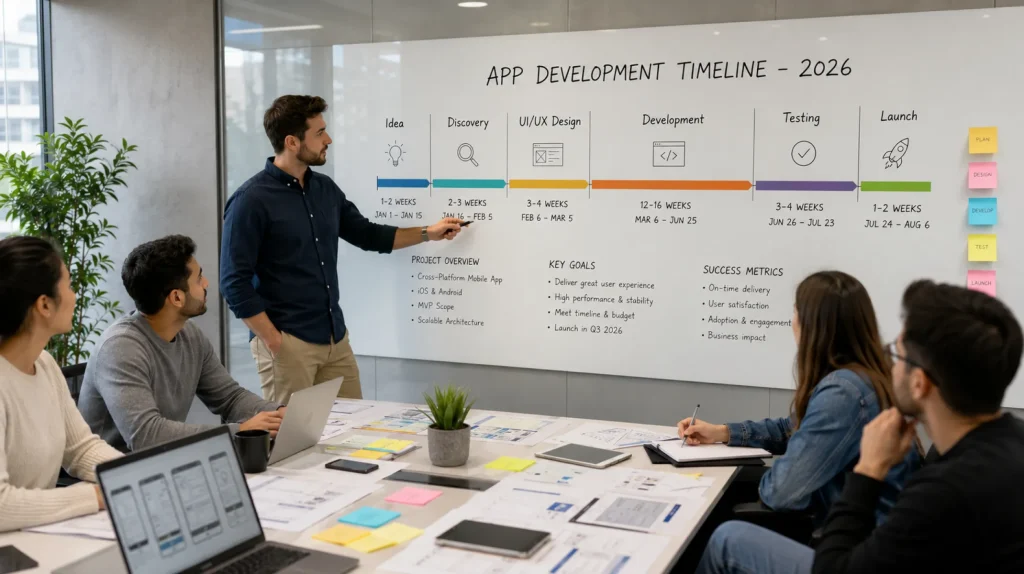
Most apps fall into one of three buckets. On average, the time to develop an app takes anywhere from 3 months for a simple MVP to 9-12+ months for a complex, feature-rich product.
Here is a quick reference:
| Type | Timeline | Typical cost |
| Simple MVP | 1-2 months | $15,000-$50,000 |
| Medium complexity | 3-6 months | $50,000-$150,000 |
| Complex app | 7-12 months | $150,000-$500,000 |
These aren’t arbitrary ranges. They reflect where time actually goes in each phase of development. The section below breaks that down.
One important shift in 2026: cross-platform development using React Native or Flutter is now the default choice for most new apps. It cuts the timeline compared to building separate native apps for iOS and Android. If you don’t have a strong reason to go purely native, cross-platform is almost always the smarter choice.
“The number one reason apps take longer than expected isn’t bad developers. It’s the ambiguous requirements that nobody caught in week one.” Salman Lakhani, Founder and CEO, Cubix
The 5 Phases of App Development (and How Long Each Takes)
Every app goes through five core phases, from idea validation to launch and post-release support. If you’re building an app from scratch, understanding how long each phase takes helps you set realistic expectations and avoid costly delays.
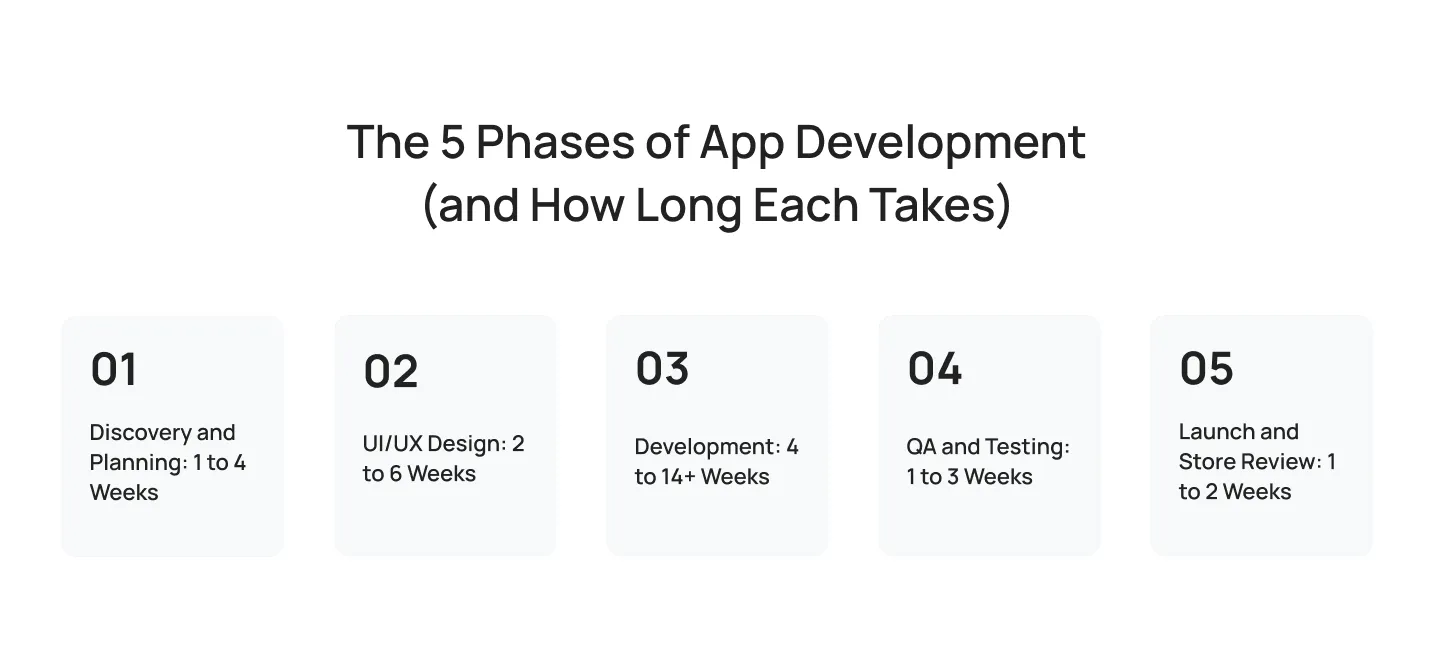
1. Discovery and Planning: 1 to 4 Weeks
Discovery covers everything you need to answer before app design or development begins: who your users are, what problem you’re solving, what features make it into version one, and what the technical architecture looks like.
You produce a project brief, user personas, a feature list, and a rough technical spec. If you skip this phase or rush it, you pay for it later, usually in the form of mid-build scope changes that add weeks to your timeline.
For simple apps, 1 to 2 weeks is enough. Complex products with multiple user types or regulatory requirements need three to four weeks minimum.
What happens during this phase:
- Stakeholder interviews and user research
- Competitive analysis
- Feature prioritization (must-have vs nice-to-have)
- Technical feasibility assessment
- Project roadmap and budget alignment
2. UI/UX Design: 2 to 6 Weeks
Good UI/UX design produces wireframes first, then high-fidelity mockups, and finally a clickable prototype you can test with real users before development starts.
This phase typically runs 2 to 3 weeks for a simple app and 4 to 6 weeks for something more complex. Design and development sometimes overlap on larger projects, where designers work a few screens ahead of the development team.
Skipping user testing here is a common mistake. If your prototype reveals that users don’t understand a core flow, it costs a few days to fix in design. The same fix during development costs two to three weeks.
3. Development: 4 to 14+ Weeks
A simple app with standard features, one or two user roles, and no third-party integrations takes 4 to 8 weeks to build. A medium-complexity app with custom features, multiple integrations, and real-time functionality takes eight to twelve weeks. Complex apps often run twelve to fourteen weeks or more.
Development typically follows 2-week sprint cycles. Each sprint delivers working software you can review and test. This matters because it lets you catch problems early and adjust priorities before they compound.
Backend work and frontend work happen in parallel on most teams. Mobile apps often require separate builds for iOS and Android, which affects your timeline depending on whether you use native or cross-platform frameworks like React Native or Flutter.
4. QA and Testing: 1 to 3 Weeks
QA is not a formality. It’s what stands between your app and a one-star review.
A structured QA process covers functional testing, performance testing, security testing, and device/OS compatibility testing across the phones and tablets your users actually own.
Simple apps need 1 to 2 weeks of QA. Complex apps need 2 to 3 weeks minimum, sometimes more if testing reveals significant issues that require fixes and re-testing.
Many teams run QA in parallel with late-stage development to compress the timeline. This works, but only if your QA team is involved from the beginning, not parachuted in at the end.
5. Launch and Store Review: 1 to 2 Weeks
You’re not done when development finishes.
Publishing to the Apple App Store and Google Play Store requires submitting your app for review. Google Play typically reviews apps within 1 to 3 days. Apple’s App Store review takes 1 to 5 days on average, though rejections extend that window significantly.
Beyond review, launch preparation includes setting up app store listings, writing copy, preparing screenshots, configuring analytics, and coordinating your marketing push. Plan one to two weeks for this phase, and build in a buffer for a rejection or two.
The total timeline typically spans 3 to 12+ months across all phases, depending on scope.
What Type of App Are You Building?
The required feature set and scope of your project will directly dictate your overall timeline and budget. Understanding these categories helps you realistically estimate your app development cost before diving into the engineering process.

Simple Apps and MVPs
- Timeline: 2 to 4 months
- Cost range: $15,000–$50,000
Simple apps have a focused feature set, one or two user roles, minimal third-party integrations, and standard UI patterns. Think calculators, basic to-do apps, simple booking tools, or informational apps with a few core screens.
MVPs fall in this category by design. The goal is to ship the smallest version of your product that delivers real value, validate your assumptions, and gather user feedback before building more.
If you’re building an MVP, resist the temptation to add features before launch. Every feature you add extends your timeline and delays the feedback you need to build the right thing.
Medium Complexity Apps
- Timeline: 4 to 7 months
- Cost range: $50,000-$150,000
Medium complexity apps include features like user authentication with multiple roles, real-time data (chat, live updates, push notifications), payment processing, third-party API integrations (maps, social login, CRM tools), and basic admin dashboards.
Most B2C consumer apps and early-stage SaaS products fall here. You need a larger team, more testing time, and more careful architecture planning to keep the codebase maintainable as the product grows.
Complex and Enterprise Apps
Timeline: 7 to 12+ months
Cost range: $150,000-$500,000
Complex apps involve large-scale architecture, extensive third-party integrations, custom backend systems, regulatory compliance (HIPAA, GDPR), multi-platform support, advanced security requirements, and teams of 10 or more people.
Enterprise apps often integrate with existing legacy systems, which adds significant complexity. Custom ERP integrations, enterprise SSO, audit logging, and role-based access control all extend your timeline.
If you’re building in healthcare, finance, or regulated industries, factor in compliance reviews and security audits. These add weeks to your timeline but aren’t optional.
AI-Powered Apps
Timeline: 4 to 12+ months
Cost range: $100,000 to $300,000+
AI apps are their own category now. According to a 2025 survey by Gartner, 40% of enterprise software teams planned to ship task-specific AI agents by the end of 2026
What takes extra time in AI development:
- Model selection and integration. Choosing between building custom models versus integrating existing APIs (OpenAI, Anthropic, Google Gemini) affects the timeline significantly. API integration is faster; custom model training is not.
- Prompt engineering and tuning. Getting AI outputs to behave predictably takes iteration.
- Testing AI behavior. AI outputs are non-deterministic. Testing requires different methods than traditional QA.
- Responsible AI review. Bias audits, output guardrails, and safety testing add time but reduce risk.
If you’re adding AI features to an existing app, plan 1 to 3 months of additional development. If AI is core to the product’s value proposition, budget for a longer timeline from the start.
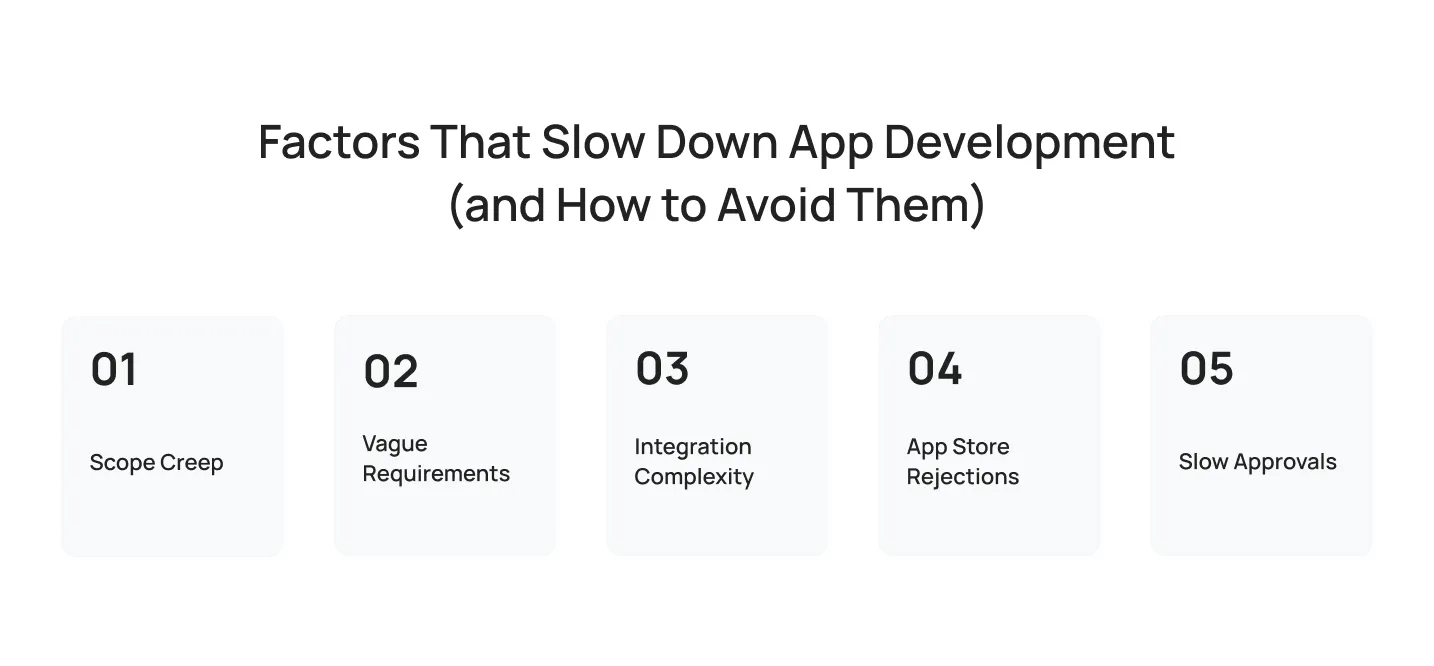
Factors That Slow Down App Development (and How to Avoid Them)
Most timelines don’t fail because of technical problems. They fail because of process bottlenecks and common development challenges that catch teams off guard.
1. Scope Creep
Scope creep happens when new features get added mid-project without adjusting the timeline or budget. It’s the single most common reason projects ship late.
It usually starts small. A stakeholder wants to add a social sharing feature. Someone suggests a loyalty points system. The “quick” onboarding wizard balloons into a five-screen flow. Each addition feels reasonable in isolation. Together, they add weeks to your timeline.
How to avoid it: Lock your feature list before development starts. Use a formal change request process for anything that wasn’t in the original spec. Every new feature gets evaluated against three questions: Does it belong in version one? What does it move out of if we add it? Who signs off on the change?
2. Vague Requirements
Vague requirements are the upstream cause of most development problems.
“The app should be easy to use” is not a requirement. “Users complete checkout in three steps or fewer.” Similarly, “The dashboard should show key metrics” is not a requirement; instead, it should be “The dashboard shows total revenue, active users, and churn rate for the last 30 days, with a daily breakdown on hover.”
Vague requirements lead to rework. A developer builds what they think you mean, you review it and realize it’s wrong, and they rebuild it. This cycle burns time and creates friction.
How to avoid it: write requirements in user story format (“As a [user type], I want to [action] so that [outcome]”). Attach acceptance criteria to every story. Review requirements with your development team before the sprint starts, not after.
3. Integration Complexity
Third-party integrations take longer than anyone expects.
Payment processors, mapping APIs, CRM platforms, analytics tools, authentication providers, and SMS gateways: each one adds integration work, documentation reading, error handling, and testing. When an integration breaks, debugging burns through the time you didn’t budget for.
How to avoid it: identify every integration you need during discovery, not mid-development. Research each API’s documentation, rate limits, and known issues before your dev team touches it. Build integration work into your sprint estimates explicitly, not as an afterthought.
4. App Store Rejections
Apple rejects roughly 40% of first-time app submissions. Common rejection reasons include privacy policy issues, broken functionality, guideline violations (especially around in-app purchases and subscriptions), and content policy infractions.
Each rejection adds at least 3 to 7 days to your timeline. Multiple rejections compound. Some teams hit the launch date on their project plan and are still waiting for App Store approval.
How to avoid it: read Apple’s App Store Review Guidelines before development starts, not before submission. Build privacy disclosures and permissions prompts correctly from the start. Test your app on physical devices before submitting. Prepare your App Store listing and privacy policy before you need them.
5. Slow Approvals
Internal approvals slow down more projects than technical issues do.
Design reviews that sit in someone’s inbox for a week. Legal sign-offs that require three rounds of back-and-forth. Stakeholder feedback arrives piecemeal over two weeks instead of being consolidated in one session. These delays accumulate invisibly and add weeks to your real timeline.
How to avoid it: define your approval chain at the start of the project. Who needs to review and approve at each stage? What’s the expected turnaround time? What happens if feedback doesn’t arrive by the deadline?
Does No-Code or AI Actually Speed Things Up?

Yes, for the right projects. No, for the wrong ones.
The Reality of No-Code Platforms
Platforms like Bubble, Webflow, and Retool cut early mobile app development time by 40% to 60%. A project that traditionally takes four months can ship in six to ten weeks. They work perfectly for:
- Internal tools
- Early Minimum Viable Products (MVPs)
- Simple consumer apps
The Risk: You will eventually hit a technical ceiling. When your product scales, you encounter performance issues, restrictive business logic, and unsupported custom functionality. Moving past this limit often requires rebuilding your software from scratch while running a live product. Use no-code to validate ideas fast, not to scale them.
How AI Coding Assistants Drive Efficiency
Tools like GitHub Copilot and Cursor make developers 35% to 45% faster at writing boilerplate code and generating documentation. A four-month build can shrink significantly, but critical architecture decisions and strict data security still require experienced human judgment. AI moves the floor; it does not raise the ceiling.
Three Overlooked Timeline Accelerators in 2026
Three shifts are compressing real delivery times in 2026, beyond the tools getting the most attention.
- Backend-as-a-Service is now standard. Supabase, Firebase, and AWS Amplify handles auth, databases, and real-time features out of the box. Building these from scratch adds four to six unnecessary weeks to most projects.
- API-first services replaced custom builds. Payments (Stripe), authentication (Clerk), notifications (Twilio), and search (Algolia): each used to require weeks of custom development. Now they’re multi-day integrations.
- Design-to-code tools cut handoff time. Figma’s Dev Mode generates production-ready component code directly from design files. Less back-and-forth, fewer inconsistencies, faster implementation.
The teams shipping fastest aren’t the ones with the best tools. They’re the ones who defined what they were building, locked scope, and executed without drama.
How Cubix Keeps Development Timelines on Track

Most timeline problems are visible before the first line of code is written. As a premier custom mobile app development company, Cubix builds its processes around transparency, predictable milestone tracking, and risk mitigation.
- Structured Discovery: Every project starts with a detailed roadmap, defined architecture, and a realistic timeline, not an optimistic guess.
- Controlled Change Management: Scope changes are managed through a formal review process, evaluating cost and schedule impacts before any work begins.
- Two-Week Sprints: Development runs on agile cycles, delivering working software at the end of each sprint so you can see continuous progress.
- Parallel QA: Testers are involved from day one, minimizing late-stage bug discoveries and shortening the final testing window.
- App Store Readiness: Submissions are prepared according to Apple and Google guidelines from the start, avoiding costly launch rejections.
If you are evaluating tech partners to bring your vision to life, exploring vetted lists of the top mobile app development companies will highlight how a disciplined engineering process directly correlates with on-time delivery.
The Bottom Line
Simple apps take 2-4 months. Medium-complexity apps take 4-8 months. Complex or enterprise apps take 9-12+ months to well over a year.
The timeline is real. What you can control is how well-prepared you are going in, how clear your requirements are, how fast you make decisions, and whether you’re building the right scope for your first launch. If you’re planning a build and want an expert enterprise app development company that delivers a timeline you can actually rely on, let’s start the conversation.
Start with what your users actually need. Ship it. Iterate from there. If you’re looking for additional guidance before launch, explore our successful mobile application tips to learn practical strategies that improve user adoption, engagement, and long-term product success.
FAQ
1. How long does it take to build an app?
- Simple MVPs take 2 to 4 months to develop.
- Medium-complexity apps take 4 to 8 months.
- Complex or enterprise apps require 9 to 12+ months to build.
2. How long does it take to build an MVP?
Most MVPs take 3 to 6 months, depending on the feature set. The goal of an MVP is to ship the minimum set of features that proves your core value, not a half-finished version of your full vision.
3. Does cross-platform development save time?
Yes. React Native and Flutter cut development time by 30-40% compared to building separate native apps for iOS and Android. Over 65% of new mobile apps use cross-platform frameworks in 2026.
4. How much does AI speed up app development duration?
It depends on how you use it. GitHub research shows 55% faster task completion on specific coding tasks with AI assistance. McKinsey found 46% time savings on routine coding. But complex architecture, security work, and debugging still require experienced engineers.
5. What causes the most delays in app projects?
Scope creep, unclear requirements, and slow client-side decision-making are the top three. The development team’s speed matters, but your responsiveness to approvals and feedback matters just as much.
6. How long does an App Store review take?
Apple’s review process averages 1-3 days for standard submissions. Google Play is typically faster, often within 24 hours. Rejections reset the clock, so make sure your app meets platform guidelines before submitting.