Key Takeaways
- SwiftUI is the best default for most new iOS projects because it uses concise, declarative code and supports faster UI iteration.
- UIKit remains valuable for complex and highly customized interfaces that require advanced animations, gestures, collection views, or detailed layout control.
- SwiftUI is declarative and state-driven, while UIKit is imperative and object-oriented, making their development and UI-update processes fundamentally different.
- SwiftUI and UIKit can be used together through UIHostingController, UIViewRepresentable, and UIViewControllerRepresentable, making gradual migration possible.
- The right framework depends on the project requirements, including the minimum iOS version, team expertise, third-party SDKs, existing codebase, performance needs, and target Apple platforms.
If you’re planning a new iOS app in 2026, you’ll hit this question early: SwiftUI vs UIKit? Both are official Apple frameworks, and both build working, polished apps. But they solve UI development in very different ways.
The short answer: for most new iOS projects, SwiftUI should be your default choice. UIKit still earns its place when you need highly customized interfaces, tight interaction control, mature third-party SDKs, or compatibility with an existing UIKit codebase.
A developer survey from Rentamac found about 57% of respondents using SwiftUI in some capacity, with 22% running an explicit hybrid SwiftUI-plus-UIKit setup and 43% still UIKit-only. Read that data straight, and the takeaway is simple: SwiftUI is where new code goes, but UIKit isn’t disappearing from production apps anytime soon.
Choosing the right framework is only one part of building a successful iOS app. At Cubix, our iOS application development team works with businesses to turn product ideas into polished iOS experiences, choosing SwiftUI, UIKit, or a combination of both based on what the app actually needs.
Want to discuss your project? Our experts are just a click away.
Contact UsWhen it comes to SwiftUI vs UIKit for new projects, most teams start with SwiftUI and pull in UIKit only where a screen genuinely needs it. Let’s break down how each framework works, where each one wins, and how to decide which fits your next project.
“The right iOS framework isn’t about choosing what’s newest. It’s about choosing what gives your product the flexibility, performance, and foundation it needs to grow.” – Salman Lakhani, Founder & CEO, Cubix
What Is SwiftUI?

SwiftUI is Apple’s declarative UI framework for building interfaces across every Apple platform. Instead of writing step-by-step instructions, you describe what the interface should look like for a given state. SwiftUI handles the rest, including most of the work needed to keep the UI updated.
This is a fundamental shift from how iOS developers used to work. It’s also why so many teams now treat SwiftUI as the standard starting point for new apps.
How SwiftUI Works
SwiftUI runs on a few core concepts. Once you understand them, the framework becomes much easier to reason about:
- Declarative syntax. You write what the UI should look like, not how to build it step by step.
- State-driven interface updates. Change the state, and SwiftUI redraws the affected views automatically.
- @State, @Binding, and @Environment. These property wrappers manage state management across your views.
- Reusable views. Small, composable pieces that you can combine into complex screens.
- Xcode previews. Real-time visual feedback as you write code, without a full build-and-run cycle.
- Cross-device support. One codebase can target iPhone, iPad, Apple Watch, Mac, and Apple TV.
If you’re new to the Swift programming language itself, our post on building iOS apps with Swift is a solid starting point before diving into SwiftUI’s syntax.
Why SwiftUI Is Popular for New Apps
SwiftUI generally needs less UI boilerplate than UIKit. As a result, teams write less code to hit the same outcome, and that code stays reusable across Apple platforms.
Apple has also doubled down on SwiftUI as its design direction. According to InfoQ’s coverage of Apple’s 2026 design language, the new Liquid Glass system with adaptive materials and fluid reflectivity comes free when you use standard SwiftUI containers, while building the same effects in UIKit would take substantial engineering work
That’s a strong signal. Apple is telling developers, clearly, where the platform is headed.
What Is UIKit?

UIKit is Apple’s mature framework for building iPhone and iPad interfaces. It relies on views, view controllers, navigation controllers, delegates, data sources, and an event-driven programming model. It’s been the backbone of iOS development since the App Store launched.
How UIKit Works
UIKit’s building blocks look different from SwiftUI’s, but developers have relied on them for over a decade:
- UIView for rendering content on screen.
- UIViewController to manage a screen’s logic and lifecycle.
- UINavigationController for handling screen transitions.
- UITableView and UICollectionView for lists and grids.
- Delegates and data sources to pass data and events between objects.
- Auto Layout for constraint-based positioning.
- Gesture recognizers for touch and interaction handling.
- Storyboards or programmatic UI, depending on team preference.
Why UIKit Still Matters
UIKit isn’t going away anytime soon. Many production iOS apps, third-party SDKs, internal design systems, and legacy codebases still depend on it heavily.
UIKit also gives you finer control over the view hierarchy, layout behavior, animations, gestures, and collection-based interfaces. When you need pixel-level precision, UIKit often gets you there faster than SwiftUI.
SwiftUI vs UIKit: A Quick Comparison
Before choosing between SwiftUI and UIKit, it helps to compare how they differ in development approach, flexibility, performance, and long-term support. This quick comparison highlights where each framework fits best. For a broader look at building iOS apps from planning to launch, explore our guide to iOS application development.
| Category | SwiftUI | UIKit |
|---|---|---|
| UI approach | Declarative | Imperative |
| State handling | Built into the framework | Usually managed manually |
| UI code | More concise | More explicit and verbose |
| Preview support | Xcode previews | Traditionally relies on build-and-run |
| Platform reuse | Strong cross-platform potential | Primarily focused on Apple UI environments |
| Customization | High for common interfaces | Very high for advanced interfaces |
| Legacy support | Limited in older codebases | Excellent |
| Learning curve | Easier to start with | More concepts and lifecycle details |
| Best fit | New apps and modern interfaces | Complex, mature, or UIKit-based apps |
SwiftUI vs UIKit: Speed, Performance, and Learning Curve
Now let’s get into the details that actually affect your ship date. This is where the SwiftUI vs UIKit debate gets practical.
1. Programming Paradigm and Layouts
SwiftUI uses declarative UI. You describe the end result, and the framework figures out how to get there. UIKit uses imperative UI, meaning you write explicit instructions for every step, from creating a view to updating its layout.
This difference shapes almost everything else on this list.
2. Development Speed and Control
SwiftUI tends to move faster for standard app screens. Less code means fewer places for bugs to hide, and live previews cut down your iteration time significantly.
UIKit, however, gives you more granular control. For advanced animations or custom gesture handling, that control often matters more than raw speed.
When it comes to SwiftUI vs UIKit development speed, most teams building standard app flows find SwiftUI wins. Complex, custom interaction models still favor UIKit’s precision.
3. State Management and UI Updates
SwiftUI connects your interface directly to state. Change the state, and SwiftUI updates the affected views without extra work on your part.
UIKit developers typically manage updates through delegates, callbacks, notifications, Combine, or dedicated view models. Apple itself describes SwiftUI as declarative and state-driven, while UIKit follows an imperative, object-oriented approach.
4. View Lifecycle and Architecture
SwiftUI uses value-type views, recreated from the current state each time something changes. UIKit uses long-lived objects, like UIView and UIViewController, with clearly defined lifecycle methods such as viewDidLoad and viewWillAppear.
This distinction affects navigation, networking, and dependency injection. It also shapes which architecture patterns fit best. MVVM architecture works naturally with both frameworks, though SwiftUI’s binding system makes the pattern feel more built-in.
5. Learning Curve
SwiftUI is easier to pick up if you’re newer to iOS development. The syntax reads closer to plain English, and previews give you instant feedback.
UIKit has a steeper learning curve. You’ll need to understand delegation, lifecycle methods, and manual layout constraints before you can build much of anything.
6. Platform and Version Compatibility
SwiftUI works across every Apple platform, but some of its newer APIs require recent OS versions. UIKit has broader support in older iOS applications and mature, long-running production codebases.
If your app needs to support several years of legacy iOS versions, this matters. It’s one of the clearer reasons some teams still lean UIKit versus SwiftUI for specific projects.
7. Framework Interoperability
You don’t have to pick a side and stay there forever. SwiftUI can use UIKit views and view controllers through UIViewRepresentable and UIViewControllerRepresentable. This is what makes a SwiftUI UIKit hybrid architecture realistic for most teams, not just a theoretical option.
Many companies that want to migrate a UIKit app to SwiftUI use this exact bridge. They introduce SwiftUI screen by screen, instead of rewriting the whole app at once. It’s a far safer path than a full rebuild.
SwiftUI vs UIKit Decision Guide For Businesses
Not sure which way to go? Use this table as a starting point.
| Project requirement | Recommended choice |
|---|---|
| New app with standard screens | SwiftUI |
| Modern MVP | SwiftUI |
| App for multiple Apple platforms | SwiftUI |
| Existing UIKit application | UIKit with gradual SwiftUI adoption |
| UIKit-based third-party SDK | Hybrid |
| Complex animations and gestures | UIKit or hybrid |
| Advanced media or camera app | UIKit or hybrid |
| Large legacy codebase | UIKit |
| Requirement for older iOS versions | UIKit or hybrid |
Which Framework Is Better for New iOS Apps?
There isn’t one best framework for new iOS apps that fits every team. The right pick depends on your timeline, your team’s experience, and how much custom interaction your app actually needs.
When to Choose SwiftUI
Choose SwiftUI when you’re starting from scratch, want faster iteration, or plan to support multiple Apple platforms from one codebase. It’s also the stronger pick if your team is newer to iOS and wants a gentler ramp-up.
Best App Types for SwiftUI
- MVPs and startup apps that need to ship fast
- Apps that follow standard Apple Human Interface Guidelines (HIG) patterns
- Cross-platform apps spanning iPhone, iPad, and Apple Watch
- Content-driven apps like news readers, utilities, and dashboards
When to Choose UIKit
Choose UIKit when you’re extending an existing UIKit codebase, integrating a UIKit-only SDK, or building an interface that needs precise, custom control over gestures and animations.
Best App Types for UIKit
- Apps with heavy custom animation or advanced gesture work
- Camera, media, or AR-heavy apps needing fine-grained control
- Enterprise apps built on years of existing UIKit code
- Apps that must support older iOS versions reliably
Common SwiftUI and UIKit Mistakes To Avoid
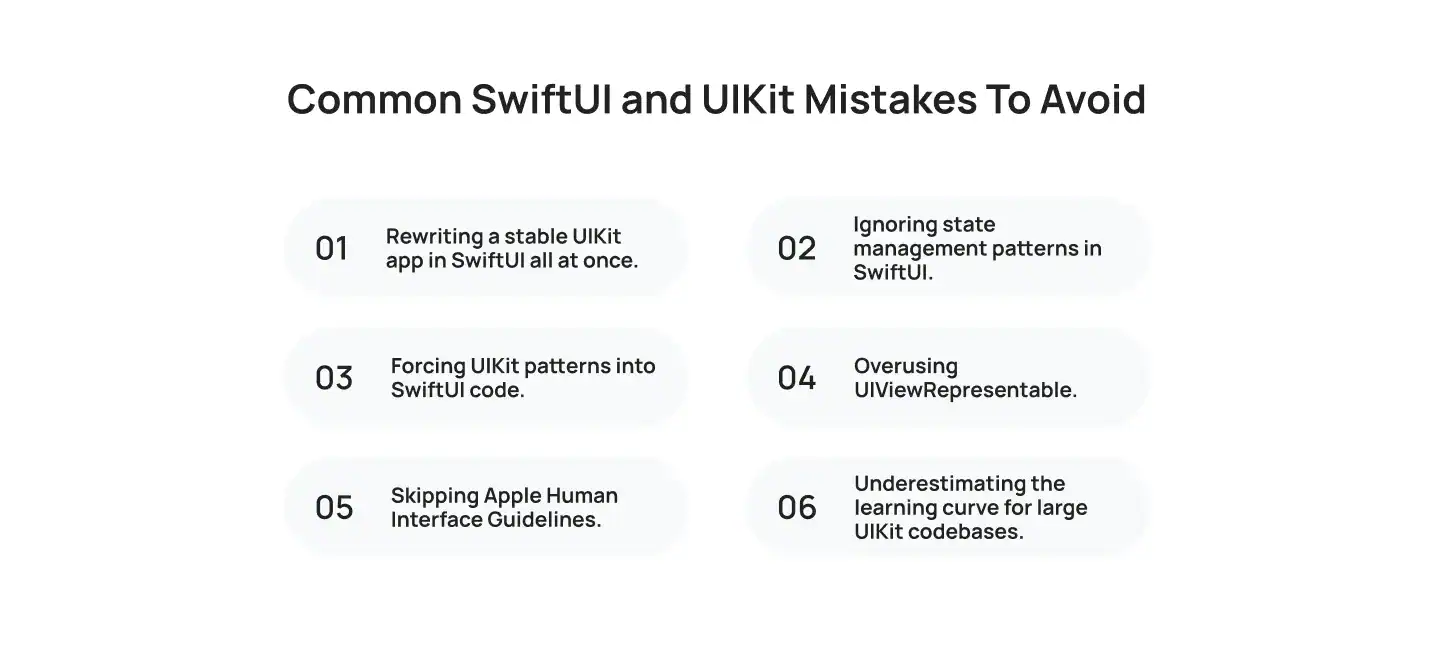
Avoid these mistakes, and you’ll save yourself real debugging time later:
- Rewriting a stable UIKit app in SwiftUI all at once. This usually creates more bugs than it fixes. Migrate screen by screen instead.
- Ignoring state management patterns in SwiftUI. Skipping proper state management leads to views that update unpredictably.
- Forcing UIKit patterns into SwiftUI code. SwiftUI works best with declarative UI thinking, not translated imperative UI logic.
- Overusing UIViewRepresentable. It’s a useful bridge, not a replacement for learning SwiftUI properly.
- Skipping Apple Human Interface Guidelines. Both frameworks can produce apps that feel off-platform if you don’t follow HIG standards.
- Underestimating the learning curve for large UIKit codebases. New developers often need extra ramp-up time before touching legacy view controllers.
Why Businesses Choose Cubix for Their iOS App Development Project
The choice between SwiftUI and UIKit is only one consideration: selecting the right development partner is more important.
Cubix crafts iOS apps in SwiftUI and UIKit as needed for each particular client project.
Our team carefully analyzes your unique requirements, timelines, and existing codebase to advise you on the best approach, not the other way around.
Once you are ready to build your iOS app, you can hire iOS app developers from Cubix who work with SwiftUI, UIKit, Swift, multi-platform solutions, and more. We can also help you select the language for your next project, e.g., comparing Kotlin vs Swift or discussing the future of SwiftUI.
Final Thoughts
The SwiftUI vs UIKit debate does not have a clear answer. For most developers, adopting SwiftUI is the preferred choice for iOS development. It is more intuitive, productive, and easier to learn than its UIKit counterpart. Moreover, it has been prioritized as Apple’s design philosophy and development ecosystem continue to evolve.
UIKit, however, is not dead. It will continue to serve its purpose for enterprise-grade applications, complex UI logic, and legacy code that SwiftUI has yet to support. Since Apple officially supports UIKit interoperability, there is no need to get locked into one particular framework. The most sensible approach to iOS development in 2023 is to embrace a hybrid one.
If you’re still weighing your options for the broader tech stack, our breakdown of the best programming languages for iOS app development is a good next stop.
Want to discuss your project? Our experts are just a click away.
Contact UsFAQs
1. What companies prefer using SwiftUI over UIKit for their iOS projects?
Mostly when building a prototype or MVP (minimum viable product) to reduce time to market and amount of code. Meanwhile, in large companies with existing UIKit codebase, SwiftUI is used progressively to build new screens.
2. How do app performance and user experience compare between SwiftUI and UIKit?
Both frameworks provide native performance, but SwiftUI vs UIKit is not as significant as it was before. UIKit has more experience with complex animations and heavy list rendering while SwiftUI has improved drastically with every iOS version.
3. Should I choose SwiftUI or UIKit for a beginner iOS developer?
SwiftUI is more approachable for someone who wants to start their path as an iOS developer because of its declarative syntax and shorter learning curve due to Xcode previews.
4. What are the main differences between Apple’s declarative and imperative UI frameworks?
Declarative UI, as implemented in SwiftUI, is designed to describe the UI in relation to a specific state. In contrast, the imperative framework UIKit requires developers to write out exact instructions for each change that needs to be made to the UI.
5. What are the limitations of the modern declarative framework for certain app types?
The modern declarative framework can have difficulties with advanced animations, advanced gesture recognition, and support for legacy iOS versions. In such cases, it can be better to use UIKit or to combine both frameworks.
6. What are the main differences between SwiftUI and UIKit for iOS development?
SwiftUI is a declarative and state-driven framework that generally requires less code and has integrated previews. In contrast, UIKit uses an imperative and object-oriented paradigm. For now, these two frameworks are used in combination because SwiftUI is better for prototyping while UIKit excels at handling complex animations and gestures.