Key Takeaways
- Kotlin became Google’s official programming language for Android development in 2017, making it the preferred choice for building modern Android applications.
- Swift was introduced by Apple in 2014 to replace Objective-C, providing developers with a faster, safer, and more intuitive language for building native iOS applications.
- Android powers more than 70% of the global smartphone market, making Kotlin an excellent choice for businesses targeting the largest mobile user base.
- Both Kotlin and Swift support modern UI frameworks through Jetpack Compose and SwiftUI, helping developers build responsive interfaces with less code and faster development cycles.
- The best programming language depends on your business goals. Kotlin is ideal for Android and Kotlin Multiplatform projects, while Swift delivers the best experience for applications built exclusively for the Apple ecosystem.
Choosing the right programming language is one of the most important decisions in mobile app development. It directly influences your app’s performance, user experience, development timeline, scalability, and long-term maintenance. Whether you’re building a startup MVP, an enterprise solution, or a customer-facing mobile application, selecting between Kotlin and Swift can have a lasting impact on your project’s success.
The demand for modern application development continues to grow as businesses invest in digital products that deliver faster, more personalized user experiences. According to Stack Overflow’s 2025 Developer Survey, JavaScript is used by about 66% of developers, while React is used by 44.7%, highlighting the continued popularity of modern development technologies. However, when businesses require maximum performance, stronger security, and seamless integration with platform-specific features, native programming languages like Kotlin and Swift remain the preferred choice for Android and iOS app development.
Kotlin, Google’s official language for Android, and Swift, Apple’s recommended language for the Apple Ecosystem, were both designed to simplify development while delivering fast, secure, and reliable applications. Although they share several modern programming features, each language offers unique advantages depending on your business goals, target audience, and technical requirements.
If you’re exploring different programming languages for mobile app development, understanding how Kotlin and Swift compare is the first step toward making an informed decision. In this guide, we’ll break down their features, development tools, performance, strengths, limitations, and real-world use cases to help you choose the right language for your next mobile application.
Kotlin vs. Swift at a Glance
| Feature | Kotlin | Swift |
|---|---|---|
| Released | 2016 | 2014 |
| Developed By | JetBrains (Google Supported) | Apple |
| Primary Platform | Android | iOS |
| IDE | Android Studio | Xcode |
| UI Toolkit | Jetpack Compose | SwiftUI |
| SDK | Android SDK | iOS SDK |
| Runtime | Java Virtual Machine (JVM) | Native Apple Runtime |
| Memory Management | Garbage Collection | Automatic Reference Counting (ARC) |
| Cross-Platform Support | Kotlin Multiplatform | Limited |
| Best For | Android Apps & Shared Code | Native Apple Apps |
What Is Kotlin?
Kotlin is a statically typed programming language developed by JetBrains and officially supported by Google for Android application development. Built to address many of Java’s limitations, Kotlin offers concise syntax, null safety, and seamless interoperability with existing Java code.
One of Kotlin’s biggest strengths is that it runs on the Java Virtual Machine (JVM), allowing developers to reuse Java libraries while writing cleaner and more maintainable code. This compatibility makes migrating existing Android applications much easier, without having to rebuild projects from scratch.
Developers primarily build Kotlin applications using Android Studio, Google’s official integrated development environment (IDE). Combined with the Android SDK, Android Studio provides everything needed to design user interfaces, debug applications, and deploy them across Android devices.
Google has also introduced Jetpack Compose, a modern declarative UI toolkit that simplifies interface development by reducing boilerplate code. Instead of relying on XML layouts, developers can build responsive user interfaces directly in Kotlin, improving productivity and making applications easier to maintain.
Kotlin has become a preferred choice for businesses building modern Android applications because it supports faster development, better code quality, and long-term scalability. However, choosing the right programming language is only one part of the process. Understanding the complete mobile app development lifecycle, from planning and UI/UX design to testing, deployment, and ongoing maintenance, is equally important for building a successful application.
What Is Swift?
Swift is Apple’s modern programming language designed for building applications across the entire Apple Ecosystem, including iPhone, iPad, Mac, Apple Watch, and Apple TV. Introduced in 2014, Swift was created to replace Objective-C with a language that is easier to read, safer to write, and faster to execute.
Swift focuses on simplicity without sacrificing performance. Features such as optionals, strong type checking, and Automatic Reference Counting (ARC) help developers write reliable applications while minimizing common programming errors.
Apple developers use Xcode as the primary integrated development environment. Together with the iOS SDK, Xcode provides tools for interface design, debugging, testing, profiling, and deployment across Apple’s platforms.
Apple also introduced SwiftUI, a declarative user interface framework that enables developers to build responsive interfaces using significantly less code. Similar to Jetpack Compose, SwiftUI simplifies UI development and enables developers to create consistent experiences across Apple devices.
Swift’s deep integration with Apple’s hardware, frameworks, and software ecosystem makes it the preferred choice for organizations building high-performance native iOS applications.
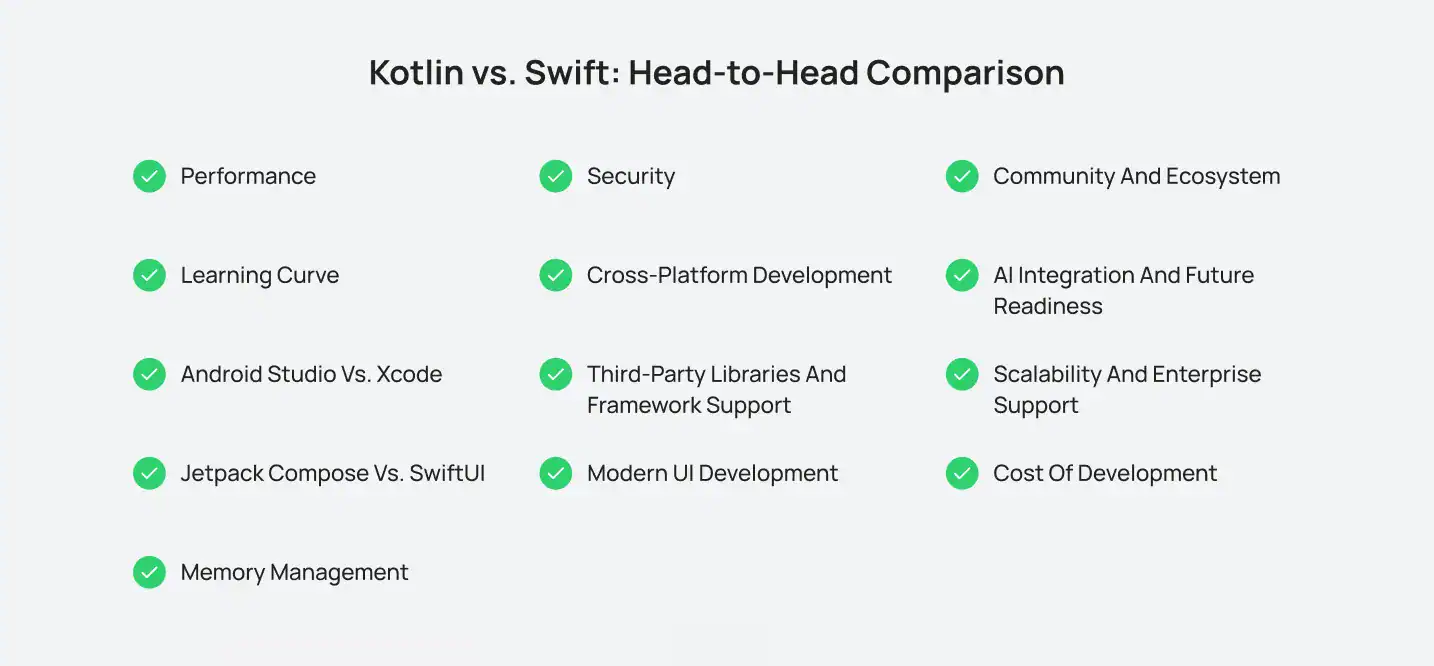
Kotlin vs. Swift: Head-to-Head Comparison
While both Swift and Kotlin are cutting-edge languages that can be used to develop native mobile apps, each has a unique way to meet these objectives. That’s why we decided to look at these frameworks from the ground up, comparing performance, security, business value, scalability, and experience.
1: Performance
Both languages are optimized for native mobile development, making performance differences minimal in most business applications. Kotlin compiles to JVM bytecode and benefits from continuous improvements in Android’s runtime environment. Swift compiles directly to native machine code and is optimized for Apple’s hardware, delivering excellent execution speed and memory efficiency.
For Android projects, Kotlin provides outstanding performance while maintaining compatibility with existing Java applications. On iOS, Swift takes full advantage of Apple’s processors and operating systems, offering smooth animations, faster startup times, and efficient resource management.
Winner: Tie. Both deliver excellent native performance on their respective platforms.
2: Learning Curve
How quickly developers can learn a programming language affects development speed, hiring, onboarding, and long-term maintenance. Fortunately, both Kotlin and Swift are much easier to learn than their predecessors, Java and Objective-C.
Kotlin feels familiar to developers with Java experience because it shares similar syntax while eliminating much of Java’s boilerplate code. Features like null safety, extension functions, and concise syntax help developers become productive faster.
Swift also offers a clean and readable syntax designed to simplify iOS development. Developers new to the Apple ecosystem may face a slight learning curve due to Apple’s frameworks and development environment, but Swift itself is considered intuitive and beginner-friendly.
If your development team already has experience with Java or Android, Kotlin offers a smoother transition. For teams focused on Apple platforms, Swift provides an excellent learning experience supported by extensive documentation and developer resources.
Winner: Kotlin, thanks to its familiarity for Java developers and faster onboarding for Android teams.
3: Android Studio vs. Xcode
The development environment plays a significant role in developer productivity.
Android Studio is Google’s official IDE for Android development. It includes intelligent code completion, debugging tools, performance profilers, emulators, and seamless integration with the Android SDK.
Xcode provides an equally comprehensive environment for Apple developers. It includes Interface Builder, simulators, debugging tools, performance analysis, and direct integration with Apple’s development ecosystem.
Top Pick: Both IDEs receive regular updates, ensuring compatibility with the latest operating systems and development frameworks.
4: Jetpack Compose vs. SwiftUI
Traditional mobile UI development relied heavily on XML layouts or storyboard files. Modern frameworks have simplified this process considerably.
Jetpack Compose enables Android developers to build dynamic interfaces entirely in Kotlin using a declarative programming model. It reduces repetitive code, improves readability, and accelerates UI development.
Similarly, SwiftUI allows Apple developers to design responsive interfaces with significantly less code while maintaining consistency across iPhone, iPad, Mac, Apple Watch, and Apple TV.
Verdict: Both frameworks have transformed native UI development, making applications easier to build, maintain, and update.
Want to discuss your project? Our experts are just a click away.
Contact Us5: Memory Management
Efficient memory management is essential for building fast, responsive, and reliable mobile applications. Both Kotlin and Swift handle memory automatically, but they use different approaches.
Kotlin relies on Garbage Collection (GC) to identify and remove unused objects from memory. Since Kotlin runs on the Java Virtual Machine (JVM) for Android, memory cleanup happens automatically in the background. This reduces the risk of memory leaks and allows developers to focus on building features instead of manually managing resources.
Swift uses Automatic Reference Counting (ARC), which tracks how many references point to an object. When an object is no longer needed, ARC immediately releases its memory. This approach offers predictable memory management and is highly optimized for Apple’s hardware and operating systems.
For most business applications, both languages deliver excellent performance. The choice usually depends more on your target platform than on memory management itself.
Result: Both won this Challenge
6: Security
Security has become a top priority as mobile applications handle sensitive customer information, payment data, and business operations. Fortunately, both Kotlin and Swift were designed with modern security practices in mind.
Kotlin minimizes common programming errors through features such as null safety, immutable data structures, and strong type checking. These features help reduce application crashes while improving code stability.
Swift follows a similar philosophy by using optionals, strict type safety, and compile-time checks to catch errors before deployment. Combined with Apple’s secure development environment and platform protections, Swift enables developers to build highly secure applications for iPhone, iPad, and other Apple devices.
Regardless of which language you choose, implementing secure coding practices, regular testing, and ongoing updates remains essential for protecting user data.
Winner: Tie
7: Cross-Platform Development
One of the biggest differences between Kotlin and Swift appears when businesses want to support multiple operating systems.
Kotlin has expanded beyond Android through Kotlin Multiplatform, allowing developers to share business logic across Android and iOS while maintaining native user interfaces. This approach reduces duplicated code, shortens development time, and simplifies long-term maintenance without sacrificing native performance.
Swift, on the other hand, is designed primarily for Apple’s platforms. While experimental projects have explored running Swift on Android, it is not widely adopted for production applications. Businesses targeting multiple platforms typically choose Swift only when their primary audience is within the Apple ecosystem.
If your project requires Cross-Platform Development while preserving a native experience, Kotlin provides greater flexibility than Swift.
Winner: Kotlin
8: Third-Party Libraries and Framework Support
A strong ecosystem of libraries and frameworks allows developers to build applications faster without reinventing common functionality. Both Kotlin and Swift offer mature ecosystems backed by active developer communities.
Kotlin benefits from full interoperability with Java, giving developers access to thousands of well-established Java libraries alongside modern Android tools. Popular libraries such as Retrofit for networking, Room for local databases, Ktor for backend development, and Jetpack libraries help accelerate Android application development.
Swift also provides a rich ecosystem through Apple’s frameworks and the Swift Package Manager. Developers commonly use libraries like Alamofire for networking, Combine for reactive programming, and Core Data for local storage. Native integration with Apple’s SDKs further simplifies the development of high-quality iOS applications.
For most business projects, both ecosystems provide everything needed to build secure, scalable, and feature-rich applications. The best choice depends on your target platform rather than the availability of libraries.
Winner: Tie. Both Kotlin and Swift offer mature ecosystems with extensive third-party libraries and framework support.
9: Modern UI Development
User interfaces have changed dramatically over the last few years, with declarative UI frameworks replacing traditional layout systems.
Google introduced Jetpack Compose to simplify Android interface development. Developers can create responsive screens using Kotlin code instead of XML layouts, making interfaces easier to update and maintain.
Apple responded with SwiftUI, a declarative framework that enables developers to build interfaces across iPhone, iPad, Mac, Apple Watch, and Apple TV using a unified approach.
Both frameworks reduce boilerplate code, improve development speed, and provide better support for responsive interfaces.
For businesses, this means faster development cycles, easier feature updates, and a more consistent user experience across devices.
Winner: Tie
10: Community and Ecosystem
Strong community support often leads to better documentation, more learning resources, and a wider range of third-party libraries.
Kotlin benefits from Google’s official support, JetBrains’ continuous development, and a rapidly growing Android developer community. Developers also have access to thousands of Java libraries because of Kotlin’s seamless interoperability.
Swift is backed by Apple and supported by one of the world’s largest developer ecosystems. Extensive documentation, WWDC sessions, open-source contributions, and active developer communities make learning and troubleshooting much easier.
Whether you’re hiring developers or maintaining an existing application, both languages offer mature ecosystems with strong long-term support.
Winner: Tie
11: AI Integration and Future Readiness
Artificial intelligence is becoming a standard feature in modern mobile applications. Businesses are integrating AI-powered chatbots, recommendation engines, voice assistants, predictive analytics, and automation into their apps to improve customer experiences.
Both Kotlin and Swift can integrate with cloud-based AI services, machine learning frameworks, and third-party APIs. On Android, developers often combine Kotlin with Google’s ML Kit and Vertex AI services. Swift developers commonly use Apple’s Core ML framework to deliver intelligent features directly on Apple devices.
As AI continues to reshape mobile experiences, choosing the right programming language is only one part of the equation. Businesses also need a development strategy that supports future technologies, scalable architecture, and continuous innovation. Exploring the latest trends in Artificial Intelligence in Mobile App Development can help organizations prepare for the next generation of intelligent mobile applications.
12: Scalability and Enterprise Support
As businesses grow, their mobile applications must support increasing numbers of users, larger datasets, and more complex business operations. Scalability is therefore an important consideration when choosing a programming language.
Kotlin is widely adopted for enterprise Android applications because of its seamless interoperability with Java and its ability to integrate with existing enterprise systems. Its modular architecture, modern language features, and growing support for Kotlin Multiplatform make it a strong choice for organizations planning long-term application growth.
Swift is equally capable of powering enterprise-grade iOS applications. Optimized for Apple’s hardware and software ecosystem, Swift delivers excellent performance, security, and stability for large-scale business applications. Companies developing products exclusively for Apple users can confidently build scalable solutions using Swift.
Both languages are trusted by startups, global enterprises, and Fortune 500 companies. The decision ultimately depends on whether your application targets Android, iOS, or multiple platforms.
Edge Goes To: Tie. Kotlin provides greater flexibility for Android and shared-code projects, while Swift excels in enterprise applications built for the Apple ecosystem.
13: Cost of Development
Development costs vary depending on your target platform, application complexity, feature set, and long-term maintenance requirements. While both Kotlin and Swift support efficient native development, the overall investment can differ based on your business goals.
For Android-first projects, Kotlin is a cost-effective option because developers can leverage existing Java libraries and reduce development time. Businesses planning to support both Android and iOS can also benefit from Kotlin Multiplatform, which allows portions of the codebase to be shared across platforms, lowering development and maintenance costs.
Swift is the ideal choice for organizations building exclusively for Apple’s ecosystem. Its deep integration with Xcode, SwiftUI, and the iOS SDK enables developers to create highly optimized applications efficiently. However, businesses targeting both Android and iOS typically need separate native development teams, which can increase the overall investment.
Beyond the programming language itself, factors such as app complexity, UI/UX design, third-party integrations, testing, and post-launch maintenance all influence the overall cost of mobile app development. Evaluating these requirements early helps businesses select the right technology while managing budgets effectively.
Winner: Kotlin, particularly for Android-first and cross-platform projects where code sharing can reduce development and long-term maintenance costs.
Which Programming Language Is Right for Your Next Mobile App?
There isn’t a single winner in the Kotlin vs. Swift debate. The right choice depends on your business goals, target audience, and the platforms you want to support.
If you’re building an Android application or planning Cross-Platform Development, Kotlin offers modern features, Java interoperability, and excellent scalability. If your focus is delivering a premium experience across the Apple Ecosystem, Swift is the clear choice thanks to its performance, security, and seamless integration with Apple’s tools.
Ultimately, the programming language is only one part of building a successful mobile app. Choosing the right technology, development strategy, and experienced team will have the biggest impact on your app’s long-term success.
Why Choose Cubix for Mobile App Development?
Choosing the right programming language is only the first step. Building a successful mobile application also requires experienced developers, the right technology stack, and a structured development process.
At Cubix, we provide end-to-end mobile app development services that help startups, growing businesses, and enterprises transform ideas into high-performing mobile applications. From product strategy and UI/UX design to development, testing, deployment, and post-launch support, our team delivers solutions tailored to your business objectives.
Whether you’re building an Android application with Kotlin or an iOS app with Swift, our developers create secure, scalable, and future-ready mobile experiences that drive measurable business growth.
Conclusion
Kotlin and Swift have transformed native mobile app development by offering cleaner syntax, stronger security, better performance, and modern development frameworks. While Kotlin remains the preferred language for Android development and shared business logic, Swift continues to dominate Apple’s ecosystem with exceptional speed and seamless platform integration.
Instead of asking which language is objectively better, businesses should focus on which technology aligns with their users, product goals, and long-term strategy. Evaluating your target platform, development resources, scalability requirements, and future roadmap will help you make a confident decision.
If you’re planning your next mobile application, choosing an experienced development team is just as important as selecting the right programming language. With the right expertise, both Kotlin and Swift can power secure, scalable, and engaging mobile applications that deliver lasting business value.
Want to discuss your project? Our experts are just a click away.
Contact UsFrequently Asked Questions
1: Is Kotlin better than Swift?
Neither language is universally better. Kotlin is ideal for Android development and Kotlin Multiplatform projects, while Swift is the preferred choice for building native applications across Apple’s ecosystem.
2: Can Kotlin be used for iOS development?
Yes. Kotlin Multiplatform allows developers to share business logic between Android and iOS applications while maintaining native user interfaces for each platform.
3: Which language is easier to learn, Kotlin or Swift?
Both languages are considered beginner-friendly compared to Java and Objective-C. Your learning experience largely depends on whether you plan to develop for Android or iOS.
4: Which programming language offers better performance?
Both Kotlin and Swift deliver excellent native performance on their respective platforms. Swift is optimized for Apple’s hardware, while Kotlin provides outstanding performance within the Android ecosystem.
5: How do I choose the right programming language for my mobile app?
Your decision should depend on your target audience, supported platforms, business objectives, budget, long-term maintenance plans, and the expertise of your development team.