Key Takeaways
- Apple Vision Pro for business works best in focused jobs like training, design review, and remote support. It has not caught on with everyday buyers.
- Analysts estimate Apple sold about 390,000 units in 2024, and reports say production was cut back in 2025. Treat these as estimates.
- visionOS 26 added stronger tools for vision pro enterprise apps, including content protection and shared-device use.
- A simple windowed app costs far less than a fully immersive one. Scope is the biggest cost driver.
- Build now if you have a clear job for the headset. Wait if you are only chasing the hype.
Let’s start with the honest part. Apple Vision Pro has not been a big hit with everyday shoppers. IDC estimated that Apple shipped about 390,000 units in 2024, its launch year. The Financial Times later reported that production slowed and marketing was scaled back. At $3,499, it is simply too costly and too heavy for most people.
But that is only half the story. Businesses buy tools to do a job, not to look cool. A device that makes pilot training safer, or lets a designer walk through a product before it exists, can be worth a high price. Companies like CAE (pilot training), Porsche (product design), and Visage Imaging (patient care) have all been named as Vision Pro users.
This guide is for business leaders who want a clear answer on apple vision pro for business. We will cover what the headset does well, what visionOS 26 changed, which use cases are real, what an app costs, and how to build one. We will also say plainly when you should wait.
One quick term first. Spatial computing means apps that live in your room instead of on a flat screen. You can place a 3D engine on your desk, walk around it, and open it up. You can also place a screen on the wall. The headset blends digital content with the real space around you.
Build Your Vision Pro Business App With Cubix Today
Contact UsIs Apple Vision Pro Worth It for Businesses in 2027?
Short answer: It is worth it if you have one clear job where 3D, hands-free work, or safe practice saves real time or money. If you have no such job yet, wait.
Here is a simple way to decide.
Build now if:
- You train people on costly, risky, or rare tasks.
- Your team reviews 3D designs, such as products, rooms, or buildings.
- You need experts to guide field workers from far away.
- You already have an iPad or iPhone app that could grow into a 3D version.
Wait if:
- You want the headset for general staff or customers.
- You have no clear task or budget for it.
- Your plan depends on thousands of devices at once.
The hardware itself has changed little in its basic promise. Apple released an updated model with the M5 chip in late October 2025 and kept the price at $3,499. It runs smoother and has a better headband for comfort. Still, reports say sales did not take off, and press coverage has raised doubts about the product’s future. Apple has not confirmed any end to the product. We suggest treating Vision Pro as a smart pilot project, not a company-wide bet.
The good news is that this honest view helps you. You do not need a huge rollout. You need a small, well-chosen test. Many of the best projects start with 5 to 20 headsets and one clear goal.
What Changed for Business Apps in visionOS 26?
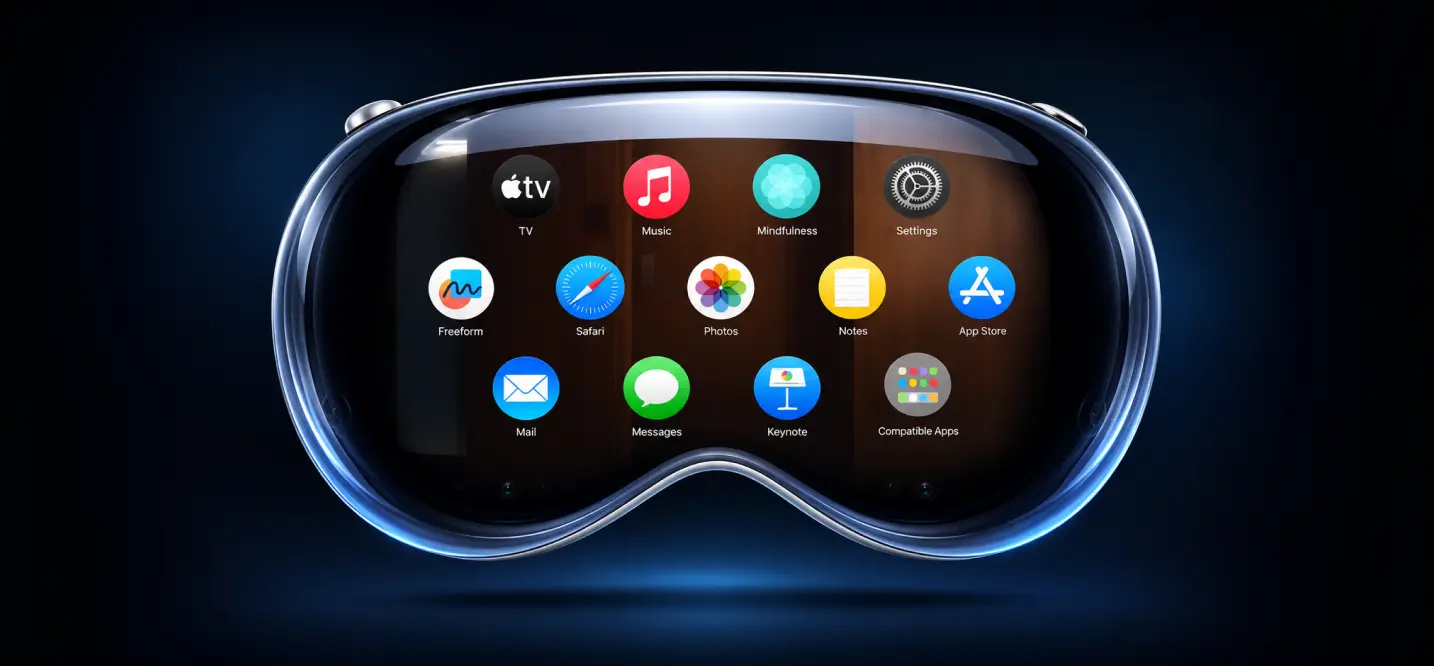
visionOS is the software that runs on Vision Pro. Apple released visionOS 26 on September 15, 2025, and it focused strongly on work use. Here is what matters most for vision pro enterprise apps.
Enterprise APIs. Apple first introduced enterprise APIs for visionOS at WWDC 2024. These unlock things normal apps cannot reach, such as the main camera feed, barcode scanning, and deeper access to the device’s processing power. visionOS 26 widened these tools. Think of visionos 26 enterprise apis as the “work mode” for developers. A company can read a barcode on a part or let a remote expert see what a worker sees.
Protected Content API. This one is simple but powerful. It blocks copying and screen capture of private material inside an app. If your headset shows secret designs, patient data, or training manuals, this helps keep them safe.
Shared use. Many teams share a few headsets instead of giving one to each person. visionOS 26 made it easier for different people to use the same device and still keep their own settings.
Device management. Companies need to set up and control many devices at once. Apple’s business tools have moved to support Vision Pro, so IT teams can manage headsets like they do iPhones. [Cubix to confirm the exact Apple Business wording before publishing.]
Put together, these updates tell us something useful. Apple is building the software for a business buyer, even while sales to regular shoppers are slow.
Top Business Use Cases for Vision Pro Apps
Not every idea works. Many early “use cases” were just wish lists. The table below lists the ones with real examples behind them.
Business use cases for Vision Pro apps
| Use case | Industry | Real example | App type |
|---|---|---|---|
| Training and simulation | Aviation, healthcare | CAE pilot training | Immersive |
| Design review | Auto, manufacturing | Porsche product design | Immersive or windowed |
| Remote assistance | Field service, energy | Expert guides worker | Windowed with camera tools |
| Medical imaging | Healthcare | Visage Imaging | Windowed or immersive |
| Retail showrooms | Retail, real estate | Lowe’s kitchen visualization | Immersive |
| Spatial collaboration | All | Shared 3D meetings | Shared spaces |
Training and Simulation
This is the strongest case. A vision pro training simulation lets people practice hard tasks without risk. A pilot can rehearse a rare emergency. A nurse can practice a procedure again and again. Nobody gets hurt, and no machine breaks.
The headset also fits well because it tracks your hands and eyes. You do not need a controller. Your hands are free to do what they would do in real life. If you want to learn more about this approach, read our guide to virtual training.
Design Review and Product Visualization
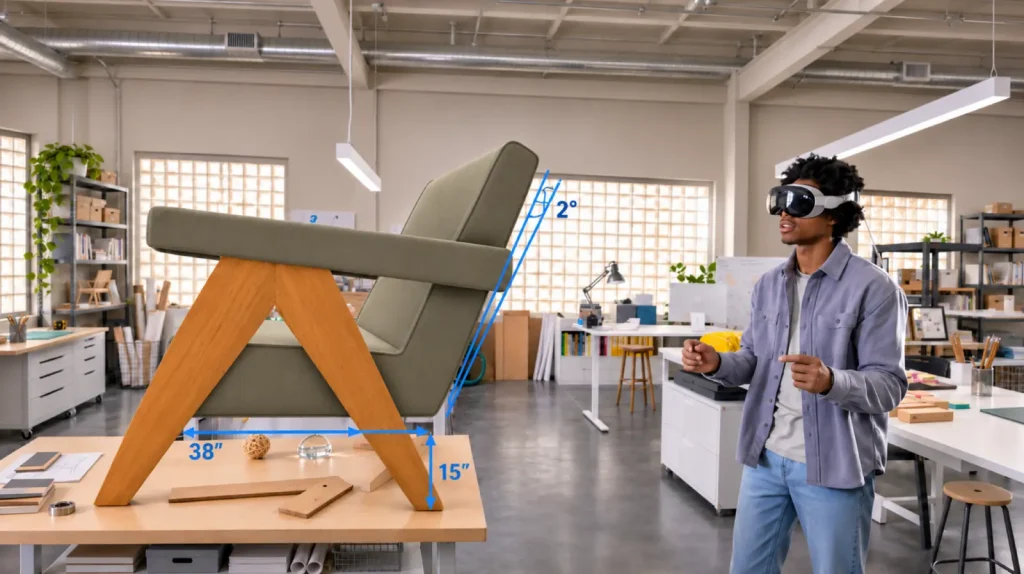
Imagine a car designer who can stand beside a full-size model before any metal is cut. That is vision pro design review at its best. Teams spot problems early, when changes are cheap.
Retail is using the same idea. Lowe’s was reported in September 2025 to be using Vision Pro in select stores to help customers picture kitchen designs. Instead of guessing from a flat drawing, shoppers see the cabinets in a believable space.
Remote Assistance and Field Service
A worker faces a broken machine. An expert sits in another city. With vision pro remote assistance, the expert sees the worker’s view and guides them step by step. This saves travel time and cuts downtime.
Be realistic here. A headset is heavy for a full work shift. It suits short, high-value jobs better than all-day wear. Lighter devices may suit some field work better, which we cover in the comparison below.
Medical Imaging and Surgical Planning
Doctors can view scans as 3D models and walk around them. This can help with planning and with teaching students. Visage Imaging has been named as a Vision Pro user in patient care.
A word of care: be careful with claims. A headset helps doctors see data more clearly, but it does not remove the chance of human error. Any medical app also needs strict privacy and regulatory review. Good teams promise help, not perfection.
Retail Showrooms and Real Estate Tours
Buyers can “walk” through a home or a showroom from far away. This is useful for large, costly items that are hard to ship or stage. For a deeper look, see our post on virtual tours for real estate.
One note. Virtual try-on for clothes does not suit a headset well, because you cannot see yourself while wearing it. Pick use cases that fit the device.
Spatial Collaboration and Meetings
Teams can look at the same 3D model together, even from different places. Vision Pro uses lifelike avatars called Personas, and shared experiences let people interact with the same objects. It works best when the thing you are discussing is 3D, such as a machine or a building. For a plain team call, a regular screen is still easier.
Windowed vs Immersive Apps: Which Does Your Business Need?
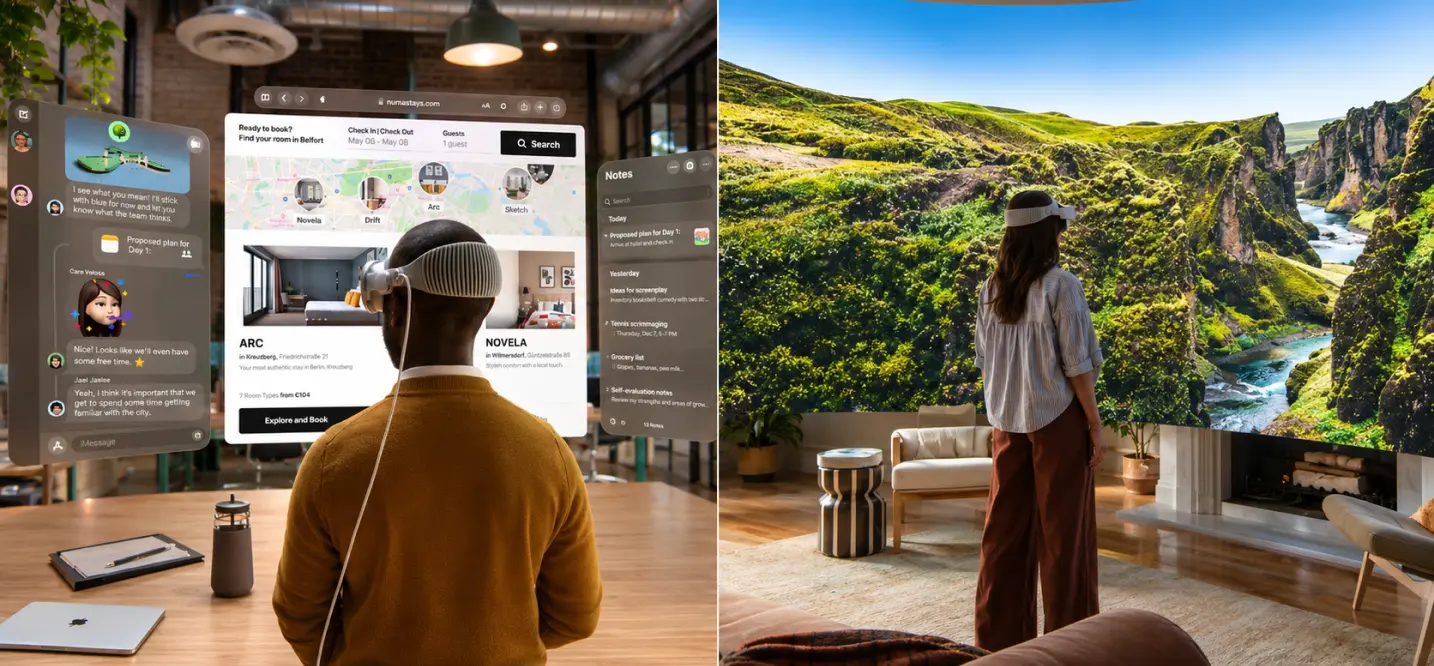
Before you build, you must choose what kind of app you need. This choice changes your cost more than anything else.
A windowed app floats in your room like a normal screen. It looks familiar and is quick to build. An immersive app surrounds you and fills your whole view, like a full simulation.
Windowed vs immersive apps
| Windowed | Immersive | |
|---|---|---|
| Scope | Screens and simple 3D objects | Full 3D worlds and scenes |
| Effort | Lower | Much higher |
| Main cost driver | Interface design | 3D art, physics, testing |
| Best for | Dashboards, remote help, data views | Training, design walk-throughs |
A good rule: start windowed. Prove the idea works, then add immersive parts where they truly help. Many teams overspend by going fully immersive on day one.
How Much Does a Vision Pro App Cost?
Costs vary widely, so be wary of any single number. Instead, understand what drives the price. The main factors in vision pro app development cost are:
- Scope. Windowed apps cost less than immersive ones.
- 3D content. Custom models and scenes take artists’ time. Ready-made assets cost less.
- Features. Hand tracking, shared spaces, and camera tools each add work.
- Integration. Connecting to your current systems, such as inventory or patient records, takes effort.
- Testing. Headset apps need testing on real devices, and that takes time.
- Security. Apps that handle private data need extra safeguards.
If you already have an iPad app, you may save money. Many iPad and iPhone apps can run on Vision Pro as flat windows with little change. That is a cheap way to test. For general app pricing background, see our guide to iOS app development cost, but remember that a Vision Pro app costs more once you add 3D work.
A smart plan is to pay for a small prototype first. It costs little and shows you whether the idea is worth a bigger budget.
How to Build a Vision Pro App: Step by Step
You do not need to be technical to follow the process. Here is how visionos app development usually works.
Step 1: Pick one job. Write one sentence: “This app helps [who] do [what] faster or safer.” If you cannot, stop and rethink.
Step 2: Choose windowed or immersive. Use the table above.
Step 3: Design for space. People move their heads and hands, not a mouse. Keep text large. Avoid crowding the view. Short sessions work best.
Step 4: Choose your tools. Apple’s main tools are:
- SwiftUI for the interface. Searching for swiftui visionos will show you plenty of Apple’s own guides.
- RealityKit for 3D content and how objects behave.
- ARKit for understanding the room and tracking hands.
- Reality Composer Pro for arranging 3D scenes.
If your team already uses Unity, Unity PolySpatial lets you bring Unity projects to visionOS. This is handy when you also want the same app on other devices. You do not need Unity to build for Vision Pro, though. Apple’s own tools work well on their own.
Step 5: Build a prototype. Make the smallest version that proves the idea. Test it with real workers.
Step 6: Test on real headsets. Simulators help, but real devices reveal comfort and clarity problems.
Step 7: Deploy to staff. For company use, you do not have to publish on the public App Store. Businesses can manage devices and apps through Apple’s business tools. Searching for apple business manager vision pro will lead you to Apple’s current steps for custom app distribution and device setup.
Step 8: Measure and improve. Track time saved, errors reduced, or training scores. If the numbers do not move, change the app or stop.
Vision Pro vs Meta Quest vs Android XR for Business
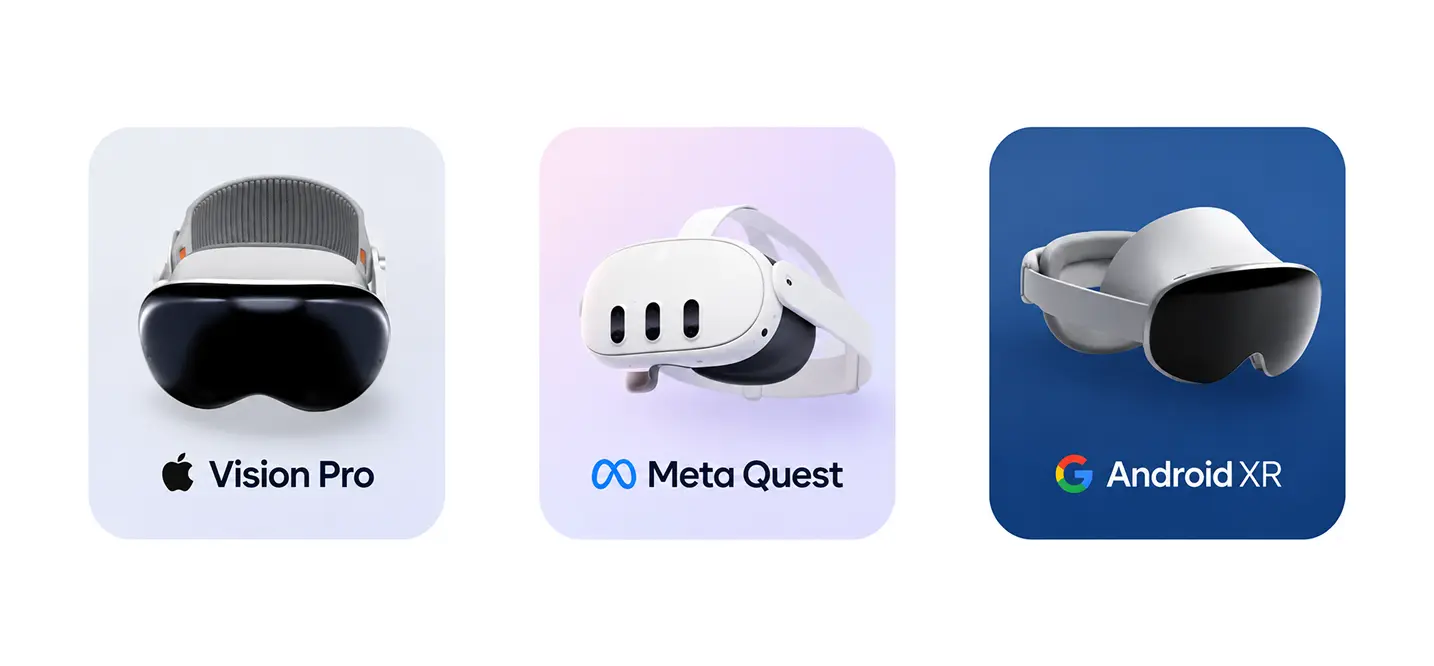
Vision Pro is not the only choice. Before you commit, compare options. Here is the short version of vision pro vs meta quest for business.
Platform comparison
| Apple Vision Pro | Meta Quest | Android XR | |
|---|---|---|---|
| Price | $3,499 | Far lower; Quest 3S was about $349 | Varies by device |
| Strength | Sharp display, hand and eye tracking, strong privacy tools | Low cost, large app library | Growing, backed by Google |
| Weakness | Cost and weight | Less polish for high-end design work | Still early |
| Best for | High-value design, training, medical | Large-scale training on a budget | Watch and wait |
Here is the simple rule. If you need to train hundreds of workers cheaply, a lower-cost headset may win. If you need top visual quality and tight security for fewer, higher-value users, Vision Pro stands out. Some companies build for both. Tools like Unity can help share work across platforms.
Build Your visionOS App With Cubix
Choosing what to build is hard enough. Building it well is the next step. Cubix works with businesses on mobile and spatial apps, from first prototype to full rollout. If you want help turning an idea into a working app, explore our visionOS development services.
“The best Vision Pro projects we see start with one clear job, not a big vision. Pick a task where 3D or hands-free work really helps, build a small prototype, and let the results tell you whether to go further.”
If you want to see where headsets fit in the bigger picture, read our overview of mobile app development trends. For more ideas on where this technology goes next, see our post on Vision Pro business opportunities.
Ready to test the idea? Talk to Cubix about a small, low-risk prototype. We will help you decide whether Vision Pro fits your goal, and what it would cost.
Transform Your Business Ideas Into Spatial Experiences With Cubix
Contact UsFrequently Asked Questions
1. Is Apple Vision Pro worth it for businesses in 2027?
Yes, but only for a clear job such as training, design review, or remote support. It is a strong tool for focused tasks. It is a poor choice for general staff use. Start with a small pilot of a few headsets and measure the results before spending more.
2. What can businesses use Apple Vision Pro apps for?
Businesses use Vision Pro apps for training, 3D design review, remote expert help, medical imaging, retail showrooms, and shared 3D meetings. The best uses involve 3D objects, risky practice, or hands-free work. Tasks that work fine on a normal screen rarely need a headset.
3. How much does it cost to develop an Apple Vision Pro app?
Cost depends mostly on scope. A simple windowed app costs far less than a fully immersive simulation. 3D content, integrations, security, and testing also add to the price. A small prototype is the safest way to get a real estimate before committing to a larger budget.
4. Which tools and languages are used to build visionOS apps?
Most apps use Swift and SwiftUI for the interface, with RealityKit for 3D content, ARKit for room and hand tracking, and Reality Composer Pro for scenes. Teams that already use Unity can use Unity PolySpatial. You can choose either path depending on your team’s skills.
5. Can existing iPhone and iPad apps run on Vision Pro?
Often, yes. Many iPhone and iPad apps can run on Vision Pro as flat windows with little or no change. This makes a cheap first test. To get real 3D features such as depth and room awareness, you will need to add visionOS-specific work.
6. How do companies deploy Vision Pro apps to employees?
Companies manage headsets and apps through Apple’s business device-management tools, so IT teams can set up devices, assign apps, and control access. Private apps can be shared internally without a public App Store release. Check Apple’s current documentation for the exact setup steps.