Key Takeaways
- Godot remains one of the strongest free and open-source options available.
- Unity continues to be a leading choice for commercial indie games because of its cross-platform capabilities and extensive ecosystem.
- Unreal Engine offers unmatched visual quality but comes with a steeper learning curve.
- GameMaker remains one of the best choices for 2D and pixel-art projects.
- Construct 3 and GDevelop are excellent options for beginners with little programming experience.
- The best game engine for indie developers depends on budget, project scope, target platforms, and long-term goals.
- Choosing the wrong engine can increase development costs, slow production, and create scalability challenges later.
- Modern indie cross game engines allow developers to launch games across mobile, desktop, console, and web platforms from a single codebase.
The indie gaming industry has never been more competitive, or more accessible.
According to Newzoo, the global gaming market generated nearly $189 billion in revenue in 2025, with more than 3.6 billion players worldwide. Mobile gaming alone accounts for over half of all gaming revenue, while PC and console markets continue to attract millions of dedicated players.
At the same time, indie developers are launching games at a record pace. Steam saw more than 19,000 new game releases in 2025, highlighting both the opportunities and challenges facing modern game creators.
With so many games competing for attention, choosing the right technology stack is no longer a technical decision alone. The game engine you select can influence development speed, production costs, platform reach, performance, scalability, and even your ability to attract investors or publishers.
The good news is that developers have more choices than ever before with the best 2d game development company.
What Are Game Engines?
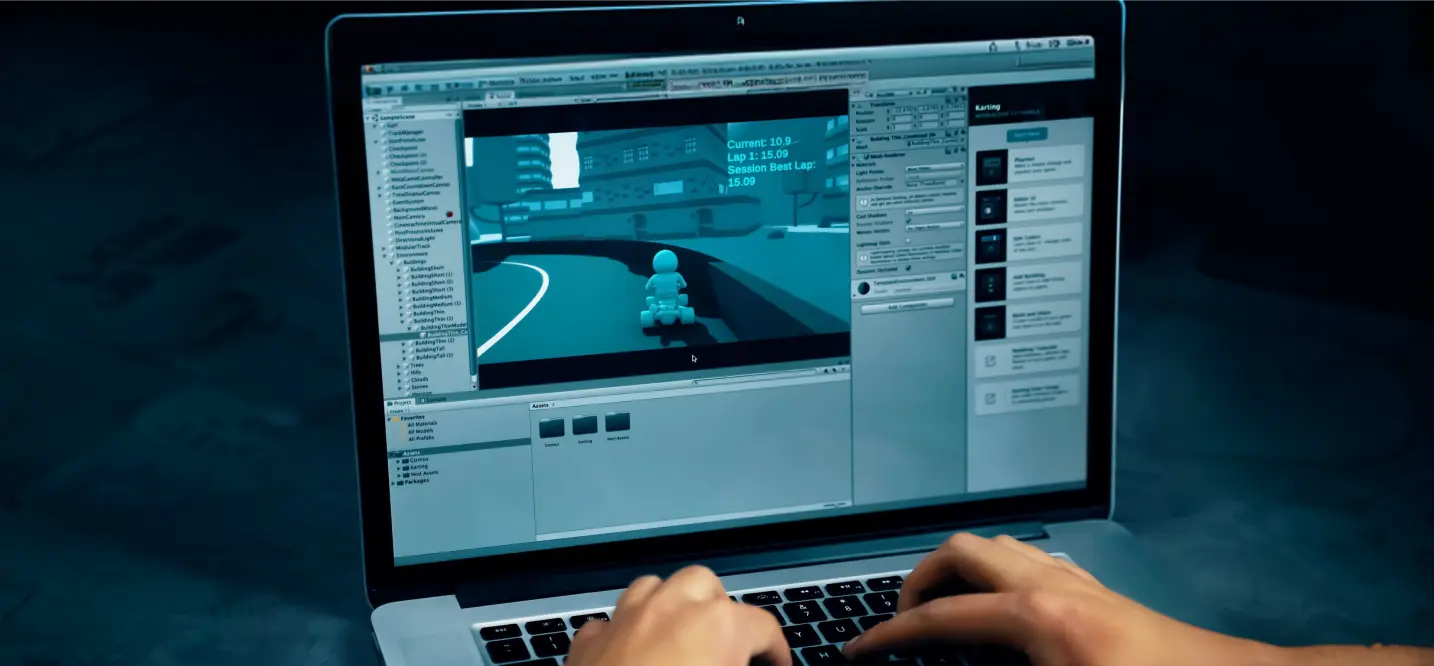
A game engine is a software framework that provides developers with the tools needed to create, test, and deploy video games.
In simple terms, game engines handle many of the complex systems that would otherwise need to be built from scratch. Instead of spending years creating rendering pipelines, physics systems, audio management tools, and animation frameworks, developers can focus on designing gameplay and player experiences.
For anyone asking, “what are game engines?”, think of them as the foundation upon which games are built.
Modern game development engines typically include:
- Rendering systems for graphics and visual effects
- Physics engines for movement and collision detection
- Audio systems for music and sound effects
- Animation tools for characters and environments
- Scripting frameworks for gameplay logic
- User interface tools
- Asset management systems
- Cross-platform deployment capabilities
Core Components of a Modern Game Engine
| Component | Purpose |
| Rendering Engine | Displays graphics, sprites, lighting, and visual effects |
| Physics System | Handles collisions, gravity, and object interactions |
| Animation Framework | Controls character movements and visual transitions |
| Audio Engine | Manages music, sound effects, and voiceovers |
| Scripting System | Powers gameplay logic and interactions |
| UI Tools | Creates menus, HUDs, and user interfaces |
| Asset Management | Organizes art, audio, and development resources |
| Export Tools | Deploys games across multiple platforms |
Why Do Indie Developers Use Game Engines?
Before modern game engines became widely available, developers often had to build many of these systems manually.
Today, engines dramatically reduce development time while improving production quality.
Benefits include:
- Faster prototyping and iteration
- Reduced development costs
- Cross-platform publishing
- Access to large developer communities
- Built-in debugging tools
- Easier collaboration between teams
- Large plugin and asset ecosystems
For example, games like Hollow Knight, Cuphead, Undertale, and Brotato were all developed using established engines rather than custom-built technology.
This approach allowed developers to focus on gameplay innovation instead of rebuilding fundamental systems.
Why Choosing the Right Game Engine Matters for Indie Developers

For indie developers, choosing the best 2D game engine is one of the most important decisions you’ll make before writing a single line of code.
The engine you select affects everything from development speed and production costs to platform support, team productivity, and long-term scalability. While many developers focus primarily on graphics or popularity, the reality is that the wrong engine can add months to development timelines and significantly increase project costs.
According to the 2025 State of the Game Industry Report by the Game Developers Conference (GDC), independent developers continue to prioritize development efficiency, cross-platform deployment, and accessible tooling when selecting game development engines. These factors often have a greater impact on project success than raw technical power alone.
The Indie Development Landscape Is More Competitive Than Ever
The global gaming industry generated nearly $189 billion in revenue in 2025. More importantly for indie creators, digital distribution platforms have dramatically lowered the barrier to entry.
However, increased accessibility has also increased competition.
Consider these numbers:
- More than 3.6 billion people play games worldwide.
- Over 19,000 new games were released on Steam in 2025.
- Mobile gaming now accounts for more than 50% of total gaming revenue.
- Thousands of indie games launch every month across PC, mobile, and console platforms.
Best Game Engines for Indie Developers in 2026: Quick Comparison
Choosing the right game dev engine can dramatically affect your development speed, budget, learning curve, and long-term success.
According to the 2025 Game Developers Conference (GDC) State of the Industry Report, nearly 80% of indie developers use either Unity, Unreal Engine, Godot, or GameMaker as their primary development platform. However, newer tools are gaining traction as developers look for more flexibility, lower costs, and faster workflows.
The table below compares the top game engines based on factors that matter most to indie creators.
| Engine | Best For | Difficulty | Pricing | 2D Support | 3D Support | Mobile Export | Console Export |
| Unity | Commercial indie games | Medium | Free + paid plans | Excellent | Excellent | Excellent | Excellent |
| Godot | Indie & open-source projects | Easy | Free | Excellent | Good | Good | Good |
| Unreal Engine | High-end 3D games | Hard | Royalty-based | Moderate | Excellent | Good | Excellent |
| GameMaker | Pixel-art & platformers | Easy | Subscription | Excellent | Limited | Good | Good |
| Construct 3 | Beginners & educators | Very Easy | Subscription | Excellent | Limited | Good | Limited |
| Phaser | Browser games | Medium | Free | Excellent | No | Good | No |
| Defold | Lightweight cross-platform game engine | Medium | Free | Excellent | Moderate | Good | Moderate |
| Cocos Creator | Mobile-first projects | Medium | Free | Good | Good | Excellent | Moderate |
| RPG Maker | JRPGs & story games | Very Easy | One-time purchase | Good | Limited | Limited | Limited |
| GDevelop | No-code game development | Very Easy | Free + paid plans | Good | Limited | Good | Limited |
What Makes a Great Indie Game Engine?
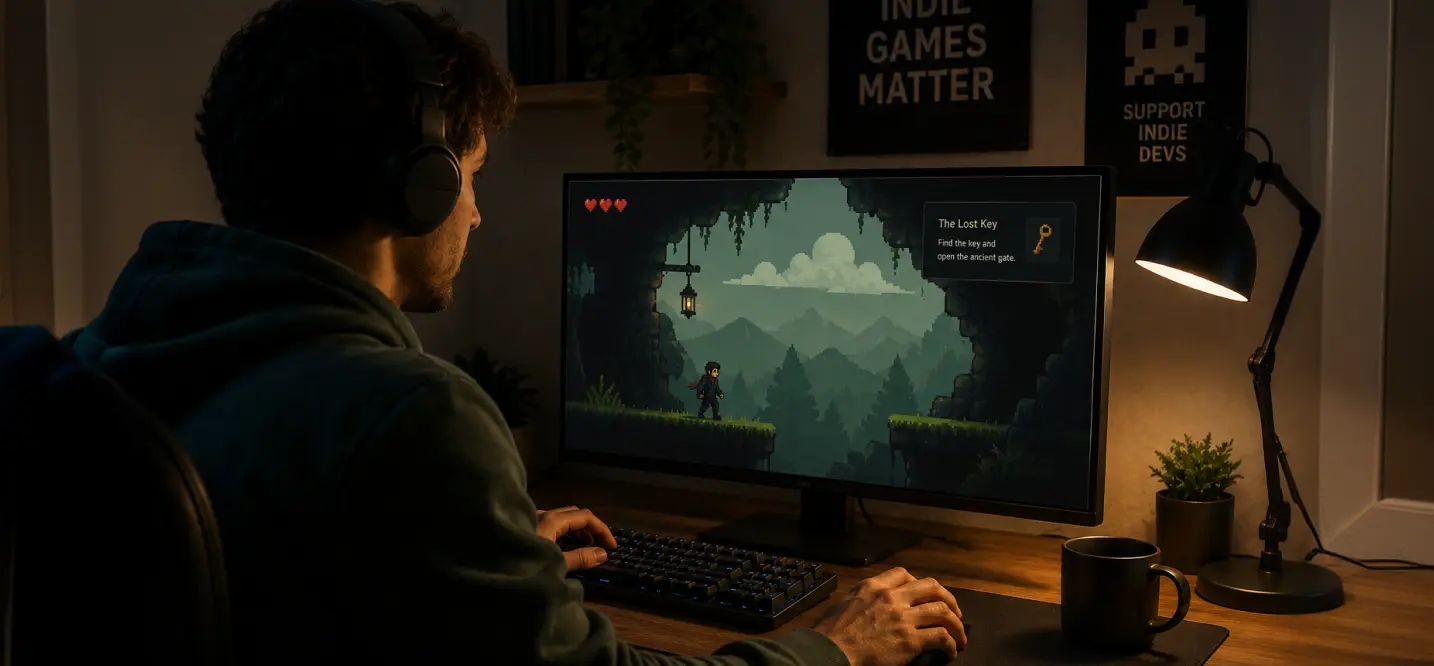
Many developers focus only on graphics when comparing game development engines.
In reality, successful indie teams evaluate several factors:
Development Speed
The faster you can prototype, test, and iterate, the better your chances of reaching market before competitors.
For example, the creators of Vampire Survivors built their early prototype in just a few weeks using lightweight development tools before scaling into a global hit that sold millions of copies.
Cost Efficiency
Budget matters.
Most indie studios operate with limited funding, making licensing fees and royalties important considerations.
This is one reason Godot has experienced explosive growth in recent years. Its completely free and open-source model allows developers to invest more resources into art, marketing, and player acquisition.
Cross-Platform Support
Modern players expect games on multiple devices.
The strongest indie cross game engines allow developers to deploy from a single codebase to:
- PC
- Mac
- Linux
- Android
- iOS
- Nintendo Switch
- Xbox
- PlayStation
- Web browsers
Top Game Engines For 2d Platformers in 2026
The following list ranks the top 10 game engines based on usability, platform support, community adoption, performance, pricing, and suitability for independent game development. What is the best 2d game engine?
How To Choose A 2d Game Engine: Top 10 Game Engines
| Rank | Engine | Best For | Pricing |
| 1 | Unity | Commercial indie games | Free + Paid Plans |
| 2 | Godot | Open-source & indie projects | Free |
| 3 | Unreal Engine | High-end 3D experiences | Royalty-based |
| 4 | GameMaker | 2D platformers & retro games | Subscription |
| 5 | Construct 3 | Beginners & rapid prototyping | Subscription |
| 6 | Phaser | Browser & HTML5 games | Free |
| 7 | Cocos Creator | Mobile-first development | Free |
| 8 | Defold | Lightweight cross-platform games | Free |
| 9 | GDevelop | No-code game creation | Free + Premium |
| 10 | RPG Maker | Story-driven RPGs | One-time purchase |
1. Unity
Best for Commercial Indie Games and Cross-Platform Development
When discussing the most popular game engines, Unity remains one of the first names that comes up.
Despite increased competition from newer game engines, Unity continues to power thousands of successful indie games and mobile titles worldwide.
According to Unity’s own platform data, billions of devices run applications built with Unity technology, making it one of the largest development ecosystems in gaming.
Why Indie Developers Choose Unity
Unity strikes a balance between accessibility and scalability.
Developers can start with a simple prototype and later expand into a large commercial project without changing engines.
Key benefits include:
- Exceptional cross-platform support
- Strong mobile optimization
- Large developer community
- Extensive learning resources
- Massive Asset Store ecosystem
- Mature multiplayer solutions
- Frequent updates and long-term support
Key Features
| Feature | Availability |
| 2D Development | Excellent |
| 3D Development | Excellent |
| Mobile Deployment | Excellent |
| Console Support | Excellent |
| Asset Marketplace | Industry-Leading |
| Multiplayer Tools | Strong |
| Visual Scripting | Yes |
| C# Programming | Yes |
Games Built with Unity
Unity has powered many successful indie titles, including:
- Hollow Knight
- Cuphead
- Among Us
- Monument Valley
- Fall Guys
- Hearthstone
If you’re interested in seeing how widespread Unity adoption has become, our guide on Games Made with Unity Engine: Dominating 50% of the Mobile Market explores its impact across the gaming industry.
Is Unity Still Good for Indie Game Development?
Yes.
While licensing discussions in recent years created uncertainty, Unity remains one of the best game development engine choices for independent studios planning commercial releases.
Its combination of platform support, monetization tools, analytics integrations, and marketplace assets makes it particularly attractive for developers who intend to scale beyond a small hobby project.
At Cubix, Unity remains the most requested engine among startups and businesses building commercial games. Its mature ecosystem helps teams reduce development risk while accelerating time-to-market across multiple platforms.
2. Godot
Best Open-Source Engine for Indie Developers
Godot has become one of the fastest-growing game development engines in the world.
What began as a niche open-source project has evolved into a serious competitor to Unity and Unreal Engine, particularly among independent developers.
For teams seeking complete freedom, no licensing fees, and a dedicated 2D workflow, Godot is often considered the best free game engine for indie developers.
Why Godot Is Growing So Quickly
One of Godot’s biggest advantages is its fully open-source model.
Developers can:
- Use it commercially
- Modify source code
- Avoid royalties
- Avoid subscription fees
- Maintain complete ownership of projects
This flexibility has attracted thousands of developers looking for alternatives to commercial platforms.
Key Features
| Feature | Availability |
| 2D Development | Excellent |
| 3D Development | Good |
| Mobile Support | Good |
| Open Source | Yes |
| Licensing Fees | None |
| Visual Scripting | Yes |
| C# Support | Yes |
| Custom Engine Access | Full |
Why Godot Excels as a 2D Game Engine
Unlike many engines that started with 3D and later added 2D support, Godot was built with dedicated 2D workflows in mind.
This results in:
- Faster scene management
- Better sprite handling
- Efficient tilemap systems
- Native 2D lighting
- Simplified animations
Many developers consider as they learn how to build a 2d game engine currently available for independent development.
Games Built with Godot
Popular titles include:
- Brotato
- Dome Keeper
- Cassette Beasts
- Halls of Torment
- Buckshot Roulette
These commercial successes demonstrate that open-source technology can compete with larger proprietary platforms.
What Is the Best Free Game Engine for Indie Developers?
For most developers looking for a free solution, Godot is currently the strongest answer.
It combines professional-grade tools, active community support, and zero licensing costs, making it an attractive choice for startups, hobbyists, and small studios alike.
3. Unreal Engine
Best for High-End 3D Games and AAA-Quality Visuals
When people think of cutting-edge graphics, Unreal Engine is usually the first platform that comes to mind.
Developed by Epic Games, Unreal powers some of the most visually impressive games ever created.
While it is commonly associated with AAA development, many indie teams also use Unreal to build cinematic experiences and ambitious 3D worlds.
Why Developers Choose Unreal Engine
Unreal’s greatest strength is visual fidelity. Can unreal engine make 2d games?
The engine includes technologies such as:
- Nanite virtualized geometry
- Lumen global illumination
- Advanced physics systems
- Industry-leading rendering tools
- Blueprint visual scripting
These capabilities allow small teams to achieve production quality that was previously only possible with large budgets.
Key Features
| Feature | Availability |
| 2D Development | Moderate |
| 3D Development | Excellent |
| Visual Quality | Industry-Leading |
| Blueprint Scripting | Yes |
| Console Support | Excellent |
| Mobile Support | Good |
| Multiplayer Tools | Strong |
Games Built with Unreal
Notable indie and commercial titles include:
- Kena: Bridge of Spirits
- Stray
- The First Descendant
- Senua’s Saga: Hellblade II
Is Unreal the Right Choice for Indie Developers?
It depends.
If you’re building a visually ambitious 3D title and have experience with advanced development workflows, Unreal can be an excellent option.
However, for smaller 2D projects, puzzle games, or rapid prototypes, Unity, Godot, or GameMaker often provide faster development cycles and lower complexity.
4. GameMaker
Best for 2D Platformers and Retro Games
GameMaker has been a favorite among indie developers for more than two decades. It remains one of the most specialized tools for creating 2D games, particularly platformers, pixel-art adventures, and arcade-style experiences.
Many successful indie hits were built with GameMaker because of its straightforward workflow and focus on rapid iteration.
Why Indie Developers Choose GameMaker
GameMaker was designed specifically for 2D development.
Unlike many modern engines that support both 2D and 3D, GameMaker focuses almost entirely on sprite-based games, making it easier to learn and use.
Key advantages include:
- Beginner-friendly interface
- Fast prototyping workflows
- Dedicated 2D toolset
- Visual scripting options
- Strong community support
Popular Games Built with GameMaker
- Undertale
- Hyper Light Drifter
- Hotline Miami
- Katana ZERO
- Risk of Rain (original)
Best Use Cases
GameMaker works particularly well for:
- Platformers
- Metroidvania games
- Pixel-art RPGs
- Arcade games
- Solo developer projects
5. Construct 3
Best for Beginners and Rapid Prototyping
If you’re asking, “What are the easiest game engines to learn?”, Construct 3 belongs near the top of the list.
Construct 3 is a browser-based engine designed for users who want to build games without writing large amounts of code.
Its visual event system makes it particularly attractive for students, educators, designers, and first-time developers.
Why Construct 3 Stands Out
Construct focuses on simplicity.
Developers can create functional game prototypes within hours rather than weeks.
Benefits include:
- No installation required
- Visual scripting system
- Fast prototyping
- Beginner-friendly interface
- Excellent HTML5 export
Best Use Cases
Construct 3 is ideal for:
- Educational games
- Casual mobile games
- Browser games
- Student projects
- Rapid MVP development
6. Phaser
Best for Browser and HTML5 Games
Phaser is one of the most widely used frameworks for browser-based game development.
Unlike traditional engines, Phaser is a JavaScript framework that gives developers complete control over web-based game creation.
As browser gaming continues to grow, Phaser remains one of the game engines for 2d games for HTML5 experiences.
Why Developers Choose Phaser
Phaser excels when web deployment is the primary goal.
Key strengths include:
- Excellent browser performance
- Open-source licensing
- JavaScript and TypeScript support
- Lightweight architecture
- Strong developer flexibility
Popular Use Cases
Phaser is commonly used for:
- Browser games
- Educational platforms
- Advergames
- Interactive experiences
- Web3 gaming projects
7. Cocos Creator
Best for Mobile-First Development
Cocos Creator has become increasingly popular among mobile game studios, particularly in Asia.
Its lightweight architecture and optimization capabilities make it a strong option for developers targeting Android and iOS devices.
Why Mobile Studios Like Cocos Creator
Mobile gaming generated over half of all gaming revenue in 2025, according to Newzoo.
For teams focused primarily on smartphones and tablets, performance optimization becomes critical.
Cocos Creator provides:
- Strong mobile optimization
- Lightweight runtime
- Cross-platform deployment
- TypeScript support
- Good rendering performance
Best Use Cases
- Mobile-first games
- Casual games
- Hyper-casual titles
- Lightweight multiplayer games
8. Defold
Best Lightweight Cross-Platform Engine
Defold is one of the most underrated game development engines available today.
Developed to be lightweight, efficient, and flexible, Defold offers strong performance without requiring large system resources.
Why Developers Use Defold
Defold focuses on simplicity and efficiency.
Many indie teams appreciate its:
- Small project sizes
- Fast build times
- Cross-platform deployment
- Free licensing
- Lightweight editor
Best Use Cases
- Indie mobile games
- Casual projects
- Cross-platform releases
- Small development teams
9. GDevelop
Best No-Code Engine for Indie Creators
GDevelop is rapidly becoming a popular option for creators with little or no programming experience.
Instead of writing code, users create gameplay using a visual event system.
This approach significantly lowers the barrier to entry.
Why GDevelop Is Growing
The rise of no-code development has expanded game creation to:
- Entrepreneurs
- Teachers
- Designers
- Hobbyists
- Small business owners
GDevelop enables these users to build games without learning traditional programming languages.
Best Use Cases
- Educational projects
- Casual games
- First-time developers
- Rapid prototypes
10. RPG Maker
Best for Story-Driven RPG Development
RPG Maker occupies a unique position among game development engines.
Rather than supporting every genre, it focuses almost entirely on role-playing games.
For developers building narrative-driven adventures, it remains one of the fastest paths from concept to playable game.
Why Developers Use RPG Maker
RPG Maker provides:
- Pre-built RPG systems
- Dialogue tools
- Inventory management
- Quest systems
- Character progression mechanics
These built-in features eliminate months of development work.
Popular Games Built with RPG Maker
- To The Moon
- OMORI
- Corpse Party
- OneShot
Best Use Cases
- JRPGs
- Story-driven adventures
- Narrative games
- Solo developer projects
Best Game Engine Comparison Table
Choosing between the many game development engines available today can be overwhelming. The reality is that no single engine is perfect for every project. Let’s go over a few.
| Engine | Difficulty | Best For | 2D Support | 3D Support | Mobile Deployment | Console Deployment | Pricing |
| Unity | Moderate | Commercial indie games, mobile games, cross-platform projects | Excellent | Excellent | Excellent | Excellent | Free tier + subscription plans |
| Godot | Easy | Indie games, startups, open-source projects | Excellent | Good | Good | Good | Completely free |
| Unreal Engine | Advanced | AAA-quality visuals, cinematic experiences | Good | Excellent | Good | Excellent | Free until revenue threshold |
| GameMaker | Easy | Pixel-art games, platformers, retro games | Excellent | Limited | Good | Good | Subscription |
| Construct 3 | Very Easy | Beginners, educators, rapid prototyping | Good | Limited | Good | Limited | Subscription |
| Phaser | Moderate | Browser and HTML5 games | Good | Limited | Good | Limited | Free |
| Defold | Moderate | Lightweight cross-platform projects | Good | Moderate | Good | Moderate | Free |
| GDevelop | Very Easy | No-code game development | Good | Limited | Good | Limited | Free with premium features |
| Cocos Creator | Moderate | Mobile-first game development | Good | Good | Excellent | Moderate | Free |
| MonoGame | Advanced | Experienced programmers building custom solutions | Good | Good | Good | Modera |
Which Game Engine Is Best for Different Indie Projects?
One of the biggest mistakes indie developers make is choosing an engine based solely on popularity.
Instead, you should choose a game dev engine based on the type of game you want to build.
A browser-based puzzle game has very different requirements than a mobile RPG or a multiplayer survival title.
Recommended Engine by Project Type
| Project Type | Recommended Engine | Why It Works |
| Solo Developer | Godot | Lightweight, free, easy to learn, strong 2D workflow |
| Mobile Game | Unity | Industry-leading mobile deployment and optimization tools |
| Pixel Art Game | GameMaker | Built specifically for sprite-based development |
| Browser Game | Phaser | Designed for HTML5 and web-based games |
| Startup Studio | Unity | Scalable ecosystem, large talent pool, strong platform support |
| No-Code Game | GDevelop | Visual development tools with minimal coding |
| Educational Game | Construct 3 | Beginner-friendly and fast for prototyping |
| Multiplayer Indie Game | Unity | Mature networking ecosystem and multiplayer support |
| Open-Source Project | Godot | Full source-code access and no licensing fees |
| Retro Platformer | GameMaker | Proven workflow for platforming mechanics |
| Mobile Puzzle Game | Unity | Strong analytics and monetization integrations |
| Experimental Prototype | Godot | Fast iteration and low development overhead |
Real-World Examples
| Game | Engine |
| Hollow Knight | Unity |
| Cuphead | Unity |
| Brotato | Godot |
| Dome Keeper | Godot |
| Hyper Light Drifter | GameMaker |
| Among Us | Unity |
| Hearthstone | Unity |
| Pokémon Showdown | Phaser |
Notice a pattern.
Many successful indie games were not built using the most technically advanced engine available. Instead, developers selected the engine that aligned with their goals.
That’s often the difference between shipping a game and spending years rebuilding systems that already exist.
A Simple Framework for Choosing an Engine
Ask yourself these questions:
- What type of game am I building?
- Which platforms am I targeting?
- How much programming experience do I have?
- Will I need multiplayer features?
- How large could this project become over time?
- Do I need commercial scalability?
Unity vs Godot for 2D games
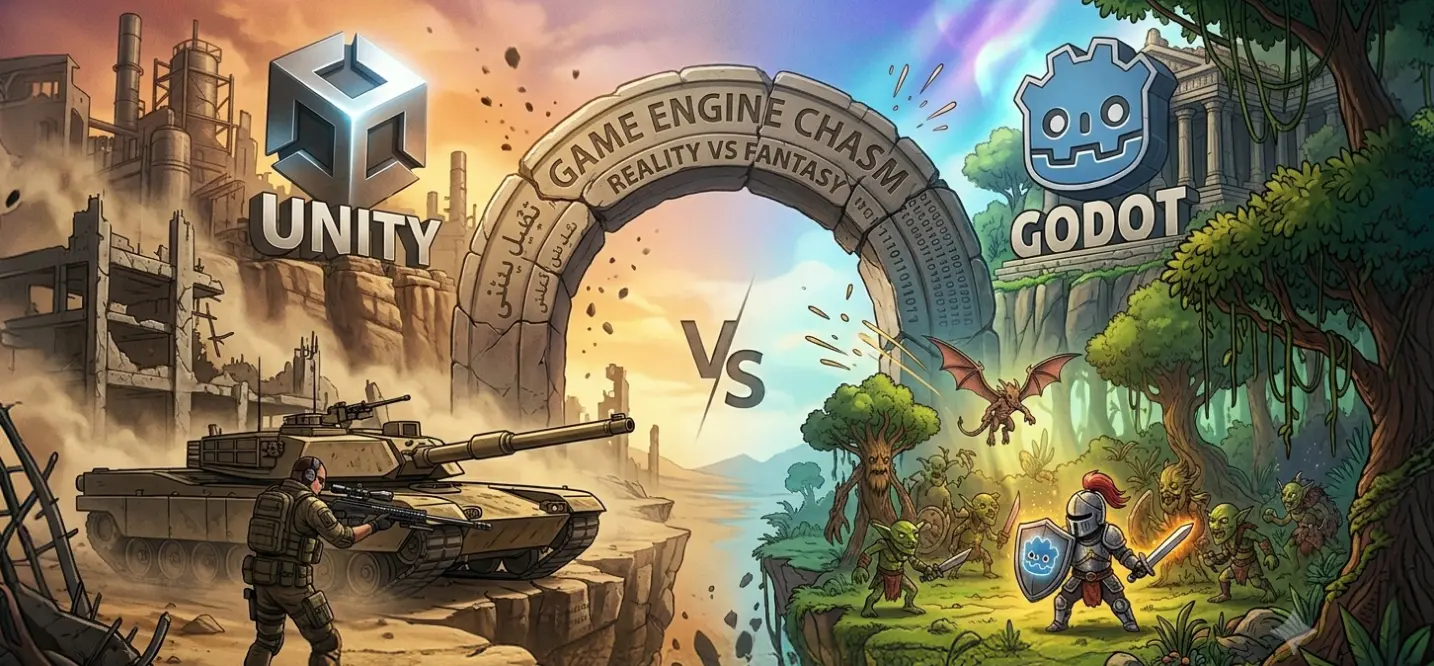
When discussing the best game engine for indie developers, the conversation almost always comes down to two names: Unity and Godot.
Both engines are capable of producing commercially successful games. Both support 2D and 3D development. Both have active communities and continue to evolve rapidly.
However, they serve different types of developers and projects.
If you’re trying to choose between them in 2026, here’s what you need to know.
| Category | Godot | Unity |
| Beginner Friendliness | Excellent | Good |
| Programming Complexity | Low | Moderate |
| Time to First Playable Game | Faster | Moderate |
| Documentation Accessibility | Excellent | Excellent |
Cost
Cost has become a major consideration for indie developers.
Godot is completely free and open source under the MIT License.
Developers can:
- Build commercial games
- Modify the source code
- Distribute projects freely
- Pay no royalties
Unity offers a generous free tier but introduces subscription plans as projects scale.
For hobbyists and small teams, this may not be a significant issue. For larger studios, licensing becomes part of long-term planning.
| Factor | Godot | Unity |
| Initial Cost | Free | Free Tier Available |
| Royalties | None | None |
| Source Code Access | Full | Limited |
| Subscription Costs | None | Possible |
Mobile Support
This is where Unity begins to pull ahead.
According to Unity, billions of devices worldwide run applications built using its technology. The engine has spent years refining mobile deployment workflows, optimization tools, and monetization systems.
Unity offers:
- Mobile analytics
- Ad monetization integrations
- Performance profiling
- Cloud services
- App Store deployment support
- In-app purchase frameworks
Godot supports mobile deployment well, but its ecosystem is still developing compared to Unity.
| Feature | Godot | Unity |
| Android Support | Good | Excellent |
| iOS Support | Good | Excellent |
| Monetization Tools | Limited | Excellent |
| Analytics Integration | Limited | Excellent |
| Mobile Optimization | Good | Excellent |
Marketplace & Ecosystem
One of Unity’s greatest strengths is its ecosystem.
The Unity Asset Store contains thousands of:
- Art assets
- Code frameworks
- Multiplayer solutions
- AI tools
- Analytics integrations
- Productivity plugins
This dramatically reduces development time.
Godot’s ecosystem continues to grow, but it remains smaller by comparison.
| Category | Godot | Unity |
| Asset Marketplace | Growing | Massive |
| Plugin Availability | Moderate | Excellent |
| Third-Party Integrations | Moderate | Excellent |
| Commercial Tools | Moderate | Excellent |
Which One Should You Choose?
Choose Godot if:
- You want a completely free solution
- You’re a solo developer
- Your project is heavily focused on 2D video game making software
- You prefer open-source technology
- You’re learning game development software for the first time
Choose Unity if:
- You’re building a commercial product
- Mobile deployment is a priority
- You want access to a massive marketplace
- You expect the project to scale over time
- You need strong cross-platform support
Can You Build Your Own Game Engine?
Yes.
But most indie developers should not.
Many aspiring developers search for:
- how to make your own game building software and engine
- how to create a game engine
- how to build a game engine
The idea is appealing. Building your own engine sounds like complete creative freedom.
The reality is far more complicated.
Modern game engines represent decades of engineering effort and millions of development hours.
Creating a custom engine means rebuilding systems that existing engines already provide.
What Does a Game Engine Actually Contain?
Many beginners underestimate the complexity involved.
A modern engine typically includes:
Rendering System
Responsible for:
- Drawing graphics
- Managing cameras
- Lighting
- Shadows
- Particle effects
Physics System
Handles:
- Collisions
- Gravity
- Character movement
- Environmental interactions
Animation Pipeline
Manages:
- Character animations
- Blend trees
- State machines
- Visual transitions
Audio Framework
Controls:
- Sound effects
- Music
- Voiceovers
- Audio spatialization
Asset Management
Organizes:
- Sprites
- Models
- Audio files
- Textures
- Game resources
Input Systems
Supports:
- Keyboard
- Mouse
- Controller
- Touchscreen interactions
Each of these systems can require months of engineering work on its own.
How Long Does It Take?
The answer depends on scope.
- A simple learning project might take several months.
- A production-ready engine could take years.
- Some of today’s largest engines have been evolving for decades.
- For most indie teams, that time is better spent building the game itself.
At Cubix, development teams rarely recommend building a custom engine unless the project has highly specialized requirements because existing engines already provide years of proven engineering work.
In most cases, developers gain significantly more value by leveraging established platforms such as Unity, Godot, or Unreal Engine and investing their resources into gameplay, content creation, and player experience.
Common Mistakes Indie Developers Make When Choosing a Game Engine

Selecting the wrong engine can create challenges that persist throughout the entire development lifecycle.
After working with hundreds of game projects across the industry, several patterns appear repeatedly.
1. Following Trends Instead of Requirements
A common mistake is choosing an engine because it is currently popular. The most talked-about engine is not necessarily the best fit for your project.
Every engine has strengths and weaknesses. The decision should be based on project goals rather than social media discussions.
2. Ignoring Platform Requirements
Many developers choose an engine before deciding where the game will launch.
Platform requirements should be established early.
Questions to ask include:
- Will the game launch on mobile?
- Is console support required?
- Will the game run in a browser?
- Is cross-platform deployment important?
Platform strategy should influence engine selection from day one.
3. Choosing Based on Graphics Alone
Beautiful graphics are important.
However, graphics are only one piece of a successful game.
Developers should also evaluate:
- Workflow efficiency
- Community support
- Performance
- Scalability
- Development speed
The best-looking engine is not always the most productive engine.
4. Underestimating Mobile Optimization
More than half of global gaming revenue now comes from mobile platforms.
Yet many indie teams treat mobile support as an afterthought.
Poor mobile optimization can lead to:
- Performance issues
- Increased development costs
- Delayed launches
- Poor player retention
Mobile considerations should be part of engine evaluation from the beginning.
5. Thinking Free Always Means Better
Free engines offer tremendous value.
However, licensing costs represent only a small portion of overall development expenses.
Teams should also consider:
- Hiring costs
- Development speed
- Tool availability
- Long-term maintenance
Sometimes a paid solution can reduce total project costs significantly.
6. Switching Engines Mid-Project
Few decisions are more expensive.
Changing engines often means:
- Rebuilding systems
- Retraining developers
- Delaying release schedules
- Increasing budgets
A thoughtful engine selection process early on helps prevent this problem.
Expert Perspective
“The biggest mistake we see is developers selecting an engine because it’s popular rather than because it fits their project requirements. The right engine is the one that helps you ship faster and scale more effectively.” – Cubix Game Development Team
Which Game Engine Should Indie Developers Choose in 2026?
The best game engine ultimately depends on what you’re trying to build.
Every engine discussed in this guide has strengths, weaknesses, and ideal use cases.
The right decision comes from aligning technology with project goals rather than simply choosing the most popular option.
Choose Godot If…
Godot is an excellent choice if:
- You want a completely free engine
- Open-source flexibility matters
- You’re developing a 2D-focused game
- You’re a solo developer or small team
- You want a lightweight workflow
Godot continues to gain momentum and remains one of the strongest choices for independent creators.
Choose Unity If…
Unity is the best option if:
- You’re building a commercial game
- Mobile deployment is important
- You need strong cross-platform support
- You want access to a large marketplace
- Long-term scalability is a priority
For developers planning commercial growth, Unity remains one of the most complete ecosystems available.
Choose Unreal Engine If…
Unreal makes sense when:
- Visual fidelity is a major priority
- You’re creating a 3D-first experience
- Cinematic presentation matters
- Your team has advanced technical expertise
While Unreal can support indie projects, it is generally more demanding than other options on this list.
Choose GameMaker If…
GameMaker is ideal when:
- You’re creating retro-inspired games
- Pixel-art development is a priority
- You want streamlined 2D workflows
- Fast iteration is important
It remains one of the strongest dedicated 2D engines available.
Choose Construct 3 If…
Construct 3 is a great fit if:
- You’re completely new to game development
- You prefer visual scripting
- You need rapid prototyping capabilities
- Coding experience is limited
Choose Phaser If…
Phaser is best when:
- You’re developing browser games
- HTML5 deployment is a requirement
- Your team already uses JavaScript
- Web performance is critical
Choose Defold If…
Defold works well for:
- Lightweight projects
- Small development teams
- Cross-platform releases
- Developers seeking simplicity and efficiency
How Cubix Helps Indie Studios Turn Ideas Into Games
Building a successful indie game involves far more than choosing the right engine.
Many projects fail because teams underestimate the challenges of planning, prototyping, optimization, publishing, and long-term maintenance. According to industry studies, a significant percentage of indie games never recover their development costs, often because technical decisions made early in production create problems later.
This is where experienced development partners can provide value.
At Cubix, we’ve worked with startups, indie creators, publishers, and enterprise clients across multiple genres and platforms. Our teams have helped transform ideas into commercially viable games by focusing on strategy, scalability, and player experience from day one.
Cross-Platform Development From Day One
Today’s players expect flexibility.
A game that launches exclusively on one platform may miss a large portion of its potential audience.
Modern indie developers increasingly target:
- PC
- iOS
- Android
- Nintendo Switch
- PlayStation
- Xbox
Unity Expertise for Commercial Growth
For many commercial projects, Unity continues to provide one of the strongest ecosystems available.
Its mature toolset supports:
- Mobile optimization
- Multiplayer integration
- Analytics platforms
- Monetization systems
- Live-service functionality
- Cross-platform deployment
Developers interested in understanding Unity’s market position can also explore Games Made with Unity Engine: Dominating 50% of the Mobile Market.
Similarly, teams evaluating project scope may find value in reading 2D Vs. 3D Game Development: Which One to Choose? before selecting an engine and production strategy.
For creators interested in expanding into three-dimensional experiences, How to Make a 3D Game in Unity: Beginner’s Guide provides additional insights into Unity’s capabilities.
Publishing and Post-Launch Support
Launching a game is not the finish line.
Successful indie games often require:
- Performance optimization
- Bug fixing
- Content updates
- Community management
- Platform compliance updates
- Live operations support
Many developers spend years supporting a successful title after release.
Planning for post-launch growth is just as important as planning for launch itself.
Why Indie Teams Partner With Cubix
As a trusted game development company, Cubix helps developers accelerate production while reducing technical risks.
Our teams support every stage of development, from concept validation and prototyping to optimization, deployment, and long-term growth.
For projects targeting smartphones and tablets, Cubix also operates as a mobile game development company with experience building scalable games across multiple platforms.
Through years of creating interactive experiences and supporting commercial launches, the portfolio of Cubix games has provided valuable insights into what separates successful releases from projects that struggle to gain traction.
For developers seeking a broader understanding of the industry, a comprehensive guide to Game development in 2026 offers additional perspectives on current trends, technologies, and opportunities shaping modern game development.
[blog_cta]
Frequently Asked Questions
1. What is the best game engine for indie developers?
The answer depends on your goals. Godot is often considered the best option for independent developers because it is free, open source, and highly efficient for 2D development. However, Unity remains one of the strongest choices for commercial projects thanks to its mobile support, extensive marketplace, and cross-platform capabilities.
2. Is Unity still good for indie game development?
Yes. Unity remains one of the most widely used game development engines in the industry. It powers thousands of indie games and continues to offer excellent tools for mobile development, multiplayer systems, analytics, monetization, and long-term scalability.
3. What is the best free game engine for indie developers?
Godot is widely regarded as the best free game engine available today. It provides professional-grade tools, no licensing fees, full source-code access, and excellent support for both 2D and 3D development.
4. Is Unity still worth learning in 2026?
Absolutely. Despite increased competition from newer platforms, Unity continues to dominate mobile game development and remains one of the most in-demand skills in the industry. Developers who learn Unity gain access to one of the largest ecosystems in game development.
5. Which game engine is best for 2D games?
Godot and GameMaker are often considered the strongest dedicated 2D solutions. Unity is also an excellent choice for 2D development, particularly for commercial projects requiring mobile deployment and cross-platform support.
6. Can one person make a game using Unity?
Yes. Many successful indie games have been created by solo developers using Unity. The engine provides tools for asset management, animation, scripting, optimization, and deployment that make solo development significantly more manageable.