Getting stuck in traffic isn’t just frustrating. It costs time, fuel, and productivity. That’s why more people are turning to intelligent navigation tools that deliver live traffic insights, suggest faster routes, and make every trip more predictable.
The demand for these solutions continues to grow alongside the connected vehicle industry. The In-Vehicle Apps Market is estimated to be valued at USD 68.2 billion in 2025 and is projected to reach USD 160.0 billion by 2035, registering a compound annual growth rate (CAGR) of 8.9% over the forecast period. This growth reflects how digital technologies are becoming an essential part of the modern driving experience, helping you make better decisions before and during every journey.
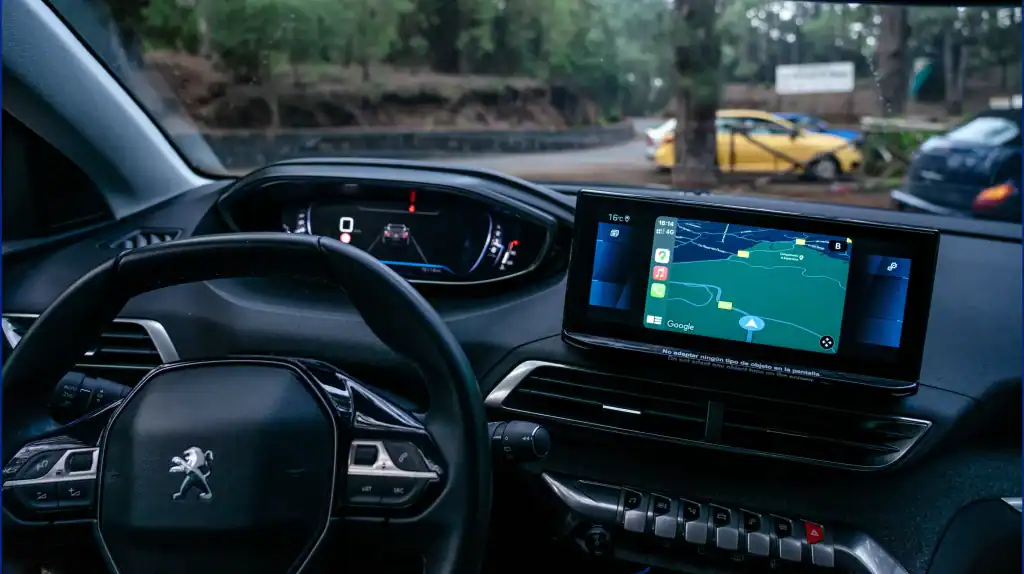
Whether you’re commuting to work, planning a long-distance road trip, or simply trying to avoid unexpected delays, choosing reliable Android car apps can make all the difference. From intelligent rerouting and offline maps to accurate real-time traffic alerts and voice-guided assistance, today’s navigation tools are designed to keep you informed while minimizing distractions on the road.
In this guide, we’ll explore the leading Android navigation apps that help improve every drive through smarter route optimization. You’ll also learn which solutions offer the most reliable traffic updates, offline capabilities, and Android Auto compatibility, making it easier to choose the right option for your driving needs.
Want to discuss your project? Our experts are just a click away.
Contact UsQuick Answer: Best Android Car Apps for Navigation and Traffic Updates
| App | Best For | Key Features |
|---|---|---|
| Google Maps | Everyday navigation | Live traffic, voice guidance, rerouting |
| Waze | Traffic alerts | Community reports, fastest routes |
| Sygic | Offline travel | Offline maps, route planning |
| TomTom GO | Premium navigation | Traffic updates, speed camera alerts |
| HERE WeGo | International travel | Offline maps, transit support |
| MapFactor | Free navigation | Offline maps, live traffic |
| Navmii | Everyday commuting | Voice navigation, offline maps |
| CoPilot GPS | Commercial vehicles | Vehicle-specific routing |
| Scout GPS | Community navigation | Shared traffic updates |
| DriveMode | Safer driving | Hands-free interface |
Quick Take: Google Maps is the best all-around navigation app for everyday use, while Waze stands out for community-powered traffic alerts. Sygic and HERE WeGo are excellent choices for offline navigation, and CoPilot GPS is designed for commercial vehicles and long-distance travel.
Why Traffic Navigation Apps Matter More Than Ever
Getting from one place to another isn’t as simple as following a map anymore. With increasing traffic congestion, frequent road closures, and constantly changing road conditions, drivers need navigation tools that can adapt in real time. That’s where Android driving apps have made a real difference, helping people plan smarter journeys while avoiding unnecessary delays.
Today’s navigation apps go far beyond basic directions. They provide live traffic updates, recommend faster routes, and notify users about accidents, construction work, and other road hazards before they impact the journey. These intelligent features not only save time but also make every trip safer and more convenient.
Artificial intelligence is making navigation even smarter by analyzing traffic patterns and predicting congestion before it happens. As connected vehicles continue to evolve, these innovations also reflect the latest Android app development trends, where AI-powered experiences are transforming the way people travel every day.
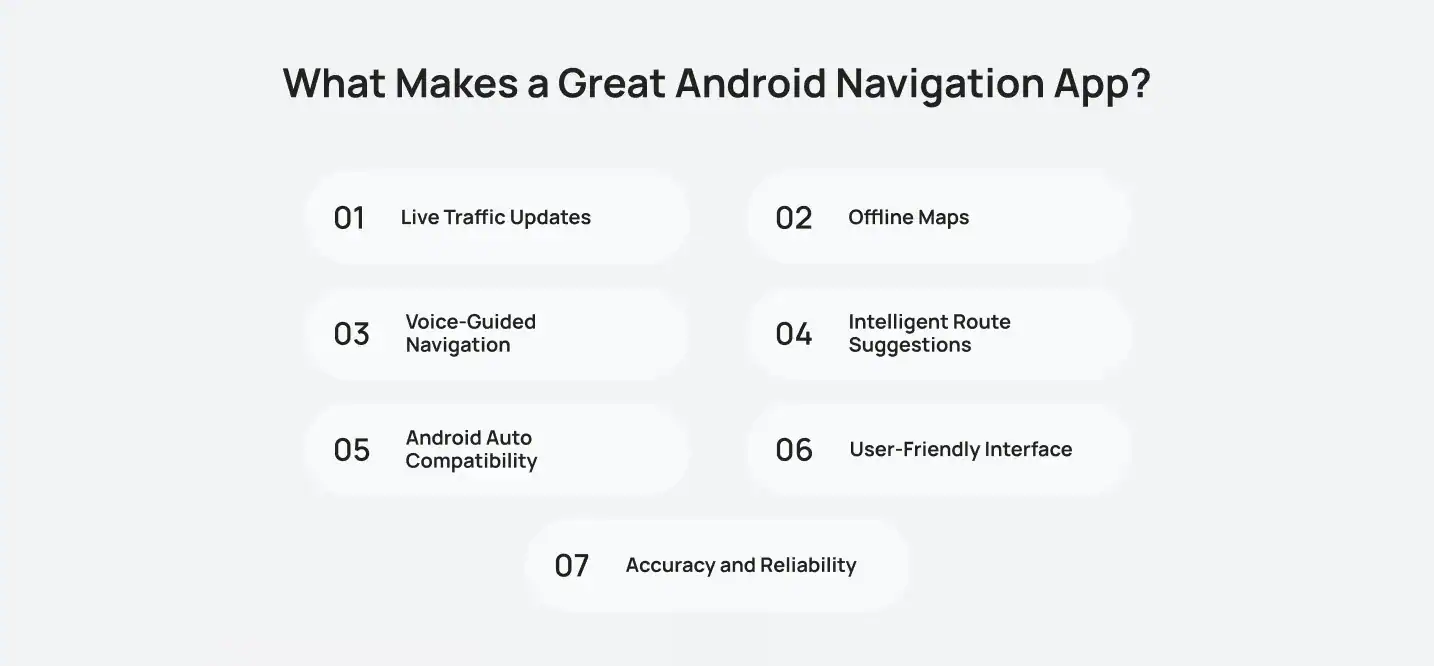
What Makes a Great Android Navigation App?
Creating a navigation app that people can rely on requires accurate data, thorough testing, and a clear understanding of real driving conditions. This is where experienced custom Android app developers can help turn complex navigation requirements into a smooth and dependable user experience.
Live Traffic Updates
Reliable traffic information is the foundation of any navigation app. The best traffic apps for Android continuously monitor road conditions, accidents, closures, and congestion, allowing drivers to make informed decisions before delays impact their journey.
Offline Maps
Internet connectivity isn’t always guaranteed, especially during long road trips or in remote areas. Offline maps ensure navigation remains available even without a mobile data connection, providing uninterrupted guidance wherever you travel.
Voice-Guided Navigation
Clear voice instructions allow drivers to keep their attention on the road rather than on their screens. This hands-free experience improves convenience while supporting safer driving habits.
Intelligent Route Suggestions
The most effective Android route planner apps evaluate multiple routes based on traffic conditions, estimated arrival times, and road restrictions to recommend the most efficient path for every trip.
Android Auto Compatibility
A seamless connection with Android Auto creates a safer and more intuitive driving experience. Drivers can access navigation, calls, music, and other essential functions directly from the vehicle’s infotainment display without unnecessary distractions.
User-Friendly Interface
Navigation should be simple, not overwhelming. Clean layouts, responsive controls, and easy-to-read maps help drivers find important information quickly while minimizing distractions behind the wheel.
Accuracy and Reliability
An app is only as good as the information it provides. The most dependable GPS navigation apps for Android deliver precise directions, frequent map updates, and dependable arrival estimates, ensuring drivers can trust every journey. Building this level of reliability requires a structured development process that prioritizes performance, usability, and real-world testing before an application reaches users.
Top Android Car Apps for Real-Time Traffic and Route Planning
Every journey is different, and so are your navigation needs. While some apps are built to help you avoid traffic, others focus on offline access, smarter routing, or a more connected driving experience. The apps below highlight how Android app development continues to make navigation faster, simpler, and more intuitive.
Google Maps
Overview
Google Maps continues to set the standard. Trusted by millions of users worldwide, it combines accurate mapping, intelligent traffic monitoring, and seamless navigation into one easy-to-use platform. Whether you’re commuting through a busy city or exploring unfamiliar roads, Google Maps helps you reach your destination with confidence.
One of its biggest strengths is its ability to analyze Android traffic conditions in real time and automatically suggest faster routes when delays occur. Combined with Android Auto compatibility and voice-guided navigation, it delivers a convenient, hands-free experience that makes every journey smoother.
Key Features
- Live traffic updates with accident and road closure alerts
- Automatic rerouting to avoid congestion
- Turn-by-turn voice navigation
- Offline maps for selected areas
- Street View and satellite imagery
- Seamless Android Auto integration
Pros
- Highly accurate navigation and ETA predictions
- Free with regular map updates
- Excellent coverage across cities and countries
- Easy-to-use interface suitable for all users
Cons
- Offline functionality is limited compared to dedicated offline navigation apps.
- Continuous GPS usage may drain battery faster on long trips
Best For: Everyday commuting, road trips, and anyone looking for an all-in-one navigation solution.

Waze
Overview
If avoiding traffic is your top priority, Waze is one of the smartest navigation apps available. Unlike traditional mapping services, Waze relies on its active community of users to share real-time information about accidents, road closures, construction work, and speed cameras. This crowdsourced approach allows the app to react quickly to changing road conditions and recommend faster alternatives.
The platform constantly updates routes based on community reports, making it an excellent choice for commuters who frequently drive through busy urban areas. Its interactive features and accurate alerts help users stay one step ahead of unexpected delays.
Key Features
- Community-powered traffic reports
- Live accident, construction, and hazard alerts
- Dynamic rerouting based on current road conditions
- Speed camera notifications
- Voice-guided navigation
- Android Auto support
Pros
- Extremely fast at reporting traffic incidents
- Excellent for avoiding unexpected delays
- Active community improves navigation accuracy
- Completely free to use
Cons
- Requires an internet connection for the best experience
- Frequent notifications may distract some users
Best For: Daily commuters who want the fastest routes powered by real-time community updates.
Sygic
Overview
Sygic is a great choice for travelers who often drive in areas with limited or unreliable internet access. Instead of depending entirely on mobile data, it allows users to download maps in advance and navigate confidently without losing essential features on the road.
Beyond offline functionality, Sygic offers intelligent routing, speed limit warnings, and traffic information to help users avoid delays whenever a connection is available. Its premium interface and advanced navigation tools make it especially useful for long-distance travel and international trips.
Key Features
- High-quality offline maps
- Smart route planning with traffic-aware navigation
- Speed limit and speed camera alerts
- Turn-by-turn voice guidance
- Lane guidance for complex intersections
- Regular map updates
Pros
- Excellent offline navigation experience
- Detailed maps with premium navigation features
- Reliable for road trips and remote areas
- Clean and intuitive interface
Cons
- Some advanced features require a premium subscription
- Live traffic functionality depends on an internet connection
Best For: Travelers, road trip enthusiasts, and users who frequently navigate in areas with limited network coverage.
TomTom GO Navigation
 MapFactor
Overview
For users who want a free navigation app without compromising on essential features, MapFactor is a worthwhile option. Powered by OpenStreetMap data, it offers dependable offline navigation, helping users stay on track without relying on a constant internet connection. Its lightweight design and straightforward interface make it particularly useful for everyday travel and road trips.
Key Features
- Free offline maps
- Turn-by-turn voice navigation
- Live traffic information
- Route planning and alternative routes
- Regular map updates
Pros
- Completely free to use
- Reliable offline navigation
- Simple and lightweight interface
- Low data usage
Cons
- Interface feels less modern than premium apps
- Traffic information isn’t as comprehensive as Google Maps or Waze
Best For: Budget-conscious users looking for a dependable offline navigation solution.

Here WeGo
Overview
HERE WeGo is an excellent choice for users who frequently travel between cities or countries. It combines reliable navigation with offline maps, making it easy to stay on course even when internet access is limited. Its simple interface and dependable directions make it a practical option for both everyday travel and international trips.
Key Features
- Offline maps for multiple countries
- Live traffic information
- Public transport and driving directions
- Voice-guided navigation
- Android Auto compatibility
Pros
- Reliable offline navigation
- Easy-to-use interface
- Ideal for international travel
- Supports multiple transportation modes
Cons
- Traffic coverage may vary by region
- Fewer advanced customization options than some competitors
Best For: Frequent travelers and users who need dependable offline navigation.
Read More: How to build a Ride-Sharing App Like Uber or Lyft
 Navmii
Overview
Navmii is a practical navigation app for users who want reliable directions without paying for premium features. It combines offline maps with live traffic updates, making it a dependable option for everyday travel. Its clean interface and straightforward functionality make navigation simple, whether you’re commuting or exploring new routes.
Key Features
- Offline maps
- Live traffic alerts
- Turn-by-turn voice navigation
- Route planning
- Android Auto compatibility
Pros
- Free to use
- Reliable offline navigation
- Easy-to-use interface
- Lightweight app with quick performance
Cons
- Limited advanced features
- Map updates may not be as frequent as larger navigation platforms
Best For: Everyday commuting and users looking for a free navigation solution.

CoPilot GPS
Overview
CoPilot GPS is designed for users who need more than standard navigation. Built with truck drivers, RV owners, and commercial fleets in mind, it offers customized routing based on vehicle size and road restrictions. Its dependable offline navigation and accurate route planning make it an excellent choice for longer journeys.
Key Features
- Vehicle-specific route planning
- Offline maps
- Live traffic updates
- Lane guidance
- Turn-by-turn voice navigation
Pros
- Excellent for trucks and RVs
- Reliable offline functionality
- Detailed route customization
- Accurate navigation for commercial vehicles
Cons
- Premium subscription required for some features
- Interface has a slight learning curve for new users
Best For: Truck drivers, fleet operators, RV travelers, and long-distance journeys
Read more: Top 10 Android Automotive Apps to Upgrade Your Driving Experience.

Scout GPS
Overview
Scout GPS combines reliable navigation with community-driven traffic updates to help users stay informed throughout their journey. By leveraging reports from other users, it provides timely alerts about traffic conditions, accidents, and road closures while suggesting alternative routes to reduce delays.
Key Features
- Community-powered traffic alerts
- Live road condition updates
- Voice-guided navigation
- Route suggestions
- Android Auto compatibility
Pros
- Accurate community traffic reports
- Easy-to-use interface
- Helpful route recommendations
- Free navigation features
Cons
- Smaller user base than Waze
- Some features depend on an internet connection
Best For: Users who value community-driven navigation and live traffic updates.
DriveMode
Overview
DriveMode is built with simplicity in mind, helping users stay focused on the road while accessing essential navigation features. Its distraction-free interface minimizes on-screen clutter and supports hands-free operation, making it a great option for safer everyday driving.
Key Features
- Hands-free controls
- Voice-guided navigation
- Live traffic alerts
- Simple, distraction-free interface
- Android Auto compatibility
Pros
- Clean and intuitive design
- Promotes safer driving
- Easy hands-free operation
- Lightweight and responsive
Cons
- Fewer advanced navigation features
- Limited customization options
Best For: Users who prefer a simple, hands-free navigation experience with minimal distractions.
Read More: Automotive Industry – Car Computer Programming Software
How to Choose the Right Navigation App
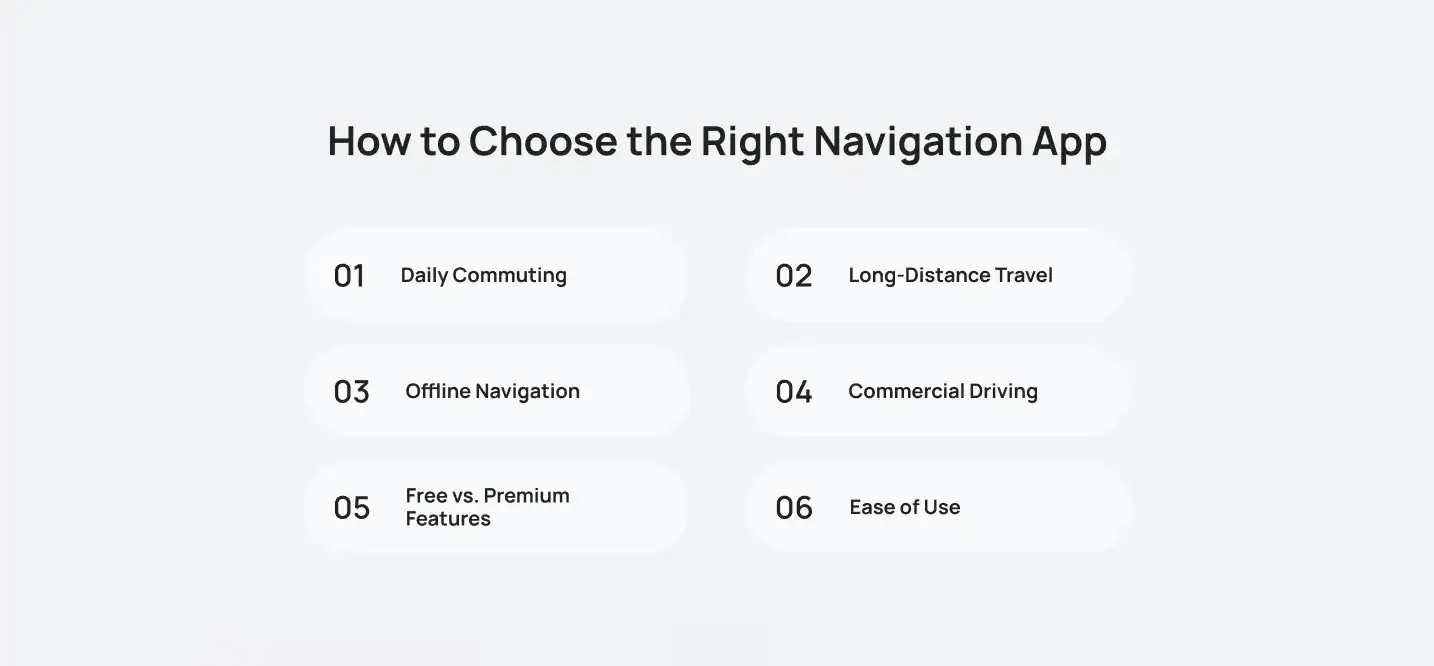
With so many navigation apps available, the right choice ultimately depends on how and where you drive. Instead of focusing on the most popular app, consider the features that best match your travel habits.
Daily Commuting
If you regularly drive through busy city streets, choose an app that provides accurate live traffic updates, automatic rerouting, and reliable estimated arrival times to help you avoid delays.
Long-Distance Travel
For road trips, look for navigation apps with offline maps, lane guidance, and speed limit alerts. These features provide a more dependable experience, especially when traveling through unfamiliar areas.
Offline Navigation
If you often travel where internet connectivity is limited, select an app that allows you to download maps in advance. Offline navigation ensures uninterrupted directions even without a mobile data connection.
Commercial Driving
Truck drivers, fleet operators, and RV travelers should prioritize apps that offer vehicle-specific routing, road restriction information, and advanced trip planning for safer and more efficient journeys.
Free vs. Premium Features
Free apps are often sufficient for everyday navigation, while premium options typically include advanced features such as offline maps, enhanced traffic intelligence, speed camera alerts, and more detailed route planning.
Ease of Use
A navigation app should be simple to use while driving. Look for a clean interface, intuitive controls, voice-guided navigation, and seamless Android Auto compatibility to minimize distractions on the road.
How Cubix Builds Smarter Automotive Software

Modern automotive experiences depend on more than navigation alone. Businesses need connected solutions that bring together real-time data, intuitive interfaces, secure systems, and features that solve practical challenges on the road.
At Cubix, we have helped businesses since 2008 turn their automotive ideas into useful digital products. Our team of 350+ skilled developers and strategists develops navigation platforms, smart parking applications, fleet management tools, and connected in-car experiences designed around how people actually travel. Through automotive software development, we focus on building products that make mobility simpler, safer, and more convenient for users and businesses alike.
Cubix Success Story: Spot It
Finding a parking space in busy urban areas can be just as frustrating as sitting in traffic. Spot It was created to solve this everyday challenge by connecting drivers with available private parking spaces through an intuitive mobile application.
The Challenge
Drivers often spend valuable time searching for parking, contributing to unnecessary congestion and fuel consumption. Property owners, meanwhile, have unused parking spaces with no simple way to monetize them.
The Solution
Cubix developed Spot It, a smart parking platform that enables users to discover, reserve, and pay for available parking spaces directly from their smartphones. The application delivers a seamless booking experience while helping reduce the time spent searching for parking.
Key Features
- Real-time parking availability
- Location-based search
- Secure online payments
- Easy booking and reservation management
- Navigation to reserved parking spaces
- User-friendly mobile experience
Technologies Used
- React Native
- MongoDB
Business Impact
Spot It created value for both drivers and parking space owners. Drivers enjoy faster access to available parking, while property owners generate additional income by renting out unused spaces. At the same time, the platform helps reduce urban traffic congestion caused by vehicles searching for parking.
“The best technology solves everyday challenges in ways that feel simple, intuitive, and effortless. Spot It was built to make finding parking faster, easier, and less stressful for every driver.” – Salman Lakhani, CEO at Cubix
Final Thoughts
The best navigation app is the one that fits the way you travel. For everyday commuting, Google Maps offers a dependable balance of live traffic updates, route suggestions, and familiar usability. Waze is a strong option for people who want community-powered alerts, while Sygic, HERE WeGo, and MapFactor are useful when offline maps matter most. CoPilot GPS is better suited to commercial vehicles, RVs, and longer journeys that require more specialized routing.
What matters most is choosing an app that gives you reliable information without adding distractions. Live traffic alerts, voice guidance, offline access, and automatic rerouting can make routine travel easier to manage, especially when road conditions change unexpectedly.
As navigation technology becomes more connected and intelligent, the focus is shifting from simply finding directions to helping people make better decisions throughout the journey. From smarter traffic predictions to parking availability and in-car experiences, the next generation of automotive software will continue to make travel more efficient, safer, and easier to navigate.
Want to discuss your project? Our experts are just a click away.
Contact UsFrequently Asked Questions
1: What is the best Android car app for navigation?
Google Maps is the best all-around option for most users because it combines accurate directions, live traffic updates, voice guidance, automatic rerouting, and Android Auto support in one free app.
2: Which Android app provides the best real-time traffic updates?
Waze is often the best choice for real-time traffic updates because it uses community reports to alert users about accidents, road closures, construction, and other delays as they happen.
3: Can Android navigation apps work without an internet connection?
Yes, several Android navigation apps work offline after users download maps in advance. Sygic, HERE WeGo, MapFactor, and CoPilot GPS are useful options for road trips or areas with limited mobile coverage.
4: Which navigation app is best for truck drivers and commercial vehicles?
CoPilot GPS is a strong choice for truck drivers, RV owners, and fleet operators because it supports vehicle-specific routing, road restrictions, offline maps, and detailed trip planning.
5: What features should I look for in an Android navigation app?
Look for live traffic updates, voice-guided directions, automatic rerouting, offline maps, accurate arrival estimates, a clear interface, and Android Auto compatibility. The right features depend on whether you commute daily, travel long distances, or drive commercially.