Blog Summary
- Android app development is the process of planning, designing, coding, testing, publishing, and maintaining applications for Android-powered smartphones, tablets, foldables, wearables, TVs, and connected vehicles.
- Most modern Android apps are built with Android Studio, Kotlin, Android SDK, Jetpack Compose, Firebase, GitHub, and Google Play Console.
- A basic Android MVP may cost around $10,000 to $40,000, while medium-complexity apps often range from $40,000 to $100,000. Advanced enterprise apps can exceed $100,000.
- A basic app may take two to three months, a medium-complexity app can take four to six months, and complex Android platforms may require seven months or longer.
- Android development works well for ecommerce, logistics, workforce management, on-demand services, healthcare, fintech, customer engagement, and businesses targeting Android-heavy markets.
Android app development is the process of planning, designing, coding, testing, launching, and maintaining applications for Android-powered smartphones, tablets, wearables, TVs, vehicles, and other connected devices. With more than 3 billion Android devices in use worldwide, Android remains the world’s most widely used mobile operating system and a major channel for businesses that want to reach mobile users at scale.
Google Play extends that opportunity by reaching more than 2.5 billion monthly users across 190+ countries. As of July 2026, the platform hosts approximately 1.87 million apps, which means businesses need more than a basic app idea to stand out. They need a clear user problem to solve, reliable performance across devices, thoughtful design, strong security, and a plan for continuous improvement after launch.
For businesses, this scale creates both opportunity and competition. Standing out requires more than a basic app idea. It requires a clear user problem to solve, reliable performance across devices, thoughtful design, strong security, and a plan for continuous improvement after launch.
From startups validating an MVP to enterprises replacing legacy systems, Android apps can support ecommerce, customer engagement, workforce management, logistics, on-demand services, and internal operations.
What This Guide Covers
- How Android app development works from idea to launch
- Types of Android apps businesses can build
- Native Android vs cross-platform development
- Android development technologies and tools
- Common Android app features and components
- Android app development cost and timeline
- Development challenges and practical solutions
- Future Android app development trends
- When Android is the right choice for a business
Google Play Statistics 2026: Why the Platform Matters
Google Play gives businesses access to a large global Android audience, but it is also a highly competitive app marketplace. The platform’s scale makes product quality, device compatibility, user experience, and Google Play policy compliance essential from the earliest stages of Android app development.
| Google Play Metric | Figure |
|---|---|
| Monthly users | 2.5B+ people |
| Countries reached | 190+ |
| Developers | 2M+ |
| Apps available | 2,396,759 |
| Publishers | 739,499 |
| Free apps share | 97.05% |
| New apps published per day | 2,442 |
| Consumer spend in 2025 | $49.2B |
| Revenue growth in 2025 | 13% year over year |
What Does Android App Development Mean?
At its core, Android app development means designing, coding, testing, and deploying applications built specifically to run on the Android operating system. It combines programming, design, and problem-solving to turn an idea into a working product that lives on the Google Play Store.
Android Operating System
Android is an open-source operating system built on the Linux kernel and maintained by Google. Its open nature allows manufacturers like Samsung, Google, and Xiaomi to customize it for their own devices, which is part of why Android runs on such a wide variety of hardware, from budget phones to premium foldables.
Native Android Apps
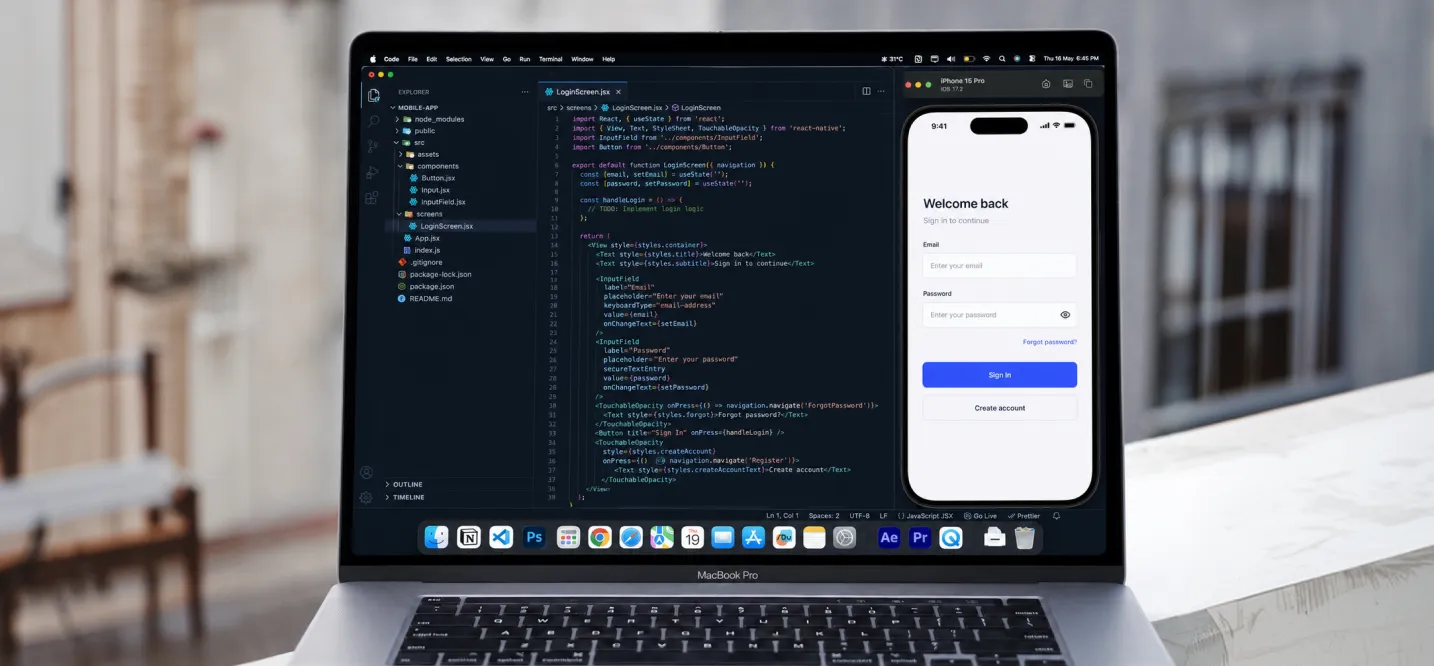
Native Android apps are built specifically for the Android platform using Android-approved languages and tools, rather than shared code meant to run on multiple operating systems. This approach gives developers direct access to device hardware and Android-specific features, which typically results in smoother performance and a more polished user experience.
Android App Development for Business Use
For businesses, Android app development isn’t just about having a presence on the Play Store; it’s a channel for direct engagement, retention, and revenue. Companies use Android apps to streamline operations, personalize customer experiences, and unlock features like push notifications and location-based services that a website simply can’t replicate.
Android App Development Process: From Idea to Google Play Launch
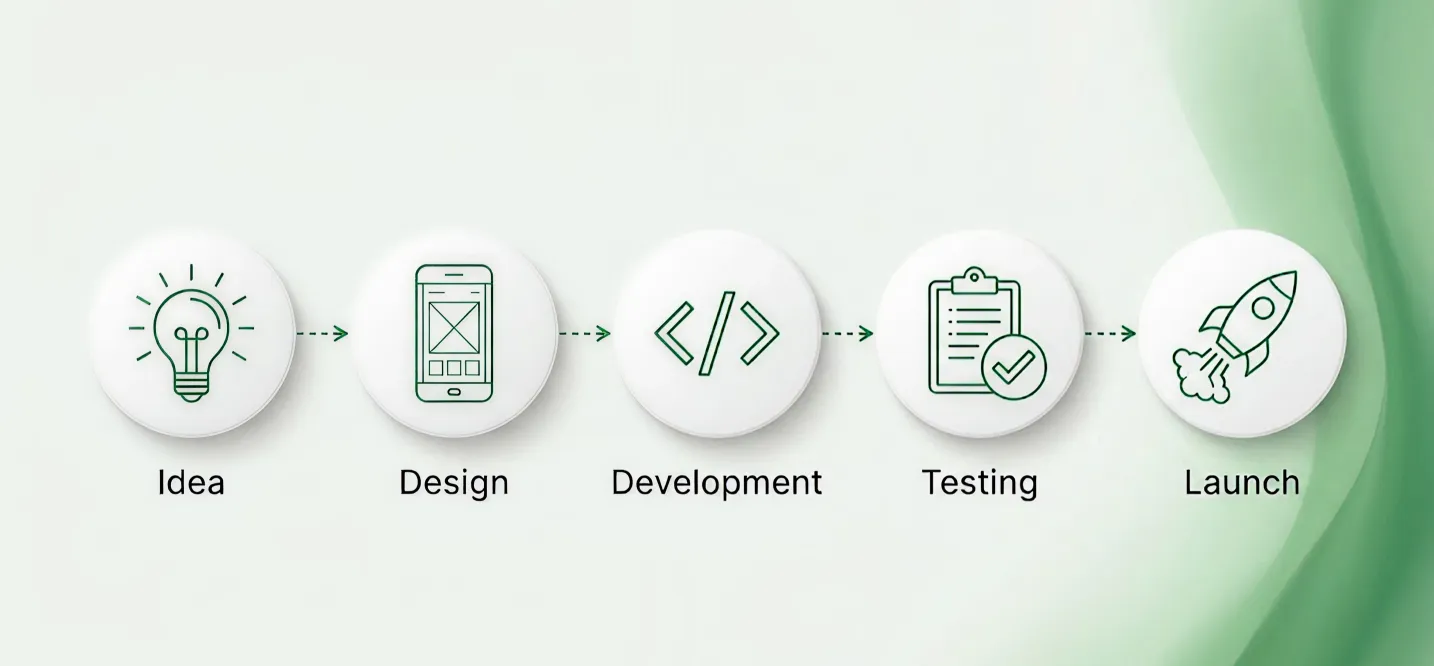
The Android app development process follows a structured series of phases, with each stage building the foundation for the next. From initial planning and UI/UX design to coding, testing, Google Play launch, and ongoing maintenance, every step plays a role in creating a reliable app experience. Skipping critical stages can lead to avoidable delays, technical issues, security gaps, and poor user adoption after release.
App Idea and Requirement Planning
Every app begins with defining the problem it solves, the audience it serves, and the features it needs. This phase includes market research, competitor analysis, and technical scoping to make sure the idea is viable before any code is written.
UI and UX Design
Designers translate the app’s requirements into wireframes and interactive prototypes, focusing on intuitive navigation and visual consistency. Good Android UI UX design accounts for Android’s Material Design guidelines while still reflecting the brand’s own identity.
Android App Coding and Development
This is where the app actually gets built, using languages like Kotlin or Java, along with frameworks and libraries that connect the front end to back-end services. Experienced Android app developers structure the codebase for scalability from day one, not just to hit launch.
App Testing and Quality Assurance
Before release, the app goes through rounds of functional, performance, security, and usability testing. Android app testing across multiple device models and OS versions is critical, since fragmentation means the same app can behave differently depending on the hardware it runs on.
Google Play Store Launch
Once testing is complete, the app is packaged, signed, and submitted for a Google Play Store app launch. This step includes preparing store listings, screenshots, and metadata that are optimized to improve visibility and downloads.
App Maintenance and Updates
Launch isn’t the finish line. Android app maintenance covers bug fixes, OS compatibility updates, performance tuning, and new feature rollouts that keep the app relevant as user needs and Android versions evolve.
Want more details? Read our full guide on the Android app development lifecycle.
Main Types of Android Apps
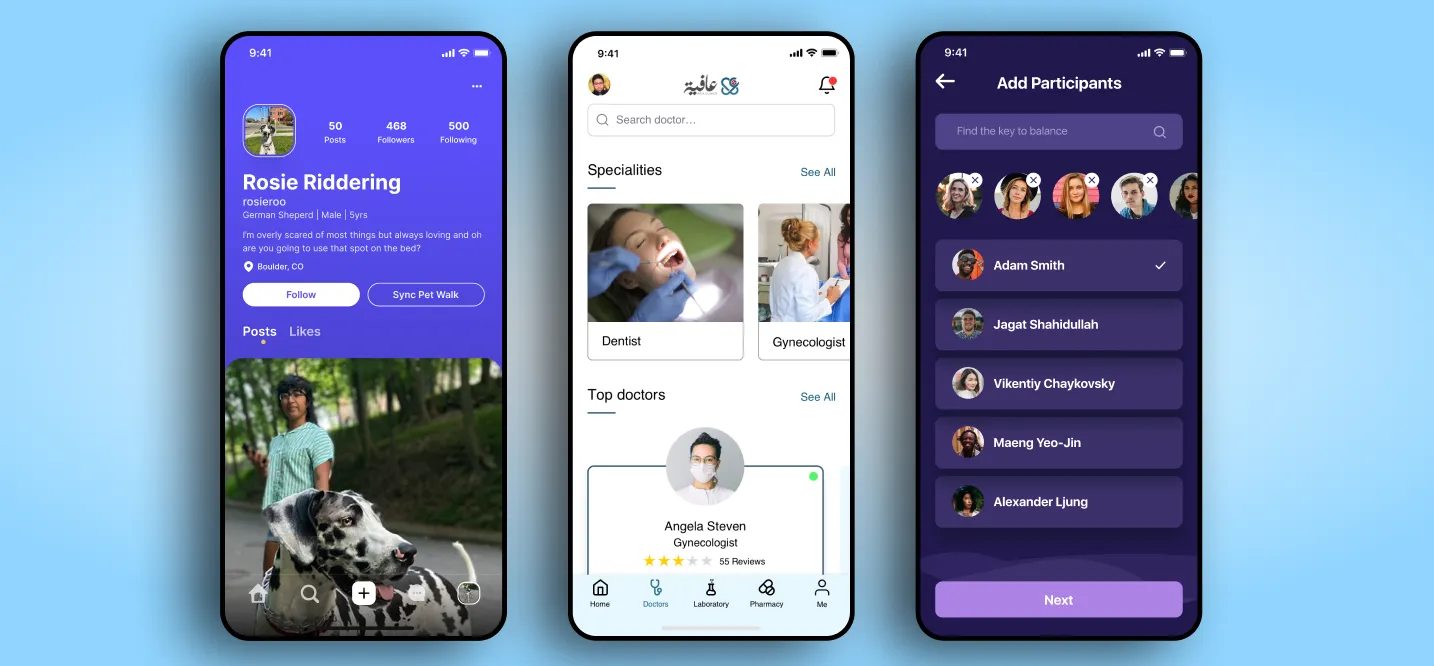
Android apps can be built for different business models, user needs, and technical requirements. Choosing the right type of Android app early helps businesses make better decisions about features, budget, development approach, and launch timelines.
1: Native Android Apps
Native Android apps are built specifically for the Android operating system using technologies such as Kotlin, Java, Android Studio, and the Android SDK. They are well suited to apps that need strong performance, offline functionality, advanced security, or direct access to device features such as cameras, GPS, Bluetooth, sensors, and push notifications.
Common examples include: Banking apps, mobile games, logistics platforms, healthcare apps, and apps that require real-time tracking or complex workflows.
2: Cross-Platform Android Apps
Cross-platform apps use a shared codebase to run on both Android and iOS. Frameworks such as Flutter, React Native, and .NET MAUI can help businesses reduce development time and cost when they need to launch on multiple platforms.
This approach is often suitable for startup MVPs, content-based apps, ecommerce platforms, and customer-facing apps with standard features. However, apps with complex animations, advanced hardware integration, or demanding performance requirements may still benefit from native Android development. Businesses comparing Flutter, React Native, and similar tools can explore cross-platform app development frameworks before choosing an approach.
3: Enterprise Android Apps
Enterprise Android apps are designed to support internal business operations, employee productivity, field teams, and partner networks. These apps often include role-based access, secure login, reporting dashboards, workflow automation, inventory tools, CRM integration, and offline access.
They are commonly used in logistics, manufacturing, retail, healthcare, finance, construction, and service-based businesses.
4: E-commerce Android Apps
E-commerce Android apps help businesses sell products or services directly to mobile users. Core features usually include product catalogs, search and filters, secure payments, shopping carts, order tracking, wish lists, loyalty programs, and personalized recommendations.
These apps are suitable for retailers, marketplaces, direct-to-consumer brands, grocery businesses, and subscription-based services that want to improve repeat purchases and customer retention.
5: On-Demand Android Apps
On-demand Android apps connect users with services in real time. They typically support booking, service matching, live location tracking, digital payments, notifications, reviews, and delivery or service-status updates.
Popular use cases include ride-hailing, food delivery, courier services, home maintenance, healthcare bookings, and appointment-based businesses.
6: Healthcare and Fintech Android Apps
Healthcare and fintech Android apps require additional attention to data protection, authentication, compliance, and user trust. Healthcare apps may support telemedicine, appointment scheduling, patient records, medication reminders, or remote monitoring. Fintech apps may include digital wallets, money transfers, expense tracking, investment tools, or mobile banking features.
Because these apps handle sensitive information and financial transactions, they often require secure authentication, encryption, permission controls, audit trails, and regular security testing.
Native Android vs Cross-Platform Development
Native Android and cross-platform development can both be effective, but they serve different product requirements. Native Android development is built specifically for Android devices, while cross-platform development uses a shared codebase to support Android and iOS.
| Factor | Native Android Development | Cross-Platform Development |
| Codebase | Separate Android codebase | Shared codebase for Android and iOS |
| Main technologies | Kotlin, Java, Android Studio | Flutter, React Native, .NET MAUI |
| Performance | Strong Android-specific performance | Usually strong, but may require native modules for advanced features |
| Device access | Full access to Android APIs and hardware | Access depends on the framework and available plugins |
| Development speed | Can take longer when iOS is also required | Often faster for multi-platform MVPs |
| Maintenance | Separate Android codebase to manage | Shared business logic can reduce maintenance effort |
| Best fit | Complex Android-first apps | Startups and businesses launching on Android and iOS |
When Should You Choose Native Android Development?
Choose native Android development when your app needs the strongest possible Android performance, deeper access to device hardware, or highly customized platform-specific functionality.
Native Android is often the better choice when your app includes:
- Real-time GPS tracking, Bluetooth connectivity, camera features, sensors, or offline functionality
- Complex animations, high-performance graphics, or gaming experiences
- Advanced security requirements, such as banking, healthcare, fintech, or enterprise access controls
- Large-scale workflows that need to work reliably across Android devices
- An Android-first strategy where iOS is not an immediate priority
- Long-term plans for Android-specific features, wearables, Android TV, foldables, or Android Automotive
Want to discuss your project? Our experts are just a click away.
Contact UsWhen Should You Choose Cross-Platform Development?
Choose cross-platform development when you need to launch on Android and iOS within a limited budget or timeline, and your app does not depend heavily on advanced platform-specific features.
Cross-platform development is often a good fit when:
- You are building an MVP to validate a business idea quickly
- Android and iOS users are both important from the first launch
- Your app includes standard features such as login, profiles, content feeds, payments, notifications, booking, or e-commerce.
- Your team wants to reduce duplicate development effort across platforms
- Your product roadmap prioritizes faster releases and shared feature updates
- You can accept occasional platform-specific development work for advanced features
The best choice depends on your users, app complexity, budget, launch goals, and future product roadmap. Native Android development offers greater control over the Android experience, while cross-platform development can be a practical option for businesses that need broad mobile coverage from a shared foundation.
Top Tools Used in Android App Development
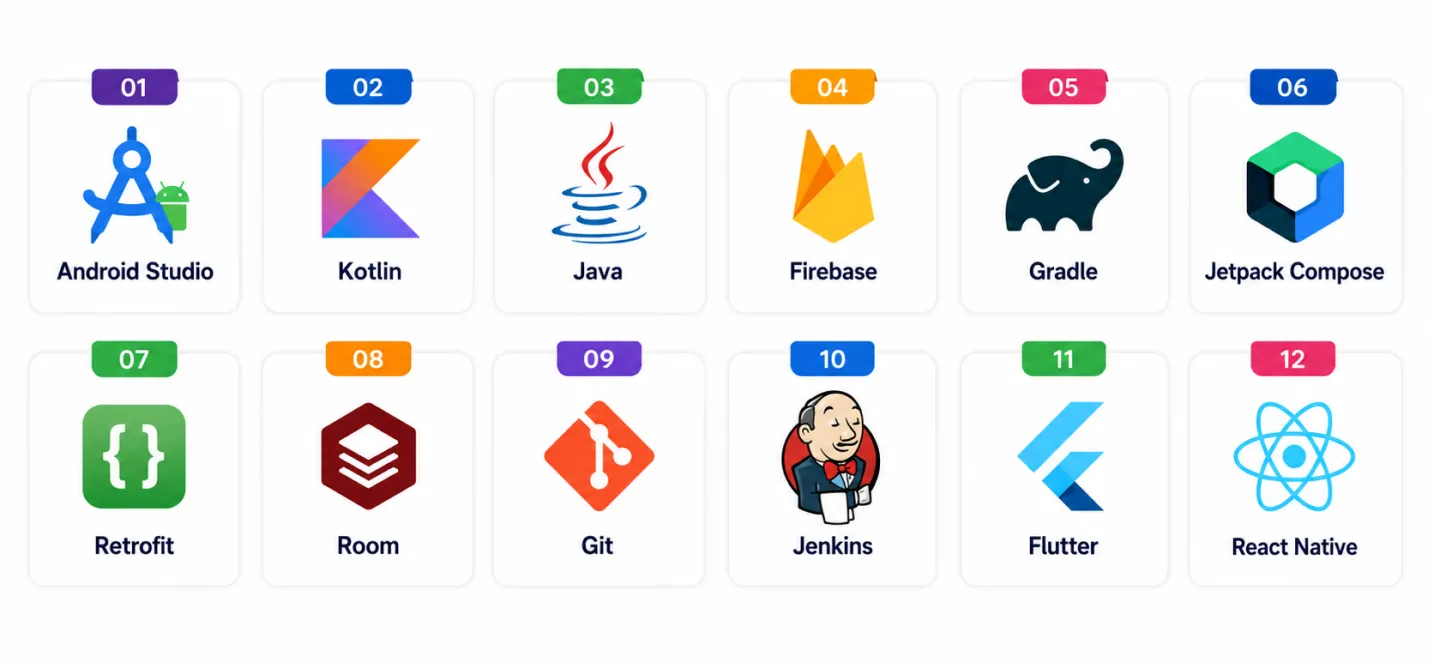
Beginners do not need to learn every Android tool at once. A practical starting toolkit includes the tools needed to write code, design interfaces, test features, and publish an app.
| Tool | What It Is Used For | Why It Helps Beginners |
| Android Studio | Writing, debugging, testing, and packaging Android apps | It is Google’s official development environment and includes code suggestions, emulators, and debugging tools |
| Kotlin | Building Android app logic and features | Its modern syntax and null-safety features make it easier to write and maintain code |
| Android SDK | Accessing Android APIs, device features, and development libraries | It provides the core building blocks for Android apps |
| Jetpack Compose | Creating Android user interfaces | It helps developers build modern UI with less boilerplate code |
| Android Emulator | Testing apps on virtual Android devices | It allows developers to test different screen sizes and Android versions without owning multiple devices |
| Firebase | Authentication, databases, notifications, analytics, and crash reporting | It helps beginners add backend features without building everything from scratch |
| GitHub | Version control and code collaboration | It helps developers track changes, store code safely, and work with teams |
For most beginners, the best starting combination is Android Studio, Kotlin, Android SDK, Jetpack Compose, Firebase, and GitHub.
What Is the Best Programming Language for Building Android Applications?
Kotlin is usually the best programming language for new Android applications because it is recommended for modern Android development and works well with Android Studio, Jetpack Compose, and Android libraries.
| Programming Language | Best For | Key Consideration |
| Kotlin | New Android apps and modern UI | Best choice for most new projects |
| Java | Legacy Android apps and enterprise systems | Widely supported but more verbose |
| Dart | Flutter apps for Android and iOS | Best for Flutter-based cross-platform development |
| JavaScript or TypeScript | React Native apps | Useful for web-focused teams |
Important Components of an Android App
Every Android app is built from a set of core building blocks defined by the platform itself.
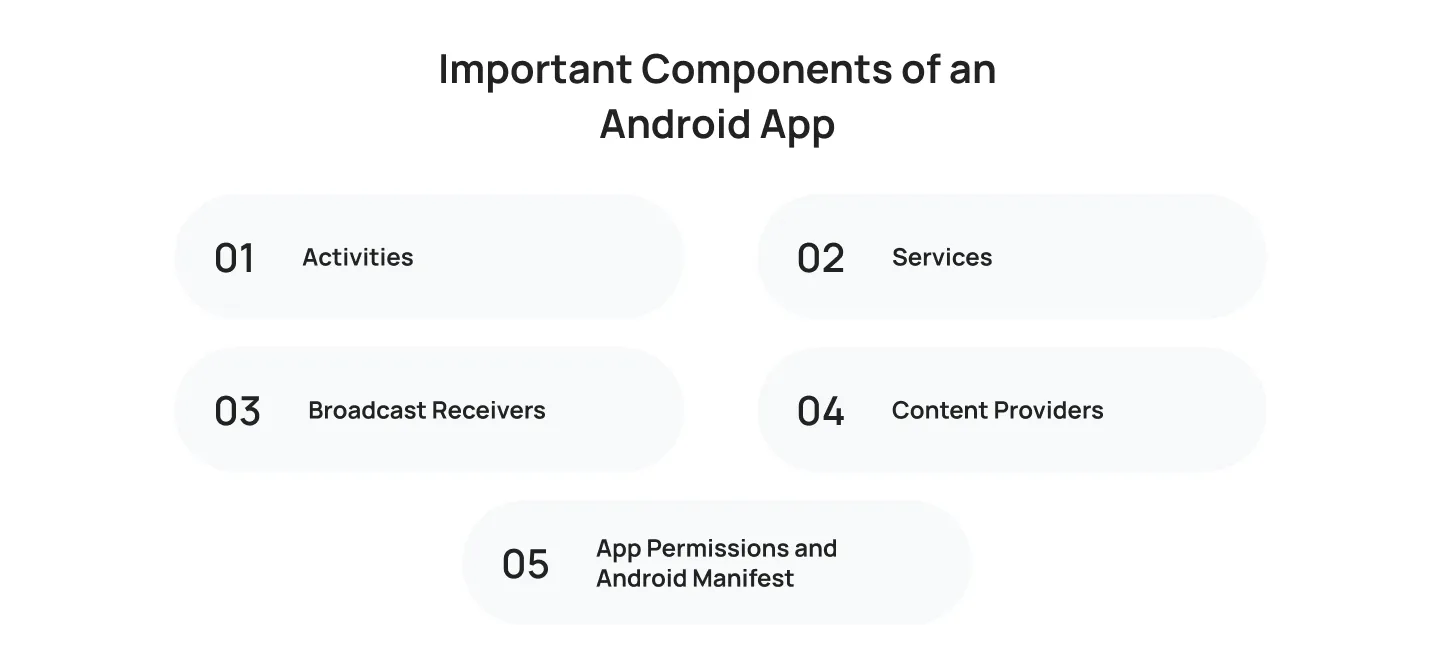
Activities
An activity represents a single screen with a user interface, like a login page or a product details view. Most apps are made up of multiple activities working together.
Services
Services run in the background to perform long-running operations, such as playing music or syncing data, without requiring a visible user interface.
Broadcast Receivers
These components allow apps to listen for and respond to system-wide announcements, like a change in network connectivity or a low battery warning.
Content Providers
Content providers manage shared app data, enabling different applications to securely access and exchange information, such as contacts or media files.
App Permissions and Android Manifest
The Android Manifest file declares an app’s components, required permissions, and hardware features, acting as the blueprint the operating system uses to understand and run the app correctly.
Android App Development vs Mobile App Development
Android app development is one part of the broader mobile app development field. Android development focuses specifically on applications for Android devices, while mobile app development can include Android, iOS, and cross-platform products.
| Area | Android App Development | Mobile App Development |
| Scope | Android-specific apps | Android, iOS, and cross-platform apps |
| Main tools | Android Studio, Android SDK, Jetpack Compose | Android Studio, Xcode, Flutter, React Native |
| Main languages | Kotlin and Java | Kotlin, Java, Swift, Dart, JavaScript, TypeScript |
| Device ecosystem | Android phones, tablets, wearables, TVs, and vehicles | Android, iOS, and multi-platform devices |
| Best fit | Android-first products and Android-heavy markets | Businesses planning a wider mobile strategy |
Android app development requires an understanding of design patterns, device compatibility, operating system versions, and Google Play publishing requirements. Mobile app development takes a broader view by considering which platforms a product needs to support and whether separate native apps or a shared-codebase approach makes the most sense. For businesses planning to launch across Android and iOS, a well-defined mobile app development strategy can help determine the right platform mix, technology approach, budget, and rollout plan.
Android App Development vs iOS App Development
Android and iOS are the two main mobile operating systems, but they differ in their device ecosystems, development tools, testing requirements, and user distribution. The right choice depends on the target audience, product goals, budget, and planned launch markets.
| Factor | Android App Development | iOS App Development |
| Operating system | Android | iOS |
| Ecosystem | Multiple manufacturers and device types | Apple devices only |
| Development tools | Android Studio and Android SDK | Xcode |
| Programming languages | Kotlin and Java | Swift and Objective-C |
| Testing scope | Wider due to device fragmentation | More controlled device range |
| Audience reach | Broad global reach across price points | Strong in premium and Apple-focused markets |
| Best fit | Diverse markets and Android-first audiences | Apple-focused user bases |
How to Choose Between Android and iOS Development
Choose Android first when your target audience uses Android devices, your business serves markets with broad Android adoption, or your app needs to support a range of device models and price points.
Choose iOS first when your early users are concentrated in Apple-focused markets or when the product is designed primarily for iPhone and iPad users.
If both Android and iOS are important from the beginning, businesses can either build separate native apps or evaluate a cross-platform framework. The best option depends on the app’s complexity, required performance, device integrations, budget, and timeline.
Want to explore the differences in detail? Read our complete guide: Android vs iOS: Choosing the Best Mobile Platform for Startups.
Benefits of Android App Development for Businesses
Choosing Android as a development platform comes with several strategic advantages that extend well beyond simple market share. For businesses weighing where to invest first, these benefits often tip the decision in Android’s favor, especially when reach and flexibility matter more than platform exclusivity.
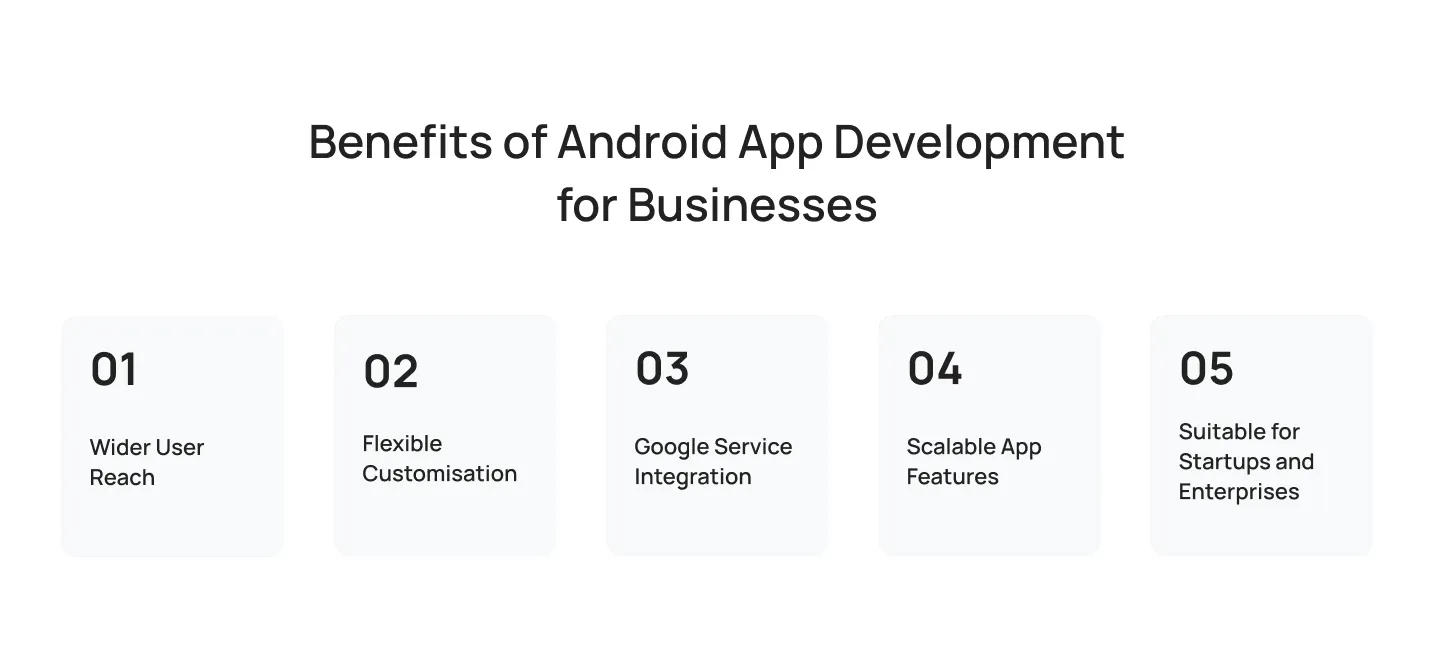
Wider User Reach
With its dominant global market share, Android gives businesses access to a massive and diverse user base across nearly every region and income level.
Flexible Customisation
Android’s open-source nature allows deeper customization of app behavior and design, giving developers more freedom than more restrictive platforms.
Google Service Integration
Native integration with Google services like Maps, Firebase, and Google Pay makes it easier to build feature-rich apps without reinventing core functionality.
Scalable App Features
Android apps can be built to scale efficiently as user bases grow, supporting everything from a small regional launch to a global rollout.
Suitable for Startups and Enterprises
From lean MVPs to complex enterprise systems, Android’s flexibility and lower entry costs make it a practical choice across company sizes and budgets.
Learn more about the benefits of Android app development for businesses in our detailed guide.
Common Features in Android Apps
Certain features show up again and again across successful Android apps because they directly support user engagement and business goals.
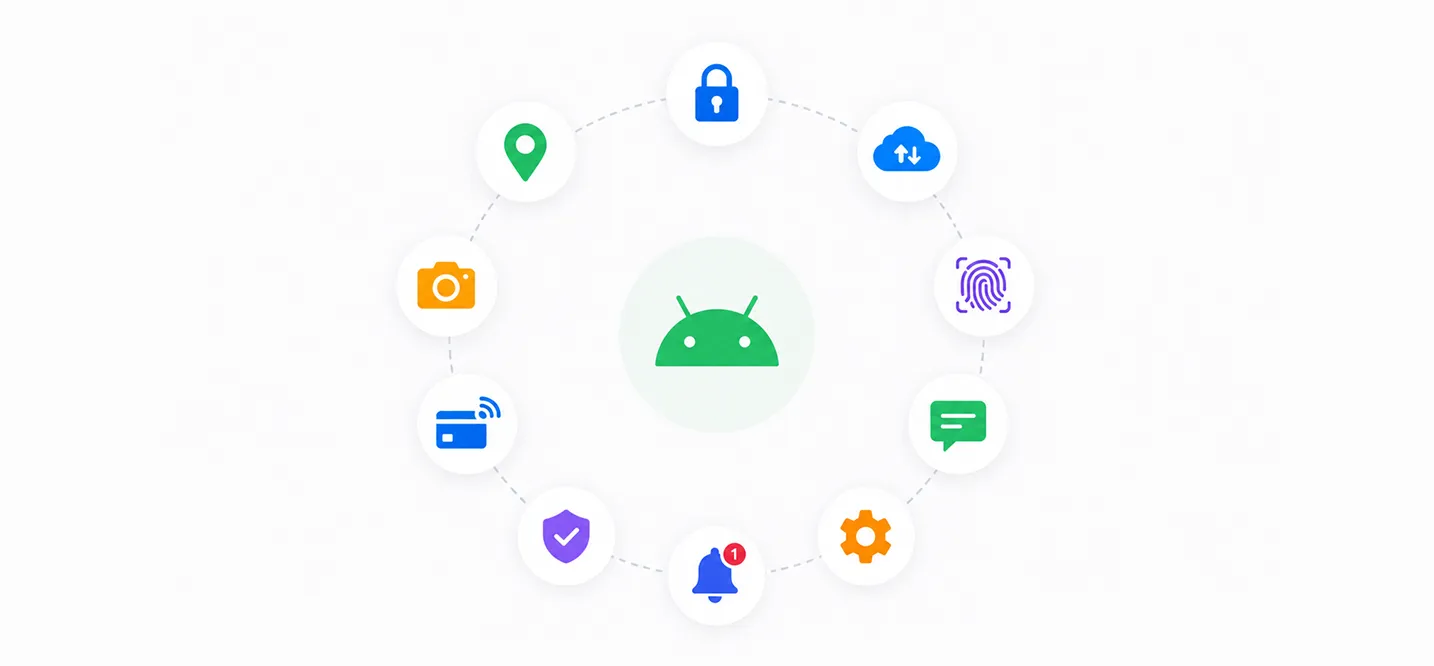
User Login and Profile
Secure authentication and personalized profiles let apps tailor content and track user activity across sessions.
Push Notifications
Push notifications keep users engaged by delivering timely updates, promotions, or reminders directly to their device.
Payment Gateway
Integrated payment gateways enable secure, in-app transactions, a must-have for e-commerce and on-demand apps.
Maps and Location Tracking
Location-based features power everything from delivery tracking to store locators and personalized local recommendations.
Admin Dashboard
An admin dashboard gives business teams visibility and control over app data, users, and content without needing developer support for routine updates.
Chat and Support Features
In-app chat and support tools improve customer experience by resolving issues quickly without users needing to leave the app.
Analytics and Reporting
Built-in analytics help businesses track user behavior, measure engagement, and make data-informed decisions about future app updates.
How to Choose Android App Development Software for Startups
Startups should choose Android app development software based on the MVP scope, target platforms, team skills, budget, and future product plans. The goal is to select tools that help the team launch efficiently without creating unnecessary limitations later.

Choose Tools Based on MVP Scope
Start with the features needed to validate the product idea. A simple MVP may need user accounts, a basic interface, analytics, notifications, and a small backend. More complex products may need payments, real-time data, location tracking, or third-party integrations.
Select Native or Cross-Platform Development
Native Android development is suitable for Android-first products that need strong performance or deep device integration. Cross-platform development may be a better fit when Android and iOS are both required at launch, and the app has standard mobile features.
Consider Team Skills and Hiring Availability
Tool selection should reflect the skills of the current team and the availability of developers. Kotlin is widely used for Android development, while Flutter and React Native may be practical for teams with Dart, JavaScript, or TypeScript experience.
Check Documentation and Community Support
Well-documented tools with active communities can reduce development friction. Strong documentation, tutorials, libraries, and troubleshooting resources are especially valuable for startups working with small teams.
Review Tool Pricing and Third-Party Costs
Some tools are free to use, while cloud services, APIs, testing platforms, maps, payment gateways, and analytics products may add ongoing costs. Startups should estimate these costs before committing to a technology stack.
Plan for Testing and Future Updates
The selected tools should support testing across Android devices, screen sizes, and operating system versions. They should also allow the app to add features, improve performance, and maintain compatibility as the product grows.
Startup Android Software Selection Checklist
- Choose Android Studio for native Android development
- Choose Kotlin for most new Android projects
- Choose Flutter or React Native when Android and iOS are both required
- Use Firebase for authentication, notifications, analytics, and MVP backend services
- Use GitHub for source control and team collaboration
- Use cloud device testing for compatibility across Android devices
- Select tools that can support feature expansion after MVP launch
How Much Does Android App Development Cost?
When planning an Android app, one of the first questions CEOs and business owners ask is: How much does Android app development cost?
The answer is not a fixed number because every app has different technical and business requirements.
Android app development cost depends on factors such as app complexity, number of features, UI/UX design requirements, backend infrastructure, third-party integrations, testing scope, security needs, and post-launch maintenance. A simple app with basic screens, user login, and limited functionality will generally cost far less than a feature-rich platform with real-time tracking, payment processing, custom backend systems, advanced security, and support for multiple user roles.
The most accurate way to estimate an Android app budget is to define the required features, user journeys, technical integrations, and launch goals before development begins.
| App Complexity | Typical Features | Estimated Cost Range |
| Simple Android app | Basic UI, login, static content, simple APIs | $10,000 to $40,000 |
| Medium-complexity app | Payments, dashboards, user profiles, APIs, notifications | $40,000 to $100,000 |
| Complex Android app | Real-time features, custom backend, advanced security, integrations | $100,000+ |
Factors That Affect Android App Development Cost
- Number and complexity of features
- Custom UI and UX design requirements
- Backend development and database needs
- APIs, payment gateways, and third-party integrations
- Real-time chat, tracking, video, or live updates
- Security, compliance, and role-based access
- Support for tablets, foldables, wearables, Android TV, or Android Auto
- Device compatibility testing and Android OS support
- Post-launch maintenance and feature updates
Affordable Android App Development Services: What Businesses Should Look For
Affordable Android app development does not simply mean choosing the lowest project quote. A cost-effective approach balances the initial budget with code quality, testing, security, documentation, and the ability to maintain the app after launch.
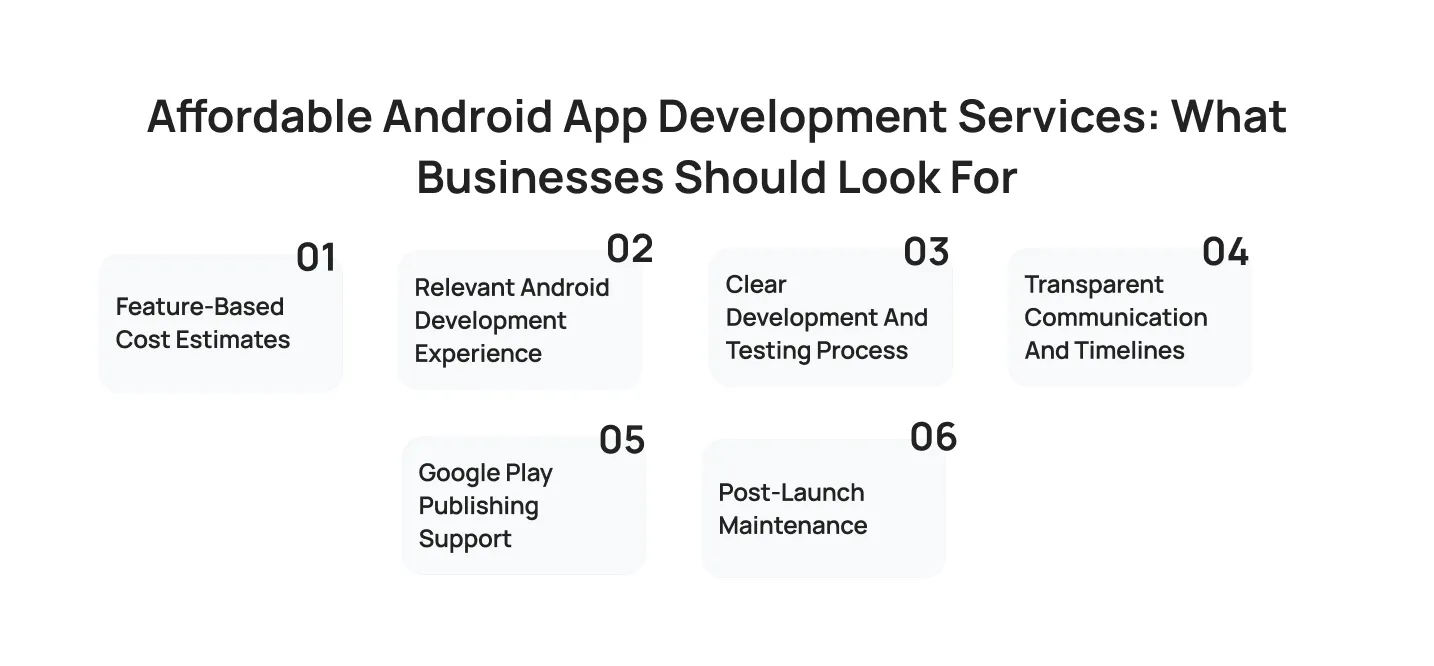
Feature-Based Cost Estimates
A clear estimate should break down the app by features, design work, backend requirements, testing, and publishing tasks. This helps businesses understand what is included and compare proposals more accurately.
Relevant Android Development Experience
Teams should understand Android tools, Kotlin or Java, device compatibility, Google Play requirements, APIs, and testing practices. Relevant experience can reduce avoidable technical issues during development.
Clear Development and Testing Process
A reliable process includes discovery, planning, design, development, testing, release preparation, and post-launch support. Businesses should understand how progress will be tracked and how quality checks will be handled.
Transparent Communication and Timelines
Clear communication helps avoid confusion around scope, revisions, dependencies, and delivery dates. A realistic timeline should account for design approval, development, testing, and Google Play submission.
Google Play Publishing Support
Publishing support can include preparing app-store descriptions, screenshots, privacy information, policy checks, testing tracks, and release settings.
Post-Launch Maintenance
Apps need updates after launch to fix bugs, support new Android versions, respond to user feedback, and maintain compatibility with third-party services.
How to Compare Affordable Android App Development Services
- Request a detailed feature-based estimate
- Review Android app portfolio examples
- Confirm experience with Kotlin, Java, Firebase, APIs, and Google Play
- Ask how the team tests across Android devices and OS versions
- Confirm what is included in maintenance and bug-fix support
- Start with an MVP if budget is limited
- Avoid providers that offer vague timelines or unclear deliverables
How Long Does It Take to Build an Android App?
The time required to build an Android app depends on the number of features, design complexity, integrations, testing needs, and approval process. A focused MVP can be developed more quickly than a large enterprise platform with custom workflows and real-time functionality.
| App Type | Estimated Development Timeline |
| Basic Android app | 2 to 3 months |
| Medium-complexity app | 4 to 6 months |
| Complex or enterprise Android app | 7 months or more |
Android App Development Timeline
- Weeks 1 to 2: Discovery, requirements, and technical planning
- Weeks 3 to 5: UI and UX design and prototype approval
- Weeks 6 to 12: Core Android development and backend integrations
- Weeks 10 to 14: Testing, bug fixing, security checks, and release preparation
- After launch: Monitoring, maintenance, and feature releases
Some phases overlap. For example, backend development and testing may begin while additional app screens are still being built.
Common Android App Development Challenges and Solutions

Android development involves a broad device ecosystem, changing operating system versions, and evolving Google Play requirements. Planning for these challenges early can improve app reliability and reduce delays.
| Challenge | Practical Solution |
| Device fragmentation | Test on a prioritized device matrix and cloud device testing platforms |
| Different screen sizes | Use responsive layouts and adaptive UI components |
| Performance on lower-end devices | Optimize images, memory use, APIs, and background processes |
| Security and privacy | Use encryption, secure authentication, permission controls, and regular testing |
| Android OS updates | Maintain compatibility testing across supported Android versions |
| Google Play policy compliance | Review policy requirements before submission and before major updates |
Future of Android App Development in 2026 and Beyond
Android app development is expanding beyond smartphones as businesses build experiences for foldables, tablets, wearables, vehicles, and connected devices. Businesses preparing for what comes next can explore the latest Android app development trends shaping 2026, from AI-powered features to adaptive interfaces and privacy-focused app experiences.
AI-Powered Android Apps
AI can support in-app search, recommendations, content personalization, customer support, document processing, automation, and predictive insights. The most useful AI features are those that solve a specific user problem rather than adding automation without a clear purpose.
Foldable Device App Development
Foldable phones and large-screen devices require layouts that adapt when the screen changes size or orientation. Apps designed for foldables should support responsive interfaces, multi-window use, and smooth transitions between folded and unfolded states.
Wearable App Experiences
Wearable apps can support fitness tracking, health monitoring, quick notifications, payments, navigation, and hands-free interactions. They are most useful when they provide fast, glanceable actions rather than duplicating every phone feature.
Android Automotive Applications
Android Automotive supports in-car experiences for navigation, media, charging, parking, communication, and vehicle-related services. Automotive apps need to prioritize safety, simple interactions, and minimal driver distraction.
Privacy-First Android Development
Users increasingly expect clear permission requests, transparent data practices, and stronger control over personal information. Privacy-focused Android development includes requesting only necessary permissions, securing stored data, and explaining how information is used.
Kotlin and Jetpack Compose Adoption
Kotlin and Jetpack Compose continue to shape modern Android development. Kotlin supports cleaner, safer code, while Jetpack Compose helps teams create responsive interfaces with a declarative approach.
Why Leading Businesses Partner With Cubix for Android App Development
Choosing a development partner is as important as choosing the platform itself. Cubix brings 18+ years of mobile development experience to Android projects, backed by a track record of 1,300+ delivered products across more than 20 industries, from healthcare and fintech to logistics and retail.
Deep Android engineering expertise: A 350+ person Android team works fluently in Kotlin and Java, giving businesses access to the technical depth needed for everything from lean MVPs to complex, enterprise-grade applications.
A structured, transparent process: Every project moves through defined stages, discovery and strategy, UI/UX design, agile two-week sprints, rigorous QA across 100+ real devices, and post-launch support, so businesses always know what’s happening and when.
Real accountability after launch: Round-the-clock monitoring and support keep apps stable and current long after the Google Play listing goes live, covering OS updates, performance tuning, and new feature rollouts.
A portfolio that spans real industries: From an emergency-response safety app to a homemade food delivery platform and a fitness-tracking app built for community engagement, Cubix’s Android work reflects practical experience solving different kinds of business problems, not a single template applied everywhere.
Successful Android apps are not defined by features alone. They are built around real user needs, reliable performance across devices, and a clear plan for growth after launch. – Salman Lakhani, CEO at Cubix
Conclusion
Android app development is a structured, technical process that turns an idea into a functioning product used by billions of people worldwide. From choosing the right tools and technologies to understanding the full development lifecycle, every decision along the way shapes the final product’s success.
As Android continues to evolve with AI, foldables, and privacy-first design, staying informed matters more than ever, particularly for mobile app development for startups looking to compete without enterprise-level budgets.
FAQs About Android App Development
1: What is Android app development?
Android app development is the process of designing, coding, testing, and launching software applications built specifically to run on Android-powered devices, using tools like Android Studio, Kotlin, and the Android SDK.
2: What are the top tools used in Android app development for beginners?
Beginners typically start with Android Studio as the core IDE, Kotlin as the primary language, and Firebase for backend services like authentication and analytics, since all three have strong documentation and community support.
3: What is the best programming language for building Android applications?
Kotlin is currently Google’s recommended language for new Android apps due to its concise syntax and built-in null safety, though Java remains widely used, especially in existing enterprise applications.
4: How do startups choose Android app development software?
Startups generally choose tools based on their MVP scope, existing team skills, documentation quality, and total cost including third-party services, prioritizing speed to launch over long-term customization.
5: How much does Android app development cost?
Costs typically range from $10,000 for simple apps to $100,000 or more for complex, enterprise-grade applications, depending on features, integrations, and design requirements.
6: How long does it take to build an Android app?
Development timelines range from about 2 to 3 months for basic apps up to 7 months or longer for complex, feature-rich applications.
7: Is Android app development good for startups?
Yes, Android’s lower entry costs, open ecosystem, and broad global reach make it a practical and popular choice for startups building their first product.
8: Should I build a native Android app or use Flutter or React Native?
Native development is the better fit when performance and deep device integration matter most. Flutter or React Native make more sense when launching on both Android and iOS quickly and affordably is the priority.
9: What should businesses look for in affordable Android app development services?
Look for feature-based estimates, relevant portfolio experience, a clear testing process, transparent timelines, Google Play publishing support, and defined post-launch maintenance.
10: Can Android apps run on tablets, wearables, TVs, and vehicles?
Yes, Android extends well beyond phones to tablets, wearables, Android TV, and Android Automotive, giving businesses the option to build a single connected experience across multiple device types.