Here’s what you’ll learn in this guide:
- Native app development builds separate apps for iOS and Android using platform-specific languages, delivering the fastest performance.
- Modern cross-platform frameworks like Flutter and React Native allow developers to build apps for multiple platforms using a shared codebase.
- Native apps cost more upfront but perform better for heavy graphics, intensive hardware, or security critical apps.
- Hybrid apps cost less upfront and reach both platforms faster, making them the practical choice for MVPs and content-driven apps.
- The right approach depends on your performance needs, budget, timeline, and how deeply your app depends on device hardware, not on which option is objectively “better.”
Picking the wrong development approach costs more than money. It costs time, user trust, and momentum you can’t easily get back.
The stakes are real. The cross-platform software market alone is set to grow from $121 billion in 2026 to $198.96 billion in 2035, expanding at a 15.7% CAGR, according to The Business Research Company. That growth tells you one thing clearly: businesses are actively rethinking how they build apps, not settling on one default answer.
There isn’t a universal winner between hybrid and native development. The right choice depends on your business goals, your budget, your timeline, and what your users expect from the experience.
This is where a clear framework helps. Before building a mobile app, it is important to analyze your technical requirements carefully. As a trusted cross-platform app development company, Cubix has spent years delivering scalable solutions for startups and enterprises, and that experience shapes the comparison you’ll find below.
What Is Native App Development?
Native app development means building an app specifically for one operating system, using the platform’s own programming language and tools. An iOS app and an Android app built natively are two separate codebases, built and maintained independently.
How Native Apps Work
A native app talks directly to the operating system. It uses the platform’s official SDK (Software Development Kit) to access device features like the camera, GPS, or biometric sensors without any extra translation layer in between.
This direct access is why native apps tend to run faster and feel more responsive. There’s no bridge standing between your code and the hardware.
Advantages of Native Apps
- Top performance. Direct access to device hardware means smoother animations and faster load times.
- Full feature access. You get immediate support for the latest OS features, APIs, and device capabilities.
- Better user experience. The app follows platform-specific design guidelines, so it feels familiar to users right away.
- Stronger security. Native apps benefit from platform-level security features and tighter data protection controls.
- Offline capability. Native apps handle offline functionality more reliably than apps that depend on a web view.
Limitations of Native Apps
- Higher cost. You’re building and maintaining two separate codebases, one for iOS and one for Android.
- Longer development time. Two parallel builds take more time than a single shared codebase.
- Separate teams or skill sets. Many app developers specialize in a single ecosystem, which can increase hiring and development costs.
- Duplicate maintenance work. Every update, bug fix, or new feature needs to be built and tested twice.
What Is Hybrid App Development?
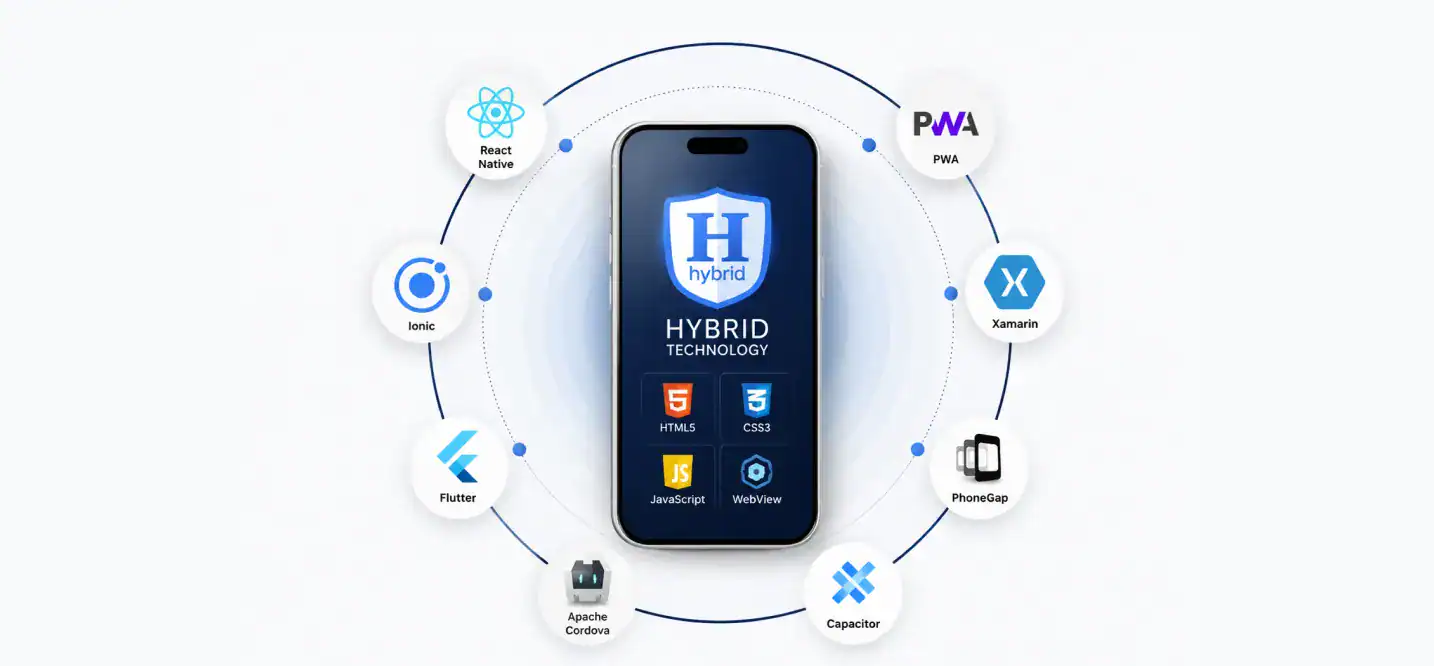
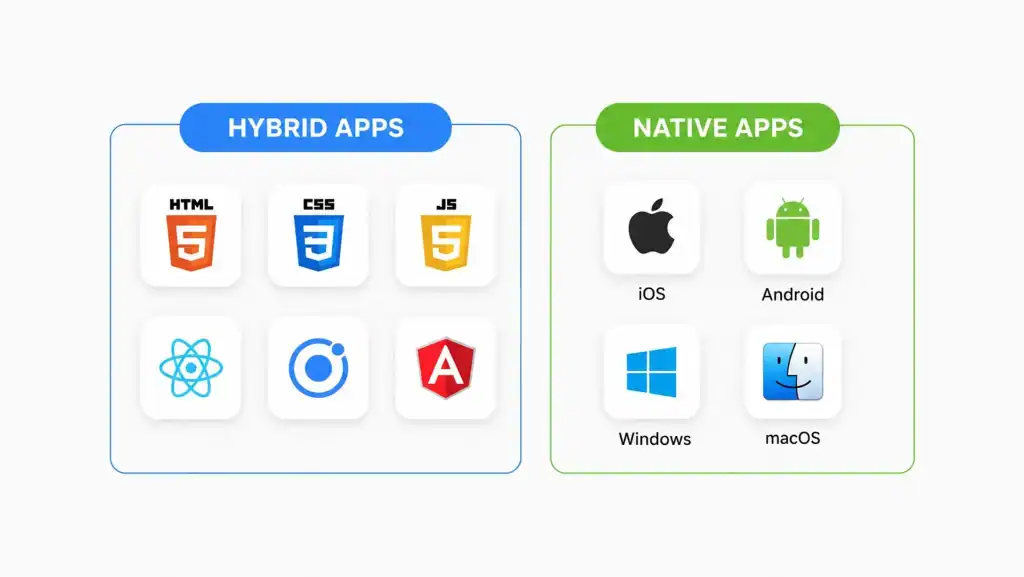
Hybrid app development means building one codebase using web technologies, then wrapping it in a native container so it can run on both iOS and Android. You write the code once and deploy it across platforms.
Many businesses choose hybrid development to reduce costs while maintaining a consistent experience across platforms.
How Hybrid Apps Work
A hybrid app runs inside a WebView, a native shell that renders web-based code as if it were a mobile app. A plugin layer connects that code to native device features like the camera or push notifications.
Unlike a traditional web application that runs entirely in a browser, a hybrid app is installed on a device and can access hardware features through plugins and APIs.
Some hybrid apps use cross-platform frameworks that compile closer to native components, narrowing the performance gap. Others rely on a full WebView wrapper, which keeps costs low but adds a noticeable step between your code and the device.
Advantages of Hybrid Apps
- Lower development cost. One codebase for two platforms cuts your initial build cost significantly. Industry data from RipenApps puts the savings at 40 to 60% compared to building two separate native apps.
- Faster time to market. You write the code once, test once, and deploy to both platforms at the same time.
- Easier maintenance. Bug fixes and updates go into one codebase instead of two.
- Smaller team requirement. One team with web development skills can build for both platforms.
- Consistent experience. Features and updates roll out to iOS and Android users simultaneously.
Limitations of Hybrid Apps
- Performance gap. Apps that rely on a WebView wrapper feel noticeably slower than native apps, especially for graphics-heavy or animation-heavy features.
- Delayed access to new OS features. You may need to wait for the framework to support a new native feature before your app can use it.
- Platform-specific quirks. A single codebase doesn’t always render identically. Date pickers, navigation gestures, and font handling can look different on iOS versus Android.
- Plugin dependency. Access to some native modules depends on the availability and quality of third-party plugins.
Native vs Hybrid App Development: Key Differences
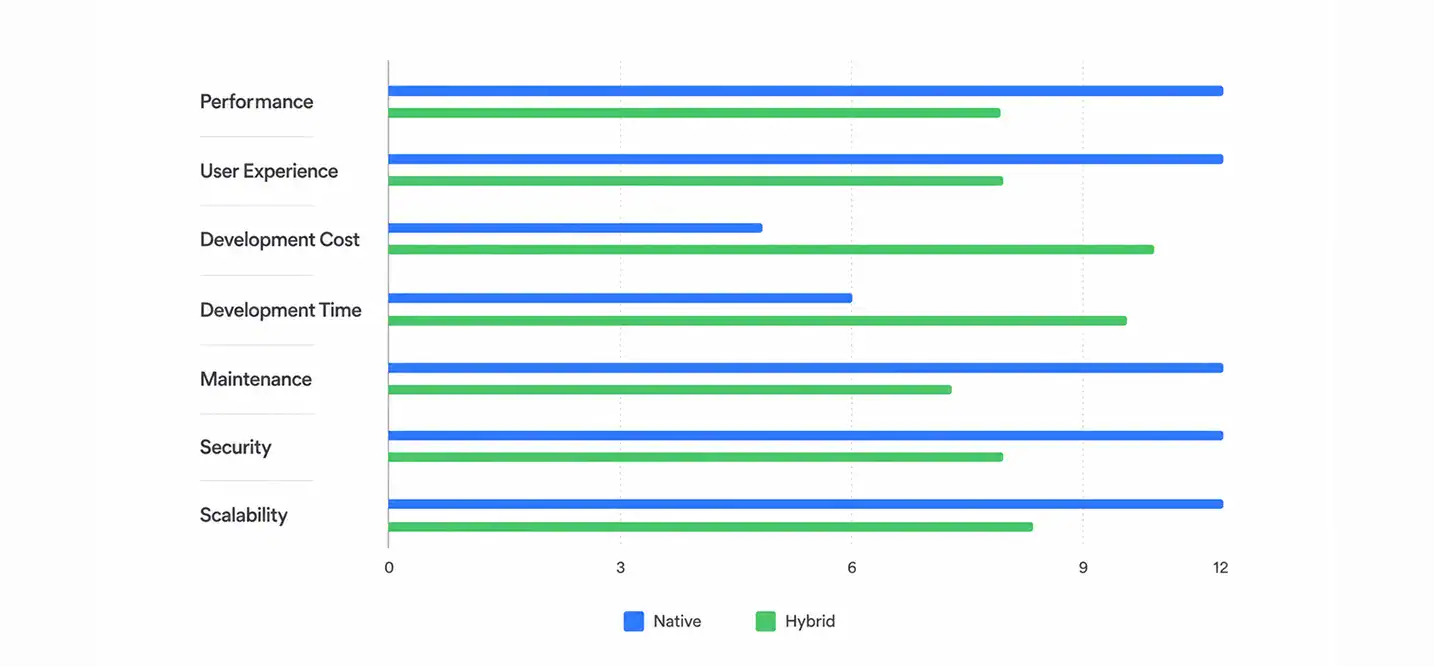
Here’s a direct side-by-side look at how the two approaches compare across the factors that matter most to your business.
1. Performance
Native apps compile directly into machine code the device understands, so they run faster and handle complex tasks, like gaming or AR, with less lag. Hybrid apps run through a bridge or WebView, which adds a layer of translation and can introduce delays, especially for graphics-intensive apps.
2. User Experience
Native apps follow each operating system’s design language automatically, giving users a familiar, intuitive feel. Hybrid apps can get close with the right framework, but achieving a truly native experience on every platform often requires additional design and engineering effort.
3. Development Cost
| Factor | Native | Hybrid |
|---|---|---|
| Codebases required | 2 (iOS + Android) | 1 (shared) |
| Typical initial cost | $50,000 to $250,000+ | $20,000 to $100,000+ |
| Annual maintenance | 15 to 20% of build cost, per platform | 15 to 20% of build cost, shared across platforms |
| Team size needed | Larger, platform-specialized | Smaller, single skill set |
4. Development Time
Hybrid development is faster because you build one codebase instead of two. Teams report 30 to 40% faster application development cycles with cross-platform frameworks compared to running two native builds in parallel.
Choosing the right app development framework early in the project can also reduce rework and improve long-term maintainability.
| App Complexity | Native (per platform, then doubled for both) | Hybrid (single codebase) |
| Simple app | 2 to 3 months per platform, 4 to 6 months total | 6 to 10 weeks |
| Medium complexity | 4 to 6 months per platform, 8 to 12 months total | 3 to 6 months |
| Enterprise app | 8 to 12+ months per platform | 8 to 12+ months |
5. Maintenance
Native apps require separate updates, testing, and bug fixes for each platform. Hybrid apps let you push one update that applies to both platforms at once, which cuts ongoing maintenance work substantially.
6. Security
Native apps get direct access to platform-level security features, including hardware-backed encryption and biometric APIs, without any intermediary layer. Hybrid apps depend partly on the security of the underlying WebView and any third-party plugins in use, which adds more points to secure and monitor.
7. Scalability
Native apps scale cleanly as your feature set grows, since you have full control over performance tuning on each platform. Hybrid apps scale well for content-driven or business apps but can hit friction when you need advanced, platform-specific functionality at scale.
For growing businesses, the type of app you’re building today should also support future expansion without requiring a complete rebuild.
Technologies and Frameworks Used in Native and Hybrid App Development
Native and hybrid development rely on different programming languages and frameworks, making it important to understand how each approach works before starting your project.
Native App Development Technologies
Native apps are built using platform-specific languages and development tools. This approach delivers better performance, seamless user experiences, and direct access to device features.
| Platform | Programming Language | Development Environment |
| iOS | Swift, Objective-C | Xcode |
| Android | Kotlin, Java | Android Studio |
Swift is Apple’s preferred language for modern iOS apps because of its speed and reliability. Similarly, Android apps use Kotlin, Google’s recommended language for Android development, thanks to its modern syntax, security, and seamless Java compatibility.
Hybrid App Development Frameworks
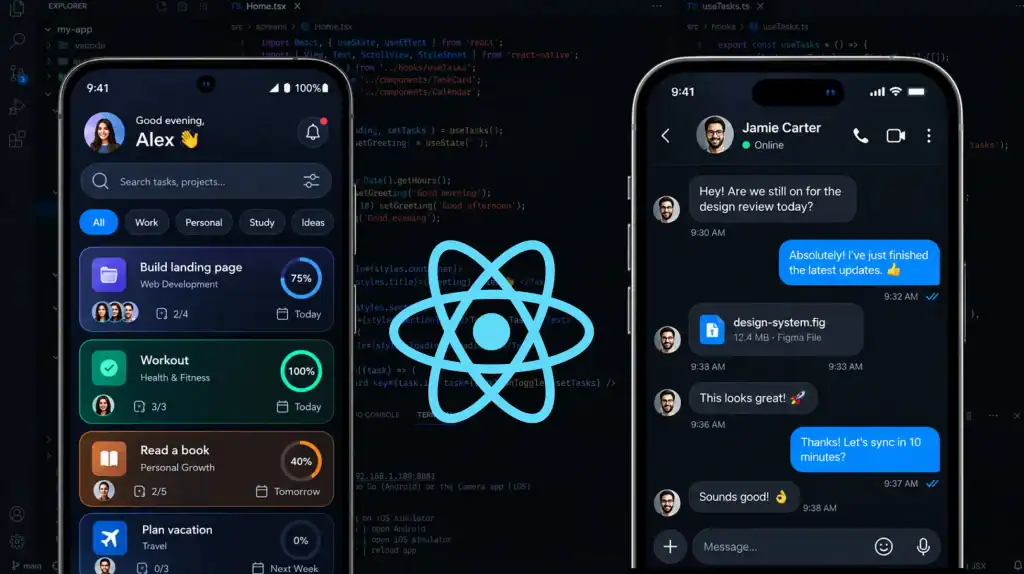
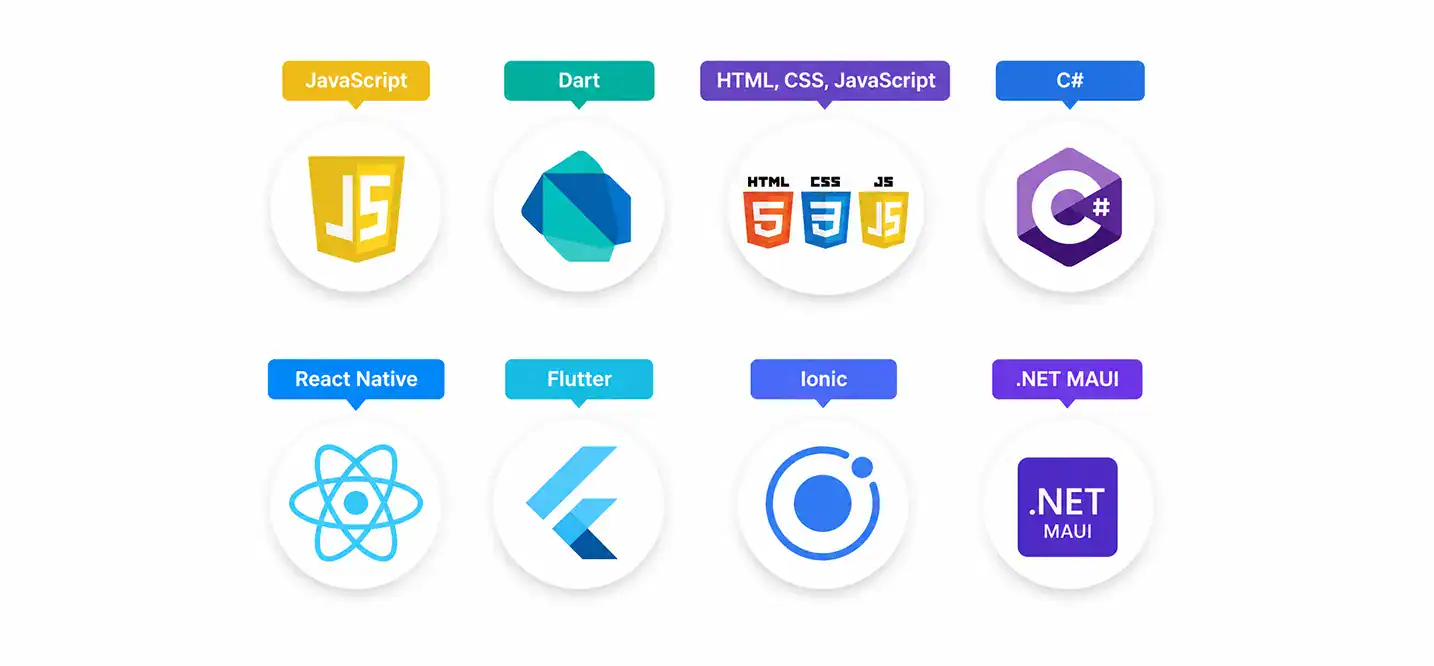
Hybrid development uses a single codebase to build apps for both iOS and Android. Modern frameworks like React Native and Flutter deliver near-native performance while reducing development time and maintenance efforts.
| Framework | Programming Language | Best For |
| React Native | JavaScript | Native-like user interfaces and faster development |
| Flutter | Dart | High-performance cross-platform applications |
| Ionic | HTML, CSS, JavaScript | Content-driven and business applications |
| .NET MAUI | C# | Enterprise applications within the Microsoft ecosystem |
If you’re choosing between React Native or Flutter, the right option depends on your project requirements. React Native is ideal for teams with JavaScript expertise, while Flutter is well suited for highly customized interfaces and consistent cross-platform performance.
Native vs. Hybrid App Development: Which Is Better for Your Business?

Neither approach is universally better. To choose between native vs. hybrid, the decision depends on what your app needs to do and what your business can support. The best app development strategy is the one that aligns with your business goals, user expectations, and long-term growth plans.
Choose Native If
- Your app depends on high performance, like gaming, AR/VR, or real-time media processing.
- You need immediate access to the latest OS features and device capabilities.
- Your users expect a fully platform-native look, feel, and interaction pattern.
- Security and data protection are top priorities, such as in banking or healthcare apps.
- You have the budget and timeline to support two separate builds.
Choose Hybrid If
- You need to launch fast and validate an idea with limited budget.
- Your app is primarily content-driven, like an e-commerce, news, or booking app.
- You want to reach iOS and Android users at the same time from day one.
- Your team is smaller or has stronger web development skills than native mobile skills.
- You expect to iterate frequently and want to push updates to both platforms simultaneously.
Key Factors to Consider Before Making a Decision
Use this checklist to guide your decision:
- What’s your total budget for development and long-term maintenance?
- What’s your target launch date?
- Does your app need advanced hardware access, like AR, Bluetooth, or sensors?
- How important is platform-specific design consistency to your users?
- Do you have (or can you hire) native development talent?
- Will you need to scale the app with complex features later?
- How sensitive is the data your app will handle?
Native vs Hybrid App Development: Popular Use Cases

Best Applications for Native Development
Native apps are the preferred choice for products that demand maximum performance, security, and deep hardware integration. Examples of native apps include:
- Gaming apps with heavy graphics or real-time rendering
- AR/VR applications
- Apps handling sensitive financial or medical data
- Apps requiring deep integration with device hardware, like fitness trackers or camera-heavy apps
- Apps where performance is a core part of the user experience
Best Applications for Hybrid Development
Hybrid development works well for businesses that want to launch quickly and maintain a single codebase. It’s a practical option for:
- MVPs and early-stage startup apps
- E-commerce and retail apps
- Content and media apps, like news or blogs
- Internal business tools and enterprise apps
- Social media apps that prioritize rapid feature releases and broad device compatibility
- Apps that prioritize speed to market over deep native functionality
Why Choose Cubix for Mobile App Development?

Choosing between native and hybrid development isn’t a decision you should make alone. Cubix brings the technical expertise to recommend the right solution based on your business goals, budget, and scalability requirements. From end-to-end mobile application development to post-launch support, our team helps businesses build solutions that deliver lasting value.
- 18+ years of experience building mobile products across industries
- 1,300+ digital solutions delivered for startups, enterprises, and everything in between
- Native and cross-platform development expertise, so the recommendation fits your project, not a default approach
- iOS, Android, Flutter, and React Native specialists on the same team
- End-to-end development, from concept to launch and beyond
- UI/UX, QA, DevOps, maintenance, and scaling handled under one roof
Bottom line
Choosing between native and hybrid app development isn’t about finding a one-size-fits-all solution. The right mobile app development approach depends on your business goals, technical requirements, budget, and future scalability plans.
Native development is best suited for performance-intensive applications, while hybrid development is often a practical choice for businesses that prioritize speed and cost efficiency.
Want to discuss your project? Our experts are just a click away.
Contact UsFrequently Asked Questions
1. Is hybrid app development cheaper than native?
Yes, in most cases. Building one shared codebase instead of two separate native apps typically cuts initial development costs by 40 to 60%. Long-term maintenance costs are usually lower too, since updates only need to be built once.
2. Which offers better performance, native or hybrid?
Hybrid apps built with modern frameworks like Flutter and React Native have narrowed that gap significantly, but WebView-based apps may still lag behind native for demanding use cases.
3. Which is better for startups?
Hybrid development often fits startups better, especially for an MVP. It lets you launch on both iOS and Android faster and validate your idea before committing to the higher cost of native development. Startups building performance-critical products, like games or AR apps, may still need to go native from the start.
4. Can hybrid apps access native device features?
Yes, through plugins and framework-specific APIs. Most hybrid frameworks support common device features like the camera, GPS, and push notifications. Access to newer or more specialized hardware features can sometimes lag behind native, depending on plugin support.
5. Can I migrate from hybrid to native later?
Yes, and many businesses do exactly this. Starting a hybrid lets you validate your product with lower upfront investment, then migrate to native once you have traction and a clearer picture of your performance and scaling needs.
6. How do I know which approach fits my specific project?
Start with your priorities: budget, timeline, performance needs, and target audience. If you need to launch fast on a limited budget, a hybrid usually wins. If performance and platform-native feel are non-negotiable, native is the safer investment. A development partner like Cubix can assess your specific requirements and recommend the approach that fits your business goals.
7. What is the difference between native and hybrid app development?
Native app development creates separate apps for iOS and Android using platform-specific languages, while a hybrid app development company builds applications using a single codebase with frameworks like Flutter or React Native to run seamlessly across both platforms. Native apps offer better performance, whereas hybrid apps are faster and more cost-effective to build.