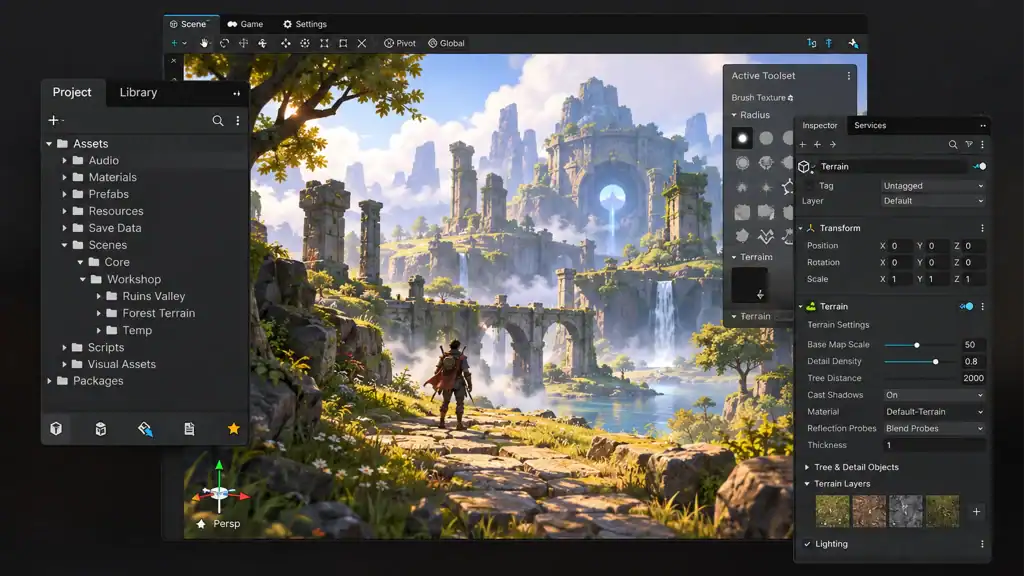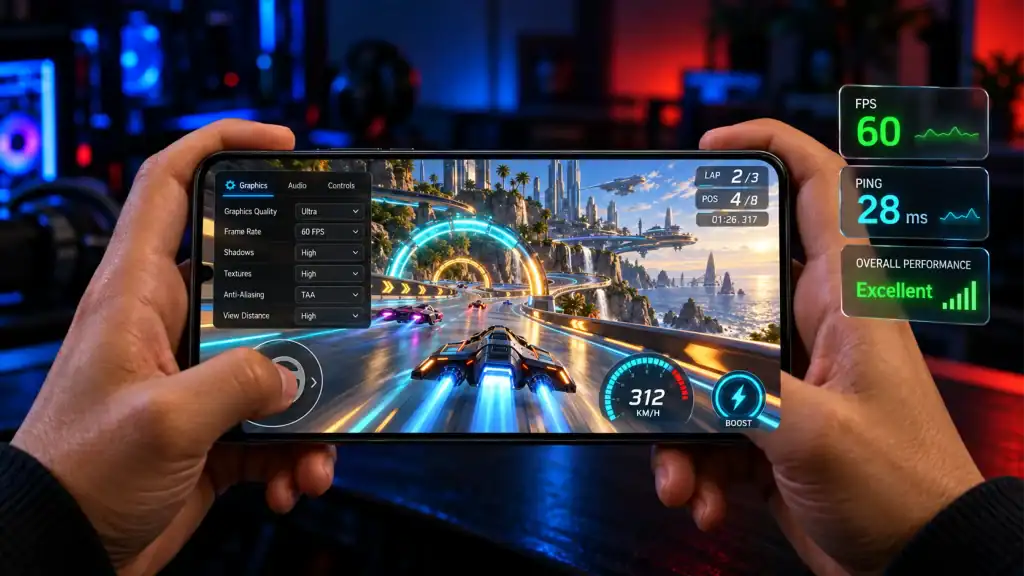
Performance is no longer something mobile game developers can evaluate only at the end of production. Google’s Android Vitals data tracks slow game sessions at both 30 FPS and 20 FPS, and Google recommends that most games on Google Play aim for at least 30 FPS. The platform considers a session slow when more than 25% of its frames fall below the selected frame-rate threshold, highlighting how sustained performance matters beyond a game’s average FPS.
A mobile game can have impressive visuals, engaging mechanics, and strong retention potential, but poor performance can undermine the entire experience. Frame drops, long loading screens, overheating, excessive battery drain, crashes, and memory-related issues can make an otherwise polished game frustrating to play.
That makes mobile game performance optimization more than a final development task. It is an ongoing process of profiling, identifying bottlenecks, improving the highest-impact areas, and validating the results across real devices. Whether a game is built with Unity, Unreal Engine, or another technology stack, the goal is the same: deliver stable, responsive
Key Takeaways
- Optimize for smooth gameplay: Prioritize FPS, frame time, load times, memory, and battery usage.
- Profile before optimizing: Identify actual performance bottlenecks instead of guessing.
- Test on real devices: Performance varies significantly across device capabilities.
- Optimize assets and rendering: Reduce texture sizes, draw calls, shaders, and unnecessary processing.
- Monitor after launch: Track performance issues that appear under real-world conditions.
Want to discuss your project? Our experts are just a click away.
Contact UsWhat Is Mobile Game Performance Optimization?
Mobile game performance optimization is the process of improving how efficiently a game uses a smartphone or tablet’s CPU, GPU, memory, storage, battery, and other hardware resources.
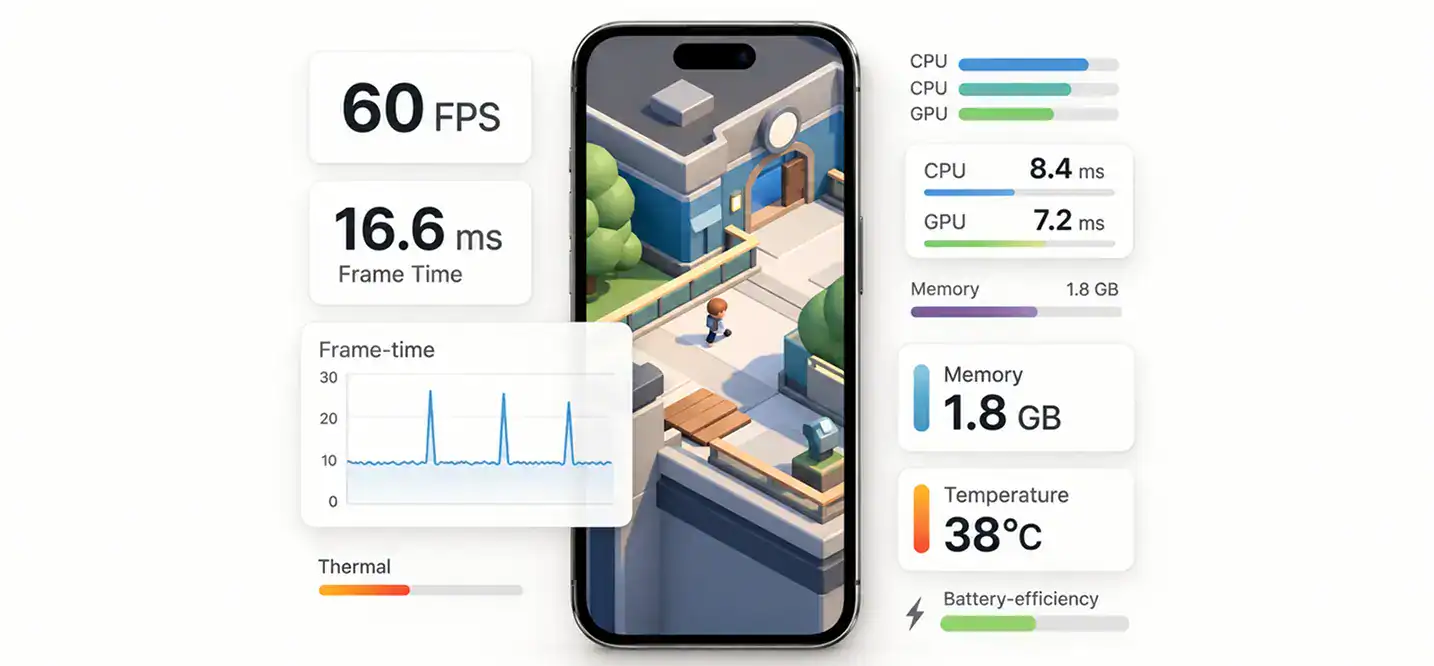
The objective is not simply to achieve the highest possible FPS. A well-optimized game should maintain consistent frame times, avoid excessive memory consumption, load content efficiently, control heat and battery usage, and remain stable across a defined range of devices.
Optimization typically covers:
- CPU performance: Reducing expensive game logic, physics, AI, animation, and scripting workloads.
- GPU performance: Optimizing rendering, shaders, lighting, shadows, textures, and post-processing.
- Memory: Controlling texture and asset memory, runtime allocations, and memory leaks.
- Loading: Reducing startup and level-loading times through asset and content management.
- Thermals: Preventing sustained workloads from causing thermal throttling.
- Battery: Reducing unnecessary CPU, GPU, display, and network activity.
- Device scalability: Adjusting quality settings according to device capabilities.
The most effective approach is iterative: measure the game, identify the bottleneck, make a targeted change, and measure again.
Why Does Mobile Game Performance Matter?
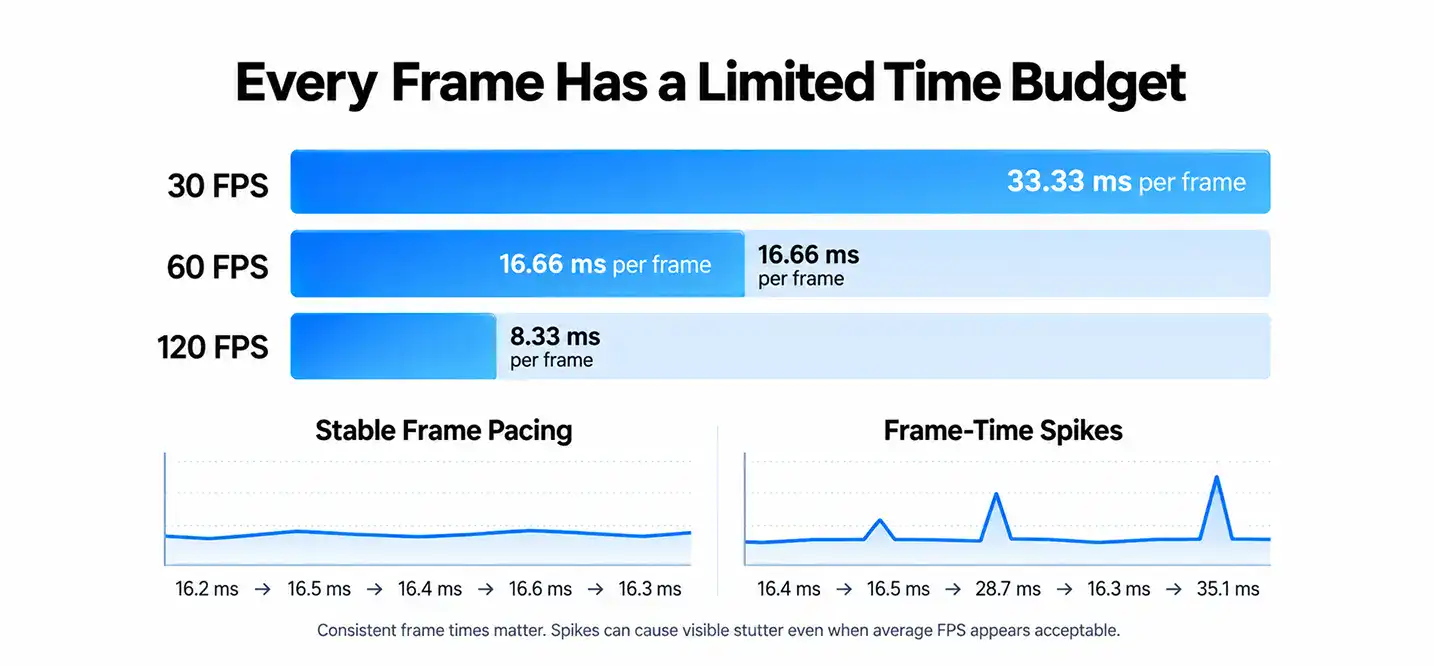
Performance directly affects how a game feels during play. A game that consistently maintains its target frame rate feels responsive, while inconsistent frame times can create stuttering even when the average FPS appears acceptable.
Google Play’s Android Vitals provides a useful example of how performance is evaluated at scale. For games, it tracks slow sessions at 30 FPS and 20 FPS, allowing developers to see how often players experience sustained low frame rates. Google recommends that most games aim for at least 30 FPS, while noting that some players and high-end devices may benefit from 60 FPS or higher.
Performance also affects more than smoothness:
- Player Experience: Stutters and input delays can make gameplay feel unresponsive.
- Device Reach: Heavy games may perform poorly or become effectively unplayable on lower-end hardware.
- Battery Life: Sustained CPU and GPU workloads increase energy consumption.
- Thermal Behavior: Extended workloads can heat the device and trigger throttling.
- Loading Experience: Slow startup and level loading create friction before players even begin playing.
- Stability: Memory pressure and resource-management problems can contribute to crashes and low-memory termination.
- Retention: Technical problems can cause players to abandon a game even when its core gameplay is strong.
Performance should therefore be included in the technical requirements from the beginning rather than treated as a final QA checkpoint.
What Makes Mobile Game Performance Difficult to Optimize?
Mobile optimization is challenging because smartphones do not share a single hardware configuration. Developers need to balance performance across different processors, GPUs, memory capacities, screen resolutions, operating-system versions, thermal characteristics, and refresh rates.
1. Device Fragmentation
Android presents a particularly broad hardware landscape. Two devices running the same game can have very different CPU and GPU capabilities.
This makes a single graphics preset insufficient for many games. Instead, developers should establish meaningful device tiers and adjust resolution, texture quality, shadows, effects, draw distance, animation complexity, and other settings accordingly.
2. CPU and GPU Limitations
A game can become CPU-bound because of game logic, physics, AI, animation, scripting, or excessive per-frame processing. Another game may be GPU-bound because of high resolution, complex shaders, excessive overdraw, lighting, or post-processing.
Optimizing the wrong side of the pipeline produces limited results. Profiling should determine whether the CPU, GPU, memory subsystem, or another component is actually responsible.
3. Memory Constraints
Mobile devices have less flexibility than desktop systems when applications consume large amounts of memory. High-resolution textures, large meshes, audio files, particle systems, cached assets, and runtime allocations can quickly increase memory pressure.
Memory optimization is therefore not simply about reducing the game’s installation size. Runtime memory usage matters just as much.
4. Thermal Throttling
Mobile devices generally lack the active cooling available in PCs and consoles. Sustained workloads can increase temperature, after which the operating system may reduce CPU or GPU performance.
Unity’s profiling guidance specifically highlights thermal throttling as a major mobile optimization concern because prolonged CPU or GPU workloads can cause clock speeds to fall and performance to deteriorate.
5. Battery Consumption
Running the CPU and GPU at high utilization for extended periods can increase battery drain and heat generation.
A game that reaches 60 FPS for five minutes but becomes hot and throttles after longer sessions is not necessarily well optimized. Sustained performance matters more than a short benchmark peak.
Which Mobile Game Performance Metrics Should You Monitor?
Optimization becomes much easier when teams define measurable targets instead of relying on subjective observations.
| Metric | What It Reveals | Why It Matters |
| FPS | Frames rendered per second | Indicates overall smoothness |
| Frame Time | Time required to render each frame | Reveals spikes and missed frame budgets |
| CPU Time | CPU workload per frame | Identifies logic, physics, AI, and scripting bottlenecks |
| GPU Time | GPU workload per frame | Reveals rendering bottlenecks |
| Memory Usage | Runtime memory consumption | Helps identify leaks, spikes, and excessive asset usage |
| Loading Time | Time required to reach playable content | Affects startup and level-transition experience |
| Temperature | Device thermal behavior | Helps identify sustained workload problems |
| Battery Usage | Energy consumed during gameplay | Indicates efficiency |
| Crash Rate | Frequency of crashes | Measures technical stability |
| Low-Memory Events | Memory-related termination | Helps identify devices under memory pressure |
Frame time deserves particular attention. At 30 FPS, a frame has approximately 33.33 milliseconds to complete. At 60 FPS, that drops to approximately 16.66 milliseconds.
However, hitting that theoretical limit continuously may still create thermal problems. Unity recommends leaving additional headroom on mobile rather than operating permanently at the maximum available frame budget.
How to Profile Mobile Game Performance
Profiling should happen on actual target hardware, not only inside an editor or emulator.
1. Profile on Real Devices
Real devices reveal issues that desktop development environments can hide, including thermal throttling, GPU limitations, memory pressure, battery consumption, and device-specific rendering behavior.
Create a representative test fleet containing low-, mid-, and high-performance devices across your supported platforms.
2. Use CPU and GPU Profiling
A profiler helps determine where frame time is being spent.
For Unity projects, this can include the Unity Profiler and related profiling tools. For Unreal projects, Unreal Insights provides performance analysis capabilities alongside mobile-specific optimization tools.
For iOS games, Apple’s Game Performance template in Instruments can combine threading information with Metal system traces to investigate frame-time problems.
3. Find the Actual Bottleneck
Do not assume that a low FPS reading automatically means the GPU is the problem.
A useful profiling process asks:
- Is the frame CPU-bound or GPU-bound?
- Which subsystem consumes the most time?
- Is the issue consistent or limited to specific gameplay moments?
- Does the problem occur across devices or only on a specific tier?
- Does the issue become worse after the device heats up?
Apple’s graphics-performance guidance follows a similar diagnostic approach by tracing frame-time problems through CPU and GPU activity until the underlying expensive operation is identified.
4. Profile Spikes, Not Just Averages
An average of 60 FPS does not tell the whole story.
A game can average 60 FPS while occasionally producing large frame-time spikes during combat, level transitions, shader compilation, asset streaming, or particle-heavy scenes.
Look for:
- Frame-time spikes
- Stutters
- Hitches
- Long CPU frames
- Long GPU frames
- Memory spikes
- Garbage-collection pauses
- Shader or asset-loading interruptions
How to Improve Mobile Game FPS and Frame Time?
1. Set a Realistic FPS Target
Start by deciding what the game actually needs.
A turn-based strategy game may not need the same target as a competitive shooter. Similarly, a high-end device may support 60 FPS while a low-end device requires a lower target with appropriately reduced visual settings.
Frame pacing can also matter as much as raw FPS. Unreal Engine’s mobile frame-pacing system is designed to prioritize consistent rendering rather than allowing an uncapped frame rate to fluctuate unpredictably.
2. Reduce Unnecessary Per-Frame Work
Review operations that execute every frame and determine whether they genuinely need to.
Potential improvements include:
- Reducing expensive update loops.
- Avoiding repeated calculations.
- Updating distant objects less frequently.
- Disabling inactive systems.
- Batching suitable operations.
- Moving non-critical work away from the main update path.
3. Reduce Frame-Time Spikes
Stable frame delivery is critical for perceived smoothness.
Investigate spikes caused by:
- Asset loading
- Garbage collection
- Shader compilation
- Physics bursts
- AI calculations
- Large numbers of spawned objects
- Network processing
- Scene transitions
A small reduction in average workload is less valuable if major spikes continue to interrupt gameplay.
How to Optimize Mobile Game CPU Performance?
CPU optimization focuses on reducing the amount of work required to simulate and manage the game.
1. Optimize Game Logic
Avoid running complex logic unnecessarily every frame.
Systems involving inventory updates, quest checks, UI refreshes, object searches, and gameplay calculations should execute only when required, where possible.
2. Optimize Physics
Physics can become expensive when games contain large numbers of dynamic objects.
Useful techniques include:
- Simplifying collision geometry.
- Reducing unnecessary rigid bodies.
- Limiting collision checks.
- Using collision layers appropriately.
- Sleeping inactive objects.
- Reducing physics update frequency where gameplay allows.
- Avoiding unnecessary raycasts and overlap queries.
Physics should also be profiled during the most demanding gameplay scenarios rather than in an empty test scene.
3. Optimize AI and Animation
Large numbers of active characters can create significant CPU overhead.
Consider reducing update frequency for distant NPCs, simplifying AI decision-making when characters are outside the player’s immediate area, and limiting expensive animation processing when full fidelity is unnecessary.
4. Use Object Pooling Where It Makes Sense
Object pooling can reduce the cost of repeatedly creating and destroying objects such as projectiles, particle effects, enemies, and temporary gameplay objects.
It should not be applied blindly, however. Poorly designed pools can retain unnecessary objects and increase memory usage.
How to Optimize Mobile Game GPU Performance?
GPU optimization becomes important when rendering takes too long to meet the target frame budget.
1. Reduce Draw Calls
Large numbers of separate rendering operations can increase CPU and GPU overhead.
Use batching, instancing, material consolidation, and appropriate asset organization where they genuinely reduce rendering work.
2. Optimize Shaders
Complex shaders can be expensive, particularly on mobile GPUs.
Review:
- Shader complexity
- Texture lookups
- Transparency
- Material layers
- Dynamic branching
- Expensive lighting calculations
- Unnecessary shader variants
Unreal’s mobile documentation specifically provides mobile-oriented rendering and shading options because mobile hardware has different capabilities and performance constraints from desktop hardware.
3. Control Overdraw
Overdraw occurs when the GPU processes multiple layers of pixels that ultimately contribute to the same screen area.
Transparent UI, particle effects, foliage, smoke, and layered materials can create significant overdraw.
Reduce unnecessary transparent surfaces and inspect overdraw in the most visually complex scenes.
4. Optimize Lighting and Shadows
Dynamic lighting and high-resolution shadows can become expensive on mobile.
Consider:
- Reducing shadow resolution.
- Limiting shadow-casting lights.
- Reducing shadow distance.
- Using baked lighting where appropriate.
- Simplifying lighting on lower device tiers.
5. Manage Post-Processing
Effects such as bloom, depth of field, motion blur, ambient effects, and high-quality anti-aliasing can increase GPU workload.
The correct approach is not necessarily to remove them completely. Instead, create scalable quality levels so the game can preserve its visual identity while reducing expensive effects on constrained devices.
How to Optimize Mobile Game Graphics Without Sacrificing Quality?

Good mobile game optimization does not mean making everything look low quality. The objective is to spend visual resources where players notice them most.
1. Optimize Texture Compression and Resolution
Textures can consume significant memory and bandwidth.
Use appropriate compression formats and avoid shipping unnecessarily large textures. A 4K texture may provide little visible benefit on a small smartphone screen while consuming considerably more resources.
2. Optimize Assets
Review meshes, textures, materials, animations, audio files, and particle systems before they enter production builds.
Remove unused assets and create appropriate variants for different quality tiers.
3. Use Level of Detail
LOD systems reduce geometric complexity as objects move farther from the camera.
A distant building does not need the same polygon density as a character directly in front of the player.
4. Use Dynamic Resolution and Scalability
Dynamic resolution can reduce rendering cost when the GPU becomes the limiting factor.
Similarly, scalable settings allow games to adjust visual quality according to device capabilities.
Unreal supports Device Profiles and scalability settings specifically for customizing rendering behavior across different hardware configurations.
How to Perform Mobile Game Memory Optimization?
Memory optimization is essential for both stability and performance.
1. Reduce Texture Memory
Textures are often among the largest contributors to runtime memory usage.
Use suitable resolutions, compression, mipmaps, and platform-specific texture settings rather than loading unnecessarily large assets.
2. Manage Runtime Allocations
Repeatedly allocating and releasing objects can create memory-management overhead.
Review allocations in frequently executed code and reduce unnecessary temporary objects, strings, collections, and other runtime allocations.
3. Stream Large Assets
Large open-world or content-heavy games should not necessarily load every asset at startup.
Streaming allows the game to load content based on player location and gameplay requirements.
4. Detect Memory Leaks and Spikes
Monitor memory throughout extended play sessions.
A game may appear stable during a 10-minute test but gradually consume more memory over several hours because of retained objects, cached assets, or incorrectly released resources.
Memory testing should therefore include:
- Long gameplay sessions
- Repeated scene changes
- Entering and leaving menus
- Repeated level loads
- Downloaded content
- Multiplayer sessions
- Background and foreground transitions
How to Reduce Mobile Game Loading Times?
Loading performance begins before the loading screen appears.
1. Optimize Startup
Reduce unnecessary work during application initialization.
Avoid loading assets, systems, or services that are not required immediately.
Google Play’s Android Vitals measures startup time from launch until the first frame appears. It classifies slow cold starts at 5 seconds or more, warm starts at 2 seconds or more, and hot starts at 1 second or more.
2. Use Asynchronous Loading
Load content without unnecessarily blocking the main gameplay thread.
Asynchronous loading can help prevent long freezes when large assets or scenes are introduced.
3. Stream Content Strategically
Open-world and content-heavy games can stream assets based on player movement and expected gameplay.
The challenge is balancing memory savings against the risk of visible asset pop-in or stalls.
4. Optimize the Build and Asset Pipeline
Loading performance can also be influenced by packaging, compression, asset organization, shader handling, and application structure.
Unreal’s mobile documentation, for example, highlights chunking and other approaches for organizing and delivering content efficiently.
How to Optimize Physics in Mobile Games?
Physics optimization should focus on reducing unnecessary simulation rather than simply lowering physics quality.
1. Simplify Colliders
Use simple collision geometry wherever detailed collision is not required.
A complex visual mesh does not automatically need a complex physics representation.
2. Reduce Physics Work
Limit unnecessary collision checks and avoid simulating objects that have no meaningful gameplay interaction.
3. Use Physics LOD Where Appropriate
Distant or low-priority objects can use simplified physics behavior or reduced update frequency.
For example, decorative objects outside the player’s interaction range may not need the same simulation precision as nearby gameplay objects.
4. Profile Physics-Heavy Gameplay
Test situations involving:
- Large numbers of enemies
- Vehicle collisions
- Destruction
- Projectiles
- Ragdolls
- Explosions
- Crowds
- Multiplayer interactions
The worst-case scenario is usually more useful than a quiet scene when establishing a physics budget.
How to Optimize Mobile Games for Battery and Thermal Performance?
A game should not only perform well when the phone is cool. It should continue performing acceptably during sustained gameplay.
1. Reduce Sustained CPU and GPU Work
Avoid keeping hardware components at maximum utilization when the workload does not require it.
Reducing unnecessary updates, rendering, simulation, and background processing can lower both heat and energy consumption.
2. Set Appropriate Frame Rates
Higher FPS can improve responsiveness, but it also increases the amount of work the device performs.
Use device-specific frame-rate targets where appropriate rather than assuming every device should render at the maximum possible rate.
3. Monitor Thermal Behavior
Test the game over extended sessions.
A useful thermal test should measure:
- Initial FPS
- FPS after extended gameplay
- CPU/GPU utilization
- Device temperature
- Battery drain
- Frame-time changes
- Thermal throttling behavior
Unity recommends profiling mobile games early and considering thermal behavior as part of the overall performance budget.
4. Test After the Device Heats Up
This is one of the most commonly overlooked areas of mobile game performance testing.
Run the game long enough for the device to reach a sustained operating temperature, then repeat the same demanding gameplay scenario.
This helps distinguish short-term benchmark performance from sustained performance.
How to Optimize Mobile Games for Low-End Devices
Low-end optimization should begin with a clear device strategy rather than trying to make one configuration work for everyone.
| Device Tier | Typical Configuration | Optimization Approach |
| Low | Older CPU/GPU, limited RAM | Lower resolution, simplified shaders, reduced effects, lower texture quality |
| Mid | Moderate CPU/GPU and memory | Balanced visual quality and performance |
| High | Modern CPU/GPU, larger memory capacity | Higher resolution, advanced effects, higher-quality assets |
The exact hardware thresholds should be defined according to the game’s target market.
A low-end Android device should not necessarily receive the same visual settings as a high-end iPhone or flagship Android phone. Unreal’s Device Profiles provide one example of this approach, allowing developers to apply different scalability and rendering settings to different hardware groups.
Android vs. iOS: What Changes in Mobile Game Performance Optimization?
The fundamental optimization principles are similar across both platforms, but the testing strategy differs.
1. Android Game Performance Optimization
Android’s hardware diversity makes device segmentation particularly important.
Teams should test across representative combinations of:
- CPU families
- GPU families
- RAM capacities
- Screen resolutions
- Android versions
- Manufacturer-specific devices
This makes Android game development particularly dependent on a well-designed device matrix and scalable graphics configuration.
2. iOS Game Performance Optimization
Apple’s ecosystem is more controlled, but developers still need to account for differences between device generations, screen resolutions, GPU capabilities, thermal behavior, and operating-system versions.
For teams delivering iOS game development services, Apple’s Instruments and Metal profiling tools can help identify CPU, GPU, frame-time, and rendering issues. Apple’s Game Performance template is specifically designed to investigate frame-time problems and rendering behavior.
3. What Both Platforms Have in Common
Both platforms require:
- Real-device testing
- CPU/GPU profiling
- Memory monitoring
- Thermal testing
- Frame-time analysis
- Loading-time measurement
- Regression testing
- Performance validation after optimization
The platform changes the tools and hardware matrix, but the optimization methodology remains largely the same.
What Tools Are Used for Mobile Game Performance Optimization?
Different stages of optimization require different tools.
| Tool | Primary Use |
| Unity Profiler | CPU, GPU, memory, rendering, and scripting analysis |
| Unity Memory Profiler | Memory usage and allocation analysis |
| Unreal Insights | CPU, thread and runtime performance analysis |
| Unreal Device Profiles | Hardware-specific configuration |
| Xcode Instruments | iOS performance and system analysis |
| Metal System Trace | GPU and rendering investigation |
| Android Studio Profiler | Android CPU, memory and system analysis |
| Android GPU Inspector | Android GPU performance analysis |
| Android Vitals | Post-launch Android performance monitoring |
The important point is not to use every tool available. Select tools according to the bottleneck you are investigating.
For example, a memory spike requires a different investigation from a shader bottleneck, and neither should be diagnosed using FPS alone.
For Unity teams, a broader Unity game development guide can also provide useful context around the engine’s development workflow before performance-specific profiling begins.
How to Conduct Mobile Game Performance Testing?
Optimization is incomplete until the results have been validated through structured testing.
1. Build a Representative Device Matrix
Do not test only the newest flagship phone.
Include devices representing the actual audience, with particular attention to the lowest hardware configuration you intend to support.
2. Test Real Gameplay Scenarios
Create repeatable scenarios such as:
- Main menu startup
- First gameplay session
- Combat
- Large enemy encounters
- Multiplayer matches
- Vehicle sequences
- Particle-heavy scenes
- Level transitions
- Inventory and menu interactions
- Extended gameplay
3. Compare Performance Before and After Optimization
Every optimization should have measurable evidence behind it.
Capture baseline metrics, implement the change, then repeat the same test.
Track:
- Frame time
- FPS
- CPU usage
- GPU usage
- Memory
- Loading time
- Temperature
- Battery consumption
This prevents teams from spending time on optimizations that have little measurable impact.
Mobile Game QA Testing: What Should Be Tested?
Performance testing should be part of a broader QA strategy.
1. Mobile Game Performance Testing
Test whether the game meets defined performance targets across supported devices.
2. Mobile Game QA Testing
QA should also verify that optimization changes have not introduced gameplay bugs, visual defects, broken animations, incorrect physics, or platform-specific issues.
A broader understanding of video game testing helps teams integrate performance checks into functional QA rather than treating them as separate activities.
3. Stress Testing
Push the game beyond normal conditions.
Examples include:
- Maximum enemy counts
- Heavy particle effects
- Large multiplayer sessions
- Long play sessions
- Repeated scene loading
- Low-memory conditions
- Network instability
4. Device Fragmentation Testing
A game that performs perfectly on one device can still fail on another.
Test the supported device matrix regularly, particularly after major engine upgrades, graphics changes, or content additions.
How to Monitor Mobile Game Performance After Launch?
Performance optimization does not end when the game reaches the app store.
Real players use devices, operating systems, network conditions, and gameplay patterns that internal QA cannot fully reproduce.
Post-launch monitoring should track:
- Slow sessions
- Crash rates
- ANRs
- Startup times
- Memory-related issues
- Device-specific performance
- OS-specific issues
- Performance changes after updates
Android Vitals can break performance information down by factors such as device model, Android version, form factor, and country or region, making it useful for identifying problems affecting particular portions of the audience.
For live games, this data should feed back into the development cycle. If a new update causes performance to decline on a specific device tier, the team can investigate that configuration rather than making broad changes that affect every player.
This becomes particularly important for games designed around long-term content updates and scalable infrastructure, where scalable mobile game architecture needs to support performance as content and player activity increase.
Common Mobile Game Performance Optimization Mistakes
Several optimization mistakes repeatedly create unnecessary technical debt.
1. Optimizing Without Profiling
Developers assume what is slow instead of measuring it.
2. Testing Only on High-End Devices
Flagship hardware can hide performance problems that appear immediately on lower-tier phones.
3. Optimizing Only for Average FPS
A high average FPS can coexist with severe frame-time spikes.
4. Leaving Optimization Until the End
Late optimization can force expensive changes to architecture, assets, or game systems.
5. Ignoring Thermal Performance
A game may pass a short benchmark but degrade after prolonged gameplay.
6. Treating Memory as an Installation-Size Problem
A small download does not automatically mean low runtime memory usage.
7. Applying the Same Settings to Every Device
A single graphics configuration rarely provides the best balance across an entire mobile audience.
8. Making Changes Without Regression Testing
An optimization can improve FPS while unintentionally causing visual bugs, memory problems, or gameplay issues elsewhere.
Teams should address these risks early because technical issues are among the factors that can contribute to game projects failing before launch.
A Practical Mobile Game Performance Optimization Workflow
A repeatable workflow keeps optimization focused on measurable improvements.
1. Define Performance Targets
Set targets for FPS, frame time, memory, loading, temperature, battery consumption, and stability.
2. Build Device Tiers
Group supported devices into low-, mid-, and high-performance categories based on the actual target market.
3. Establish a Baseline
Capture performance before making major optimization changes.
4. Profile the Game
Use platform and engine profiling tools to identify CPU, GPU, memory, loading, and rendering bottlenecks.
5. Find the Largest Bottleneck
Prioritize the issue consuming the most meaningful amount of the available performance budget.
6. Optimize the Highest-Impact Area
Do not simultaneously change dozens of systems. Make targeted improvements so their effects can be measured.
7. Test on Real Devices
Repeat the same scenario on representative hardware.
8. Benchmark the Results
Compare the optimized build against the baseline.
9. Run Regression and Stress Testing
Verify that the optimization did not introduce crashes, visual issues, gameplay bugs, or new performance problems.
10. Monitor After Launch
Continue tracking real-world performance and use production data to guide subsequent optimization work.
This process aligns with Epic’s recommendation to make optimization part of mobile development early and frequently rather than postponing it until the end of production.
When Should Mobile Game Performance Optimization Begin?
Optimization should begin earlier than many teams expect.
During Prototyping
Establish basic performance targets and identify whether the game’s core mechanics are feasible for the intended devices.
During Production
Profile representative gameplay regularly instead of waiting for the entire game to be complete.
This is particularly important when adding expensive systems such as:
- Open-world streaming
- Real-time lighting
- Large crowds
- Multiplayer simulation
- Destruction
- Advanced AI
- High-resolution assets
Before Launch
Run full device-matrix, thermal, memory, loading, stress, and regression testing.
After Launch
Monitor real-world performance and investigate issues revealed by production data.
The earlier optimization is integrated into production, the less likely teams are to discover fundamental performance problems when architectural changes are expensive.
How Much Does Mobile Game Performance Optimization Cost?
The cost depends heavily on the condition of the existing game and the depth of optimization required.
A project with a well-structured codebase and a few isolated GPU bottlenecks may require relatively limited optimization work. A game suffering from memory leaks, poor asset architecture, inefficient physics, excessive rendering costs, and device-specific failures can require substantially more engineering effort.
Factors affecting cost include:
- Game engine and technology stack
- Number of supported devices
- Number of platforms
- Current performance problems
- Size and complexity of the codebase
- Graphics quality
- Multiplayer requirements
- Memory usage
- Number of game systems requiring profiling
- Required QA coverage
- Post-launch monitoring requirements
For that reason, a meaningful estimate should follow a technical audit rather than being based solely on the game’s genre or feature list.
When Should You Hire a Mobile Game Optimization Partner?
An external optimization team can be useful when the internal development team lacks specialized profiling expertise, when performance problems are difficult to reproduce, or when a game needs to support a broad device matrix.
A capable mobile game development company should be able to do more than increase the reported FPS. It should understand the relationship between rendering, code architecture, memory, thermals, battery, loading, device fragmentation, and QA.
Look for a partner with:
- Engine Expertise: Experience optimizing the engine and rendering technologies used by the game.
- Mobile Experience: Proven work across real Android and iOS devices.
- Profiling Capability: Ability to diagnose CPU, GPU, memory, and frame-time bottlenecks.
- Device Testing: Access to a representative device matrix.
- Performance QA: Structured regression and stress-testing processes.
- Optimization Planning: A clear process for prioritizing high-impact issues.
- Post-Launch Support: Ability to monitor and resolve performance problems after release.
For games designed around persistent content, live operations, or large player populations, it is also valuable to understand how performance connects with long-term scalability. A partner familiar with the principles behind building a mobile game like Monopoly Go, for example, can approach performance as part of the broader technical architecture rather than as an isolated graphics problem.
Conclusion
Effective mobile game performance optimization is not about chasing the highest benchmark score. It is about delivering consistent, stable gameplay across the devices that matter to your audience. That requires profiling real hardware, identifying the actual bottleneck, optimizing the highest-impact areas, and validating every change through structured testing.
For studios preparing a new release or improving an existing game, performance should be treated as part of the development process from the beginning. A strong mobile game performance testing strategy, combined with disciplined optimization and post-launch monitoring, can help maintain FPS, memory, loading, battery, thermal, and stability targets as the game evolves.
Want to discuss your project? Our experts are just a click away.
Contact UsFrequently Asked Questions
1. How much does mobile game performance optimization typically cost?
There is no fixed price because optimization depends on the game’s engine, current architecture, performance problems, target devices, graphics complexity, and required testing coverage. A technical audit is usually the best starting point for estimating the work.
2. When should performance optimization begin during mobile game development?
Performance optimization should begin during prototyping and continue throughout production. Waiting until the final stages can make architectural and asset-level problems significantly more expensive to fix.
3. Which devices should be included in mobile game performance testing?
The test matrix should include representative low-, mid-, and high-performance devices from the markets you intend to support. Android testing generally requires broader hardware coverage because of device fragmentation.
4. How do you optimize a mobile game for low-end Android devices?
Start by identifying the minimum hardware target, then create an appropriate scalability profile. Reduce rendering resolution, texture quality, shader complexity, shadows, effects, geometry, and simulation workloads while preserving the elements most important to gameplay.
5. What performance metrics should a mobile game development team monitor after launch?
Important metrics include slow sessions, FPS, frame time, crashes, ANRs, startup time, memory issues, and device-specific performance. Android Vitals provides several of these measurements for games distributed through Google Play.
6. Can a game testing partner improve FPS, loading times, memory usage, and battery consumption?
Yes. A specialized testing and optimization partner can identify CPU/GPU bottlenecks, memory issues, inefficient asset loading, thermal problems, and device-specific performance issues. However, the exact improvement depends on the underlying cause.
7. What is the difference between FPS and frame time?
FPS measures how many frames are rendered per second, while frame time measures how long it takes to produce an individual frame. Frame-time analysis is particularly useful for finding spikes and stutters that an average FPS number can hide.
8. How can mobile games reduce thermal throttling?
Reduce sustained CPU and GPU workloads, control frame rates, simplify expensive rendering features, optimize game logic, reduce unnecessary background processing, and test performance during extended gameplay rather than only during short benchmarks.
9. Should mobile games target 30 FPS or 60 FPS?
It depends on the genre, target devices, and gameplay requirements. Google states that most games on Google Play should aim for at least 30 FPS, while higher frame rates can be desirable for some genres and high-end devices.
10. Is mobile game optimization only necessary before launch?
No. Performance needs to be monitored after launch because real-world users introduce device configurations, gameplay patterns, operating-system versions, and usage conditions that internal testing cannot completely reproduce.