Choosing the best programming languages for iOS app development is one of the most important decisions you’ll make before starting a mobile project. The language you select influences everything from development speed and app performance to long-term maintenance, scalability, and development costs. A poor choice can lead to technical debt, slower releases, and higher expenses, while the right one helps you build a fast, reliable, and future-ready application.
This is a decision that “should” be made before the start of any iOS app development project and can’t be taken as a consideration. Whether you’re a 5-person start-up or a 500-person enterprise, your language choice will impact your budget, your timeline, and your hiring.
Cubix iOS app development services offer a comprehensive list of cutting-edge programming languages that can be used for iOS app development in 2026. Our expert mobile app developers are always willing to assist you in selecting the most cost-effective approach for building native apps for iPhones and iPads.
Why the Right Language Matters More Than You Think
The statistics speak for themselves; as of now, Swift accounts for 79.37% of the market, while Objective-C has only 23.44% (from the Stack Overflow Developer Survey).
For cross-platform apps, Flutter rules the market and has 46% mobile market usage, while React Native takes 35% of the mobile cross-platform market. The remaining 81% are shared by these two mighty languages, which means that they dominate the market in the field of cross-platform app development
While these trends are useful, the top programming languages for iOS app development should always be evaluated based on your business goals, budget, and technical requirements.
- Performance: Native language apps compile more directly to hardware, and are generally more performant and optimized for graphics-intensive applications.
- Cost: It may be cheaper to build for both platforms simultaneously, because if you have a single code base then you’ll be saving on the cost of having to build for both platforms, but you might be spending more on the extra debugging.
- Maintenance: A good framework with long term maintenance, prevents expensive rewrites later.
- Scalability: If you have a large number of users or features, some languages may come to an end.
- User experience: Your language can impact how your app loads, the smoothness of your animation, and how “native” your app actually appears and feels on an iPhone screen.
Native vs Cross-Platform: The Core Trade-off
Native development is using Apple’s native tools, Swift or Objective-C, and Apple’s frameworks. Cross-platform development involves using a single code base, such as Flutter or React Native, to develop for both platforms.
Both methods have their advantages and disadvantages and neither has a clear victory. Native app development has wins for speed and platform-specific taste. A cross-platform build usually wins from a cost and a time to market point of view. Call depends on budget, time frame and extent of device specific functionality required for the app.
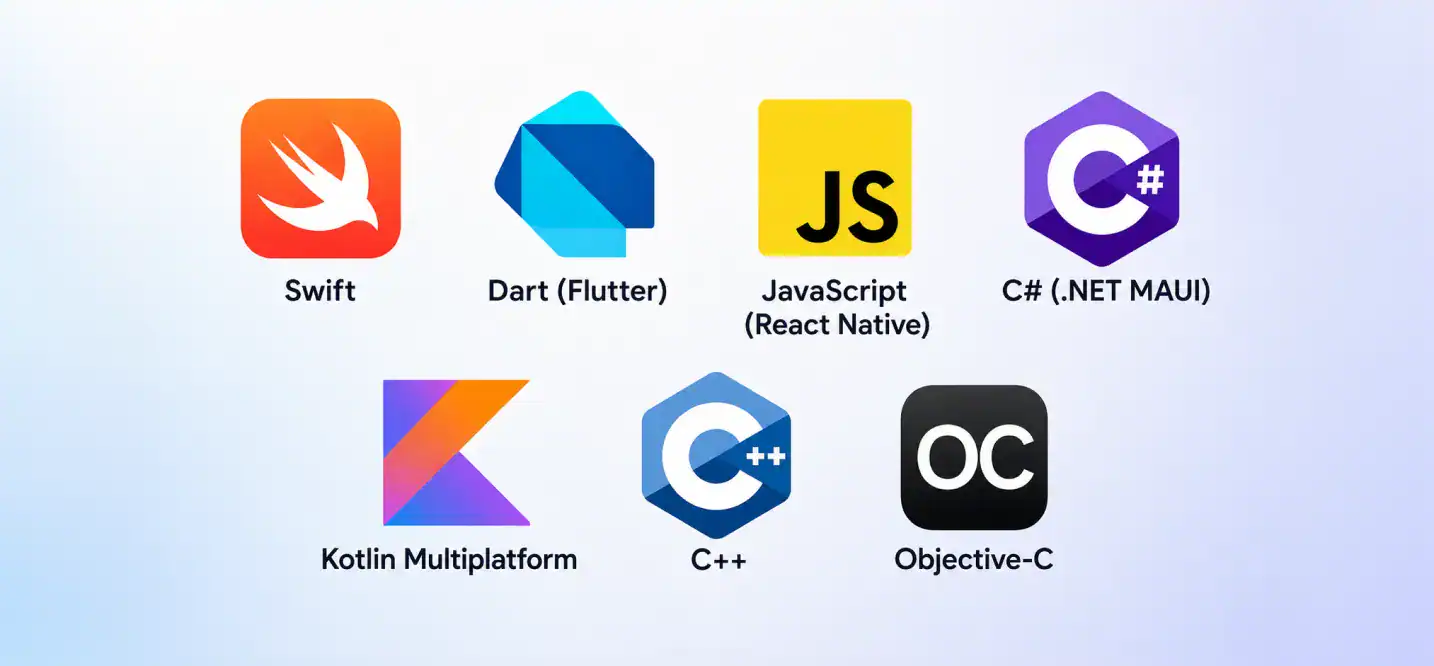
This guide introduces you to the best coding languages, including Swift, Dart, JavaScript, C#, Kotlin, C++ and Objective-C, explaining what they’re good at and what they’re bad at. Or if you don’t want to do the research and simply want to chat to a person who has shipped hundreds of such projects, Cubix has been building iOS software ever since “cross-platform” wasn’t even an option.
Want to discuss your project? Our experts are just a click away.
Contact UsTop Programming Languages for iOS App Development
The success of your app depends on choosing from the top programming languages for iOS app development based on your project requirements. Below are the leading options in 2026.
1. Swift
The Swift programming language was introduced by Apple in 2014 to replace Objective-C and has become the standard choice for native iOS app development.
Key Features
- Safe by design syntax to prevent common coding errors
- Automatic memory management through Automatic Reference Counting
- Modern syntax structure with closures and generics
Advantages
- Delivers the absolute fastest speed for Apple hardware
- Lowers maintenance overhead because Apple maintains the language
- Helps you easily list your product on the App Store
Limitations
- Does not run natively on Android platforms
- Rapid version updates require regular project maintenance
Best Use Cases
Use Swift when you want to build native iOS apps that require high processing speed, heavy graphics, or deep integration with Apple services. It enables you to create high-performance ios applications for phones and wearable watches. Apple’s top tool for building fast iOS applications for the App Store is Swift.
2. Dart (Flutter)
Flutter’s language is Dart, which Google developed for its cross-platform app building toolkit. Flutter creates UI elements that are not native to any device, so you will have a tight control over how your app looks on all the devices.
Key Features
- Hot reload for near-instant code changes during development
- Rich library of customizable, pre-built widgets
- One codebase you can use to create apps for both mobile platforms at once
- Own rendering engine (Impeller), so no dependency on native UI components
Advantages
- Pixel-perfect UI consistency across platforms
- Fast development cycles thanks to hot reload
- Growing ecosystem, with over 2 million developers using Flutter worldwide
Limitations
- Dart is a smaller talent pool compared to JavaScript or Swift
- App file sizes tend to run larger
- Some platform-specific features need extra native code
Best Use Cases
For startups who require a quick launch on both platforms without employing two native teams, flutter and hybrid app growth are a good option.
3. JavaScript (React Native)
Created by Meta, React Native allows you to write mobile applications using JavaScript and still have access to all the native components. It is one of the major differentiating factors between Flutter which uses its own UI elements rather than the platform’s.
Key Features
- Seamless bridges connecting web interfaces with device hardware
- Large community support with thousands of free libraries
- Fast refresh cycles that speed up interface design
Advantages
- Allows you to reuse existing web development talent
- Speeds up hybrid app development for simple utility services
- Lowers initial hiring costs because web developers are abundant
Limitations
- Heavy tasks cause significant frame rate drops
- Third-party packages frequently lose support over time
Best Use Cases
Use JavaScript when you need to develop an iOS app that relies on simple API integrations, such as a basic e-commerce shop or content feed. It is perfect when you want to build a standard iPhone app without complex custom graphics.
4. C# (.NET MAUI)
Overview
.NET MAUI is Microsoft’s framework for building apps that run on iOS, Android, and desktop platforms using C#. It’s the evolution of Xamarin, aimed at teams already working inside the Microsoft ecosystem.
Key Features
- Strong static typing to catch errors during compilation
- Native UI rendering through the evolving .NET MAUI ecosystem
- Direct access to extensive Microsoft cloud systems
Advantages
- Streamlines app development solutions for enterprise groups
- Shares core logic across mobile and Windows desktop software
- Provides reliable long-term backing from Microsoft
Limitations
- UI customization often feels complex on newer iOS versions
- Smaller developer pool compared to modern web platforms
Best Use Cases
Choose C# if you already use Microsoft backend systems and need to extend your business tools into native ios development. This language is excellent for building an enterprise-grade ios mobile app using unified app development platforms.
5. Kotlin Multiplatform
Kotlin Multiplatform lets teams share business logic across both mobile platforms while still writing native UI for each one. It’s a middle ground between building fully from scratch on each platform and going fully cross-platform.
Key Features
- Shared codebase for data models and networking layers
- Complete freedom to write native UI using standard tools
- High interoperability with existing mobile codebases
Advantages
- Preserves the exact native user experience on Apple devices
- Speeds up your work on ios because you write logic only once
- Ensures you do not compromise on native device performance
Limitations
- Requires your team to master multiple development framework ecosystems
- Setup and configuration take more time than standard cross-platform tools
Best Use Cases
Use Kotlin when you want to build iOS with a shared logic system. It represents the best framework for teams that need to target both Android and iOS with a single shared engine.
For a deeper side-by-side breakdown, check out this comparison of Kotlin vs Swift.
6. C++
C++ isn’t a typical choice for building full iOS apps, but among native programming languages, it plays a major role in performance-critical components, especially games and apps with heavy computation.
Key Features
- Low-level memory control
- High execution speed
- Strong support for game engines like Unreal Engine
- Can be integrated into iOS projects through Objective-C++
Advantages
- Delivers some of the best raw performance of any compiled, low-level language
- Ideal for shared logic across platforms when paired with a game engine
- Mature, battle-tested, with decades of tooling behind it
Limitations
- Not suited for building full UI layers on iOS
- Steeper learning curve than Swift or Kotlin
- Requires extra work to bridge into Apple’s native frameworks
Best Use Cases
C++ makes sense for game development, audio processing, or any app where you need to create high-performance iOS components that plain Swift can’t handle alone.
7. Objective-C
Before Swift, Objective-C was Apple’s primary language for building on the platform. It’s still in active use today, mostly in legacy codebases and long-running enterprise apps.
Key Features
- Built on top of the C programming language, with Smalltalk-style messaging
- Full access to Apple’s Cocoa and Cocoa Touch frameworks
- Mature, stable, and well-documented after decades of use
Advantages
- Deep legacy support for apps that have run for years
- Full interoperability with Swift, so teams can migrate gradually
- Rich set of established libraries and frameworks
Limitations
- Steeper learning curve than Swift
- Verbose syntax compared to more modern languages
- Apple’s development focus has shifted almost entirely to Swift
Best Use Cases
Objective-C still gets used for maintaining or extending older apps, particularly ones with large codebases where a full rewrite in Swift isn’t worth the cost. Developers who work on iOS legacy systems day to day often keep both languages in their toolkit. Teams weighing Swift and Objective-C for a legacy project should read our breakdown of iOS App Development Essentials before deciding.
Comparison Table of iOS Programming Languages
| Language | Development Approach | Best Used For | Performance |
|---|---|---|---|
| Swift | Native | Modern, high-performance iOS apps | Excellent |
| Dart (Flutter) | Cross-platform | Fast-launch apps needing visual parity on both platforms | Very good |
| JavaScript (React Native) | Cross-platform | Apps built by JavaScript-heavy teams | Good |
| C# (.NET MAUI) | Cross-platform | Enterprise apps in the Microsoft ecosystem | Good |
| Kotlin Multiplatform | Shared logic, native UI | Teams with existing native Android/iOS teams | Very good |
| C++ | Native (component-level) | Games and compute-heavy features | Excellent |
| Objective-C | Native | Legacy app maintenance | Good |
Best Practices for Choosing an iOS Programming Language
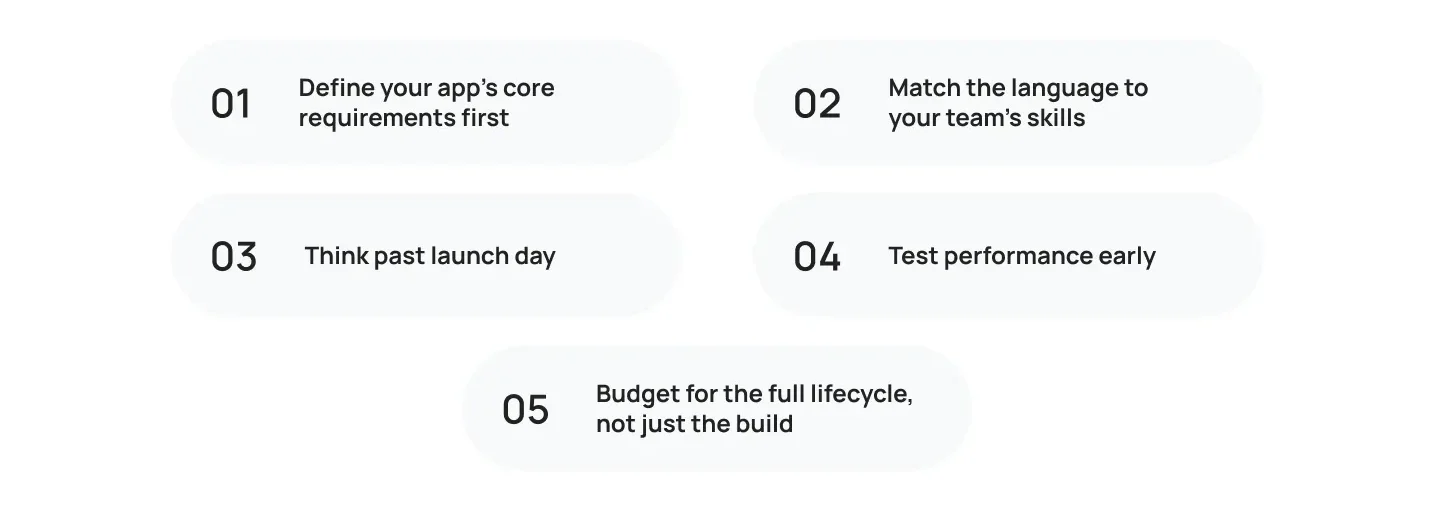 After reviewing the top programming languages for iOS app development, Run through this checklist before you commit to a development framework:
- Identify the essential features of your app. If you have a lot of graphics or hardware access, it’s a good sign that it’s a fully native build.If there are heavy graphics or hardware access, it’s a good indicator of a fully native build.
- Synchronize the language with the skills of your team. Remember, it takes longer to hire someone for Swift than for JavaScript.
- Planning beyond launch Day. Either way, you’re going to need to support new features, bug fixes and updating for years.
- Test performance early. If there are animations or real time data in your app, make a small prototype to finalise your stack before you commit.
- Plan for the entire life cycle and not only the build process. Time and money is required for maintenance, platform review and OS updates.
Following this checklist upfront saves you from a costly language switch mid-project.
Common Mistakes When Choosing an iOS Programming Language
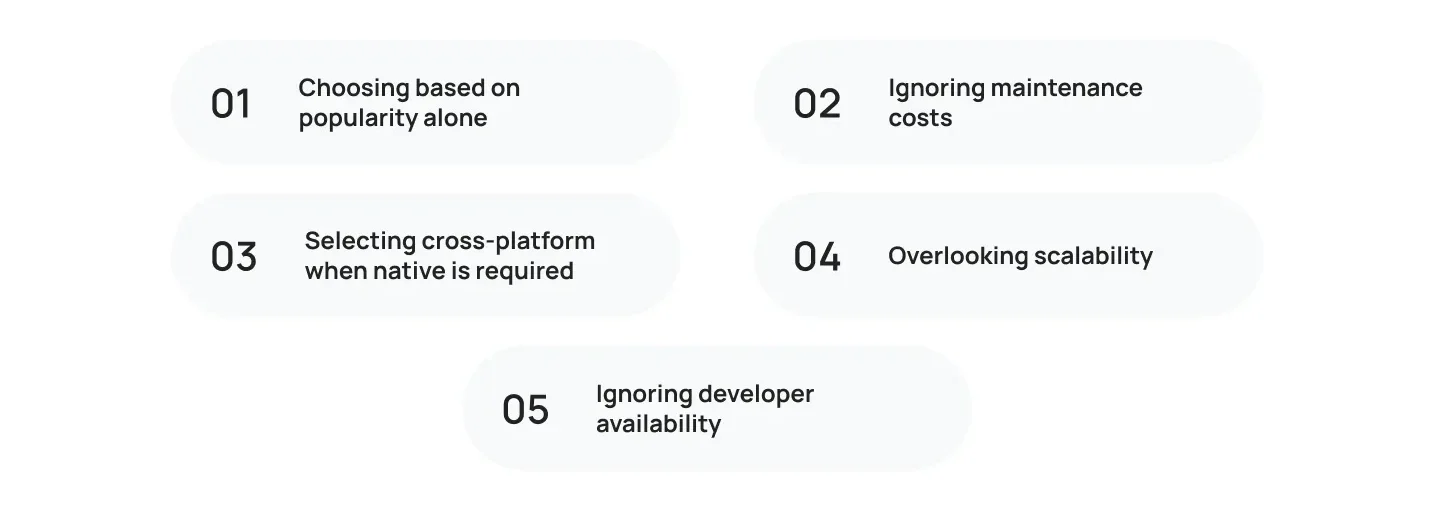
Avoid these pitfalls when you develop an iOS app:
- Choosing based on popularity alone. A trending framework isn’t automatically the right one for your specific app.
- Ignoring maintenance costs. Some frameworks are quick to build with but expensive to maintain over time.
- Selecting cross-platform when native is required. Apps that lean heavily on device hardware, AR, or advanced graphics usually need native ios applications, not a shared codebase.
- Overlooking scalability. What works for a five-screen MVP might break down once you’re managing millions of users.
- Ignoring developer availability. A language with a small talent pool means slower hiring and higher rates.
Teams that build their language decisions around real project needs, not trends, end up with fewer surprises later.
Facing difficulty in selecting the Best Programming Language to build iOS Apps?
It’s not a decision you have to make by yourself. Cubix brings:
- 18+ years of software industry experience from startups to enterprises
- Familiarity with Swift, Objective-C, Flutter, and React Native.
- From planning to your Apple App Store launch, here are the end-to-end app development solutions you’ll need.
- Successful experience in business and start-up projects
- Continuous feedback and enablement after the application release
Our mobile app developers can guide you through the pros and cons before you begin coding without headaches. Otherwise, if you’re putting your own team together, read our article on the roles you’ll need in the Perfect iOS Development Team.
Bottom Line
The top programming languages for iOS app development each serve different purposes. Swift remains the best choice for native apps, while Flutter and React Native are excellent for cross-platform development. For the majority of native projects, Swift is still the best option. When you have a limited budget and need a shared codebase, both Flutter and React Native are good options to consider. Each of these languages, C#, Kotlin Multiplatform, C++ and Objective-C, are used for smaller problems: enterprise integration, common logic, performance intensive features or legacy support.
Begin with what you need and not what languages you know. It’s how teams live for building iOS apps and it should be the same reasoning you should follow when making decisions about your app programming from day one.
Want to discuss your project? Our experts are just a click away.
Contact UsFrequently Asked Questions
1. Which is the best programming language to program on iOS?
For most native iOS development Swift is the best overall choice. It’s fast, modern and fully supported by Apple.
2. Objective C vs Swift: which is better?
For new projects, yes. Swift is more actively supported by Apple than Objective-C is today , faster and more readable .
3. Does Java have a part in iOS development?
Not exactly. Java is used to develop Android development, not to create native iPhone apps. You’d need a cross platform framework or Java to native bridge to even use it on iOS.
4. Is Flutter good for iOS?
Yes. Flutter is great for iPhone apps, especially for teams that also want an Android version and want to launch both from one code base.
5. Should Startups Go For React Native Or Swift?
It is contingent upon schedule and budget. Both platforms can be reached faster and cheaper with React Native. Swift costs more up-front, takes longer and gives you better performance and a more native feel.
6. Which language is used for iOS app development
Apple now recommends Swift for all new projects on its platforms. Objective-C is still supported, but Apple’s tooling, documentation, and updates are now focused on Swift.
7. Can I use Kotlin for iOS?
Kotlin Multiplatform lets you share business logic between the two platforms, but you’ll still write native UI in Swift for the iOS side. It is not a full replacement for native code.
8. What is the quickest language?
Both Swift and C++ run great on iOS. The entire app is written in Swift, but for specific performance-critical parts like games or audio processing, C++ is usually used.
9. What is Swift programming language used for?
The Swift programming language is Apple’s official and recommended language for developing native iOS applications. It is widely used to build fast, secure, and high-performance apps for iPhone, iPad, Mac, Apple Watch, and Apple TV.