Key Takeaways
- Choosing the right mobile app development technology stack directly impacts performance, scalability, development costs, and long-term maintenance.
- Flutter and React Native remain the leading cross-platform frameworks in 2026, while Swift and Kotlin continue to be the preferred choices for native iOS and Android development.
- A modern mobile app stack combines frontend frameworks, backend services, cloud infrastructure, databases, security, and DevOps tools to build reliable, high-performing applications.
- The best mobile development technology depends on your app’s goals, target audience, budget, performance requirements, and your development team’s expertise.
- Businesses that invest in scalable technologies, strong security practices, and future-ready architecture are better positioned to deliver successful mobile applications and adapt to changing user demands.
Picture this: two startups launch competing apps on the same day. Same idea, same budget, roughly the same team. Eighteen months later, one is scaling rapidly while the other is buried under technical debt, rebuilding features that should have worked from the start. The difference often comes down to decisions made before a single line of code was written.
The frameworks, programming languages, and development tools behind an app are largely invisible to users, but they influence everything from development speed and costs to performance, security, and scalability. A strong technology foundation can accelerate growth. A poor one can create years of maintenance challenges and missed opportunities.
The stakes are higher than ever. The global mobile app market reached USD 298 billion in 2025 and is projected to surpass USD 1 trillion by 2034. With 6.9 billion smartphone users worldwide spending nearly five hours a day in mobile apps and consumer spending expected to hit USD 620 billion in 2026, competition for user attention continues to intensify.
Choosing the right mobile application development technologies is what separates apps that scale from apps that stall. This guide explores every layer of the mobile app technology stack, from frameworks and programming languages to development tools and real-world technology choices, helping you make informed decisions for your next mobile product.
What Are Mobile Application Development Technologies?
Mobile application development technologies refer to the full set of programming languages, frameworks, tools, development environments, and infrastructure services that teams use to design, build, test, and deploy mobile applications on iOS, Android, or both platforms simultaneously.

Simply put, your mobile app technology stack is the collection of technical decisions that determine how your app is built, how it performs, and how easy it is to maintain over time.
Why Choosing the Right Technology Matters
Choosing the wrong technology at the start of a project is one of the most expensive mistakes a product team can make. According to a McKinsey Digital report, poor technology choices during development contribute to 45% of enterprise software projects exceeding their budgets and 7 in 10 digital transformation efforts falling short of expectations.
The right mobile app development tools and technologies affect:
- Speed to market: how quickly you can ship version 1.0
- Development cost: how many engineers you need and for how long
- Performance: whether your app feels native, fast, and responsive
- Scalability: whether your architecture holds up at 10x the current load
- Maintenance: how difficult bug fixes and feature updates become over time
Understanding these trade-offs before committing to a stack is the single most important planning step in the mobile app development lifecycle.
Key Parts of a Mobile App Technology Stack
A complete mobile app technology stack typically includes:
- Frontend layer: The UI frameworks and languages that power what users see and interact with
- Backend layer: Servers, APIs, and business logic that process data
- Database layer: Where structured and unstructured data is stored
- DevOps and CI/CD tools: For automated testing, build pipelines, and deployment
- Security and compliance tools: Encryption, authentication, and regulatory coverage
- Analytics and monitoring: Real-time visibility into app performance and user behaviour
Main Types of Mobile App Development Platforms
Every mobile app platform comes with its own strengths, trade-offs, and ideal use cases. Understanding these options can help you make smarter technology decisions and build a solution that aligns with your goals, budget, and audience.

Native Mobile App Development
Native apps are built specifically for one operating system, either iOS or Android, using that platform’s official programming languages and tools. They offer the best possible performance, deepest hardware integration, and the most polished user experience. The trade-off is higher cost, since you essentially maintain two separate codebases.
Native development is the right call for apps where performance is non-negotiable: real-time gaming, augmented reality, complex financial dashboards, and health monitoring applications all belong in this category.
Android Development Platform
Android holds 68% of the global smartphone market share as of Q1 2026, making Android development a priority for any product targeting a mass market. Google’s official development environment is Android Studio, and the preferred language is Kotlin, which Google endorsed as the primary language for Android in 2019.
The Android ecosystem offers deep integration with Google services, with Maps, Firebase, Play Billing, and the full suite of Google APIs making it a rich platform for all kinds of app development for mobile.
iOS Development Platform
Apple’s iOS platform commands a disproportionate share of consumer spending. Despite holding roughly 31.94% of global market share by units, iOS users consistently spend 2 to 3 times more per app than Android users, according to App Annie data. For fintech, premium subscription apps, and any product targeting North American or Western European consumers, iOS is often the higher-revenue platform.
iOS development is done using Swift (or Objective-C for legacy projects) in Xcode, Apple’s official IDE.
Cross-Platform App Development
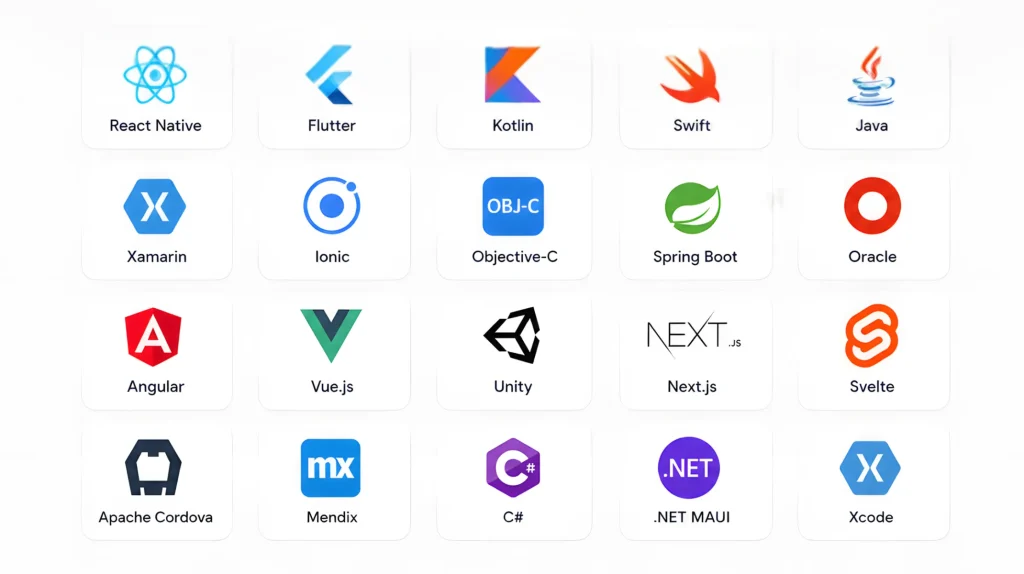
Cross-platform app development allows developers to write a single codebase that compiles and runs on both iOS and Android. The most popular app development frameworks in 2026 are Flutter and React Native, followed by Kotlin Multiplatform.
The core appeal is cost efficiency: a cross-platform approach can reduce development time by 30–50% compared to building two separate native apps. However, apps that require deeply platform-specific features or extreme performance (like high-frame-rate games) may still benefit from native development . Cross-platform app developers have made this gap narrower than ever in 2026.
Hybrid Mobile App Development
Hybrid apps are essentially web applications (HTML, CSS, JavaScript) wrapped in a native container using tools to develop mobile apps like Ionic or Apache Cordova. They run inside a WebView and can access some native device features through plugins.
Hybrid apps are the most cost-effective option and work well for content-heavy applications, internal enterprise tools, and B2B platforms where raw performance is less critical than development speed.
Low-Code and No-Code App Development Platforms
Low-code and no-code platforms like AppGyver, OutSystems, and Bubble allow teams to build functional mobile apps with minimal programming. These platforms have matured significantly and are now handling legitimate production apps, especially for internal enterprise tooling and MVPs.
Gartner predicts that by 2026, 65% of all application development activity will involve low-code or no-code tools, up from 25% in 2020.
Best Frameworks for Mobile App Development
Selecting the right frameworks for mobile app development is often the single most consequential decision in a project. The framework shapes your team size, delivery speed, long-term maintenance cost, and the performance ceiling your app can reach.

Flutter
Flutter, built by Google and using the Dart programming language, has become the dominant cross-platform framework as of 2026. The 2024 Stack Overflow Developer Survey found Flutter to be the most admired cross-platform framework, with over 46% of mobile developers who use it reporting they want to continue.
Flutter’s key strengths:
- Single codebase compiles to iOS, Android, web, desktop, and embedded devices
- Custom rendering engine (Skia / Impeller) bypasses native UI components for pixel-perfect consistency
- Hot reload makes UI iteration dramatically faster
- A rich widget library that follows both Material Design and Cupertino design principles
Flutter is the go-to choice for teams using app development frameworks to build polished consumer apps, e-commerce platforms, and startup MVPs that need to ship fast without sacrificing design quality.
React Native
React Native, maintained by Meta, has been a staple of cross-platform development since 2015. Its biggest advantage is that it uses JavaScript and React technologies that most front-end web developers already know, making team onboarding faster for companies with existing web engineering talent.
In 2022, Meta introduced the New Architecture (Fabric renderer and JSI bridge), which significantly improved React Native’s performance and brought it much closer to native-level responsiveness. Apps like Facebook, Shopify, and Microsoft Office Mobile are built on React Native.
Both Flutter and React Native are leading choices for cross-platform mobile app development, but the right framework depends on your project’s performance requirements, development timeline, budget, and team expertise. If you’re deciding between the two, explore our detailed Flutter vs. React Native comparison to understand their differences, strengths, and ideal use cases before making your choice.
Kotlin Multiplatform
Kotlin Multiplatform (KMP) is gaining serious momentum in 2026 as a more pragmatic alternative to full app development frameworks. Rather than replacing your UI layer, KMP allows you to share business logic, data models, and networking code across iOS and Android while keeping native UIs on each platform.
This gives teams the best of both worlds: genuine native performance and full platform-specific UI fidelity, with shared business logic that minimizes code duplication. Adoption is rising steadily, with the latest Developer Ecosystem surveys showing Kotlin Multiplatform usage more than doubled from 7% in 2024 to 18% in 2025, reflecting growing developer confidence in the technology. Major companies, including Netflix, VMware, and Touchlab, have also adopted Kotlin Multiplatform in production, demonstrating its ability to support complex, large-scale mobile applications.
Ionic
Ionic is the leading framework for hybrid app development for mobile. It uses web technologies like Angular, React, or Vue combined with Capacitor (its native runtime) to produce cross-platform apps that can be deployed to iOS, Android, and the web from a single codebase.
Ionic is a strong choice for enterprise teams with deep web development expertise who need to build internal tools or B2B apps without investing in mobile-specific skill sets.
Xamarin and .NET MAUI
Microsoft’s .NET MAUI (Multi-platform App UI) is the evolution of Xamarin and the cross-platform framework of choice for teams working in the Microsoft ecosystem. If your backend is built in .NET and your team writes C#, .NET MAUI offers an end-to-end mobile app technology stack that keeps your language consistent from server to mobile client.
Xamarin still powers many enterprise apps built before 2023, but new projects should use .NET MAUI, which Microsoft now actively maintains and develops.
Native Android and iOS Frameworks
For pure native development:
- Android: Jetpack Compose is Google’s modern declarative UI toolkit, replacing the older XML-based View system. It dramatically reduces boilerplate and makes UI state management more predictable.
- iOS: SwiftUI is Apple’s declarative UI framework introduced in 2019. Combined with Swift concurrency (async/await), it provides a modern, clean architecture for building iOS apps.
Both Jetpack Compose and SwiftUI represent the future of native Android development and iOS development on their respective platforms.
Best Programming Languages for Mobile App Development
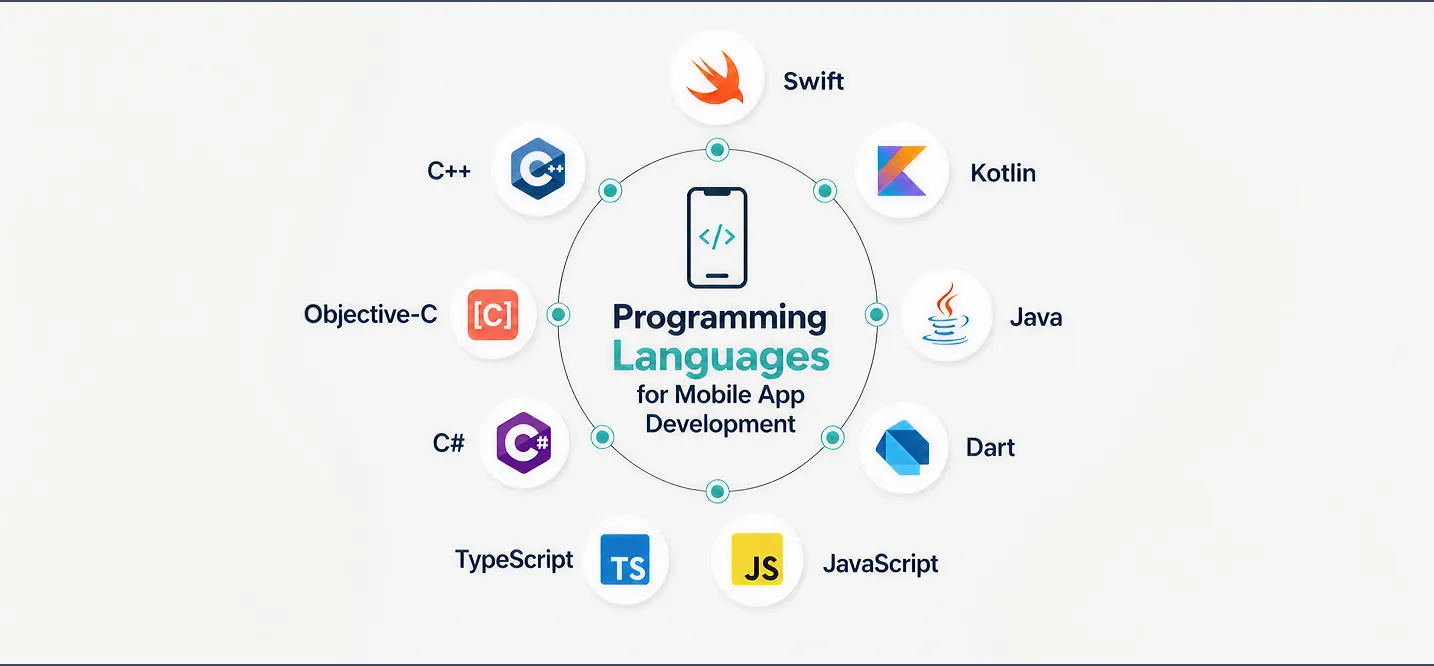
Programming languages are the foundation of every mobile app. The language you choose determines your team’s productivity, the frameworks available to you, and the long-term maintainability of your codebase.
Kotlin for Android Development
Kotlin is the official, preferred language for Android development. It is concise, null-safe, fully interoperable with Java, and supports coroutines for clean asynchronous code. As of 2024, over 95% of the top 1,000 Android apps on Google Play use Kotlin. If you are starting any new Android project in Android Studio, Kotlin should be your default choice.
Java for Android Apps
Java was the original programming language of Android and still has a massive installed base. Billions of lines of Android code are written in Java, and it remains widely used in enterprise Android development. However, for new projects, Kotlin is the better choice it reduces code verbosity, eliminates null pointer exceptions by design, and is fully supported by Google with ongoing investment.
Swift for iOS Apps
Swift is Apple’s flagship programming language, introduced in 2014 to replace Objective-C. It is fast (performance on par with C++), safe (optionals and type inference prevent common runtime crashes), and expressive. Swift is the required language for modern iOS and macOS development, and pairs naturally with mobile app development tools like Xcode.
Dart for Flutter Apps
Dart is Google’s programming language that powers Flutter. It is a strongly typed, object-oriented language that compiles to native ARM code (not interpreted at runtime), which is why Flutter apps achieve near-native performance. Dart’s syntax is approachable for developers coming from Java, JavaScript, or C#, making the learning curve relatively gentle.
JavaScript and TypeScript for React Native
React Native uses JavaScript (or TypeScript, which is strongly recommended for larger projects). The advantage for teams is the enormous existing talent pool: JavaScript is the most widely used programming language in the world, according to the Stack Overflow 2024 Developer Survey. TypeScript adds static type checking, which catches entire categories of bugs at compile time and makes codebases far easier to maintain.
C# for .NET MAUI and Xamarin
C# is the programming language used for .NET MAUI and Xamarin development. It is a mature, enterprise-grade language with strong tooling support in Visual Studio and JetBrains Rider. For .NET shops, being able to write mobile apps in the same language as their backend APIs is a significant productivity advantage.
Read our complete guide on Best Programming Languages for Mobile App Development.
Complete Mobile App Development Technology Stack

Frontend Technologies
The frontend of a mobile app encompasses the UI framework, design system, and state management layer. Common frontend technology choices by platform:
- Flutter: Dart + Flutter widgets + Riverpod or BLoC for state management
- React Native: TypeScript + React Native + Redux or Zustand
- iOS Native: Swift + SwiftUI + Combine or TCA (The Composable Architecture)
- Android Native: Kotlin + Jetpack Compose + ViewModel + StateFlow
Backend Technologies
The backend handles business logic, authentication, data processing, and API serving. Popular backend choices for mobile applications include:
- Node.js with Express or Fastify: fast, widely adopted, large ecosystem
- Python with Django or FastAPI excellent for data-heavy or ML-integrated apps
- Go: Exceptional performance and concurrency for high-traffic APIs
- Firebase: Google’s Backend-as-a-Service for rapid development
- .NET: enterprise-grade backend, ideal for Xamarin / .NET MAUI stacks
Working with the best company for mobile app development can help you select and configure the right backend architecture for your specific needs, especially for complex enterprise projects.
Database Technologies
| Use Case | Recommended Database |
| Relational data | PostgreSQL, MySQL |
| Real-time / sync | Firebase Realtime DB, Supabase |
| Document storage | MongoDB, CouchDB |
| On-device storage | SQLite, Room (Android), Core Data (iOS) |
| Caching | Redis |
APIs and Third-Party Integrations
Modern mobile apps rarely stand alone. A well-designed mobile app technology stack integrates RESTful or GraphQL APIs for data fetching, along with third-party services for payments (Stripe, Braintree), mapping (Google Maps, Mapbox), authentication (Auth0, Firebase Auth), push notifications (FCM, APNs), and analytics.
Cloud and Hosting Platforms
The three dominant cloud platforms for mobile backends in 2026 are AWS, Google Cloud Platform (GCP), and Microsoft Azure. Firebase (by Google) remains the most popular Backend-as-a-Service for early-stage apps and MVPs due to its real-time sync capabilities and minimal configuration overhead.
App Security Technologies
Security is non-negotiable. A single data breach costs companies an average of $4.88 million, according to IBM’s 2024 Cost of a Data Breach report. Key security layers in any mature mobile app technology stack include:
- TLS/SSL for all network traffic
- OAuth 2.0 / OpenID Connect for authentication
- Certificate pinning to prevent man-in-the-middle attacks
- Biometric authentication (Touch ID, Face ID)
- Encrypted local storage for sensitive data
AI is now being applied to mobile security, anomaly detection models running on-device can flag unusual user behaviour patterns in real time.
Best Mobile App Development Tools
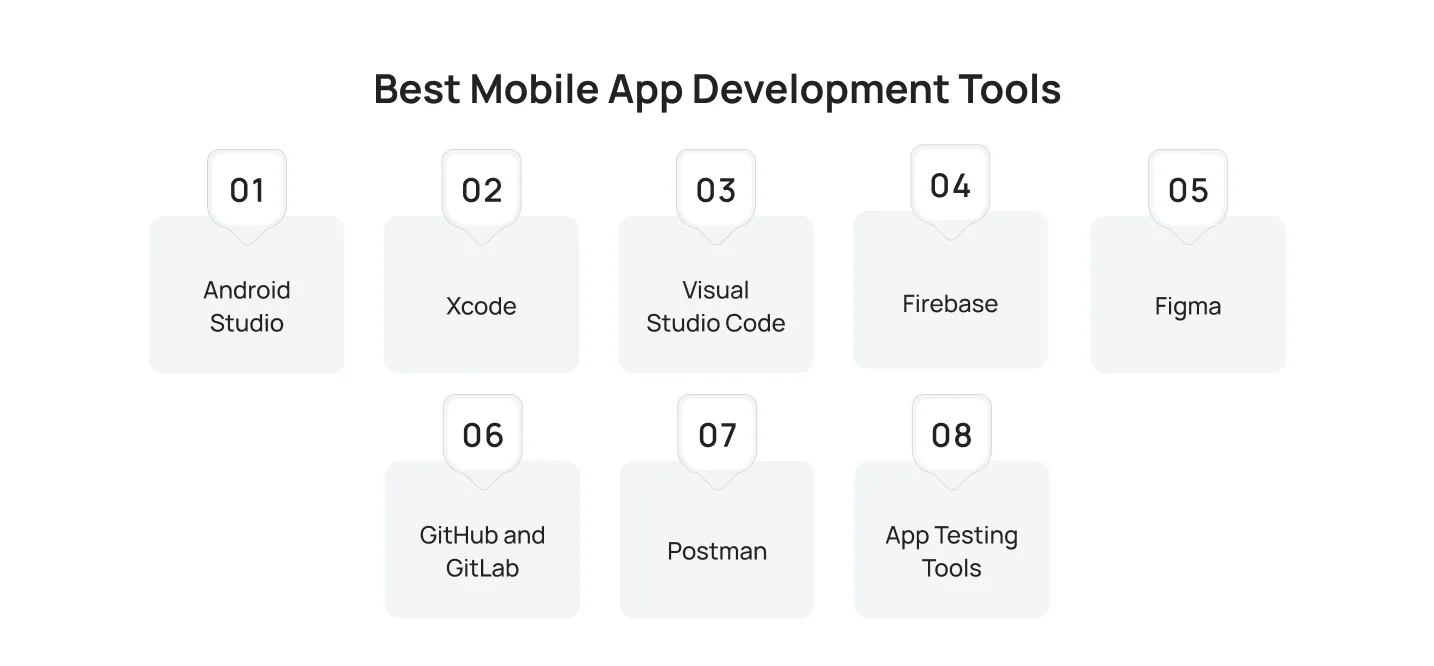
The right mobile app development tools are what translate great technology choices into working software. Here are the tools used by professional teams in 2026.
Android Studio
Android Studio is Google’s official IDE for Android development. Built on IntelliJ IDEA, it provides a visual layout editor, APK analyzer, device emulator, and tight integration with the Android SDK and Gradle build system. It is the essential environment for native Android development and is also used by Flutter developers for Android-specific configurations.
Xcode
Xcode is Apple’s official development environment for iOS, macOS, watchOS, and tvOS. It includes a visual storyboard editor, a SwiftUI preview canvas, Instruments for performance profiling, and direct device deployment. It runs exclusively on macOS, which means iOS development requires Apple hardware.
Visual Studio Code
VS Code is the most popular code editor in the world and is widely used for React Native, Ionic, and Flutter development. Its enormous extension marketplace, lightweight footprint, and excellent TypeScript and Dart language server integrations make it a versatile choice across multiple mobile frameworks.
Firebase
Firebase is Google’s comprehensive Backend-as-a-Service platform. For mobile teams, it provides real-time databases, authentication, cloud functions, push notifications, remote config, A/B testing, and crash analytics under one roof. Firebase dramatically reduces backend setup time and slots neatly into any modern mobile app technology stack.
Figma
Figma is the industry-standard tool for UI/UX design and developer handoff. With its collaborative design system capabilities, component libraries, and developer inspect mode, Figma bridges the gap between designers and mobile developers and is the most commonly used design tool in mobile product teams.
GitHub and GitLab
Version control is foundational. GitHub and GitLab both offer Git-based version control with robust CI/CD pipeline capabilities, pull request workflows, code review features, and integrations with the major cloud providers. Most professional mobile teams use one of these platforms at the core of their development workflow.
Postman
Postman is the leading API testing and documentation tool. Mobile developers use it to test backend endpoints, mock API responses during development, and document APIs for team-wide consumption. It integrates with CI pipelines to run automated API regression tests on every build.
App Testing Tools
Professional mobile apps go through multiple layers of testing:
- Unit testing: JUnit (Android), XCTest (iOS), Jest (React Native)
- UI testing: Espresso (Android), XCUITest (iOS), Detox (React Native)
- Device farms: BrowserStack, Firebase Test Lab — real device testing across hundreds of devices
- Beta distribution: TestFlight (iOS), Firebase App Distribution (Android/iOS)
Native vs Cross-Platform App Development
| Dimension | Native | Cross-platform |
| Performance | Best-in-class
Unmatched for heavy graphics, animations, and low-level hardware access. |
Near-native for most apps
Flutter delivers 60fps on mid-range devices. React Native’s New Architecture removes most JS bridge bottlenecks. For social, e-commerce, and productivity apps, the gap is invisible to users. |
| Development cost | Higher
Two separate codebases = two teams or a team working twice as long. Typically 60–100% more than cross-platform. |
Lower — 60–100% less
One team ships to both iOS and Android simultaneously. Meaningful savings for startups and mid-sized companies. |
| Development speed | Slower
Two codebases mean two feature implementation cycles and two QA passes for every release. |
3–6 weeks faster for an MVP
Flutter’s hot reload reflects UI changes in under a second. A single PR covers both platforms. |
| Code maintenance | More complex
Bug fixes, security patches, and OS compatibility updates must be applied and tested in two separate codebases. |
40–50% less overhead
Write once, test on both platforms. A single team owns the full codebase long-term. |
Mobile App Development Lifecycle Explained
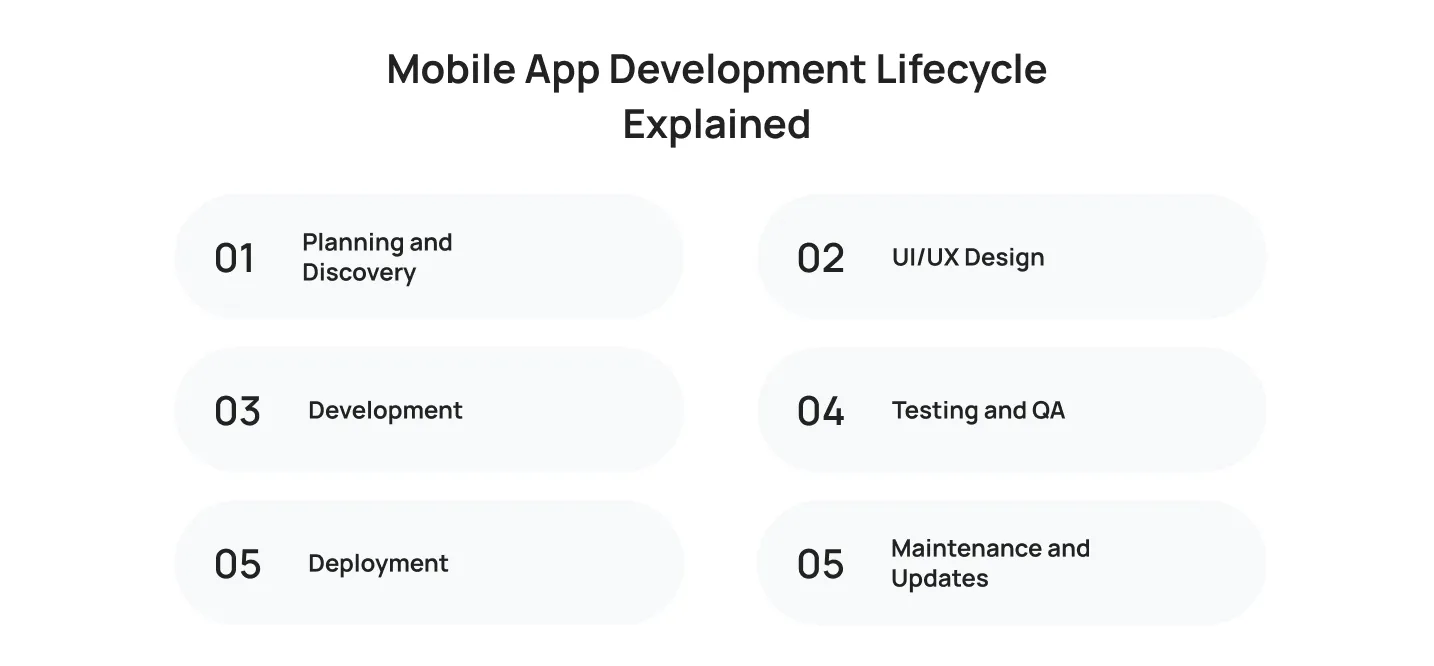
Understanding the mobile app development lifecycle helps you choose the right technologies, frameworks, and tools at every stage of building a successful app. Each phase has unique technical requirements that influence your project’s quality, timeline, and long-term success.
Planning and Discovery
Every successful app begins with a clear strategy. This phase defines your business goals, target audience, core features, and technical requirements, creating a roadmap for the entire development process.
UI/UX Design
Designers turn ideas into wireframes, prototypes, and polished interfaces using tools like Figma. A well-designed user experience ensures the app is intuitive while aligning with the chosen development framework.
Development
Developers build the app’s frontend, backend, and integrations using the selected programming languages, frameworks, and cloud services. Most teams follow Agile development to deliver features through continuous iterations.
Testing and QA
Before launch, the app undergoes comprehensive testing to identify bugs, validate performance, and ensure compatibility across different devices and operating systems. A strong QA process helps deliver a reliable user experience.
Deployment
Once testing is complete, the app is submitted to the App Store and Google Play. Automated deployment pipelines simplify releases and support beta testing before the public launch.
Maintenance and Updates
Launching an app is only the beginning. Regular updates, security patches, performance improvements, and new features keep the application compatible with evolving platforms and changing user expectations.
How to Choose the Right Mobile App Development Technology
Choose Based on App Type
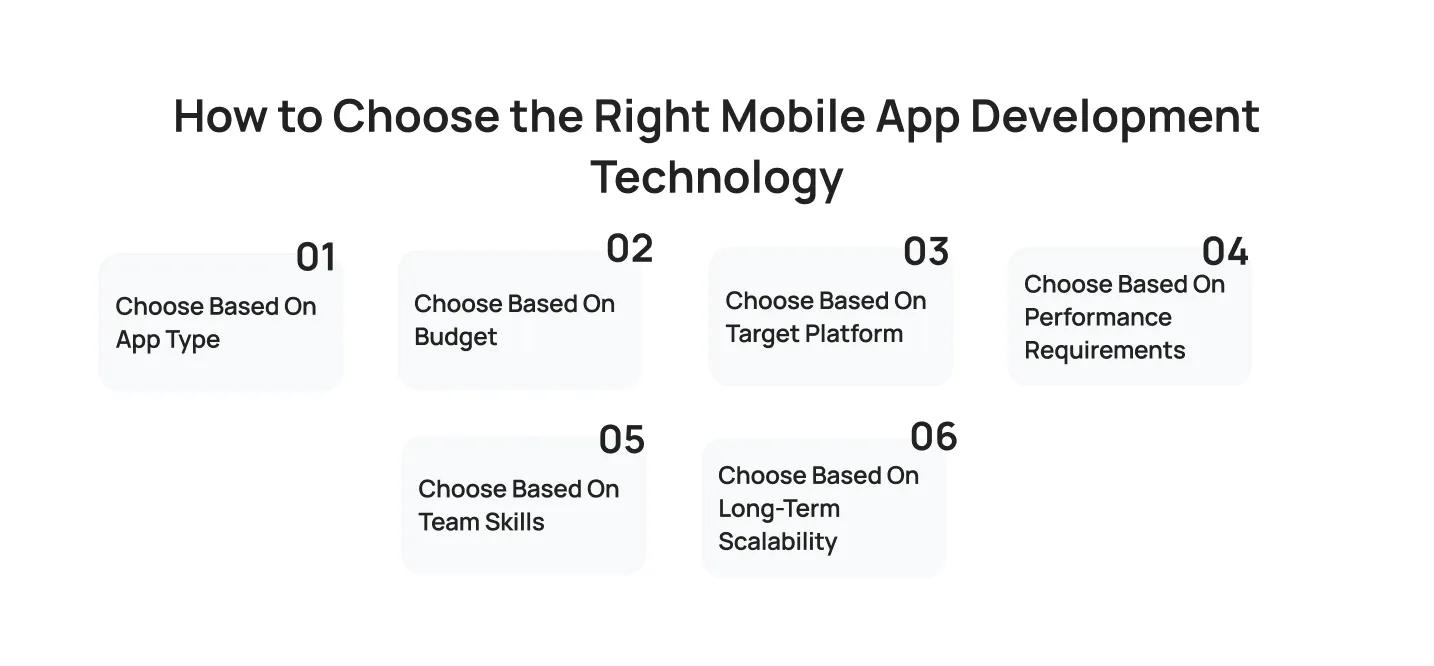
A gaming app with real-time graphics and physics has fundamentally different requirements from a recipe app or a corporate HR tool. Map your app’s feature requirements to a framework’s strengths before committing to a stack.
Choose Based on Budget
If budget is the primary constraint, cross-platform frameworks (Flutter or React Native) are almost always the right starting point. A well-structured Flutter codebase can support both platforms with a team of 3–4 engineers, whereas achieving the same with separate native teams often requires 6–8.
Choose Based on Target Platform
If you are targeting Android only (common in developing markets where Android dominates), native Kotlin + Jetpack Compose with Android Studio is the clear choice. If you are targeting iOS-first, Swift + SwiftUI is best. If you need both from day one, cross-platform wins on cost and speed.
Choose Based on Performance Requirements
Apps requiring frame-perfect animations, real-time sensor data, or complex computations should lean toward native programming languages and frameworks. For apps where data display and user interaction are the primary activities, the majority of apps can thrive on Flutter or React Native.
Choose Based on Team Skills
The best technology is often the one your team already knows well. A team of experienced React developers will ship a React Native app faster and with fewer bugs than they would with Flutter, even if Flutter might theoretically be the stronger framework for that project. Team expertise is a real and significant factor in technology selection.
Choose Based on Long-Term Scalability
Consider whether the framework has strong commercial backing, an active community, and a clear long-term roadmap. Flutter (Google), React Native (Meta), and Kotlin Multiplatform (JetBrains + Google) all meet this bar. More niche or community-maintained frameworks carry higher long-term risk.
Best Technology Stack Examples for Different Mobile Apps
e-commerce Mobile App Technology Stack
- Frontend: Flutter (cross-platform) or Swift/Kotlin (native)
- Backend: Node.js + GraphQL or Shopify Storefront API
- Database: PostgreSQL + Redis for caching
- Payments: Stripe or Braintree
- Search: Algolia or Elasticsearch
- Analytics: Mixpanel + Firebase Analytics
Food Delivery App Technology Stack
- Frontend: React Native or Flutter
- Backend: Node.js or Go (low-latency APIs for real-time tracking)
- Database: PostgreSQL + MongoDB
- Real-time: Firebase Realtime DB or WebSockets for order tracking
- Maps: Google Maps Platform
- Payments: Stripe + Apple Pay / Google Pay
Healthcare App Technology Stack
- Frontend: Swift (iOS) / Kotlin (Android) for native, or Flutter for cross-platform
- Backend: Python (Django/FastAPI) or Node.js
- Database: PostgreSQL with encrypted storage
- Security: HIPAA-compliant hosting (AWS GovCloud, Azure Health Data Services)
- EHR Integration: HL7 FHIR APIs
- Authentication: Biometric + OAuth 2.0
Fintech App Technology Stack
- Frontend: React Native or native Swift/Kotlin
- Backend: Go or Java Spring Boot (high performance, strongly typed)
- Database: PostgreSQL + Redis
- Security: Certificate pinning, AES-256 encryption, PCI DSS compliance
- Payments: Plaid (bank linking), Stripe Connect
- Fraud Detection: AI-powered anomaly detection layer
Social Media App Technology Stack
- Frontend: React Native or Flutter
- Backend: Node.js + GraphQL
- Database: Cassandra (for high-write-throughput feeds) + Redis
- Media Storage: AWS S3 + CloudFront CDN
- Real-time: WebSockets or Socket.IO for live notifications
- AI/ML: Content recommendation engine, moderation AI
Business App Technology Stack
- Frontend: .NET MAUI or Flutter
- Backend: .NET Core or Node.js
- Database: Microsoft Azure SQL or PostgreSQL
- Auth: Azure Active Directory / Okta
- Analytics: Power BI-embedded
- Cloud: Microsoft Azure
AI in Mobile App Development: Real-World Use Cases
AI in mobile app development has moved well beyond a buzzword. Around 60% of mobile apps already integrate AI features as of 2026, and on-device AI inference is enabling experiences that would have required a server round-trip just two years ago. Here is where AI is making a measurable impact in production mobile apps today.

AI Chatbots
Conversational AI features powered by large language models accessed via API or running on-device via Apple’s Core ML or Google’s ML Kit are now standard in customer service, banking, healthcare, and e-commerce apps. They reduce support ticket volume by an average of 30% while improving response times from hours to seconds.
Predictive Analytics
Fintech and retail apps use predictive models to surface the right content, product, or action at the right moment. By analysing past user behaviour, these models can predict churn risk, next purchase likelihood, and optimal notification timing, driving meaningful lifts in retention and conversion.
Recommendation Engines
Streaming, social, and e-commerce apps live and die by recommendation quality. On-device collaborative filtering models can now personalise content feeds without sending sensitive behavioural data to a central server, a critical advantage as privacy regulations tighten globally.
Computer Vision
Retail apps use camera-based AI to enable visual search (point your phone at a product, find it in the catalogue). Healthcare apps use it for skin condition screening. Logistics apps use it for package barcode scanning and damage detection. All of these features run on-device with sub-100ms latency using modern mobile AI inference engines.
Voice Assistants
Voice interfaces are becoming standard in automotive, accessibility-focused, and smart home apps. On-device speech recognition models from OpenAI (Whisper), Apple (Siri SDK), and Google (Speech-to-Text) allow apps to process voice commands without an internet connection, a critical requirement for field service, healthcare, and safety applications.
Common Mistakes When Choosing Mobile App Development Technologies
Selecting the right mobile app development technologies requires more than following industry trends. Avoiding these common mistakes can help reduce development costs, improve performance, and support long-term business growth.

Choosing Technology Based on Trends Alone
Popular frameworks often generate significant attention, but the latest technology is not always the right fit. Evaluate each solution based on your business objectives, technical requirements, team expertise, and long-term support rather than market hype.
Overlooking Scalability
An application that performs well during its initial launch may struggle as user demand grows. Building scalability into your architecture from the start helps your app accommodate increasing traffic, data, and feature expansion without requiring major redevelopment.
Treating Security as an Afterthought
Security should be integrated into every stage of development, not added after launch. Selecting secure authentication methods, data storage solutions, and encryption practices from the beginning helps protect user data and reduces future risks.
Choosing the Wrong Development Platform
Selecting a platform without understanding your target audience can limit your app’s reach and return on investment. Analyze user demographics, device preferences, and business goals before deciding between Android, iOS, or cross-platform development.
Ignoring Long-Term Maintenance
Launching an app is only the beginning. Choosing technologies with strong community support, regular updates, and an active developer ecosystem makes future maintenance, feature enhancements, and scaling significantly more manageable.
Future Trends in Mobile Application Development Technologies
Mobile app development continues to evolve as new technologies reshape how applications are built and delivered. Some of the key trends driving the industry forward include:

- AI-powered development tools that accelerate coding, testing, debugging, and overall developer productivity.
- The continued growth of cross-platform frameworks like Flutter and React Native for faster, more cost-effective app development.
- Increasing adoption of Kotlin Multiplatform for sharing business logic across Android and iOS while maintaining native experiences.
- Greater use of cloud-native architectures, including serverless computing and microservices, to improve scalability and performance.
- A stronger focus on security-first development, with advanced authentication, data protection, and compliance integrated throughout the app development lifecycle.
How Cubix Helps Clients Choose the Right Mobile App Technology
Choosing the right mobile app technology requires balancing business goals, user expectations, scalability, and long-term maintenance. With more than 17 years of experience, we help businesses make informed technology decisions by aligning the right frameworks, programming languages, and development tools with each project’s unique requirements.
Since 2008, Cubix has delivered 1,300+ successful projects with a team of 350+ experts, serving startups, enterprises, and global brands across industries including healthcare, fintech, e-commerce, gaming, and enterprise software.
Final Thought
The mobile app market in 2026 rewards speed, quality, and scalability in equal measure. Choosing the right mobile application development technologies is not a one-time decision. It is a strategic investment that influences your app’s performance, development costs, and long-term growth.
The frameworks, programming languages, and mobile app development tools you choose determine how efficiently your team builds, maintains, and scales your product. Whether you’re a startup founder, CTO, or product leader, the key is to understand your users, define your requirements, choose proven technologies with strong community support, and plan for long-term maintenance from the start.
The apps that succeed are not always the most technically sophisticated. They are the ones built on the right foundation, implemented thoughtfully, and maintained consistently.
Frequently Asked Questions
1. What are mobile application development technologies?
Mobile application development technologies are the programming languages, frameworks for mobile app development, development tools, backend services, databases, and cloud infrastructure that developers use to build, test, and deploy mobile apps on iOS and Android platforms.
2. Which framework is best for mobile app development?
In 2026, Flutter is the most widely adopted cross-platform framework for new projects, offering excellent performance, a rich widget library, and a single codebase for iOS and Android. React Native is the leading alternative for JavaScript-heavy teams. For native development, Kotlin (Android) and Swift (iOS) remain the best programming languages and native frameworks.
3. What is the best mobile app technology stack?
There is no single “best” mobile app technology stack, it depends on your app type, budget, and team. A widely adopted modern stack for a cross-platform consumer app is: Flutter (frontend) + Node.js or Firebase (backend) + PostgreSQL or Firestore (database) + AWS or GCP (hosting) + Sentry (error monitoring) + Mixpanel (analytics).
4. Is Android Studio necessary for Android development?
Yes, for native Android development, Android Studio is the official and most capable IDE available. It provides essential features including a device emulator, Gradle build integration, and deep SDK support. Flutter developers also use Android Studio for Android-specific configurations, though VS Code is a popular lighter alternative.
5. Which is better, native or cross-platform development?
Native apps offer superior performance and deeper platform integration, while cross-platform development delivers lower cost, faster delivery, and easier maintenance. For most startups and mid-market products, cross-platform (Flutter or React Native) delivers the best value. Native development is the right choice for apps with extreme performance demands or deep hardware integrations.
6. What tools are used to develop mobile apps?
The most widely used mobile app development tools in 2026 include Android Studio (Android development), Xcode (iOS development), Visual Studio Code (cross-platform frameworks), Firebase (backend and analytics), Figma (UI/UX design), GitHub/GitLab (version control), Postman (API testing), and BrowserStack or Firebase Test Lab (device testing).