Key Takeaways
- Voice AI blends speech recognition, natural language understanding, and text-to-speech into one system.
- Large Language Models like GPT and Gemini now power smarter, more natural voice interactions.
- Building voice AI into an app follows a clear five-step process, from use case to launch.
- Popular tools include Google Speech-to-Text, AWS Transcribe, Apple Speech, and OpenAI Whisper.
- Costs, privacy, and platform choice (iOS vs Android) all shape how voice AI gets built.
Speaking is about three times faster than typing. That single fact explains why voice AI is showing up in more apps every year. People want speed. They want convenience. And they want to use their phones without always looking at them.
Mobile apps are catching up fast. Banking apps let you check your balance by voice. Fitness apps track your workout while your hands are busy. Navigation apps read directions out loud so you never take your eyes off the road. None of this happens by accident. It takes real engineering, the right APIs, and a clear plan.
This guide breaks down how voice AI actually works inside mobile apps. We’ll cover the tech stack, the build process, real costs, and the security questions every team should ask. If you’re exploring voice AI for mobile apps, whether as a founder or a product lead, this is your starting point. Companies like Cubix build these systems daily, so we’ll also share what that process looks like in practice.
Want to discuss your project? Our experts are just a click away.
Contact UsWhat Is Voice AI in Mobile Apps?
AI voice in mobile applications refers to any system that lets users talk to an app and get a useful response back. Think Siri, Google Assistant, or a custom voice feature built into a banking or healthcare app.
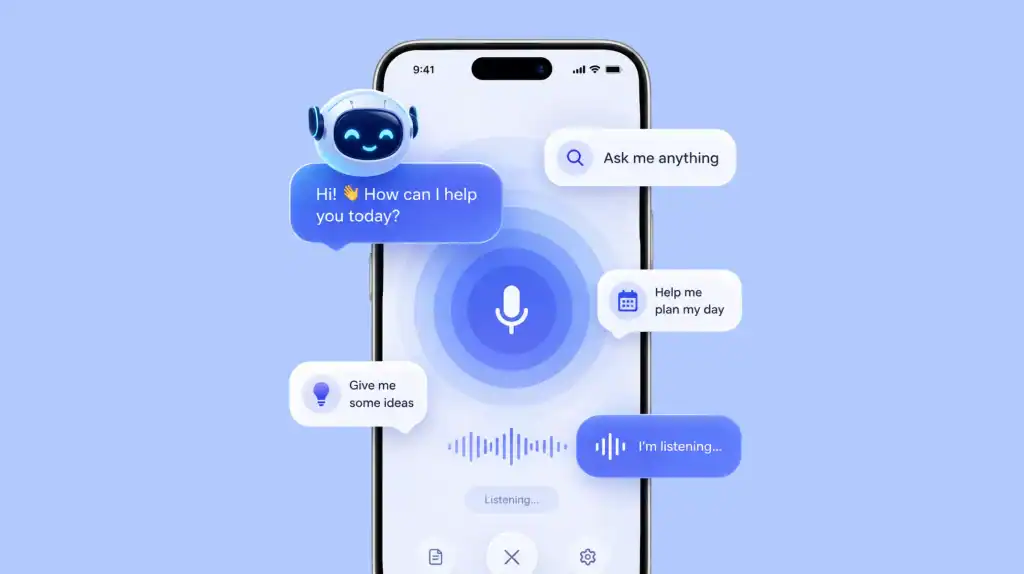
Voice AI combines three things. It listens to speech. It understands what you meant. Then it responds, either with text, an action, or spoken words back. That’s the whole loop.
How It’s Different from Basic Voice Commands
Older voice commands worked off fixed phrases. Say “call mom,” and it is called mom. Say anything slightly different, and it failed. Modern voice-enabled mobile apps use AI models that understand context, intent, and even follow-up questions. You don’t need the exact phrase anymore.
Everyday examples include:
- Asking a banking app for your last five transactions
- Telling a food delivery app to reorder your usual meal
- Dictating a note instead of typing it
- Asking a fitness app to log a workout hands-free
A recent industry estimate puts the global voice assistant market on track to grow from around $4.59 billion in 2022 to roughly $30.72 billion by 2030. That’s a compound annual growth rate near 31%. Apps that ignore voice are going to feel behind soon.
How Voice AI Actually Works
Every voice interaction moves through three main stages. Understanding them makes the rest of this guide much easier to follow.
Speech-to-Text (ASR)
Automatic Speech Recognition, or ASR, turns spoken words into text. This is the “listening” part. It has to handle accents, background noise, and speed of speech.
Natural Language Understanding (NLU)
Once your words become text, the app needs to figure out what you actually meant. This is where natural language processing and NLU come in. NLU identifies intent, meaning it decides whether you’re asking a question, giving a command, or just chatting.
Text-to-Speech (TTS)
If the app talks back, TTS converts the response into natural-sounding audio. Good TTS doesn’t sound robotic anymore. It has tone, pacing, and even emotion in some cases.
| Component | What It Does | Common Tools |
| ASR (Speech-to-Text) | Converts spoken audio into text | Google Speech-to-Text, OpenAI Whisper, Apple Speech |
| NLU | Understands intent and context | GPT, Gemini, Rasa, Dialogflow |
| TTS (Text-to-Speech) | Converts text back into natural speech | Amazon Polly, ElevenLabs, Google WaveNet |
Modern ASR systems like Whisper report error rates in the single digits under normal audio conditions, which is a huge jump from voice tech a decade ago. That accuracy is a big reason speech-to-text and text-to-speech features finally feel usable in daily life.
Why Mobile Apps Are Going Hands-Free
Hands-free isn’t a gimmick anymore. It solves real problems.
- Safety: Drivers can send messages or get directions without touching the phone
- Accessibility: Users with visual or motor impairments can navigate apps independently
- Speed: Speaking is roughly three times faster than typing on a small screen
- Multitasking: Cooking, exercising, or carrying groceries all get easier with voice control
Industry analysts expect most mobile apps to undergo significant rebuilds in the coming years as users push for AI-first, voice-first design instead of touch-only interfaces. That shift is already visible in banking, retail, and healthcare apps.
Want to see how this fits into the bigger picture? Our post on generative AI in mobile apps covers how AI is reshaping app design beyond just voice.
The Technology Stack Behind Voice AI
Building a real voice assistant in mobile apps takes more than one API. It’s a stack of tools working together.
Large Language Models (GPT, Gemini)
Modern voice assistants lean on LLMs for the “understanding” part. GPT and Gemini can handle open-ended questions, follow-up context, and even multi-step tasks, not just fixed commands.
NLP and NLU Engines
These sit alongside LLMs to extract structured meaning, like dates, locations, or product names, from what a user says.
Speech Recognition Engines
This is the entry point for every voice interaction. Without accurate ASR, nothing downstream works well.
| Platform | Best For | Notes |
| Google Speech-to-Text | Android-first apps | Strong accuracy across languages |
| AWS Transcribe | Enterprise-scale apps | Good for real-time streaming |
| Apple Speech Framework | iOS-native apps | Deep OS-level integration |
| OpenAI Whisper | Cross-platform, open-source | High accuracy, flexible deployment |
| ElevenLabs | Natural TTS output | Popular for realistic voice cloning |
Choosing the right combination depends on your platform, budget, and how much control you need over the model. Teams at ai mobile app development company partners like Cubix usually mix two or three of these tools rather than relying on just one.
For a deeper look at how speech tech is used beyond consumer apps, check out our piece on speech-to-text technology for security.
How to Add Voice AI to a Mobile App (Step-by-Step) 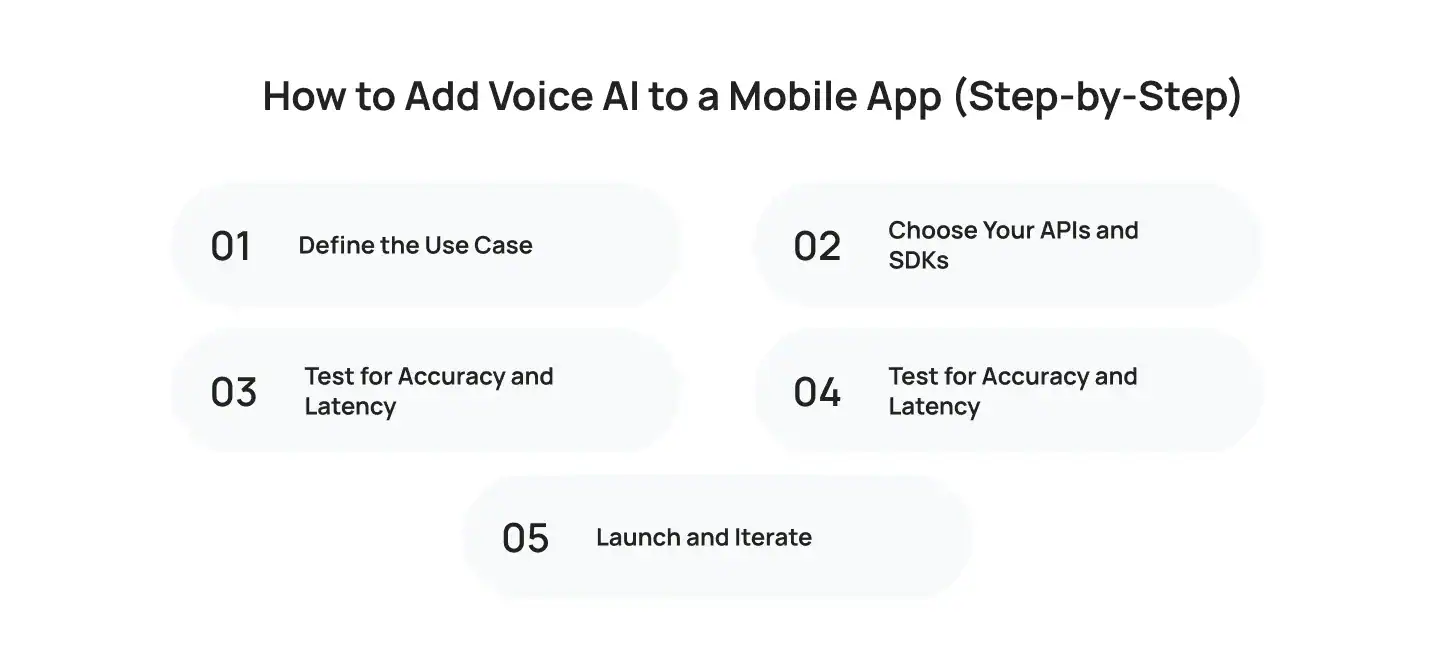
Step 1: Define the Use Case
Don’t add voice just to add it. Ask what problem it solves. Booking a ride? Logging a meal? Reading a message aloud? Get specific.
Step 2: Choose Your APIs and SDKs
Pick your ASR, NLU, and TTS tools based on platform, budget, and language support.
Step 3: Build the NLU Layer
This is where intent recognition happens. It’s the difference between an app that understands “book me a table for two tomorrow” and one that just hears random words.
Step 4: Test for Accuracy and Latency
Real users have accents, background noise, and impatience. Test under real conditions, not just quiet rooms.
Step 5: Launch and Iterate
Voice AI improves with real usage data. Launch with a narrow scope, then expand based on what users actually ask for.
Teams that specialize in mobile application development follow this exact process, refining each stage before moving to the next. Skipping steps usually leads to clunky, frustrating voice features that users abandon fast.
Real-World Use Cases of Voice AI
Voice AI isn’t limited to one industry. Here’s where it’s making the biggest impact right now.
| Industry | Use Case | Benefit |
| Healthcare | Voice-based appointment booking, medication reminders | Faster access, better for elderly or visually impaired users |
| Banking | Balance checks, fund transfers via voice | Reduces manual data entry, adds convenience |
| Retail | Voice product search and reordering | Speeds up shopping, boosts repeat purchases |
| Fitness | Hands-free workout logging | Keeps users engaged mid-exercise |
| Navigation | Turn-by-turn voice directions | Improves driver safety |
In 2026, 35.7% of US adults used a voice assistant for some kind of shopping activity, whether that’s research, list-building, or reordering. Adoption skews young too. Shoppers aged 25 to 34 lead the pack, with weekly voice-shopping rates over 18%, compared to just over 4% for shoppers 55 and older.
Curious how AI shows up across other parts of app development? Our guide on AI in mobile app development covers the bigger landscape.
Cost of Adding Voice AI to Your App
Factors That Affect Cost
Several things move the price up or down:
- Number of supported languages
- Whether you need custom wake words
- Cloud vs on-device processing
- Complexity of the NLU layer
- Ongoing model training and maintenance
Rough Cost Ranges
| Integration Level | What’s Included | Typical Range |
| Basic | Single-language voice commands, off-the-shelf API | Lower cost, faster to launch |
| Mid-tier | Multi-language support, custom intents | Moderate cost, longer build time |
| Advanced | Custom LLM tuning, offline support, emotion detection | Higher cost, longest build time |
Exact numbers vary a lot by scope. A team like Cubix usually starts with a discovery phase to scope the real cost before writing a single line of code, which avoids surprises down the line.
Challenges and Security Considerations
Accuracy and Misheard Commands
Even the best ASR models struggle with heavy accents, slang, or noisy environments. Plan for fallback options when the app mishears a command.
Data Privacy Concerns
Voice data is sensitive. Users are cautious about apps that record and store audio. Clear consent screens and strong encryption matter here.
Offline vs Cloud Processing
Cloud processing is more powerful but needs a connection. On-device processing, powered by edge computing, is faster and more private but has less horsepower. Many apps now use a hybrid approach: simple commands run on-device, complex ones go to the cloud.
Roughly a third of users say privacy concerns are the main reason they hesitate to use voice features regularly, according to multiple industry surveys. That number alone should shape how teams design consent flows.
For more on the tools shaping this space, see our roundup of best generative AI tools.
iOS vs Android: Platform Differences
Voice AI behaves differently depending on the platform.
- iOS: Deep integration with SiriKit and Apple’s Speech framework, but more restrictions on background listening
- Android: More flexibility with Google Assistant integration and third-party SDKs
- Cross-platform: Frameworks like React Native need extra native modules to access full voice capabilities on both platforms
Apple introduced Siri back in 2011, and Google followed with its own assistant a few years later. Both ecosystems have matured a lot since then, but they still require separate implementation work if you want a native feel on each platform.
Want a broader look at the tools involved in building apps like this? Check out our guide on app development technologies and tools.
Why Work With Cubix for Voice AI Integration
Building voice AI isn’t just about picking an API and plugging it in. It takes real planning around use cases, privacy, latency, and platform quirks. Cubix has spent years building custom mobile apps across healthcare, fintech, and retail, many of which now include voice-powered features.
What sets Cubix apart:
- Hands-on experience with ASR, NLU, and TTS integration across iOS and Android
- A track record of building AI voice assistants for mobile apps that actually get used, not just launched
- A discovery-first process that scopes cost and complexity before development starts
- In-house expertise across LLMs like GPT and Gemini, not just off-the-shelf voice SDKs
If you’re weighing whether to build voice AI in-house or bring in a partner, it helps to talk to a team that’s done it before.
Build Your Hands-Free App With Cubix
Voice AI is moving from nice-to-have to expected. Apps that add it early will feel more modern, more accessible, and more convenient to their users.
Cubix works with teams at every stage, from a rough idea to a fully built voice feature ready for launch. If you’re ready to explore what voice AI could look like in your app, our mobile application development team is a good place to start the conversation.
Want to discuss your project? Our experts are just a click away.
Contact UsFrequently Asked Questions
1. What is Voice AI in mobile apps?
Voice AI is technology that lets users talk to a mobile app and get a response, whether that’s an action, information, or spoken reply. It combines speech recognition, natural language understanding, and text-to-speech.
2. How does Voice AI work in a mobile app?
It follows three steps. First, speech-to-text turns your words into text. Next, natural language understanding figures out your intent. Finally, the app responds through text, action, or synthesized speech.
3. How do you add Voice AI to a mobile app?
Start by defining a clear use case. Then choose your ASR, NLU, and TTS tools, build out the intent recognition layer, test thoroughly with real users, and launch with room to improve based on feedback.
4. What APIs are used for Voice AI?
Common choices include Google Speech-to-Text, AWS Transcribe, Apple’s Speech framework, OpenAI Whisper for recognition, and tools like Amazon Polly or ElevenLabs for text-to-speech. GPT and Gemini often power the understanding layer.
5. What is the difference between speech-to-text and text-to-speech?
Speech-to-text converts spoken words into written text. Text-to-speech does the opposite, turning written text into spoken audio. Most voice assistants use both.
6. Can Voice AI work offline in mobile apps?
Yes, to an extent. On-device models can handle simple commands without an internet connection. More complex requests usually still need cloud processing for full accuracy.
7. How much does it cost to add Voice AI to an app?
Costs vary based on language support, customization, and whether processing happens on-device or in the cloud. A basic integration costs far less than a fully custom, multi-language, offline-capable system.
8. Can Voice AI be used in both Android and iOS apps?
Yes, but each platform has its own tools and limitations. iOS relies on SiriKit and Apple’s Speech framework, while Android offers more flexibility through Google Assistant and third-party SDKs.
9. Is Voice AI secure for mobile applications?
It can be, if built correctly. Strong encryption, clear user consent, and minimal data retention are key. Teams should always be transparent about how voice data gets stored and used.