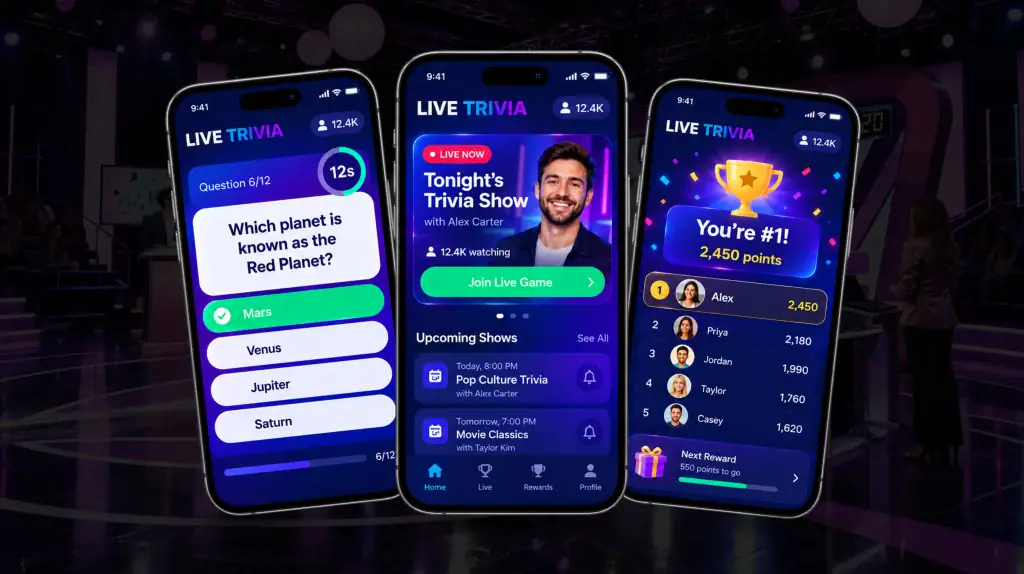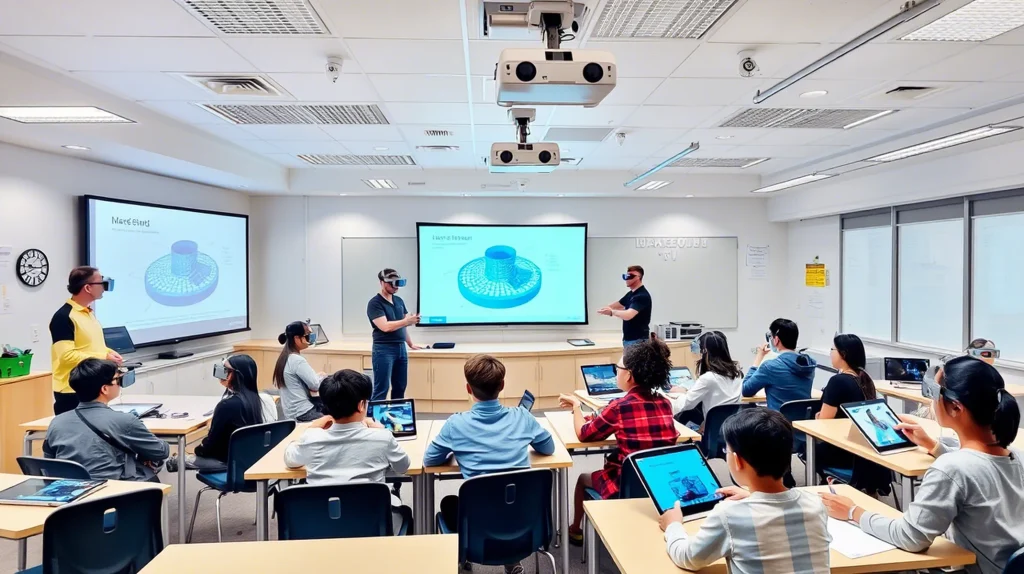
The benefits of AR in education go beyond making lessons look more interactive. Augmented reality (AR) places digital information, 3D objects, animations, or simulations into a learner’s physical environment, allowing students to explore concepts while still seeing the world around them.
That changes what students can do with information. Instead of only reading about a molecule, machine, historical structure, or anatomical system, they can examine a digital representation, manipulate it, and view it from different angles.
Research supports this potential, although the results vary by subject and instructional design. A meta-analysis of 64 quantitative studies involving 4,705 students found a medium overall effect of AR on learning gains.
The important point is that AR does not improve education simply because it is immersive. Its value comes from visualization, interaction, contextual learning, and practical exploration.
Key Takeaways
- AR makes complex concepts easier to visualize through interactive 3D models, animations, and digital overlays.
- Interactive AR can increase student engagement by encouraging exploration, manipulation, and active learning.
- AR can support learning gains and retention, although results vary by subject, instructional design, and implementation.
- AR enables practical training in areas such as medicine, engineering, technical education, and laboratory instruction.
- STEM students can explore systems and spatial concepts through interactive 3D models and simulations.
- AR can support flexible and accessible learning, provided the experience is designed around different learner needs.
- Effective AR connects classroom concepts with real-world applications instead of using immersive technology for novelty.
- Successful implementation starts with a clear learning objective, followed by the right interaction, device, and assessment.
Got AR idea worth building? Let’s make it happen
Contact UsWhat Is Augmented Reality in Education?
Augmented reality in education overlays digital content onto a student’s physical environment. A smartphone or tablet camera can recognize an image, surface, location, or other visual cue and place digital content within the learner’s view.
Educational AR can use marker-based AR, where a QR code, image, or other marker triggers content, or markerless AR, which uses features such as surfaces, cameras, sensors, and spatial tracking to position digital objects. Depending on the application, students may interact with 3D models, animations, labels, spatial annotations, or simulations.
This makes AR particularly useful when the subject involves objects or relationships that are difficult to represent with a textbook or flat image.
AR and VR are related but solve different problems:
| AR | VR |
| Adds digital content to the physical environment | Replaces the physical environment with a virtual one |
| Can work through smartphones, tablets, or AR devices | Typically requires a VR headset |
| Keeps students aware of their surroundings | Places students inside a virtual environment |
| Useful for contextual visualization and interaction | Useful for fully simulated environments |
For schools and colleges, the choice depends on the learning objective, available hardware, and type of experience required.
What Are the Benefits of AR in Education?
| Benefit | Educational value |
| 1. Interactive visualization | Makes abstract concepts easier to see and explore |
| 2. Student engagement | Encourages active interaction with learning material |
| 3. Learning and retention | Can reinforce understanding through contextual interaction |
| 4. Practical learning | Creates controlled environments for practice and simulation |
| 5. STEM learning | Helps students explore spatial and scientific concepts in 3D |
| 6. Accessibility | Provides additional ways to access and interact with content |
| 7. Real-world application | Connects theoretical knowledge with practical contexts |
The benefits are not automatic. An AR activity still needs a clear educational purpose, appropriate content, and an interaction model that helps students achieve the intended learning outcome.
1. AR Makes Abstract Concepts Easier to Visualize
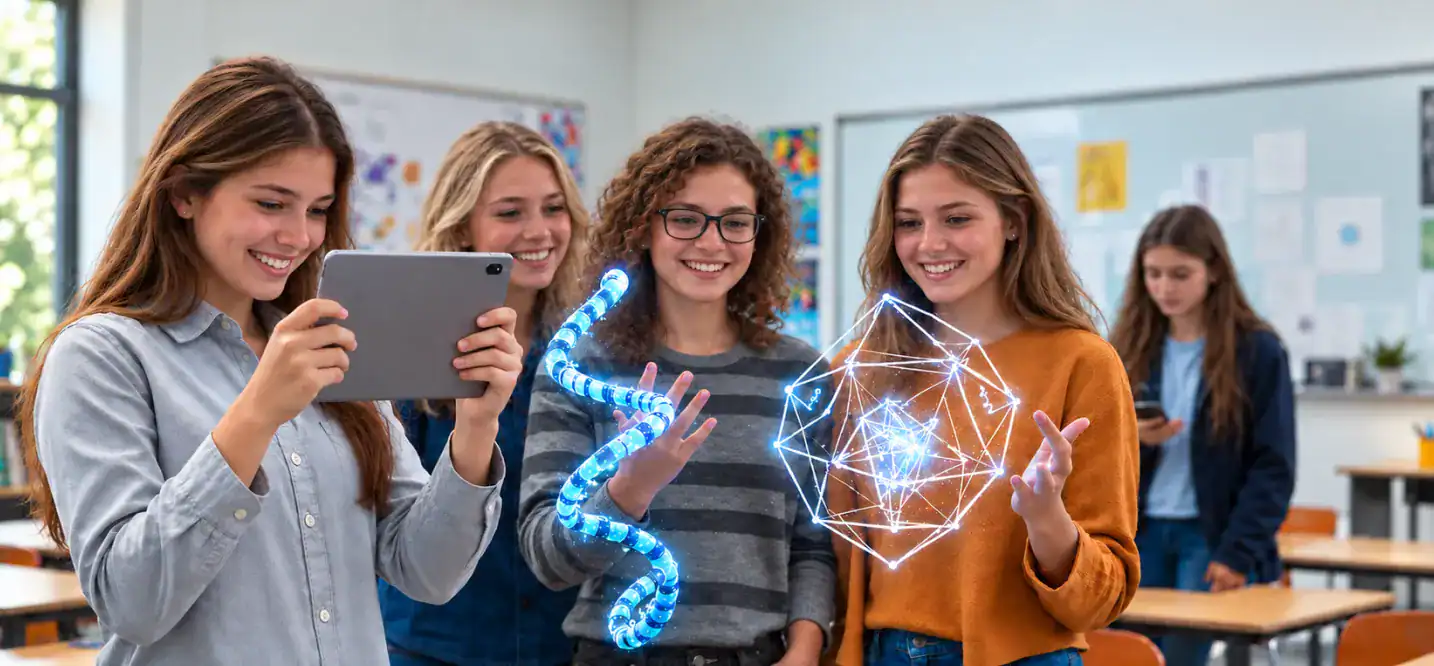
One of the clearest benefits of augmented reality for students is the ability to turn difficult-to-picture information into something they can examine spatially.
A textbook can show a diagram of a molecule, human heart, geometric shape, or mechanical assembly. An AR application can place a 3D representation in the learner’s environment and allow them to rotate, zoom, inspect, or isolate individual components.
That distinction matters for subjects where spatial relationships are central to understanding.
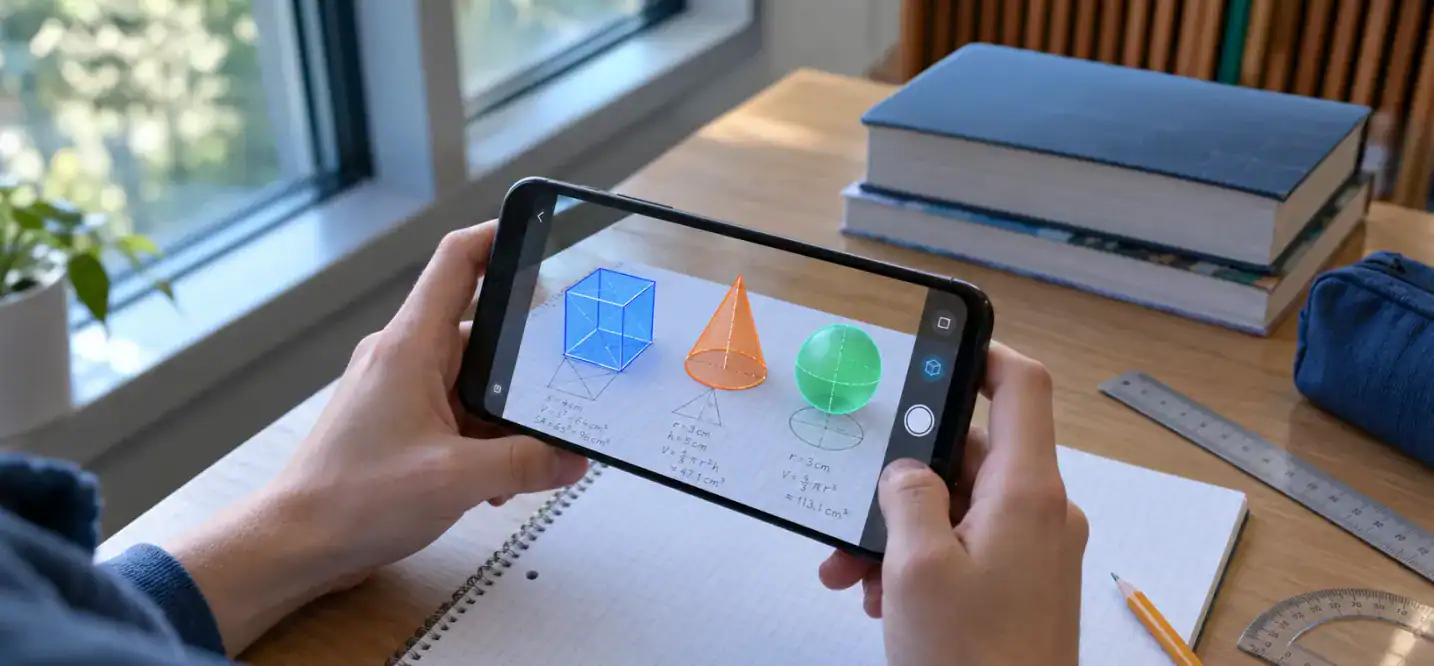
For example, a biology student could examine a 3D cell and identify its structures. A chemistry student could explore molecular geometry. A mathematics student could manipulate a three-dimensional shape rather than relying solely on a two-dimensional diagram. An engineering student could inspect how components fit together.
The same principle can apply to history. Instead of looking at a static photograph of a historical structure, students could explore a reconstructed model and examine architectural details from different viewpoints.
This creates an interactive 3D visualization education experience without requiring every concept to be physically reproduced in the classroom.
The educational advantage is not that a 3D model automatically produces better results. Rather, AR gives students another way to process information. They can move from passive observation to exploration, which can be particularly useful when the concept depends on scale, position, structure, or movement.
That is where AR learning differs from simply adding more multimedia to a lesson. The student can interact with the representation itself.
2. AR Increases Student Engagement Through Interaction
Seeing a 3D object is useful. Being able to interact with it changes the learning activity.
AR can let students manipulate digital objects, explore different outcomes, follow visual instructions, solve spatial problems, or work together around the same activity. Instead of only receiving information from a teacher or screen, students have opportunities to make decisions and investigate the material.
That supports active learning, where students participate in the learning process rather than simply consume information.
Research and educational reviews frequently identify engagement and motivation as potential benefits of AR, while studies also describe collaborative and interactive learning activities.
For example, a teacher could use an AR model during a science lesson and ask students to identify structures, predict what happens when a variable changes, and explain their observations to classmates. A history class could use location-based AR to investigate a local landmark and compare its current appearance with historical information.
The distinction between engagement and learning outcome is important:
Engagement describes how students interact with a learning activity. Learning outcomes describe what they actually learn or can do afterward.
A lesson can be exciting without producing meaningful understanding. Good AR education therefore uses interaction to support a defined learning objective, rather than treating interactivity as the objective itself.
AR can also support collaboration. Students can work in pairs or groups to examine models, solve problems, compare observations, or complete guided activities. That makes classroom interaction part of the learning experience rather than an afterthought.
3. AR Can Support Learning Gains and Knowledge Retention
The potential for AR education learning outcomes is one of the most important reasons to look beyond engagement.
AR can connect information with visual and spatial cues. A student who explores a 3D anatomical structure, for example, may associate terminology with the location and shape of that structure. Similarly, an engineering student can connect a component’s name with its position inside a larger assembly.
These associations may help students revisit concepts, compare parts, and build understanding through repeated exploration.
Research, however, does not support a simple claim that AR always improves knowledge retention.
A large meta-analysis of 64 quantitative studies found a medium effect on students’ learning gains, but the researchers also examined variables such as the learning environment, subject domain, learner type, and comparison treatment.
Anatomy provides a useful example of why context matters. A 2021 meta-analysis of five studies involving 508 participants found no significant difference in anatomy test scores between AR and traditional teaching methods.
More recent evidence is broader. A 2024 meta-analysis covering 27 experimental studies and 2,199 health sciences students found that XR technologies, including AR and immersive VR, produced higher anatomy knowledge gains than traditional approaches overall. However, a separate analysis of AR in another 2024 meta-analysis found no significant effect on anatomy knowledge scores.
The takeaway is straightforward: AR can support learning gains and knowledge retention, but the effect depends on how, where, and why it is used. The technology should reinforce comprehension and recall rather than be treated as a substitute for sound teaching.
4. AR Enables Hands-On Practice Without the Same Physical Constraints
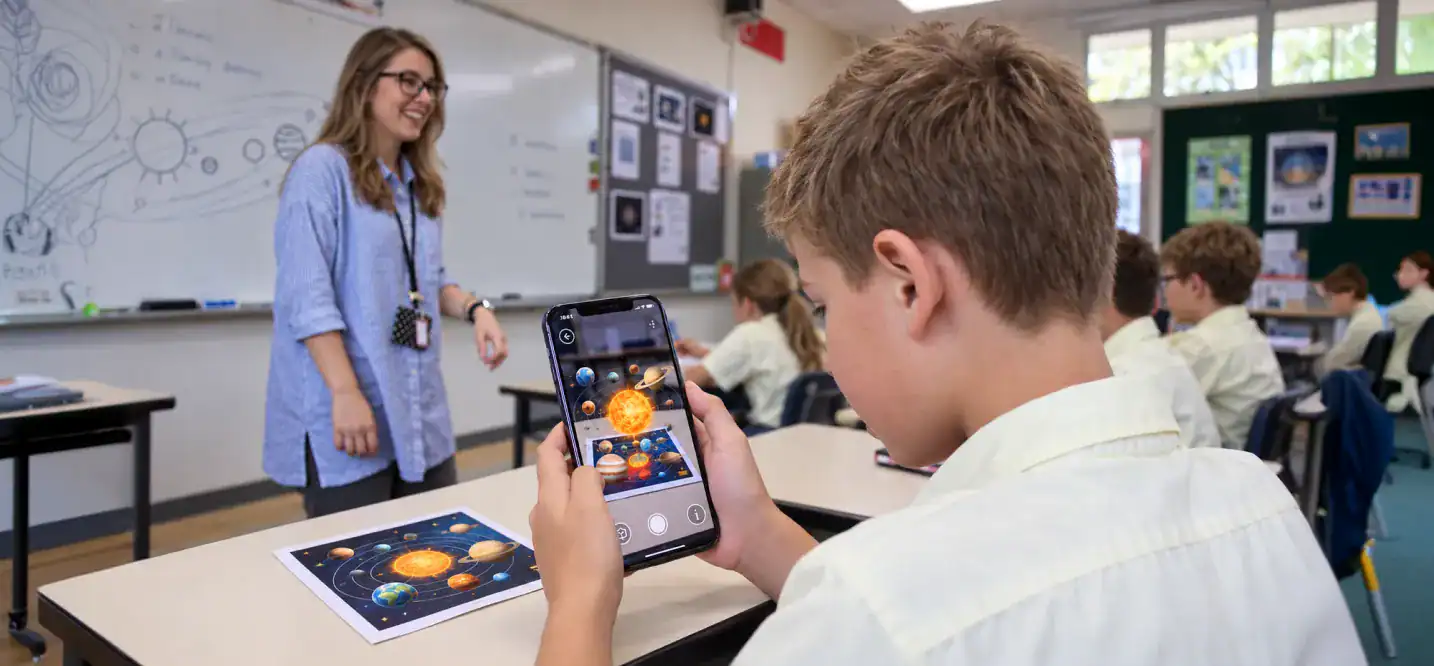
AR becomes particularly useful when students need to practice a task, inspect equipment, or understand a procedure that is expensive, difficult, unsafe, or impractical to reproduce repeatedly.
An AR application can place instructions, labels, animations, or digital components over a physical object. Students can then follow a sequence, inspect individual parts, or rehearse a process with guidance.
This can support hands-on practical skills training in areas such as:
- Equipment operation
- Assembly and maintenance
- Technical procedures
- Laboratory instruction
- Safety training
- Clinical education
The value is not that AR replaces physical practice. In many cases, it can provide an additional practice layer before or alongside real-world instruction.
AR Medical and Healthcare Education
Medical education is one of the most researched areas for AR because anatomy and clinical procedures depend heavily on spatial understanding.
AR virtual anatomy learning can place digital anatomical structures into the learner’s environment, allowing students to inspect relationships between organs, tissues, and other structures. Other applications can support clinical skills, medical visualization, and procedure guidance.
The evidence remains mixed. A systematic review of AR in anatomy education found applications across anatomy teaching, classroom learning, image training, and clinical skills simulation, while also identifying limitations in the quality and quantity of available evidence.
For institutions exploring AR medical and healthcare education, that distinction matters. AR can add another layer to medical education simulation, but it should complement appropriate instruction, assessment, and supervised clinical practice.
5. AR Strengthens STEM Learning With Interactive 3D Models
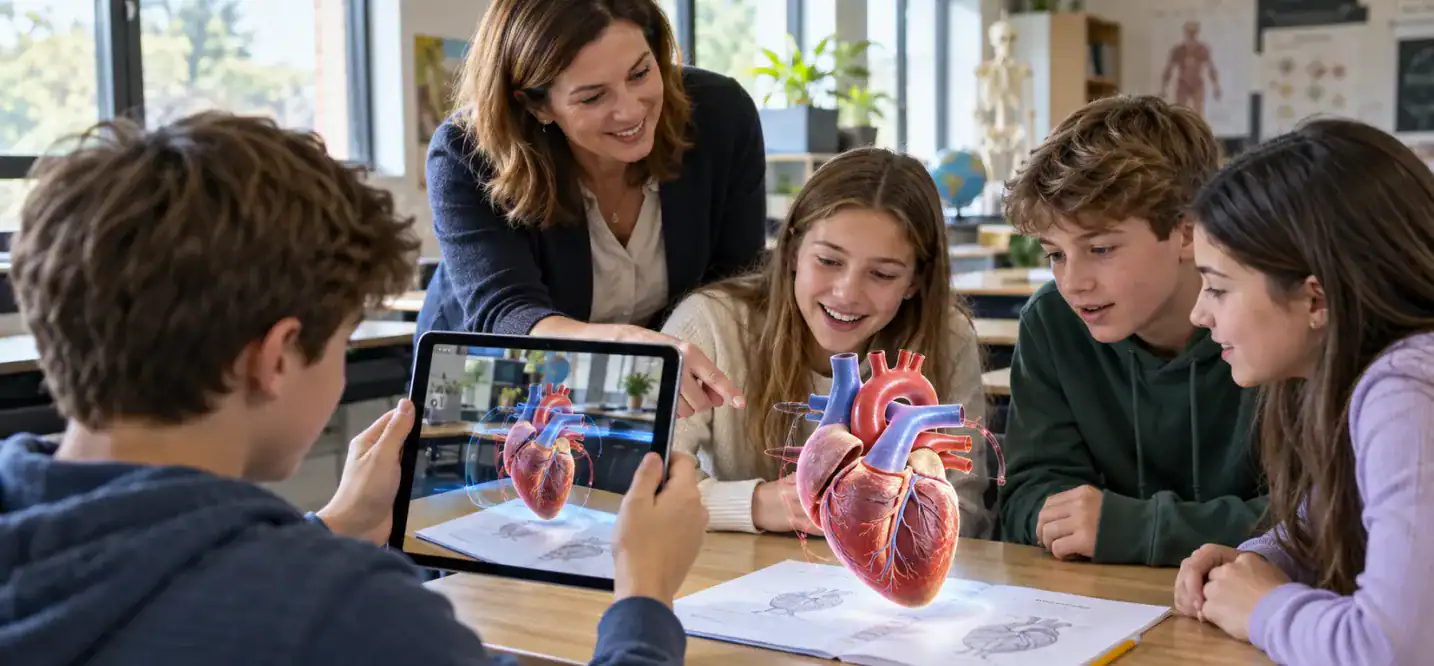
Augmented reality STEM education is a natural fit because science, technology, engineering, and mathematics often involve structures, systems, processes, and spatial relationships that are difficult to demonstrate with flat media.
Where AR Fits in STEM Education
| Subject | Example AR application |
| Science | 3D models of cells, molecules, organs, or physical systems |
| Technology | Interactive systems and digital components |
| Engineering | Equipment, assemblies, mechanisms, and spatial models |
| Mathematics | Geometry, 3D shapes, measurements, and spatial relationships |
A systematic review of AR for STEM learning examined 28 publications and found that exploration and simulation were common application patterns. Conceptual understanding was also one of the most frequently evaluated learning outcomes. The review highlighted the need for stronger support for metacognition and inquiry-based learning rather than simply presenting digital information.
That distinction is important for STEM education technology. A 3D model becomes more educationally useful when students have a task to complete with it.
For example, instead of simply displaying a 3D engine, an engineering lesson could ask students to identify components, predict how a mechanism moves, or diagnose a simulated problem. The AR layer then supports the activity instead of becoming the activity.
6. AR Can Create More Accessible and Flexible Learning Experiences
AR can provide additional ways for students to access information through visual overlays, audio instructions, labels, animations, and interactive elements.
That flexibility can be useful when a concept is difficult to understand through text or static diagrams alone. Depending on the application, students may be able to adjust how information is presented, explore content at their own pace, or switch between different information formats.
This creates potential for multimodal learning and more flexible classroom experiences. Some educational AR applications can combine visual information with audio cues or other feedback, while smartphone and tablet delivery can make certain experiences easier to deploy than dedicated hardware.
But AR itself is not automatically accessible.
An accessible AR experience depends on interface design, device requirements, sensory demands, interaction methods, content formats, and compatibility with assistive technologies. A visually rich experience may create barriers for a student who cannot access that visual information, for example.
Therefore, augmented reality accessibility learning should be treated as a design requirement, not a guaranteed benefit.
For educators, the practical question is not simply whether an AR activity is available. It is whether students with different abilities can meaningfully participate in it and whether the activity provides useful alternatives when they cannot.
7. AR Connects Classroom Knowledge With Real-World Context
The strongest AR activities often follow a simple progression:
Concept → Visualization → Interaction → Application
A student can first learn a concept, examine it through AR, interact with a representation, and then apply that knowledge to a realistic situation.
Consider a few examples:
- Architecture students examining building structures in 3D
- Medical students exploring anatomical relationships
- Engineering students inspecting machinery or assemblies
- History students exploring reconstructed environments
- Geography students examining terrain and spatial features
- Vocational students following technical procedures
This is where experiential learning and contextual learning become relevant. AR can place digital instructions or representations directly into the environment where students are learning.
It does not mean replacing laboratories, field trips, clinical practice, workshops, or other real-world experiences. Instead, AR can supplement them when physical access, safety, cost, availability, or repetition is a constraint.
For institutions considering immersive technology in learning, this distinction is useful. The strongest application is usually the one that solves a specific instructional problem rather than simply adding an immersive layer to an existing lesson.
How Is AR Used Across Different Areas of Education?
AR can support different educational environments, but the implementation changes depending on the learner, subject, and learning objective.
1. AR in K-12 Classrooms
Elementary and secondary classrooms can use AR for science models, geometry, geography, history, language learning, and interactive textbooks. A 3D model can give students another way to investigate a concept that would otherwise remain on a page or screen.
2. AR in Higher Education
Colleges and universities can use AR for anatomy, engineering, architecture, laboratory instruction, technical subjects, and professional training. These applications tend to benefit from more detailed models and specialized interactions.
3. AR in Medical and Healthcare Education
Medical and health sciences programs can use AR for anatomy visualization, medical simulation, clinical skills instruction, and spatial learning. The evidence base is growing, but outcomes vary across study designs and applications.
4. AR for Vocational and Practical Training
Technical programs can use AR to overlay instructions onto machinery, equipment, tools, or physical workspaces. This can support guided procedures, maintenance tasks, assembly, and safety instruction without requiring every training scenario to be recreated physically.
What Does Research Say About AR Learning Outcomes?
The research supports potential, not a universal formula.
| Research area | What the evidence suggests |
| General learning | AR can produce positive learning effects, but results vary by context |
| STEM | Exploration, simulation, and conceptual visualization are common uses |
| Anatomy | Results are mixed across studies and methodologies |
| Engagement | Frequently reported as a potential benefit |
| Instructional design | How AR is integrated affects its educational value |
The broader evidence is encouraging. One meta-analysis of 64 quantitative studies reported a medium effect on learning gains. STEM research has also identified exploration and simulation as recurring AR learning patterns.
At the same time, anatomy research shows why broad claims should be avoided. Different systematic reviews have reached different conclusions depending on whether they examined AR alone or combined AR with VR, the comparison methods, and the included studies.
For educators, the practical lesson is simple: measure the learning outcome you care about. Engagement can be useful to track, but comprehension, recall, spatial understanding, task performance, and practical skills may provide a clearer picture of whether an AR activity is actually working.
How to Implement AR in the Classroom
A successful augmented reality classroom implementation starts with pedagogy, not hardware.
1. Start With a Learning Objective
Define what students should understand, explain, remember, or perform before selecting an AR experience.
2. Choose the Right AR Interaction
Decide whether students need visualization, simulation, guided instruction, exploration, collaboration, or assessment.
3. Select the Appropriate Device
Smartphones and tablets may work for lightweight classroom experiences, while specialized AR hardware can support more advanced interactions. Device choice should reflect the activity and classroom environment.
4. Integrate AR With Existing Instruction
AR should support the lesson rather than become the lesson. Introduce the concept, use AR for the activity, and follow it with discussion, practice, or assessment.
5. Measure the Learning Outcome
Track the outcome that matters: comprehension, task performance, knowledge retention, spatial understanding, or another defined objective.
For institutions developing custom educational experiences, the underlying technology can involve 3D content, spatial tracking, interaction design, device compatibility, and performance optimization. A dedicated AR/VR app development approach can address these technical requirements.
What Are the Challenges of Implementing AR in Education?
AR adoption involves more than buying devices.
| Challenge | What institutions need to consider |
| Hardware | Device availability, compatibility, and classroom logistics |
| Content | Curriculum-aligned AR experiences rather than novelty features |
| Cost | Development, devices, maintenance, and technical support |
| Teacher training | Classroom integration and basic technical skills |
| Accessibility | Interface, sensory, and device requirements |
| Technical support | Connectivity, updates, and troubleshooting |
| Curriculum fit | Whether AR actually improves the learning activity |
| Privacy | Student data, permissions, and application practices |
Equipment availability, content quality, perceived academic value, and funding have all been identified as barriers to classroom AR adoption.
The solution is not necessarily to avoid AR. It is to evaluate the complete implementation: hardware, content, educator readiness, accessibility, technical support, and measurable learning outcomes.
What AR Apps and Tools Are Used in Education?
Educational AR tools generally fall into several categories:
- 3D visualization: Anatomy, science, geometry, and spatial concepts
- Interactive textbooks: Scan-based content that adds digital models or animations
- AR creation platforms: Tools that allow educators or students to create experiences
- Location-based experiences: Museums, history projects, field learning, and cultural exploration
- Simulation tools: Technical, medical, and professional training
Smartphones and tablets remain important delivery options for educational AR because they combine cameras, displays, sensors, and computing capabilities in devices already familiar to many students.
Cubix’s own educational app research includes an AR-based education app concept focused on visual and interactive learning, while its mobile development capabilities span iOS, Android, and cross-platform applications.
For examples of how smartphone AR applications work as interactive experiences, Cubix also covers augmented reality games for smartphones.
Bringing AR Into Education With the Right Learning Objective
The most useful benefits of AR in education appear when the technology addresses a real learning challenge.
AR can help students visualize complex structures, interact with digital models, practice procedures, explore STEM concepts, access information in different formats, and connect classroom knowledge with practical contexts. But none of those benefits is guaranteed simply by adding AR to a lesson.
The better question is: What can students understand or practice with AR that would be harder to achieve through the existing approach?
When that answer is clear, AR becomes more than an immersive experience. It becomes a practical learning tool that can complement teachers, textbooks, laboratories, simulations, and hands-on instruction.
Ready to build an AR learning app? Let’s make it happen
Contact UsFrequently Asked Questions
1. What exactly is augmented reality and how does it work in classrooms?
Augmented reality overlays digital content onto the physical environment. In classrooms, students can use smartphones, tablets, or AR devices to view 3D models, animations, labels, or interactive simulations alongside the real world.
2. How does AR improve student learning outcomes and engagement?
AR can support engagement by allowing students to interact with digital learning material. Research also suggests potential learning gains, but outcomes depend on the subject, instructional design, comparison method, and how the AR activity is integrated into teaching.
3. Which subjects and grade levels benefit most from AR?
AR can be used across K-12, higher education, medical education, STEM, and vocational training. It is particularly useful when spatial visualization, physical context, simulation, or interaction helps students understand the subject.
4. What are the challenges of implementing AR in schools?
Common challenges include device availability, content development, cost, teacher training, accessibility, technical support, curriculum fit, and privacy. Schools also need to determine whether AR provides a meaningful instructional benefit before investing in it.
5. How much does it cost to implement AR programs in educational institutions?
Costs vary significantly based on the number of users, devices, 3D assets, tracking requirements, software complexity, integrations, and ongoing support. A simple mobile AR activity can have very different costs from a specialized simulation platform.
6. What AR apps and tools are used in education?
Educational AR tools include 3D visualization applications, interactive textbooks, AR creation platforms, location-based experiences, and simulation tools. The appropriate tool depends on the subject, learning objective, device environment, and level of interaction required.
7. How does AR enhance accessibility for students with disabilities?
AR can offer alternative ways to access information through visual overlays, audio, labels, animations, and adjustable interactions. However, accessibility depends on the application’s interface, sensory requirements, device compatibility, and support for different assistive needs.
8. Does AR technology improve long-term knowledge retention?
AR may support recall by connecting concepts with visual, spatial, and interactive experiences, but evidence does not establish universal improvements in long-term retention. Learning outcomes vary by subject, implementation, instructional approach, and assessment method.
9. What skills do educators need to integrate AR into their curriculum?
Educators need to understand the learning objective, select appropriate AR activities, guide students through the interaction, manage classroom devices, and assess learning outcomes. They do not necessarily need to become AR developers.
10. What is the future of AR in K-12 and higher education?
AR is likely to remain useful where digital content can improve visualization, simulation, practical instruction, or contextual learning. Its educational value will depend less on novelty and more on content quality, accessibility, device availability, and measurable learning outcomes.