Choosing between Flutter and Ionic can look simple on the surface. Both let you build mobile applications from a shared codebase, both support iOS and Android, and both can connect to native device capabilities.
The important difference is what happens underneath.
Flutter builds around Dart, Flutter widgets, its rendering engine, and native platform embedders. Ionic builds around HTML, CSS, JavaScript or TypeScript, Web Components, and a native runtime through Capacitor. That architectural choice affects how the UI is rendered, how teams reuse existing skills, how web support works, and where each framework fits best.
Flutter’s ecosystem is substantial. The Flutter team reports more than 1.5 million monthly developers and more than 1.3 billion package downloads in a recent 30-day period.
So the real Flutter vs Ionic question is not which framework has more features. It is which technical model makes more sense for the application you actually need to build.
Key Takeaways
- Flutter uses Dart and its own widget and rendering architecture to create applications for iOS, Android, web, desktop, and other supported targets.
- Ionic uses web technologies such as HTML, CSS, JavaScript, and TypeScript, with Web Components forming the foundation of its UI layer.
- Capacitor connects Ionic applications to native iOS and Android capabilities while preserving the web development model.
- Flutter is particularly well suited to highly customized interfaces, complex animations, and applications where consistent cross-platform rendering matters.
- Ionic can be especially practical for teams with React, Angular, Vue, JavaScript, or TypeScript expertise and for products that need strong web and mobile alignment.
- Flutter vs Ionic performance depends on the workload. Rendering complexity, JavaScript execution, memory usage, networking, device hardware, plugins, and application architecture all matter.
- Both frameworks can access native functionality. The difference is how that access is implemented and how much platform-specific work the project requires.
- Ionic has a natural advantage when an existing web application or PWA is part of the product strategy.
- Flutter can be a strong fit when the application is primarily app-centric and depends on a highly controlled visual experience.
- Framework selection should account for development skills, testing, security, maintenance, integrations, and the product roadmap, not just development speed.
Flutter vs Ionic: What Actually Sets Them Apart?
The biggest mistake in a Flutter vs Ionic comparison is treating them as two versions of the same technology.
They are both cross-platform mobile app development frameworks, but they sit at different layers of the technology stack.
Flutter is a Controlled Application-Rendering Stack
A simplified Flutter flow looks like this:
Dart application code → Flutter framework → Flutter engine → platform embedder → iOS/Android
Flutter provides the widgets, layout system, rendering pipeline, animation framework, and much of the application UI infrastructure.
For native mobile releases, Flutter compiles Dart code to machine code and packages it with the Flutter runtime and platform-specific embedder. Its UI is rendered by Flutter rather than being translated into the operating system’s standard UI controls.
That gives Flutter a high degree of control over visual output.
Ionic is a Web-First Application Stack
A simplified Ionic flow looks like this:
HTML/CSS/JavaScript or TypeScript → Ionic components → browser/WebView runtime → Capacitor → native platform APIs
Ionic provides the UI toolkit and interaction layer, while the application remains grounded in web standards. Ionic supports Angular, React, Vue, or standalone JavaScript applications.
When the application needs native functionality, Capacitor provides the native runtime and plugin layer that connects the web application to iOS and Android APIs.
The Practical Difference Between Flutter and Ionic
|
Technical area |
Flutter |
Ionic |
|
Core language |
Dart |
JavaScript / TypeScript |
|
UI foundation |
Flutter widgets |
Web Components |
|
Rendering model |
Flutter rendering engine |
Web runtime |
|
Mobile native layer |
Platform embedder + plugins/platform APIs |
Capacitor + native plugins |
|
Existing web-code reuse |
Limited for UI |
Strong potential |
|
Frontend framework options |
Flutter |
Angular, React, Vue, or standalone |
|
Web orientation |
App-centric web experiences |
Web-first |
|
UI control |
Very high |
High through HTML/CSS/Web Components |
|
Best fit |
Custom mobile experiences |
Web-connected and web-first applications |
That distinction is the foundation for everything else in the comparison.
If you are evaluating the broader landscape of mobile app development technologies and frameworks, Flutter and Ionic should therefore be evaluated according to their architecture rather than grouped together simply because both support cross-platform development.
How Does Flutter Architecture Work?
Flutter’s architecture is easier to understand if you break it into the layers a developer actually works with.
1. Dart Powers the Application Layer
Flutter applications are primarily written in Dart.
Dart handles:
- Application logic
- State management
- Navigation
- API communication
- Data processing
- UI declarations
- Animations
- Business rules
During development, Flutter uses a Dart virtual machine and supports stateful hot reload. For production mobile builds, Dart code is compiled to native machine code.
This is one reason Flutter development feels different from web-based frameworks. The application is not simply a website placed inside a mobile container.
2. Widgets Define the UI
In Flutter, almost everything visible in the interface is represented through the widget system.
A simplified structure looks like:
Widget tree → Element tree → Render objects → Composited scene
Widgets describe configuration and composition. The rendering layer handles layout and painting, while the engine turns the resulting scene into pixels.
This architecture gives developers fine-grained control over:
- Layout
- Typography
- Gestures
- Animation
- Transitions
- Custom painting
- Responsive behavior
- Platform-adaptive UI
Flutter’s Material and Cupertino libraries also provide components based on Google’s Material design system and Apple’s iOS design conventions.
3. The Flutter Engine Handles Rendering
Underneath the framework sits the Flutter engine, largely written in C++.
It provides the lower-level capabilities needed for:
- Graphics
- Text layout
- Input
- File and network I/O
- Dart runtime integration
- Rendering
- Platform communication
Flutter’s current rendering architecture also uses Impeller as the default rendering engine for iOS and Android API 29+ configurations, with an emphasis on predictable graphics performance and ahead-of-time shader compilation.
The key point is simple:
Flutter controls the rendering pipeline instead of relying entirely on native UI widgets.
4. Platform Embedders Connect Flutter to the OS
Flutter still needs to live inside an actual iOS or Android application.
The platform embedder handles responsibilities such as:
- Application lifecycle
- Input events
- Rendering surfaces
- Accessibility integration
- Platform event loops
- Communication with the operating system
On Android, Flutter content is hosted within Android application components. On iOS, it is hosted within Apple’s application environment.
5. Native Functionality is Added Through Plugins and Platform APIs
Flutter does not mean “no native code.”
When an application needs a platform capability that is not covered by an existing package, developers can use platform channels to communicate between Dart and native Kotlin, Java, Swift, or Objective-C code.
The architecture therefore looks like:
Flutter UI
↓
Dart application logic
↓
Flutter engine
↓
Platform embedder
↓
Native APIs / plugins
This becomes particularly important for applications using Bluetooth, specialized camera functions, biometrics, background services, hardware SDKs, or other platform-specific functionality.
For teams planning Flutter app development, understanding this architecture is more useful than simply knowing that Flutter uses a single codebase.
How Does Ionic Architecture Work?
Ionic takes a different route. Instead of replacing the web’s rendering model, it builds the application around it.
1. HTML, CSS, and JavaScript or TypeScript form the foundation
An Ionic application uses familiar web technologies:
- HTML for structure
- CSS for styling
- JavaScript or TypeScript for application logic
- Web APIs for browser capabilities
- A frontend framework such as React, Angular, or Vue when needed
This means an existing web team can transfer a large amount of its knowledge into Ionic development.
2. Ionic Provides the Mobile UI Layer
Ionic supplies reusable UI components for common application patterns such as:
- Navigation
- Tabs
- Lists
- Forms
- Modals
- Menus
- Buttons
- Cards
- Gestures
- Mobile transitions
These components are built using modern web standards, including custom elements and shadow DOM. Ionic’s component architecture is designed to work across Angular, React, Vue, and standalone JavaScript applications.
The simplified structure is:
HTML / CSS / TypeScript
↓
Ionic Web Components
↓
Web runtime
This is fundamentally different from Flutter’s widget-and-engine approach.
3. The Browser or WebView Renders the Interface
On the web, an Ionic application runs in the browser.
On mobile, the web application runs inside the native environment provided by the mobile platform.
That means the UI continues to rely on web rendering technologies rather than being painted through Flutter’s rendering engine.
This is one of Ionic’s biggest architectural advantages when the same product needs to serve both mobile and web users.
4. Capacitor Provides the Native Bridge
Capacitor is the layer that connects the web application to native mobile capabilities.
A simplified mobile architecture is:
Ionic UI
↓
JavaScript / TypeScript application
↓
Capacitor
↓
Native iOS / Android APIs
Capacitor provides plugins for capabilities such as camera, notifications, geolocation, and other native services. It can also be added to an existing modern JavaScript project rather than requiring a completely separate application architecture.
5. Custom Native Plugins Remain Possible
If a required capability is not covered by an existing plugin, developers can extend Capacitor using native platform code.
That means Ionic does not prevent native development. It simply makes web technologies the primary application layer and introduces native code where platform functionality requires it.
This architecture can be particularly useful for organizations with established web engineering teams that want to extend an existing application to mobile.
Flutter vs Ionic Performance: What Actually Matters?

The performance debate is often reduced to “Flutter is faster than Ionic.”
That is too broad to be useful.
Performance depends on what the application is doing.
1. Flutter Performance
Flutter’s rendering architecture can be advantageous for:
- Complex animations
- Custom transitions
- Highly interactive interfaces
- Graphics-intensive UI
- Large numbers of animated elements
- Interfaces where consistent rendering behavior matters
Because Flutter controls much of the rendering pipeline, it does not depend on HTML layout and browser rendering for its native mobile UI.
2. Ionic Performance
Ionic performance depends heavily on:
- JavaScript execution
- DOM complexity
- Component rendering
- CSS workload
- Memory usage
- Network requests
- WebView behavior
- Application state management
For many business applications, dashboards, forms, content-driven workflows, and standard consumer interfaces, these constraints can be managed effectively with good application architecture.
Ionic’s own documentation emphasizes performance-oriented components, hardware-accelerated transitions, and touch-optimized interactions.
Where Does the Difference Become Noticeable?
|
Workload |
What to evaluate |
|
Complex 2D animation |
Frame rendering and GPU workload |
|
Heavy visual effects |
Rendering pipeline and graphics processing |
|
Large lists |
Virtualization and component updates |
|
Data-heavy dashboard |
JavaScript execution and state management |
|
API-driven business app |
Network, caching, and rendering efficiency |
|
Offline workflows |
Local storage and synchronization |
|
Real-time application |
Networking and state-update efficiency |
|
Camera or hardware integration |
Native plugin implementation |
|
PWA |
Browser loading, JavaScript, DOM, and Core Web Vitals |
For a real product, the most useful approach is to benchmark the actual high-risk screens, not compare generic framework numbers.
This is also where Cubix’s guide on improving cross-platform app performance can provide useful context around application-level optimization.
Flutter vs Ionic for Mobile Apps: How Do They Compare?
Once the architecture is clear, the practical differences are easier to evaluate.
1. UI and Design Flexibility
Flutter gives developers control over a dedicated widget and rendering system.
That is useful when the interface depends on:
- Highly customized visual design
- Complex animation
- Branded interaction patterns
- Custom transitions
- Pixel-level consistency
Ionic gives developers the flexibility of the web platform.
CSS, Web Components, responsive layouts, and existing frontend libraries can all play a role.
So the distinction is not “custom UI versus limited UI.”
It is:
Flutter: custom UI within Flutter’s rendering model.
Ionic: custom UI within the web platform.
2. Native Device Features
Both can access native functionality.
|
Capability |
Flutter |
Ionic |
|
Camera |
Plugins / native APIs |
Capacitor plugins / native APIs |
|
GPS |
Plugins / native APIs |
Capacitor plugins / native APIs |
|
Push notifications |
Plugins / native integration |
Capacitor plugins / native integration |
|
Biometrics |
Plugins / native APIs |
Capacitor plugins / native APIs |
|
Bluetooth |
Plugins / native APIs |
Capacitor/plugins / native APIs |
|
Filesystem |
Dart/plugin/native APIs |
Web APIs + Capacitor |
|
Custom native SDK |
Platform channels/native integration |
Custom Capacitor plugin/native code |
The important question is not whether a framework can access the feature.
It is how mature the required integration is and how much native code your project will need.
3. Offline and Background Capabilities
Neither framework bypasses iOS or Android’s operating-system restrictions.
A serious offline-first application may require:
- Local databases
- Caching
- Background synchronization
- Conflict resolution
- Retry queues
- Network detection
- Secure local storage
- Background task management
These are architecture decisions, not simply framework features.
Flutter vs Ionic Development: Which Is Faster?
Development speed depends heavily on the team building the application.
1. Flutter Development Speed
Flutter gives developers:
- Stateful hot reload
- A unified widget system
- Shared application code
- Dedicated Flutter tooling
- A consistent UI architecture
A team already familiar with Flutter can move quickly because the application follows one primary technology model.
The tradeoff is that developers coming from a web background need to learn Dart and Flutter’s architecture.
Ionic Development Speed
Ionic can be particularly efficient for teams already using:
- JavaScript
- TypeScript
- React
- Angular
- Vue
- CSS
- Web APIs
Developers can bring existing knowledge of frontend architecture, component systems, browser debugging, testing libraries, and web tooling into the project.
That can make Ionic development speed especially attractive when the company already has a web engineering team.
For a deeper look at the language decision itself, this guide to programming languages for mobile app development provides useful context.
Which Team Gets Productive Faster?
|
Existing expertise |
Natural fit |
|
Dart + Flutter |
Flutter |
|
React + TypeScript |
Ionic |
|
Angular + TypeScript |
Ionic |
|
Vue + TypeScript |
Ionic |
|
Strong native iOS/Android |
Evaluate both with native options |
|
Existing web application team |
Ionic often reduces technology switching |
|
New team |
Choose based on product requirements first |
Development speed should also include testing, deployment, debugging, app-store releases, and maintenance.
Flutter vs Ionic for Web and Progressive Web Apps
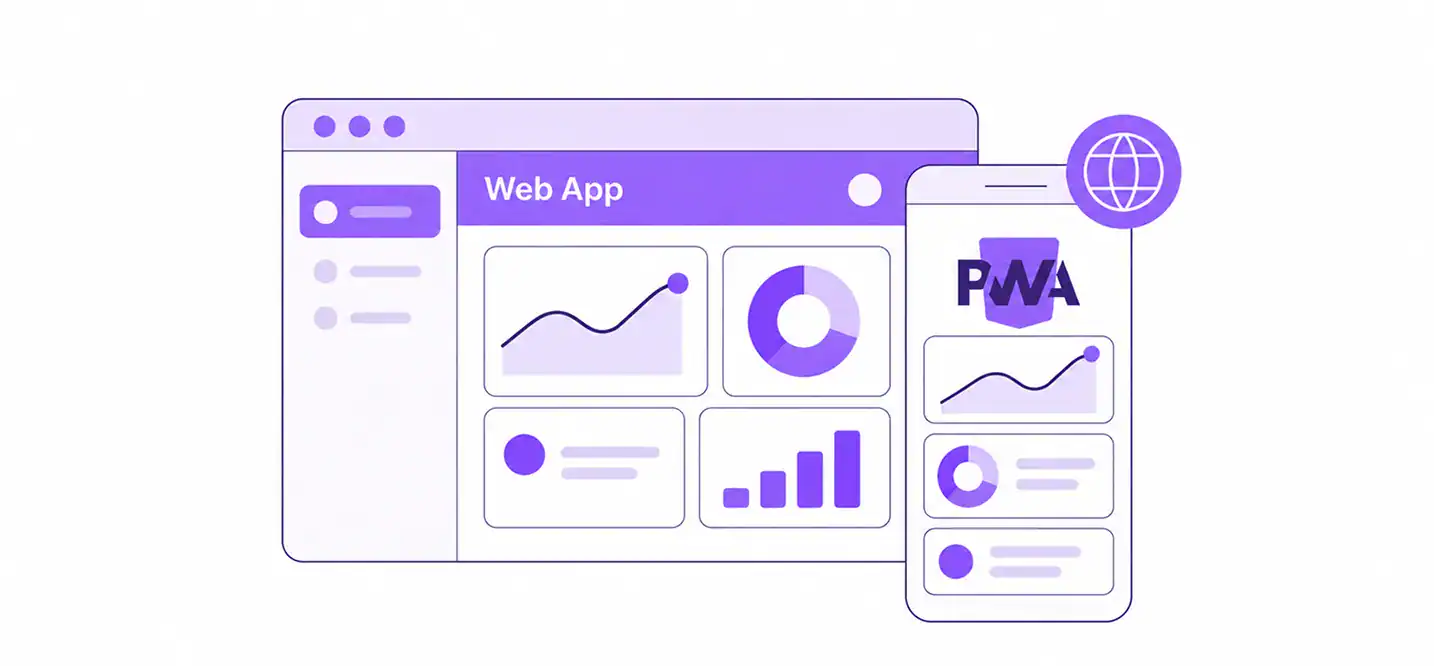
The web is where the architectural difference becomes especially important.
1. Why Ionic Fits Web-First Products Naturally
Ionic is built on web technologies and can run in browsers as well as mobile environments.
That makes it a strong candidate when a product needs:
- A PWA
- A responsive web application
- Mobile applications
- Shared frontend components
- Existing React, Angular, or Vue code
- A web-first development team
For businesses considering a PWA alongside their mobile strategy, Cubix’s guide to Progressive Web Apps covers the broader technical and business considerations.
2. Where Flutter Web Fits
Flutter supports web deployment and is particularly suited to app-centric experiences such as:
- Single-page applications
- Interactive web applications
- Existing Flutter mobile applications being extended to the web
Flutter’s documentation explicitly notes that text-rich, document-centric websites are not its ideal web use case. Traditional HTML-based experiences remain more appropriate for content-heavy pages where search indexing and document semantics are central.
That distinction matters if your “web” requirement includes both an application and a public-facing content site.
3. Can An Existing Web Application Move to Mobile?
This is one of Ionic’s strongest practical use cases.
Because Ionic and Capacitor are built around web technologies, an existing modern JavaScript application can potentially be adapted for mobile while preserving substantial frontend and business logic.
Capacitor explicitly supports being added to existing modern JavaScript projects.
Flutter takes a different path. Backend APIs, business rules, data models, design systems, and product requirements can be reused, but an existing HTML/CSS/React/Angular/Vue UI generally needs to be rebuilt using Flutter widgets.
Flutter vs Ionic for Startups: Which Fits Different Product Stages?
Startups have a different constraint: they need to validate the product before committing too much engineering capacity.
1. For an MVP
Ionic can be practical when:
- The startup already has web developers
- The product needs both web and mobile
- The MVP is workflow-driven
- Existing frontend code can be reused
Flutter can be attractive when:
- The product is primarily mobile
- Custom UI is central to the value proposition
- Animations and interactions are important
- The team can support Dart and Flutter
The key is to avoid selecting a framework simply because it is popular among startups.
2. For Consumer Applications
A consumer-facing product with highly customized interactions may benefit from Flutter’s rendering control.
That could include:
- Media-heavy interfaces
- Complex transitions
- Interactive visualizations
- Highly branded experiences
- Custom gesture-driven interactions
Ionic remains viable when the consumer application has a more conventional UI and benefits from web technology reuse.
3. For SaaS and Internal Applications
Ionic can be particularly compelling for:
- Employee portals
- Business dashboards
- Field-service applications
- Customer portals
- Inventory applications
- Scheduling systems
- Internal enterprise tools
Flutter can still be an excellent option when the application requires more customized interaction or the organization already has Flutter expertise.
Flutter vs Ionic Cost: What Actually Drives the Budget?
The framework itself does not determine the total development cost.
The bigger variables are:
|
Cost driver |
What changes the budget |
|
Team expertise |
Hiring, onboarding, and training |
|
UI complexity |
Custom layouts, animation, interaction |
|
Backend |
APIs, databases, authentication, real-time services |
|
Native integrations |
Custom SDKs and platform-specific functionality |
|
Testing |
Devices, automation, regression coverage |
|
Web support |
Additional browser architecture and QA |
|
Security |
Authentication, encryption, secure storage, compliance |
|
Maintenance |
Framework, dependency, OS, and plugin updates |
For example, an Ionic application built by an experienced TypeScript team may require less onboarding than the same project built by a team with no Dart or Flutter experience.
Conversely, a highly customized mobile application may require less UI engineering in Flutter than in a web-based architecture.
For a more detailed breakdown, see Cubix’s guide to mobile app development cost.
Flutter vs Ionic: Testing, Security, and Maintenance

The framework choice does not remove the engineering work required after the first build.
1. Testing
A production application may require:
- Unit testing
- Widget or component testing
- Integration testing
- End-to-end testing
- Real-device testing
- Network-condition testing
- Offline testing
- Permission testing
- Accessibility testing
- Regression testing
Flutter has its own widget and integration testing model.
Ionic teams can use the broader JavaScript testing ecosystem and browser tooling alongside device testing.
The important thing is to test the actual application on representative iOS and Android devices.
2. Security
Security depends on implementation rather than framework branding.
Both approaches require attention to:
- Authentication
- Authorization
- API security
- Secure token storage
- Encryption
- Third-party dependencies
- Native plugins
- Permissions
- Sensitive local data
- CI/CD secrets
- Secure communication
Ionic applications also need the security considerations associated with web applications and WebViews.
Flutter applications still require secure native integrations, package management, API communication, and local data handling.
3. Maintenance
Long-term maintenance includes:
- Framework updates
- Dependency updates
- Native SDK changes
- Operating-system compatibility
- Plugin maintenance
- Security patches
- App-store requirements
- Automated regression testing
A framework that looks inexpensive during development can become expensive if its dependencies or native integrations are difficult to maintain.
Flutter vs Ionic: Which Framework Fits Your App?
A scenario-based comparison is more useful than declaring one framework the overall winner.
|
Project Requirement |
Framework to Evaluate First |
|
Highly customized mobile UI |
Flutter |
|
Complex animations |
Flutter |
|
Graphics-heavy application interface |
Flutter |
|
Consistent custom rendering |
Flutter |
|
Existing React team |
Ionic |
|
Existing Angular team |
Ionic |
|
Existing Vue team |
Ionic |
|
Existing web application |
Ionic |
|
PWA-first strategy |
Ionic |
|
Web + mobile from a shared frontend |
Ionic |
|
Internal business application |
Ionic |
|
Mobile-first consumer application |
Flutter or Ionic, depending on UI complexity |
|
Specialized native hardware |
Evaluate both with native implementation requirements |
|
Deep platform divergence |
Consider native development |
|
Existing Flutter engineering team |
Flutter |
|
Existing web engineering team |
Ionic may reduce onboarding |
If you’re also evaluating React Native, compare it alongside Flutter in Flutter vs React Native.
It is also worth looking at broader cross-platform app frameworks because the best choice may depend on whether your priority is shared UI, shared business logic, web reuse, native integration, or team expertise.
When Should You Choose Native Development Instead?
There are applications where neither Flutter nor Ionic should automatically be the first choice.
Native iOS or Android development deserves consideration when the product requires:
- Extensive platform-specific APIs
- Specialized hardware
- Advanced AR capabilities
- Highly optimized graphics
- Complex background processing
- Immediate access to new platform functionality
- Significantly different iOS and Android experiences
Native development gives teams direct access to Apple’s or Google’s platform SDKs and eliminates the additional abstraction introduced by a cross-platform framework.
However, maintaining separate native applications also means maintaining separate platform codebases.
For many products, the decision is therefore a tradeoff between platform specialization and code sharing rather than a simple question of native versus cross-platform.
For a broader comparison of these approaches, see Cubix’s guide to native, cross-platform, and other mobile development approaches.
Conclusion
The Flutter vs Ionic decision comes down to architecture more than popularity.
Flutter gives developers a controlled Dart-based application environment with its own widget and rendering system. That makes it particularly attractive for custom mobile interfaces, complex interactions, animation-heavy experiences, and products where consistent rendering is a major requirement.
Ionic takes a web-first approach. HTML, CSS, JavaScript or TypeScript, Web Components, and Capacitor make it particularly relevant for teams with web expertise, existing web applications, SaaS products, internal tools, and products that need a close relationship between web and mobile experiences.
Neither framework eliminates native development, performance optimization, testing, security engineering, or long-term maintenance. Both can support serious production applications, but they solve the cross-platform problem from very different technical directions.
The best starting point is therefore the application itself: its users, UI complexity, platform requirements, existing team skills, web strategy, native integrations, and long-term roadmap.
If those requirements point toward a cross-platform mobile build, a custom mobile app development company can help evaluate the architecture and technology stack before development begins.
Ready to build your app? Let’s choose the right framework
Contact UsFrequently Asked Questions
1. What is the main difference between Flutter and Ionic?
Flutter uses Dart, Flutter widgets, and its own rendering architecture. Ionic uses web technologies such as HTML, CSS, JavaScript, and TypeScript, with Web Components and Capacitor forming the foundation of its mobile approach.
2. Which framework is faster: Flutter or Ionic?
Neither framework is universally faster. Flutter can be advantageous for demanding custom UI and animation workloads, while Ionic can perform well for applications whose workloads align with efficient web rendering.
3. Is Flutter easier to learn than Ionic?
It depends on the developer’s background. Flutter requires learning Dart and Flutter’s widget architecture, while developers already familiar with JavaScript, TypeScript, React, Angular, or Vue may find Ionic more familiar.
4. Can Flutter and Ionic both create native apps?
Yes. Flutter applications can be compiled for native mobile platforms, while Ionic applications can be packaged for iOS and Android using Capacitor and access native APIs through plugins and custom native code.
5. Which has a larger community: Flutter or Ionic?
Flutter has a large dedicated ecosystem, while Ionic benefits from the much broader web and JavaScript ecosystem. The more useful question for a project is whether the ecosystem contains the developers, packages, plugins, and integrations the application requires.
6. What apps are built with Flutter vs Ionic?
Flutter is used across consumer, financial, retail, media, business, and other application categories. Ionic is commonly used for business applications, SaaS products, internal tools, customer portals, and products that benefit from web and mobile code reuse.
7. Should I choose Flutter or Ionic for my startup?
Look at your team’s existing skills, MVP scope, web requirements, UI complexity, native integrations, and maintenance plans. Those factors provide a better basis for the decision than framework popularity alone.
8. What is the performance difference in production?
There is no universal production performance gap. The result depends on the application’s rendering workload, JavaScript usage, memory consumption, network behavior, device hardware, native integrations, and implementation quality.
9. Which framework should I choose for my app?
Choose based on the product’s requirements. Flutter may fit a highly customized mobile experience, while Ionic may fit a web-connected application or an organization with strong JavaScript and TypeScript expertise.
10. Can I switch from Ionic to Flutter?
Yes, but the UI usually needs to be rebuilt because Ionic uses web technologies while Flutter uses its own widget system. APIs, backend services, business rules, data models, and product requirements can often be reused.