Key Takeaways
- A PWA is a website that acts like an app. A native app is built for one phone system.
- The biggest difference is how people get the app. Native apps also reach deeper into the phone.
- PWAs usually cost less and launch faster. Native apps cost more but feel smoother.
- Native apps win on device features. Think Bluetooth, NFC and background tasks.
- Pick based on your goal, budget and audience. Many brands use both.
Sensor Tower tracked 5.3 trillion hours spent in apps in 2025. That is a huge audience. Your business wants a piece of it.
But building an app is a big choice. Do you go with a PWA or a native app? Both sound great on paper. Both have trade-offs. Pick wrong and you burn time and money. Many teams get stuck right here.
This guide clears it up. You will see how each one works. You will see the costs too. We also cover what users prefer. We use real data, tables and charts. By the end, you will know which one fits your business.
Have an App Idea? Let’s Build It the Right Way
Contact UsWhat Is a Progressive Web App (PWA)?
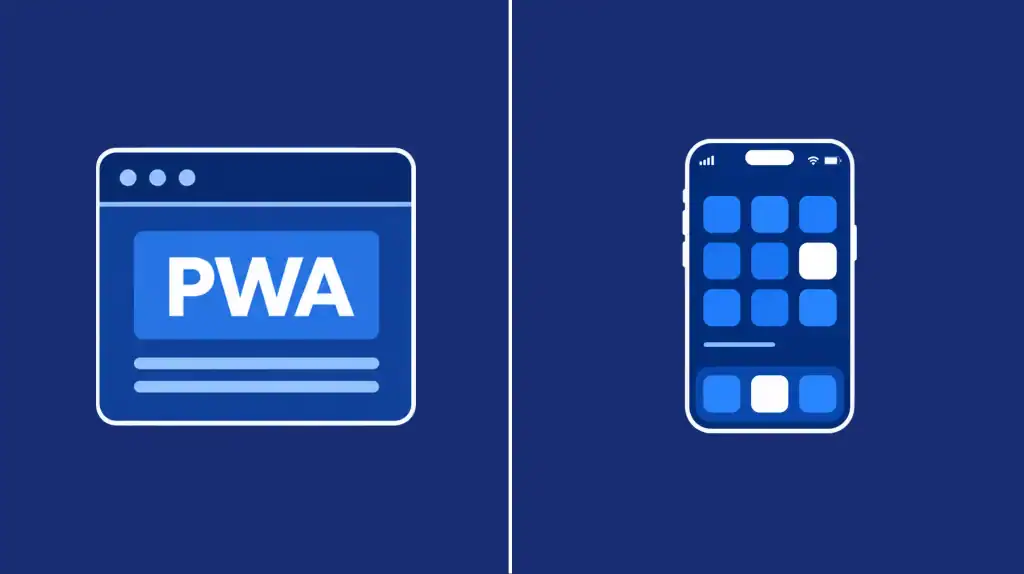
A progressive web app is a website. It acts like an app. You open it in a browser. You can also add it to your home screen. Tap the icon and it opens full screen. No app store needed.
Think of it as a website with extra powers. It can work offline. It can send push notifications. Read our guide to progressive web apps for more. Our web app vs website vs PWA guide shows the split.
How a PWA Works
A PWA runs on standard web tech. That means HTML, CSS and JavaScript. Two parts turn a site into an app.
- Service worker: A background script. It saves files, enables offline use and powers push alerts.
- Web app manifest: A small file. It sets the app name, icon and full-screen look.
Developers call this setup PWA architecture. It is simple. One codebase serves every device with a modern browser. Google engineer Alex Russell coined the term in 2015.
Real PWA Examples
Big brands already use PWAs. Here are a few.
- Starbucks: Rebuilt its ordering experience as a PWA.
- Pinterest: Rebuilt its mobile site as a PWA.
- Uber: Built its PWA to run fast even on 2G.
- Twitter Lite: A mobile web app made for slow networks.
- Tinder: Launched a PWA to load faster.
Speed is the big win. Tinder’s PWA loads in 4.69 seconds. The old version took 11.91 seconds. That gap matters.
Here is what makes a PWA special:
- Installable from the browser
- Fast, even on weak networks
- Works offline
- Updates instantly
- One codebase for every platform
What Is a Native App?
A native app is built for one operating system. iPhone apps use Apple’s tools. Android apps use Google’s tools. You install them from the App Store or Google Play. The app lives on the phone itself.
That is why native apps talk straight to the hardware. They can use the camera, sensors, Bluetooth and more. You get speed and depth. You also get more work to build. Our mobile application development guide explains the full picture.
How Native Apps Work
Here is native app architecture in simple terms. Each app is written in its platform’s language. It is compiled into code the phone runs directly. There is no browser in between.
Distribution goes through the app stores. Stores review your app before it goes live. That builds trust with users. It also adds rules and fees. Stores take a 15 to 30 percent cut of sales.
Popular Native App Languages
Wondering how to build a native app? You pick a platform first. Then you pick a language.
- Swift: Apple’s language for iPhone and iPad apps. Developers use Xcode and SwiftUI.
- Kotlin: Google’s preferred language for Android. Developers use Android Studio.
- Cross-platform tools: React Native and Flutter share one codebase. They still ship through the app stores.
Here is what native apps do best:
- Top speed and smooth animation
- Full access to sensors and hardware
- Reliable background tasks
- Rich push notifications
- App store reach and trust
- Deep system features like widgets
PWA vs Native App: Key Differences
Start with the big picture. The table below compares PWA vs native apps side by side. Our web apps vs mobile apps guide goes wider.
PWA vs native app at a glance
| Feature | PWA | Native App |
| Install method | Browser prompt or Add to Home Screen | App Store or Google Play |
| Updates | Instant, on the next load | Store review, then user update |
| App store listing | Not by default, wrappers possible | Yes, built for it |
| Device access | Good, with gaps on iOS | Full |
| Discoverability | Google Search and shared links | Store search |
| Performance | Good for most apps | Best, especially for games and AR |
| Payments | Any web payment tool | Store billing, with a 15 to 30% cut |
| Codebases | One | One per platform |
Size is another gap. PWAs are tiny next to native apps. That helps on slow networks and full phones.
Installation and Updates
Installing a PWA takes one tap. Installing a native app takes a store visit and a download. Permissions come next. Every extra step costs you users. PWA install banners convert 5 to 6 times more often. Google found that gap against native banners.
Updates follow the same pattern. A PWA updates on the next load. A native app needs store review first. Then users must tap update.
Discoverability and Reach
PWAs show up in Google Search. Every screen has its own URL. You can share it anywhere. Native apps rely on store search. That path is narrower now. Only 48% of installs now come from store search. Social platforms act like search engines today.
So where do your users start? That answer shapes your choice.
Performance and Offline Support
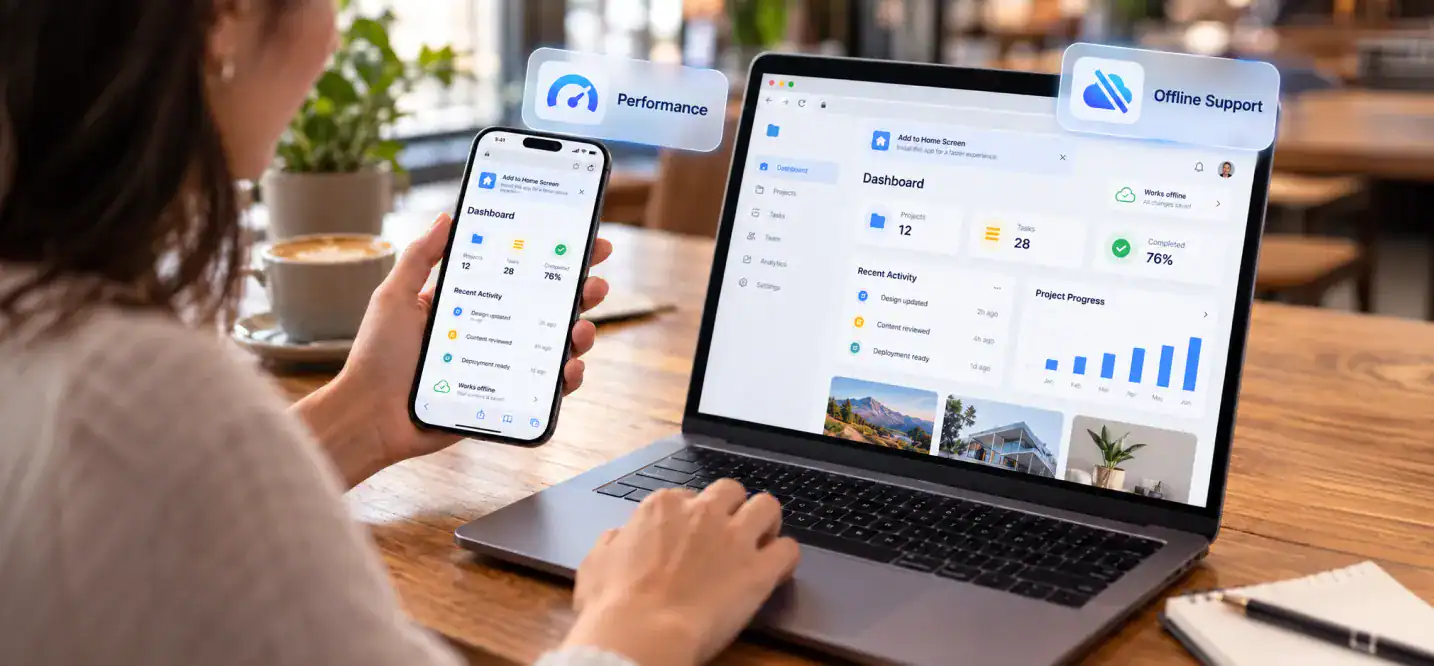
Speed decides if users stay. 53% of users quit pages that take over three seconds. That is Google’s finding. Fast matters on every platform. Our cross-platform development guide covers the middle path.
How Service Workers Enable Offline Use
A service worker sits between your app and the network. It catches every request. Then it decides what to do. It can serve a saved copy. It can fetch fresh data. It can queue actions for later.
That is how a PWA works offline. Native apps are already on the device. So they open with no network at all. Setup for PWAs takes more care.
Speed and Load Times
Native apps still open faster on a cold start. In one 2026 benchmark, native won the first launch. Scrolling and animation were about even. Network calls were nearly identical. The backend usually sets the real speed.
What about device features? Table 2 shows where each option stands.
Device features on Android and iOS
| Feature | PWA on Android | PWA on iOS | Native App |
| Offline support | Full | Full | Full |
| Push notifications | Full | Home Screen installs only | Full and rich |
| Background sync | Supported | Not supported | Full |
| Camera and microphone | Supported | Supported | Full control |
| Biometrics | Passkeys, limited feel | Passkeys | Full |
| Bluetooth and NFC | Supported | Not supported | Full |
| File system | Supported | Limited, mostly read-only | Full |
| AR and VR | Experimental | Not supported | Full |
| Background location | Limited | Not supported | Full |
PWAs still struggle in a few places:
- Bluetooth and NFC on iPhone
- Background sync on iPhone
- Home screen widgets
- Blocking screenshots in sensitive apps
- Direct printing without a prompt
- Long audio or video recording when the screen dims
PWA vs Native App Cost
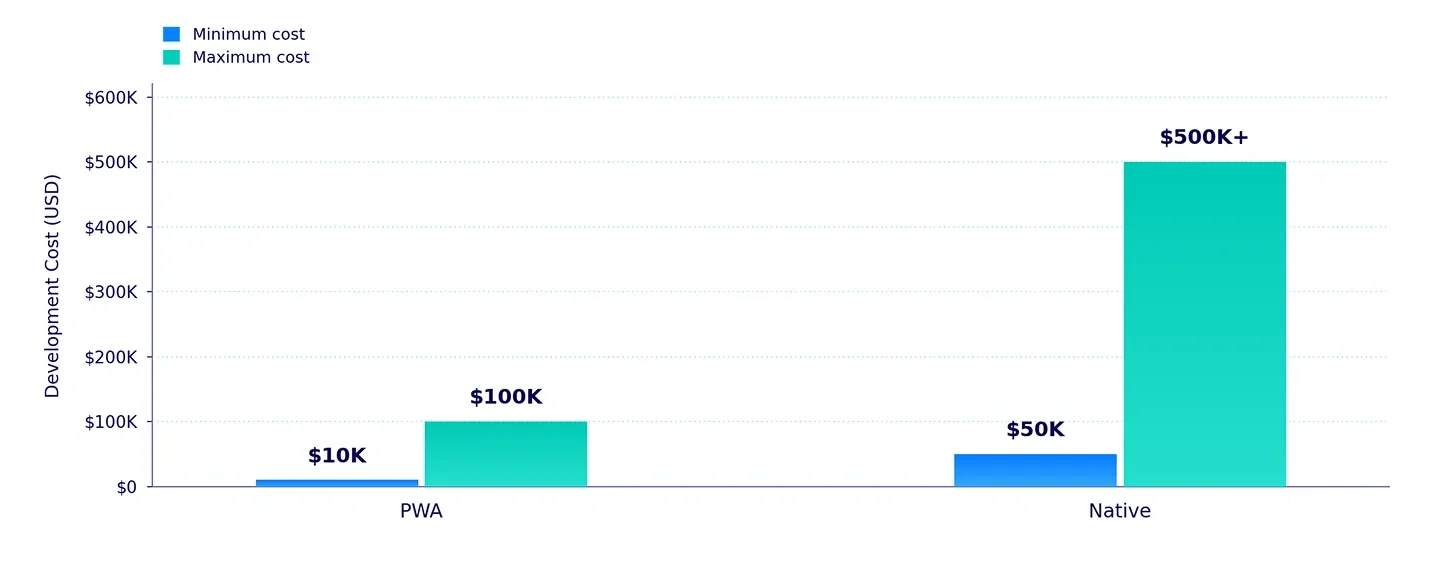
Cost is where many teams decide. The PWA vs native app cost gap is real. PWAs cost 30 to 75 percent less than two native apps. The main reason is one codebase. One team builds it. Testing is simpler too. Our mobile app development cost guide has full price ranges.
Cost and timeline comparison
| Factor | PWA | Native App |
| Build cost | About $10K to $100K | About $50K to $500K or more |
| Build time | Faster, build once | Slower, separate cycles |
| Yearly maintenance | About 10% of build cost | About 15 to 20% of build cost |
| Codebases | One | Two, one per platform |
| Store fees | None | $99 a year for Apple, plus a 15 to 30% sales cut |
| Testing | Browsers | Many real devices |
Upfront Development Cost
PWA builds often run $10K to $100K. Native builds run $50K to $500K or more. Those are industry ranges. Your quote depends on features. Savings come from three places:
- Design: One design set, not two platform rulebooks.
- Teams: One web team, not separate iOS and Android experts.
- Testing: Browsers are easier to cover than a wall of devices.
Long-Term Maintenance Cost
Native apps cost more to keep alive. Each platform needs its own updates. New system versions add more work. A PWA ship is fixed once. Every user gets them fast.
At Cubix, we plan costs before we write code. We scope your features first. Then we match them to the right build path. That keeps surprises off your invoice.
What Users Prefer
Do users want PWAs or native apps? It depends on the task. Case studies give clues. Our hybrid vs native app development guide compares the options.
User Engagement and Retention
Lyft saw 40% more clicks on Install PWA than Download App. That was true for users on older devices. Less friction wins them over.
Pinterest’s PWA lifted core engagements by 60%. The team rebuilt its mobile site as a PWA. People simply used it more.
Conversion Rates
Conversion gains show up again and again. Alibaba, Voot and AliExpress all reported big lifts.
Keep one thing in mind. These results are brand-reported. Most come from older Google case studies. Treat them as direction, not promises.
Why users pick native apps:
- They feel smoother.
- Notifications are richer.
- App stores feel safe.
- Long recordings work better.
Why users pick PWAs:
- There is no download.
- They take little storage.
- Shared links open instantly.
- Install takes one tap.
PWA Trends and Adoption in 2026
PWAs are moving from nice-to-have to normal. The PWA market was worth $2.1 billion in 2024. Analysts expect $11.4 billion by 2030. That is about 32 percent growth a year. These are the PWA trends 2026 is built on.
Growth in PWA Use
PWA adoption 2026 looks strong for one reason. Web tools keep getting better. Users also want app-like speed without big downloads. Businesses want lower cost and faster launches. That combo pushes more teams toward PWAs. The chart shows market size. That is a fair proxy for adoption.
Apple and Google Support Updates
Apple has closed many gaps. Web push arrived in iOS 16.4. Home Screen installs became first class in iOS 17. Passkeys now work in Safari. Some gaps remain. Bluetooth, NFC and background sync still fail on iPhone.
Google is further ahead. Android PWAs rival native for most jobs. You can also list a PWA on Google Play. The tool for that is a Trusted Web Activity.
What to watch in 2026:
- Better iOS support: Apple keeps closing gaps each year.
- Hybrid plans: A PWA for reach. A native app for power users.
- AI builders: Some tools ship a PWA and native app together.
- Play Store PWAs: Wrappers put PWAs on Android’s store.
How to Choose Between a PWA and a Native App
Here is the simple way to think about it. Start with your goal. Then check your budget and timeline. Each extra install step loses 20 to 30 percent of users. So ask how your users will find you. Our app development process guide shows the full path.
Decision guide
| Business goal | Budget | Timeline | Audience | Best choice |
| Test an idea fast | Low | Short | Early adopters | PWA |
| Grow through search | Low to mid | Short to mid | New visitors | PWA |
| Sell online | Mid | Mid | Shoppers | PWA first, native later |
| Build a game or AR tool | High | Flexible | Engaged players | Native |
| Handle money or health data | Mid to high | Flexible | Trust-focused users | Native |
| Connect to Bluetooth or NFC devices | Mid to high | Flexible | Device owners | Native |
Choose a PWA If…
- You need to launch fast.
- Your budget is tight.
- Search traffic matters to you.
- Your app shows content or takes orders.
- Basic device features are enough.
Choose a Native App If…
- Your app needs Bluetooth, NFC or AR.
- It must run tasks in the background.
- You want a strong app store presence.
- Top speed and smooth animation matter.
- You handle sensitive data like payments or health records.
Can You Use Both?
Yes. Many brands do. Launch a PWA first. It brings reach and low cost. Add a native app once demand is proven. Share one backend between them. Both products grow together.
Still unsure? Cubix can walk you through it. We map your features, audience and budget. Then we tell you which path fits. No pressure and no jargon.
Book your free consultation with Cubix today
Why Choose Cubix for Native App Development
Picking the path is step one. Building it well is step two. That is where Cubix comes in. Our native app development services cover iOS, Android and more.
Our Experience
Cubix is a software, mobile app and game development company. We have a team of about 300 people. We work from offices in Florida, Manchester, Dubai and Karachi. That spread lets us support the US, UK and Middle East.
What We Build
- iOS apps: Built for iPhone and iPad.
- Android apps: Built for the Google Play ecosystem.
- Cross-platform apps: One codebase, two stores.
- PWAs and web apps: Fast, searchable and installable.
- Mobile games: Built by our in-house game team.
Why teams pick us:
- Clear scope before any code is written
- One team for design, build, testing and launch
- Honest advice on PWA, native or both
- Support after launch
Build Your App With Cubix
Ready to turn your idea into an app? Talk to a mobile app development company that gives straight answers. We will help you pick the right path. Then we build it well.
How We Work
- Discovery: We learn your goals, users and budget.
- Design: We shape simple, clear screens.
- Build: We code in short, visible sprints.
- Test: We check every device that matters.
- Launch: We push your app live.
- Support: We fix, improve and grow it with you.
Start With a Free Consultation
Tell us your ideas. We will tell you what it takes. You leave with a clear plan, not a sales pitch.
PWA, Native, or Both? Let’s Find Your Best Option
Contact UsFrequently Asked Questions
1. What is a progressive web app (PWA)?
A PWA is a website built with modern web tech. It works like an app. You can install it, use it offline and get push alerts.
2. What is the main difference between PWA and native apps?
A PWA runs in the browser. A native app is installed from a store. Native apps also reach deeper into the phone.
3. Can a PWA do everything a native app can do?
No. PWAs handle most everyday tasks well. They still fall short on iPhone Bluetooth, NFC and background work.
4. Is PWA better than native apps in 2026?
It depends on your goal. PWAs win on cost, launch speed and search reach. Native wins on hardware, top speed and store presence.
5. Can a PWA work offline like a native app?
Yes. Service workers save your content. Users can keep browsing without a signal. Setup takes more care than in native apps.
6. How do users install a progressive web app?
They tap an install prompt in the browser. On iPhone, they use the Share menu. Then they choose Add to Home Screen.
7. Is PWA cheaper to develop than native apps?
Usually, yes. One codebase serves every platform. Industry estimates put the savings at 30 to 75 percent.
8. Do users prefer PWAs or native apps?
It depends on the task. Users like native apps for daily, deep use. They like PWAs for quick access with no download.
9. Should I build a PWA or native app for my business?
Start with your goal. Need reach and speed? Try a PWA. Need deep device features? Go native. Cubix can help you weigh both.
10. What are the best examples of PWA apps?
Starbucks, Pinterest, Uber, Tinder and Twitter Lite are popular ones. Each built a PWA to load faster and reach more users.