Key Takeaways
- Flutter allows businesses to build Android and iOS applications from a shared codebase.
- The Flutter SDK, reusable widgets, and hot reload feature can reduce development time during app creation.
- Flutter is a practical option for MVP app development, fast app prototyping, and customer-facing cross-platform mobile apps.
- Native development may still be a better choice for apps requiring advanced hardware access, intensive graphics, or deep platform-specific functionality.
- The right development approach depends on your app features, budget, integrations, target users, and launch timeline.
Native vs. cross-platform development remains one of the most important decisions for businesses planning a mobile product. Native apps are built separately for each operating system, while cross-platform mobile apps use a shared codebase to support multiple platforms. The right choice depends on your budget, launch timeline, feature requirements, and growth plans.
According to Statista’s 2023 global survey, 46% of software developers used Flutter, making it the most widely used cross-platform mobile framework in app development. This adoption reflects growing demand for development approaches that help businesses reach users faster without compromising the app user interface or core functionality. That is where Flutter for Android and iOS has become a practical option.
Flutter helps teams create visually consistent, responsive applications for Android and iOS from a single codebase. It is widely used for MVP app development, customer-facing apps, internal business tools, and custom mobile app development projects that require faster delivery. This guide explains the Flutter development framework, its advantages, limitations, and the situations where it makes sense for your app idea.
What Is the Flutter Development Framework?
The Flutter development framework is an open-source UI toolkit created by Google. It allows developers to build applications for Android, iOS, web, desktop, and other supported platforms using one shared codebase.
Flutter was first introduced in 2018 and has since become a popular choice for businesses looking to reduce duplicated development work. Instead of building one app with Java or Kotlin for Android and another with Swift or Objective-C for iOS, teams can use Flutter to create both versions more efficiently.
Flutter uses the Dart programming language, which is object-oriented and designed for building responsive applications. The framework also includes the Flutter SDK, a complete collection of tools, libraries, APIs, and resources used to build, test, and deploy applications.
For businesses comparing development options, it is also useful to review Flutter vs React Native before selecting a framework. Each approach has different strengths related to performance, ecosystem support, team expertise, and UI requirements.
How Flutter Cross-Platform Development Works

Flutter cross-platform development works by allowing developers to write most of the application logic and interface once. Flutter then compiles the application for the target operating system.
Unlike frameworks that rely heavily on platform UI components, Flutter uses its own rendering engine and Flutter widgets to create interfaces. This gives teams more control over how an app looks and behaves across devices.
Flutter supports both Material Design for Android and Cupertino-style components for iOS. As a result, developers can create a familiar experience for users on each platform while maintaining a consistent product identity.
The framework also supports integration with native code when required. This means Flutter apps can access device features such as cameras, GPS, biometric authentication, notifications, Bluetooth, and payment systems.
Want to discuss your project? Our experts are just a click away.
Contact UsKey Benefits of Flutter for Android and iOS
The following section outlines the key benefits of Flutter for Android and iOS, helping developers and businesses understand where the framework delivers the most value.
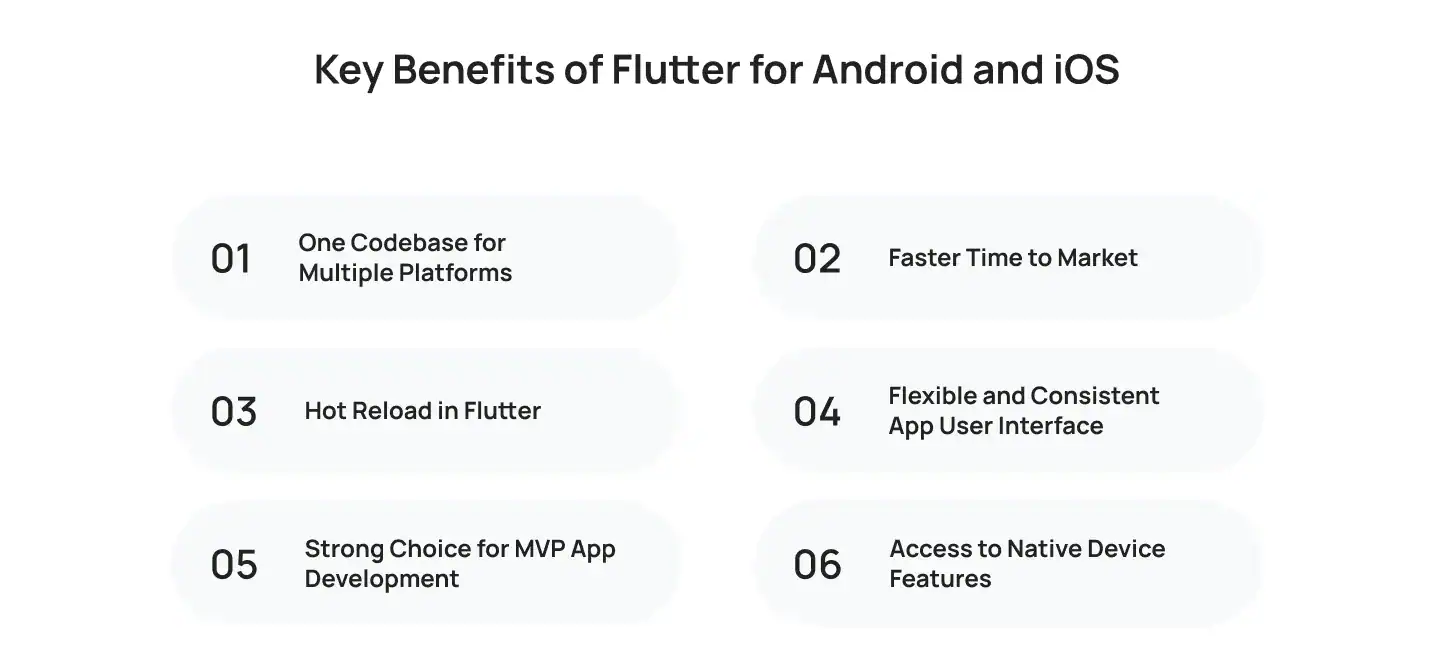
One Codebase for Multiple Platforms
The most recognized advantage of Flutter for Android and Flutter for iOS is code reusability. A shared codebase reduces the need to build and maintain separate applications for each operating system.
This can reduce development effort, simplify maintenance, and help businesses launch their products sooner. It is particularly useful for startups and companies that need to reach both Android and iOS users without funding two completely separate development tracks.
For organizations planning Android-first products, experienced Android app developers can help determine whether Flutter is suitable for the required features, integrations, and device support.
Faster Time to Market
Flutter supports faster delivery because teams work from a shared codebase and can reuse components across platforms. This makes it useful for businesses that need to release an initial version quickly, test user demand, or respond to market opportunities.
The framework also supports fast app prototyping, allowing teams to turn product ideas into interactive app versions sooner. Designers, developers, and product managers can review screens and user flows early in the process, reducing the risk of major changes later.
Hot Reload in Flutter
One of Flutter’s best-known features is hot reload in Flutter. This capability allows developers to see many code changes almost instantly without restarting the full application.
Hot reload helps teams refine layouts, test interactions, fix UI issues, and make small feature updates more efficiently. It is especially useful during Flutter UI development, where visual details such as spacing, fonts, buttons, navigation, and screen responsiveness require frequent adjustments.
This does not replace full testing, but it can make the development cycle more productive.
Flexible and Consistent App User Interface
Flutter gives teams strong control over the app user interface because it uses customizable widgets instead of relying only on native platform components.
Flutter widgets are reusable building blocks for buttons, forms, navigation menus, cards, animations, text fields, and other interface elements. This makes it easier to create a consistent visual identity across Android and iOS.
For brands that need a custom design system, Flutter can support polished and consistent user experiences while still adapting interface patterns for each platform.
Strong Choice for MVP App Development
Flutter is a practical framework for MVP app development. An MVP helps businesses test a product idea with core features before investing in a full-scale application.
With Flutter, companies can launch an MVP on Android and iOS without paying for two separate native apps at the beginning. This allows them to gather user feedback, validate product-market fit, and improve the concept based on real usage data.
Flutter is especially useful for marketplaces, booking apps, eCommerce platforms, social apps, delivery solutions, dashboards, and service-based mobile products that need to enter the market quickly.
Access to Native Device Features
Modern cross-platform app development requires more than basic screens and forms. Many apps need access to device hardware and operating system capabilities.
Flutter can integrate with native APIs and platform-specific code to support features such as:
- Camera and photo uploads
- GPS and location tracking
- Push notifications
- Biometric login
- Bluetooth connectivity
- In-app payments
- Sensors and motion tracking
- File storage and sharing
When a feature requires deeper operating system integration, developers can create platform channels to connect Flutter with native Android or iOS code.
This makes Flutter suitable for many business applications, although highly specialized apps may still benefit from native development.
Limitations of Flutter Development
Flutter is a capable framework, but it may not suit every app. Understanding its limitations helps teams make a more informed development decision.
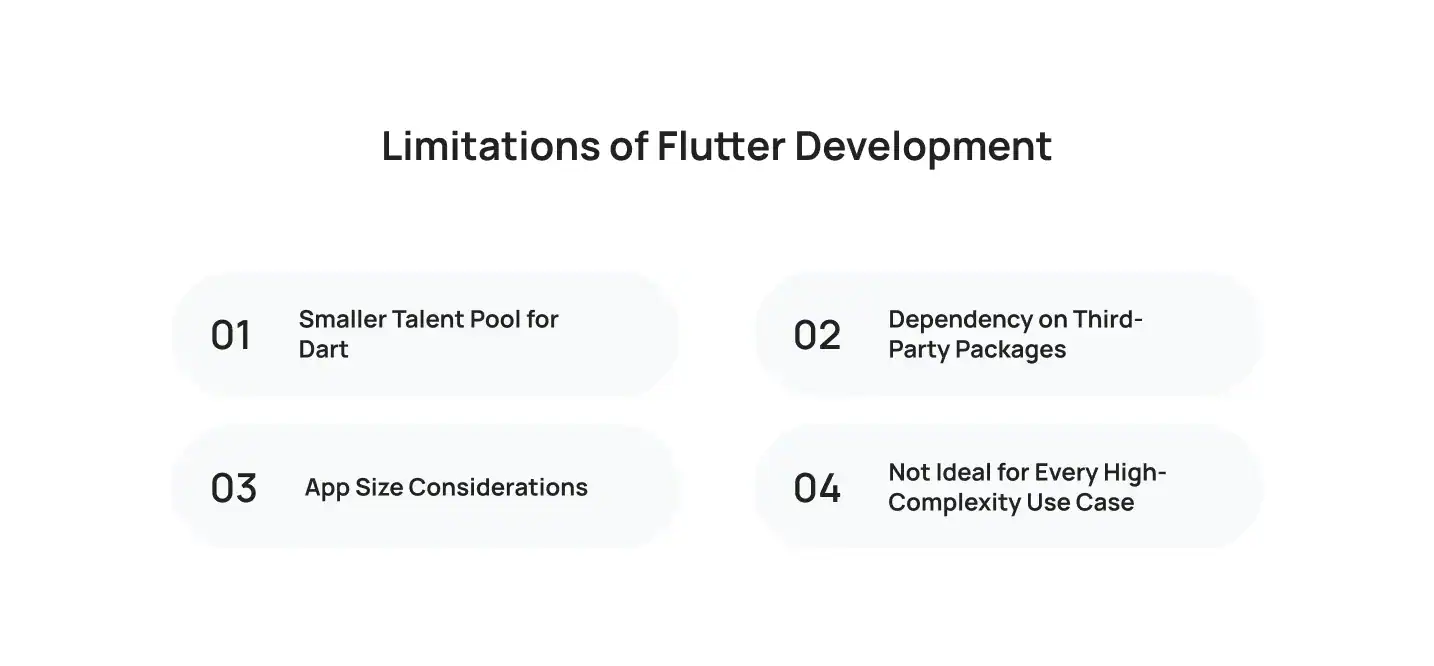
Smaller Talent Pool for Dart
Flutter uses the Dart programming language, which is less commonly used than JavaScript, Java, Kotlin, Swift, or C#. While Dart is approachable for many developers, companies may find it harder to hire experienced Flutter specialists than developers working with more established languages.
This can affect recruitment, onboarding, and project staffing. Businesses should assess whether their internal team has the required Flutter expertise or whether they need external support from experienced iOS app developers and Android specialists.
Dependency on Third-Party Packages
Flutter has a growing ecosystem of packages and libraries. However, some advanced integrations may not have mature Flutter packages available.
In these situations, developers may need to create custom integrations or write native platform code. This can increase development time, especially for apps that rely on complex hardware connections, specialized media tools, enterprise systems, or industry-specific SDKs.
Before starting a project, the development team should review all required integrations and confirm compatibility with the Flutter SDK.
App Size Considerations
Flutter applications can have a larger initial file size than basic native applications because the framework includes its rendering engine and required resources.
For most consumer and business apps, this is not a major issue. However, it may matter for products targeting users with limited storage, slower connections, or lower-end devices.
Development teams can reduce unnecessary assets, optimize images, use app bundles, and apply code-splitting practices where appropriate. Still, app size should be considered during planning.
Not Ideal for Every High-Complexity Use Case
Flutter performs well for many types of cross-platform mobile apps, but it may not be the best fit for every project.
Native development can be more suitable when an app requires advanced graphics, highly complex background processing, deep operating system integration, frequent use of new platform APIs, or performance-sensitive features such as advanced AR, intensive gaming, or specialized hardware controls.
The decision should be based on product requirements rather than choosing a framework solely because it is popular or cost-effective.
Flutter vs. Native App Development
When comparing Flutter vs React Native and native app development, it is important to understand that each approach serves different product requirements.
Native development is often preferred when a product needs complete access to platform-specific capabilities, advanced performance tuning, or a deeply customized experience for a single operating system. Native apps are built separately using Kotlin or Java for Android and Swift or Objective-C for iOS.
Flutter is usually a stronger option when a business wants to reach both platforms quickly, maintain one shared codebase, and control early development costs.
For example, a startup launching a customer marketplace may choose Flutter to validate its idea on both platforms. A company building a complex health monitoring app that depends heavily on wearable devices and platform-specific hardware may prefer native development.
The best choice depends on the product roadmap, user expectations, integrations, budget, and launch timeline.
When Should You Choose Flutter?
Flutter is worth considering if your project needs:
- A single app for Android and iOS
- Faster product delivery
- Cost-conscious MVP development
- A custom and consistent mobile interface
- Frequent UI changes during development
- Standard device integrations such as camera, location, payments, and notifications
- A scalable foundation for a customer-facing business app
It is also a strong choice for companies that want to begin with a focused product release and expand features after validating user demand.
For a deeper overview of the framework, review the complete Flutter process before finalizing your development approach.
How Much Does Flutter App Development Cost?
The cost of a Flutter app depends on the number of features, interface complexity, integrations, backend requirements, testing scope, and post-launch maintenance.
A simple MVP with essential features generally costs less than building separate native applications. However, the total budget can increase if the app includes real-time messaging, payment gateways, AI features, advanced analytics, third-party integrations, or complex user roles.
Businesses should also consider the iOS app development cost when comparing Flutter with fully native development. Flutter can reduce duplicated effort across Android and iOS, but it does not eliminate the need for platform-specific testing, App Store compliance, quality assurance, and ongoing updates.
Build Your Flutter App with the Right Development Partner
Flutter can be a practical choice for businesses that want to build Android and iOS apps efficiently without managing separate codebases from the start. However, the right framework depends on your app’s features, required integrations, user expectations, and future product plans.
At Cubix, we provide custom mobile app development services that cover product discovery, MVP planning, UI and UX design, Flutter development, backend integration, quality assurance, and app deployment. Our team helps businesses determine whether Flutter is the right fit and build applications that support their specific goals.
Whether you are planning an MVP, upgrading an existing product, or launching a new customer-facing app, a well-defined development plan can help you move from idea to release with greater confidence.
Conclusion
Flutter has become a practical framework for businesses that want to build Android and iOS apps without maintaining separate codebases from the start. Its reusable widgets, fast development cycle, and support for native device features make it suitable for many mobile products, particularly MVPs and apps that need to reach users on both platforms quickly.
However, Flutter is not the right choice for every project. Apps with highly specialized performance requirements, complex hardware integrations, or deep platform-level functionality may benefit more from native development. Reviewing your product requirements before choosing a framework can help you make a more informed decision and avoid unnecessary development challenges.
Frequently Asked Questions
Is Flutter good for Android and iOS app development?
Yes. Flutter is designed to support Android and iOS app development from a shared codebase. It helps teams reduce duplicated work while creating a consistent app user interface across both platforms.
Does Flutter provide native-like performance?
Flutter can deliver smooth and responsive performance for many business, eCommerce, marketplace, booking, and service-based apps. However, apps with advanced graphics, intensive background processing, or highly specialized device requirements may need native development.
Is Flutter suitable for MVP app development?
Yes. Flutter is widely used for MVP app development because it supports faster development, shared code, and easier testing across Android and iOS. This helps businesses validate an idea before investing in a larger product build.
Can Flutter apps access device features?
Flutter apps can access common device features such as cameras, GPS, push notifications, biometric authentication, Bluetooth, file storage, and payment systems. Some advanced integrations may require additional native code.
Should I work with an iOS mobile app development company for a Flutter project?
An iOS mobile app development company can help evaluate whether Flutter fits your app requirements, especially if your product needs iOS-specific features, App Store compliance, native integrations, or a tailored user experience.