Key Takeaways
- Wearable apps face different problems than phone apps. Small screens and tiny batteries change everything.
- Battery drain, screen size, and connectivity are the three biggest technical hurdles.
- Healthcare wearables need HIPAA compliance built in from day one, not added later.
- Apple Watch apps typically cost between $10,000 and $50,000+, depending on complexity.
- Cross-platform frameworks can cut development time, but they come with trade-offs.
- Picking the right development partner, like Cubix, makes most of these problems disappear early.
The wearable technology market grew from $116.2 billion in 2021 to a projected $265.4 billion by 2026. That’s more than doubled in five years. Smartwatches, fitness bands, and health monitors are no longer niche gadgets. They sit on millions of wrists every single day.
But building an app for these tiny devices isn’t like building a phone app. You’re working with a screen the size of a stamp. Battery life is measured in hours, not days. And a device that often can’t even connect to the internet on its own.
This guide walks through the real challenges wearable app developers face today. We’ll cover the fixes that actually work, what it costs to build one, and how to avoid the mistakes that sink most wearable projects. If you’re planning a wearable app, Cubix has helped businesses navigate exactly this process.
Be one of the Hundred of Brands Cubix has uplifted
Contact UsWhat Makes Wearable Apps Different From Regular Apps
Wearable apps live in a different world than the apps on your phone. The rules change completely once you shrink the screen and cut the battery in half.
Small Screens, Small Battery, Big Expectations
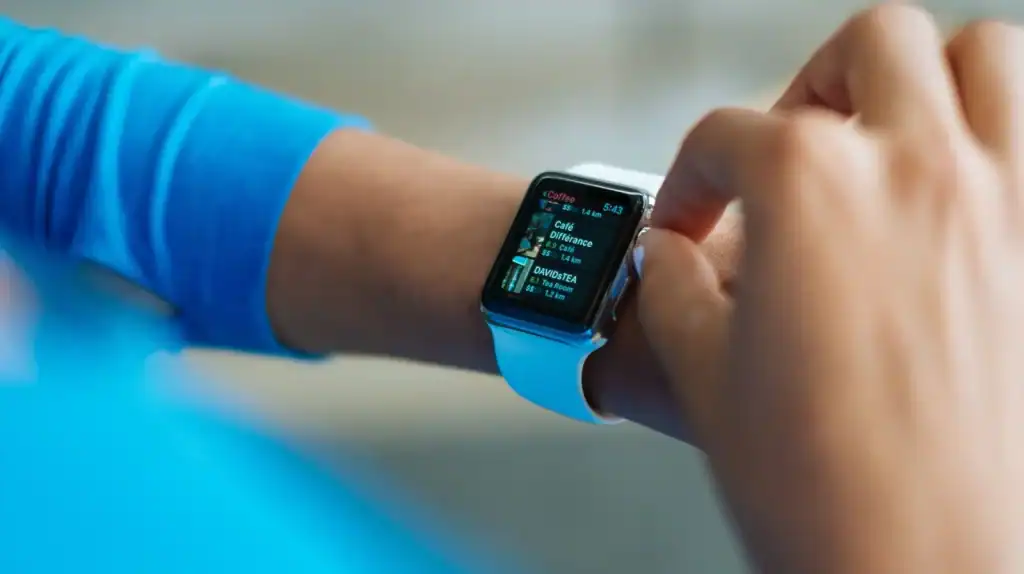
A smartwatch screen gives you maybe 1.5 inches to work with. Users still expect it to load fast. They expect it to show the right information instantly. There’s no room for clutter or slow menus.
Wearables Depend on a Paired Phone
Most wearables aren’t fully independent. They lean on a paired smartphone for internet access, processing power, or storage. If that connection drops, a lot of features stop working.
Global smartwatch shipments still grew 4% year-over-year through 2025, even with all these constraints. People want these devices. Developers just have to build around the limits.
| Factor | Mobile App | Wearable App |
|---|---|---|
| Screen size | 5-7 inches | 1-2 inches |
| Battery life | 1-2 days | Hours to 1 day |
| Primary input | Touch, keyboard | Touch, voice, gestures |
| Internet access | Direct (WiFi/cellular) | Often via paired phone |
| Typical session length | Minutes | Seconds |
| Processing power | High | Limited |
The Real Challenges in Wearable App Development

Every wearable project runs into a familiar set of roadblocks. Knowing them upfront saves time and money later.
Defining the Use Case First
Before writing a single line of code, you need clear answers to three questions: why does this app exist, what does it actually do, and when will people use it. Skip this step and you end up with a bloated app that tries to do too much on too small a screen.
Picking the Right Platform
watchOS, Wear OS, and Tizen all work differently. Each has its own SDK, design rules, and app store guidelines. Picking wrong means rebuilding later.
- watchOS – Apple’s ecosystem, tightly controlled, strong health APIs
- Wear OS – Google’s platform, now merged with Samsung’s Tizen base, more device variety
- Tizen (legacy) – Samsung’s older wearable OS, still found on some devices
Battery Life and Power Drain
This is the number one complaint from wearable app users. Research shows 63% of people uninstall apps that drain their battery too fast. On a device with an already small battery, that number matters even more.
Common causes of drain include:
- Constant Bluetooth Low Energy (BLE) polling
- Always-on displays running at full brightness
- GPS and sensors running when they don’t need to
- Background sync happening too often
Small-Screen UI/UX Design Challenges
Designing for a 40mm screen is nothing like designing for a phone. Every tap target, icon, and line of text has to earn its space.
- Icons need to be simple enough to recognize instantly
- Text has to stay short and scannable
- Navigation should take one or two taps, never more
- Contrast and readability matter more outdoors, in sunlight
Connectivity, Tethering, and Offline Sync
Most wearables are tethered to a phone. If the phone’s battery dies or goes out of Bluetooth range, the wearable can lose most of its function. Apps need a plan for what happens when the connection drops.
Data Security and Privacy
Wearables collect sensitive data constantly: heart rate, sleep patterns, location, sometimes even ECG readings. That data moves between the device, the phone, and the cloud, which creates multiple points where it can leak.
These are the exact problems our wearable app development services are built to solve, from the first planning call through launch.
Practical Solutions for Each Challenge
Knowing the problem is only half the job. Here’s what actually fixes each one.
Solving Battery Drain
Battery optimization isn’t one trick. It’s a combination of smaller decisions made throughout development.
- Use adaptive BLE sync intervals instead of constant polling
- Batch sensor readings instead of streaming them continuously
- Lower screen refresh rates when the watch face is idle
- Use low-power modes for background health tracking
Teams that focus on this early often cut power use by a significant margin before the app ever reaches the app store. This is where wearable application battery optimization becomes a core part of the build, not an afterthought.
Solving UI Constraints
- Add voice commands for quick actions
- Design “glanceable” screens that show one piece of information clearly
- Use haptic feedback instead of visual alerts when possible
- Test on the actual device, not just a simulator
Solving Connectivity Gaps
- Build offline-first, so the app still works without a live connection
- Cache recent data locally on the device
- Queue actions and sync automatically once connection returns
Many of these fixes overlap with the phone-side companion app too, which is why wearable projects often lean on broader custom mobile app development services alongside the watch build itself.
Wearable IoT and Sensor Integration
Wearables are really just small IoT devices strapped to your wrist. They collect data from sensors, then hand it off to a bigger system.
Connecting Sensors, Health APIs, and Edge Devices
Most wearable apps need to tie into platforms like Apple HealthKit or Google Health Connect. These APIs standardize how health data moves between apps, so users don’t have to manually sync everything.
Some newer wearable projects also push basic processing onto the device itself, known as edge processing. This cuts down on how much data needs to travel back and forth, which also helps battery life.
The wearable IoT space has grown fast, and healthcare is a big reason why. Fitness and health tracking remain the top use case for wearable devices worldwide. Getting wearable IoT app development solutions right means thinking about sensors, APIs, and edge processing as one connected system, not three separate problems.
Healthcare Wearables Need Extra Care
If your wearable app touches patient health data in any way, the rules change. This isn’t optional territory.
HIPAA Compliance Basics for Wearables
U.S. healthcare organizations reported 710 large data breaches in 2025 alone. Healthcare remains the most expensive industry for breaches, averaging $7.42 million per incident. That’s not a risk worth ignoring.
Encrypting Health Data End-to-End
Data needs to be encrypted while it’s stored and while it’s moving between devices. No exceptions.
| Requirement | Why It Matters | How It’s Done |
|---|---|---|
| Data encryption | Protects PHI in transit and at rest | AES-256 encryption, TLS for data transfer |
| Access controls | Limits who can view patient data | Role-based permissions, multi-factor auth |
| Audit logging | Tracks who accessed what, and when | Automated logs stored securely |
| Consent management | Ensures users control their own data | Clear opt-in/opt-out flows in-app |
| Secure cloud storage | Prevents unauthorized data exposure | HIPAA-compliant hosting (e.g., AWS/Azure BAA) |
| Data minimization | Reduces breach impact | Collect only what’s needed |
Building this correctly from the start costs less than retrofitting it after a breach. Cubix has built healthcare wearable apps with these exact requirements baked into the architecture from day one, covering healthcare wearable app security and HIPAA compliance as a foundation, not a patch.
Choosing the Right Development Approach

Once the challenges and costs are clear, the next decision is how to actually build the thing.
Native vs. Cross-Platform Frameworks
Native development means building separately for watchOS and Wear OS, using each platform’s own tools. Cross-platform frameworks let you share more code between platforms, which can cut both time and cost.
| Approach | Pros | Cons | Best For |
|---|---|---|---|
| Native (Swift/Kotlin) | Best performance, full platform access | Higher cost, two codebases | Apps needing deep hardware access |
| Cross-platform (Flutter/React Native) | Faster build, one shared codebase | Some platform limitations | Companion apps, MVPs, tighter budgets |
When to Hire a Specialized Wearable App Developer
Not every mobile development shop has real wearable experience. Look for a team that’s shipped apps on both watchOS and Wear OS, understands battery optimization, and has handled HIPAA-level security if your app touches health data.
North America has historically driven close to half of global wearable technology growth, and demand for skilled wear OS app development company partners keeps climbing with it. Cubix has spent years building exactly this kind of specialized wearable expertise, across both consumer and healthcare projects.
Testing a Wearable App Before Launch
Testing a wearable app takes more than running it through a simulator once.
Simulator Testing vs. Real Device Testing
Simulators catch obvious bugs fast, but they can’t replicate real battery drain, real Bluetooth range issues, or how the app feels on an actual wrist. Real device testing across a small lab of physical watches catches the problems simulators miss entirely.
What to Test For
- Battery consumption under normal and heavy use
- Sensor accuracy (heart rate, GPS, motion)
- Sync reliability when the connection drops and reconnects
- UI responsiveness across different screen sizes
- App store compliance for both watchOS and Wear OS
Most launch delays come from skipping real-device battery and connectivity testing. It’s worth the extra week.
Why Work With Cubix for Wearable App Development
Building a wearable app well means solving battery limits, tiny-screen design, security, and platform quirks, all at the same time. That’s a lot for a team without dedicated wearable experience.
Cubix has built wearable apps across fitness, healthcare, and enterprise use cases, on both watchOS and Wear OS. The team handles everything from initial use-case planning to HIPAA-compliant architecture to post-launch battery tuning.
What that looks like in practice:
- Platform strategy: choosing watchOS, Wear OS, or both, based on your actual users
- Battery-first engineering, not bolted-on optimization
- HIPAA-ready security for healthcare and fitness data
- Cross-platform builds when speed and budget matter more than platform-specific polish
If you’re weighing a wearable app development services partner, it’s worth talking through your use case before locking in a platform or budget.
Get Your Wearable App Built the Right Way
Wearable app development has real, well-documented challenges. But every one of them has a known fix. The teams that succeed are the ones who plan for battery life, screen size, and security from day one, not after the first bad app store review.
Whether you need a standalone health app or a companion piece to a larger platform, pairing wearable-specific expertise with solid custom mobile app development services gets you to launch faster and with fewer surprises.
Build a More Secure Mobile App with Cubix Today
Contact UsFrequently Asked Questions
1. What is the average cost range for developing a custom wearable application for watchOS or Wear OS?
Most custom wearable apps cost between $10,000 and $70,000, depending on complexity. A basic companion app sits at the lower end. A standalone app with cloud sync, offline mode, and health integrations sits toward the higher end.
2. What are the biggest technical challenges in wearable app development?
Battery life, screen size, and connectivity top the list. Wearables run on small batteries, tiny screens, and often depend on a paired phone for internet access, which shapes almost every design and engineering decision.
3. How do developers optimize Bluetooth Low Energy (BLE) and sensor sync without draining the battery?
Developers use adaptive sync intervals instead of constant polling, batch sensor readings instead of streaming them live, and switch to low-power modes whenever the app doesn’t need real-time data.
4. How much does it cost to build a HIPAA-compliant healthcare wearable app?
HIPAA-compliant healthcare wearable apps typically cost more than standard consumer apps, often starting around $30,000 and climbing based on the level of encryption, audit logging, and compliance infrastructure required.
5. What are the differences in cost and complexity between standalone vs. companion wearable apps?
Companion apps rely on a paired phone for processing and connectivity, which keeps costs lower. Standalone apps work independently, with their own sync and connectivity logic, which adds both cost and development time.
6. What is the typical timeline and testing strategy for launching a commercial smartwatch application?
Timelines typically run 6 to 20 weeks depending on complexity. A solid testing strategy includes simulator testing, real physical device testing, beta testing with real users, and dedicated battery and connectivity QA before submission.