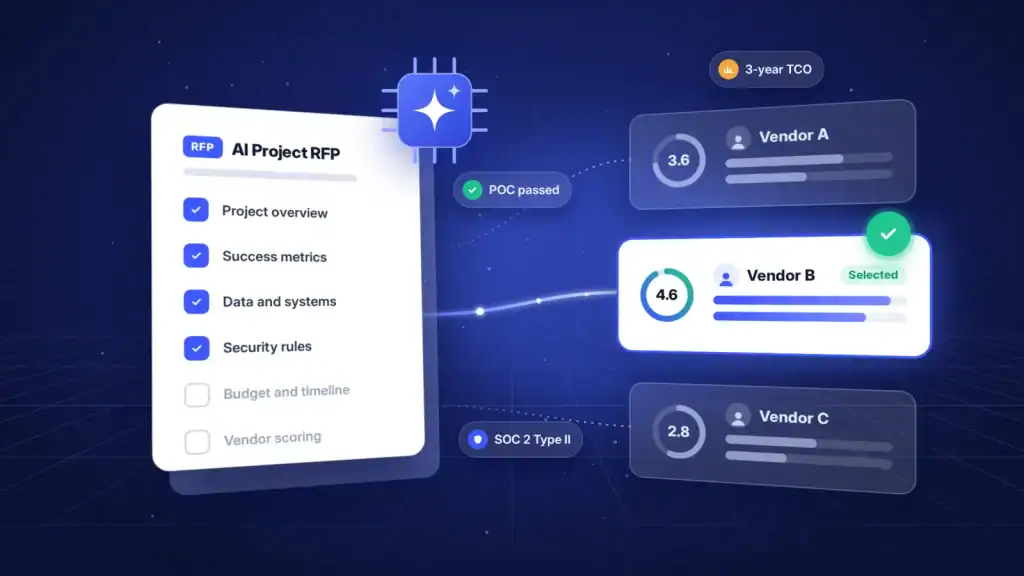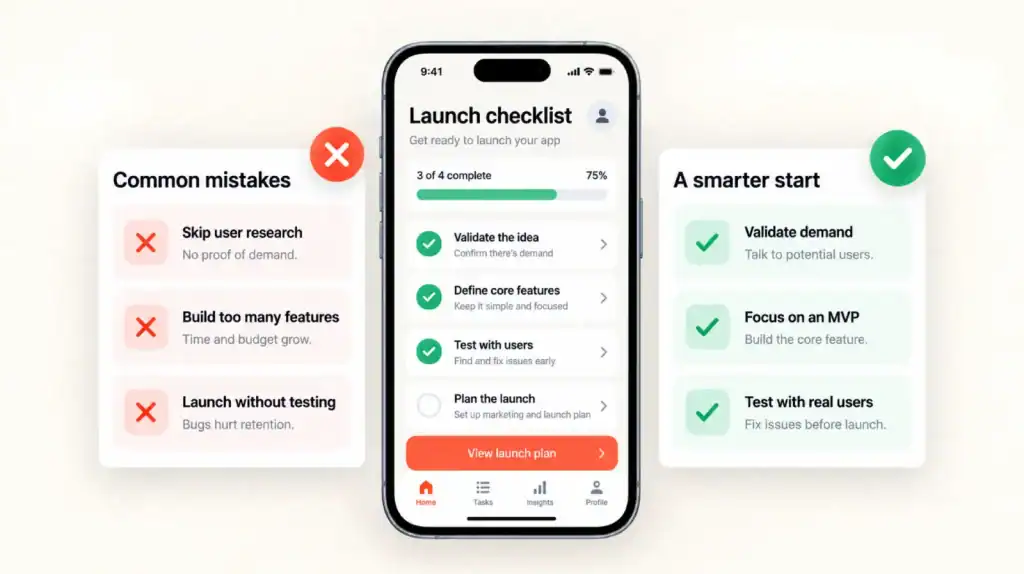
Choosing the right HR platform starts with understanding your workforce, operational gaps, compliance needs, and current systems. The right solution reduces manual work, improves data accuracy, and gives employees and managers one place to manage HR tasks.
HR management software for your business should fit your current workflows and support future growth. Focus on problems such as scattered employee data, delayed approvals, payroll errors, limited reporting, or disconnected hiring processes.
HR technology also requires stronger governance in 2026. Deloitte reports that 43% of organizations now use AI in HR, up from 26% the previous year. However, AI used for hiring, performance, or workforce planning needs clear controls for bias, privacy, accuracy, and compliance.
If standard tools do not fit your needs, a best software development company can build a custom platform around your workflows, integrations, data, and security requirements.
Key Takeaways
- Start with business problems, not vendor features. Define what your HR team, managers, finance team, and employees need to improve.
- Choose a platform based on workforce size, geographic footprint, employment types, compliance obligations, and growth plans.
- Assess core functions first, including employee records, leave, attendance, payroll connections, onboarding, and reporting.
- Test real workflows during demos. A polished dashboard does not prove that approval chains, payroll exports, or reporting will work for your team.
- Calculate the full three-year cost, including licensing, implementation, integration, migration, training, support, and future add-ons.
What to Consider When Choosing HR Management Software for Your Business
A structured evaluation prevents costly rework after implementation. Use these factors when choosing HR management software before you shortlist vendors.
Define the HR Problems You Need to Solve
Document the operational issues your team faces. For example, you may manage employee records in spreadsheets, track leave by email, or process payroll through separate systems.
Focus on measurable problems:
- HR staff spend too much time on manual data entry
- Employees cannot update their own information
- Payroll data needs manual exports and formatting
- Compliance reports take too long to prepare
Map Your Current HR Workflows
Review your key processes, including hiring, onboarding, leave, attendance, payroll, performance reviews, offboarding, and document management.
For each process, identify the owner, systems involved, approval steps, data inputs, common delays, and required compliance records.
Match the Software to Your Workforce Size
Small businesses often need employee records, leave tracking, payroll connections, and document storage. Mid-sized businesses usually need stronger reporting, approval workflows, recruitment tools, and integrations.
The best HR software for business is not always the largest system. A small company can overspend on enterprise tools, while a growing company can quickly outgrow a basic platform.
Plan for Scalability as You Grow
Check how the software handles more employees, new departments, changing approval structures, and extra modules. Scalability is essential if you plan to expand, hire remotely, enter new markets, or acquire another business.
A scalable system lets you add capabilities without replacing your HR platform.
Confirm Integration Capabilities
HR software must connect with payroll, accounting, recruitment, benefits, ERP, identity management, and collaboration tools.
Review Integration Capabilities early. Confirm support for prebuilt connectors, APIs, webhooks, single sign-on, bulk imports, and accessible data exports.
Calculate the Full Cost of Ownership
Subscription fees are only one part of the cost. Include implementation, configuration, integrations, data migration, training, support, reporting, and upgrades.
A low-cost platform becomes expensive when it needs extensive customization or manual workarounds.
How to Choose the Right HR Management Software Step by Step
Use a structured selection process to align HR, IT, finance, legal, and business leaders before you choose a platform.
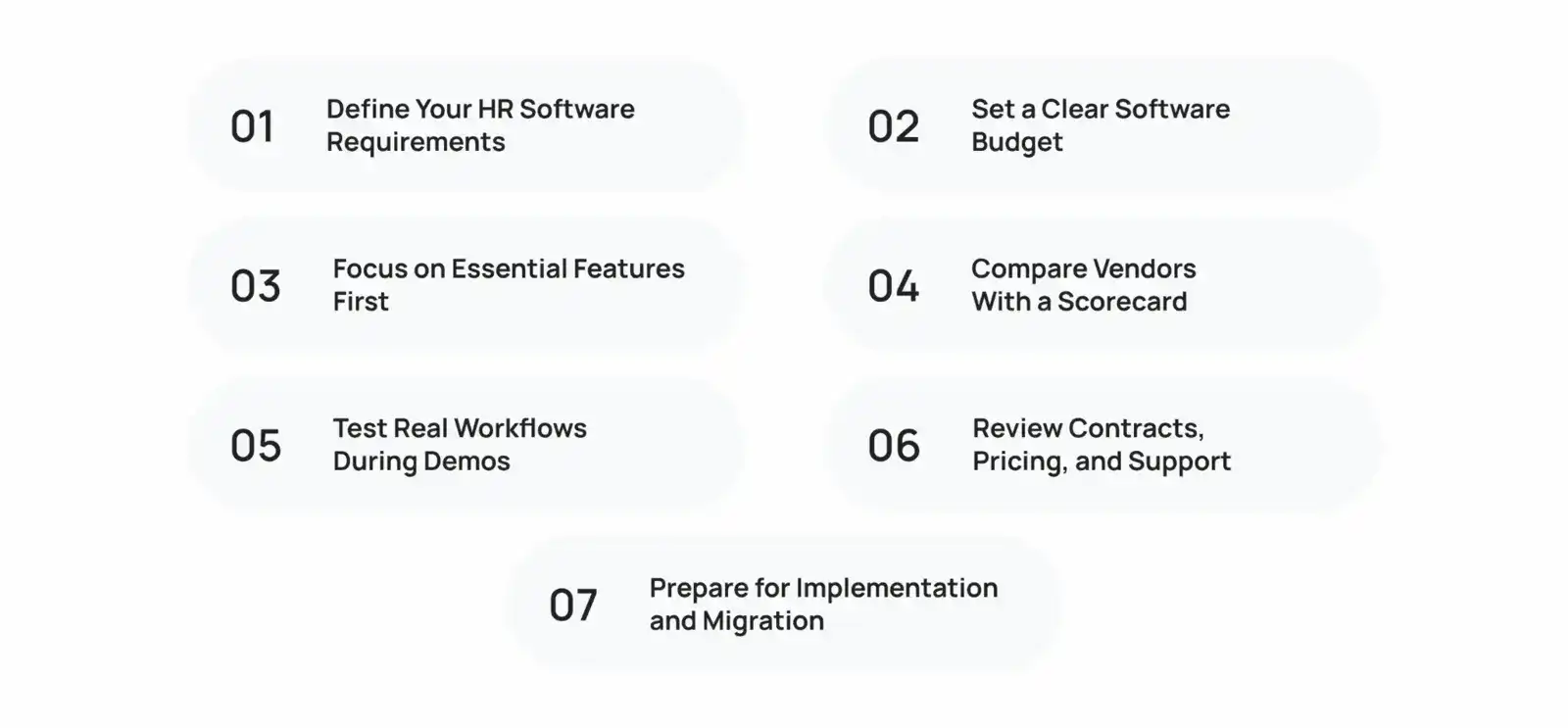
Define Your HR Software Requirements
Create a list of must-have, nice-to-have, and future features. This forms the basis of HR software selection.
Focus on user needs and workflows, not only feature names. For example, specify that a manager must approve mobile leave requests quickly instead of simply listing leave management.
Set a Clear Software Budget
Set a budget before contacting vendors. Separate recurring subscription fees from one-time implementation costs.
Also calculate the cost of manual work, payroll corrections, duplicate data entry, compliance reporting, and employee support.
Focus on Essential Features First
Prioritize features that solve your biggest problems. Core employee records, leave tracking, approval workflows, payroll exports, and reporting usually matter more than advanced AI tools.
Start with essential modules. Add talent management, learning, compensation, or engagement tools after your team adopts the system.
Compare Vendors With a Scorecard
Create a weighted scorecard for each shortlisted vendor. Give the highest scores to essential requirements, integration fit, security, usability, support, and total cost.
This approach makes HR Management Software Selection more consistent and less dependent on sales presentations.
Test Real Workflows During Demos
Avoid generic product demos. Give every vendor the same scenarios and ask them to complete each task live.
Test whether the software can:
- Add a new employee with the correct manager, location, and department
- Submit and approve leave through a mobile device
- Send employee changes to payroll
- Run headcount reports by department or location
- Complete a performance review
- Offboard an employee and remove access
- Export records for a compliance review
This is the most practical way to understand how to choose HR software. You need proof that the platform supports your daily processes.
Review Contracts, Pricing, and Support
Check renewal terms, price increases, minimum employee requirements, data ownership, service-level agreements, and contract exit terms.
Also confirm extra charges for:
- Implementation support
- Custom integrations
- API access
- Payroll connectors
- Training sessions
- Advanced reporting
- Data exports after contract termination
Evaluate Customer Support by reviewing response times, available channels, escalation processes, implementation ownership, and regional availability.
Prepare for Implementation and Migration
Plan the rollout before signing the contract. Assign an executive sponsor, project manager, HR process owners, IT resources, and data owners.
Clean and validate employee data before migration. Remove duplicates, standardize formats, map old fields to new records, and confirm reporting structures before importing data.
What Is the Best HR Management Software for Different Business Needs?
The right category depends on your operational maturity and workforce complexity. Use this table to select the appropriate system type.
| Software type | Best for | Main capabilities | Considerations |
|---|---|---|---|
| HRIS (Human Resource Info System) | Small and mid-sized businesses that need a central employee database | Employee records, document storage, leave, basic reporting, employee profiles | Usually less extensive for payroll, talent management, and workforce planning |
| HRMS (HR Management System) | Growing businesses that need operational HR workflows | HRIS functions plus attendance, leave, payroll links, onboarding, and self-service | Check local payroll support and integration depth |
| HCM software | Mid-market and enterprise organizations | Core HR, payroll, recruiting, performance, learning, compensation, analytics, succession planning | Higher cost, longer rollout, and greater configuration needs |
Key Features to Evaluate in HR Management Software
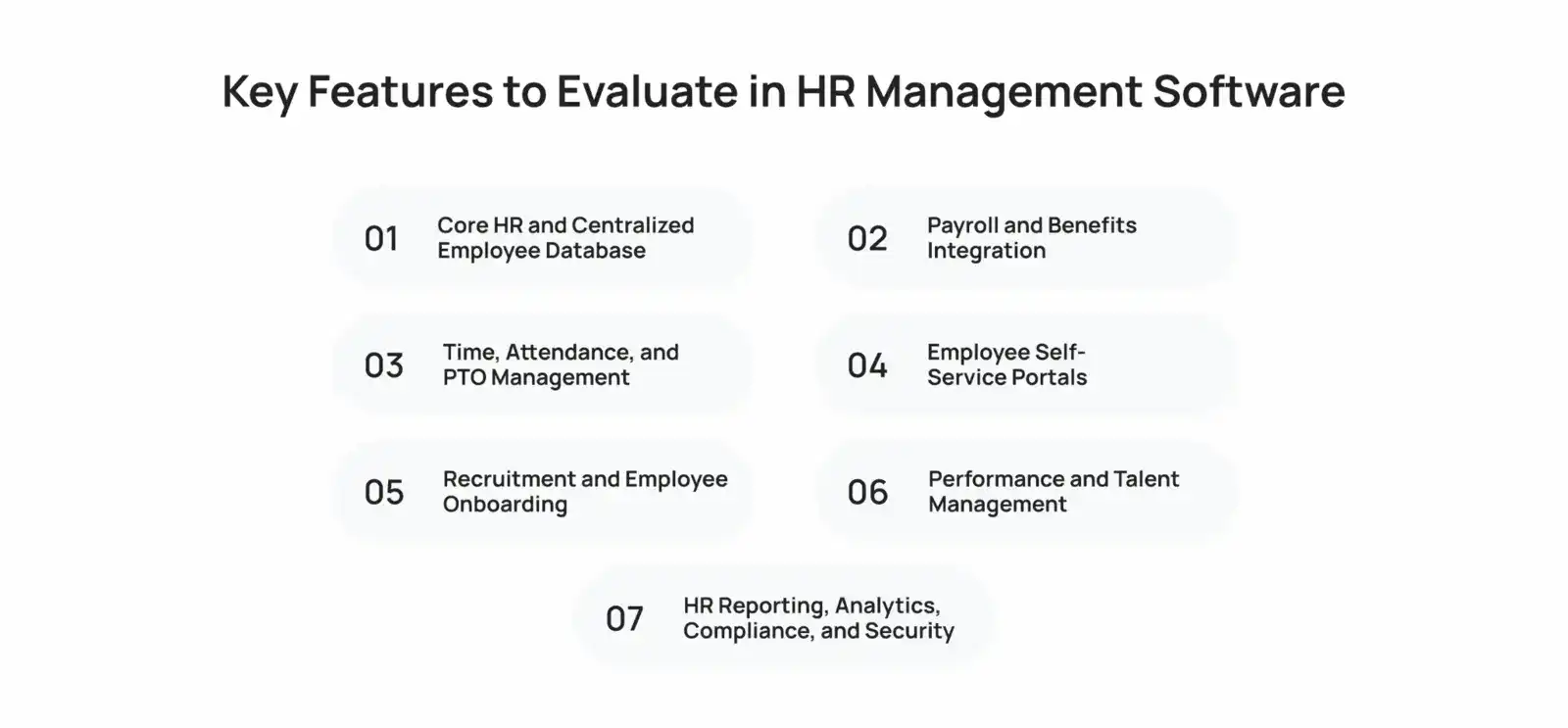
Your shortlisted platforms should support the following core areas.
1. Core HR and Centralized Employee Database
The employee record should act as the source of truth. It should store personal details, job history, compensation fields, reporting relationships, documents, certifications, and employment status.
Confirm role-based access. Employees should only see their own information, while HR, managers, and finance teams should see only relevant data.
2. Payroll and Benefits Integration
Reliable Payroll Processing depends on accurate employee, attendance, leave, and compensation data. The HR platform should sync approved changes with payroll or generate validated export files.
Check tax, benefits, overtime, shift differential, and local compliance needs. If your workforce operates across countries, confirm each country’s payroll model and local support.
3. Time, Attendance, and PTO Management
Evaluate timesheets, clock-in methods, overtime rules, shift scheduling, leave balances, holiday calendars, and approval workflows.
Hourly teams may need geofencing, biometric connections, roster planning, and mobile clock-in. Salaried employees may only need leave requests and absence reporting.
4. Employee Self-Service Portals
Employee Self-Service reduces HR tickets by allowing workers to update personal details, download documents, request leave, view policies, and check benefits information.
Manager self-service is equally important. Managers should approve requests, view team data, complete reviews, and track onboarding tasks without HR intervention.
5. Recruitment and Employee Onboarding
Look for applicant tracking, interview scheduling, candidate communication, offer approvals, background-check connections, and onboarding checklists.
A strong onboarding workflow triggers tasks for HR, IT, payroll, managers, and new employees. It ensures every stakeholder completes work before the employee’s first day.
6. Performance and Talent Management
Effective performance management supports goals, check-ins, feedback, review cycles, calibration, and development plans. However, ensure the process fits your culture.
Avoid rigid rating systems if managers use continuous feedback. Conversely, use structured templates and audit trails if you need formal review records for compensation decisions.
7. HR Reporting, Analytics, Compliance, and Security
Your platform should provide dashboards for headcount, turnover, leave, recruitment, diversity, payroll changes, and workforce trends. Strong Analytics & Reporting lets leaders filter data by department, location, manager, employment type, or date range.
Also assess Compliance & Reporting features, including audit logs, retention controls, consent records, access reviews, and exportable reports. Security should include encryption, multi-factor authentication, role-based permissions, backups, incident response, and clear data-processing agreements.
Advanced HR Software Features You Should Consider
Advanced capabilities create value when core data and processes already work well. Do not implement AI or predictive tools on incomplete or poorly governed data.
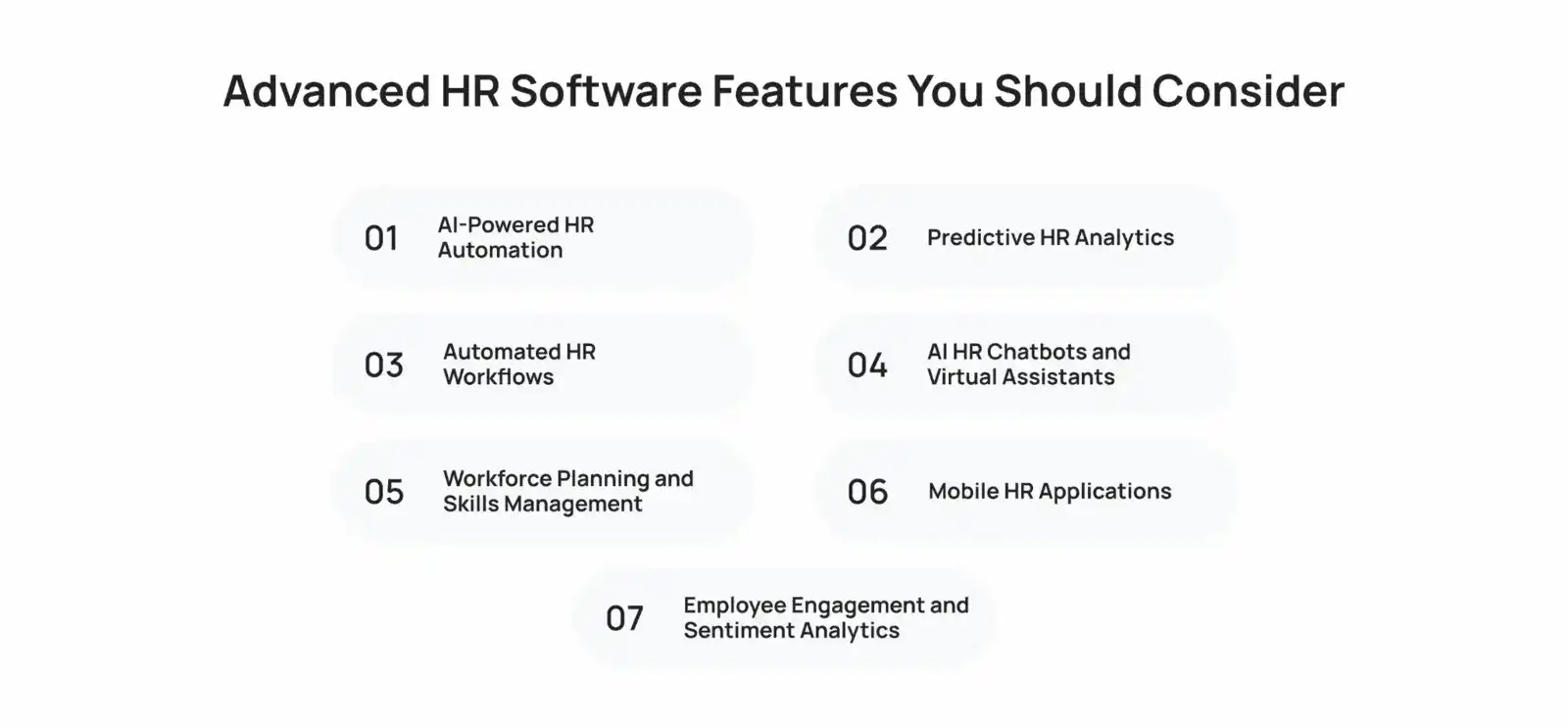
AI-Powered HR Automation
AI can classify documents, summarize policies, draft job descriptions, route employee requests, and assist with candidate communication. It reduces repetitive work when you set clear human review points.
Deloitte notes that advanced HR AI systems generated inaccurate statements in roughly 3% to 7% of complex HR-related queries in 2025. Therefore, do not allow AI to make final hiring, promotion, termination, or compensation decisions without accountable human oversight.
Predictive HR Analytics
Predictive analytics helps identify attrition patterns, hiring demand, skills gaps, absence trends, and workforce-cost scenarios. Its results depend on complete, accurate, and unbiased historical data.
Use predictions as decision support, not as automatic employee judgments. Document what data the model uses, who can access outputs, and how the business validates results.
Automated HR Workflows
Workflow automation routes tasks based on an event. For example, a promotion can update job details, notify payroll, trigger equipment access changes, and assign new policy acknowledgments.
For practical ideas, Cubix explains how workflow automation improves team communication through automated reminders, updates, and dashboard visibility.
AI HR Chatbots and Virtual Assistants
HR chatbots answer common questions about leave policies, benefits, onboarding, payroll dates, and internal procedures. They work best when they retrieve answers from approved policy content.
Require escalation to a human for sensitive issues, unclear queries, employee relations cases, or legal concerns. Also log chatbot interactions carefully because they may contain personal data.
Workforce Planning and Skills Management
Skills tools map employee capabilities, certifications, career interests, and role requirements. They help HR and business leaders identify training needs and internal mobility opportunities.
Choose skills features only if managers will maintain role profiles and employees can validate their records. Otherwise, skill data becomes unreliable quickly.
Mobile HR Applications
Mobile Access helps remote, frontline, field, and shift-based workers submit leave, view schedules, complete onboarding, and receive announcements.
Test the mobile app on common devices and weak network conditions. Also confirm that it supports the same security controls as the web platform.
Employee Engagement and Sentiment Analytics
Engagement tools support pulse surveys, recognition, feedback, polls, and sentiment trends. Use anonymous reporting thresholds so managers cannot identify individual responses in small groups.
Never treat sentiment data as a substitute for direct employee conversations. Use it to identify patterns, then investigate them with context.
How to Evaluate HR Software Vendors?
Evaluate vendors against documented business needs, technical fit, security posture, cost, implementation capability, and customer outcomes. A feature-rich platform is not a strong choice if it fails your integrations, compliance requirements, or user experience tests.
Compare Features With Your Business Requirements
Use your requirements scorecard during every demo. Rate each item as fully supported, partially supported, requires customization, requires an integration, or unavailable.
Ask vendors to show the feature in action. Do not accept “roadmap” promises as part of your launch plan.
Evaluate Integration and API Capabilities
Ask for API documentation, integration architecture, authentication methods, webhooks, data-sync frequency, error handling, and sandbox access.
Pay close attention to payroll, ERP, identity management, recruitment, accounting, and learning integrations. A vendor should explain how it handles failed syncs, duplicate records, and data conflicts.
Review Security and Compliance Standards
Request documentation for encryption, access control, penetration testing, backups, disaster recovery, incident notification, subcontractors, and data deletion.
Also ask whether the vendor supports SOC 2, ISO 27001, GDPR obligations, local privacy rules, and industry-specific requirements. For AI functions, ask for bias testing, model transparency, data retention, and human override procedures.
Compare Pricing and Contract Terms
Compare total cost across the same period and employee count. TechnologyAdvice’s 2025 pricing guide places typical HR software pricing across a wide range of $5 to $500 per employee per month, depending on the category and included capabilities.
Do not compare only starting prices. Compare the exact package, modules, implementation scope, support tier, and renewal terms.
Assess Customer Support and Service
Ask for implementation timelines, named contacts, escalation procedures, support hours, response targets, and post-launch account management.
Also review available training resources. Strong onboarding materials, administrator training, knowledge bases, and role-based guides improve adoption after launch.
Review Customer Feedback and Case Studies
Read independent reviews and ask for references from organizations that resemble yours in size, industry, region, and complexity.
How Much Does HR Management Software Cost?
Costs vary based on employee count, feature depth, region, payroll needs, integrations, and implementation complexity.
| Cost category | Typical pricing | Key cost factors |
|---|---|---|
| Basic HRIS | $5–$15/employee/month | Records, leave, documents |
| HRMS suite | $15–$40/employee/month | Payroll, workflows, reporting |
| Enterprise HCM | Custom quote | Multi-country, analytics, advanced controls |
| Payroll add-on | Base fee + per employee | Tax, benefits, payroll processing |
| Implementation | One-time fee | Migration, training, integrations |
| Custom platform | Project-based | Features, integrations, AI, infrastructure |
How to Implement HR Management Software Successfully?
Implementation succeeds when your organization treats it as a process-change project, not only an IT installation.
- Assign executive sponsorship and a cross-functional project team.
- Define success metrics, such as reduced HR tickets, faster onboarding, fewer payroll corrections, or higher self-service completion.
- Clean, standardize, and validate employee data before migration.
- Configure a pilot group before a full company rollout.
- Test every payroll, attendance, approval, reporting, and offboarding workflow.
- Train employees, managers, HR administrators, and IT support teams by role.
- Launch in phases if the organization has complex locations, payrolls, or business units.
- Monitor adoption, support tickets, workflow failures, and data-quality issues after launch.
- Review performance after 30, 60, and 90 days, then improve workflows based on user feedback.
Avoid excessive customization options during the first phase. Configure what the platform supports well, then add only the custom logic that provides clear operational value.
Why Choose Cubix for Custom HR Management Software?
Off-the-shelf platforms work when their workflows, integrations, and compliance features match your needs. However, businesses with complex processes often need custom HR portals, workforce dashboards, mobile apps, or specialized integrations.
Cubix HappyForce demonstrates custom HR functionality through features such as attendance, time tracking, employee records, shift rosters, recruitment, reporting, performance reviews, and role-based access. Learn more about Cubix HappyForce HR software.
Cubix also develops secure HR systems that connect with payroll, ERP, CRM, identity, and cloud platforms. Its best software development company services cover system architecture, API integrations, development, testing, deployment, and maintenance.
The right HR management software for your business improves workforce data, simplifies HR tasks, and supports compliance as you grow.
Frequently Asked Questions
1. What’s the difference between HRIS, HRMS, and HCM?
An HRIS manages core employee information, such as records, documents, leave, and basic reports. An HRMS adds operational tools like time tracking, attendance, payroll integration, and onboarding. HCM is the broadest category, covering strategic functions such as recruiting, learning, compensation, performance, succession, and workforce planning.
2. What are the most important features in HR software?
Prioritize a centralized employee database, leave and attendance tracking, payroll integration, employee self-service, onboarding, reporting, role-based access, and security controls. The best feature set depends on your workforce size, employment model, locations, and compliance needs.
3. How do you evaluate HR software vendors?
Compare vendors against a documented scorecard. Assess feature fit, integrations, security, compliance, usability, implementation support, customer reviews, and three-year total cost. Ask every vendor to demonstrate the same real workflows during a live demo.
4. What should be in an HR software requirements document?
Include your business goals, user roles, current process issues, required workflows, essential features, integrations, reporting needs, security standards, compliance requirements, budget, implementation timeline, and success metrics. Separate requirements into must-have, preferred, and future features.
5. How long does HR software implementation take?
A basic HRIS for a small business often takes 2 to 6 weeks. A mid-market HRMS with integrations and payroll commonly takes 6 to 12 weeks. Enterprise HCM implementations can take 6 to 18 months because they involve complex data migration, customization, integrations, and multi-location requirements.
6. What costs should be budgeted beyond software price?
Budget for implementation, configuration, data cleanup, migration, integrations, API access, employee training, administrator training, custom reports, premium support, change management, and future modules. Also include internal HR and IT time spent on testing and rollout.
7. How do you ensure HR software adoption by employees?
Choose an easy-to-use platform, involve employees and managers during testing, and provide role-based training. Launch core functions first, communicate the benefits clearly, offer quick support, and track adoption through login rates, completed workflows, and support tickets.
8. What questions should you ask HR software vendors?
Ask how the platform handles payroll, integrations, mobile access, role-based permissions, data exports, security incidents, compliance reporting, data migration, implementation support, and contract termination. Also ask for live workflow demonstrations and customer references from similar businesses.
9. Should small companies invest in enterprise HR software?
Usually, no. Small businesses should choose enterprise software only when they have complex compliance needs, multiple entities, international teams, advanced reporting demands, or rapid growth plans. Otherwise, a simpler HRIS or HRMS is often easier to implement, adopt, and manage.
10. How do you avoid HR software implementation failures?
Define requirements before selecting a vendor, clean employee data before migration, test real workflows, assign clear project owners, train users, and launch in phases. Avoid excessive customization during the first rollout, because it increases cost, delays deployment, and complicates future upgrades.