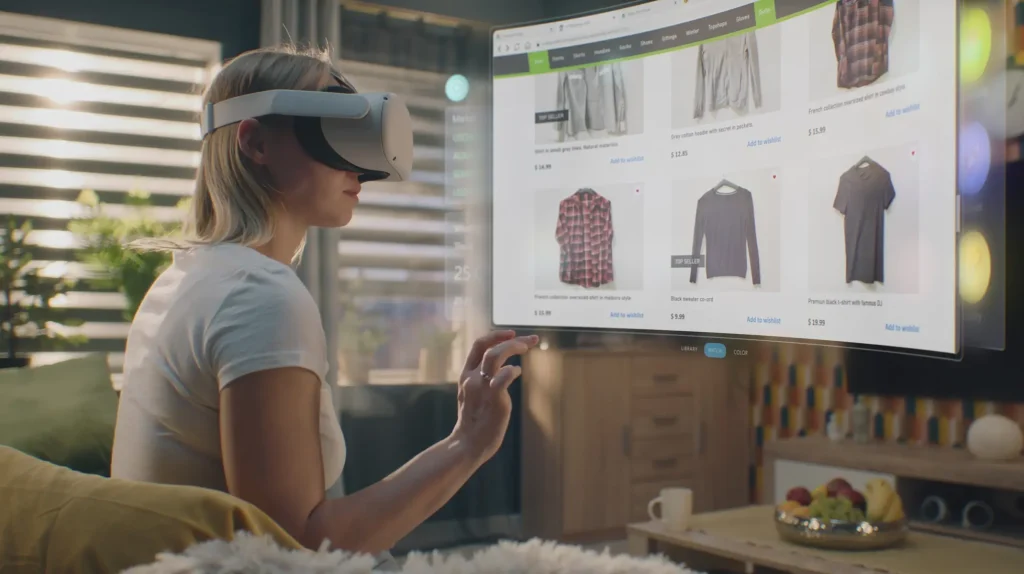
Some business workflows are difficult to manage with conventional screens alone. Engineers reviewing 3D assemblies, technicians repairing equipment, and trainers demonstrating complex procedures often need spatial information in the context of a physical task.
Apple states that its products are used by all Fortune 500 companies, giving visionOS a place within an established enterprise technology ecosystem. But business process optimization with visionOS is not about moving every application into a headset. It is about improving workflows where 3D visualization, spatial interaction, hands-free guidance, or contextual information can solve a genuine operational challenge.
This guide explores where visionOS can improve business processes, how it integrates with enterprise systems, and when traditional interfaces remain the better choice.
Key Takeaways
- visionOS can bring business workflows into immersive 3D environments, helping teams interact with digital information in more spatial and intuitive ways.
- Spatial computing can support remote collaboration, training, product visualization, data analysis, and virtual workspaces.
- Businesses can use visionOS to reduce reliance on physical prototypes, improve access to complex information, and streamline certain manual or location-dependent processes.
- Integrating visionOS with existing enterprise systems, APIs, and business applications can turn immersive experiences into practical workflow tools.
- The strongest use cases are those where 3D visualization, hands-free interaction, or spatial awareness provides a clear advantage over conventional screens and interfaces.
What Is visionOS and Why Does It Matter for Business Workflows?
visionOS is Apple’s spatial operating system for Apple Vision Pro. It is built around a three-dimensional user interface that allows digital content to exist within the user’s physical environment.
Applications can use conventional windows, 3D volumes, and immersive spaces depending on the experience. Users can interact with digital content through their eyes, hands, voice, and other supported input methods.
For businesses, the important distinction is not simply that visionOS looks different. It changes how information can be presented, positioned, and manipulated.
Organizations already working within Apple’s ecosystem can also draw on established iOS app development practices when evaluating how existing applications and services could extend into visionOS. However, a visionOS experience still requires its own spatial interaction and UX decisions rather than treating the platform as another screen size.
How visionOS Changes the Way Employees Interact With Business Applications
A conventional business application usually organizes information inside screens, menus, dashboards, forms, and documents. That works well when the underlying task is primarily textual or transactional.
Spatial computing becomes more useful when the information itself has a physical or three-dimensional relationship.
For example:
- An engineer can inspect a 3D product model instead of relying solely on 2D drawings.
- A technician can view instructions alongside physical equipment.
- A designer can review a digital prototype at an appropriate scale.
- A manager can arrange multiple applications and dashboards within a spatial workspace.
- A customer can configure a product using an interactive 3D representation.
visionOS also supports different levels of immersion. An application can remain within a shared spatial environment or provide a more immersive experience when the workflow requires greater focus.
The important point is that spatial interaction should serve the task. A 3D interface is not inherently better than a 2D interface.
For teams evaluating the wider Apple development ecosystem, understanding the programming languages for iOS app development can also help when assessing existing engineering skills and codebases that may contribute to a visionOS project. The actual implementation still needs to account for visionOS’s spatial frameworks and interaction model.
visionOS vs. Conventional Desktop and Mobile Workflows
| Workflow requirement | Conventional interface | visionOS approach |
| 3D model review | 2D screen or physical prototype | Interactive spatial model |
| Multiple dashboards | Monitor or multiple windows | Spatially arranged applications |
| Equipment instructions | Manual, tablet, or laptop | Spatial and contextual guidance |
| Remote technical support | Video, images, and chat | Spatial visual assistance |
| Product visualization | Images or 2D configurator | Interactive 3D representation |
| Simulation | Desktop simulation or physical setup | Immersive spatial simulation |
This does not mean visionOS replaces desktops, tablets, or smartphones. In many workflows, the best solution is a combination of devices.
What Makes a Business Process Suitable for visionOS?
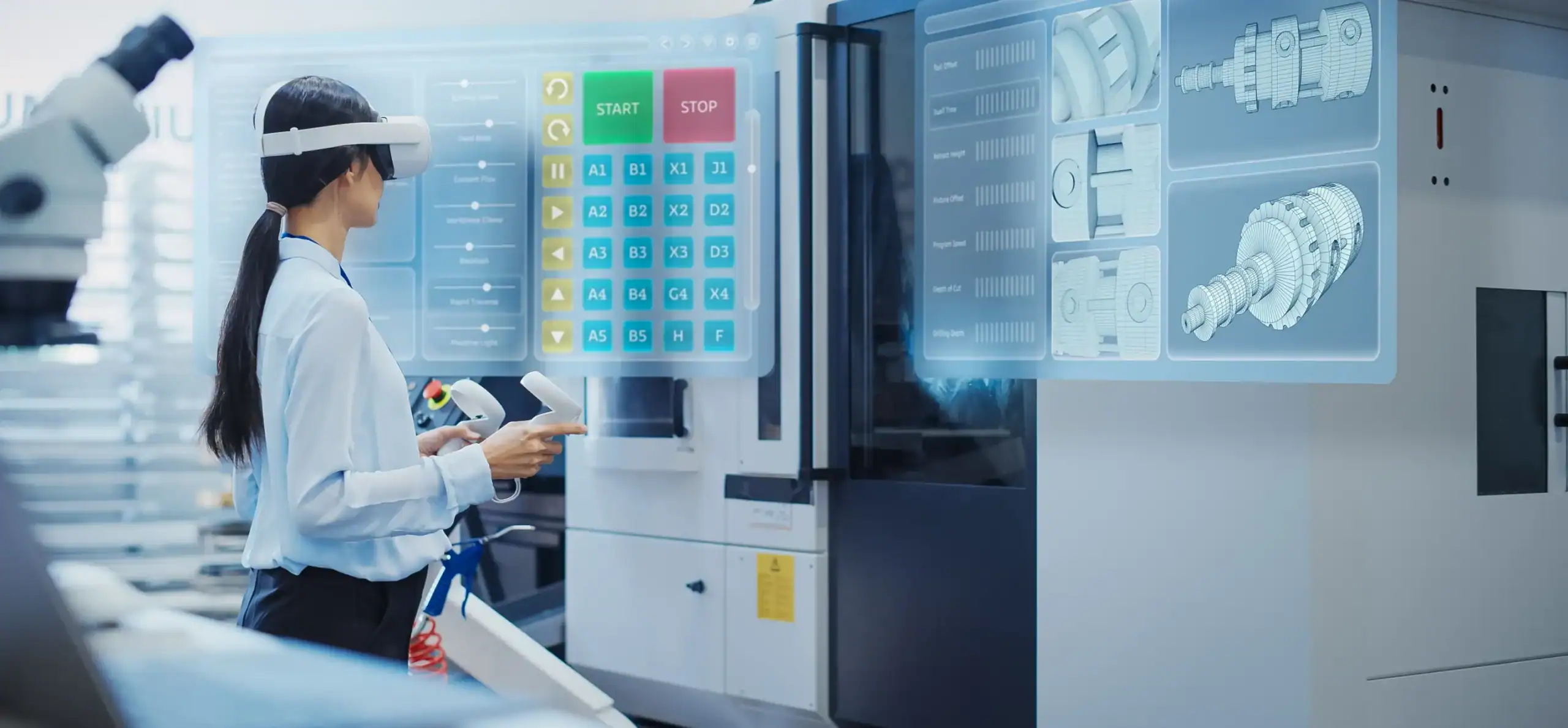
Not every business process needs spatial computing.
A useful evaluation starts with the workflow rather than the hardware. If employees spend most of their time entering text, processing invoices, updating records, or working with conventional documents, a desktop or mobile application may already be the most efficient interface.
visionOS becomes more compelling when the workflow involves information that is difficult to understand, manipulate, or access through a conventional screen.
1. Workflows That Benefit From Spatial Interaction
A workflow may be a strong candidate for visionOS when it involves:
- Complex 3D models or physical objects
- Spatial relationships between components
- Equipment inspection or maintenance
- Hands-on procedures
- Simulation and practical training
- Remote expert assistance
- Large or complex visual datasets
- Collaborative design reviews
- Product configuration
- Digital twins or spatial representations of physical environments
The common thread is that spatial context contributes directly to the task.
Apple’s enterprise examples reflect this pattern. Its business material focuses on areas such as design, immersive training, guided work, productivity, customer experiences, and spatial data visualization rather than suggesting that every business application should become spatial.
2. Workflows Better Suited to Conventional Interfaces
There are also workflows where introducing a headset would add complexity without solving a meaningful problem.
Examples include:
- Basic data entry
- Email and routine communication
- Simple spreadsheet administration
- Standard CRM updates
- Text-heavy documentation
- Routine financial transactions
- Simple approval workflows
A good visionOS strategy therefore does not ask, “How can we move this application into spatial computing?”
It asks, “Which part of this workflow is limited by the current interface?”
3. A Simple Test for Identifying a visionOS Opportunity
Before investing in development, ask:
- Does the process involve 3D or spatial information?
- Does the user interact with physical equipment or environments?
- Would hands-free access to information improve the task?
- Would spatial visualization make complex information easier to understand?
- Does the workflow require remote visual assistance or collaboration?
- Can the potential improvement be measured?
The more questions a workflow answers positively, the stronger the case for exploring a spatial application.
How visionOS Can Optimize Business Processes
The strongest visionOS business applications are not built around novelty. They are built around specific processes where spatial computing can change how information is reviewed, understood, or acted upon.
1. 3D Product Design and Prototyping
Product development teams often work with CAD files, engineering models, prototypes, technical drawings, and design specifications spread across different tools.
A visionOS application can provide another layer for reviewing those assets in three dimensions.
Instead of examining a product only through a conventional monitor, teams can manipulate a spatial model, inspect components, compare configurations, and discuss design decisions around the same digital object.
A typical workflow could look like:
CAD model → spatial visualization → design review → stakeholder feedback → iteration
This can be particularly useful when physical prototypes are expensive, difficult to distribute, or unavailable to geographically dispersed teams.
The value is not simply seeing a model in 3D. It is making design information easier to inspect and discuss within the context of the decision being made.
For organizations already working with Apple platforms, the relationship between conventional iPhone application development for business and spatial applications can also be useful to consider. A business does not necessarily need to replace its existing mobile architecture. A visionOS application can become another interface for selected workflows while core business systems remain connected underneath.
2. Immersive Training and Simulation
Training is another area where spatial computing can address a genuine interface problem.
Some procedures are difficult to teach through documents or conventional video because employees need to understand the relationship between multiple physical components or perform a sequence of actions.
A visionOS training application can combine:
- 3D models
- Interactive simulations
- Step-by-step instructions
- Voice guidance
- Visual annotations
- Scenario-based exercises
- Assessment workflows
A typical process becomes:
Training requirement → spatial simulation → guided practice → assessment → operational readiness
Apple has documented KLM’s Engine Shop application as an example of spatial training for aircraft maintenance. Technicians can train using detailed engine models and follow task instructions overlaid on a 3D representation of the engine.
The important distinction is between making training immersive and making training effective. An immersive experience does not automatically produce better learning outcomes. Organizations should measure completion rates, task accuracy, knowledge retention, or other relevant training KPIs before and after deployment.
3. Guided Work and Equipment Maintenance
Field service and maintenance workflows often require employees to consult manuals, diagrams, checklists, service records, and expert guidance while physically working on equipment.
That creates a practical problem: the information is digital, but the task is physical.
visionOS can bridge that gap by placing relevant instructions and 3D information within the user’s spatial context.
A maintenance workflow might follow:
Equipment identification → component visualization → step-by-step guidance → task execution → verification
Digital twins can be particularly useful here. A technician can compare a digital representation with physical equipment and access information about components, procedures, or assembly sequences.
Hands-free guidance can also reduce the need to repeatedly move between equipment and a separate screen.
The goal is not to eliminate technicians’ expertise. It is to make relevant information available closer to the point where the work happens.
4. Remote Assistance and Technical Support
Remote support becomes difficult when an expert has to understand a problem through a phone camera, photographs, written descriptions, or incomplete documentation.
Spatial applications can provide another communication layer for technical support.
A possible workflow is:
Field issue → remote connection → visual inspection → expert guidance → repair → verification
This can be useful for:
- Industrial equipment
- Field service
- Technical installation
- Infrastructure maintenance
- Healthcare equipment
- Complex repairs
The potential value comes from improving the quality and context of information exchanged during the support process, rather than simply adding another video-conferencing interface.
5. Spatial Data Visualization and Business Analysis
Some business decisions depend on understanding relationships within complex datasets.
Traditional dashboards are excellent for many analytical tasks, but spatial computing can provide another option when geographic, physical, or three-dimensional relationships matter.
A spatial analytics application could combine:
- Operational data
- Geographic information
- 3D models
- Performance metrics
- Resource data
- Scenario visualizations
The workflow becomes:
Enterprise data → spatial visualization → contextual analysis → comparison → decision
Apple has demonstrated spatial business applications that bring dashboards and data visualization into the Vision Pro environment, including SAP Analytics Cloud experiences.
The application should still preserve conventional analytical functions such as filtering, sorting, drill-down, and comparison. Spatial visualization should add context rather than replace sound data-analysis practices.
6. Collaborative Design and Remote Reviews
Distributed teams can spend considerable time reviewing designs through video calls, screenshots, documents, and separate CAD sessions.
A spatial collaboration application can instead make a 3D model the center of the discussion.
Participants can inspect:
- Product assemblies
- Architectural models
- Manufacturing layouts
- Engineering concepts
- Infrastructure designs
- Spatial environments
This can be especially useful when the question is not simply “What does this design look like?” but “How do these components relate to one another in space?”
The workflow becomes more meaningful when participants can inspect the same spatial representation rather than repeatedly translating a 3D concept into screenshots or flat presentations.
7. Demonstration and Customer Configuration
Customer-facing workflows can also benefit from spatial computing when customers need to understand the physical characteristics of a product before purchasing it.
A visionOS application can support:
- Product visualization
- Configuration
- Customization
- Virtual demonstrations
- True-to-scale representations
- Interactive product exploration
The process could be:
Customer requirement → configuration → spatial visualization → modification → purchase decision
For example, a spatial configurator can let customers inspect how different product options affect a physical design instead of relying only on photographs or conventional 2D interfaces.
The important consideration is whether the spatial experience improves a real stage of the customer journey rather than simply creating an impressive demonstration.
How visionOS Fits Into an Enterprise Technology Stack
A business visionOS application should rarely operate as an isolated 3D experience.
Its value increases when it connects spatial interactions with the organization’s existing software, data, and operational systems.
For organizations evaluating the broader role of enterprise app development, this distinction matters. The spatial interface is only one layer of the application architecture. Authentication, business logic, APIs, databases, cloud services, and existing enterprise platforms still need to work together.
1. Connecting visionOS Apps With Enterprise APIs
A typical architecture may look like:
Enterprise system → API/backend → business logic → visionOS application → spatial interface
The visionOS application can act as the presentation and interaction layer while enterprise systems remain responsible for core business data and processes.
Depending on the application, integrations may involve:
- REST APIs
- GraphQL
- Cloud services
- Authentication systems
- Databases
- Real-time data services
- Enterprise application APIs
Apple provides enterprise APIs for visionOS that give business applications additional capabilities for working with information and objects in the user’s environment.
2. Integrating CRM, ERP, and Operational Data
A spatial application may need access to information stored in systems such as:
- CRM platforms
- ERP systems
- Product lifecycle management platforms
- Asset management systems
- Field-service software
- Inventory systems
- Customer databases
For example, a field technician might need a 3D model of a machine while also accessing its service history, component records, maintenance schedule, and current status.
The spatial interface is only one part of that experience. The underlying integration determines whether the application can provide useful, current business information.
3. Working With 3D Models and Digital Twins
3D assets introduce another technical consideration.
Engineering organizations may already have CAD models, simulation data, or digital-twin assets, but those files may not be optimized for real-time spatial applications.
Development teams may need to address:
- Model complexity
- Polygon counts
- Materials and textures
- File size
- Asset loading
- Rendering performance
- Data streaming
- Model versioning
A production application therefore needs an asset pipeline, not simply a collection of imported models.
4. Authentication, Security, and Enterprise Device Management
Enterprise applications also need appropriate controls around:
- User authentication
- Authorization
- Corporate data
- Application access
- Device management
- Network connectivity
- Data storage
- Privacy
- Audit requirements
This becomes particularly important when spatial applications access confidential engineering data, patient information, customer records, or operational systems.
Security should be considered during architecture and workflow design rather than added after the application is built.
How to Build a visionOS Application for Business Process Optimization
The development process should begin with the business workflow, not with a list of spatial features.
1. Map the Existing Business Workflow
Document:
- Users
- Tasks
- Inputs
- Systems
- Bottlenecks
- Decisions
- Outputs
- Dependencies
This establishes what the application actually needs to improve.
2. Identify the Spatial Interaction Opportunity
Determine where spatial computing can make a measurable difference.
For example, an equipment maintenance process might not need an entirely new enterprise platform. It may only need a spatial interface that brings equipment diagrams, instructions, and service data into the technician’s working environment.
3. Design the Spatial User Experience
Spatial UX requires different considerations from traditional mobile and desktop design.
Designers need to consider:
- Spatial hierarchy
- Interaction distance
- Window placement
- 3D object manipulation
- Visual hierarchy
- Gesture interaction
- Voice input
- Accessibility
- Cognitive load
- Physical environment
The interface should guide attention without overwhelming the user.
4. Build With SwiftUI, RealityKit, and ARKit
Apple’s visionOS development stack includes SwiftUI, RealityKit, and ARKit.
Enterprise iOS app development experience can provide a useful foundation for teams already familiar with Apple’s development ecosystem, but visionOS requires platform-specific decisions around spatial interfaces and 3D interaction.
SwiftUI can be used to build interfaces and scene structures.
RealityKit provides tools for rendering and interacting with 3D content and spatial experiences.
ARKit provides spatial-understanding capabilities when an application needs information about the user’s surroundings.
Apple’s documentation also makes an important technical distinction: ARKit works differently on visionOS than on iOS. On visionOS, the system handles the presentation of application content within the user’s surroundings, while applications can request specific ARKit capabilities such as plane detection, scene reconstruction, image tracking, hand tracking, and world tracking when needed.
5. Integrate Enterprise Systems
The next stage connects the spatial application with the systems that contain the business data.
This may involve:
- API integration
- Authentication
- Cloud services
- Enterprise databases
- CRM integration
- ERP integration
- Real-time data
- 3D asset services
The objective is to ensure that spatial information remains connected to the operational system of record.
6. Test the Workflow, Not Just the Application
Testing should cover more than whether buttons and gestures work.
Teams should test:
- Spatial usability
- Task completion
- 3D rendering performance
- Tracking behavior
- Asset loading
- Enterprise connectivity
- Authentication
- Accessibility
- Data security
- Real-world environmental conditions
Most importantly, test whether users can actually complete the target business task more effectively.
7. Deploy and Measure Process Impact
Before deployment, define the metrics that matter.
Depending on the workflow, these could include:
- Task completion time
- Error rate
- Training completion
- Support escalation frequency
- Review cycles
- Field-service resolution time
- Prototype iterations
- User adoption
- Customer conversion
- Employee satisfaction
These metrics provide a basis for determining whether the spatial application is solving the problem it was designed to address.
visionOS Business Process Optimization vs. Traditional Workflows
The following comparison illustrates where spatial computing can change the interaction model without implying that it is universally better.
| Business process | Traditional approach | visionOS-enabled approach |
| Product review | 2D CAD, screens, physical prototypes | Interactive 3D spatial models |
| Equipment training | Manuals, video, classroom training | Interactive 3D simulation |
| Maintenance | Manuals, tablet, phone support | Spatial guided instructions |
| Remote support | Video calls and images | Contextual spatial assistance |
| Data analysis | Dashboards and monitors | Spatial data visualization |
| Product configuration | Images and 2D configurators | Interactive 3D configuration |
| Design collaboration | Screen-based meetings | Shared spatial model review |
The objective is not to replace an existing workflow simply because spatial computing is available. The objective is to improve the part of the workflow where conventional interfaces create friction.
Challenges of Using visionOS for Business Process Optimization
Spatial computing introduces its own technical and operational considerations.
1. Hardware and Deployment Costs
Organizations need to account for more than application development.
Costs can include:
- Devices
- Accessories
- Development hardware
- 3D content production
- Device management
- User training
- Support
- Application maintenance
- Enterprise deployment
A pilot deployment can help validate the workflow before a larger rollout.
2. 3D Asset Creation and Optimization
Existing CAD and 3D assets may require significant preparation before they perform well in a real-time spatial application.
Complex models can create performance and loading challenges, particularly when applications need detailed representations of large products, facilities, or machines.
3. Spatial UX Complexity
A desktop application cannot simply be placed into a headset and called a spatial experience.
Spatial applications need to account for:
- User movement
- Field of view
- Physical surroundings
- Interaction distance
- Object scale
- Gesture discoverability
- Visual attention
- Accessibility
Good spatial UX starts with the user’s physical and cognitive context.
4. Enterprise Integration
Legacy software, fragmented APIs, authentication systems, data synchronization, and complex business logic can make integration more difficult than the spatial interface itself.
This is why enterprise architecture should be considered during the discovery phase.
5. Employee Adoption and Workflow Fit
Employees may need training and time to adapt to new interaction patterns.
A successful deployment should therefore answer practical questions:
- Does the device fit the work environment?
- Can employees comfortably perform the task?
- Does the spatial interface reduce friction?
- Is the workflow frequent enough to justify the hardware?
- What happens when the headset is unavailable?
6. Security, Privacy, and Accessibility
Spatial applications can interact with sensors, physical environments, enterprise data, and user identities.
Security architecture should account for:
- Data access
- Permissions
- Authentication
- Device management
- Network security
- Data retention
- Privacy
- Accessibility
These considerations become even more important in regulated industries and workflows involving sensitive information.
7. Measuring ROI
A business case should not rely on statements such as “spatial computing will improve productivity.”
Instead, establish a baseline and measure a defined operational outcome.
For example:
Before: Average maintenance task takes 90 minutes.
Target: Determine whether guided spatial instructions can reduce the time, error rate, or support dependency without compromising quality or safety.
The actual result should come from deployment data, not assumptions.
How to Decide Whether Your Business Needs a visionOS Application
A useful decision framework is straightforward.
Ask These Five Questions
1. Does the workflow involve spatial or 3D information?
If the answer is no, a conventional interface may be more appropriate.
2. Would spatial interaction remove a real bottleneck?
The application should solve an existing problem, not create a new interface simply for novelty.
3. Does the workflow involve physical equipment or environments?
Maintenance, inspection, training, and field service can be strong candidates because digital information can be brought closer to physical work.
4. Can the application connect to existing enterprise systems?
A spatial experience becomes much more useful when it can access current operational data rather than relying on static content.
5. Can the improvement be measured against development and deployment costs?
Define KPIs before development so the business can evaluate the investment objectively.
A Simple visionOS Opportunity Matrix
| Workflow characteristic | Potential fit |
| Heavy 3D visualization | High |
| Physical equipment interaction | High |
| Complex spatial relationships | High |
| Remote technical assistance | High |
| Simulation and practical training | High |
| Simple text entry | Low |
| Routine CRM administration | Low |
| Basic spreadsheet work | Low |
These are not universal rules. A workflow should still be evaluated based on its users, environment, data, frequency, and measurable business requirements.
Final Thoughts on Business Process Optimization With visionOS
The strongest case for visionOS in business is not that it creates a more immersive interface. It is that spatial computing can change how employees interact with information when that information has a physical, three-dimensional, or highly visual component.
Product design, immersive training, guided maintenance, remote assistance, spatial analytics, collaboration, and customer configuration all provide potential opportunities. But the technology only becomes valuable when it improves a defined workflow.
That means the right starting point is not the headset. It is the process.
Map the workflow, identify where conventional interfaces create friction, determine whether spatial interaction solves that problem, connect the experience to existing enterprise systems, and measure the result.
For organizations that have identified a genuine spatial opportunity, working with a visionOS app development company can help turn that workflow into a production-ready application rather than a standalone technology demonstration.
Have a Spatial Workflow in Mind? Let’s Turn It Into a visionOS App
Contact UsFrequently Asked Questions
1. What is visionOS used for in business?
visionOS enables spatial business applications for workflows involving 3D visualization, immersive training, guided work, collaboration, data visualization, and customer experiences.
2. How can visionOS optimize business processes?
It can bring 3D models, instructions, operational data, and visual context closer to the task, potentially reducing friction in workflows that are difficult to perform through conventional interfaces.
3. What are the best visionOS business use cases?
Strong candidates include product design, equipment training, maintenance, remote assistance, spatial data visualization, collaborative design, and product configuration.
4. Can visionOS integrate with enterprise software?
Yes. visionOS applications can connect to enterprise backends, APIs, authentication systems, databases, CRM platforms, ERP systems, and other business services.
5. Can visionOS applications connect to CRM and ERP systems?
Yes. A visionOS application can consume relevant CRM or ERP data through backend services and APIs, allowing spatial interfaces to work with existing business information.
6. What technologies are used to build visionOS business applications?
Common Apple technologies include the visionOS SDK, SwiftUI, RealityKit, and ARKit, alongside backend APIs, cloud services, authentication systems, and 3D asset pipelines.
7. Is Apple Vision Pro suitable for enterprise workflows?
It can be suitable when a workflow benefits from spatial interaction, 3D visualization, hands-free guidance, simulation, or spatial collaboration. Suitability depends on the specific process and deployment requirements.
8. How much does a visionOS business application cost?
There is no universal price. Cost depends on application complexity, 3D assets, enterprise integrations, backend architecture, security requirements, device deployment, and the number of workflows being supported.
9. What types of businesses benefit from visionOS?
Businesses in areas such as manufacturing, engineering, healthcare, field service, training, retail, architecture, and product development may find relevant use cases when their workflows involve spatial information or physical environments.
10. How do you identify a good visionOS use case?
Start by mapping the existing workflow and identifying tasks involving 3D information, physical equipment, complex visualization, hands-free guidance, or remote assistance. Then determine whether the improvement can be measured.